

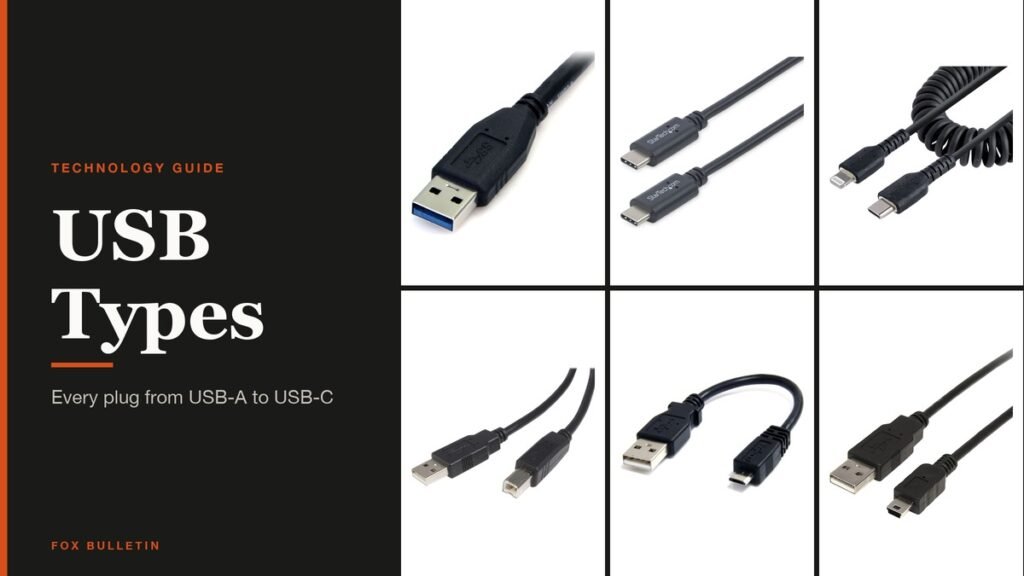
There are seven USB types you are likely to plug in: USB-A, USB-B, Mini-USB, Micro-USB, USB 3.0 Micro-B, USB-C and Apple’s Lightning. In 2026 USB-C is the one that matters most, because it is now required on phones in the European Union and, from April 28, 2026, on laptops too.
The confusing part is that a USB type describes two separate things: the shape of the plug and the data standard running through it. A USB-C cable can be as slow as USB 2.0 or as fast as 80 Gbps. This guide covers both, with the year each plug arrived, its pin count, every speed tier and how much power each can deliver.
USB Connector Chart: Year, Pins and Devices for All 7 Plugs
| # | Connector | Introduced | Pins | Reversible | Where you find it |
|---|---|---|---|---|---|
| 1 | USB-A | January 1996 | 4 / 9 | No | Computers, chargers, hubs |
| 2 | USB-B | January 1996 | 4 / 9 | No | Printers, scanners, desktop drives |
| 3 | Mini-USB | October 2000 | 5 | No | Older cameras and handhelds |
| 4 | Micro-USB | April 2007 | 5 | No | Pre-USB-C phones and gadgets |
| 5 | USB 3.0 Micro-B | November 2008 | 10 | No | Portable hard drives |
| 6 | USB-C | August 2014 | 24 | Yes | Phones, laptops, tablets, monitors |
| 7 | Lightning (Apple) | September 2012 | Not published | Yes | iPhone 5 to iPhone 14, older iPads |
Pin counts come from the USB-IF specifications. Where two figures appear, the first is the USB 2.0 version and the second is the USB 3.x SuperSpeed version, which keeps the same front shape and adds contacts. Apple does not publish a pin count for Lightning.
The 7 USB Types, From USB-A to USB-C
Each connector below is shown on a real cable, in the order the plugs appeared, with the change that created it.
1. USB-A: The Host-Side Rectangle
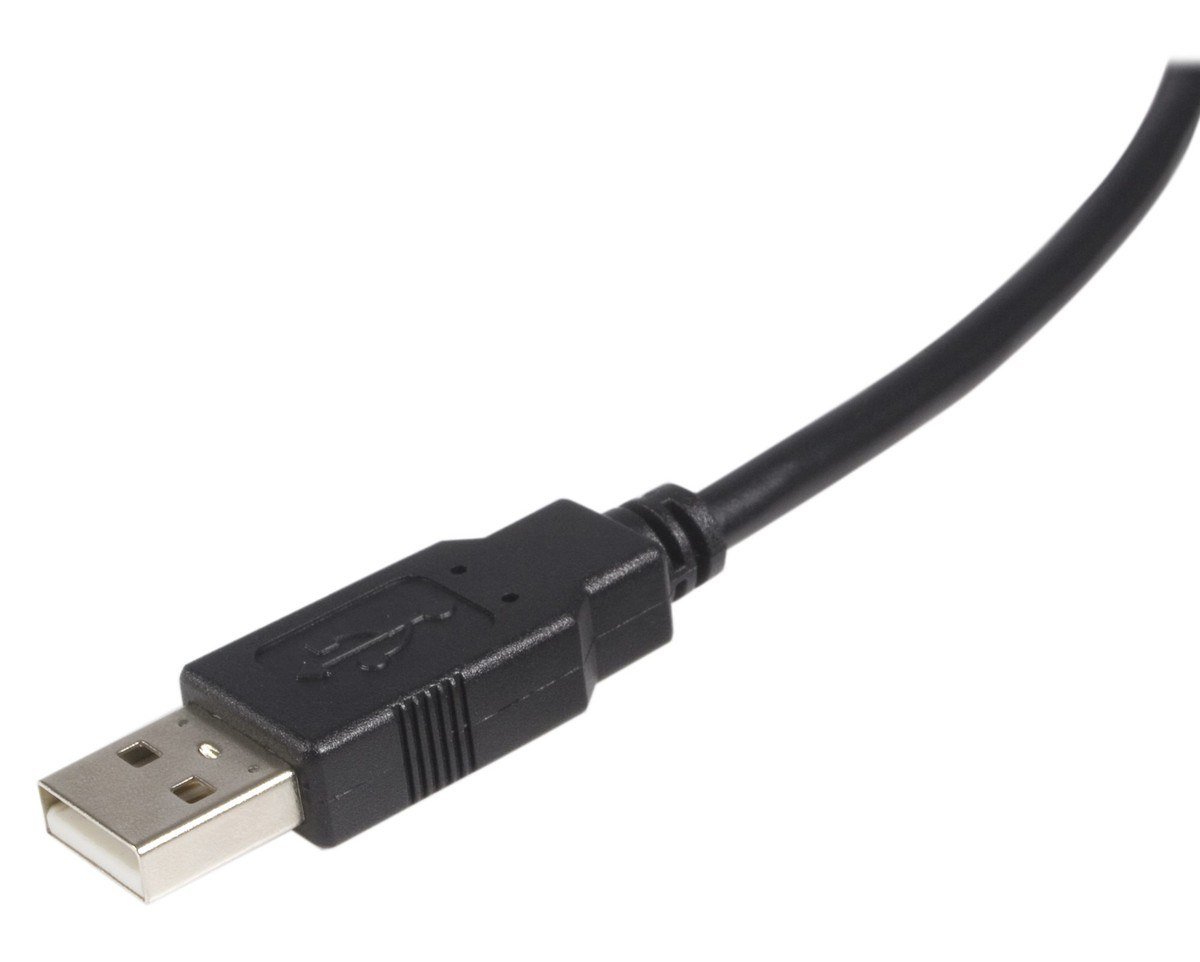
Introduced: USB 1.0, January 1996 | Pins: 4 (USB 2.0), 9 (USB 3.x) | Reversible: No
USB-A, which the specification calls Standard-A, is the flat rectangular plug that goes into a computer, charger or hub. The USB 2.0 specification makes it the host-side connector, and the physical difference between A and B plugs is deliberate: it stops a cable from joining two computers or two peripherals.
The USB 2.0 version has four contacts: power (VBUS), two data lines (D- and D+) and ground. USB 3.x Standard-A adds five SuperSpeed contacts behind the originals, so old and new plugs still fit each other, and the spec recommends a blue plastic insert to mark the faster version.
2. USB-B: The Square Printer Plug
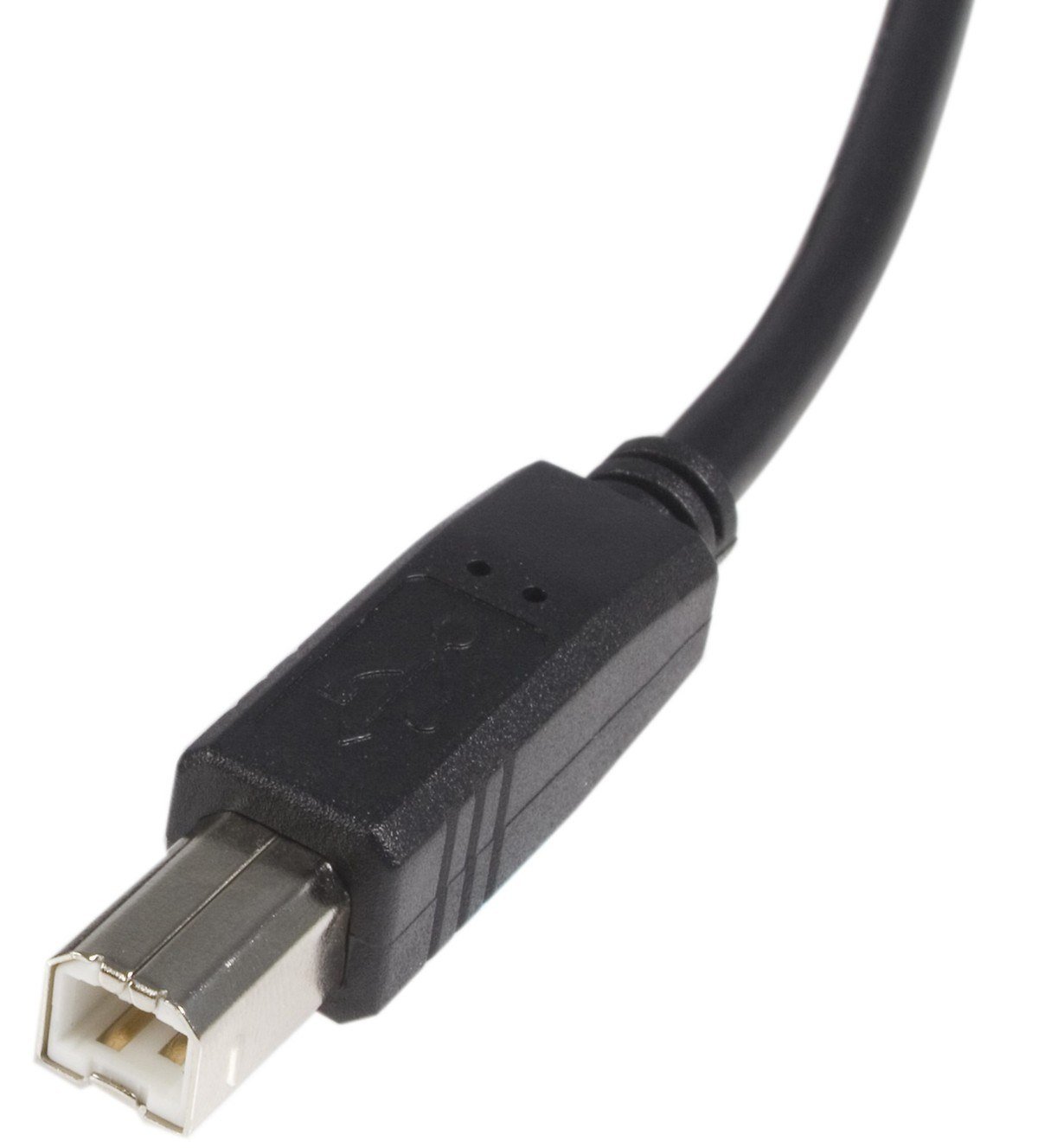
Introduced: USB 1.0, January 1996 | Pins: 4 (USB 2.0), 9 (USB 3.x) | Reversible: No
USB-B, or Standard-B, is the squarish plug with beveled top corners on the peripheral end of a cable. Most people meet it on printers and scanners, and the USB 3.x connector specification still reserves it for relatively large, stationary devices such as printers and external hard drives.
Compatibility runs one way only. A USB 2.0 B plug fits a USB 3.x B socket, but the taller USB 3 B plug will not go into an older USB 2.0 B socket, because its extra SuperSpeed contacts sit in a raised section on top.
3. Mini-USB: The First Phone-Sized Plug
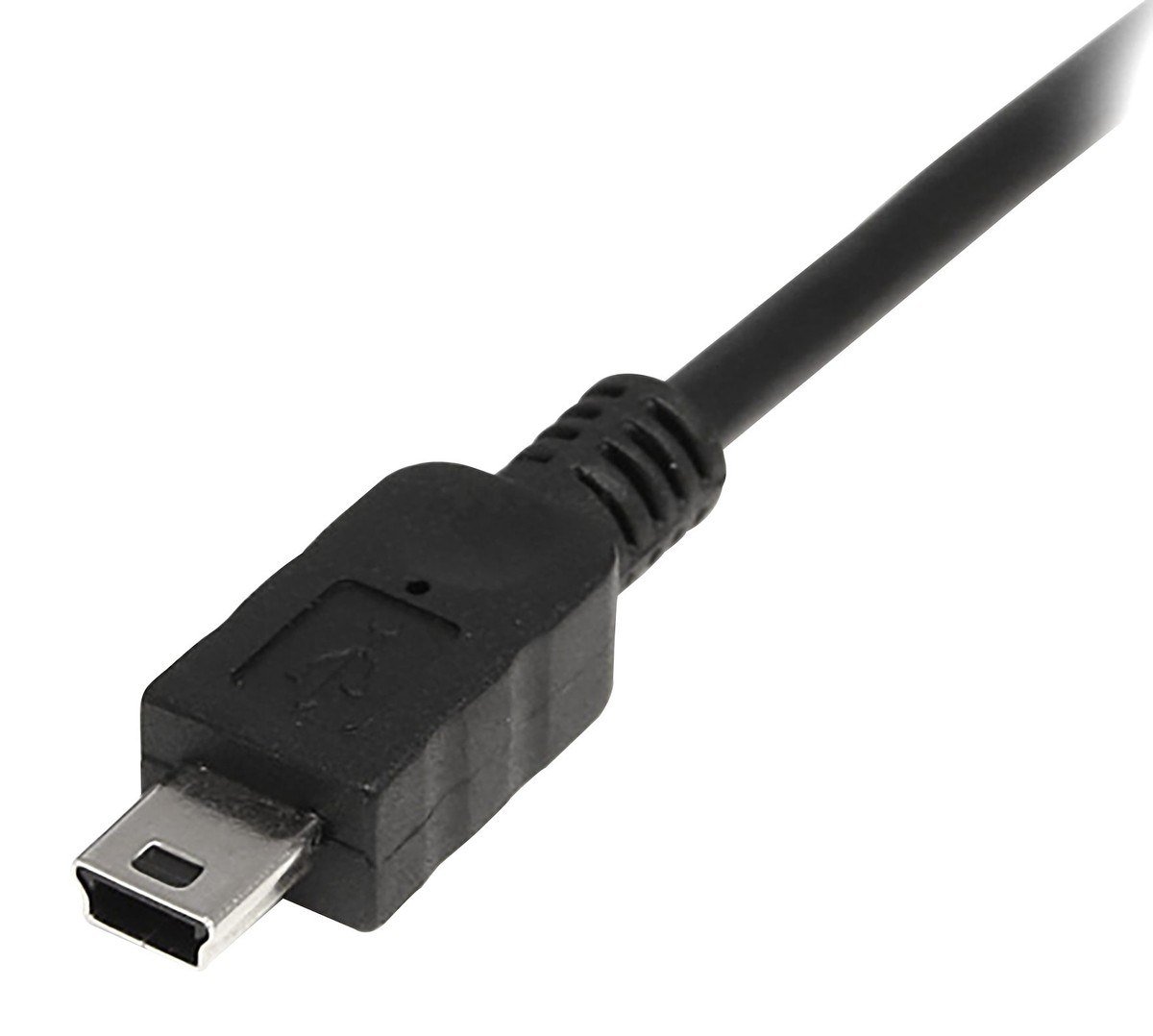
Introduced: USB 2.0 change notice, October 20, 2000 | Pins: 5 | Reversible: No
Mini-B arrived in an engineering change notice to USB 2.0 dated October 20, 2000. The notice said the Standard-B connector was too large for new handheld and mobile devices such as cell phones, so the USB committee defined a much smaller trapezoid plug.
Mini-B has five contacts: the four USB 2.0 lines plus an ID pin that is left unconnected on the B plug. It was the plug on a generation of digital cameras, MP3 players and handheld gadgets, and it tops out at USB 2.0 speed of 480 Mbps.
4. Micro-USB: The Slim Charging Port Before USB-C
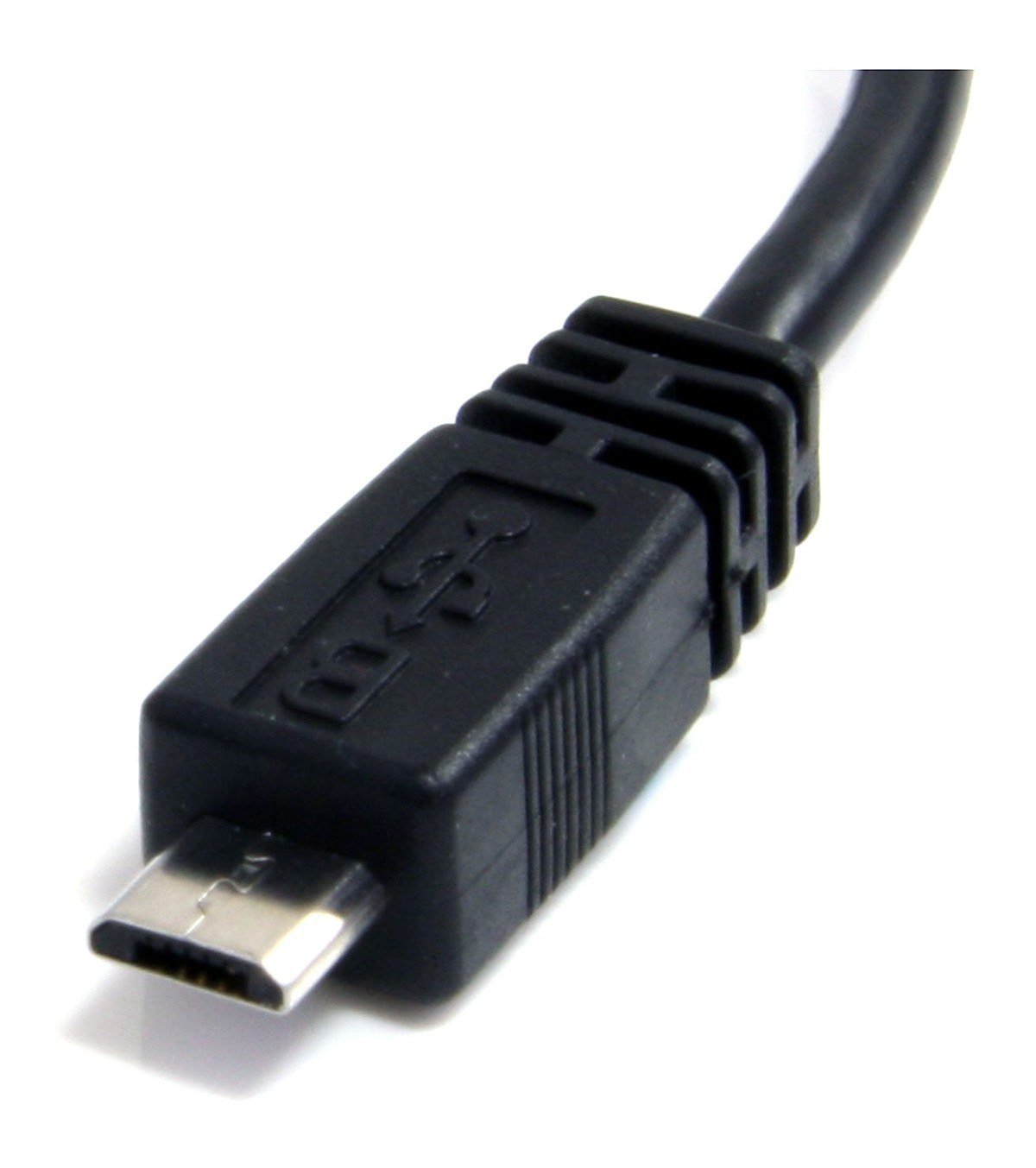
Introduced: Micro-USB specification 1.01, April 4, 2007 | Pins: 5 | Reversible: No
Micro-USB exists because phones got too thin for Mini-USB. The Micro-USB specification, revision 1.01 dated April 4, 2007, says the older plug no longer fit slim handsets, and it requires the new connector to survive more than 10,000 insertions.
The Micro-B plug is thin and flat with tapered edges, so it only goes in one way up. It carries USB 2.0 data at up to 480 Mbps over five pins (VBUS, D-, D+, ID and ground) and was the usual charging port on phones and small gadgets until USB-C took over.
5. USB 3.0 Micro-B: The Wide Plug on Portable Drives
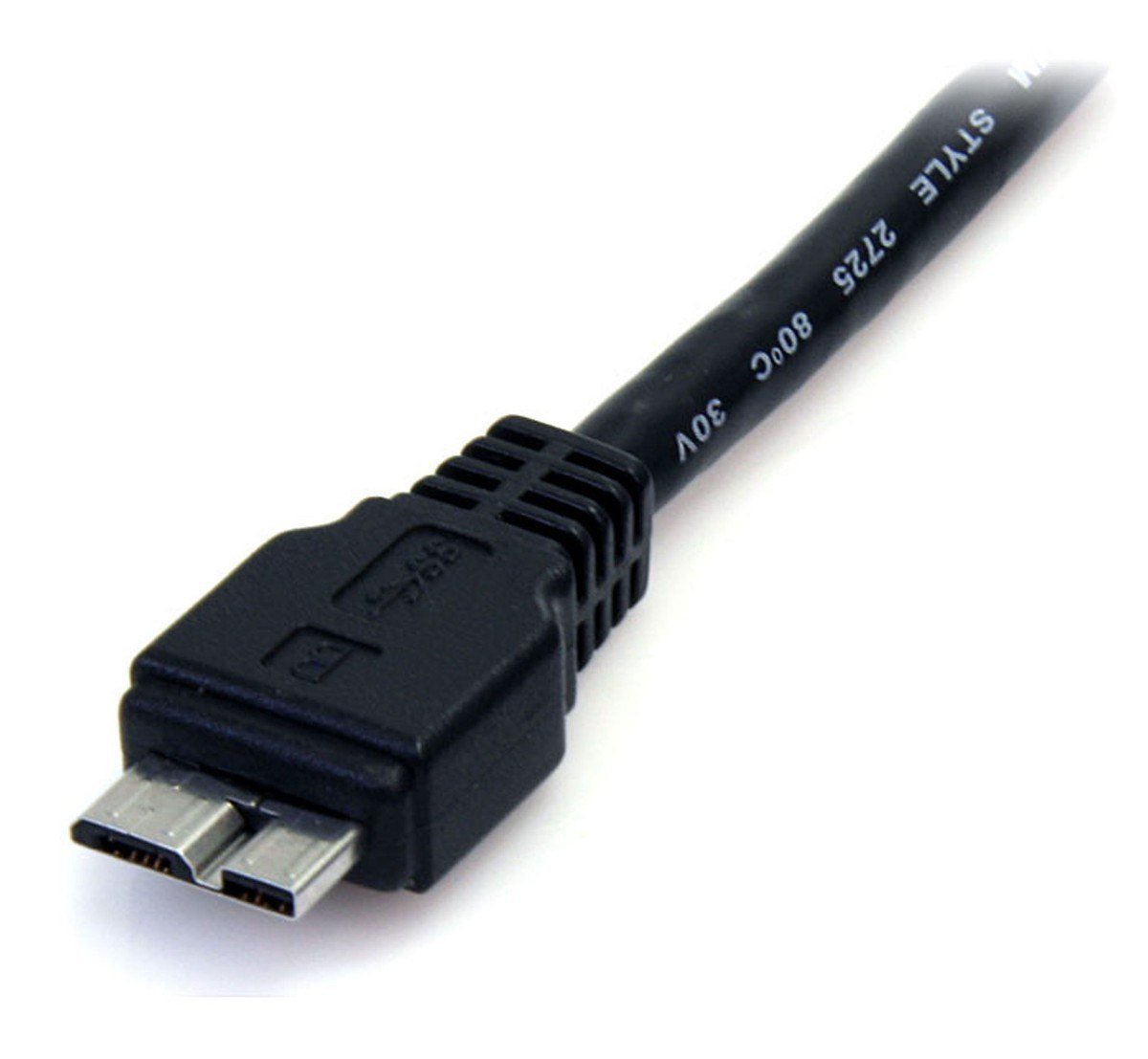
Introduced: USB 3.0, November 12, 2008 | Pins: 10 | Reversible: No
The USB 3.x Micro-B connector looks like a Micro-USB plug with a second block fixed to its side. That extra section holds five SuperSpeed contacts, for 10 pins in total, and it is what lets portable hard drives run at USB 5Gbps instead of 480 Mbps.
The socket is backward compatible: an ordinary Micro-USB cable plugs into its narrower half and runs at USB 2.0 speed. The reverse does not work, because a USB 3 Micro-B plug is too wide for a USB 2.0 Micro-B socket.
6. USB-C: The Reversible Plug That Carries Everything
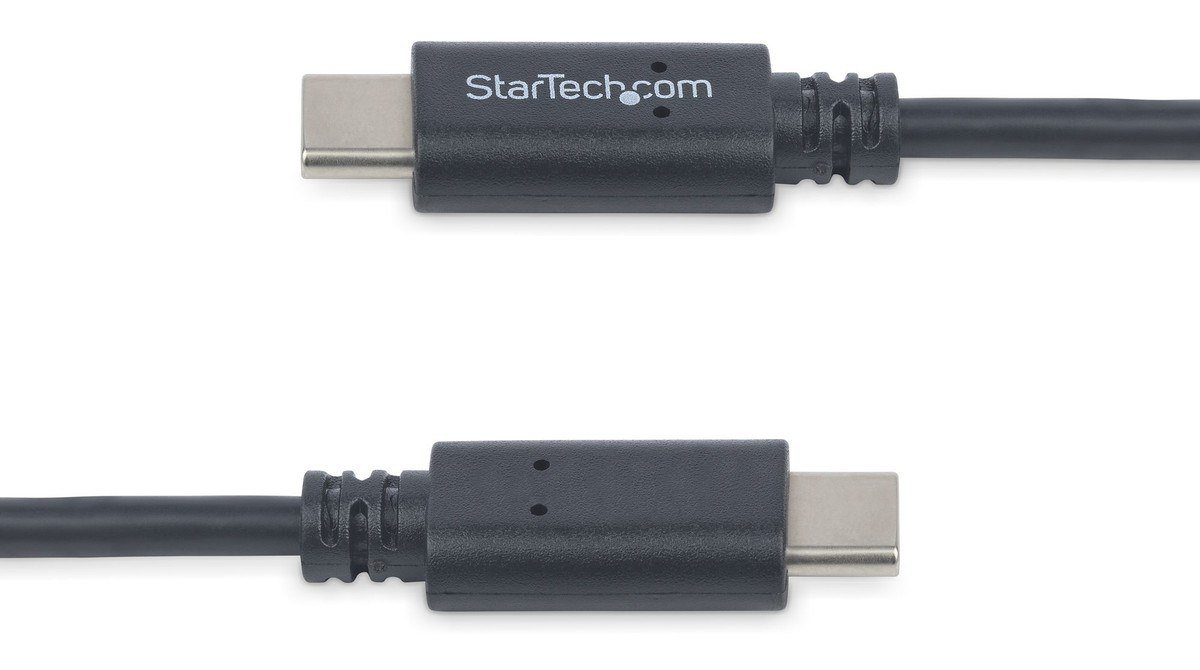
Introduced: USB Type-C Release 1.0, August 11, 2014 | Pins: 24 | Reversible: Yes
USB Type-C Release 1.0 is dated August 11, 2014. The specification describes a plug that fits upside-up or upside-down and a cable that works in either direction. The receptacle has 24 pins and sits under 3 mm tall on a circuit board, small enough for phones and thin laptops.
USB-C drops the A and B split: the two ends agree on host and device roles over a Configuration Channel wire. One port can carry anything from USB 2.0 to USB 80Gbps, DisplayPort video and up to 240W of charging, which is why the cable matters as much as the port.
7. Lightning: Apple’s Reversible Plug, Not a USB Standard
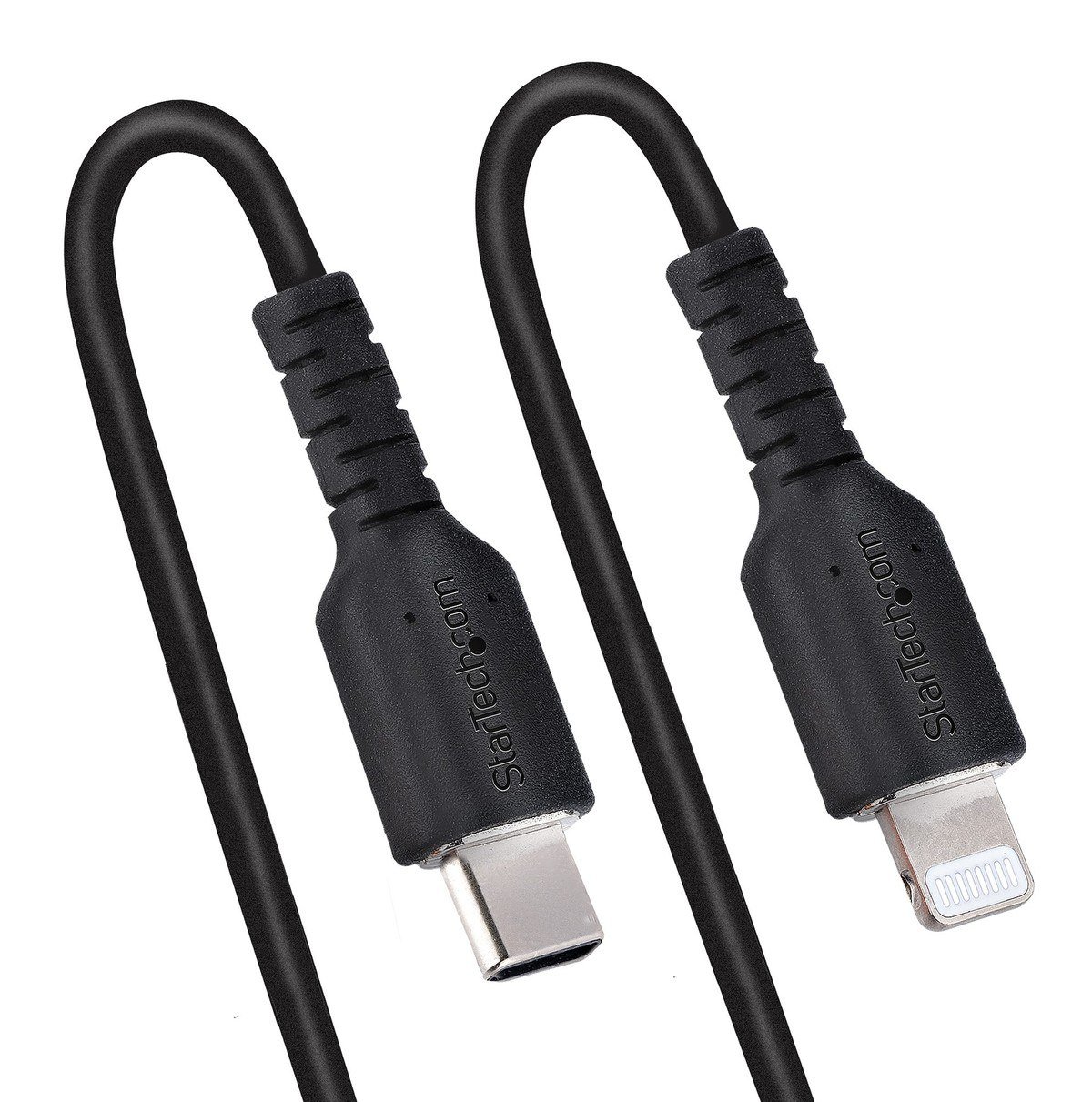
Introduced: iPhone 5, September 12, 2012 | Reversible: Yes | Dropped on iPhone: iPhone 15, 2023
Lightning is Apple’s own connector rather than a USB standard, but it sits on the end of so many USB cables that it belongs in any list of USB types. Apple launched it with iPhone 5 on September 12, 2012, describing it as smaller, all-digital and reversible.
Apple moved iPhone to USB-C with iPhone 15 and iPhone 15 Plus, announced September 12, 2023, and the iPhone 15 Pro models added USB 3 speeds of up to 10 Gbps. A USB-C to Lightning cable is still how older iPhones, iPads and accessories charge from a modern charger.
USB Speeds: From 12 Mbps to 80 Gbps
The plug tells you nothing about speed. Speed comes from the USB version that the port, the cable and the device all support, and a link runs at the slowest of the three. The USB-IF now asks makers to label products by speed, such as USB 10Gbps, rather than by version names like USB 3.2 Gen 2.
| Standard | Released | Name on the box | Top speed |
|---|---|---|---|
| USB 1.0 / 1.1 | January 1996 / September 1998 | None | 12 Mbps (1.5 Mbps low speed) |
| USB 2.0 | April 27, 2000 | Hi-Speed USB | 480 Mbps |
| USB 3.2 Gen 1 (was USB 3.0) | November 12, 2008 | USB 5Gbps | 5 Gbps |
| USB 3.2 Gen 2 (was USB 3.1) | July 26, 2013 | USB 10Gbps | 10 Gbps |
| USB 3.2 Gen 2×2 | September 22, 2017 | USB 20Gbps | 20 Gbps over two lanes |
| USB4 version 1.0 | August 2019 | USB 40Gbps | 40 Gbps |
| USB4 version 2.0 | October 2022 | USB 80Gbps | 80 Gbps, or 120 Gbps one way |
The renaming explains most of the confusion. USB 3.0 became USB 3.1 Gen 1 and then USB 3.2 Gen 1 without getting any faster. USB 3.2 absorbed every earlier 3.x specification and kept three rates: 5, 10 and 20 Gbps. The 20 Gbps tier runs two 10 Gbps lanes at once, which only a USB-C cable is wired to do.
USB4 is built on the Thunderbolt protocol Intel contributed to the USB-IF, and it can tunnel USB, DisplayPort video and PCI Express data over one cable. Version 2.0 doubled the top rate to 80 Gbps over existing 40 Gbps passive cables, with an optional mode that sends 120 Gbps in one direction for high-resolution displays.
Thunderbolt 3, 4 and 5 vs USB4
Thunderbolt is Intel’s standard, and since Thunderbolt 3 in 2015 it has used the USB-C connector. That is why a Thunderbolt port and a USB-C port look identical. The difference is in the guaranteed minimums: a Thunderbolt port must meet requirements that a plain USB4 port can treat as optional.
- Thunderbolt 3 (2015): 40 Gbps over USB-C, the first version to carry data, video and power through one USB-C cable.
- Thunderbolt 4 (2020): 40 Gbps, requires USB4 compliance and PC charging of up to 100W.
- Thunderbolt 5 (announced September 12, 2023): 80 Gbps both ways, up to 120 Gbps one way with Bandwidth Boost, built on USB4 version 2.0, with PC charging of up to 240W available.
- USB4 minimum: 20 Gbps, which is why a laptop that only says USB4 may be half the speed of one with Thunderbolt 4.
All of them work together. A USB4 port accepts Thunderbolt 3 devices, and a Thunderbolt 5 port runs ordinary USB-C accessories at their own speed. If you need an external GPU, a fast dock or two 4K monitors, look for the Thunderbolt mark rather than a USB4 claim. For a single screen, a USB-C to HDMI adapter is often enough.
How Much Power Each USB Type Can Deliver
Power follows the same rule as speed: the port, the cable and the charger all have to agree. Every USB port starts at a safe 5 volts, and anything above the defaults has to be negotiated.
- USB 2.0 port: 500 mA at 5V, or 2.5W, enough for a mouse or keyboard.
- USB 3.x port: 900 mA single-lane or 1,500 mA dual-lane at 5V, or 4.5W to 7.5W.
- USB-C without Power Delivery: 1.5A or 3A at 5V, up to 15W.
- USB Power Delivery (standard range): 5, 9, 15 and 20 volts, up to 100W with a 5A cable.
- USB Power Delivery 3.1 (extended range): 28, 36 and 48 volts for 140W, 180W and 240W.
The USB-IF raised the Power Delivery ceiling from 100W to 240W on May 26, 2021, which is what lets one USB-C charger power a phone, a tablet and a large gaming laptop. Power can flow either way, so a monitor can charge the laptop that feeds it video. Cables rated above 3A carry a chip, called an e-marker, that tells the charger what they can handle.
Why USB-C Is Now the Required USB Type in Europe
The European Union’s Directive 2022/2380 made USB-C the common charging port. It has applied since December 28, 2024 to phones, tablets, digital cameras, headphones and headsets, earbuds, handheld game consoles, portable speakers, e-readers, keyboards, mice and portable navigation devices. Laptops followed on April 28, 2026.
Any covered device that charges above 15W must also support USB Power Delivery, so a brand cannot lock fast charging to its own adapter. Buyers can choose a device without a charger in the box, which the European Commission estimates will cut e-waste by 980 tonnes a year and to save consumers at least 250 million euros a year.
How to Choose the Right USB Cable
- Match the plugs first. Check both ends: USB-C to USB-C for current phones and laptops, USB-A to USB-C for older chargers, USB-A to USB-B for printers.
- Read the logo on a USB-C cable. Certified USB-C cables carry a speed and wattage mark such as 20Gbps/60W or 240W. A cable that shows only a wattage mark is usually a USB 2.0 cable rated at 480 Mbps.
- Buy for the job. Charging needs the wattage rating; external SSDs and docks need the speed rating. A charge-only cable can make a fast drive crawl.
- Keep high-speed cables short. Passive USB-C cables run up to 4 m at USB 2.0 speed, 2 m at USB 5Gbps, 1 m at USB 10Gbps and 0.8 m at 40 or 80 Gbps.
- Check the port too. A blue insert on a USB-A port usually marks USB 3.x, and a laptop’s spec sheet lists which USB-C ports support Thunderbolt or USB4. Inside a desktop, the motherboard decides which ports are fast, as our guide to PC parts explains.
Frequently Asked Questions
How many USB types are there?
There are six USB connector shapes in common use: USB-A, USB-B, Mini-USB, Micro-USB, USB 3.0 Micro-B and USB-C. Lightning is a seventh plug you will meet on USB cables, but it is an Apple connector. On top of the shapes sit the data standards, from USB 1.0 at 12 Mbps to USB4 at 80 Gbps.
What is the difference between USB-A and USB-C?
USB-A is the older rectangular host plug that only fits one way and has 4 or 9 contacts. USB-C has 24 pins, fits either way up and works at both ends of a cable. Only USB-C can carry USB4, Thunderbolt, DisplayPort video and Power Delivery above 15W.
Is USB4 the same as Thunderbolt?
No, but they are closely related. USB4 is based on Thunderbolt technology Intel gave to the USB-IF, and both use the USB-C connector. Thunderbolt 4 and 5 add stricter minimums, such as 40 Gbps or more and higher laptop charging, while USB4 can be as slow as 20 Gbps.
Are all USB-C cables the same?
No. A USB 2.0 Type-C cable carries 480 Mbps and charging but no video or high-speed data. Full-featured cables carry 5 to 80 Gbps, and the wattage rating can be 60W or 240W. A host or drive connected with a USB 2.0 Type-C cable drops to USB 2.0 speed.
Related Articles

Get the Fox Bulletin briefing
The stories that matter, in your inbox. No spam, unsubscribe anytime.
Newsletter signup will be available soon.
Related stories
Second Monitor Not Detected? Fixes for Common Multi-Monitor Problems
A second monitor that shows no signal is usually a cable, input or display mode problem. Here is the fix for that and every other common multi-monitor headache.
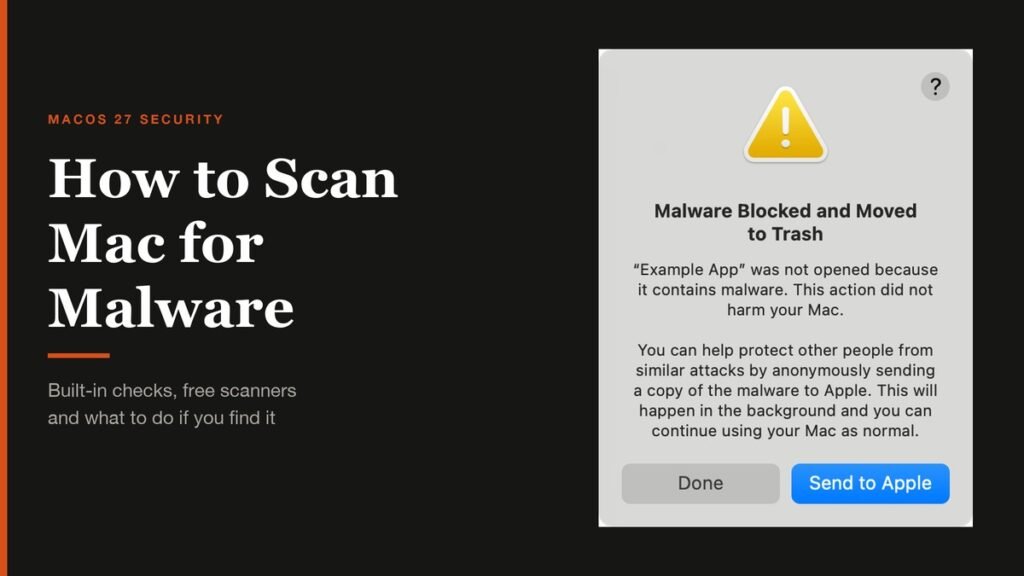
How to Scan Mac for Malware: A Complete Step-by-Step Check
Macs scan themselves, but not on demand. Here is how to check a Mac for malware by hand, which free tools help, and the 2026 copy-paste scam to watch for.
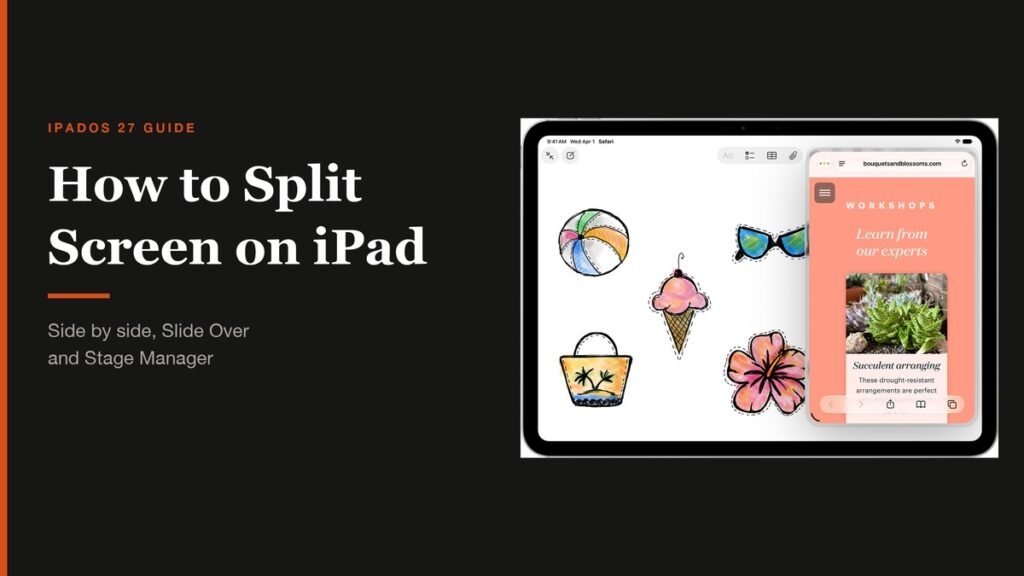
How to Split Screen on iPad: Side by Side, Slide Over and More
Split screen on iPad now lives inside Windowed Apps. Here is how to put two apps side by side, resize them, float a third in Slide Over and go back to one app.