

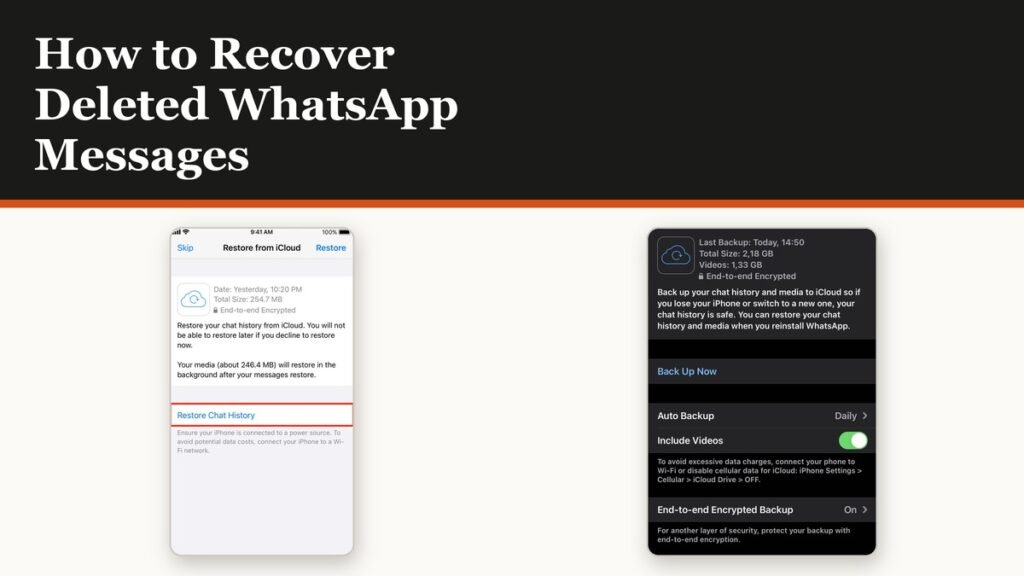
How to recover deleted WhatsApp messages comes down to one question: was the message still in the chat the last time a backup ran. If it was, restoring that backup brings it back. If it was not, no app, service or paid tool can produce it, because the only copy you control is that single file.
WhatsApp keeps exactly one backup per account and each new run replaces the previous one. That makes the first step counterintuitive. Before attempting any recovery, stop anything that would write a fresh backup over the one holding your messages.
Stop before you touch anything
WhatsApp is direct about this: if you are trying to recover chats that are already missing, do not create a new backup, do not delete the existing backup, and do not factory reset the phone. Each of those destroys the only copy.
- Do not tap Back up. A manual run overwrites the file that still contains the deleted messages.
- Turn off the automatic schedule if it is set to daily, because the next overnight run will do the same thing.
- Do not delete the backup from the Google Account or iCloud to make space.
- Do not reset the phone or clear WhatsApp data before you have checked what the backup holds.
Switch the schedule off first and investigate second. The screen that shows the schedule is the same one that tells you what you have to work with.
Check what the backup actually contains
A backup you have never confirmed is not a backup. The Chat backup screen prints the date, the time and the size of the last successful run, and those three numbers decide whether recovery is possible at all.
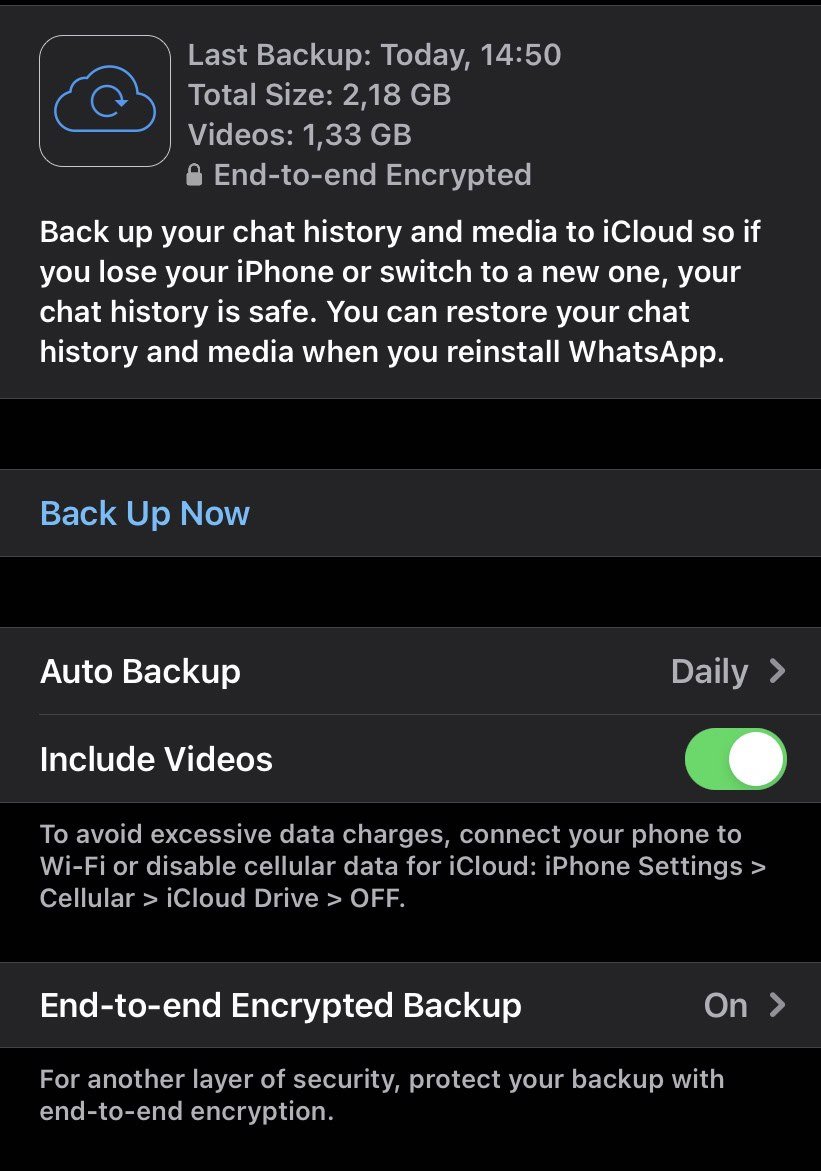
- Open WhatsApp and go to Settings, then Chats, then Chat backup.
- Read the date and time of the last backup. If it is earlier than the deletion, the messages are in there.
- If the screen shows no backup, there is nothing to restore and the rest of this does not apply.
- Check the size against the free space on the phone. A restore needs more free space than the backup occupies.
A backup dated after the deletion is a backup of the chat without those messages in it. Restoring it changes nothing except costing you everything sent since.
How to recover deleted WhatsApp messages from the backup
There is no in-app restore button for an account that is already running. The restore prompt only appears during registration, which is why the procedure involves removing the app.
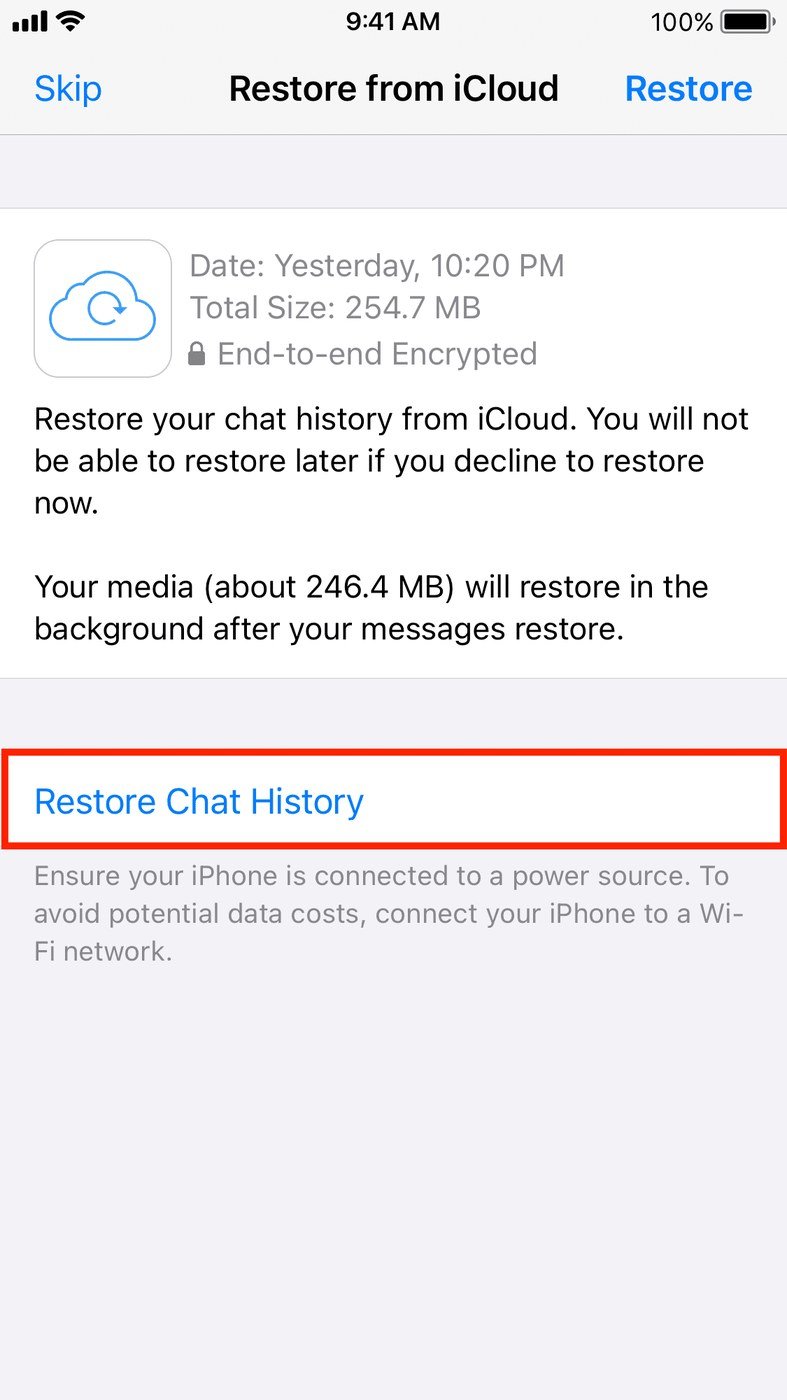
- Uninstall WhatsApp, then install it again from the Play Store or App Store.
- Open it and verify the same phone number the backup was made on.
- When the prompt appears, tap Restore. Do not tap Skip, which permanently forfeits the backup.
- If asked, verify your identity or enter your encryption password or 64-digit key.
- Leave WhatsApp open and on screen until the chats appear.
The restore runs in two stages. Messages come back first, then photos, videos and documents continue downloading in the background afterwards. Keep the phone on Wi-Fi and plugged in until the media finishes, and expect gaps in older chats until it does. WhatsApp will not start backing up again until the restore is complete.
What a restore brings back, and what it costs
A restore is a swap, not a merge. The phone ends up holding exactly what the backup held, and nothing else.
| The message was | Outcome |
|---|---|
| Deleted after the last backup ran | Recoverable by restoring that backup |
| Deleted before the last backup ran | Not in the file, not recoverable |
| Removed with Delete for everyone | Gone from your copy too |
| Sent after the last backup ran | Lost when you restore, not recovered |
| Never backed up at all | No route to recovery |
The trade is real and worth doing the arithmetic on. Recovering a conversation deleted three days ago from a backup made four days ago also deletes everything from the last four days. If those four days matter more, export the current chats before you start.
- Videos only return if Include videos was on before that backup ran.
- The phone number has to match the one the backup was created on.
- A partial backup does not restore. If free space runs out mid-way, the attempt fails rather than restoring half.
- Community messages and media are included, as are channel updates, though channel media only if you are that channel’s admin.
When recovery is not possible
Several situations have no technical answer, and recognising them saves money that would otherwise go to a recovery tool that cannot deliver.
- No backup was ever made. Nothing on the device survives a WhatsApp uninstall.
- The backup is newer than the deletion. The messages are not in the file.
- Delete for everyone was used. It removes the message from your copy as well.
- Different platform. A Google Account backup cannot restore onto an iPhone, and an iCloud backup cannot restore onto an Android phone.
- Different number. A backup only restores to the number that made it.
WhatsApp states plainly that it cannot restore, transfer or delete chats, contacts or media on a user’s behalf, which is the line that rules out every support request on this. Where the phone itself is the problem rather than the data, recovery mode is the right tool, and keeping a second copy of anything that matters belongs in one of the free cloud storage services rather than in a single overwriting file.
Frequently Asked Questions
Can I recover WhatsApp messages without a backup?
No. Uninstalling WhatsApp clears the local database, and without a cloud backup there is nothing left to read. Tools that claim otherwise are either reading a backup you already have or selling nothing.
Can I see a message someone deleted for everyone?
Not through WhatsApp. If the message arrived before the deletion and your phone showed a notification, the notification history on some Android phones may still carry the text, but WhatsApp itself removes it from both copies.
How long does a WhatsApp restore take?
Messages usually appear within a few minutes. Media can take considerably longer and keeps downloading after the chats are visible, which is why older photos look missing at first.
Will restoring a backup delete my current chats?
Yes. The restore replaces what is on the phone with the contents of the backup. Anything sent or received after that backup was made is lost in the swap.
Related Articles

Get the Fox Bulletin briefing
The stories that matter, in your inbox. No spam, unsubscribe anytime.
Newsletter signup will be available soon.
Related stories
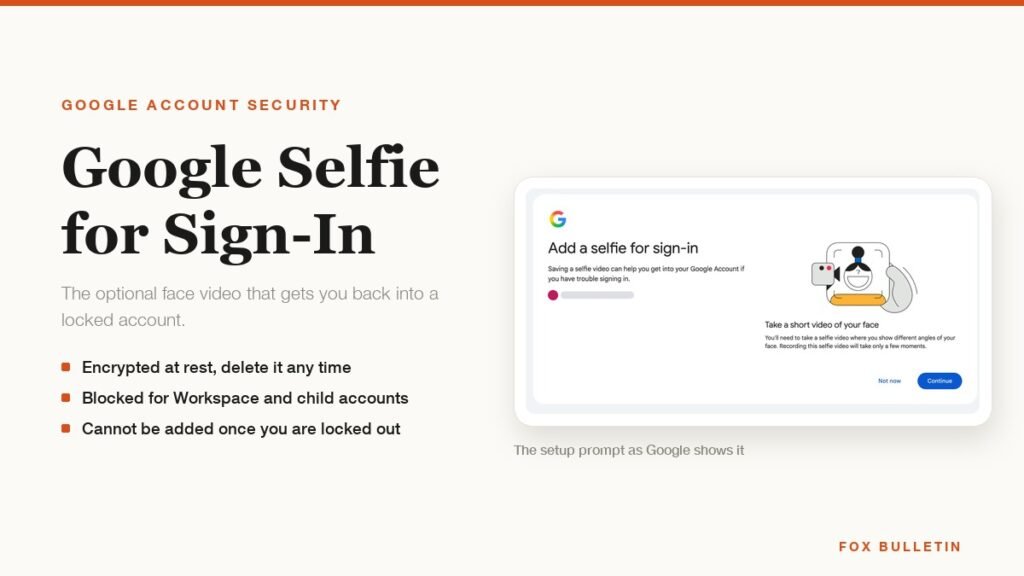
Google Selfie for Sign-In: How It Works and Is It Safe
The prompt headed Add a selfie for sign-in asks to keep a video of your face on your Google Account. Here is what that video is used for, and how to remove it.
My Eyes Only Snapchat: Set It Up and Unlock It
Forgetting the passcode does not lock you out. It deletes everything behind it, and that is by design.
How to Delete Friends on Snapchat and What Changes
Removing a friend is quiet and quick. It also leaves them able to message you unless one other setting is changed.