

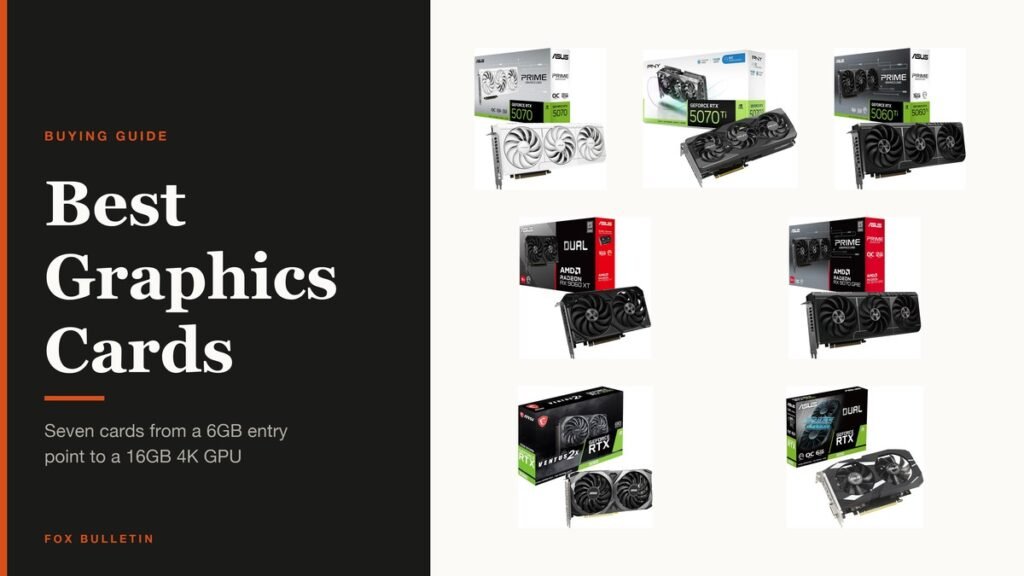
Picking the best graphics card has stopped being about the fastest chip and started being about memory and physical size. A card with 8GB will run out of memory before it runs out of speed, and a three-slot cooler will not fit the case you already own.
Seven are compared below, from a 6GB card that revives an old office machine to a 16GB GDDR7 board that handles 4K. Every specification quoted comes from the listing itself, and no prices are stated because they move weekly in this category.
Graphics Card Comparison: GPU, Memory and Physical Size
All seven, with the specifications each listing actually states.
| # | Graphics card | GPU | Memory | Size | Best for |
|---|---|---|---|---|---|
| 1 | ASUS Prime GeForce RTX 5070 White OC | GeForce RTX 5070 | 12GB GDDR7 | 2.5-slot | 1440p gaming |
| 2 | PNY GeForce RTX 5070 Ti OC Triple-Fan | GeForce RTX 5070 Ti | 16GB GDDR7 | 2.98-slot | High-refresh 1440p and entry 4K |
| 3 | ASUS Prime GeForce RTX 5060 Ti 16GB | GeForce RTX 5060 Ti | 16GB GDDR7 | 2.5-slot | 1080p and 1440p with headroom |
| 4 | ASUS Dual Radeon RX 9060 XT 16GB | Radeon RX 9060 XT | 16GB GDDR6 | 2.5-slot | 1440p without paying NVIDIA prices |
| 5 | ASUS Prime Radeon RX 9070 GRE EVO OC | Radeon RX 9070 GRE | Not stated on the listing | 2.5-slot | AMD performance a tier up |
| 6 | MSI GeForce RTX 3060 Ventus 2X 12G OC | GeForce RTX 3060 | 12GB GDDR6 | Dual-fan | 1080p on a budget with memory to spare |
| 7 | ASUS Dual GeForce RTX 3050 6GB OC | GeForce RTX 3050 | 6GB GDDR6 | 2-slot | Reviving an old prebuilt |
1. ASUS Prime GeForce RTX 5070 White OC: The 1440p Card Most People Should Buy
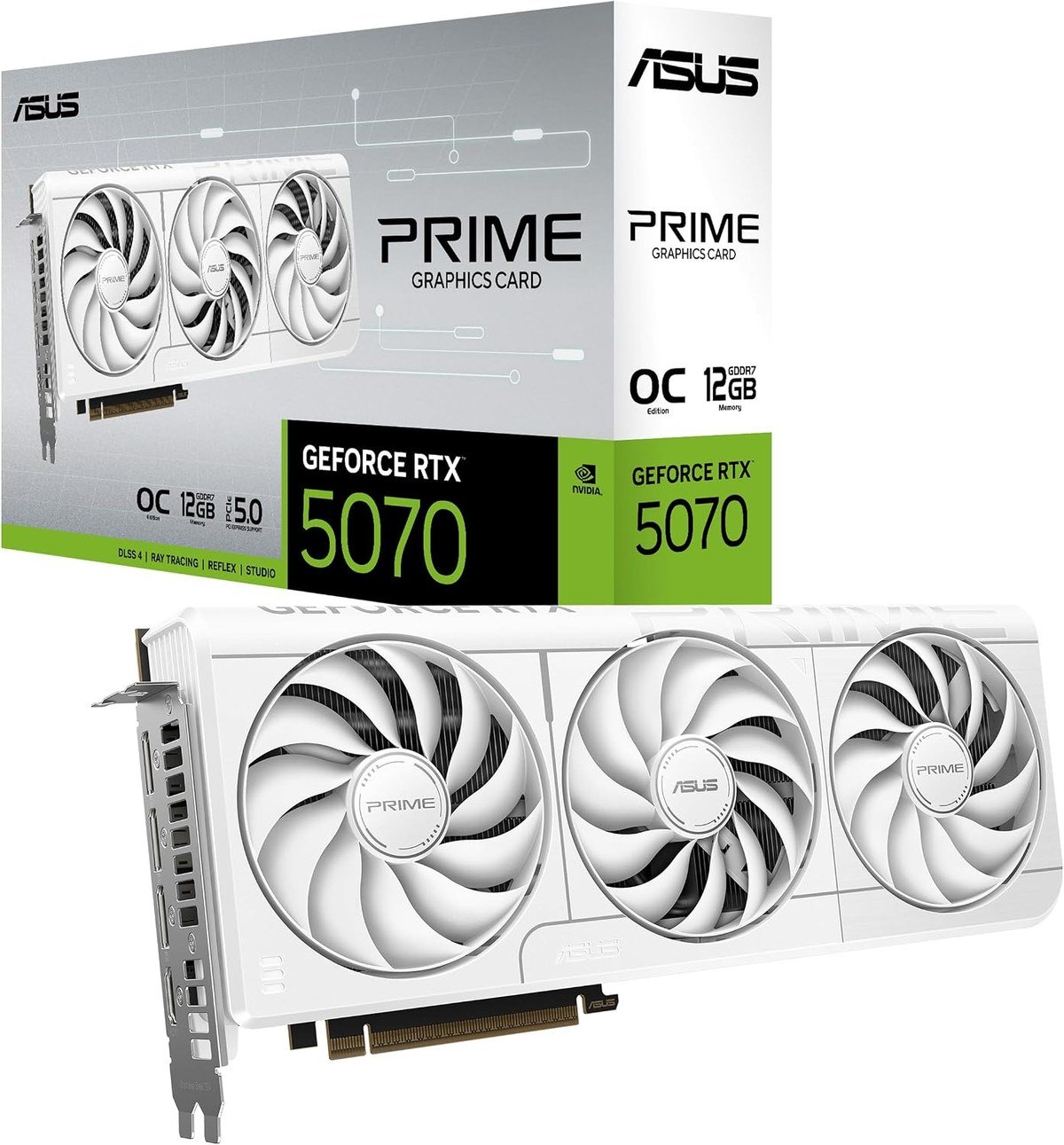
The RTX 5070 is where the current generation stops being a compromise, and this ASUS Prime version is the plainest implementation of it. The listing quotes 1005 AI TOPS and an OC mode boost clock of 2587 MHz against 2557 MHz in default mode.
Blackwell architecture brings DLSS 4, which matters more than raw numbers suggest, because frame generation lifts playable settings well beyond what the silicon alone manages. The white finish is the only thing here that is about looks rather than performance.
What it does well
- 12GB of GDDR7, enough for 1440p with textures turned up
- DLSS 4 support through the Blackwell architecture
- OC mode boost clock quoted at 2587 MHz
- A 2.5-slot cooler that fits most mid-tower cases
What to know before buying
- 12GB is adequate at 1440p and tight for 4K texture packs
- The white shroud only suits a build you have planned around it
- Check your power supply before buying any card in this class
2. PNY GeForce RTX 5070 Ti OC Triple-Fan: A Step Up, With Three Fans to Cool It
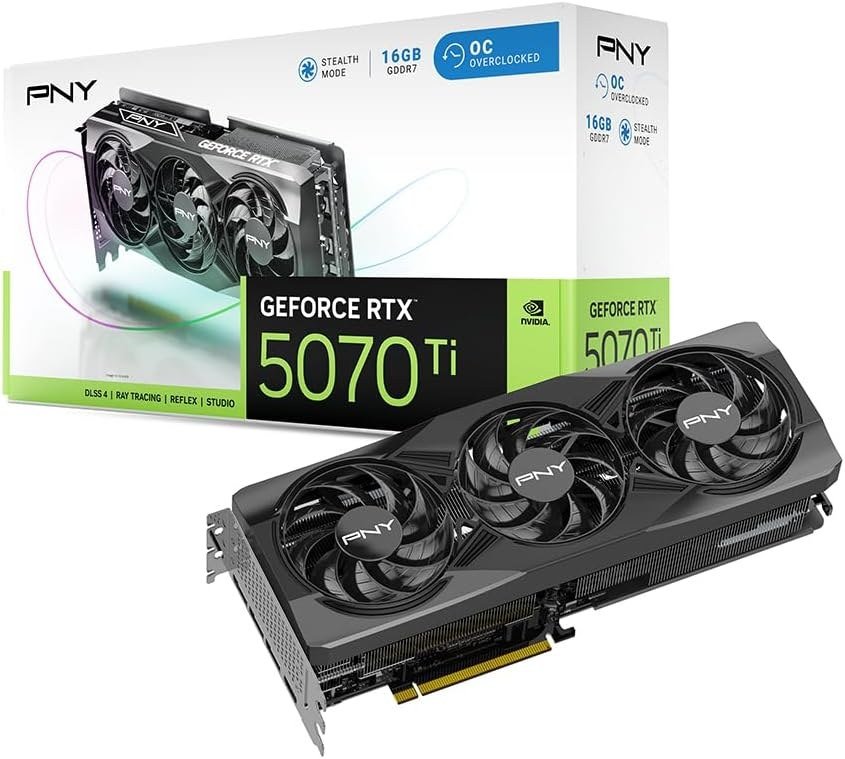
The 5070 Ti adds memory and silicon over the 5070, and 16GB of GDDR7 on a 256-bit bus is the difference between comfortable 1440p and genuine 4K capability. PNY pairs it with three 90mm axial fans quoted at up to 15% more airflow, with counter-rotation to cut turbulence.
A vapor chamber and dense heatsink handle the extra heat that comes with the extra performance. The cost is physical: at 2.98 slots this is a thick card, and it will crowd anything in the slot below.
What it does well
- 16GB GDDR7 on a 256-bit bus, a real step up from the 5070
- Triple 90mm fans with counter-rotation to reduce turbulence
- Vapor chamber cooling with an open aluminium backplate
- Comfortably capable at 4K in most current titles
What to know before buying
- At 2.98 slots it is a thick card, so measure your case first
- Needs more power headroom than the 5070
- Overkill if your monitor is 1080p
3. ASUS Prime GeForce RTX 5060 Ti 16GB: 16GB at the Mid Range
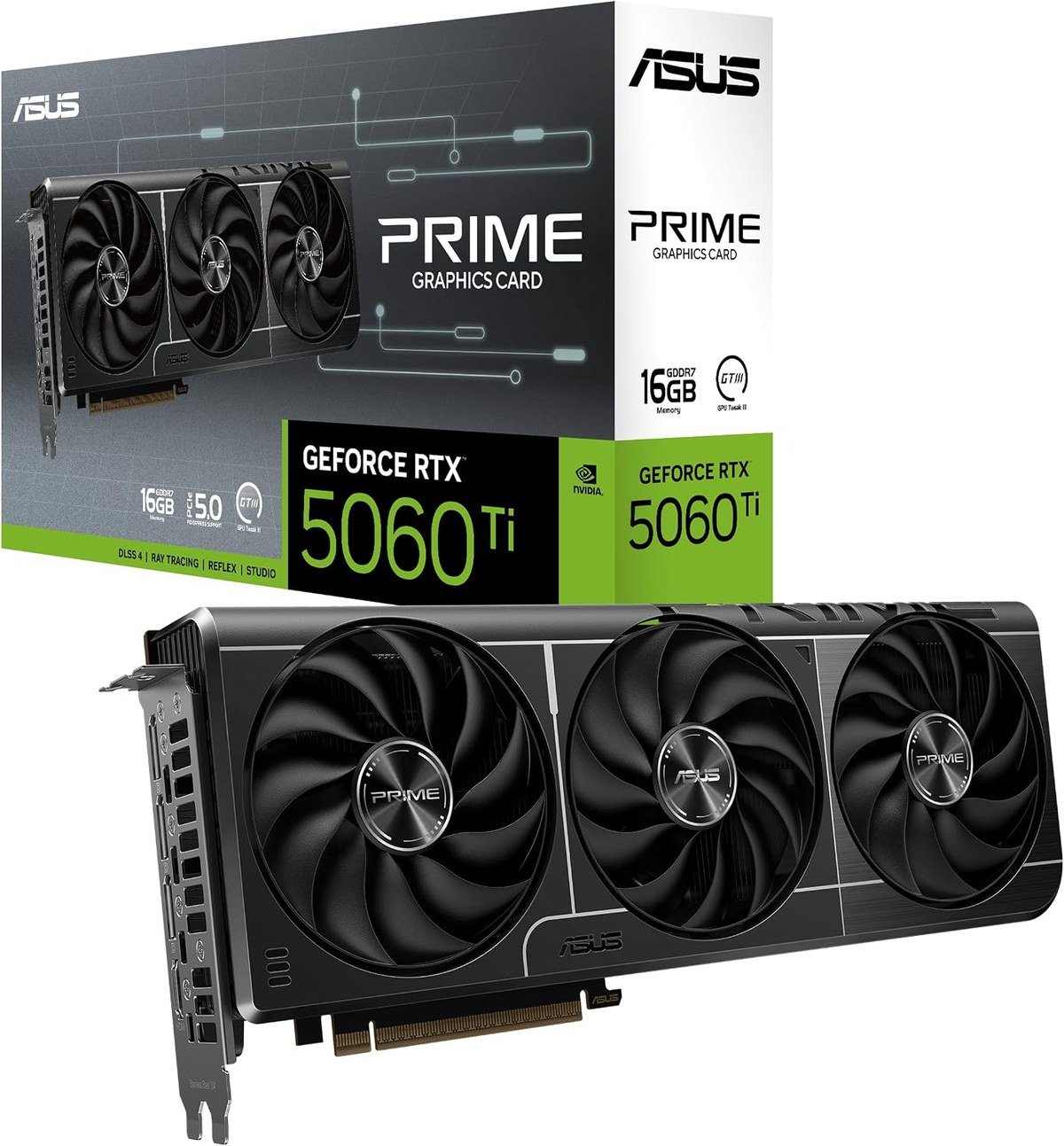
The interesting thing about this card is the memory. 16GB of GDDR7 on a 5060 Ti is more than the 5070 carries, which matters for texture-heavy games and for anything involving local AI models, where capacity decides what will run at all.
The listing quotes 758 AI TOPS and an OC mode boost of 2602 MHz. Raw performance sits below the 5070, so this is the card for someone who wants memory headroom more than frame rate.
What it does well
- 16GB of GDDR7, more capacity than the step-up 5070
- DLSS 4 and the Blackwell feature set
- OC mode boost quoted at 2602 MHz
- A sensible 2.5-slot cooler
What to know before buying
- Slower than the RTX 5070 despite the larger memory
- The 8GB version of this card exists and is a different product
- The extra memory only pays off in specific workloads
4. ASUS Dual Radeon RX 9060 XT 16GB: The AMD Answer at 1440p
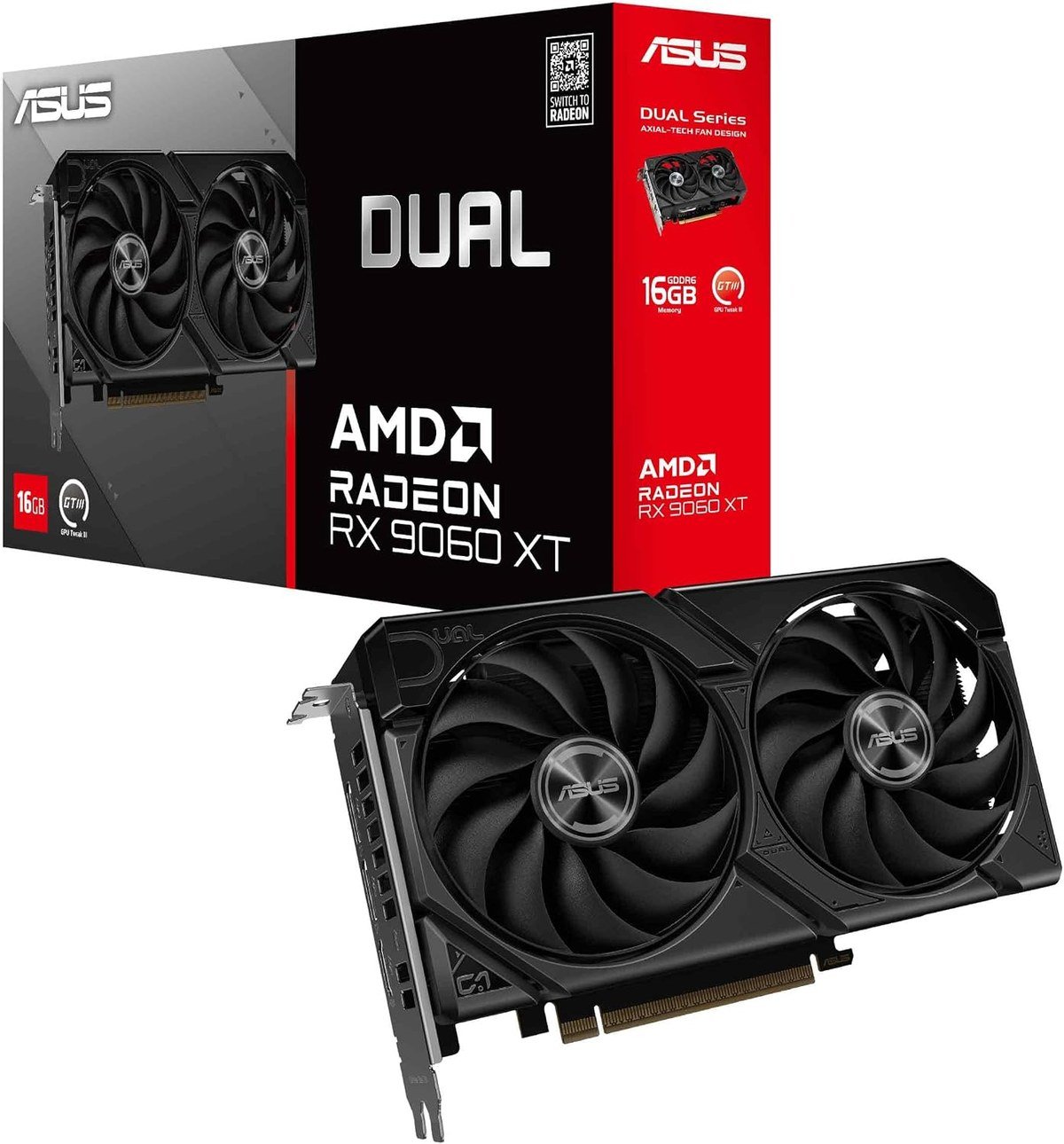
AMD’s RDNA 4 generation is competitive again, and the RX 9060 XT with 16GB is the card that makes that case at the mid range. ASUS fits axial-tech fans with a smaller hub, allowing longer blades, and a barrier ring that increases downward air pressure.
Native DisplayPort 2.1a output is on board, which matters for high-refresh monitors in a way HDMI does not. The trade against an NVIDIA card is ray tracing performance and the DLSS ecosystem.
What it does well
- 16GB GDDR6, generous for the price bracket
- Native DisplayPort 2.1a for high-refresh displays
- Axial-tech fans with a barrier ring for better air pressure
- 2.5-slot design that fits ordinary cases
What to know before buying
- Ray tracing remains NVIDIA’s advantage
- FSR is improving but DLSS 4 is still ahead
- Driver maturity has historically favoured NVIDIA
5. ASUS Prime Radeon RX 9070 GRE EVO OC: A Boost Clock Up to 2880 MHz
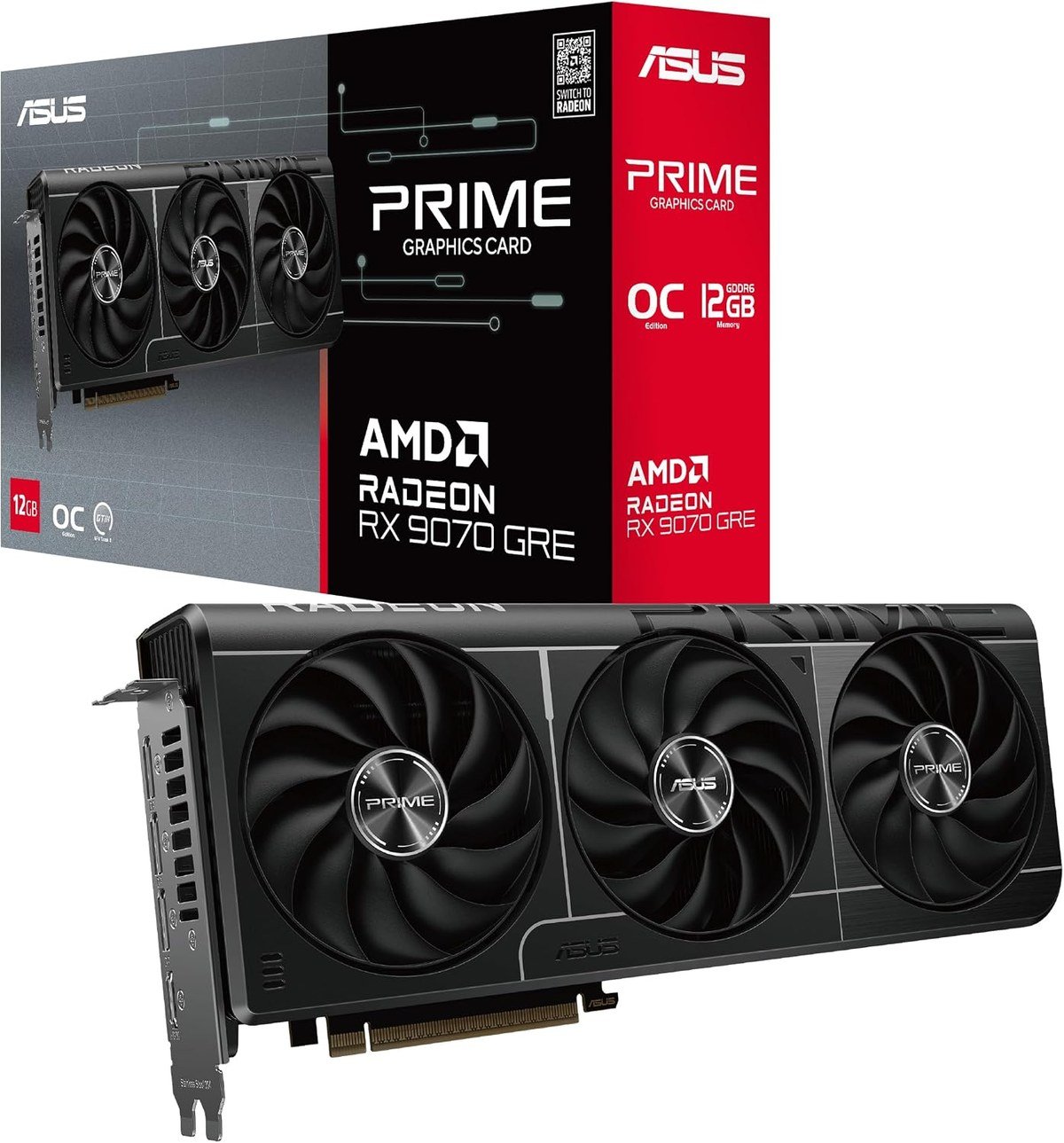
The GRE sits between AMD’s mid range and its flagship, and this ASUS Prime EVO version is clocked hard: the listing quotes up to 2880 MHz boost and 2300 MHz game clock in OC mode through GPU Tweak III, against 2860 and 2280 by default.
PCIe 5.0 and HDMI and DisplayPort 2.1 outputs cover current displays. The listing does not state the memory configuration, which is worth confirming before you buy if capacity is what you are shopping for.
What it does well
- Boost clock quoted up to 2880 MHz in OC mode
- PCIe 5.0 with HDMI 2.1b and DisplayPort 2.1 outputs
- GPU Tweak III gives straightforward clock control
- A 2.5-slot cooler rather than a triple-slot brick
What to know before buying
- The listing does not state the memory size or type
- The GRE naming makes it easy to confuse with the plain RX 9070
- Ray tracing still trails the equivalent NVIDIA card
6. MSI GeForce RTX 3060 Ventus 2X 12G OC: Last Generation, Still 12GB
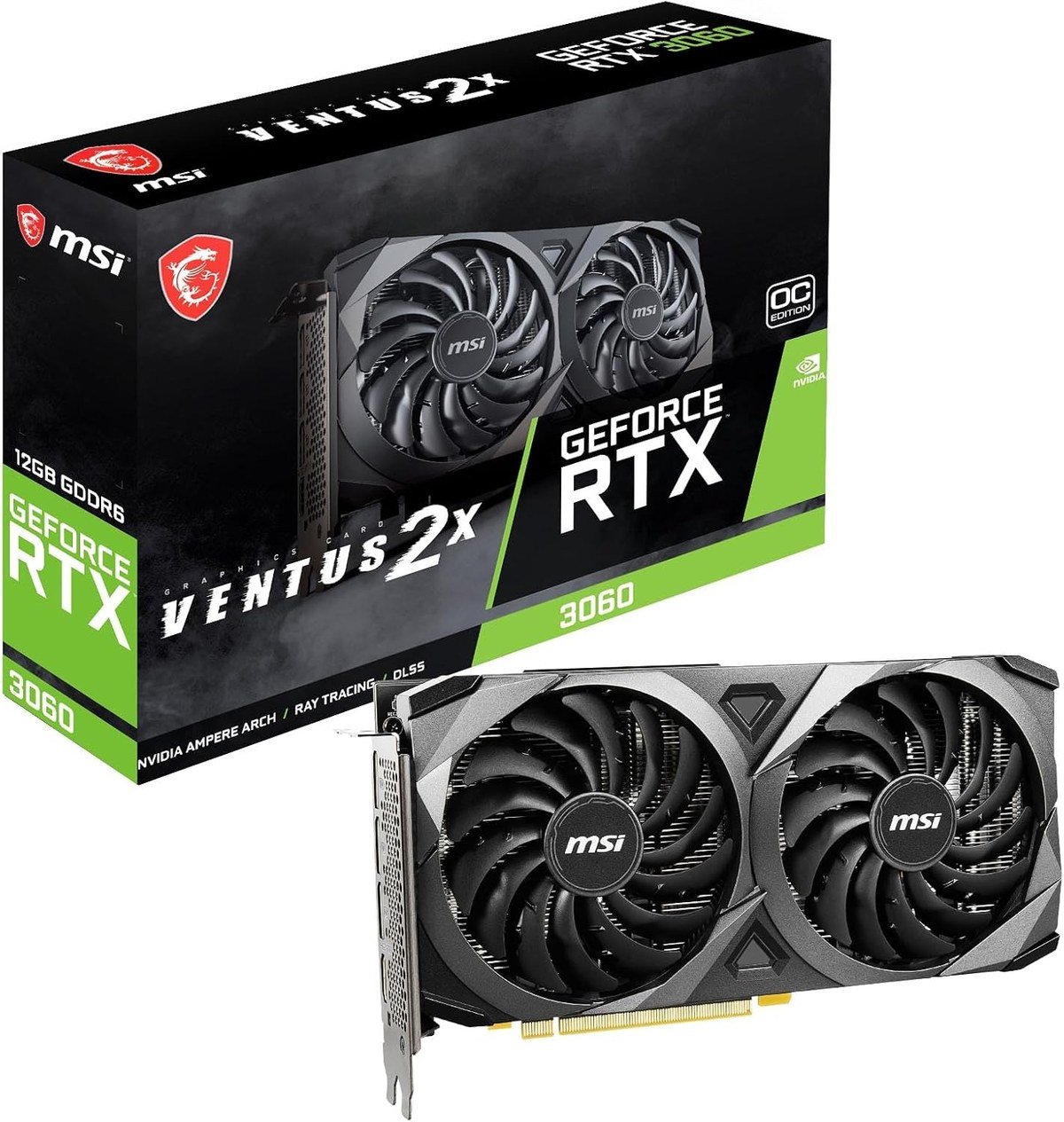
The RTX 3060 is two generations old and still sells, for one reason: 12GB of GDDR6 on a 192-bit bus at a price where current cards offer 8GB. For 1080p gaming and for anyone experimenting with local AI models, capacity beats architecture.
The Ventus 2X cooler is MSI’s plain dual-fan design, quiet and unremarkable. There is no DLSS 4 here and no Blackwell feature set, so this is a value argument rather than a technical one.
What it does well
- 12GB GDDR6, unusual at this price
- 192-bit memory bus
- A compact dual-fan cooler that fits almost anything
- Modest power requirements compared with current cards
What to know before buying
- Two generations behind, with no DLSS 4 support
- Noticeably slower than any 50-series card here
- Makes sense at 1080p and struggles above it
7. ASUS Dual GeForce RTX 3050 6GB OC: The Entry Point That Needs No Extra Power
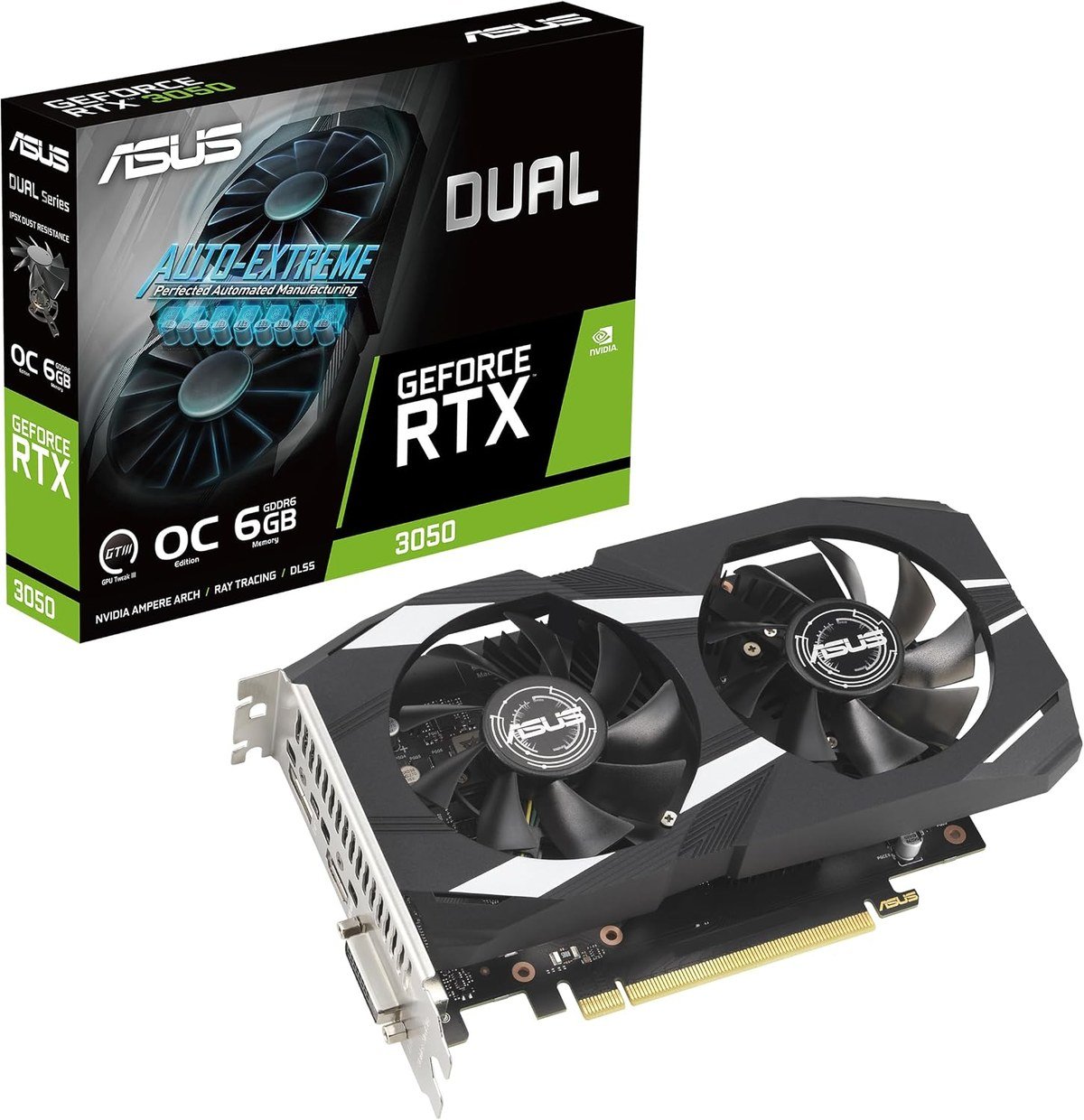
The 6GB RTX 3050 exists to drop into a machine that has no business taking a modern graphics card: small case, weak power supply, office prebuilt. It uses Ampere streaming multiprocessors and second generation RT cores.
Expect 1080p at moderate settings in current games and comfortable performance in older ones. It is the floor of this list, and for turning a desktop that cannot game into one that can, it is often the only sensible option.
What it does well
- Fits a 2-slot space and modest power budgets
- Ampere architecture with second generation RT cores
- NVENC encoding for streaming and recording
- The simplest upgrade for an older prebuilt machine
What to know before buying
- 6GB of memory is limiting in current titles
- A 1080p card, and only at moderate settings
- The 8GB RTX 3050 is a meaningfully different product
Memory Matters More Than the Model Number
The most common mistake in this market is buying on the name. An RTX 5060 Ti with 16GB and an RTX 5060 Ti with 8GB are sold under the same model name and behave very differently once textures are turned up.
Video memory sets a hard ceiling. When a game needs more than the card has, performance does not degrade gracefully, it collapses, because data has to move across the PCIe bus instead of sitting in local memory.
- 1080p: 8GB is workable, 12GB is comfortable.
- 1440p: 12GB is the sensible floor and 16GB gives headroom.
- 4K: 16GB, and texture packs will still find the limit.
- Local AI models: capacity decides what loads at all, which is why a two-generation-old 12GB card still sells.
That last point explains the RTX 3060’s continued presence. It is slow by current standards and carries 12GB, which at its price nothing newer matches.
Ray Tracing, Upscaling and What They Actually Cost
Two features dominate the marketing and only one of them is free. Ray tracing simulates light physically and costs an enormous amount of performance, which is why it arrived alongside the technology to claw that performance back.
That technology is upscaling, rendering at a lower resolution and reconstructing the image. NVIDIA’s DLSS 4 is the more mature implementation and AMD’s FSR has closed much of the gap without quite catching it.
The practical consequence is that an NVIDIA card is worth more than its raw numbers suggest if you play titles with heavy ray tracing, and an AMD card is better value if you do not. That is the whole argument between the two brands at the moment.
If you are building the machine around the card rather than dropping one into an existing box, a prebuilt gaming PC is worth pricing against the parts, because graphics cards are the component where system builders get the sharpest discounts.
Check These Three Things Before You Order
More returns come from physical and electrical mismatches than from disappointing performance.
- Length and slot width. The ASRock listing here states 290 by 123 by 51 millimetres and 2.5 slots. Most do not, and a card that fouls a drive cage is useless.
- Power connectors and supply. That same card asks for two 8-pin connectors and a 700W supply. A 550W unit with one connector will not run it.
- What the rest of the machine can feed it. An older processor will hold back a fast card at 1080p, and slow memory compounds it, which is where the DDR4 and DDR5 difference starts to show.
Measure the case before ordering. A card that is 20 millimetres too long is a return, not a compromise.
Which Graphics Card to Buy
For most people the ASUS Prime RTX 5070 is the right answer. It is quick enough for 1440p at high settings, carries 12GB of GDDR7, supports DLSS 4 and fits a normal case at 2.5 slots.
Move up to the PNY RTX 5070 Ti if you play at 4K or want 16GB of headroom, and take the Slim version if your case is small. Choose the ASUS RX 9060 XT or the RX 9070 GRE if you would rather have AMD’s price per frame than NVIDIA’s ray tracing. Take the RTX 5060 Ti 16GB if memory capacity matters more than frame rate, the RTX 3060 if the budget is tight and 12GB appeals, and the RTX 3050 6GB only to revive a machine that currently cannot game at all.
Frequently Asked Questions
How much video memory do I actually need?
For 1080p, 8GB works and 12GB is comfortable. For 1440p, treat 12GB as the floor. For 4K, 16GB. Running out of video memory causes a sudden collapse in performance rather than a gentle decline, which is why capacity matters more than it looks on a specification sheet.
Is AMD or NVIDIA better right now?
NVIDIA leads on ray tracing and DLSS 4 upscaling. AMD’s RDNA 4 cards generally offer more rasterised performance and more memory for the money. If you play titles with heavy ray tracing, pay for NVIDIA; otherwise AMD is the better value.
Will a new graphics card fit my PC?
Check three numbers before ordering: the card’s length, its slot width and the power connectors it needs. A 290mm card needs 290mm of clearance past the drive cage, and a card asking for two 8-pin connectors will not run from a supply with one.
Is an older card like the RTX 3060 still worth buying?
For 1080p gaming and for running local AI models, yes, because 12GB at that price is hard to match. It has no DLSS 4 support and is clearly slower than any 50-series card, so it is a value choice rather than a technical one.
Related Articles
As an Amazon Associate, Fox Bulletin earns from qualifying purchases.

Get the Fox Bulletin briefing
The stories that matter, in your inbox. No spam, unsubscribe anytime.
Newsletter signup will be available soon.
Related stories

Best Wi-Fi Routers: 7 Picks From Flat to Flagship
Seven Wi-Fi routers compared on standard, bands, coverage and wired ports, with a plain explanation of which of those actually changes anything.
Best Gaming Chairs: 7 Picks and Their Limits
Seven gaming chairs compared on capacity, material and features, including the mesh and fabric options that do not trap heat.

Best Standing Desks: 6 Picks for Every Room
Six standing desks compared on size, capacity and presets, including two glass desks that look like furniture and a riser for the desk you already own.