


If you’ve opened Instagram recently and felt like something was different, you’re not imagining it. Meta has been on a roll this year, pushing out update after update, and honestly, some of them are the most interesting changes the app has seen in a long time.
A few of these are just fun. A couple are genuinely useful. And at least one of them could quietly change how the entire internet finds Instagram content. So let’s go through all of it, what’s new, how it works, and why you should care.
Instants Might Be the Most Un-Instagram Thing Instagram Has Ever Made
Let’s start with the big one. Back in May, Instagram introduced Instants, and it feels almost like a rebellion against everything the app used to stand for.
The idea couldn’t be simpler. You take a quick photo with no filters, no editing, and no agonizing over whether it looks good enough, then send it to your close friends or people who follow you back. They open it, they see it, and then it’s gone. Nothing sticks around past 24 hours. You can use it right inside Instagram or through a separate Instants app if you prefer.
Sound familiar? It should. This is clearly Instagram taking notes from BeReal and the whole casual-sharing movement that younger users have been gravitating toward for years. People are tired of performing online. They’d rather send a blurry photo of their lunch to five friends than craft a perfect post for five thousand strangers, and Meta has finally accepted .
The feature is already evolving too. Video recording has now arrived inside the Instants camera, so short disappearing clips work the same way photos do. It’s not a marketing tool yet, but it tells you exactly where Instagram thinks its future is: private circles, DMs, and low-pressure moments rather than polished public feeds.
You Can Now Drop Photos Into Comment Sections
This one is going to be chaotic, and I mean that in the best possible way.
Comments on posts and Reels are no longer limited to text and emojis. There’s now a small photo icon in the comment box, and tapping it lets you attach an actual image to your reply. Memes, screenshots, reaction pics, photos of the product you just bought, all of it can now live directly under a post.
For regular users, this just makes conversations more fun. Some replies simply work better as a picture. For businesses, there’s real potential here too, because customers can now show off purchases right in the comments, which is basically free social proof. The flip side? Moderating comment sections just became a much bigger job. Anyone running a brand account should probably brace themselves.
Instagram Is Finally Letting You Control Your Own Feed
If there’s one complaint every Instagram user has made at some point, it’s this: why does the app keep showing me stuff I don’t care about?
Well, Instagram actually listened. There’s a new feature called Your Algorithm, tucked into the Reels tab behind a small two-hearts icon in the top corner. Open it, and you can actually tell Instagram what you want more of and less of, shaping your recommendations instead of just accepting whatever the machine serves up. The Instagram Help Center has more details on managing your content preferences.
It’s hard to overstate what a shift this is. For years, the recommendation system was a locked box nobody could touch. Now it’s something you can adjust. Part of this is probably Meta responding to user frustration, and part of it is likely the growing regulatory heat around how algorithms work. Either way, users win. Creators, on the other hand, now have to earn their spot in feeds that people are actively curating. Lazy content just got a lot easier to filter out.
Your Instagram Posts Can Now Show Up on Google
Here’s the update that most people scrolled past but marketers should be losing sleep over.
As of mid-July, public Instagram posts have started appearing in Google Search results. On top of that, Google has introduced platform properties, a new property type that lets creators track their Instagram performance inside Google Search Console, the same tool website owners use to monitor their search traffic.
Think about what that means for a second. Instagram spent over a decade as a closed ecosystem. Great content went in, and none of it was findable from the outside. That wall just came down. Someone googling a topic can now land directly on your post, and you can measure exactly how often that happens.
This changes the game for anyone creating content on the platform. Your captions suddenly matter for search. The words you use, the topics you cover, even your alt text, all of it now has value beyond the app. The brands that figure this out early are going to pull in traffic their competitors won’t even realize exists.
Edits Is Quietly Becoming a Serious Video Editor
Meta’s editing app, Edits, has been getting new features at a pace that’s honestly hard to keep up with. It feels like something new lands almost every week.
Recent months have brought bilingual captions supporting a huge spread of languages, everything from Spanish and Hindi to Korean, Japanese, and Bengali. There’s now a search function in the inspiration section so you can hunt down ideas around specific topics, plus a batch of fresh animation effects for smoother transitions. Creators can also save multiple versions of a single project to experiment with different directions, and a new alignment tool makes it easier to position elements exactly where you want them. Add in keyframes, better text effects, and voice enhancement, and the picture becomes clear: Meta wants Edits to go head-to-head with CapCut, and it’s not being subtle about it.
The Small Stuff That Actually Makes Life Easier
Not every update needs to be a headline. Some of the best changes this year are the quiet ones.
Reels now has a built-in teleprompter, which means creators recording scripted videos no longer need a second phone or a third-party app propped up next to them. Carousels can be reordered after publishing, so a slide in the wrong spot no longer means deleting the whole post. And after years of people begging for it, everyone can finally rearrange the posts on their profile grid however they like.
There are smaller touches too. Notes, those little status bubbles above your DMs, can now be customized with colors and emojis. And Instagram is testing a banner that displays business hours and contact details right on business profiles, which should save customers from digging through bios to find basic info.
A Paid Tier and an AI Label
Two more things worth knowing about. Instagram Plus, the platform’s new subscription, is now officially live, offering extra tools and exclusive features for creators willing to pay. It’s Meta’s clearest step yet toward a paid layer on top of the free app. You can keep an eye on official announcements through the Instagram Blog.
Meanwhile, Instagram has started testing an AI Creator label that gets applied at the account level to profiles that regularly post AI-generated or AI-assisted content. With artificial content flooding every platform, this is Instagram’s attempt at keeping things transparent, letting you know upfront whether you’re following a human or something closer to a machine.
So Where Is All This Heading?
Step back and look at these updates together, and the direction becomes obvious.
Instagram is betting on private sharing over public performance. It’s tearing down the wall between its content and the open web. It’s giving users real control over their feeds for the first time. And it’s pouring resources into creator tools and paid features.
For casual users, the app is simply becoming more personal and less exhausting. For creators and brands, the rules are being rewritten in real time, and the Google Search change in particular is the kind of shift people will look back on as a turning point. The ones who adapt now, while most of the industry is still asleep on it, will have a serious head start.
One thing’s for sure is the Instagram we’ll be using by the end of 2026 won’t look much like the one we started the year with.
Related Articles

Get the Fox Bulletin briefing
The stories that matter, in your inbox. No spam, unsubscribe anytime.
Newsletter signup will be available soon.
Related stories

Oracle Cloud Adds Google TPUs and Rival AI Chips
Oracle would be the first major cloud outside Google to offer TPUs, with the eighth generation arriving on OCI during 2027.
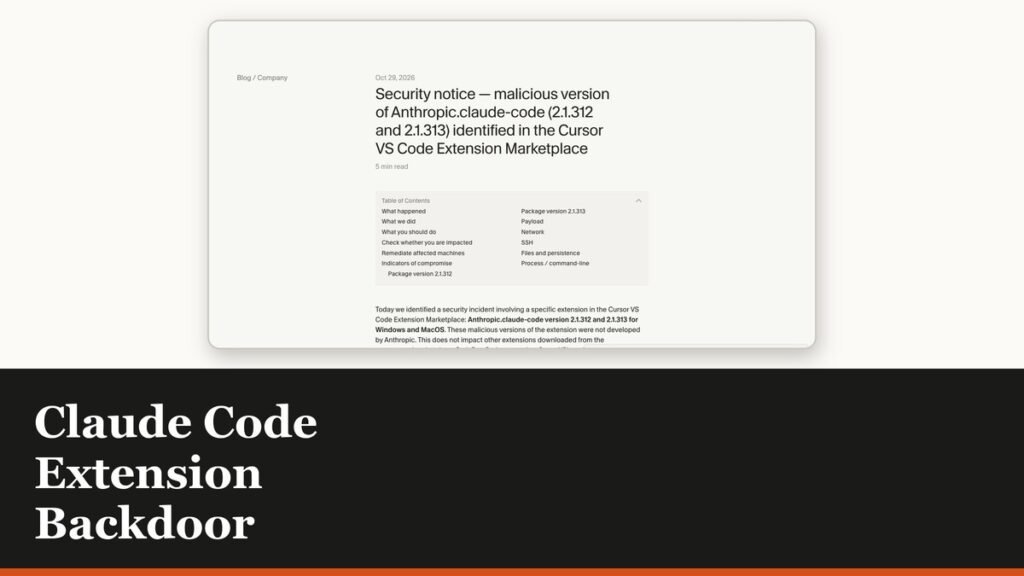
Claude Code Extension Backdoor Hits Cursor Users
Two versions of Anthropic's extension were modified to plant an SSH key and open a reverse tunnel. Cursor took its whole marketplace offline.

SpaceX Closes $40bn Financing to Buy AI Chips
A rocket company has signed a binding commitment for about $40bn of GPU financing, and its AI unit is now bigger than Starlink and launch combined.
Downloaded this app last week and it has become my go to for quick gaming sessions. The graphics are crisp and the bonus rounds trigger way more often than I expected. Try it now at jaja9app
I finally found an app that does not drain my battery or crash mid round. The download was a breeze and navigating through the markets feels like sliding through a dream. Every bet I place gets tracked perfectly and payouts hit my account faster than I can blink. Download it tonight and treat yourself to a stress free gaming night. y3betapp
I have been spinning slots for ages and this platform finally feels like home. Customer service actually picks up and my cashouts arrive before I can even blink. My squad and I grab this every Friday for our casual nights. You really have to see it to believe how smooth it runs. pebigbasssplash
This app is a game changer! I really like the variety of slots available and the graphics are top notch. jili1985app is definitely my new favorite way to unwind.
Best spot for sports and slots combined. I love that I don’t have to switch accounts to bet on my favorite team. idbolaslot88 is definitely a top-tier choice.
Super easy to navigate and the bonuses are actually worth it. I’m really liking the vibe of br33ss. Keep it up guys!
Really impressed with the bonuses they offer to new players. It gave me a great head start. You should definitely see what bdbaj777 has to offer.
The app version is just fantastic. It makes playing on the go so much easier and the graphics are crisp. Try jljl16applogin
The game variety here is insane! I spent the whole weekend trying different slots and the graphics are top notch. Highly recommend jilihot777 to anyone who loves action.
Really impressed with the payout speed here. I had a great run last night and the withdrawal was processed almost instantly. Keep it up brd333bet!
The login process is seamless and I get into my favorite games in seconds. No lag and no glitches so far. Great job rumahmpologin
Quick access and great security. I feel much safer using this portal to manage my account. If you are looking for a fast way in, jlpgcasinologin is the way to go.
This casino brings a real luxury feel to the screen. The games are fair and the withdrawals are processed without any stress. Big thumbs up for jilimaxcasino.
Signing up was a breeze. I was able to start playing in less than two minutes. If you are new, the 95jilisignup process is super simple and fast.
Solid platform with a great selection of markets. The login process is seamless and secure at jokerbolalogin.
I’ve been trying a few different sites lately and this one really stands out. The interface is super smooth and the payouts are fast. Definitely recommending k7win55 to my buddies.
Great selection of games and the promotions are actually useful. It is my go-to spot for some weekend fun. Try 291jiliph if you want a reliable site.
I love the daily rewards and the overall vibe of the platform. It feels secure and professional. Five stars for inyono101.
Honestly, I’ve tried a few sites but this one is super smooth. The payouts are fast and the interface is just easy to use. Definitely my new go-to spot! krkcwin20
The login process is seamless and the security makes me feel safe. I had a great run last night and the customer support was very helpful. Give ph55bmwapploginakp a shot!
Finally found a site that actually pays out on time. The winning experience here is top notch and the games are super exciting. pk7888win
I really appreciate the transparency of bralong777. The rules are clear and the winning experience is very exciting. I’ve had some great wins here recently! bralong777
I’m really happy with the winning streaks I’ve had lately. The platform is stable and the rewards are legit. Check out jiliunologin for yourself.
Love the variety of bonuses they offer here. It keeps the gameplay exciting and rewarding. phspintimeph is definitely a hidden gem!
Honestly, I’ve tried a few sites but this one is super smooth. The payouts are fast and the interface is just easy to use. Definitely my new go-to spot! krkcwin20
Fast transactions and a huge selection of games. I love how easy it is to navigate through the different categories. Truly a professional setup. slotdanaasia128
The VIP treatment here is the real deal. The exclusive offers are great and the overall experience is very premium. I am staying with 50jilivip
A total blast! There is something for every type of gamer here. I love how intuitive the layout is. Have some fun at yoyogameall.
Installation was a breeze and the performance is stable. It is much better than playing in a mobile browser. Check out smjiliappapk for the best mobile gaming.
The APK installation was a breeze. I was worried about the setup but it worked perfectly on my Android phone. Great experience so far. Get it at jeetbuzzdownloadapk
Really impressed with the game variety here. There is something for everyone and the bonuses are actually fair. Definitely checking out krtwincasino again tomorrow.
I’ve been using this platform for a while now and the experience is just smooth. Definitely one of the best choices for gaming. Check out pkbaij999 for more info.
Finally found a site that actually works without any lag. The interface is super clean and getting started was a breeze. Definitely checking out yolo47login more often!
I’m impressed by how stable the connection is even on mobile data. Great experience overall with 93jililogin, keep it up.
Installation was a breeze and the game started right up. No complicated steps, just pure fun with pkx555gamedownload.
Finally found a place where the bonuses actually work! Had a great run last night and the withdrawal was quick. jilidaycasino is the way to go.
I had some trouble logging in at first but once I got in, the games were amazing. The Jili slots are always my favorite for the big wins. jilicocasinologin
This is basically a luxury casino experience from the comfort of my home. The game selection is massive and everything is high quality. nustargameonlinecasino is simply the best.
I’ve tried a few platforms lately and this one really stands out. The interface is smooth and the payouts are surprisingly fast. Definitely worth checking out phuujili
Solid platform with a very fair system. I really appreciate the customer support team for helping me out with my account setup quickly. Give pkzk888 a shot if you want a stress free game.
I was looking for a reliable place to register and this was the perfect choice. Everything is streamlined and efficient. Visit aaajili357loginregister
The app version is just perfect for playing on the go. Very stable and the rewards are awesome. Download winboxcasinoapk and see for yourself!
I’ve tried a few platforms lately and this one really stands out. The login process is smooth and I didn’t encounter any lag. Definitely a top-tier experience! royal1000login
The app interface is super smooth and the login process is a breeze. I really love how fast the games load. Definitely a great choice for anyone looking for a reliable platform. Check out 666jililoginapp
Simple and clean design. It does exactly what it promises without any annoying glitches. Highly suggest 25scom for everyone.
The VIP treatment here is legit. I feel like a valued player and the rewards are genuinely generous. Great job jilibayvip!
The VIP treatment here is the real deal. The exclusive offers are great and the overall experience is very premium. I am staying with 50jilivip
Super impressed with the interface here. It is very user-friendly and the registration process was a breeze. Highly recommend giving idwakanda123 a shot if you want a hassle-free experience.
If you love slots then this is the place to be. The jackpot hits feel real and the variety of games at ss7777slot is just incredible.
Great experience so far. The customer support is actually helpful and the games are very fair. Give krwin24 a try, you won’t regret it.
Super easy setup and the game graphics are stunning. It is definitely the most stable version I have used. Check ck9999appdownloadapk!
Honestly one of the most honest platforms I’ve encountered. Withdrawals are processed without any drama. Big thanks to rwin888!
The interface is so user-friendly and it loads quickly on my phone. I had a blast playing last night. Definitely give kr39korwin a try if you love winning big.
I’ve been looking for a reliable spot like this for a while. The interface is super smooth and the payouts are fast. Definitely recommending pkuk999 to my mates!
Honestly, the variety of games here is insane. I spent the whole weekend exploring and I’m impressed by the stability. Highly recommend uk999game to anyone looking for some real fun.
Top tier customer service! I had a small issue with my account and they sorted it out in minutes. It’s rare to find such helpful support these days. Love br54bet2 for that reason!
I’ve tried a few sites but this one is really smooth. The graphics are great and the payouts feel fair. Highly recommend phjiligems for anyone looking for some fun.
Everything about this site is professional. From the login process to the game selection, it is all top notch. Try jiligocasinologin
The bonuses here are actually insane compared to other sites. I feel like I get much more value for my time. Give www444casino a try if you want better perks.
Finally found a place where the deposits and withdrawals are actually quick. Using Skrill here makes everything so much easier. Give casinoskrill a shot if you hate waiting for your money.
Simple, clean, and effective. No bloated menus or confusing ads, just straight gaming. Love how br59c keeps it minimal and efficient.
The variety of games available here is impressive. I spent the whole weekend exploring different tables and everything works perfectly. Highly recommended for PH players. Explore phjili98
I’ve tried a few sites lately, but the interface here is just so smooth. Really enjoying the gameplay so far. Definitely check out brwinpg if you want a reliable experience.
Feels like a real luxury casino experience from home. The VIP perks at 55vip777casino are amazing.
Finally found a version that actually works on my phone without crashing. The interface is very user friendly. Just download the phjuan365apk and start winning.
The login process is super quick and everything just works. I appreciate how straightforward the layout is. Give 22funlogin a try!
I’ve been looking for a reliable platform for a while and this one really delivers. The interface is smooth and the payouts are fast. Definitely check out asia128login for a great experience.
Finally found a site that doesn’t lag during the big wins. The login process is seamless and very secure. I feel safe playing at acejililogin.
Solid platform with a lot of great options. I feel safe depositing here and the odds are very competitive. Definitely giving idoxibet88 a try more often.
I have tried many platforms but this one feels the most fair. The bonuses are actually usable and the wins feel real. Cheers to pk777as.
Finally found a place where the login process is actually seamless. No lag and straight to the games. dewi1000login is my new go-to spot.
If you are looking for a variety of slots, jiliibet is where it’s at. I love how they keep updating the game library. It keeps things fresh and exciting every time I log in.
I’ve been looking for a reliable platform like this for a while. The interface is super smooth and everything loads quickly. Highly recommend phrotowire for anyone starting out!
The jackpot hits here are actually legit. I had a great run last night and the withdrawal was surprisingly fast. Highly recommend juragan88slot to all slot lovers!
Finally found a place where the bonuses actually make sense. Great experience so far and the loading speed is impressive. Visit briwin600
I have been trying out new gaming platforms and this one really caught my eye. The registration process is super smooth and I love how fast the withdrawals go. Customer support is always ready to help whenever I have a question. Give it a try if you want a reliable spot to play. phbet38login
The app interface is super smooth and the login process is a breeze. I really love how fast the games load. Definitely a great choice for anyone looking for a reliable platform. Check out 666jililoginapp
Really impressed with the rewards here. I had a great run yesterday and the payout process was surprisingly fast. Big thanks to brown777
Finally found a site that actually delivers on its promises. The gameplay is addictive and the bonuses are quite generous. Give dk1947game a try!
Best gaming site I have encountered in Asia this year. The customer support is top notch. Visit jljl7asia
Finally found an app that doesn’t lag during big wins. The bonus offers are actually fair and easy to claim. Give pkb9app a try guys, it’s a game changer.
Solid platform with a fair gaming environment. I appreciate the transparency and the way they handle the promotions. bdg7777 is a winner in my book.
The game variety is insane! I spent hours playing and didn’t get bored at all. Best experience so far at phjili44
Super easy to navigate and the customer service is on point. I feel safe depositing my funds here. Keep it up krwego88!
Best experience so far! The interface is smooth and I didn’t encounter any lags during my session. Highly recommend kr5bet to everyone.
Signing up was so quick and easy. I was able to start playing in just a couple of minutes. The process at jljl9loginregister is very user friendly.
The VIP experience here is legit. The exclusive perks and the priority service make a huge difference. It feels like a premium club. win222viplogin
I love how many different game options they have. There is always something new to try and the rewards are quite generous. Definitely check out y88888games.
The app performance of appmmwin is just brilliant. I can play on the go without any lag, which is exactly what I need. Five stars from me!
The game variety here is just insane! I love how easy it is to navigate through the site. If you are looking for fun, arionplayonlinegame is the place to be.
Super honest site with great bonuses for new players. I had a great time exploring the games on phjili123 today.
Love the VIP treatment here. The bonuses are generous and the customer support is actually helpful for once. Give 444vip a try if you like feeling like a pro.
This place is honestly so much fun. The community is great and the games keep me entertained for hours. If you want a stress free gaming environment go for kr22fun.
Always good to have a working alternative link. This one is stable and gets me right where I need to be without any lag. linkalternatifjasabola
Super easy to navigate and the rewards system is actually rewarding. I love how simple it is to start playing. Download okplayslotapp
Finally found a platform that actually delivers on its promises. The game variety is impressive and I had a great experience with the support team. Highly recommend krmegawins
I’ve been trying a few different sites lately and this one really stands out. The interface is super smooth and the payouts are fast. Definitely recommending k7win55 to my buddies.
Best Jili games I’ve played in a while. The graphics are crisp and the wins feel rewarding. Big shoutout to 178jilicasino for the top tier service.
Fast deposits and even faster withdrawals. That is all I really care about and this site delivers. br6733aa is my new go-to site.
The mobile app is a game changer. I can play anywhere without any glitches. 998jiliapp is definitely my go-to now.
Quick withdrawals are what I care about most and this place delivers. No long waiting times or weird requirements. I trust iddtg288 for my gaming sessions.
This place is honestly so much fun. The community is great and the games keep me entertained for hours. If you want a stress free gaming environment go for kr22fun.
Joined this club last week and the experience has been great. The winning rate seems better than other sites. Love krktwin8club!
Finally found a login page that doesn’t glitch out. The process is straightforward and it gets me straight to the games. Great job on okbetcomlogin.
The gameplay here is just top notch. I had a few questions and the support team handled them quickly. Big thumbs up for br3333br for the great service!
This place has a great vibe and the payouts are consistently fast. I appreciate the transparency and the easy registration process. phbtbjili
Best Jili games I have found online so far. The bonuses are generous and the local payment methods make everything so much easier. Always trust phbetjili for the best action.
Solid platform with a great community. I’ve had a few big wins here and the withdrawal process was surprisingly quick. Keep it up bdxbajee31!
Clean layout and very transparent rules. It is hard to find a place this honest these days. I highly suggest bdck444pro for everyone.
Super easy registration and the deposit process is seamless. I love how straightforward everything is on jili49app. Five stars from me.
This site really lives up to its name. It has been a dream experience winning and withdrawing so easily. Cheers to the team at phdreamjili2.
Downloading the app was a game changer. Now I can play whenever I have a few minutes of free time. Total convenience with g777betappapk
Glad I found the updated link. The games are exciting and the bonuses are actually fair. Keep it up x777newlink!
I’ve been trying a few different spots lately and this one really stands out. The interface is smooth and the payouts are quick. Definitely check out 98zcom if you want a reliable experience.
Jili games here are hitting differently. The graphics are crisp and the jackpots are real. phbossjili is my new favorite spot.
The app installation was smooth and the interface is really intuitive. Best experience I have had in a while. Check out 1777betappdownloadapk for a great time.
Super easy to access and navigate. I have tried many sites but this one feels the most reliable. I suggest jili368login for a smooth ride.
I’ve tried many platforms but this one feels more rewarding. Give vnmk88 a shot if you want a reliable place to play.
Really impressed with the graphics and the overall vibe of the site. It feels premium and the games are super engaging. Try inzuplay
I love how transparent everything is here. No hidden catches, just straightforward fun and fast cashouts. Visit ph24phcash
The bonus system on xlxwinplataforma is quite generous compared to other sites I’ve used. It really helps when you are just starting out. Definitely worth checking out. xlxwinplataforma
I’ve tried a few sites recently, but the interface here is just smoother. Really liking the game variety on phokebet6, definitely worth a try for anyone looking for a little excitement.
Really impressed with the variety of games here. Everything loads quickly and I haven’t had any lag during my sessions. Definitely check out zo88vip if you want a top-tier experience.
Everything from the design to the gameplay is top notch. It is definitely my new favorite spot to relax and play. Visit grenbet88
Really impressed with the customer support here. They answered my questions in minutes and the gameplay is top notch. brxlxwin is definitely a winner.
Finally found a reliable link that actually works without any glitches. The interface is very user friendly for Filipinos. Highly recommend pkjililink
The VIP treatment here is legit. I feel like my loyalty is actually rewarded and the exclusive perks are awesome. Highly suggest phpslotviplogin for serious players.
If you are looking for the best collection of Jili games, this is the spot. Everything loads fast and the wins feel rewarding. Big thanks to jiliigames.
The login process is super fast and secure. I didn’t encounter any lag even during peak hours. vk777gamelogin is definitely the way to go.
The app version is just perfect. I can play anywhere and the loading time is almost zero. Very convenient for daily gaming! jili666app
Quick login and no hassle with the account setup. I appreciate how straightforward everything is here. You guys should try wso288login for a stress free gaming session.
The app version is so much better than the browser. It’s snappy and works perfectly on my phone. You guys should definitely download l444apk.
Best casino experience I’ve had in a long time. The bonuses for new players are generous and the games are exciting. Go to krkcwincasino.
Consistency is key and this site provides exactly that. No crashes and very reliable servers. betgame365 is the real deal.
I really appreciate how easy it is to deposit and withdraw funds here. No hidden fees and no stress. 289betapp is my new go-to spot.
Really impressed with the variety of games here. I managed to hit a decent win last night and the withdrawal process was a breeze. 57winbet
The app version is just brilliant. It is way more intuitive than the web version and works like a charm. Definitely download bd7u7app if you want a better experience.
Finally a place that gets what players in my area need. Fast registration, clear rules, and the bonus structure actually makes sense. I tried a few free spins first and loved the smooth gameplay, so I kept going. Trustworthy and fun. bdbetwins7
Really loving the interface here. The loading speed is fast and the games are super smooth. Definitely my new favorite spot to hang out. Check out dreamjili2login
No more login issues! I used to struggle with other sites but this one is rock solid. Just head over to j77gamelogin and you’ll be in the game in seconds.
Finally found a platform that actually delivers on its promises. The bonuses are generous and the gameplay is addictive. Just visit 1777xsgame to start winning.
Very professional setup and the withdrawal process is transparent. No hidden fees which is a huge plus. Cheers to idmonata189.
Just hit a decent win today! The graphics are top notch and the customer service team is very helpful. Give krb29win a try if you feel lucky.
Really impressed with the graphics and the overall feel of the games. It feels very professional and fair. You should definitely visit inztlgames.
The vibe here is amazing and the game selection is top notch. I love how easy it is to navigate the site. 777nycasino really knows how to treat their players.
I was worried about the login process but it was actually very straightforward. No glitches at all on unsur138login so far.
Really impressed with the fast payouts and the game variety. It feels very reliable and fair. Highly recommend nohu188live to everyone.
Really impressed with the customer support on this site. They answered my questions in minutes. inzetto really knows how to treat their players right.
Finally found a site that doesn’t lag during peak hours. The customer support is also very responsive and helpful. Great experience with brbetamo so far.
Great vibes and a very stable platform. I have tried many others but this one feels more secure and professional. Join br898bet33
Simple, clean, and effective. I don’t like complicated setups, and this one gets the job done perfectly. Big thanks to ricowinlogin for the great service.
I’m impressed by how stable the connection is even on mobile data. Great experience overall with 93jililogin, keep it up.
This is the go-to spot for Jili fans. The games are always updated and the lag is non-existent. Big love to phjilibay.
Finally found an APK that actually works without any glitches. The installation was a breeze and it runs perfectly on my phone. Love juan365apk
I love how community focused this site feels with all the friendly tournaments and bonus drops. It never gets boring and I always feel valued as a member. Stop by petkuwin
The graphics are stunning and the gameplay is super addictive. It is definitely my new favorite spot to relax after work. Visit sunwin89 for a great experience.
Really impressed with the selection of slots available. It feels like a real casino from the comfort of my home. Love phjilibet178!
The payment methods are very convenient and the deposits are processed almost instantly. It makes the whole experience much more enjoyable. Check out hokipaylogin today.
I’ve been playing here for a few weeks now and the experience is super smooth. The bonuses are actually fair and the payouts are quick. Definitely check out vnos88 if you want a reliable spot.
Winning feels so much better here. The promotions are actually attainable and not just bait. I am sticking with phpanalo777 from now on.
I’ve tried many sites but the user interface here is by far the most intuitive. Easy to navigate and easy to win. Visit 49betlogin for the best action.
Secure and professional. I feel safe depositing my funds here and the withdrawals are lightning fast. Go to 77888betlogin.
Clean layout and no unnecessary fluff. It’s exactly what I need for a quick gaming session during my break. Loving bb44bet
This app is a game changer for me. I can play anytime and anywhere without any lag. Love the layout of 8e884app.
Finally found a reliable link that actually works without any lag. Logging in is a breeze and the games load instantly. Cheers for the great service! 777kphlogin
I love how straightforward the registration is. No endless forms, just get straight into the action. Cheers to www444bet for keeping it simple!
I used to struggle with complicated verification steps but this place makes everything so simple and stress free. Quick approvals and transparent transaction histories make me feel completely at ease while playing. It is rare to find a brand that cares this much about its regular users. gogobetlogin
I just finished setting up my account and the process was super smooth. Can’t wait to start winning big here. Check out jili95register for a quick start!
What I love most is how they balance classic table games with the latest video slots from top developers. The registration takes less than a minute and the verification process is completely hassle free. I recommend this place to all my friends who enjoy a secure and exciting gaming environment bdcasinogames
If you are looking for a professional casino experience from home this is it. The graphics are top notch and the gameplay is fair. Visit betpkonlinecasino today.
I was skeptical at first but the big wins are real here. The site is stable and doesn’t lag during peak hours. Big thumbs up for 389win55.
If you are looking for the real deal without any glitches the original version is the way to go. The graphics are crisp and the gameplay is fair. Get winlislotsgamedownloadoriginal now
The login process is seamless and I never have any issues with my account access. It is refreshing to find a site that actually works properly. Visit phpcomelogin for a hassle-free experience.
Great vibes and easy registration process. I really appreciate the transparency they have over at phfj777.
I love how straightforward the registration is. No unnecessary hassle, just straight to the fun. Definitely check out br25s if you are looking for a new spot.