

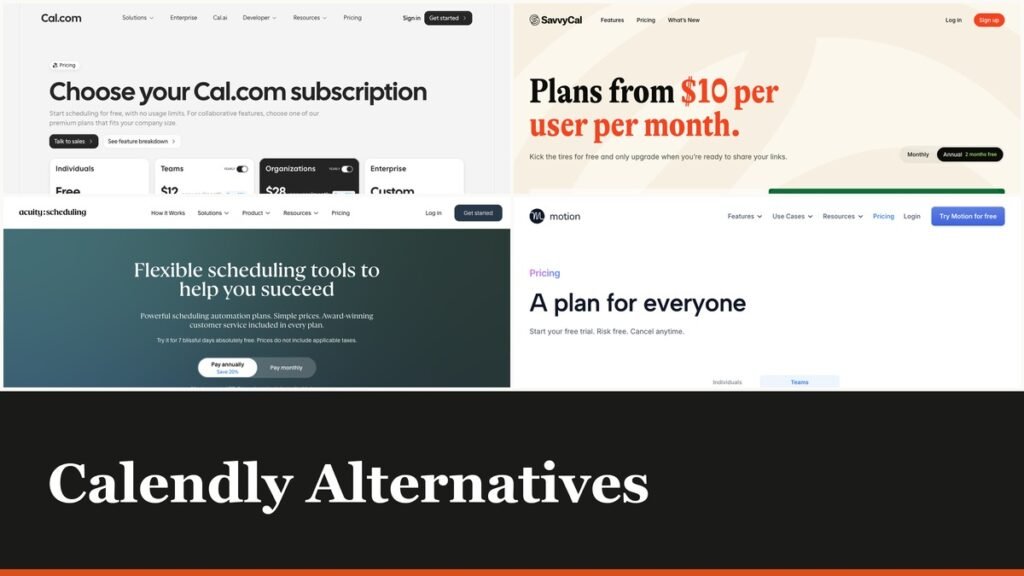
Calendly alternatives usually get compared on features that almost nobody uses. The thing that actually pushes people to look is simpler: the free plan allows one event type and one calendar connection, and the next step up is $10 a seat a month.
The ten below include five with genuinely usable free plans, one that is open source and self-hostable, and one that sells a lifetime licence for $29 rather than charging monthly at all.
Where Calendly’s Free Plan Stops
Calendly prices per seat, and the seat is required only for the person hosting. Invitees never need an account, which is worth knowing before anyone buys licences for a whole department.
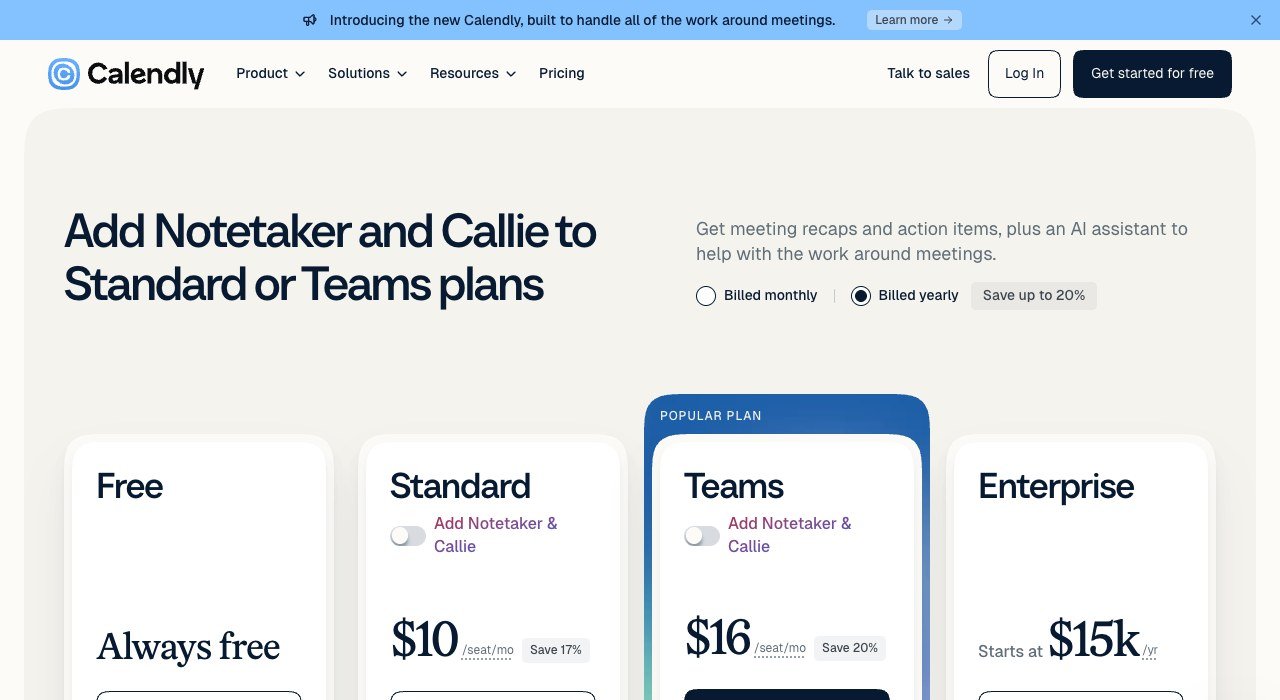
| Plan | Price | What it adds |
|---|---|---|
| Free | $0 | One event type, one calendar connection |
| Standard | $10 per seat a month | Unlimited event types, multiple calendars |
| Teams | $16 per seat a month | Round robin and team routing |
| Enterprise | From $15k | Quoted annually |
One event type is the binding limit. The moment you need a 15-minute call and a 45-minute call as separate links, the free plan is finished, and that happens to almost everybody in the first fortnight. Several tools below give unlimited event types away.
Calendly Alternatives Compared on Price and Free Tier
All ten, cheapest first, with how each one charges. The pricing model column matters because a per-seat tool and a per-account tool diverge sharply once a second person needs a booking page.
| # | Tool | Best for | Entry price | Free tier | Priced by |
|---|---|---|---|---|---|
| 1 | TidyCal | Paying once instead of every month | $29 once, lifetime | Yes, unlimited bookings | Lifetime or $12 a month |
| 2 | Setmore | Appointment booking for a small business | $5 per user a month | Yes | Per user |
| 3 | zcal | The most generous free scheduling plan | $7 per user a month | Yes, almost everything | Per user |
| 4 | YouCanBook.me | Customising the booking page itself | $7.20 a month | Yes | Per booking page |
| 5 | Appointlet | A free plan with no meeting cap | $9 per member a month | Yes, unlimited bookings | Per member |
| 6 | SavvyCal | Letting the other person pick properly | $10 per user a month | No, free trial | Per user |
| 7 | Cal.com | Open source, and self-hostable | $12 per user a month billed yearly | Yes, individuals | Per user or self-host |
| 8 | Acuity Scheduling | Classes, packages and paid appointments | $16 a month | No, 7-day trial | Per account by staff count |
| 9 | Motion | Scheduling joined to the actual work | $19 per seat a month | No, free trial | Per seat |
| 10 | vcita | Bookings inside a whole client workflow | $29 a month billed annually | No, free trial | Per account by seats |
The Ten Scheduling Tools in Detail
1. TidyCal: Paying once instead of every month
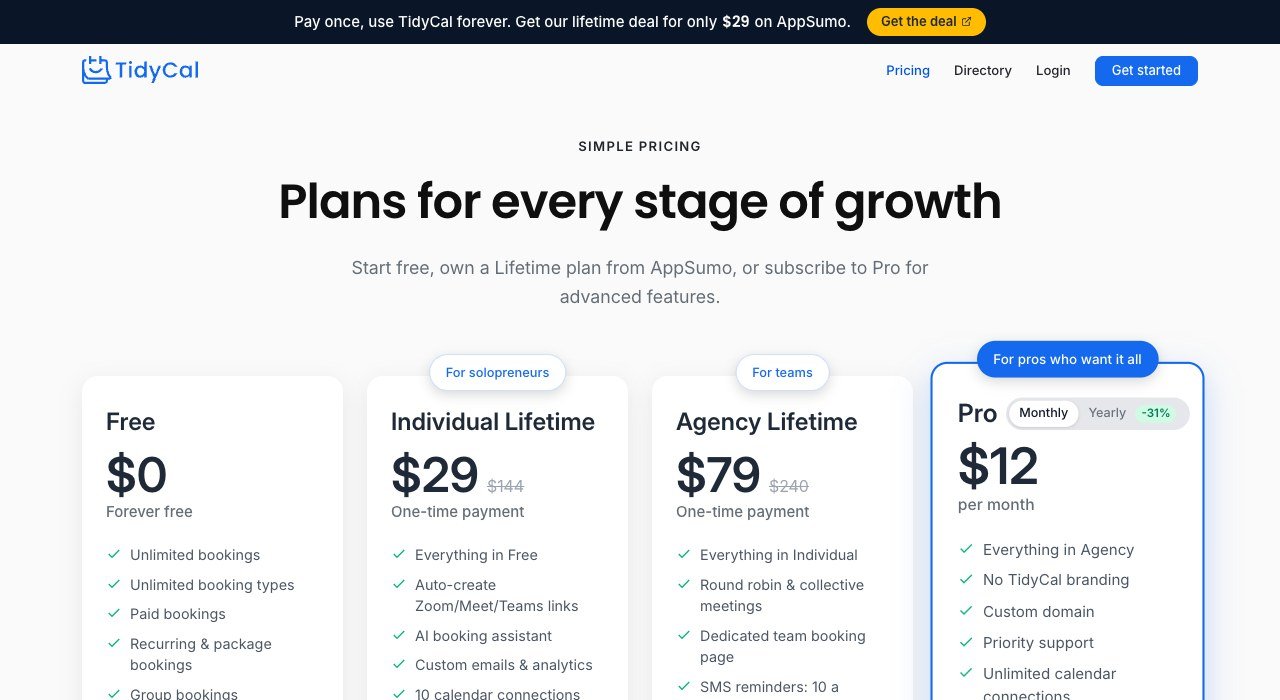
Entry price: $29 once, lifetime. Free tier: Yes, unlimited bookings. Priced by: Lifetime or $12 a month.
TidyCal is the only tool here that will sell you a licence outright. The individual lifetime deal is $29 once, with an agency tier above it, and a Pro subscription at $12 a month for anyone who prefers that.
Against Calendly Standard at $10 a seat a month, $29 pays for itself in three months and then costs nothing for as long as the product exists. The free plan already carries unlimited bookings, which is more than Calendly’s free tier allows.
2. Setmore: Appointment booking for a small business
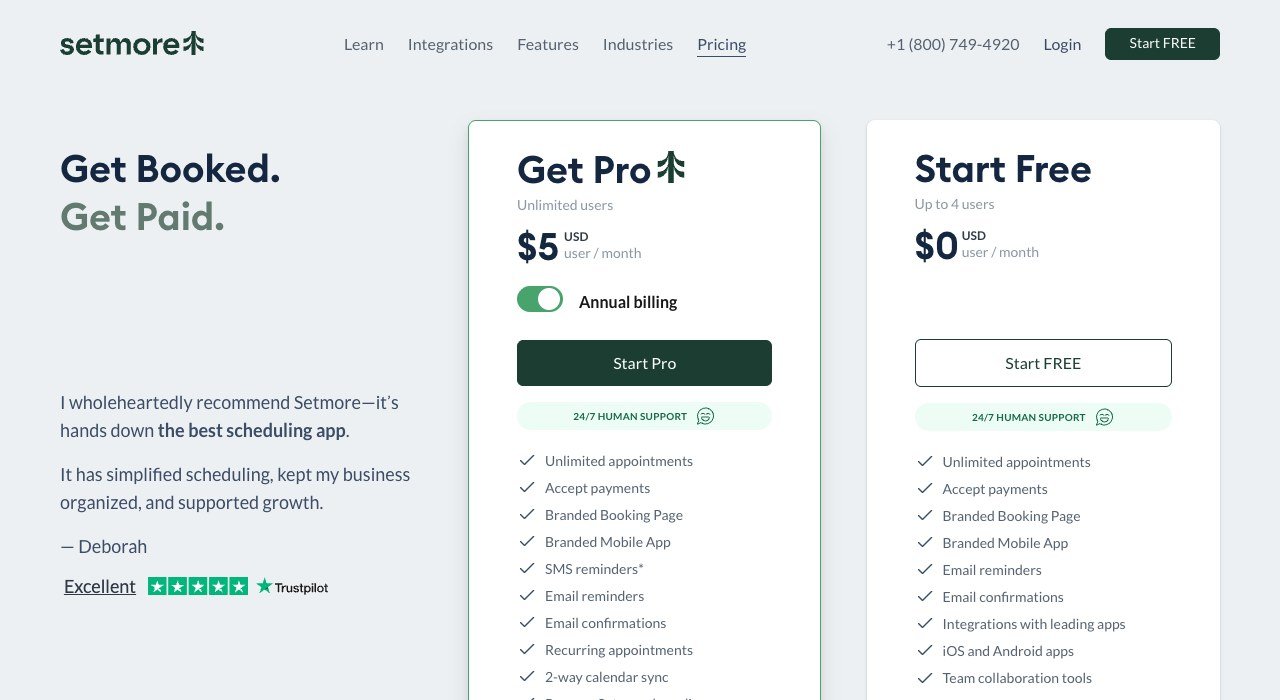
Entry price: $5 per user a month. Free tier: Yes. Priced by: Per user.
Setmore is built for businesses that take appointments rather than meetings: salons, clinics, tutors and trades. The free plan is real, and Pro is $5 a user a month on annual billing.
That is half the price of Calendly Standard and includes payments, reminders and a booking page a customer can use without an account. For a two-person studio the whole bill is $10 a month.
3. zcal: The most generous free scheduling plan
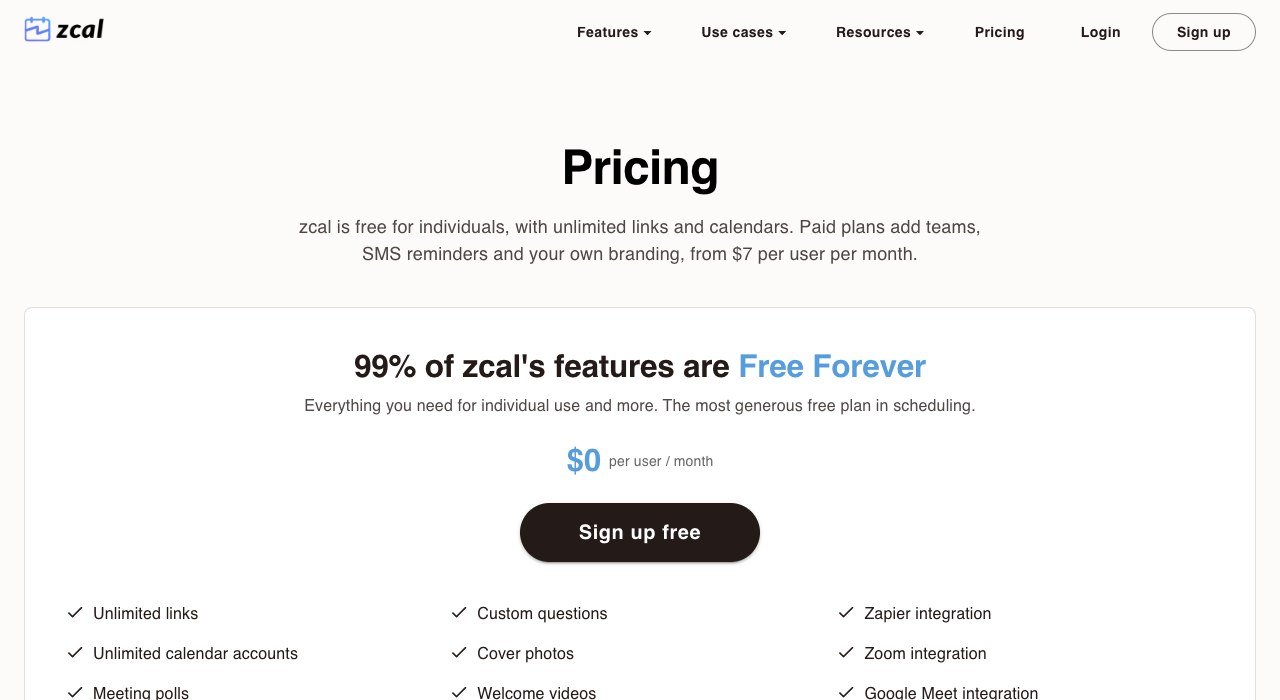
Entry price: $7 per user a month. Free tier: Yes, almost everything. Priced by: Per user.
zcal advertises that 99 percent of its features are free forever, and the free plan carries unlimited links and unlimited calendars. Paid plans start at $7 a user a month and add teams, SMS reminders and your own branding.
Branding is the usual reason to pay, because a free scheduling link that carries somebody else’s name is a small professional cost. Everything else most people use is genuinely on the free side of the line.
4. YouCanBook.me: Customising the booking page itself
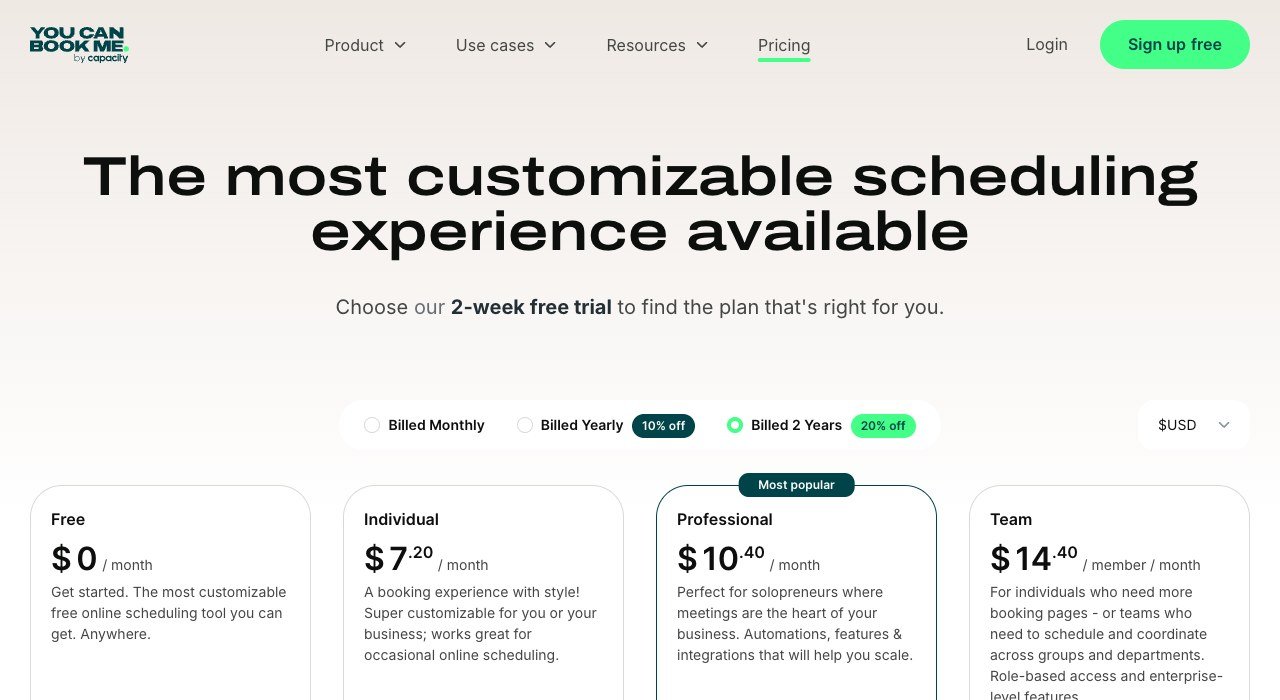
Entry price: $7.20 a month. Free tier: Yes. Priced by: Per booking page.
YouCanBook.me puts the effort into the booking page: colours, fields, questions, confirmations and the follow-up sequence are all adjustable. Free exists, Individual is $7.20 a month and the tiers above add teams.
It is the right choice when the booking page is customer-facing and the generic version looks wrong next to your brand. For an internal meeting link, the customisation is effort nobody will notice.
5. Appointlet: A free plan with no meeting cap
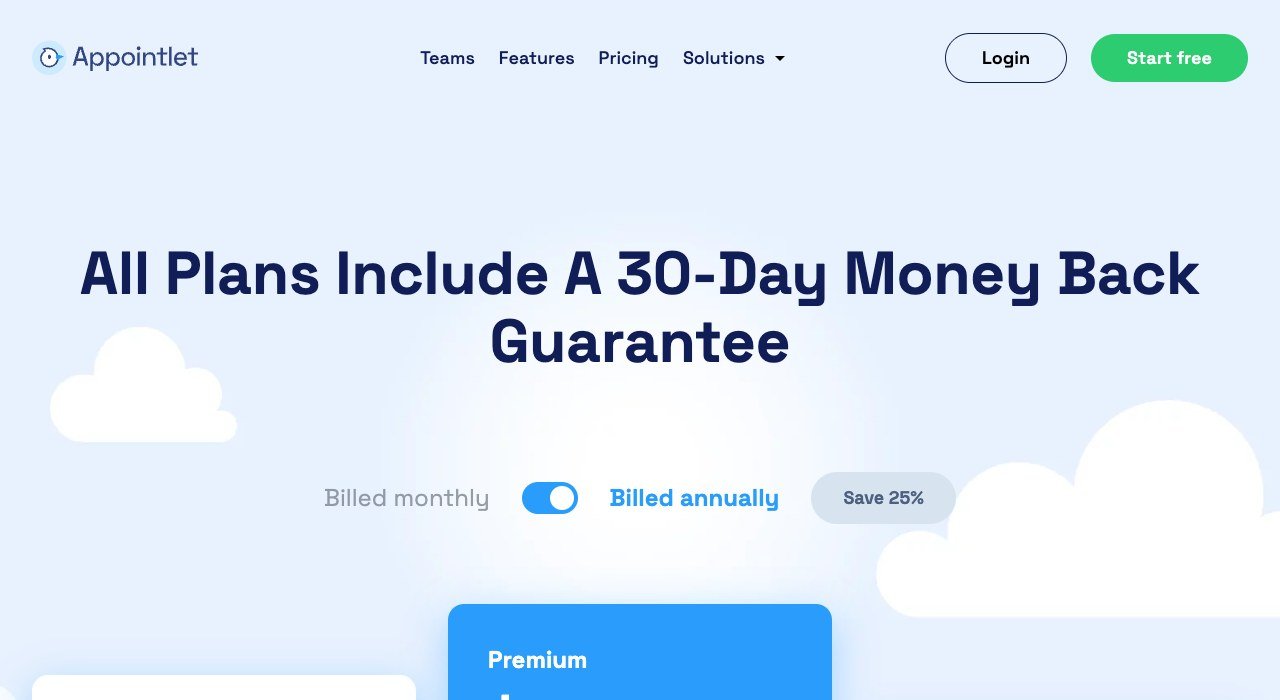
Entry price: $9 per member a month. Free tier: Yes, unlimited bookings. Priced by: Per member.
Appointlet’s free plan carries unlimited bookings and unlimited meeting types, which removes the exact limit that pushes most people off Calendly’s free tier. Premium is $9 a member a month.
The paid tier buys automated reminders, integrations and removal of branding. For a freelancer who simply needs several different meeting lengths without paying, this is the shortest route to that.
6. SavvyCal: Letting the other person pick properly
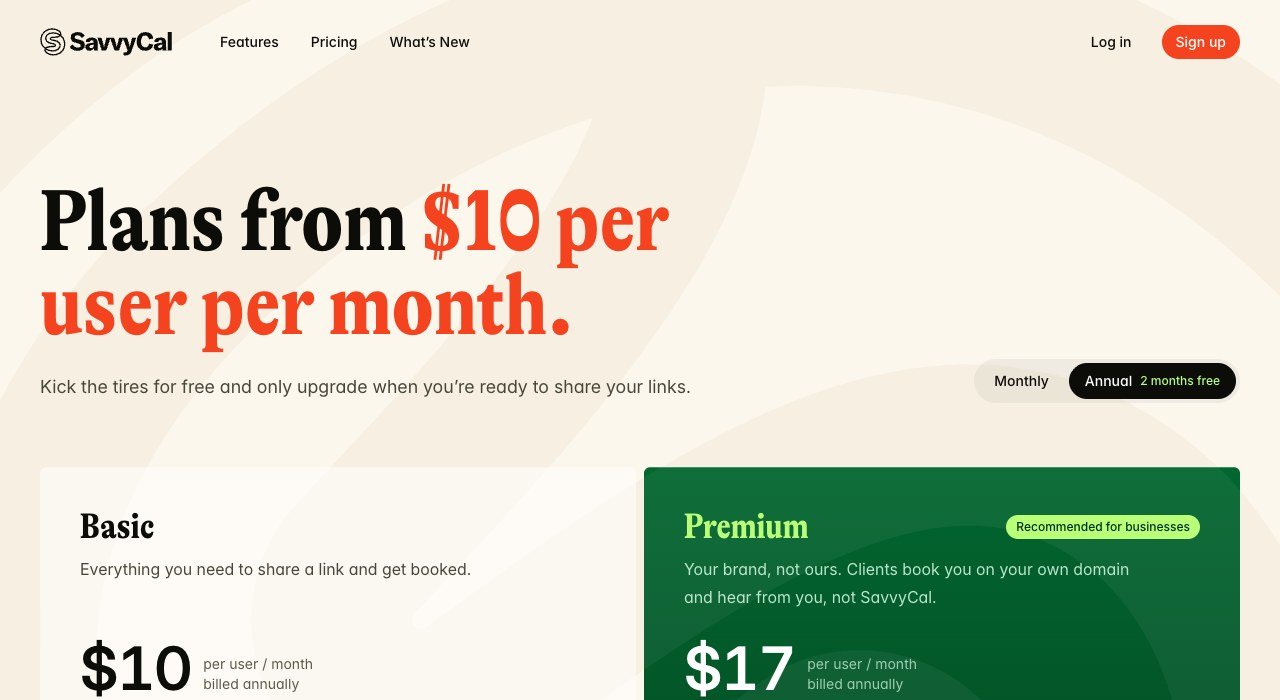
Entry price: $10 per user a month. Free tier: No, free trial. Priced by: Per user.
SavvyCal inverts the usual experience: instead of showing the recipient your availability, it lets them overlay their own calendar on yours and pick a slot that suits both. Basic is $10 a user a month and Premium $17.
It costs the same as Calendly Standard and spends the money on the invitee rather than on the host. If your scheduling links go to clients and executives rather than colleagues, that is where the value sits.
7. Cal.com: Open source, and self-hostable
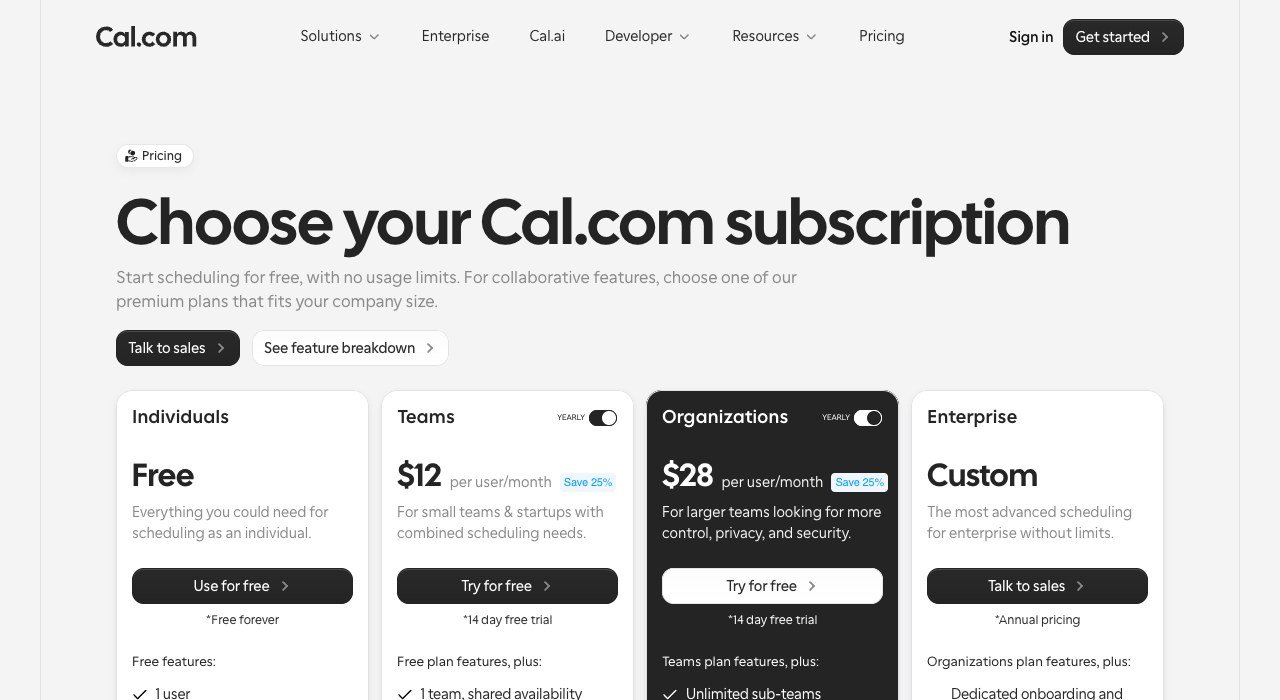
Entry price: $12 per user a month billed yearly. Free tier: Yes, individuals. Priced by: Per user or self-host.
Cal.com is the open-source answer, and the one you can run on your own infrastructure so that no third party holds your calendar data. Individuals are free, Teams is $12 a user a month billed yearly and Organizations $28.
Self-hosting removes the per-seat charge entirely at the cost of running the service yourself. For companies whose objection to Calendly is where the meeting data lives rather than the price, this is the only real option on the list.
8. Acuity Scheduling: Classes, packages and paid appointments
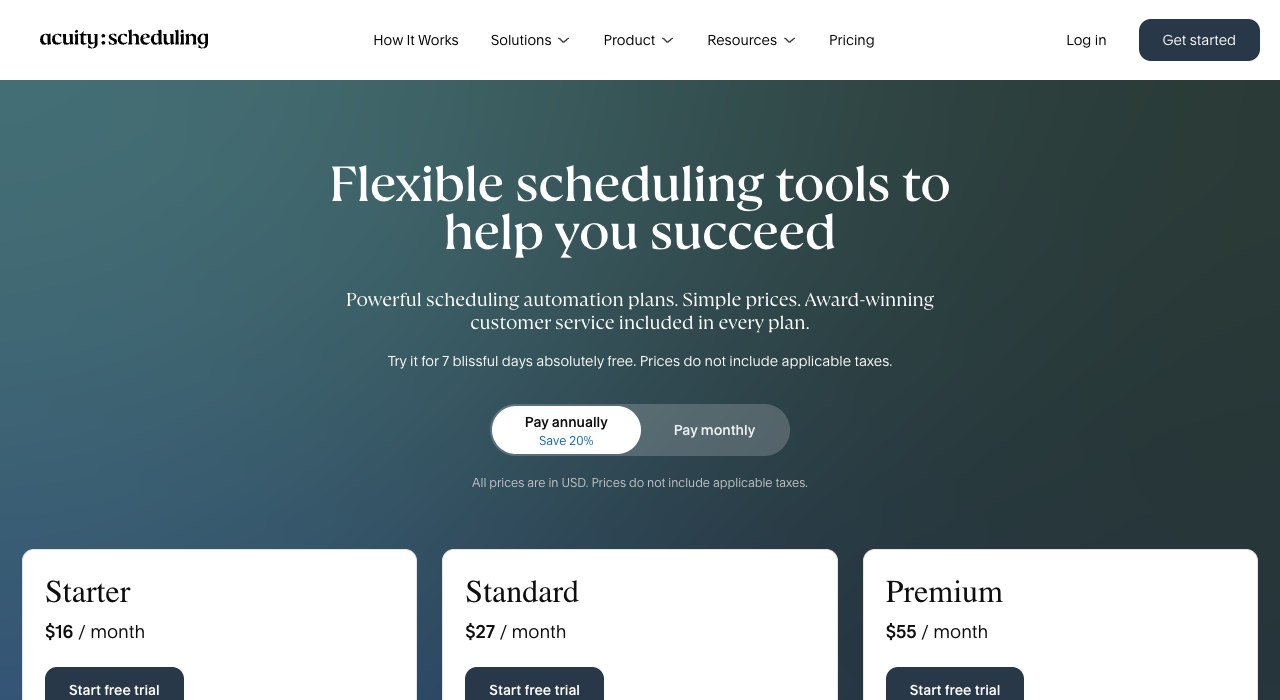
Entry price: $16 a month. Free tier: No, 7-day trial. Priced by: Per account by staff count.
Acuity Scheduling is for businesses selling time rather than arranging it: classes, packages, memberships and paid appointments with deposits. Starter is $16 a month, Standard $27 and Premium $55.
Pricing is by account and staff count rather than per seat, which suits a clinic with six practitioners far better than a per-seat tool would. It is overkill for anyone who just wants to stop emailing about times.
9. Motion: Scheduling joined to the actual work
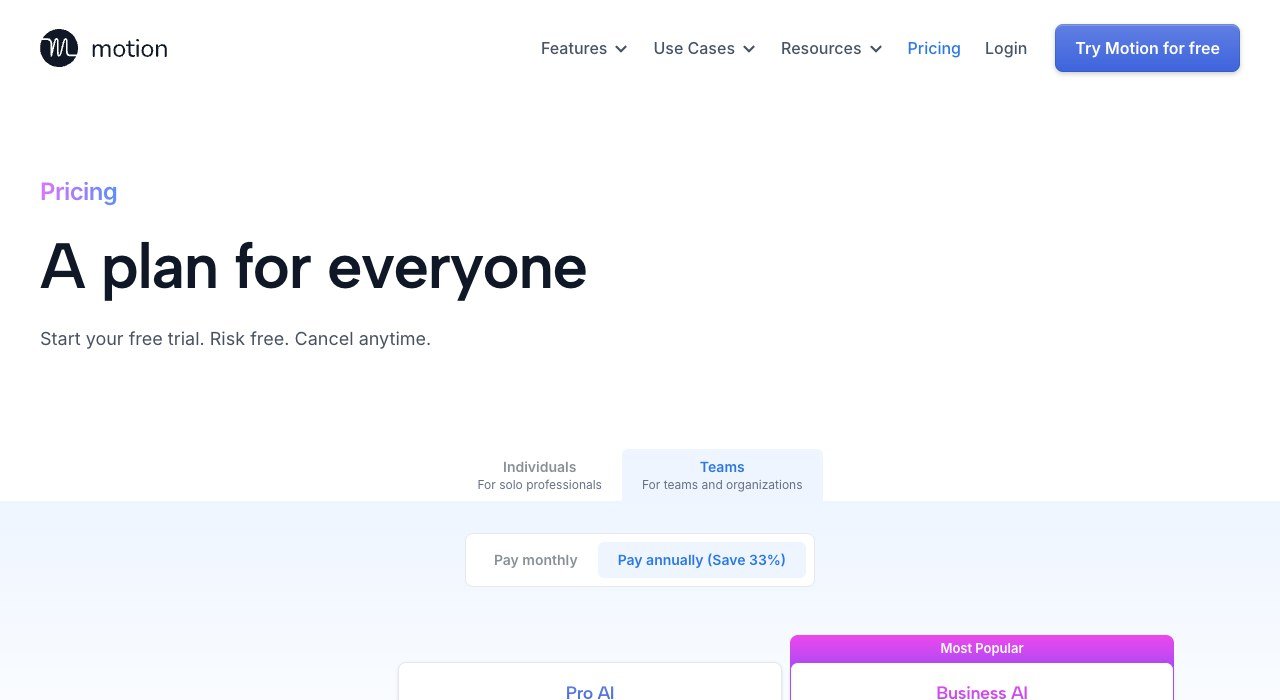
Entry price: $19 per seat a month. Free tier: No, free trial. Priced by: Per seat.
Motion is scheduling attached to the work itself, placing tasks and meetings on the same calendar and rearranging them as things slip. Pro AI is $19 a seat a month and Business AI $29.
It is the most expensive option here and solves a wider problem: the question is not when to meet but what the meeting displaces. Judged purely as a booking link it is poor value, and judged as a planning system it is reasonable.
10. vcita: Bookings inside a whole client workflow
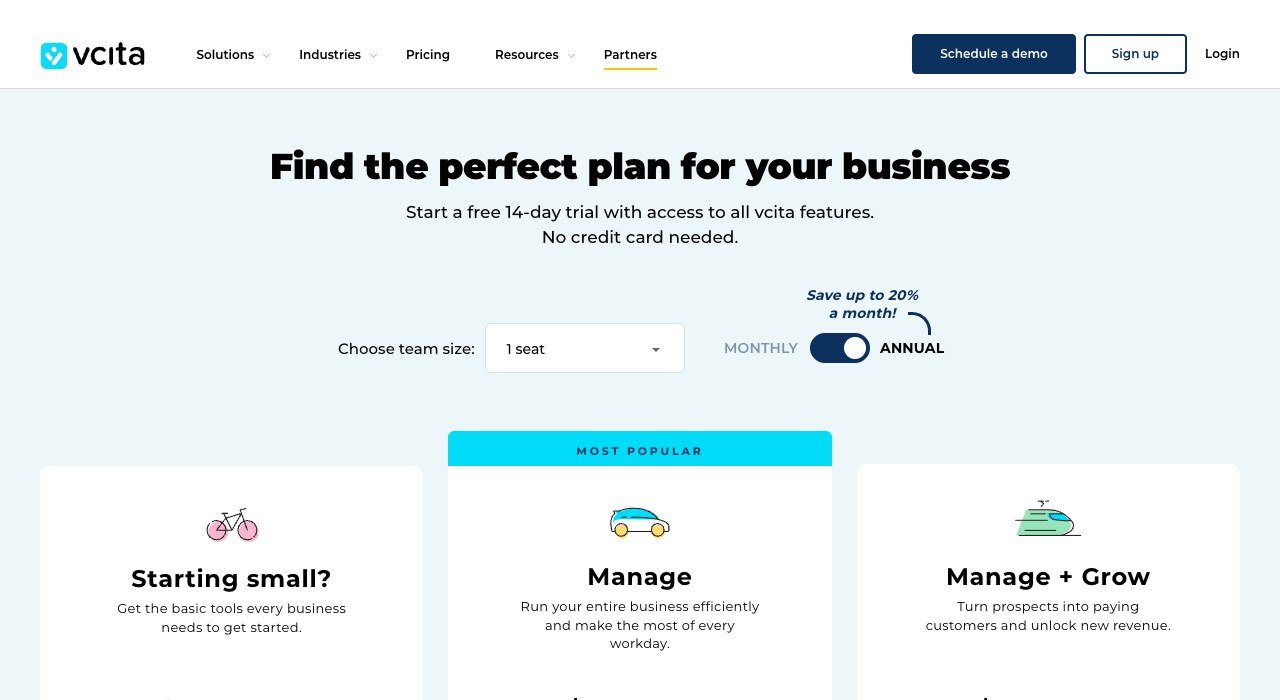
Entry price: $29 a month billed annually. Free tier: No, free trial. Priced by: Per account by seats.
vcita wraps booking inside client management, payments and marketing, aimed at service businesses that want one system rather than five. Kickstart is $29 a month billed annually and Manage $54.
Seats are banded rather than charged individually, so the cost steps up in groups. This is the right shape for a small practice replacing a scheduler, an invoicing tool and a CRM at once, and the wrong one for anybody replacing a calendar link.
What Five People Booking Meetings Costs
Scheduling is the kind of tool that gets bought for one person and ends up needed by five. That is where the pricing model starts to matter more than the headline figure.
- TidyCal lifetime: $29 once for an individual licence, with an agency tier for teams.
- Setmore Pro: $25 a month at $5 a user.
- zcal: $35 a month at $7 a user, and free if branding does not matter.
- Appointlet Premium: $45 a month at $9 a member.
- Calendly Standard: $50 a month at $10 a seat.
- SavvyCal Basic: $50 a month at $10 a user.
- Cal.com Teams: $60 a month at $12 a user, or the cost of a server if you host it.
- Acuity Standard: $27 a month total, because it is priced by account rather than by seat.
Acuity at $27 for the whole business against Calendly at $50 for five seats is the sharpest illustration on this page. Per-account pricing rewards teams and per-seat pricing punishes them, and the feature difference between the two is far smaller than the price difference suggests.
A Booking Link Is a Data Decision
Scheduling tools see more than most people realise: your free and busy times, the names and email addresses of everyone who books, and often the meeting subject. That is a calendar-shaped picture of your working life.
Where that sits matters. Cal.com is MIT licensed and can run on your own server, which is the only arrangement here where no third party holds the data at all. Everything else is a hosted service with the usual trade-offs.
If your invitees include people in California, the Consumer Privacy Act gives them rights over the records you hold about them, and a booking tool is where a surprising number of those records accumulate. Check the retention settings rather than assuming the default is sensible.
- Check which calendar scopes the tool requests. Read-only free and busy is very different from full event access.
- Decide how long booking records are kept, and set it rather than leaving the default.
- Confirm whether meeting notes or recordings are added to the same account, because that changes the sensitivity completely.
- Export your event types and booking history before switching, because none of these import from one another.
How to Choose a Calendly Alternative
Pick on what the link is for. A booking page for paying customers and an internal meeting link are different products that happen to look alike.
- You just need more than one event type: Appointlet or zcal, both free.
- You object to subscriptions: TidyCal at $29 once.
- Customers book and pay for appointments: Acuity or Setmore.
- The booking page is customer-facing branding: YouCanBook.me.
- Your invitees are busy executives: SavvyCal.
- Calendar data must stay in-house: self-hosted Cal.com.
Scheduling rarely stands alone. If the meetings feed a sales pipeline, check how the tool writes back to your CRM before committing, because a broken sync costs more than the subscription saves. Our HubSpot competitors comparison covers that side, and the same per-seat arithmetic runs through the Notion alternatives as well.
Frequently Asked Questions
Is there a free Calendly alternative with unlimited event types?
Yes. Appointlet’s free plan carries unlimited bookings and unlimited meeting types, and zcal gives away almost everything with unlimited links and calendars. Both remove the single-event-type limit that ends Calendly’s free tier for most people.
Can I pay once instead of monthly for scheduling?
TidyCal sells a lifetime individual licence for $29, with an agency tier above it. Against Calendly Standard at $10 a seat a month that pays for itself in about three months, and it is the only outright purchase on this list.
Which alternative can I host myself?
Cal.com. It is open source under the MIT licence and designed to be self-hosted, which removes both the per-seat charge and the question of who else can see your calendar. Hosted plans start at $12 a user a month billed yearly if you would rather not run it.
Do my invitees need to pay or create an account?
No. On Calendly a seat is required only for the person hosting, and the same is true of every tool here. Invitees pick a slot from a public page without registering, so licence counts should match the number of people whose calendar is being booked.
Related Articles

Get the Fox Bulletin briefing
The stories that matter, in your inbox. No spam, unsubscribe anytime.
Newsletter signup will be available soon.
Related stories
Etsy Alternatives: 10 Places to Sell and What They Cost
Etsy charges $0.20 a listing, 6.5% a sale and up to 15% on ad orders. Ten Etsy alternatives compared on fees, cuts and who brings the buyers.
Canva Alternatives: 10 Template Design Tools Compared
Canva now sells four tiers, all priced per person. Ten Canva alternatives compared on seat price, free tiers and what each one is actually built to make.
Mailchimp Alternatives: 10 Email Tools and Their Limits
Mailchimp bills by contacts stored and charges overages. Ten Mailchimp alternatives compared on what they meter, free tiers and entry price.