
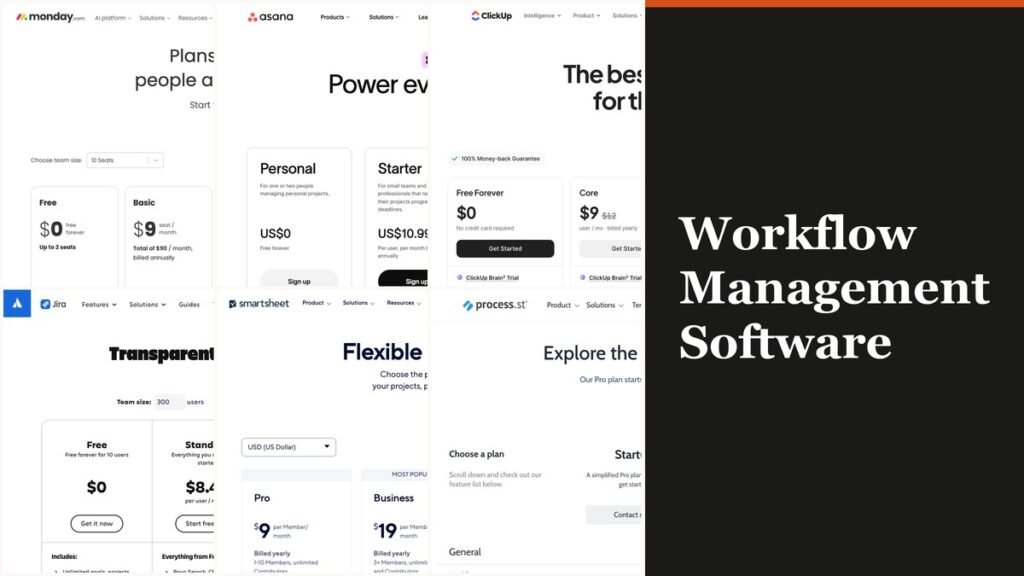
Workflow management software maps the steps a piece of work passes through, hands each step to a named person and shows where it is stuck. For most teams the strongest picks are monday.com for visual approval flows, Asana for cross-team projects and Smartsheet when dozens of people submit requests but only a few build the process.
The ten tools below are ranked on how well they route work and approvals, and on what the bill looks like once the approval step is included. Seven sell per seat, and the seat rules differ more than the headline prices do. Three, Kissflow, Process Street and Nintex, sell only by quote.
What Workflow Management Software Does and How It Bills You
Workflow management software defines a sequence of steps, assigns each to an owner and tracks the item until it is done: a purchase request moving from the person who raised it to a manager, then to finance. Integration automation is a different category; it passes data between separate apps rather than routing work between people.
The idea predates every product here. A workflow management system provides the infrastructure to set up, perform and monitor a defined sequence of tasks, and the Workflow Management Coalition and OASIS wrote early standards for it, including WS-BPEL 2.0 and WS-BPEL4People for human tasks.
The structural choice that decides your bill is the billing unit. Most tools charge per seat, but Smartsheet charges only for Members who build sheets, Jira meters automation in steps per user, monday.com and Airtable cap automation actions or runs each month, and the three enterprise platforms price every deal individually.
Workflow Management Software Seat Rules and Starting Prices
| # | Software | Best for | From (billed annually) | Free plan or trial | Who you pay for |
|---|---|---|---|---|---|
| 1 | monday.com | Visual boards with approval checkpoints | $9 per seat | Free (2 seats); 14-day Pro trial | Seats in team-size buckets, 3-seat minimum |
| 2 | Asana | Cross-team projects needing sign-off | $10.99 per user | Personal (2 users) | Every user; guests free |
| 3 | Smartsheet | Many submitters, few builders | $9 per Member | 30-day trial, no card | Members only; Contributors free |
| 4 | Jira | Small teams starting at $0 | Yearly total per user tier | Free (up to 10 users) | Every user, priced by team-size tier |
| 5 | ClickUp | High automation volume | $9 per user | Free Forever | Every member of the Workspace |
| 6 | Wrike | Approval-heavy marketing and PMO teams | $10 per user | Free plan; two-week trial | Users in bands (2-15 or 5-200) |
| 7 | Airtable | Custom process apps | $20 per seat | Free (5 editors) | Seats; Portals add-on for outside guests |
| 8 | Process Street | Recurring checklists and SOPs | Quote only | 14-day Pro trial | Startup tier fixed at 5 users |
| 9 | Kissflow | Enterprise approvals across departments | Quote only | None listed | Set in the quote |
| 10 | Nintex | Cloud or self-hosted process apps | Quote only | Free trial | Set in the quote |
Ten Workflow Platforms Ranked for Routing and Approvals
1. monday.com: Approval Checkpoints in a Visual Builder
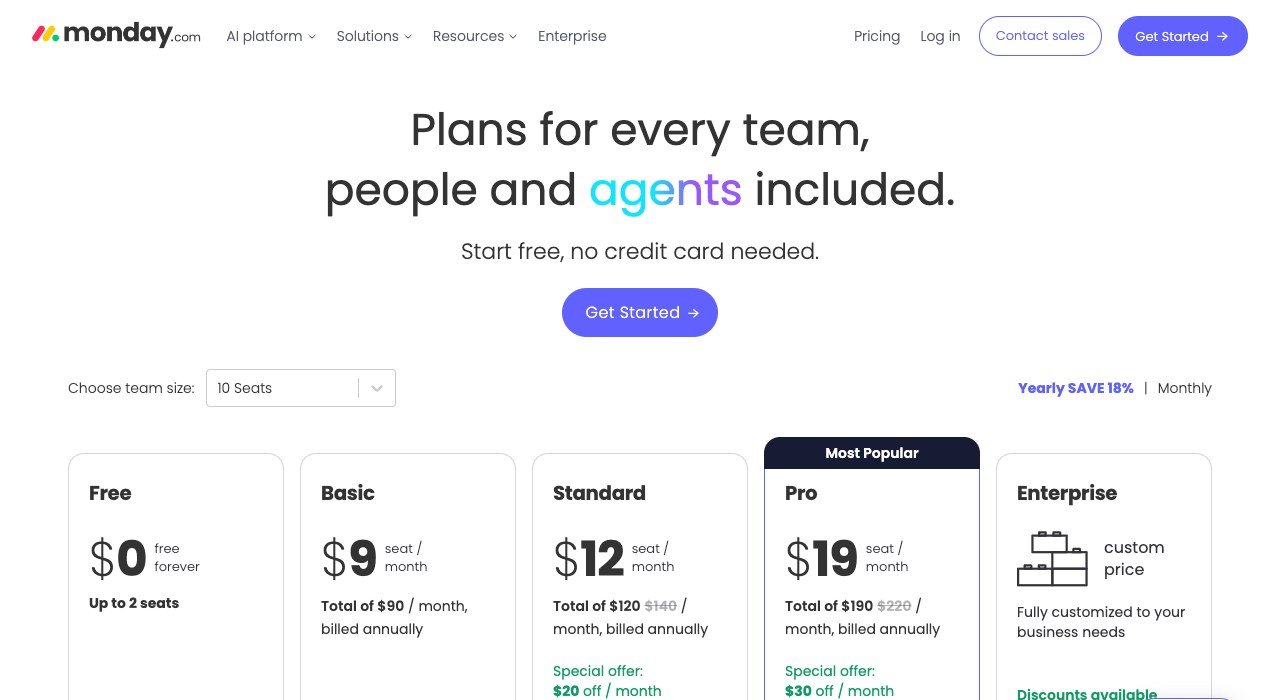
Price: $9 to $19 per seat a month billed annually, $12 to $24 billed monthly
Free plan: up to 2 seats and 3 boards
Best for: teams that want boards with sign-off steps
monday.com’s workflow builder lets a team drag rules, approvals, AI and agent steps onto one canvas, and an approval checkpoint holds the run until a named person says yes. Templates cover new hire onboarding, access provisioning and expense reviews, and every run is logged step by step. Standard includes 3 workflows, Pro 20 and Enterprise 250.
The seat floor is the catch. Paid plans start at 3 users, seats are sold in team-size buckets, and above 40 users the company asks for a quote. Automations run on a monthly budget too: Standard allows 250 actions, about 8 a day, while Pro allows 25,000. monday.com counts more than 250,000 customers.
2. Asana: Approvals and Proofing for Cross-Team Projects

Price: $10.99 (Starter) or $24.99 (Advanced) per user a month billed annually; $13.49 or $30.49 monthly
Free plan: Personal, for 2 users
Best for: cross-team projects that need formal sign-off
Starter already covers most routing work: intake forms that create tasks, unlimited automations, custom templates and timeline views, with no seat limit and unlimited free guests. Asana connects to 270+ apps, so a request raised in Slack or Gmail can land as an assigned task with its details attached.
Formal approval is the line to watch. Approvals and proofing, where reviewers annotate PDFs and images and mark a deliverable ready, sit on Advanced with portfolios, goals, resource management and branching forms. That lifts a team needing sign-off from $10.99 to $24.99 per user. SAML sign-in and SCIM provisioning are Enterprise features.
3. Smartsheet: Only the People Who Build Pay
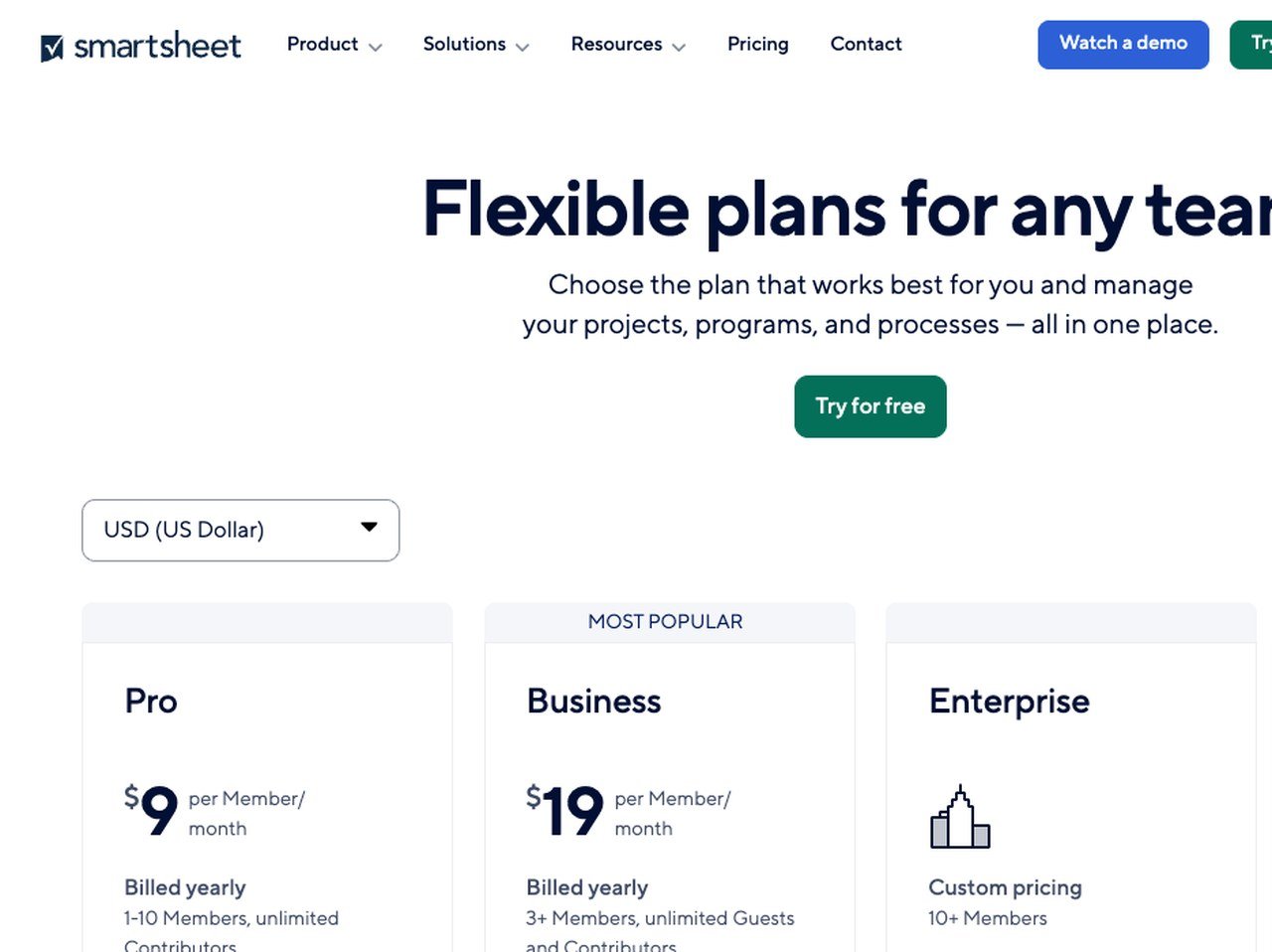
Price: $9 (Pro) or $19 (Business) per Member a month billed yearly; $12 or $24 monthly
Free plan: none; 30 days free with no card
Best for: operations teams with many occasional contributors
Smartsheet bills Members, the people who build and own sheets, while Contributors who submit forms and update rows are free on every paid plan. Business adds free Guests, unlimited automations, timeline view, workload tracking and 1 TB of attachment storage. A process run by 4 coordinators for 60 requesters pays for 4 seats.
Pro stops at 10 Members and 250 automations a month, and Business needs at least 3 Members. Some process features are paid add-ons: Dynamic View starts at $125 a month, Data Shuttle at $100 a month, and Resource Management is sold separately. SAML-based SSO arrives on Enterprise, which starts at 10 Members.
4. Jira: Free Custom Workflows for Ten Users
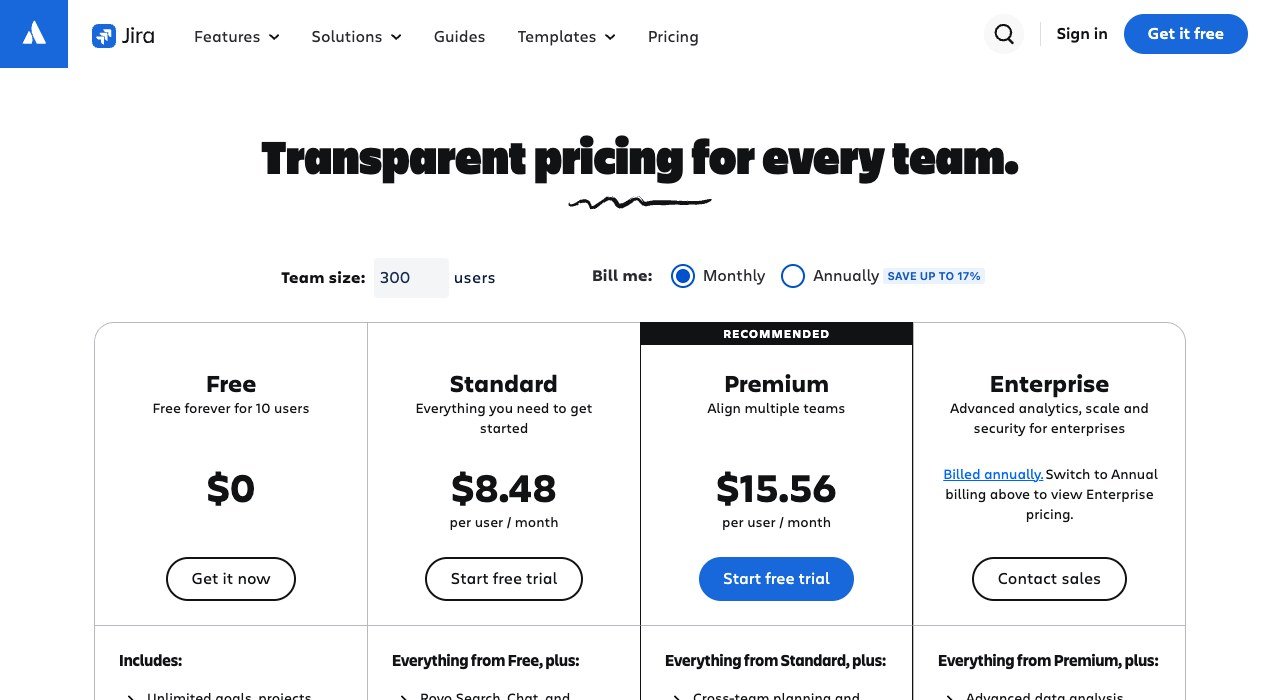
Price: Standard $8.48 or Premium $15.56 per user a month on monthly billing at a 300-user team size
Free plan: up to 10 users
Best for: small teams that want custom states without paying
Jira now sells to business teams as well as developers. Its workflows define states, transitions and forms, and the free plan covers up to 10 users with unlimited projects, 150 automation steps per subscription a month and 2 GB of storage. Standard raises automation to 400 steps per user a month and storage to 250 GB.
Price follows team size. Jira’s calculator starts at 300 users, where monthly billing shows $8.48 per user for Standard; annual billing shows a yearly total for each user tier instead, such as $25,500 for Standard at 201 to 300 users. Customizable approval processes are a Premium feature, and Premium carries a 99.9% uptime SLA.
5. ClickUp: The Biggest Automation Allowance per Plan
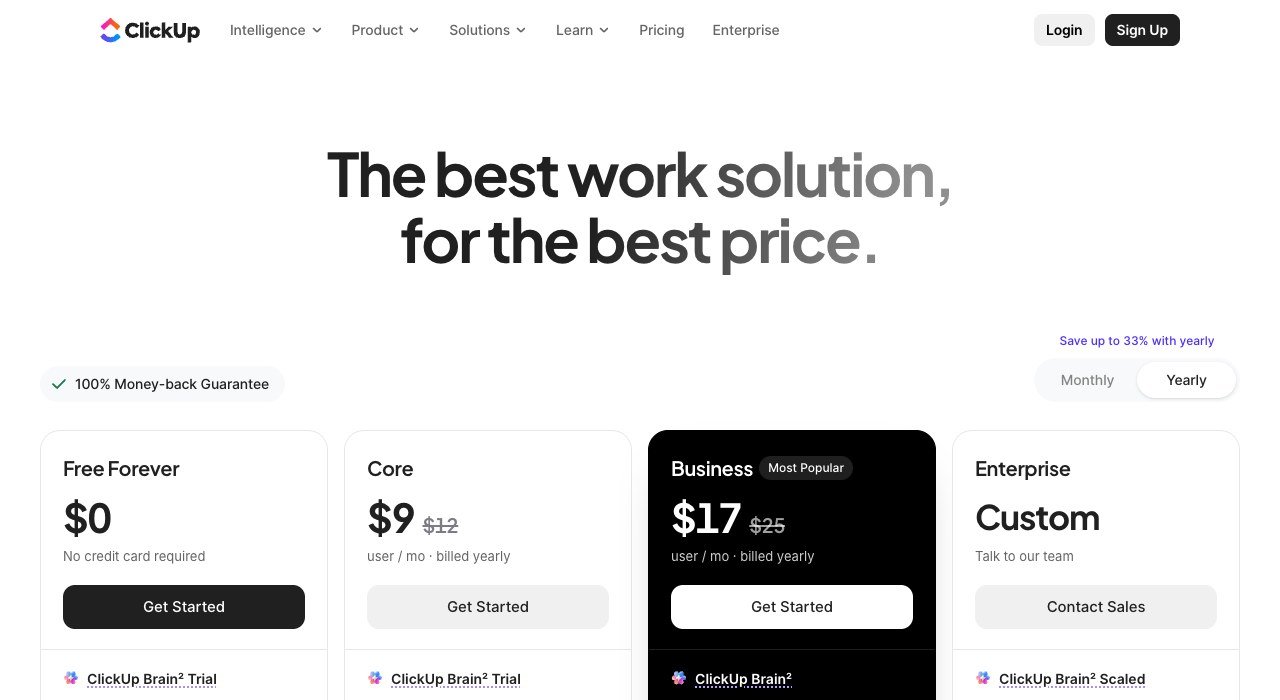
Price: Core $9 or Business $17 per user a month billed yearly; $12 or $25 monthly
Free plan: Free Forever, with unlimited free members
Best for: teams that run many rules on every task
ClickUp includes 1,000 automations a month on Core, 10,000 on Business and 1 million on Enterprise, plus 100+ templates and dynamic assignees that send a task to its creator, a watcher or whoever triggered the rule. It lists Mac and Windows desktop apps alongside iOS and Android.
Two rules shape the bill. An upgrade applies to the whole Workspace, so every member pays, not only the people who build automations. The free plan stops at 60 MB of storage and 1 Form, which is thin for intake-heavy processes. AI is metered in credits, with top-ups at $10 per 10,000.
6. Wrike: Request Forms and an Approvals Dashboard
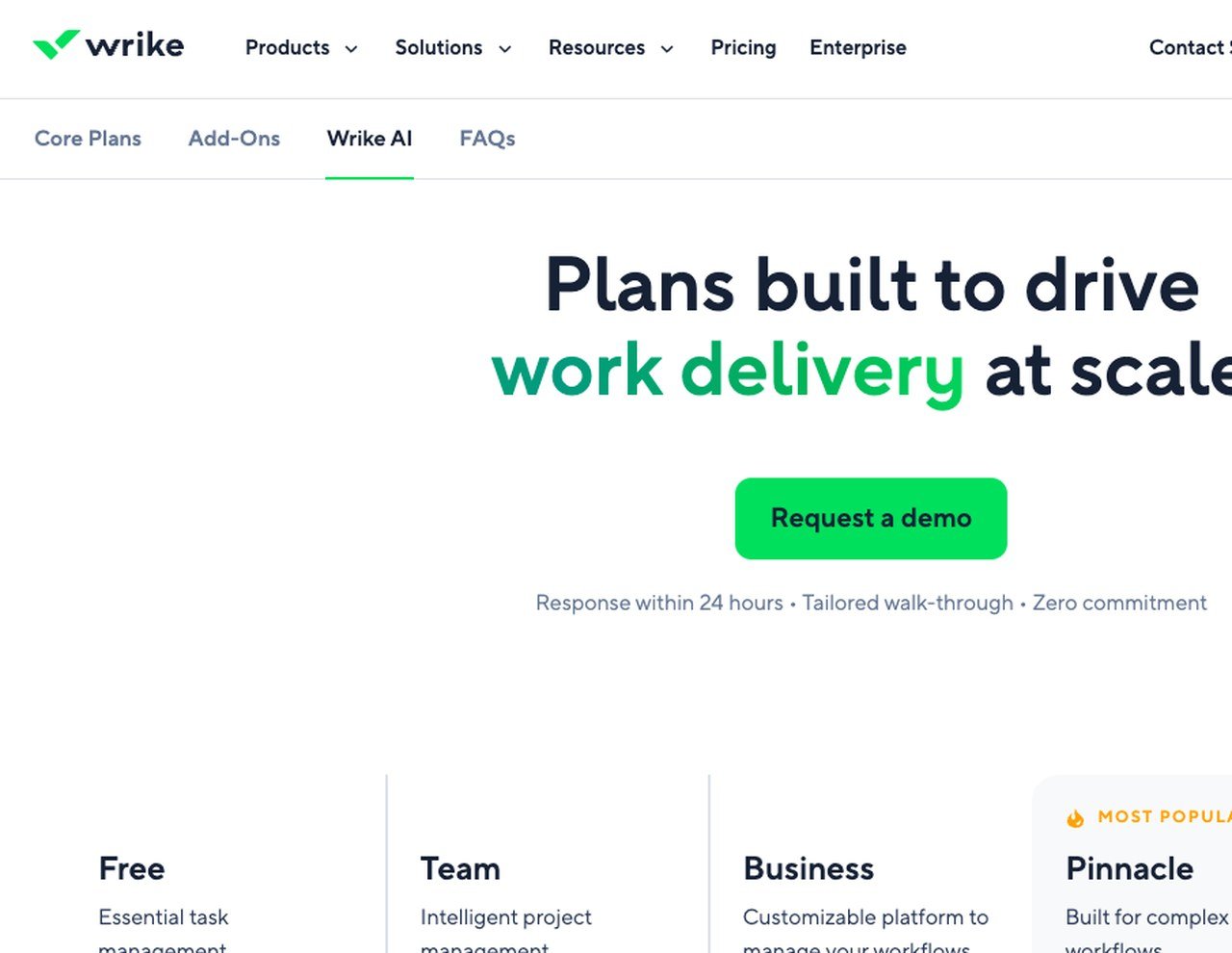
Price: Team $10 or Business $25 per user a month, billed annually (no monthly-billing price shown)
Free plan: yes, with active task limits; two-week trial with no card
Best for: marketing and PMO teams that run on approvals
Wrike puts approvals inside the request flow. Custom request forms collect details up front, chosen approvers get the context, due dates and attached files, and a dashboard widget gathers every pending approval in one view. Team adds custom fields, custom workflows and interactive Gantt charts; Business adds templates and resource planning.
User bands are fixed: Team covers 2 to 15 users and Business 5 to 200, so a 20-person team starts on Business. The amounts are monthly figures billed on an annual per-user basis for purchases from January 21, 2026. Budgeting, advanced BI and SSO sit on Pinnacle, priced on request. More than 20,000 organizations use Wrike.
7. Airtable: Build Your Own Process App on a Database

Price: Team $20 or Business $45 per seat a month billed annually; $24 or $54 monthly
Free plan: up to 5 editors and 1,000 records per base
Best for: teams that want to design their own process app
Airtable starts from data: a team models requests, assets or vendors as records, then builds interfaces and automations on top. Team allows 50,000 records per base and 25,000 automation runs a month with Gantt and timeline views; Business lifts that to 125,000 records and 100,000 runs and adds two-way sync and SAML-based SSO.
Records and runs limit you before seats do. The free plan’s 100 automation runs suit a test, not a live process, and outside requesters need Portals, an add-on from $120 a month on Team for 15 guests. At $20 per seat, its entry price is the highest of the seat-priced tools on this list.
8. Process Street: Checklists That Enforce the Order of Steps
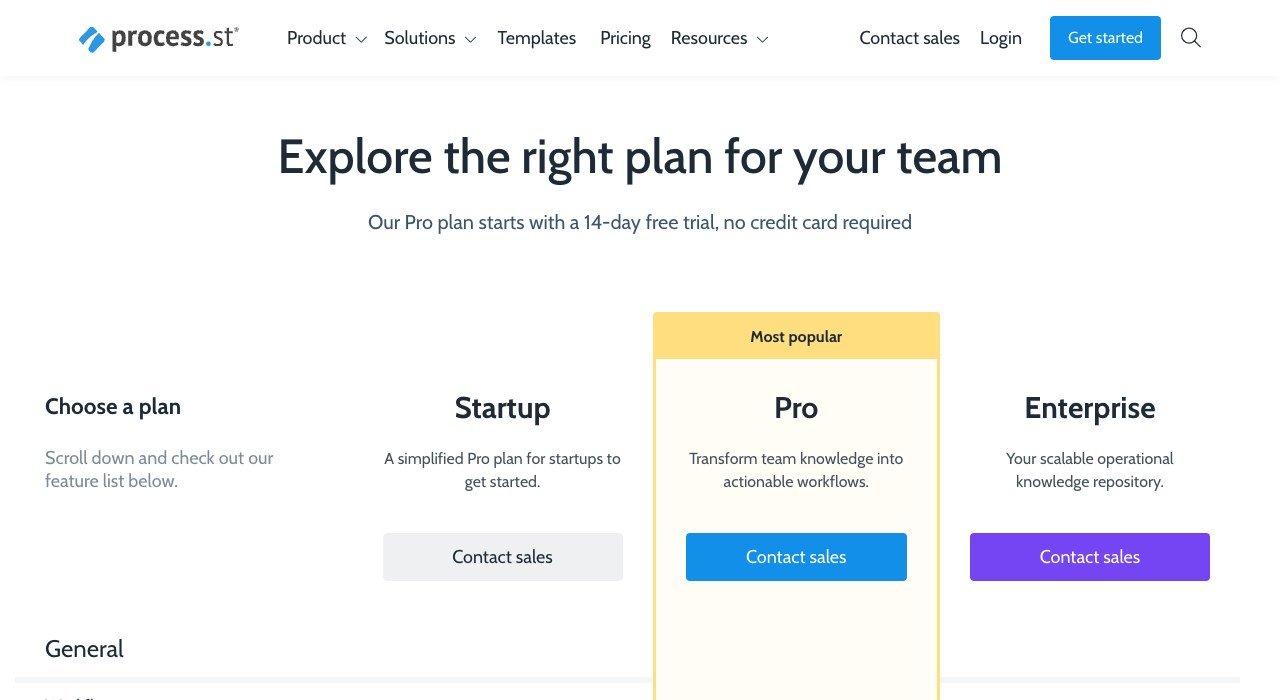
Price: quote only; Startup, Pro and Enterprise are all sold through sales
Free plan: none; 14-day Pro trial with no card
Best for: recurring procedures such as onboarding and audits
Process Street turns a standard operating procedure into a checklist you run. Conditional logic shows or hides steps, enforced task order blocks a step until the one before it is done, dynamic due dates move with the start date, and approvals sit inside the run. Workflows, tasks, forms and pages are unlimited on every plan.
Every plan is sold through sales, but the Startup limits are public: 5 users, 10 guests, 5,000 data set records, 10 automation apps and 100 automation actions. Apps cover iOS, Android, Slack and Microsoft Teams, and SOC 2 Type 2 is part of its security list.
9. Kissflow: Enterprise Process Management Sold on a Quote

Price: quote only
Free plan: none listed
Best for: enterprises standardizing approvals across departments
Kissflow is built for process owners in finance, HR, IT and procurement: approvals, employee onboarding, vendor reviews, capex requests and audits, assembled from drag-and-drop forms and workflows without code. Escalations and notifications fire on conditions you set, role-based access controls who sees what, and each workflow keeps a full audit trail.
Kissflow sells only on a quote, with no public tiers or figures, so budgeting starts with a sales call. Connectors reach SAP, Salesforce and Workday, and customer stories cite 150+, 700+ and 800+ use cases inside single companies, the scale it is sold for.
10. Nintex: Cloud or Self-Hosted Process Platform

Price: quote only
Free plan: none; a free trial is offered
Best for: regulated organizations that need self-hosting
Nintex sells two environments: Nintex CE, a multi-tenant cloud, and Nintex Automation K2, an on-premises or hosted edition for organizations with strict data privacy and sovereignty rules. The platform covers workflow, process management, forms, document automation, eSign and RPA, and an AI Workflow Generator drafts decision logic from a plain description.
There is no public price, and pricing requests go through a contact form. K2 is the main reason to shortlist Nintex, because it keeps process data on infrastructure you control.
Where the Approval Step Sits in Each Plan
An approval is a step that stops work until a named person decides. Every tool here can assign and move a task, but the formal approve-or-reject step often sits one tier above the entry plan:
- Asana: approvals and proofing on Advanced ($24.99 annual), not Starter.
- Jira: customizable approval processes on Premium, not Free or Standard.
- monday.com: approval checkpoints in the workflow builder; Standard includes 3 workflows, Pro 20.
- Wrike: approval requests with due dates, files and a pending-approvals widget.
- Process Street and Kissflow: approvals are core features, priced by quote.
If sign-off is the reason you are buying, price the tier that contains it. For Asana that more than doubles the per-user cost.
What 10 Seats of Workflow Management Software Cost Each Month
Take a 10-person operations team on annual billing that needs the tier with routing and automation it can actually use:
- Smartsheet Business with 3 Members and 7 free Contributors: $19 x 3 = $57
- ClickUp Business: $17 x 10 = $170
- monday.com Pro: $19 x 10 = $190
- Airtable Team: $20 x 10 = $200
- Asana Advanced: $24.99 x 10 = $249.90
- Wrike Business: $25 x 10 = $250 (annual billing only)
The spread is $193 a month, or $2,316 a year, for broadly similar routing. Smartsheet’s figure holds only if seven of the ten people submit and update rather than build. Jira Free would cost $0 for all ten, since its free plan stops at exactly 10 users, but approvals need Premium.
Sign-off still depends on approvers seeing the request, so pairing the tool with the right internal communication tools keeps sign-off requests where approvers already read them.
Automation Allowances Inside Workflow Platforms
Automation inside these tools moves work between states: assign the next owner, change a status, notify an approver. Each plan meters it differently:
- Asana: unlimited automations from Starter upward.
- Smartsheet: 250 a month on Pro, unlimited on Business.
- monday.com: 250 actions a month on Standard, 25,000 on Pro.
- ClickUp: 1,000, 10,000 and 1 million a month on Core, Business and Enterprise.
- Jira: 150 steps per subscription on Free; 400, 750 and 1,000 steps per user on paid plans.
- Airtable: 100 runs on Free, 25,000 on Team, 100,000 on Business.
Per-user metering scales with headcount: a 20-person Jira Standard team gets 400 steps for each user, 8,000 in total each month. A flat cap such as monday.com Standard’s 250 actions does not grow when you add seats.
If your process lives mostly in documents and wikis rather than requests, a workspace from one of these Notion alternatives may cover it with less setup.
How to Choose Workflow Management Software
- Write the process down first: the steps, the owner of each and who approves. A fixed checklist points to Process Street; a board of incoming requests points to monday.com or Asana.
- Count builders against submitters. Few builders and many submitters favors Smartsheet, where Contributors are free.
- Find the tier that holds the approval step and compare that price, not the entry price.
- Check the automation budget against your volume; a flat 250 actions a month runs out fast on a busy intake board.
- If you need self-hosting or SAP and Workday connections, book demos with Nintex or Kissflow.
- Under 10 users with no budget, start on Jira Free and move up when you need approvals.
Frequently Asked Questions
How is workflow management software different from project management software?
Project tools plan one-off work with an end date; workflow tools run the same sequence repeatedly, such as every purchase request or every new hire. Asana, monday.com and Wrike handle both kinds of work, so the label matters less than the approval and automation limits.
Which of these tools have a free plan?
monday.com (2 seats), Asana (2 users), ClickUp, Wrike, Jira (10 users) and Airtable (5 editors) all have one. Smartsheet offers a 30-day trial instead, and Process Street a 14-day Pro trial.
Why do Kissflow, Process Street and Nintex show no prices?
All three sell through sales teams. Process Street lists plan limits but no figures, Kissflow answers with a quote, and Nintex handles pricing through a contact form, so expect a demo before a number.
Do I need to learn BPMN to use these tools?
No. BPMN 2.0 is the Object Management Group’s diagram standard for business processes, published in December 2010. Asana, Airtable, Kissflow and Nintex all describe no-code builders based on forms, rules and drag-and-drop steps.
Related Articles

Get the Fox Bulletin briefing
The stories that matter, in your inbox. No spam, unsubscribe anytime.
Newsletter signup will be available soon.
Related stories

Wholesale Billing Software: 10 Picks for US Distributors
Wholesale billing software for US distributors: price lists, purchase orders, net terms and EDI across 10 tools, from Zoho Books at $40 a month for 5 users.

Whiteboard Software for PC: 10 Picks by How They Install
Whiteboard software for PC sorted by how it runs on Windows. Microsoft retired its standalone app on October 16, 2026; AFFiNE and draw.io install free.
Whiteboard Software for Mac: 10 Tools From Built-In to Web
Whiteboard software for Mac sorted by how it runs: built into macOS, a Mac download or a browser tab. Freeform is free and fits up to 100 collaborators.