

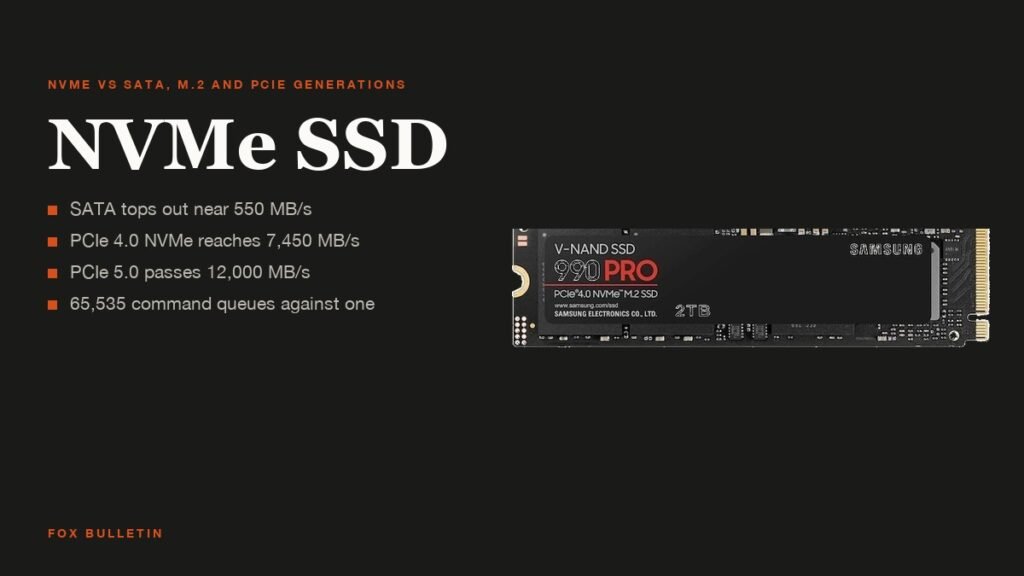
An NVMe SSD is a solid-state drive that uses the NVM Express protocol to talk to the processor over PCI Express lanes, the same bus a graphics card uses. A SATA SSD uses the same flash memory but speaks the older AHCI language over a 6 Gb/s SATA link, which caps it at roughly 550 MB/s no matter how fast the chips inside are.
That difference in plumbing is why a $100 NVMe drive reads at 7,000 MB/s while the best SATA drive ever made stops at a thirteenth of that. This guide explains what NVMe, M.2 and the PCIe generation numbers mean, where the speed shows up in daily use and where it does not, and which class of drive belongs in which computer.
| Drive type | Interface and protocol | Shape | Sequential read | Best for |
|---|---|---|---|---|
| SATA III SSD | SATA, AHCI | 2.5-inch or M.2 | About 550 MB/s | Older PCs, bulk storage, laptops without an M.2 slot |
| PCIe 3.0 NVMe | PCIe 3.0 x4, NVMe | M.2 2280 | Up to about 3,500 MB/s | Budget builds, upgrades to 2017 to 2020 machines |
| PCIe 4.0 NVMe | PCIe 4.0 x4, NVMe | M.2 2280 | Up to about 7,450 MB/s | The default for a new desktop or laptop |
| PCIe 5.0 NVMe | PCIe 5.0 x4, NVMe | M.2 2280, often with a heatsink | Up to about 14,000 MB/s | Workstations, video editing, builds that already have a Gen5 slot |
What NVMe Means and Why It Replaced AHCI
The NVM Express consortium, which publishes the specifications, describes them as defining “how host software communicates with non-volatile memory” over PCI Express and, later, over network transports. Version 1.0 of the specification was published on March 1, 2011 by a working group of more than 90 companies, and the consortium incorporated as NVM Express in 2014.
The protocol it replaced, AHCI, was designed for spinning hard drives. It allows one command queue with a maximum of 32 commands. NVMe allows up to 65,535 queues with 65,536 commands each, according to the protocol comparison, so a modern processor with many cores can keep a flash drive busy instead of waiting on a single line.
Latency drops for the same reason. AHCI needs several slow register accesses per command, NVMe at most two, and the drive sits on PCIe lanes wired to the CPU or chipset rather than behind a SATA controller. For a game loading thousands of small files or a database doing random reads, that matters more than the headline sequential number.
NVMe vs SATA SSD: What Changes in Practice
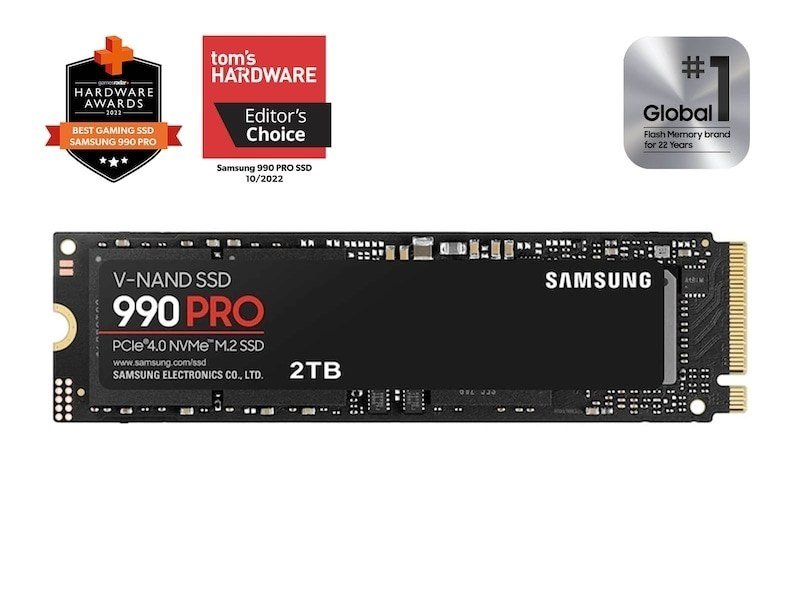
Both kinds of drive use NAND flash, so the gap between them is bandwidth and queueing rather than reliability. SATA III tops out at 6 Gb/s, which after encoding overhead is roughly 550 to 600 MB/s. A PCIe 4.0 x4 NVMe drive has close to 7.9 GB/s available on the bus, and the Samsung 990 PRO uses most of it with a quoted 7,450 MB/s read and 6,900 MB/s write.
Where you feel it: large file copies, installing a 150 GB game, scrubbing through 4K video, exporting a project, and systems with lots of background I/O. Where you do not: booting Windows, opening a browser or launching an office app, where a SATA SSD and an NVMe drive finish within a second of each other because the work is CPU-bound once the drive is faster than a hard disk.
Intel’s build guidance puts it plainly: SATA is the older protocol with higher latency and NVMe the PCIe one with higher performance, and it recommends an SSD of either kind over a hard drive for the boot volume. If you are weighing memory against storage, our explainer on RAM versus storage covers which of the two a slow PC usually needs first.
- Choose SATA when: the machine has no M.2 slot, you need cheap bulk capacity, or you are reviving a laptop from before 2016
- Choose NVMe when: the board has an M.2 slot, you move large files, or you are building anything new
M.2 Is a Shape, Not a Speed
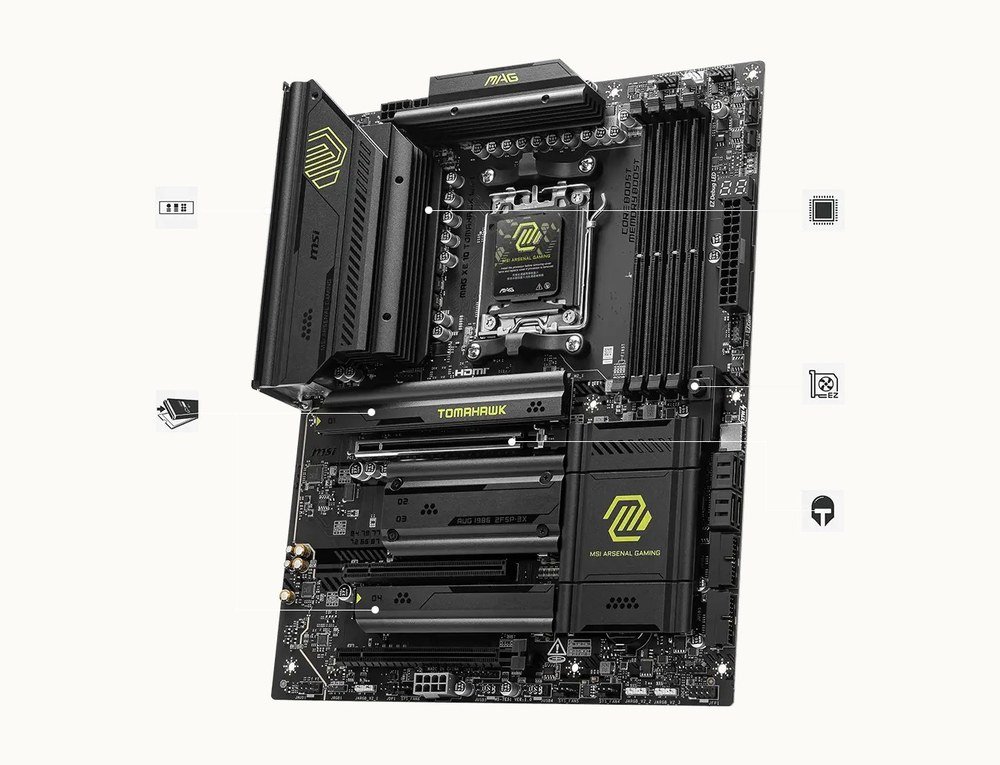
M.2 is the small gumstick connector that most NVMe drives use, but the connector can carry either SATA or PCIe signals. An M.2 SATA drive is exactly as fast as a 2.5-inch SATA drive, so the label on the box matters: look for “NVMe” or “PCIe” next to “M.2”. The common length is 2280, meaning 22 mm wide and 80 mm long, with 2230 and 2242 used in handhelds and thin laptops.
Motherboards expose two to five M.2 slots, often with metal heatsinks over them, and the slot nearest the CPU is usually wired directly to the processor at the highest PCIe generation. The others may hang off the chipset or share lanes with SATA ports, so a board manual is worth a glance before filling every slot. Our guide to PC parts walks through the rest of the board.
NVMe drives also come as 2.5-inch U.2 units and PCIe add-in cards, mostly in servers, and in CFexpress camera cards, which are NVMe drives in a different shell.
PCIe Generations: 3.0, 4.0 and 5.0 Drives
| Generation | Introduced | Per lane | x4 slot (an SSD) |
|---|---|---|---|
| PCIe 3.0 | 2010 | 0.985 GB/s | 3.94 GB/s |
| PCIe 4.0 | 2017 | 1.969 GB/s | 7.88 GB/s |
| PCIe 5.0 | 2019 | 3.938 GB/s | 15.75 GB/s |
| PCIe 6.0 | 2022 | 7.563 GB/s | 30.25 GB/s |
An NVMe drive uses four PCIe lanes, and each generation roughly doubles what a lane carries. The figures above, from the PCI Express specification history, are raw link rates in one direction; real drives land a little under them after protocol overhead. A PCIe 3.0 drive therefore tops out near 3,500 MB/s, a 4.0 drive near 7,450 MB/s and a 5.0 drive in the 12,000 to 14,000 MB/s range.
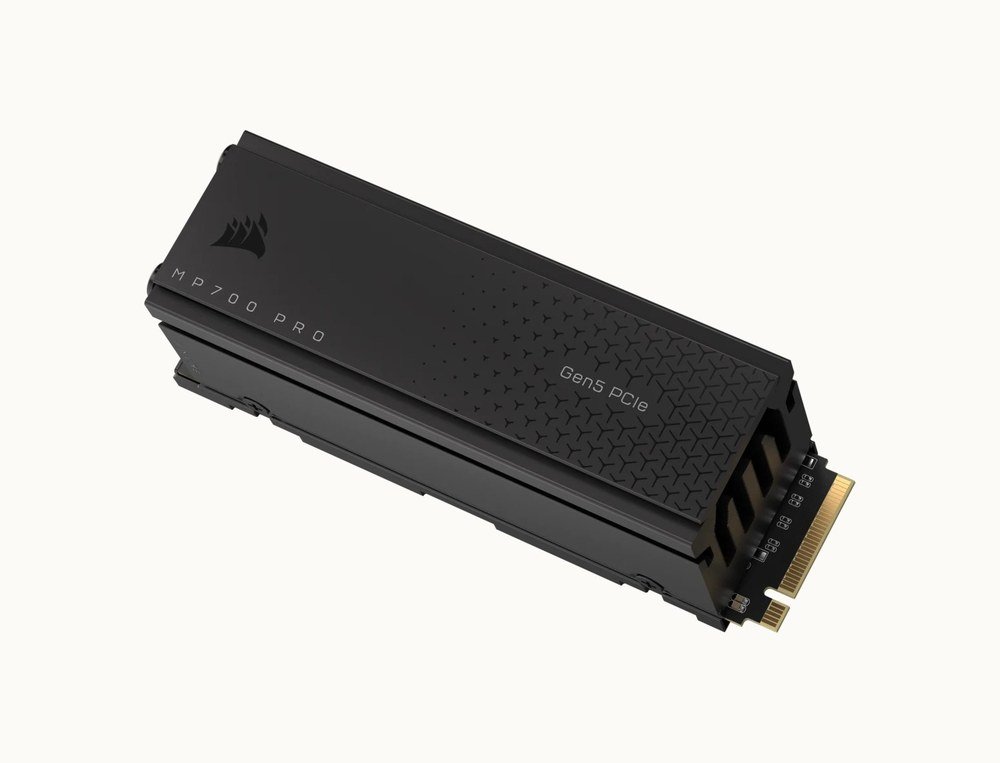
Corsair’s MP700 PRO is a current Gen5 example at up to 12,400 MB/s read and 11,800 MB/s write, sold with a bolt-on air cooler because Gen5 controllers run hot enough to throttle without one. That is the trade-off at the top end: the fastest drives need airflow, cost two to three times a Gen4 drive per terabyte, and only pay off when the workload is sustained large transfers.
Generations are backward compatible. A Gen4 drive in a Gen3 slot runs at Gen3 speed, and a Gen5 drive in a Gen4 slot runs at Gen4 speed, with no other penalty. For most buyers that makes a good Gen4 drive the sweet spot: it is the default in every gaming laptop and prebuilt desktop sold today, and the step to Gen5 is invisible outside benchmarks.
NVMe SSDs in Laptops and Handhelds
Thin laptops and handhelds such as the Steam Deck and ROG Ally use the shorter 2230 size, 30 mm long instead of 80, and some ultraportables solder the flash to the board with no slot at all. Before buying an upgrade, check the service manual for the slot length, whether a second slot exists, and whether the slot is PCIe or SATA-only, which was common in laptops sold before 2018.
Power draw matters more than peak speed on a battery. Gen4 drives idle in the tens of milliwatts and are the right choice for a laptop; Gen5 drives draw more at idle and gain nothing on a laptop’s Gen4 slot. The same logic applies to external NVMe enclosures, where USB 3.2 at 10 Gb/s or USB4 at 40 Gb/s is the ceiling rather than the drive.
Choosing an NVMe SSD
Capacity first. New games routinely exceed 100 GB each, and Intel’s guidance is to start at 500 GB for a primary drive and go larger where the budget allows. A 1 TB Gen4 drive is the practical minimum for a gaming PC in 2026, and 2 TB removes the need to uninstall anything for years.
Then the controller and cache. Drives with DRAM cache hold up better under sustained writes than DRAM-less designs, which rely on a slice of system memory and slow down once their fast SLC buffer fills. Endurance is quoted as terabytes written; a 1 TB consumer drive typically carries 600 TBW and a five-year warranty, which an ordinary user will never approach.
- Check the slot: M.2 with PCIe support, and which generation it runs
- Pick the generation that matches the slot; buying Gen5 for a Gen4 board wastes money
- Choose 1 TB or more for a boot drive that will hold games
- Prefer a drive with DRAM cache and a stated TBW figure
- Add a heatsink only for Gen5, or if the board does not include one
Frequently Asked Questions
Is an NVMe SSD better than a SATA SSD?
For throughput, yes, by a factor of six to twenty depending on the PCIe generation. For everyday responsiveness the two feel similar, because both are far faster than a hard drive. Buy NVMe for a new build or any machine with an M.2 PCIe slot, and SATA only where there is no such slot.
Will a PCIe 4.0 NVMe SSD work in a PCIe 3.0 slot?
Yes. PCIe is backward compatible, so the drive runs at PCIe 3.0 speed, around 3,500 MB/s, with no other downside. The same applies to a Gen5 drive in a Gen4 slot.
Does an NVMe SSD make games load faster?
Compared with a hard drive, dramatically. Compared with a SATA SSD, modestly: a few seconds on large open-world titles, and almost nothing in games that are limited by the processor decompressing assets. Microsoft’s DirectStorage and consoles designed around NVMe narrow that gap over time.
Do I need a heatsink on an NVMe SSD?
Not for Gen3 or most Gen4 drives in a desktop with airflow. Gen5 drives run hot enough to throttle, so use the motherboard’s M.2 heatsink or a drive that ships with one.
Related Articles

Get the Fox Bulletin briefing
The stories that matter, in your inbox. No spam, unsubscribe anytime.
Newsletter signup will be available soon.
Related stories

Prebuilt Gaming PC Buying Guide: Specs to Check and 7 Brands
A prebuilt gaming PC trades a price premium for a tested build and one warranty. Here is how to read the spec sheet, which parts makers skimp on, and how Alienware, Lenovo Legion, NZXT, Corsair, CyberPowerPC, MSI and Maingear compare.
PC Parts Explained: Every Component in a Desktop Computer
Every desktop is the same eight PC parts: a processor, a graphics card, a motherboard, memory, storage, a power supply, a case and a cooler. Here is what each one does, how they constrain each other and the spec that matters when you buy.
Power Supply Unit Guide: Wattage, 80 Plus Ratings and Cables
The power supply unit is the one PC part that can take everything else with it when it fails. Here is how to size the wattage from your CPU and GPU, what the 80 Plus tiers measure, and which connectors a modern graphics card needs.