

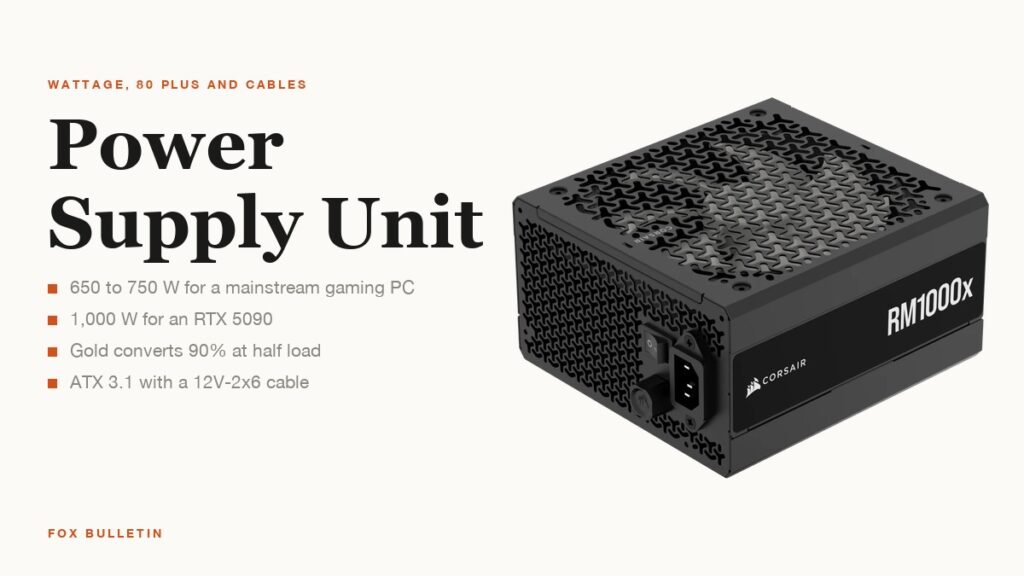
The power supply unit, or PSU, converts wall power into the 12 V, 5 V and 3.3 V rails every other component runs on, and it is the only part that can destroy the rest of the PC when it fails. Choosing one is three decisions: enough wattage for the processor and graphics card with headroom, an efficiency tier that keeps heat and noise down, and the right cables and size for the case.
The numbers that matter in 2026 are the graphics card’s power draw, which has climbed to 575 W on NVIDIA’s RTX 5090, and the ATX 3.1 standard with its 12V-2×6 connector that feeds those cards from a single cable. This guide sizes the wattage from real parts, decodes the 80 Plus labels, and explains what modular, ATX and SFX mean on the box.
| Build | Typical parts | PSU wattage |
|---|---|---|
| Office or media PC, integrated graphics | 65 W CPU, no discrete GPU | 300 to 450 W |
| Mainstream gaming | RTX 5060 to 5070, RX 9060 XT; 65 to 125 W CPU | 650 to 750 W |
| High-end gaming | RTX 5070 Ti to 5080, RX 9070 XT; up to 250 W CPU | 850 W |
| Flagship | RTX 5090 (575 W card power) | 1,000 W or more |
| Workstation, overclocked or multi-GPU | Threadripper, two cards | 1,000 to 1,600 W |
How Much Wattage Your Power Supply Unit Needs
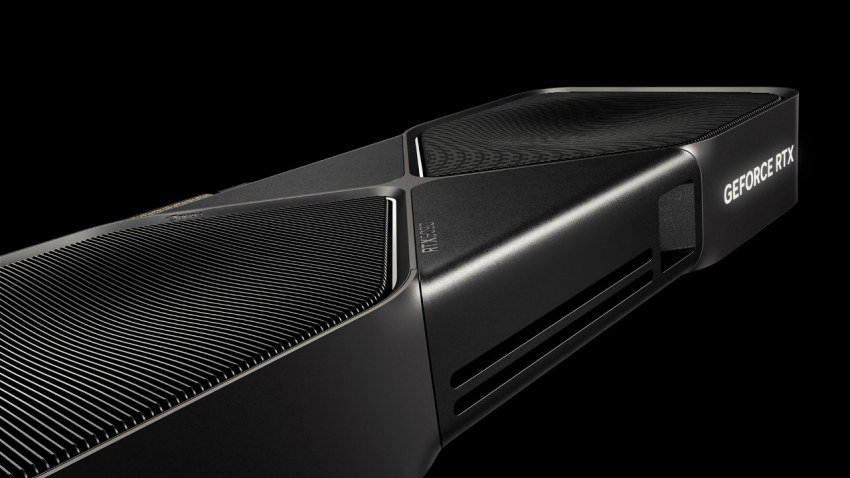
Start from the graphics card, because it is the largest single load. NVIDIA’s RTX 5090 page lists 575 W of total graphics power and quotes 1,000 W as the required system power, measured on a Ryzen 9 9950X system. The RTX 5070 is rated at 250 W with 650 W of system power required, the 5070 Ti at 300 W and 750 W, and the 5060 at 145 W and 550 W, which is why the gap between a 650 W and a 1,000 W supply maps almost entirely onto the GPU choice.
Add the processor at its maximum turbo power, not its base figure. Intel rates the Core Ultra 9 285K at 125 W base and 250 W maximum turbo, and AMD lists a default TDP for each Ryzen chip on its product page. Then allow roughly 100 to 150 W for the motherboard, memory, drives, fans and USB devices, and leave 20 to 30 percent of headroom so the unit runs near the middle of its range, where it is quietest and most efficient.
Corsair’s own buying guidance puts the result in three bands: 650 to 850 W for mid-range gaming, 850 to 1,000 W or more for flagship cards or many drives, and 1,000 W and above for workstations and overclocked systems. Those bands agree with the GPU maths above and are the ranges prebuilt makers use.
- Note the GPU’s total graphics power from the maker’s spec page
- Add the CPU’s maximum turbo power or TDP
- Add 100 to 150 W for everything else
- Multiply by 1.25 and round up to the next common size: 650, 750, 850, 1,000 or 1,200 W
80 Plus Ratings From Bronze to Titanium
| Tier | At 20% load | At 50% load | At 100% load | Extra requirement |
|---|---|---|---|---|
| 80 Plus | 80% | 80% | 80% | none |
| Bronze | 82% | 85% | 82% | none |
| Silver | 85% | 88% | 85% | none |
| Gold | 87% | 90% | 87% | none |
| Platinum | 90% | 92% | 89% | none |
| Titanium | 92% | 94% | 90% | 90% at 10% load |
80 Plus is a voluntary certification that started in 2004 and tests how much of the power drawn from the wall reaches the components. The efficiency thresholds for 115 V desktop supplies are above: a Bronze unit must convert at least 85 percent at half load, a Gold unit 90 percent and a Titanium unit 94 percent, with Titanium alone also tested at 10 percent load.
The tier is about heat and electricity, not output quality. A Gold 750 W supply delivers the same 750 W as a Bronze one; at half load it wastes about 42 W as heat where the Bronze unit wastes 66 W, which means a slower fan and a lower power bill. Corsair notes that efficiency is now rated under two programmes, 80 Plus and Cybenetics, the latter adding a noise grade from A++ downwards.
For most builds Gold is the sensible floor. Bronze is fine for a low-draw office PC that idles most of the day, and Platinum or Titanium pay back only on machines that run near full load for hours, such as render boxes and home servers.
ATX 3.1, the 12V-2×6 Connector and Transient Spikes
Modern graphics cards do not draw power smoothly. They spike for milliseconds to double their rated draw, and the ATX 3.0 and 3.1 specifications were written so supplies can absorb those transients without tripping protection. A unit above 450 W built to the standard must deliver 200 percent of its rated power for 100 microseconds, a test older designs were never asked to pass, and the 12V-2×6 cable carries sideband pins that tell the card how much the supply can give.
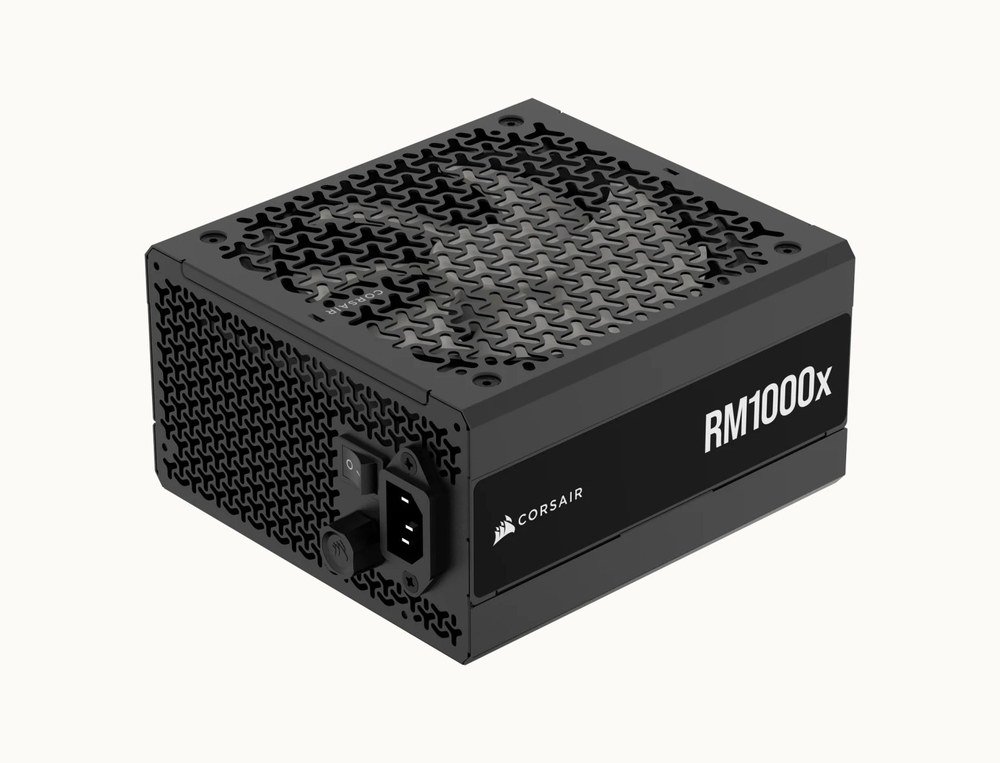
The second half of the standard is the connector. The 12V-2×6 plug, a revision of the 12VHPWR design, carries up to 600 W on one cable to cards such as the RTX 5080 and 5090 in place of three or four 8-pin PCIe leads. Corsair’s RM1000x, a 1,000 W Cybenetics Gold unit, ships with a native 600 W 12V-2×6 cable, is fully modular with a 140 mm fan and carries a ten-year warranty, which is representative of the current mid-to-high tier.
Older cards and AMD’s Radeon line still use 8-pin PCIe connectors, and every supply includes several. The practical rule is to buy ATX 3.1 with a native 12V-2×6 cable for any new build, so the next graphics card plugs in without an adapter, and to seat that connector fully, since partial insertion is the documented cause of the melted plugs reported on early 12VHPWR cards.
Modular, Semi-Modular and Non-Modular Cables
Modularity describes which cables detach from the unit. Non-modular supplies have every cable permanently attached; semi-modular fix the 24-pin motherboard and CPU leads and let the rest detach; fully modular units let everything unplug so you connect only what the build uses.
Intel’s build guidance recommends semi-modular for most people, since the fixed cables are the ones every PC needs anyway, and reserves fully modular for builds where cable routing and airflow matter. The price difference has narrowed to a few dollars, and the main benefit of full modularity is a cleaner case and easier upgrades. Our walkthrough of PC parts shows where each cable ends up.
- 24-pin ATX: the motherboard’s main feed
- 8-pin EPS (4+4): the CPU; high-end boards take two
- 8-pin PCIe (6+2): graphics cards without a 12V-2×6 socket
- 12V-2×6: up to 600 W to a single modern NVIDIA card
- SATA power: 2.5-inch drives, fan hubs and RGB controllers
ATX, SFX and Fitting the Case
Most tower cases take an ATX supply, 150 mm wide and 86 mm tall, with length from 140 mm on compact units to 200 mm on 1,600 W models. Small-form-factor cases use SFX, 125 by 63.5 mm, or SFX-L, which adds 30 mm of length for a quieter 120 mm fan. Corsair’s guidance is that most desktops want ATX and compact builds need SFX or SFX-L, and a mid-tower case usually lists the maximum PSU length in its specification.
Prebuilt systems make the decision for you and are worth reading for calibration. Corsair’s Vengeance a7400 line pairs an RTX 4060 to 4070 Ti Super with a 750 W Gold unit and the RTX 4090 model with 1,000 W, and Lenovo, NZXT and Alienware size their towers similarly. If you are choosing between building and buying, our guide to a prebuilt gaming PC covers what to check on the spec sheet.
Protections are the last line on the spec sheet worth reading. Over-voltage, over-current, over-power, short-circuit and over-temperature protection should all be listed, and a unit from a maker that publishes a seven-to-twelve-year warranty is signalling that the internals will last. A supply is the one part not to economise on; a failed cheap unit has a well-documented habit of taking the motherboard and drives with it.
Frequently Asked Questions
What size power supply unit do I need for a gaming PC?
650 to 750 W covers an RTX 5060 or 5070 class card with a mainstream processor. Move to 850 W for an RTX 5070 Ti or 5080, and to 1,000 W or more for an RTX 5090, which NVIDIA lists at 1,000 W required system power.
Is 80 Plus Gold worth it over Bronze?
For a gaming PC, yes. Gold converts at least 90 percent at half load against Bronze’s 85, which means less heat, a quieter fan and lower electricity use over the unit’s life for a modest extra cost. Bronze is adequate for a low-power office machine.
Do I need an ATX 3.1 power supply?
For a new build with a current NVIDIA card, yes. ATX 3.1 units handle the card’s power spikes and include the 12V-2×6 cable the card expects. An older supply can work with the adapter in the GPU box but gives up that headroom.
Can a power supply be too powerful?
Not in a way that harms parts; the PC draws only what it needs. The cost is money and, on very large units, slightly lower efficiency at low loads, since supplies are most efficient around 50 percent of their rating.
Related Articles

Get the Fox Bulletin briefing
The stories that matter, in your inbox. No spam, unsubscribe anytime.
Newsletter signup will be available soon.
Related stories

Morse Code: The Full Chart, Timing and How It Works
Every letter, digit, punctuation mark and procedural signal in international Morse code, with the timing rules that govern them and the places the code is still working.

Military Alphabet: All 26 Letters, Spelled and Pronounced
Alfa, Bravo, Charlie: the military alphabet is a set of 26 code words that keep letters apart over a noisy radio. Here is every letter, how to say it, and the history behind the list.

How to Turn Off Read Receipts on Instagram DMs
The global switch does not sweep up chats you have already set by hand. That one rule explains almost every case of Seen still appearing.