

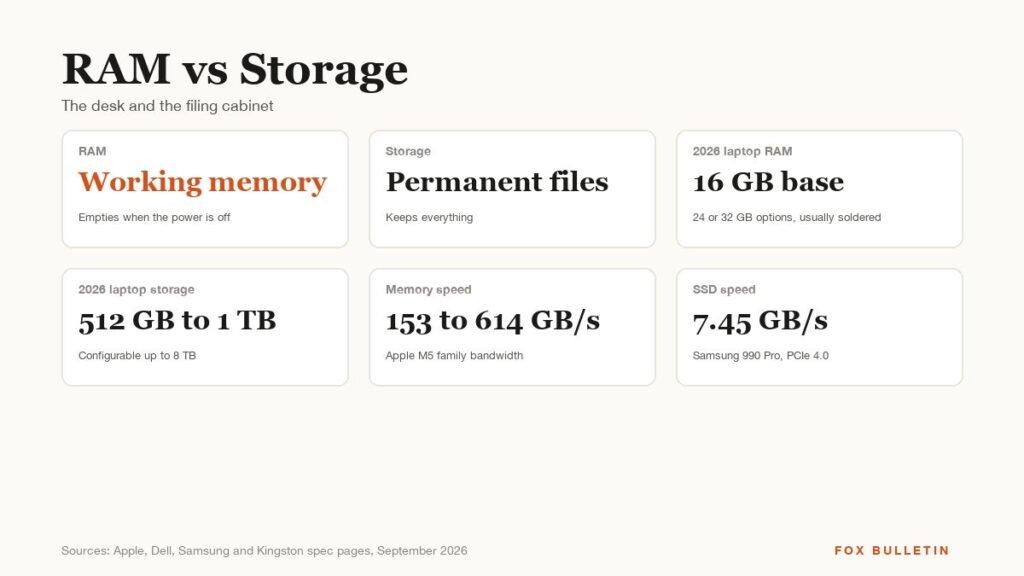
RAM and storage are both measured in gigabytes and both show up on a spec sheet, which is why the RAM vs storage question comes up every time someone buys a laptop or phone. They do different jobs. RAM is the fast, temporary memory a device works in, and it empties when the power goes off. Storage is where files, apps and the operating system live permanently.
The difference matters at the checkout because the two are priced and upgraded differently. On most 2026 laptops and every phone, RAM is soldered to the processor and can never be changed, while storage is either upgradeable or cheap to extend with a drive or a cloud plan. Buying the right amount of RAM on day one is the decision that sticks.
| RAM (memory) | Storage | |
|---|---|---|
| Job | Holds what is running right now | Holds everything, running or not |
| When the power is off | Empties | Keeps everything |
| Typical 2026 laptop | 16 GB base, 24 or 32 GB options | 512 GB to 1 TB base, up to 8 TB |
| Typical 2026 phone | 12 to 16 GB on flagships | 256 GB to 2 TB |
| Speed | Tens to hundreds of GB per second | Up to about 7 GB per second on a fast SSD |
| Upgradeable later | Rarely, usually soldered | Often, or via external drives |
What RAM Does
RAM, random access memory, is the workspace. When you open an app, the parts of it the processor needs are copied from storage into RAM, where they can be read and changed thousands of times faster. Kingston’s explainer uses the desk and filing cabinet analogy: the desk is small and everything on it is within reach, the cabinet is large and slower to get to. Memory clears when the computer is turned off, which is why unsaved work disappears in a crash.
Two kinds of RAM dominate current devices. DDR5 is the socketed memory in desktops and some larger laptops, running from 4,800 to 8,800 megatransfers per second at 1.1 volts according to Kingston’s DDR5 overview. LPDDR5X is the low-power version soldered into phones, thin laptops and Apple’s Macs, reaching 10.7 gigabits per second per pin in Samsung’s current parts with about 25 percent better power efficiency than its predecessor. Dell’s 14 Plus, for example, ships 16 GB of LPDDR5X at 8,533 megatransfers per second on the processor package, with no slots, and a 32 GB option that has to be chosen at purchase.
What Storage Does
Storage is the filing cabinet: the drive that holds the operating system, every app and every file whether or not it is in use. Modern laptops use NVMe solid-state drives, and a fast one such as Samsung’s 990 Pro reads at 7,450 megabytes per second over PCIe 4.0. Phones use UFS flash; Samsung’s UFS 4.0 reads at 4,200 megabytes per second and comes in capacities up to 1 TB in a chip a millimetre thick.
Those numbers sound close to RAM until the units are compared. A fast SSD moves about 7 gigabytes a second; the memory in a base MacBook Air moves 153 gigabytes a second, and an M5 Max reaches 614. Storage is also measured in a different way, because it is judged on capacity first and speed second, whereas RAM is judged on both at once.
What 2026 Laptops and Phones Ship With
Apple’s spec pages set the baseline for the year. The MacBook Air with M5 starts at 16 GB of unified memory, configurable to 24 or 32 GB, with 512 GB or 1 TB of storage and options to 4 TB. The MacBook Pro runs from 16 GB on the M5 to 128 GB on the M5 Pro and M5 Max, with storage from 1 TB to 8 TB. Apple does not publish RAM for iPhones at all; the iPhone 17 lists 256 GB and 512 GB of storage and the iPhone 18 Pro runs from 256 GB to 2 TB.
Samsung does publish phone RAM. The Galaxy S26 Ultra pairs 12 GB with 256 GB or 512 GB of storage and 16 GB with the 1 TB model, which shows how the two are bundled: more storage usually means more RAM as well, whether or not you wanted both. On the PC side Dell’s Pro 14 Plus offers a choice that makes the trade-off visible, 16 GB of soldered LPDDR5X at 8,533 megatransfers per second or a single socketed 16 GB DDR5 stick at 5,600, slower but replaceable.
What Happens When RAM Runs Out
Every operating system has a plan for the moment the desk is full, and it involves the filing cabinet. Windows keeps a page file, a hidden file on the drive that holds memory pages the system has not used recently; Microsoft’s page file documentation explains that the total memory Windows can commit is physical RAM plus all page files combined, and that a system-managed page file can grow to three times the RAM or 4 GB, whichever is larger. macOS shows the same mechanism in Activity Monitor as Swap Used, alongside a Compressed figure for memory the system has squeezed to free space and a Memory Pressure graph that turns red when it is struggling. Linux offers zswap, a compressed cache that intercepts pages on their way to the disk.
This is why more RAM makes a computer feel faster even though RAM stores nothing permanently. A machine that is swapping is reading its working memory from a drive a hundred times slower than the memory it should be using, and adding storage does nothing to fix . Only RAM does, and it is the reason a two-year-old laptop with 32 GB often feels quicker than a new one with 8 GB and a faster processor.
How Much of Each to Buy
- 8 GB of RAM is the floor Intel gives for gaming and is now the floor for everything; it runs a browser and an office suite and little else at once
- 16 GB is what Apple, Dell and Samsung ship as the standard in 2026 and what Intel recommends for gaming, and it is enough for most people for the life of the machine
- 32 GB or more is for video editing, large photo libraries, virtual machines, local AI models and streaming while gaming, which Intel names as the case for 32 GB
- 256 GB of storage is the phone and budget-laptop minimum, and it fills quickly with photos and video
- 512 GB to 1 TB is the comfortable laptop range, and 1 TB on a phone is only worth it for people who shoot a lot of 4K video
Storage has an escape hatch that RAM does not. A laptop that runs short of disk space can offload photo libraries to an external SSD, which now costs a fraction of the same capacity ordered from the manufacturer, or to a cloud plan that syncs on demand. Phones cannot take a card in most 2026 models, but every major platform sells cloud storage by the month, and the photo apps are built to keep only recent originals on the device. None of that works for memory: there is no external RAM, and no subscription that makes a 16 GB machine behave like a 32 GB one.
The rule is to buy the RAM you will need in four years and the storage you need this year, because only one of them can be fixed later. Anyone on the fence about a Mac’s memory can read our keyboard for Mac guide for the rest of the desk setup, and our comparison of Wi-Fi 6 and Wi-Fi 7 covers the other spec that is routinely confused with speed.
Frequently Asked Questions
Is RAM the same as storage?
No. RAM is fast temporary memory that holds what is running and empties when the power is off. Storage is the drive that keeps files, apps and the operating system permanently. Both are measured in gigabytes, which is the only thing they share.
Which is more important, RAM or storage?
RAM, for how a device feels to use, because running out of it forces the system to swap to the much slower drive. Storage only matters once it is full. Buy the RAM you will need in a few years and add storage later if you have to.
Can I add more RAM to a laptop?
Rarely in 2026. Apple, Dell’s 14 Plus and most thin laptops solder LPDDR5X memory to the processor, with no slots. Some larger Windows laptops, including Dell’s Pro 14 Plus in its DDR5 configuration, still use replaceable memory sticks.
How much RAM does an iPhone have?
Apple does not publish it. The spec pages for the iPhone 17 and iPhone 18 Pro list storage only, from 256 GB to 2 TB. Samsung, by contrast, lists 12 GB or 16 GB for the Galaxy S26 Ultra.
Related Articles

Get the Fox Bulletin briefing
The stories that matter, in your inbox. No spam, unsubscribe anytime.
Newsletter signup will be available soon.
Related stories
Morse Code: The Full Chart, Timing and How It Works
Every letter, digit, punctuation mark and procedural signal in international Morse code, with the timing rules that govern them and the places the code is still working.
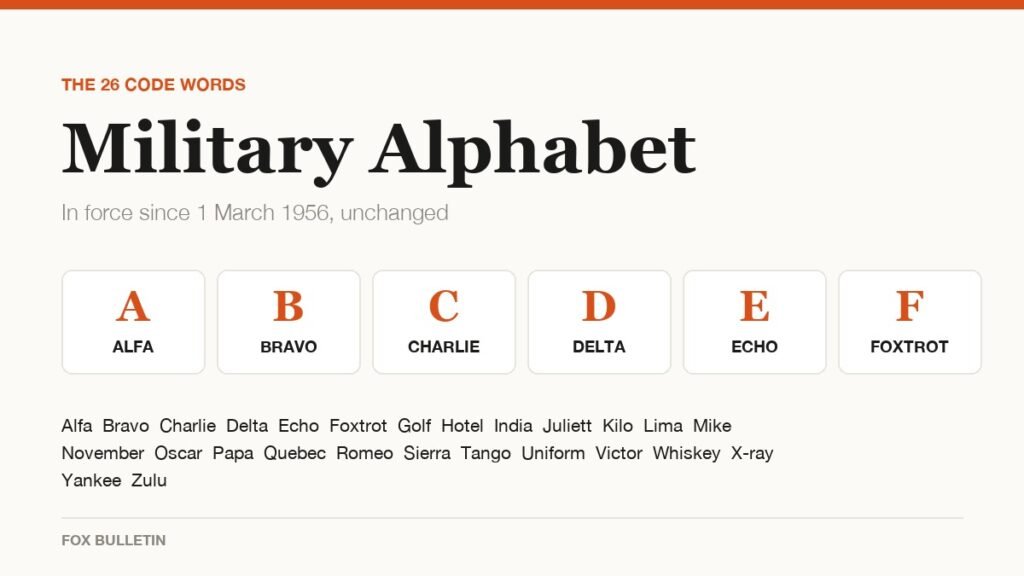
Military Alphabet: All 26 Letters, Spelled and Pronounced
Alfa, Bravo, Charlie: the military alphabet is a set of 26 code words that keep letters apart over a noisy radio. Here is every letter, how to say it, and the history behind the list.
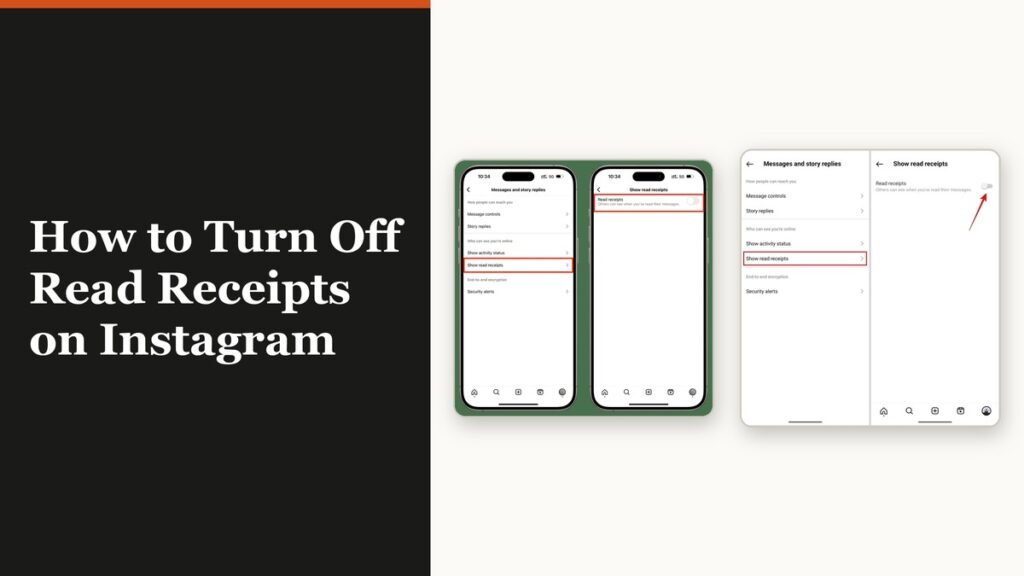
How to Turn Off Read Receipts on Instagram DMs
The global switch does not sweep up chats you have already set by hand. That one rule explains almost every case of Seen still appearing.