

Shopify is where most dropshipping stores get built, and the reason is not that it is the cheapest. It is that the supplier apps, the payment handling, the checkout and the theme all exist in one place, so a beginner can go from nothing to a working store in an afternoon without touching code.
The afternoon is the easy part. What separates a store that takes orders from one that sits at zero is a handful of settings, a supplier decision, and a product page that answers the questions a stranger has before handing over a card number. This guide covers the setup in order, the fees that apply, and the specific configuration mistakes that quietly cost money.
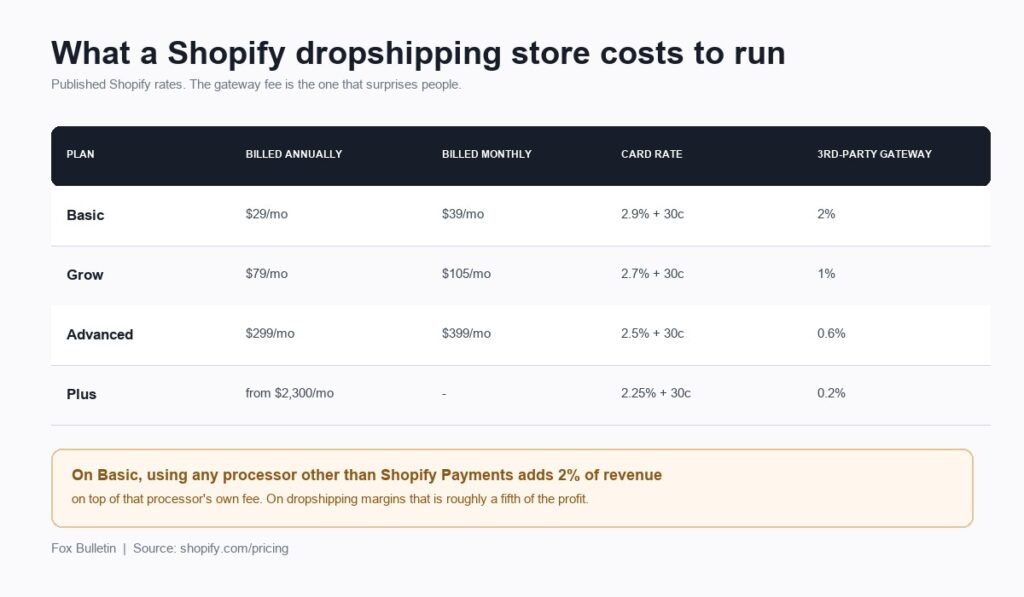
What Shopify Costs a Dropshipping Store
| Plan | Billed annually | Billed monthly | Online card rate | Third-party gateway fee |
|---|---|---|---|---|
| Basic | $29/mo | $39/mo | 2.9% + 30c | 2% |
| Grow | $79/mo | $105/mo | 2.7% + 30c | 1% |
| Advanced | $299/mo | $399/mo | 2.5% + 30c | 0.6% |
| Plus | from $2,300/mo | Not offered | 2.25% + 30c | 0.2% |
Two numbers on that table matter more than the headline price. The card rate applies to every order, so the difference between Basic and Advanced is 0.4% of all revenue, which only outweighs the $260 monthly gap at serious volume. The third-party gateway fee is the trap: on Basic, using any processor other than Shopify Payments adds 2% of revenue on top of whatever that processor charges. On a store netting around 20%, that is a fifth of the profit given away for nothing.
Shopify currently advertises three days free followed by $1 a month for three months, which makes the cost of finding out whether you can sell close to zero. Our full breakdown of the cost to start dropshipping puts that alongside the supplier and advertising budget.
Setting Up the Store, in the Right Order
- Create the account and take the trial. Do not pay for a year upfront before you know the product sells.
- Buy the domain separately. Registering elsewhere for about $11 a year and pointing it at Shopify keeps the domain yours if you ever leave.
- Pick a free theme first. Shopify’s theme store lists more than 800 free and paid themes, and the free ones are more than good enough for a store with six products. Buying a premium theme before your first sale is money spent on a problem you do not have.
- Install one supplier app and connect it before importing anything, so products arrive with their supplier links already attached.
- Import three to six products, not sixty. A small store with strong pages converts better than a catalogue of unedited imports.
- Rewrite every product description. Imported copy is machine-translated supplier text that hundreds of other stores also have, and leaving it in place is the clearest signal to a customer that you are a reseller.
- Set up payments, shipping and tax before launch, because these are the settings that break orders rather than looks.
- Order one product to yourself and time the delivery before you spend anything on advertising.
Connecting a Supplier App to Shopify
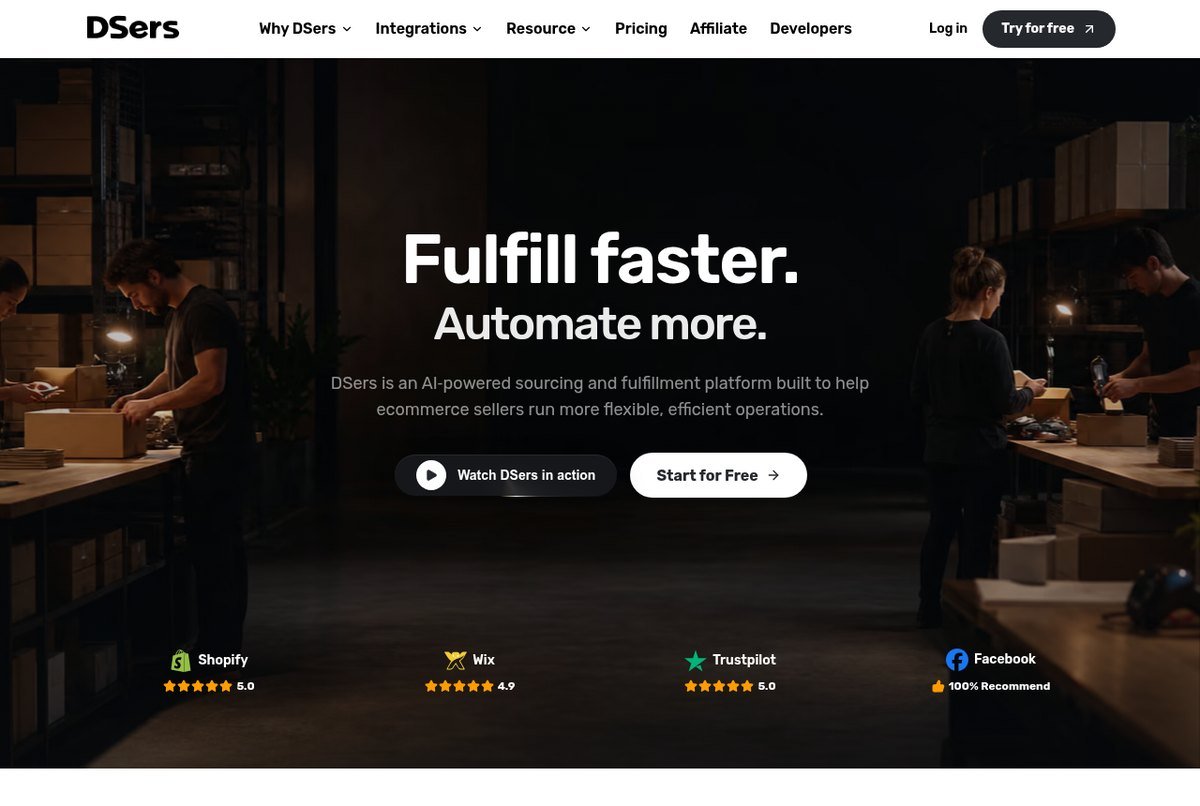
The supplier app is what turns a Shopify order into a supplier order without you retyping an address. Two are worth considering at the start, and they solve different problems.
- DSers is the standard choice for AliExpress sourcing. Its free Basic plan covers three stores, 3,000 products, one supplier account, bulk ordering, automatic order status updates and tracking-number sync. Advanced is $19.90 a month, Pro is $49.90, and paid tiers carry a 14-day trial. For most new stores the free plan is genuinely sufficient.
- Spocket exists to fix delivery times, connecting you to suppliers in the United States and Europe rather than Asia. Plans run from $39.99 a month for Starter through to $299.99 for Unicorn, with a seven-day trial. It costs real money and buys back days of shipping time.
The decision between them is a decision about what your store promises. Selling a $15 novelty item on impulse traffic, three-week delivery is survivable if you say so clearly. Selling a $90 considered purchase, it is not, and the $39.99 is cheaper than the refunds.
Choosing and Customising a Theme
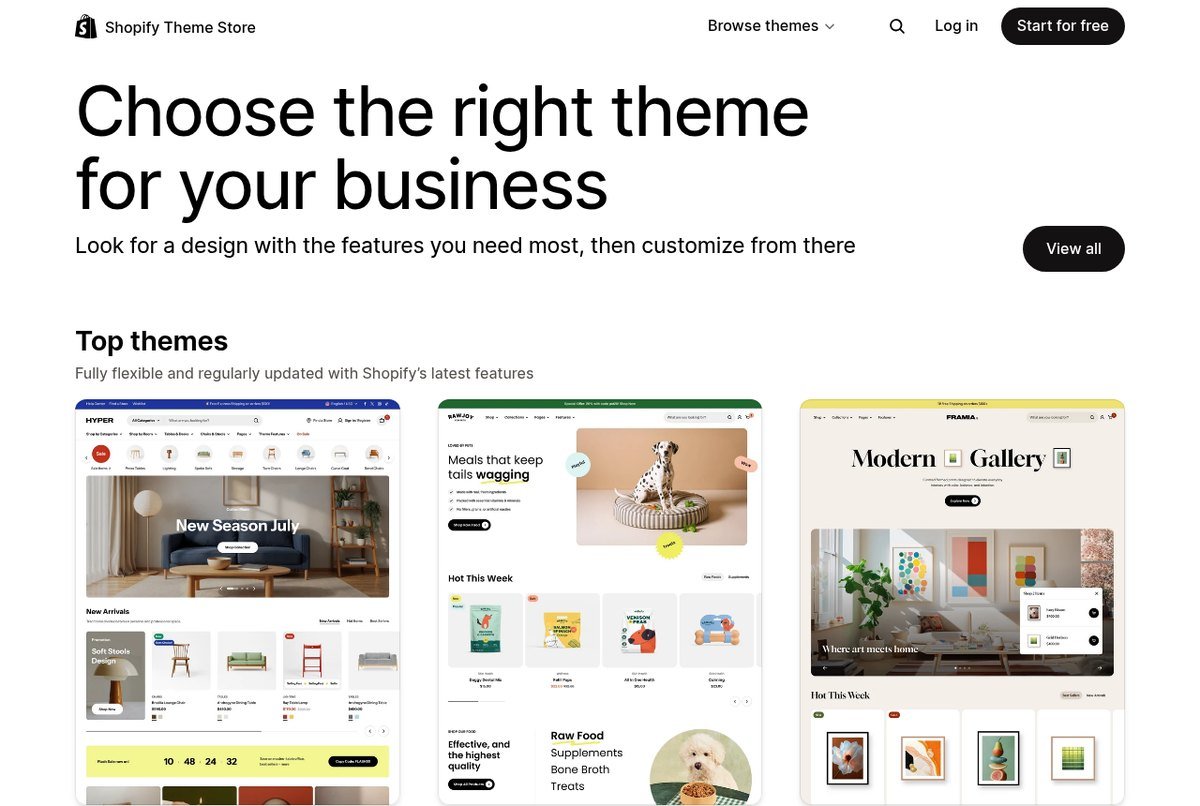
Theme choice matters far less than beginners assume and far more in one specific respect: speed. Dropshipping traffic is overwhelmingly mobile and overwhelmingly paid, which means every second of load time is money already spent that never reaches the product page.
Start with a free theme, keep the homepage short, and resist installing apps that inject scripts into every page. A store with four sections that loads instantly outperforms a store with a countdown timer, a spinning wheel, a chat widget and a review carousel that takes six seconds on a phone.
Product Pages That Answer the Buyer’s Real Questions
A visitor from a paid ad arrives knowing nothing about you. They have three questions, and the page either answers them or loses the sale.
- What is it and will it work for me? Multiple images from different angles, a short specification list, and dimensions. Supplier photos are usable, but crop and colour-correct them so the set looks like one brand.
- When will it arrive? State the delivery window on the page itself, not only in a policy link. This is also a legal obligation rather than a courtesy, as our guide to dropshipping rules and shipping law explains.
- What if it is wrong? A returns policy in plain language, visible before checkout, removes the largest single objection a first-time buyer has to an unfamiliar store.
Beyond those, the highest-value additions are genuine reviews once you have them, a size or comparison guide if the product needs one, and a clearly stated total price with no shipping surprise at the final step.
The Shopify Settings Beginners Get Wrong
- Leaving a third-party gateway on the Basic plan. That is 2% of revenue on top of the processor’s own fee. Use Shopify Payments where it is available to you.
- Free shipping with no margin for it. Free shipping lifts conversion, but only works if the cost is already inside the product price.
- Not setting a handling time. If your supplier takes two days to dispatch, the customer needs to see that reflected in the delivery estimate.
- Ignoring tax settings. Shopify will collect sales tax for you, but only for the regions you configure. Leaving it blank does not remove the obligation.
- No abandoned-cart email. It is built in, it costs nothing to switch on, and it recovers orders from people who already wanted the product.
- A checkout that asks for an account. Guest checkout should be on. Every extra field loses buyers.
The First 30 Days After Launch
Launch is not the finish line, and the first month has a specific job: finding out whether anything about the store works, cheaply.
- Send a small amount of paid traffic to one product rather than spreading a budget across six.
- Watch where people leave. A high rate of visitors reaching the product page and not adding to cart is a price or trust problem, not a traffic problem.
- Fix one thing at a time so you can tell what changed.
- Fulfil every order the same day, because early reviews are worth more than early profit.
- Kill products that do not convert after a fair test rather than defending the choice.
If the numbers never work no matter which product you test, the constraint is usually the model rather than the store, and our explainer on how dropshipping works covers the margin arithmetic that decides it.
Frequently Asked Questions
How much does Shopify dropshipping cost to start?
About $40 in month one if you take the introductory offer, use the free DSers plan and register a domain for roughly $11. After the intro period, Shopify Basic is $39 a month billed monthly or $29 billed annually. The larger cost is advertising, which is what actually brings visitors to the store.
Which supplier app is best for Shopify dropshipping?
DSers for AliExpress sourcing, because its free tier genuinely covers a starting store. Spocket if delivery speed is the thing that would sink your product, since its suppliers are based in the United States and Europe and its plans start at $39.99 a month. Install one, not several, because overlapping apps create duplicate orders.
Do you need Shopify Payments to dropship?
Not technically, but avoiding it is expensive. Shopify charges an extra 2% on the Basic plan for orders processed through a third-party gateway, 1% on Grow and 0.6% on Advanced, on top of the processor’s own fee. Where Shopify Payments is available in your country, using it is almost always the cheaper option.
How many products should a new dropshipping store list?
Three to six, with genuinely good pages. A large imported catalogue looks like a reseller, takes longer to load, and splits your attention across products you have not tested. Stores usually succeed by finding one product that works and building around it, not by listing more.
Related Articles

Get the Fox Bulletin briefing
The stories that matter, in your inbox. No spam, unsubscribe anytime.
Newsletter signup will be available soon.
Related stories
Cross-Border Payments: How Businesses Cut Cost and Delay
The average business-to-business cross-border payment costs 1.6% of the amount sent and only 2.2% land within an hour. Where the friction comes from and how a finance team removes it.

Richest Woman in the World: Top 10 and How Each Got There
The ten richest women in the world on Forbes' October 2026 real-time figures, with the company and stake behind each fortune and the year and event that made it: one built, nine received.

Richest Family in the World: Top 10 Dynasties Ranked
The 10 richest families from Bloomberg's December 2025 ranking, from the Waltons to the Thomsons, with the company or state behind each fortune, the stake held, the generation in control and how the money divides among heirs.