

Minecraft shaders are Java Edition packs that rewrite how the game draws light, shadow, water and sky, and in November 2026 the way to run them is Iris with Sodium rather than OptiFine. The most downloaded pack is Complementary Reimagined at 72.3 million Modrinth downloads, ahead of Complementary Unbound at 47.0 million and BSL at 31.6 million.
This guide ranks ten packs by those downloads, shows which Minecraft versions each loader covers as of 8 November 2026, and walks through the install in five steps. The current Java release is 26.3, so every compatibility note below is written against it.
What Minecraft Shaders Do and Why They Are Java Only
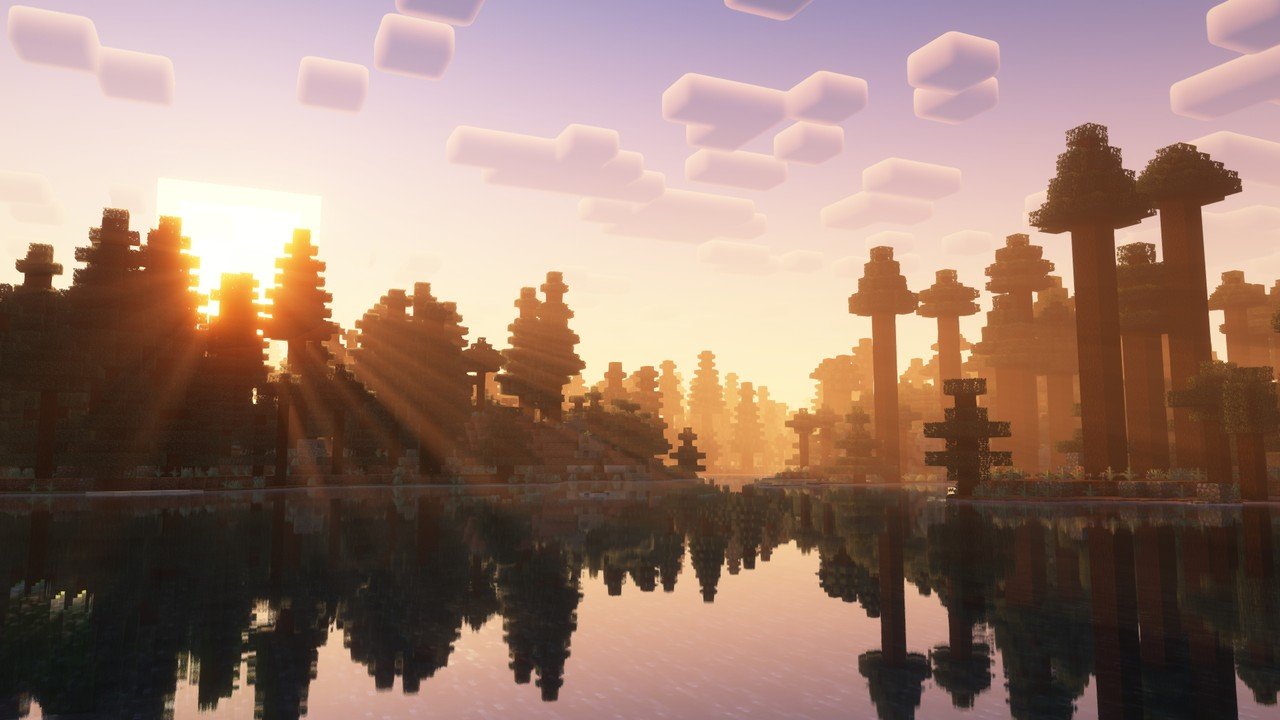
A shader pack is a set of small programs that run on your graphics card and replace the default lighting. The result is soft shadows under trees, light shafts through leaves, waves on water, reflections on wet stone and a sky that changes colour at dusk. Nothing about blocks, mobs or redstone changes, only how the screen is painted.
Shaders run on Java Edition only. Java accepts third-party mods, and a shader loader is a mod. Bedrock Edition cannot be modded that way, and the Iris team warns that any Bedrock shader mod for mobile that does not use the game’s built-in features is a scam. Bedrock has its own official answer, covered in the Vibrant Visuals section below.
Iris and Sodium vs OptiFine: The Loader Picture on 26.3
OptiFine used to be the only route to shaders. It is no longer the main one. Iris reads OptiFine-format shader packs directly, so the library of packs carries over, and it is built to run on top of Sodium, a rendering mod that rewrites how the game draws chunks. Iris supports Minecraft 1.16.5 and higher, on Fabric from 1.16.5 and on NeoForge from 1.21.1. Forge is not supported.
| Loader | Mod loader | Newest build and Minecraft version | Status on 8 November 2026 |
|---|---|---|---|
| Iris 1.11.7 | Fabric and NeoForge | Minecraft 26.3, released 30 September 2026 | Current. Fixes a lot of 26.3 bugs and ships alongside Sodium |
| Iris 1.10.8 | Fabric and NeoForge | Minecraft 1.21.11, released 29 September 2026 | Current for the last 1.x version |
| Iris 1.8.14-beta.1 | Fabric and NeoForge | Minecraft 1.21.1, released 13 June 2026 | Beta, for players who stay on an older version |
| Sodium 0.9.2 | Fabric and NeoForge | Minecraft 26.3, released 15 September 2026 | The release build for 26.3; 0.9.3 is still in beta |
| OptiFine HD U K2 pre5 | Forge and standalone | Minecraft 26.2, preview dated 20 October 2026 | Preview only, with nothing listed for 26.3 |
| OptiFine HD U J9 | Forge and standalone | Minecraft 1.21.11, released 5 February 2026 | The last full OptiFine release |
| Oculus | Forge | Minecraft 1.16.5 to 1.20.1, last updated 24 December 2024 | A Forge port of Iris that stopped at 1.20.1 |
The OptiFine rows are the important ones. The download page lists preview builds only for 26.1.2 and 26.2, and nothing for 26.3. A player who wants shaders on the current release therefore has one working route, which is Iris. OptiFine and Iris cannot be installed together either, because the pairing is incompatible and will crash the game.
Players on Forge have a smaller path. Oculus, the Forge fork of Iris, covers 1.16.5 to 1.20.1 and has not been updated since December 2024. Anyone who modded on Forge for a recent version has to move to NeoForge or Fabric to use Iris, and the best Minecraft mods guide covers which mod ecosystem suits which version.
How to Install Minecraft Shaders With Iris
The Iris installer handles both mods in one go. The current installer is version 3.3.0, offered as an .exe for Windows or as a Universal JAR for macOS and Linux, and it downloads Iris and Sodium automatically.
- Run the Iris installer. Pick Minecraft 26.3 and let it create a new launcher profile with Iris and Sodium inside. Installing from Modrinth or CurseForge gives the same result.
- Start that profile once. Check the version number on the title screen, then close the game if you want to place packs before playing.
- Download a shader pack as a .zip. Do not unzip it. Iris reads the archive as it is.
- Open Video Settings and choose the Shader Packs tab. Drag the .zip onto the menu, or press Open Shader Pack Folder, drop the file in and refresh the list. The folder is called shaderpacks and sits beside the mods folder inside .minecraft.
- Click Shaders: Disabled to switch them on. Select the pack in the list and press Apply. The scene redraws in a few seconds.
On Windows the shaderpacks folder lives under %APPDATA%\.minecraft. On macOS it is under ~/Library/Application Support/minecraft, and on Linux under ~/.minecraft. Resource packs that replace core shaders will stop working while a shader pack is on, so test a texture pack such as those in the Minecraft texture packs roundup with shaders off first.
Minecraft Shader Packs Ranked by Modrinth Downloads
The ranking below uses Modrinth download totals only. CurseForge and a pack’s own site keep separate counts, so a pack with a long history elsewhere can sit lower here than it deserves. The last column shows the newest Minecraft version the author has marked as supported.
| Rank | Shader pack | Modrinth downloads | Look | Loader | Latest Minecraft listed |
|---|---|---|---|---|---|
| 1 | Complementary Reimagined | 72.3 million | Enhanced vanilla look | Iris, OptiFine | 26.3 |
| 2 | Complementary Unbound | 47.0 million | Realistic, leaning fantasy | Iris, OptiFine | 26.3 |
| 3 | BSL Shaders | 31.6 million | Bright, colorful, bloom | Iris, OptiFine | 26.3 |
| 4 | Photon Shaders | 29.1 million | Semi-realistic | Iris, OptiFine | 26.3 |
| 5 | Solas Shader | 18.6 million | Modern fantasy, stylized | Iris, OptiFine | 26.3 |
| 6 | Bliss Shaders | 15.7 million | Fantasy with varied scenes | Iris, OptiFine | 26.3 |
| 7 | MakeUp Ultra Fast | 14.1 million | Fast, effects optional | Iris, OptiFine | 26.3 |
| 8 | Rethinking Voxels | 13.7 million | Colored block light | Iris, OptiFine | 1.21.9 (check first) |
| 9 | Mellow | 8.0 million | Painterly | Iris, OptiFine | 26.3 |
| 10 | Miniature Shader | 5.1 million | Model-like vanilla | Iris, OptiFine | 26.3 |
Nine of the ten list 26.3. Rethinking Voxels is the exception, marked only up to 1.21.9 and last updated in June 2025, so check its page before installing it on the current release. Two near misses are worth a look as well. Noble Shaders sits at 2.45 million downloads and asks for an NVIDIA GTX 950 or AMD R7 370 and up, and Sildur’s Vibrant Shaders has run since 2012 with most of its downloads on its own site.
The Top Five Shader Packs in Detail
1. Complementary Reimagined
The most downloaded shader on Modrinth keeps the vanilla look and improves it, with custom effects for individual blocks and two default visual styles. It ships profiles from Potato to Ultra, which makes it the safest first pack on any machine. Its author recommends installing Iris first.
2. Complementary Unbound
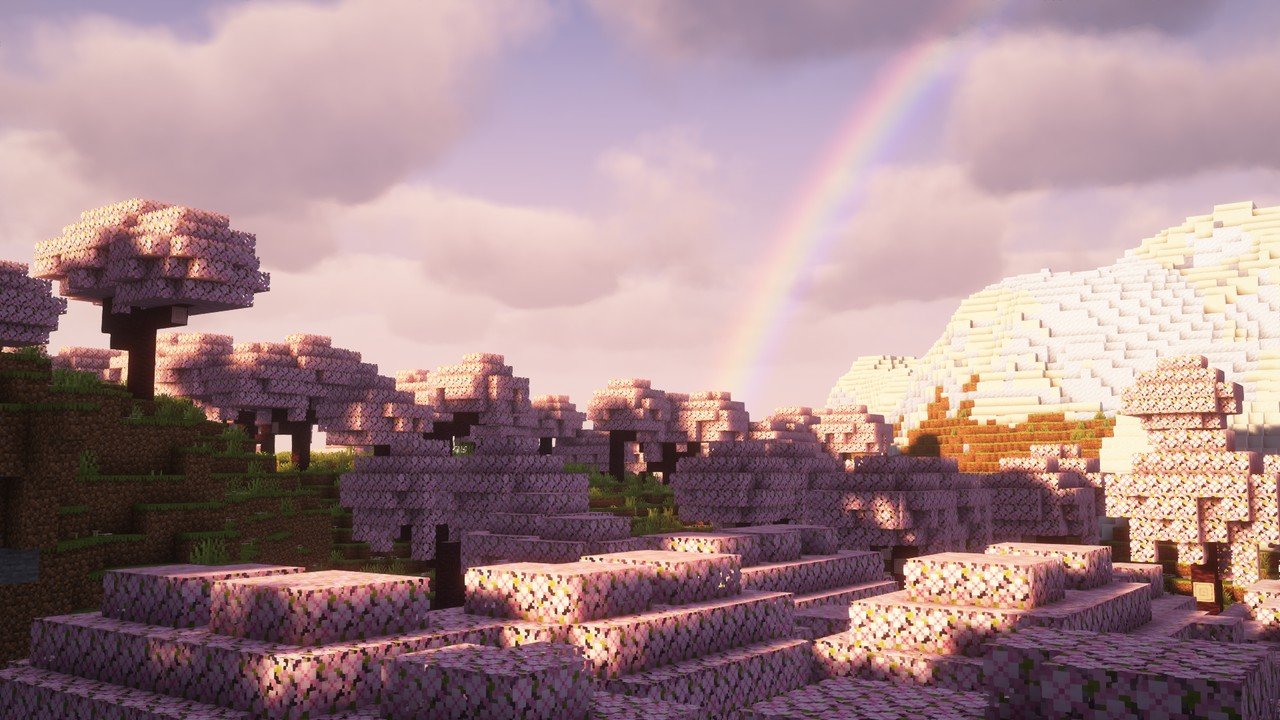
Unbound runs on the same engine with a more realistic, fantasy-leaning style and colored lighting. It offers the same Potato to Ultra profiles and looks best from the middle profiles upward, where the colored light starts to show.
3. BSL Shaders
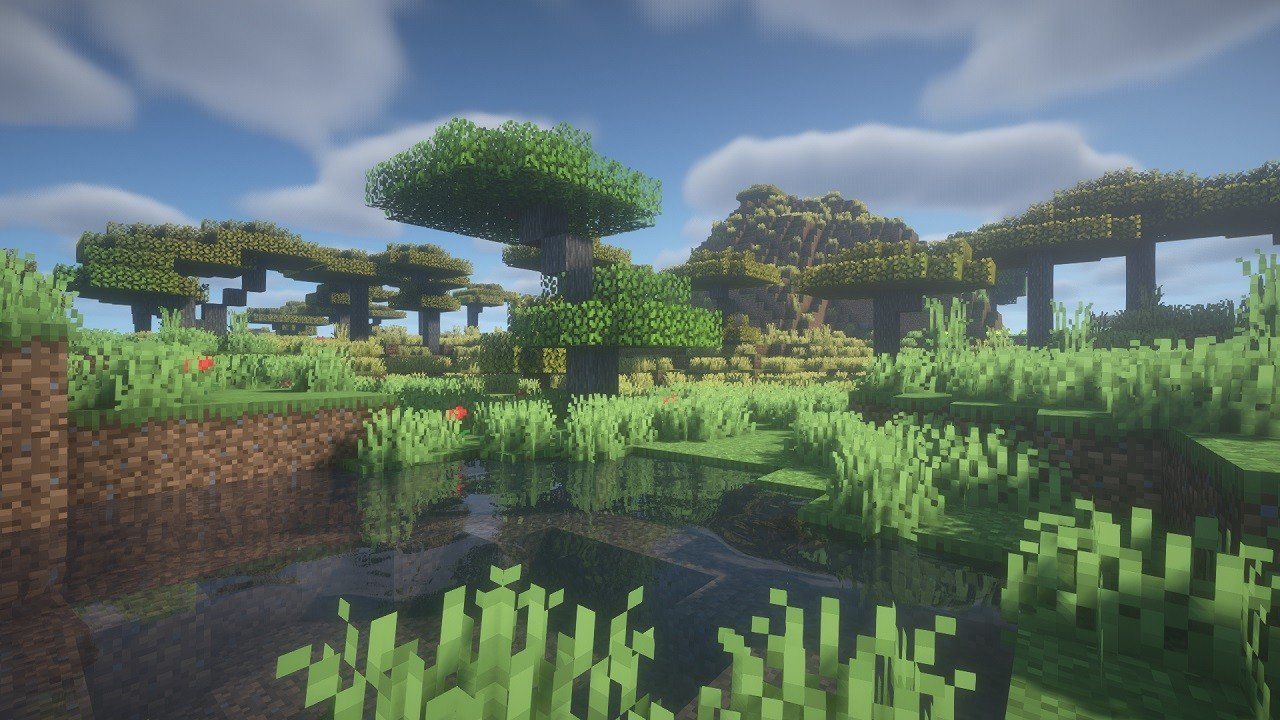
BSL is the bright, colorful option. Bloom, volumetric light and depth of field give it a glowing look that suits builds with a lot of lava, glowstone and water. It lists 26.3 and works through either Iris or OptiFine, and most players treat it as a medium-cost pack.
4. Photon Shaders
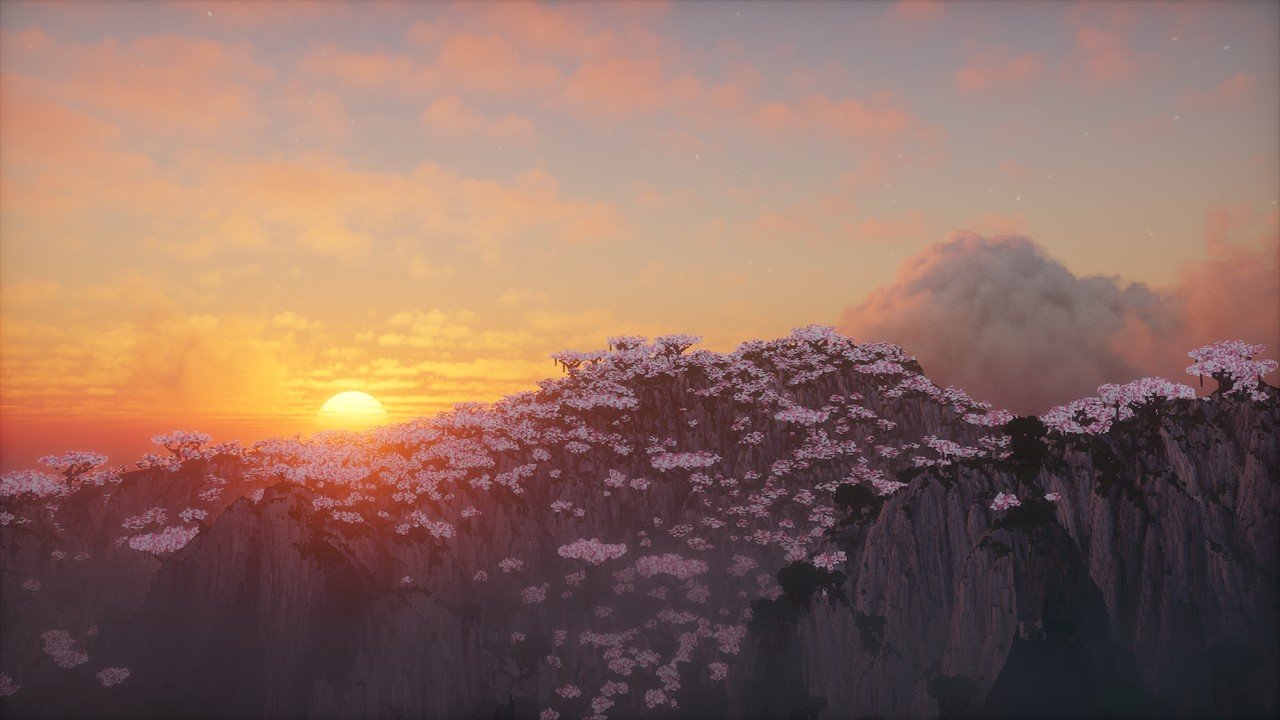
Photon aims at a gameplay-focused, semi-realistic look. Its voxel colored lighting is available only on the Ultra profile and only through Iris, so OptiFine users get the pack without that feature. Distant Horizons and Voxy are both mentioned as supported.
5. Solas Shader
Solas describes itself as modern fantasy with a stylized finish, colored lighting and a moderate performance cost. Its extras include three-dimensional clouds, fireflies and drifting smoke in the Nether. It was updated on 2 November 2026, the newest of any pack in this ranking, and OptiFine lacks both its custom skyboxes and its colored lighting.
Five More Minecraft Shaders Worth Trying
- Bliss Shaders. A fantasy-styled pack with daily weather and varied scenery. It needs Iris, although OptiFine might work, and it supports Distant Horizons.
- MakeUp Ultra Fast. Built for the best quality for the speed, with every effect optional. Shadows and depth of field are the costly parts and can be turned off. Leave OptiFine’s own shader options on default if you use it there.
- Rethinking Voxels. A work in progress built on Complementary Reimagined with colored block light and sharp shadows. Its page warns of occasional sudden brightness changes.
- Mellow. A painterly look described as easy on your eyes and your computer. It supports Distant Horizons and Voxy, and Mac support is not promised.
- Miniature Shader. Extremely light, with shadows and reflections that make the world look like a scale model. It suits laptops, where a heavier pack would stutter.
Two older names come up often and are better left alone. SEUS was last built in 2020, and its author’s site still describes it as a tool for OptiFine or the legacy GLSL mod, with no claim of support for 26.x. Treat it as history and choose a maintained pack instead.
Shaders on Bedrock and What Vibrant Visuals Is
Bedrock players cannot install the packs above, but they get an official graphics mode. Vibrant Visuals runs on the RenderDragon engine and adds deferred lighting, physically based materials, directional lighting and shadows, atmospherics, reflections and volumetric fog. It reaches Xbox Series X and S, Xbox One, PlayStation 4 and 5, Android, iOS and Windows PCs.
| Milestone | Version and date | What changed |
|---|---|---|
| Experiment | Bedrock 1.21.80 (preview 1.21.80.25) | Had to be switched on by hand |
| Default graphics mode | Bedrock 1.21.90, released 17 June 2025 | On for supported devices with no experiment needed |
| Nintendo Switch 2 | Native version, 27 October 2026 | Runs the same mode on Nintendo hardware |
| Java Edition | Planned, no date | Not in any development version yet |
On Windows the mode needs a graphics card that supports DirectX 12 at feature level 12_1. Customizing it happens through resource packs rather than Java-style shader packs.
Java Edition does not have Vibrant Visuals yet. Mojang says it plans to bring it over without colored lighting, no date has been given, and it has not appeared in any development version. A post on 22 October 2025 asked pack creators for feedback and warned that the rendering changes will affect modders. Until then, Iris and a pack is the Java route.
Fixing Minecraft Shaders That Will Not Load
Most failures come down to five causes, and each has a quick check.
- OptiFine is still in the mods folder. Iris and OptiFine cannot coexist. Remove OptiFine, along with any Canvas or Vulkan mod, before launching.
- The pack is unzipped. Put the .zip in shaderpacks exactly as downloaded.
- Graphics API is set to Vulkan. Java 26.2 added an experimental Vulkan renderer with three settings: Default, Prefer Vulkan (Experimental) and Prefer OpenGL. Iris 1.11.0 states that Vulkan is not supported, so choose Prefer OpenGL.
- A resource pack replaces core shaders. Those packs conflict with any shader pack. Switch the resource pack off.
- The pack has no support for a mod you use. Distant Horizons and Voxy only work with shader packs that list support for them.
Two version points matter as well. Minecraft 26.1 and later needs Java 25. Mac users should be on Iris 1.11.6 or newer, which fixed a bug that stopped macOS from loading the mod. Minecraft 26.4 is upcoming and not released yet, and its snapshots make Vulkan the default again, so check the Graphics API setting after that update arrives.
Shader packs push frame rate hard on a weak laptop, and the cost varies by profile and by machine. Press F3 in game to read your own frame rate, and consider a stronger machine from the best gaming laptop list if the lightest packs still stutter.
Frequently Asked Questions
Do Minecraft shaders work on Bedrock Edition?
Not as downloadable shader packs. Bedrock has Vibrant Visuals, an official graphics mode that became the default on supported devices with Bedrock 1.21.90 on 17 June 2025. Java Edition does not have it yet.
Do I still need OptiFine for shaders?
No. Iris loads OptiFine-format packs and includes Sodium. OptiFine has preview builds only for 26.1.2 and 26.2, nothing for 26.3, and its last full release is 1.21.11 from 5 February 2026.
Where do I put shader packs?
Open Video Settings, choose Shader Packs, then drag the .zip in or use Open Shader Pack Folder and refresh. Click Shaders: Disabled to enable them, pick the pack and press Apply. Never unzip the pack.
Does Iris work with Forge?
No. Iris supports Fabric from 1.16.5 and NeoForge from 1.21.1. The Forge port Oculus covers 1.16.5 to 1.20.1 and was last updated in December 2024.
Related Articles

Get the Fox Bulletin briefing
The stories that matter, in your inbox. No spam, unsubscribe anytime.
Newsletter signup will be available soon.
Related stories
Rarest Fortnite Emotes Ranked by Last Time in the Shop
The rarest Fortnite emotes ranked by their last Item Shop date, with price, release date and years away, plus the pass-only emotes that were never for sale.

Fortnite Save the World Free: What You Get and Earn
Fortnite Save the World has been free since 16 April 2026. Here is what free players earn, what Founders still get, and how the currency rules changed.
Fortnite Stats: How to Check Yours on Any Platform
Where to see your Fortnite stats, how to switch on Public Game Stats so stat sites can read them, and what to do when the numbers show zero or disagree.