

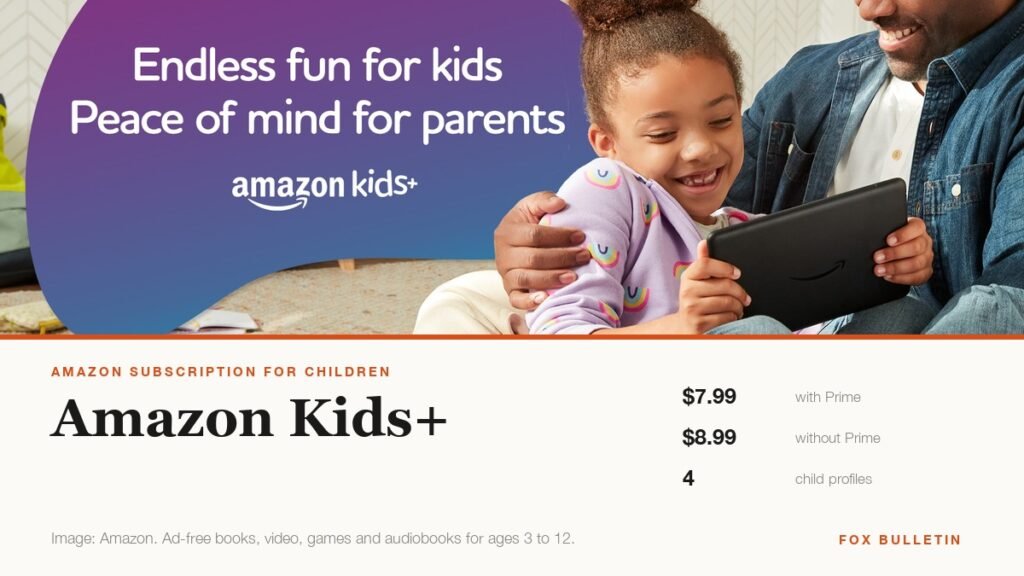
Amazon Kids+ is a single subscription that replaces the pile of separate apps, rentals and in-app purchases most families accumulate for young children. It costs $7.99 a month for Prime members and $8.99 for everyone else, covers up to four children on one subscription, and carries no advertising at all.
The ad-free part is the one that does the real work. A child using free apps and video is being advertised to continuously, and the whole proposition here is that for the price of two coffees a month that stops. Here is what the fee actually covers, which devices it runs on, and the point at which it stops making sense.
What Amazon Kids+ Costs
Two prices, decided entirely by whether you already hold Prime. There are no tiers beyond that and no per-child charge.
| Who you are | Monthly price | What it covers |
|---|---|---|
| Prime member | $7.99 | Up to four child profiles |
| Not a Prime member | $8.99 | Up to four child profiles |
| New Amazon Kids device owner | Included | 6 to 12 months complimentary |
| Annual plans | Discounted | Sold at a lower effective monthly rate |
Annual billing is worth checking before committing monthly. Amazon sells Kids+ on a yearly plan at a lower effective rate, and for a subscription most families keep for years at a time rather than months, the monthly option is the expensive way to buy it.
A household with three children pays the same as a household with one, which makes the per-child cost fall sharply in larger families. If you bought a Fire tablet in an Amazon Kids edition, check before subscribing: those ship with between six and twelve months of Amazon Kids+ already included, and people routinely pay twice.
What Is Actually Included
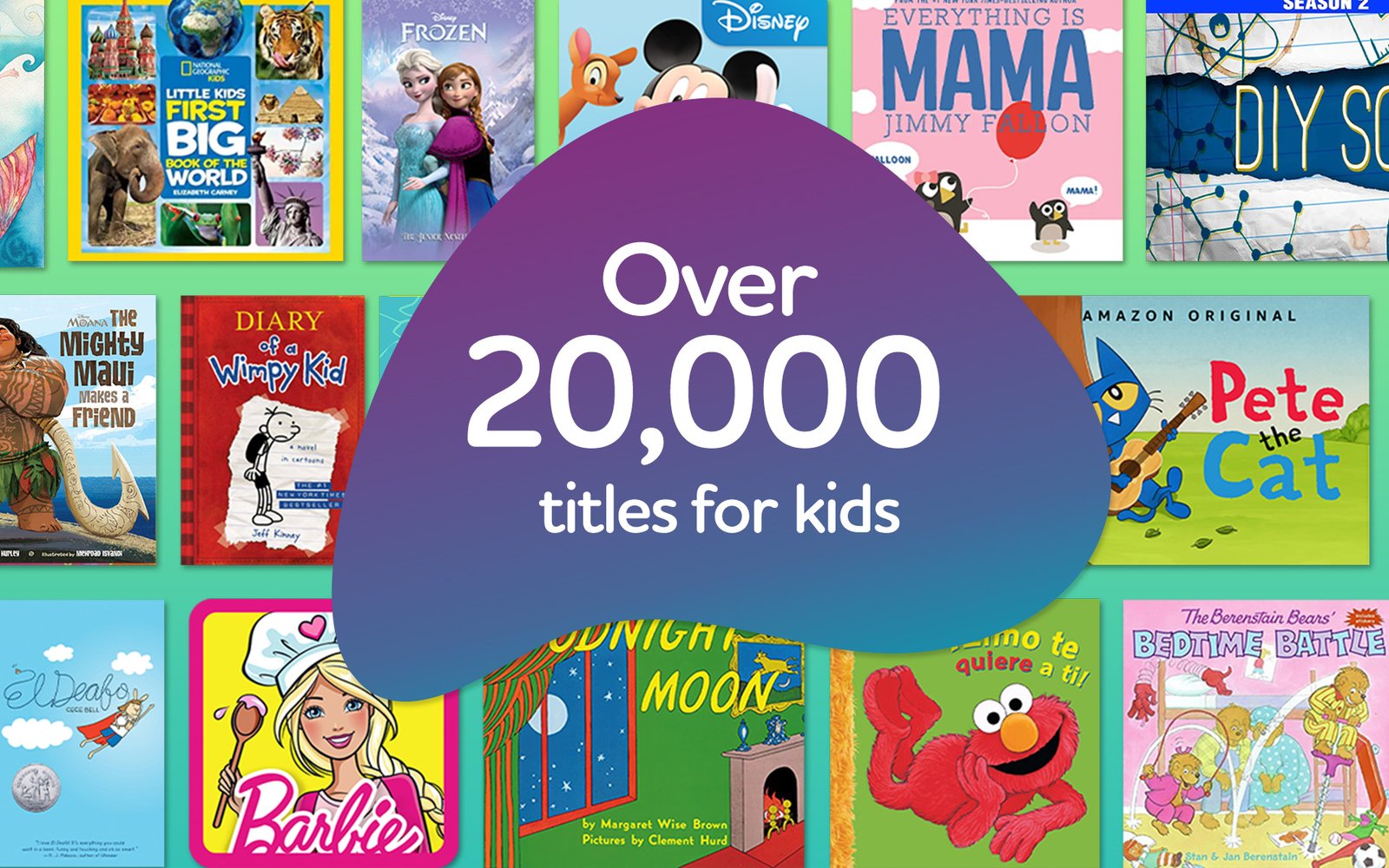
Amazon’s own description is a content bundle rather than a single app, and it spans more formats than most parents expect.
- Books and audiobooks, including Audible titles, which is the part most often overlooked.
- Video from Disney, Nickelodeon and PBS Kids among others, plus Amazon’s own originals.
- Games and educational apps, covering STEM and STEAM material alongside entertainment.
- Podcasts and Alexa skills for devices without screens.
Everything in it is age-filtered and none of it carries advertising or in-app purchases. The target range runs from preschool to preteen, roughly ages three to twelve, and the interface changes with the age you set on each profile rather than presenting one undifferentiated library.
One quiet advantage over assembling the same thing yourself: the audiobook and book catalogue is substantial, and reading is where parents most often want screen time to land. A subscription that puts Audible titles and illustrated books in the same place a child already goes for video removes the friction that usually stops reading apps being opened at all.
Which Devices It Runs On
This is the main constraint and the reason Kids+ suits some households and not others. It is built around Amazon hardware.
- Fire tablets, where the experience is most complete and where most families use it.
- Fire TV, for the video and some games on a television.
- Kindle e-readers, for the books portion.
- Echo devices, for audio, podcasts and Alexa skills.
If your household runs on iPads and Apple TV rather than Amazon hardware, the fit is considerably weaker, and a family in that position should compare against what their existing devices already offer before subscribing. Those buying a tablet for a child specifically should weigh a Fire tablet against an iPad with a protective case, since the hardware decision effectively decides the subscription one.
The Parent Dashboard Is the Actual Product
Families who stay subscribed usually do so for the controls rather than the catalogue, because the catalogue has free substitutes and the controls do not.
- Per-child profiles. Up to four, each with its own age setting and its own library, so a four-year-old and an eleven-year-old do not share a feed.
- Time limits. Daily caps set by total time or by category, so video can be limited while reading is not.
- Learn First. Educational content must be used before entertainment unlocks, which is the single most-used feature in the dashboard.
- Activity visibility. What was watched, read and played, which matters more as children get older.
These are the things parents otherwise try to enforce by standing over a tablet. Whether that is worth roughly eight dollars a month is the real question, and it has nothing to do with how many shows are in the library. the FTC’s guidance on children online is worth reading alongside any of this.
Where Kids+ Stops Making Sense
The subscription has a fairly clear expiry point, and Amazon does not advertise it.
- Children past about ten increasingly want the things Kids+ exists to exclude: YouTube, Roblox, Minecraft, group chat. A walled garden stops working once the child is aware of the wall.
- Non-Amazon households get a fraction of the value, since the catalogue is tied to Amazon hardware.
- Families already paying for Disney or similar are buying a second copy of much of the video library.
That first point matters most. Many families should expect two or three good years from it rather than a decade. Once a child is asking for specific Roblox games by name, the conversation has moved from curation to supervision, and a different set of tools applies.
Setting It Up Without Handing Over the Whole Tablet
The setup step families skip is the one that makes the rest work. Kids+ content is delivered inside a separate child profile, not into the ordinary device interface, and the separation only holds if the adult side is locked.
- Create the child profile first, with the correct birth date. The age filter is driven by that date, so a rounded-up birthday quietly widens what the child can reach.
- Set a parental controls PIN that is not the device unlock code. If they match, the child can leave the kids profile whenever they like and the controls are decorative.
- Decide the time limits before handing it over rather than after an argument. Limits introduced later read as a punishment; limits that were always there read as how the device works.
- Turn off purchasing on the adult profile as well. Kids+ content carries no in-app purchases, but the device itself can still reach the ordinary store.
Families who do those four things tend to keep the subscription. Families who install it and hand over an unlocked tablet usually conclude within a month that it did not change anything, which is accurate but is a setup problem rather than a product one.
How It Compares With Free Alternatives
Free options exist and genuinely cover part of this, so the honest comparison matters.
- A library card covers books and audiobooks at no cost, though not games, video curation or time controls.
- PBS Kids apps are free and ad-free, with a much smaller catalogue and no cross-device profile system.
- YouTube Kids is free but advertising-supported, which is precisely what Kids+ is sold as an alternative to.
Stacking the free options gets a family most of the content and none of the dashboard. The subscription is really buying consolidation and control, in the same way that a Kindle Unlimited subscription is buying convenience over a free catalogue elsewhere. If the controls are not what you want, the free route is genuinely competitive.
One practical note on cancelling. Kids+ ends access to everything in the catalogue the moment the subscription stops, because none of it was bought. Books, games and video all disappear together, which is worth warning a child about rather than letting them discover it, and is the strongest argument for using the included months on a new device before deciding whether to pay.
Frequently Asked Questions
How much is Amazon Kids+ per month?
$7.99 a month for Prime members and $8.99 for non-members, covering up to four child profiles on one subscription. Annual plans are sold at a lower effective rate, and new Amazon Kids devices include six to twelve months at no charge.
Is Amazon Kids+ included with Prime?
No. Prime members pay a reduced rate of $7.99 rather than $8.99, but Kids+ is a separate subscription that has to be bought on its own. Holding Prime discounts it and does not include it.
What age is Amazon Kids+ for?
Preschool to preteen, roughly three to twelve. Each child profile carries its own age setting and the library shown adjusts to it, so siblings at different ages see different content on the same subscription.
Does Amazon Kids+ work on an iPad?
The service is built around Amazon hardware: Fire tablets, Fire TV, Kindle and Echo devices. Households running on Apple or Android hardware get a much weaker version of it, which is the main reason to think carefully before subscribing.
Related Articles

Get the Fox Bulletin briefing
The stories that matter, in your inbox. No spam, unsubscribe anytime.
Newsletter signup will be available soon.
Related stories

Best Car Wash Soap: 7 Picks for Buckets and Foam Cannons
Seven car wash soaps for buckets, foam cannons and coated paint, with the type, the size and the job each one actually suits.

How to Find Cheap Flights: 15 Tips That Cut the Fare
The same New York to Los Angeles week priced from $307 to $453 on one screen. Fifteen tactics for cutting an airfare, with the booking window Google's five-year data points to and the fees that undo a cheap ticket.

Most Expensive House in the World: Top 10, Sold or Valued
Ten of the most expensive houses in the world, split into those with a recorded or reported sale price and those valued only by estimate, with the deed, auction or accounts behind each figure.