

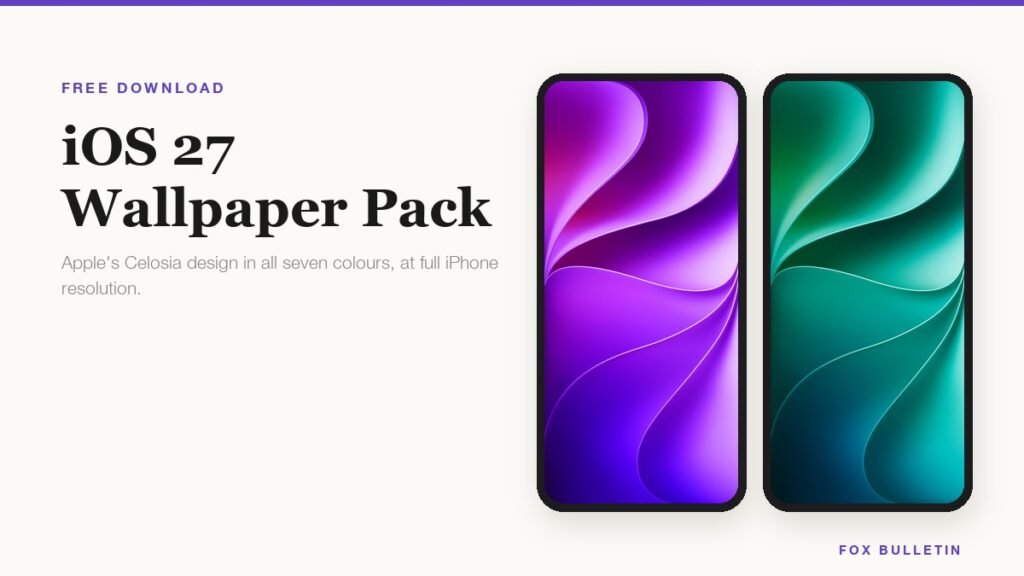
Apple drew one wallpaper for iOS 27 and shipped it in seven colours. The design is called Celosia, and instead of the usual pile of unrelated images, it is a single composition of folded, overlapping curves recoloured from near black to bright magenta. Line the seven up and they still read as one family, which is the first time an iOS release has pulled that off.
All seven are below at full resolution, each shown on an iPhone at the size you will actually see it. That matters more with this design than most, because the fold puts its brightest highlight in a different place depending on the colour, and where that highlight lands decides whether the wallpaper works behind your apps or fights them.
What the Celosia design actually is
Celosia is named after the flower, a plant whose blooms grow in dense folded crests that look pleated by hand. View any colourway at full size and the reference is obvious: the same overlapping layers, the same soft shadows pooling where one fold passes beneath another, the same bright line where a crease catches the light. The plant itself has exactly that crumpled, layered structure.
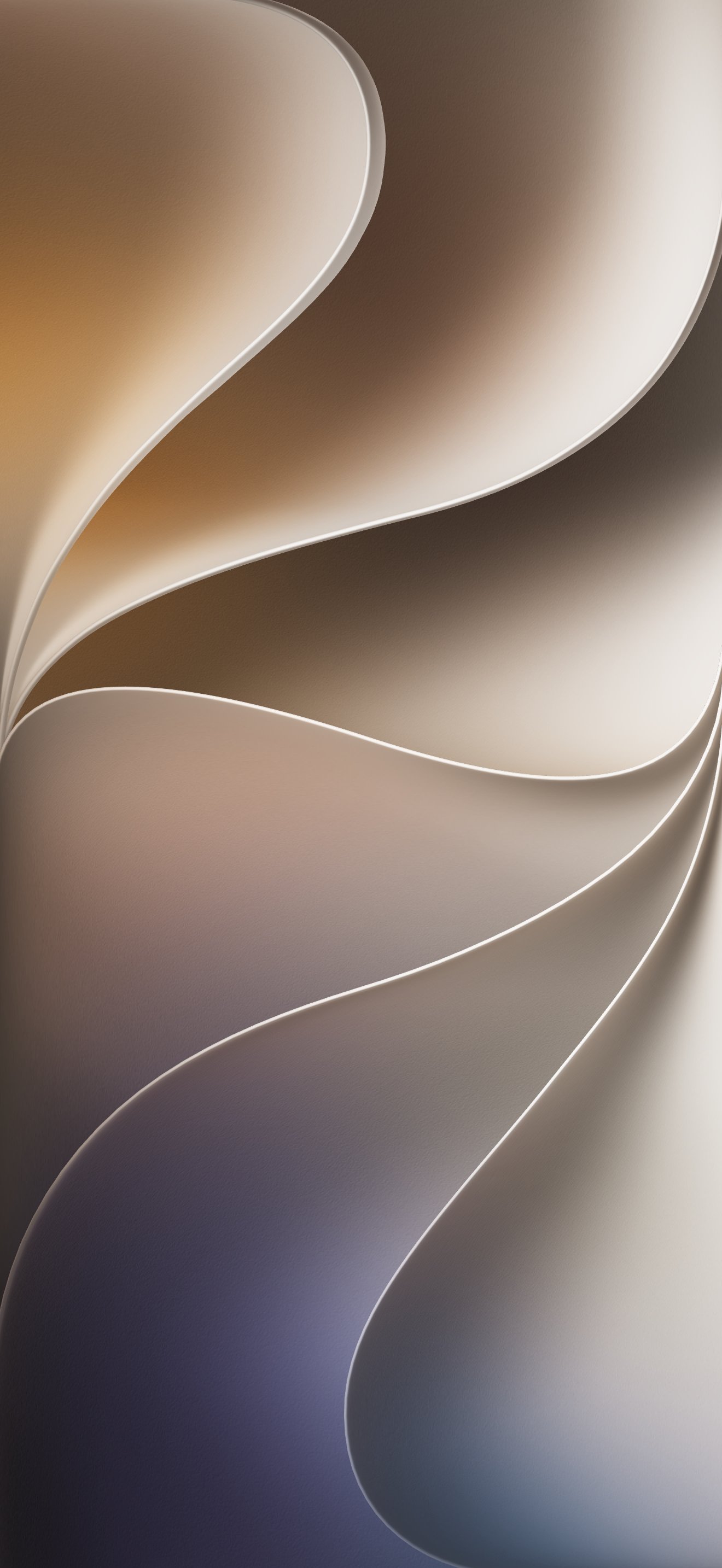
There is a second thing hiding in the shape. Follow the two dominant curves across any of the seven and they trace a 2 and a 7, which is the version number. It is subtle enough that most people never notice it, and obvious enough that you cannot unsee it afterwards.
- One design in seven colours, rather than the mixed bag of abstracts and photographs earlier releases shipped with.
- Drawn for Liquid Glass, with soft gradients and no hard edges, so the translucent panels layered over it have something to refract.
- Shared across Apple’s systems for the first time, with versions of the same artwork appearing on macOS 27 and in CarPlay.
- Light and dark variants of several colours, which is why the same name can look different on somebody else’s phone.
If you have already installed iOS 27, some of these are on the phone under Settings then Wallpaper. The reason to download them anyway is that the set on any given phone depends on the model and region, and the files here are the full collection at full size. Apple’s notes on what shipped in iOS 27 cover the wider design language they were drawn for.
Download the iOS 27 wallpapers in every colour
Resolutions vary because the files were drawn against two different panels. The 1320 by 2868 files match the iPhone 17 Pro Max and 18 Pro Max; the 1206 by 2622 files match the 17 Pro and 18 Pro. All of them scale down cleanly to a smaller iPhone, so the number only matters if you want pixel-exact. If you are not sure which panel you have, the spec rundown for the iPhone 18 Pro Max lists the resolution against every current model.
| # | Colour | Resolution | Weight | File |
|---|---|---|---|---|
| 1 | Blue | 1320 x 2868 | Dark | Download |
| 2 | Teal | 1206 x 2622 | Mid | Download |
| 3 | Purple | 1206 x 2622 | Mid | Download |
| 4 | Gold | 1320 x 2868 | Light | Download |
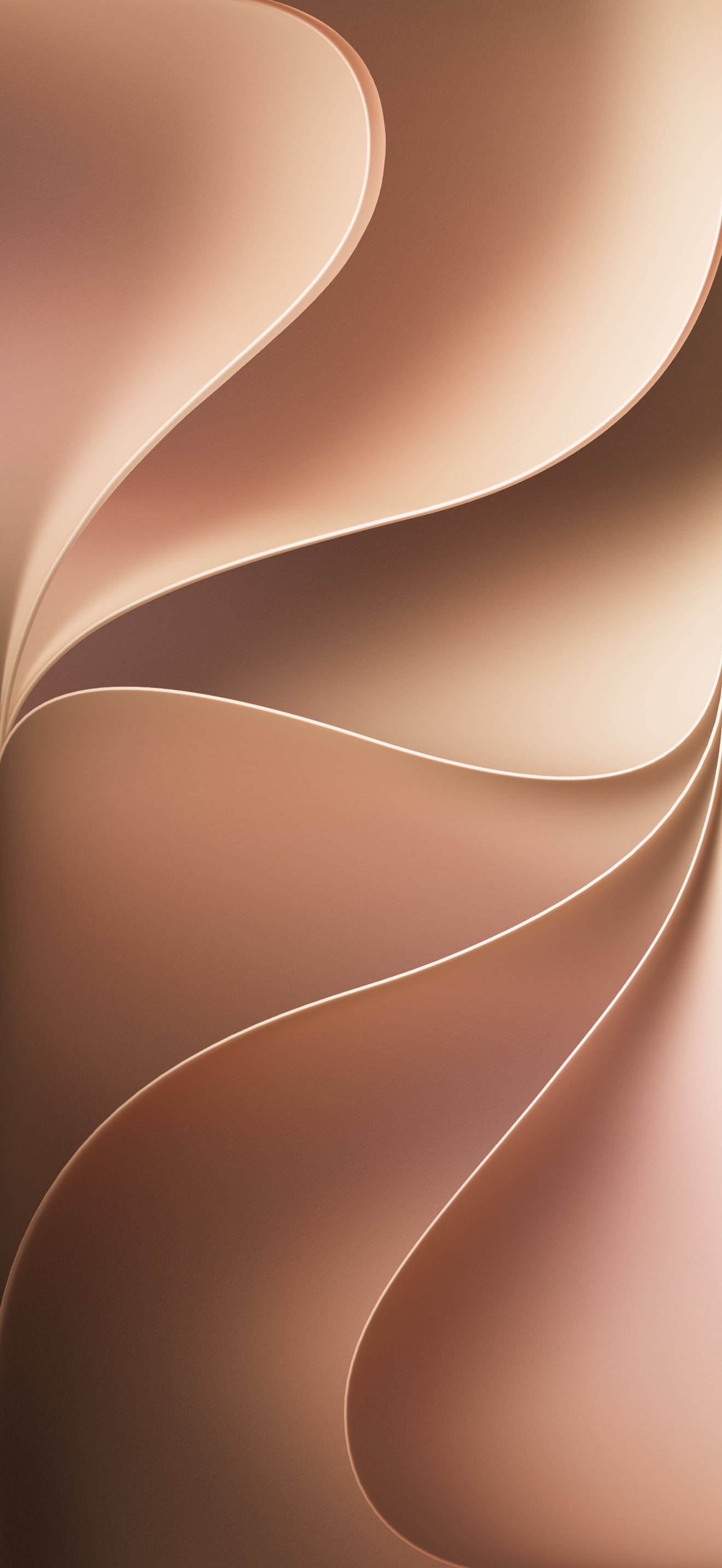
| 5 | Brown | 1320 x 2868 | Mid | Download |
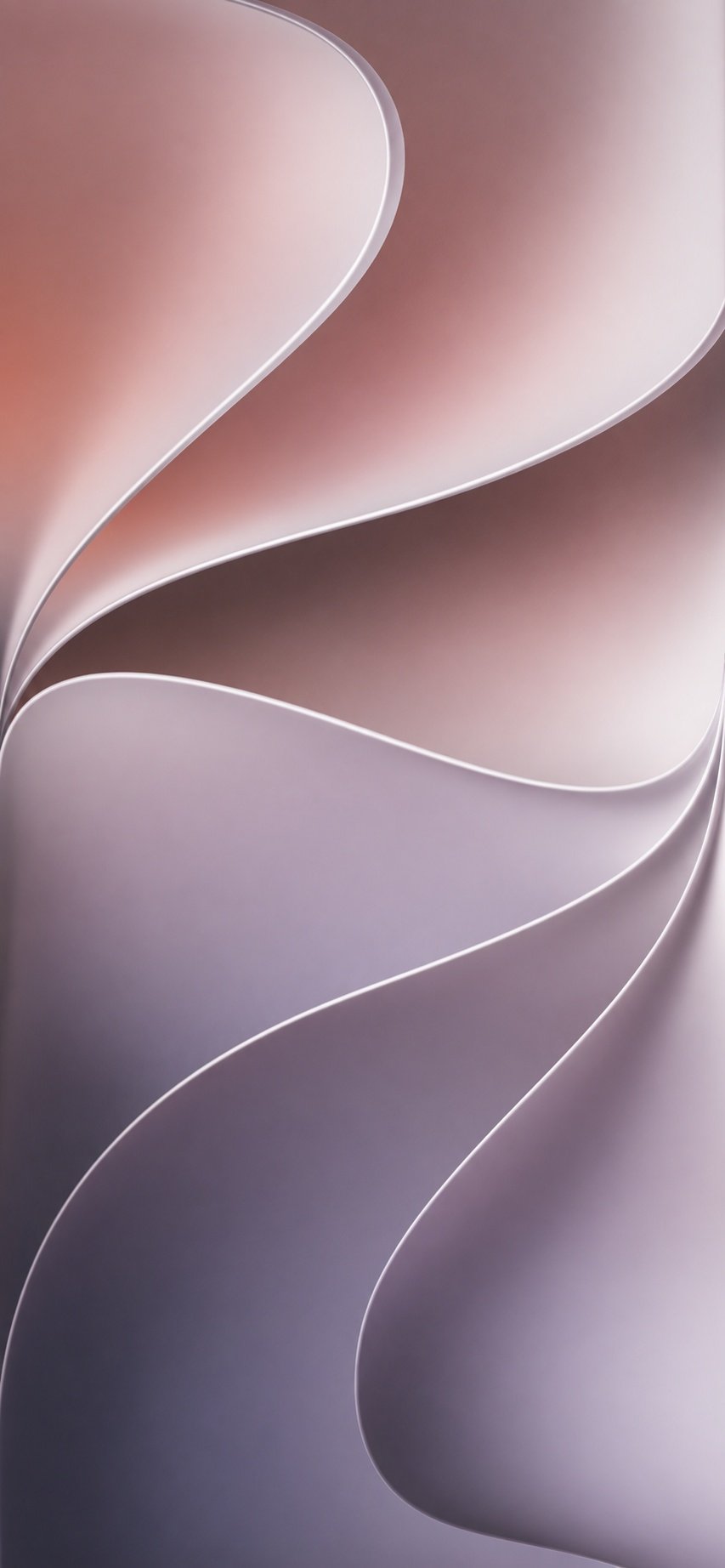
| 6 | Slate | 853 x 1844 | Light | Download |
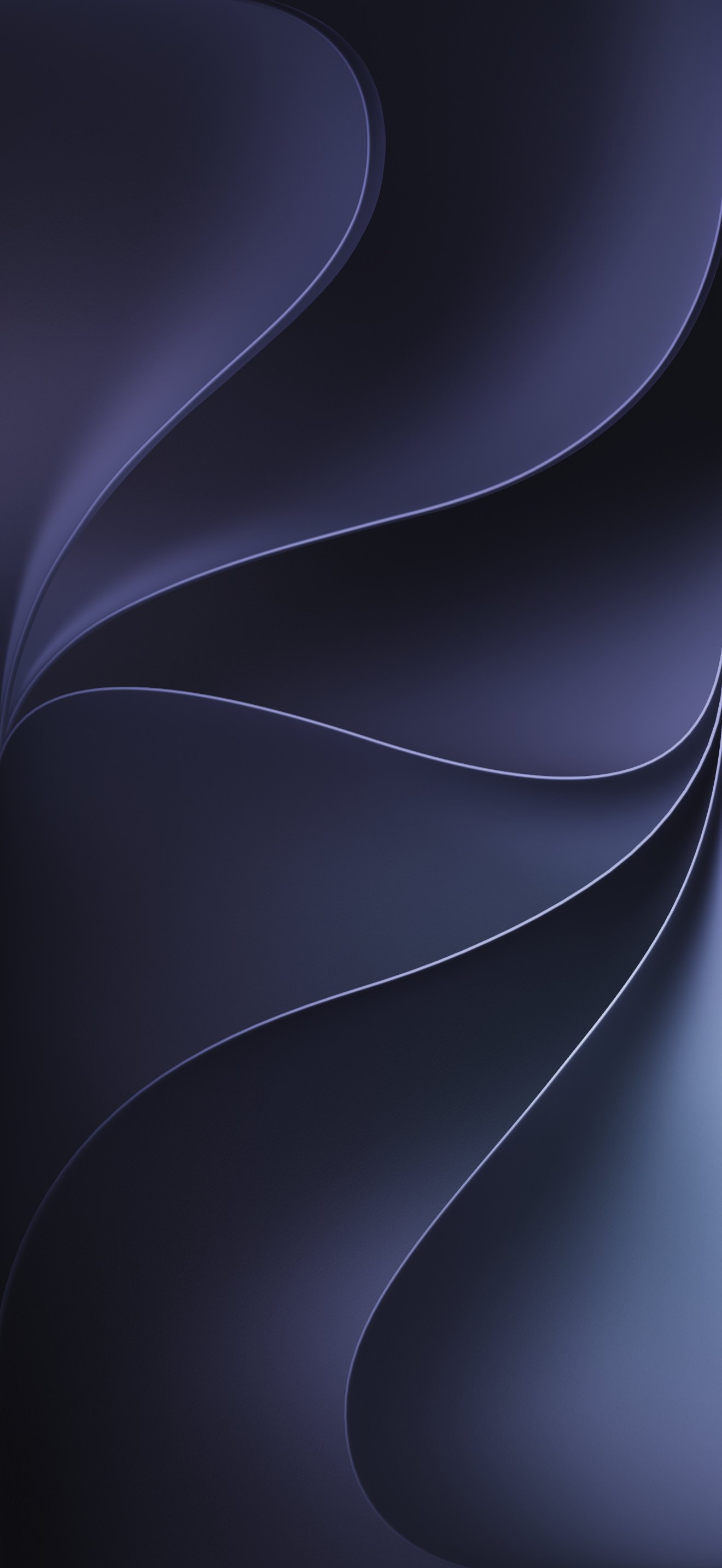
| 7 | Ink | 1320 x 2868 | Dark | Download |
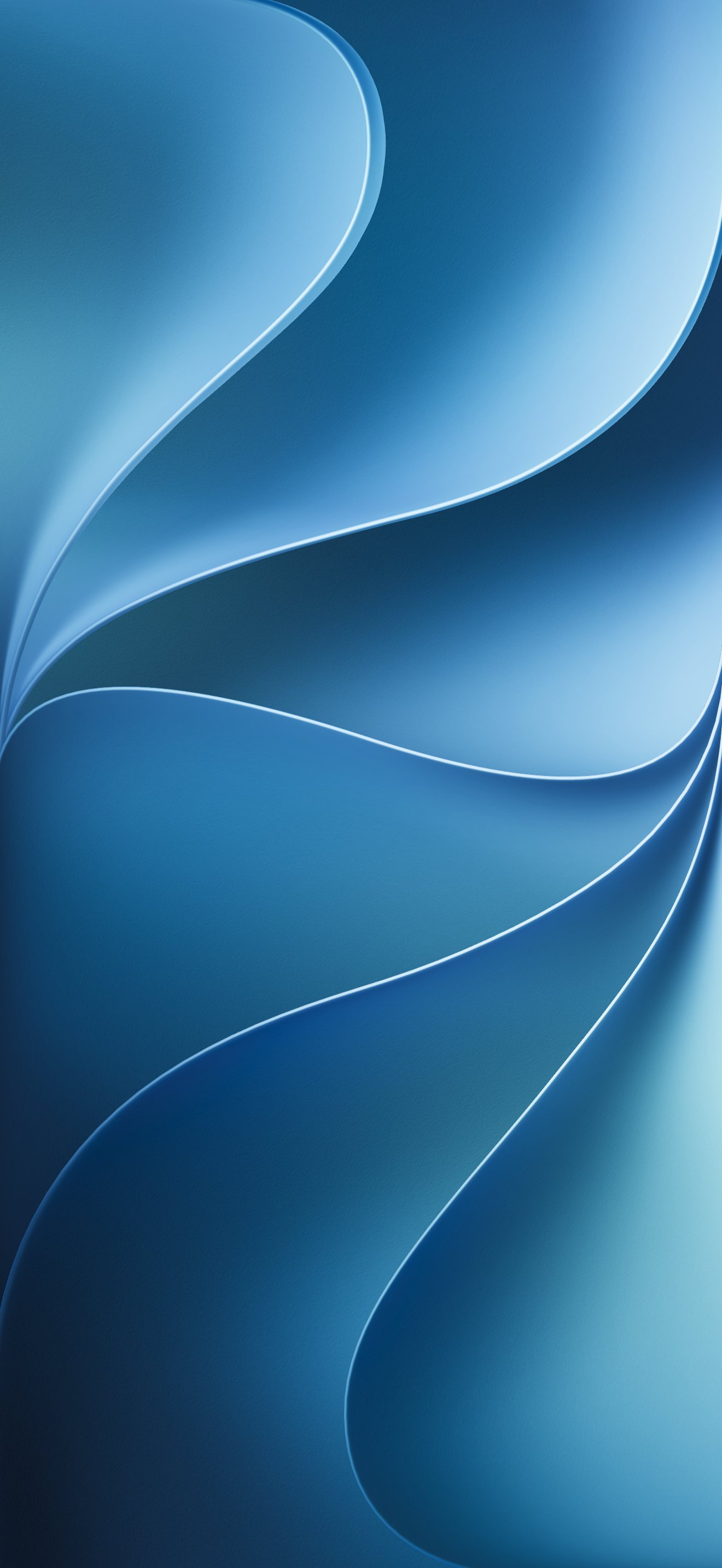
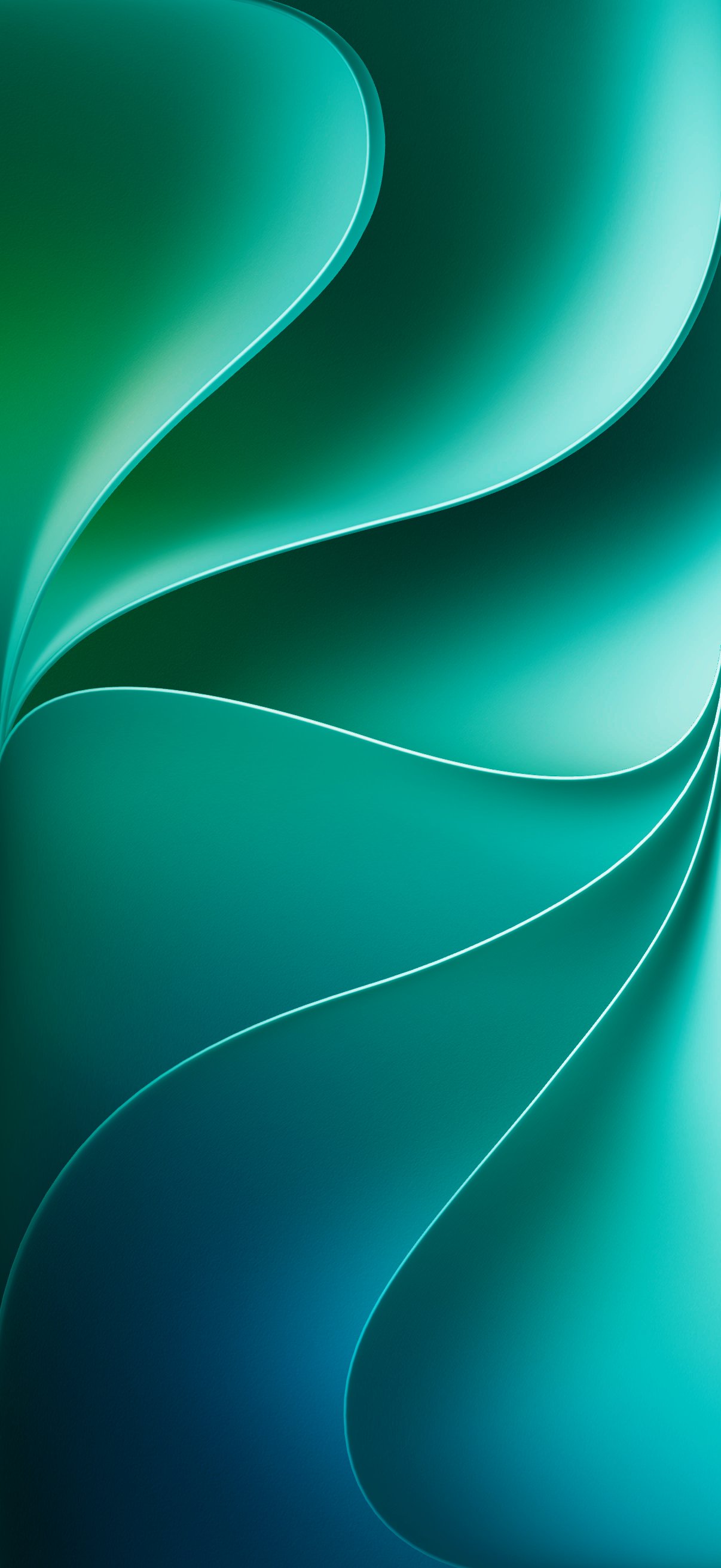
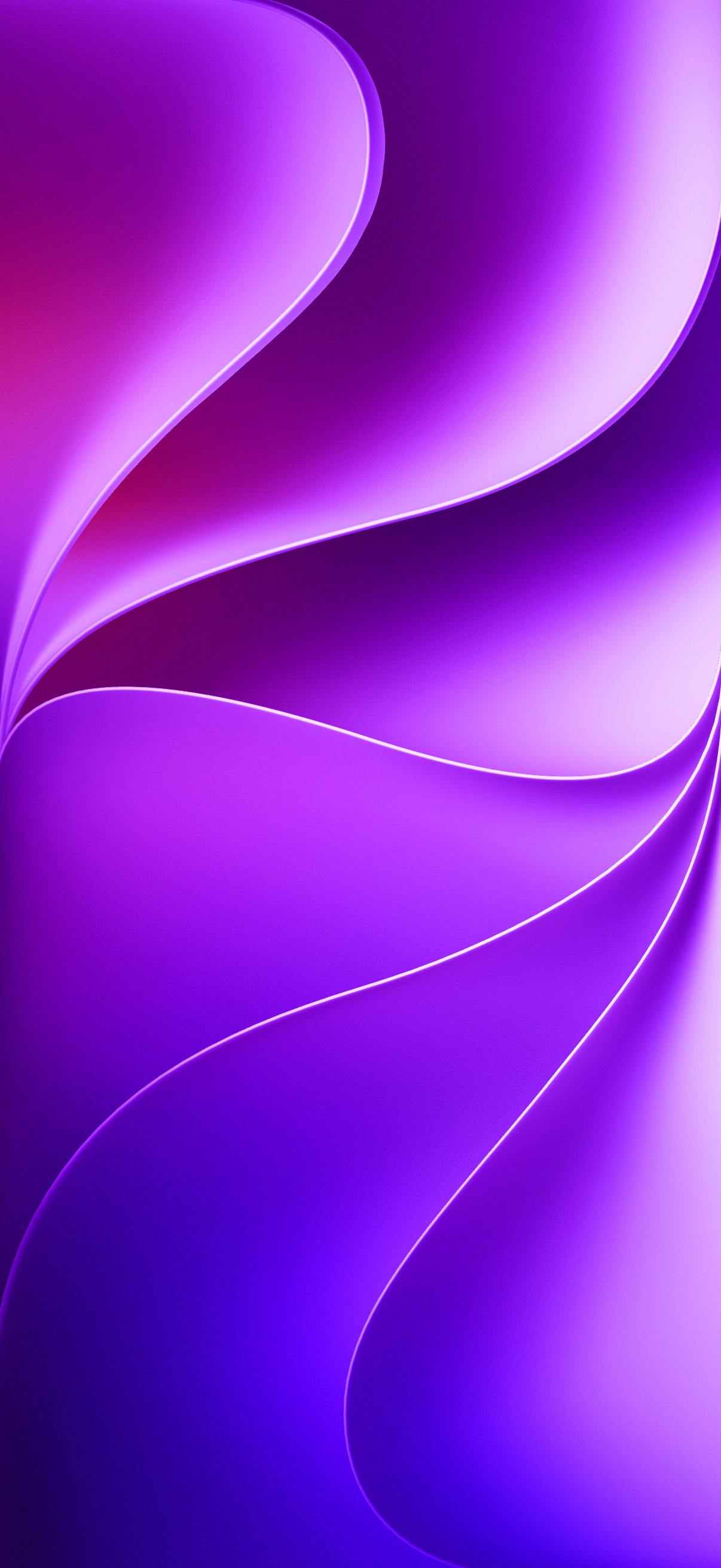
On an iPhone, tap a download link, then press and hold the image that opens and choose Save to Photos. On a computer, right click and choose Save Image As. Apple’s wallpaper instructions cover setting one once it is in your library.
1. Blue
The colour Apple leads with, and the closest thing the set has to a default. Deep ocean blue in the corners rising to a pale, almost white highlight where the fold catches the light. Mid-tone through the middle of the screen, which is the band your icon labels sit in, so white text stays readable without any help.
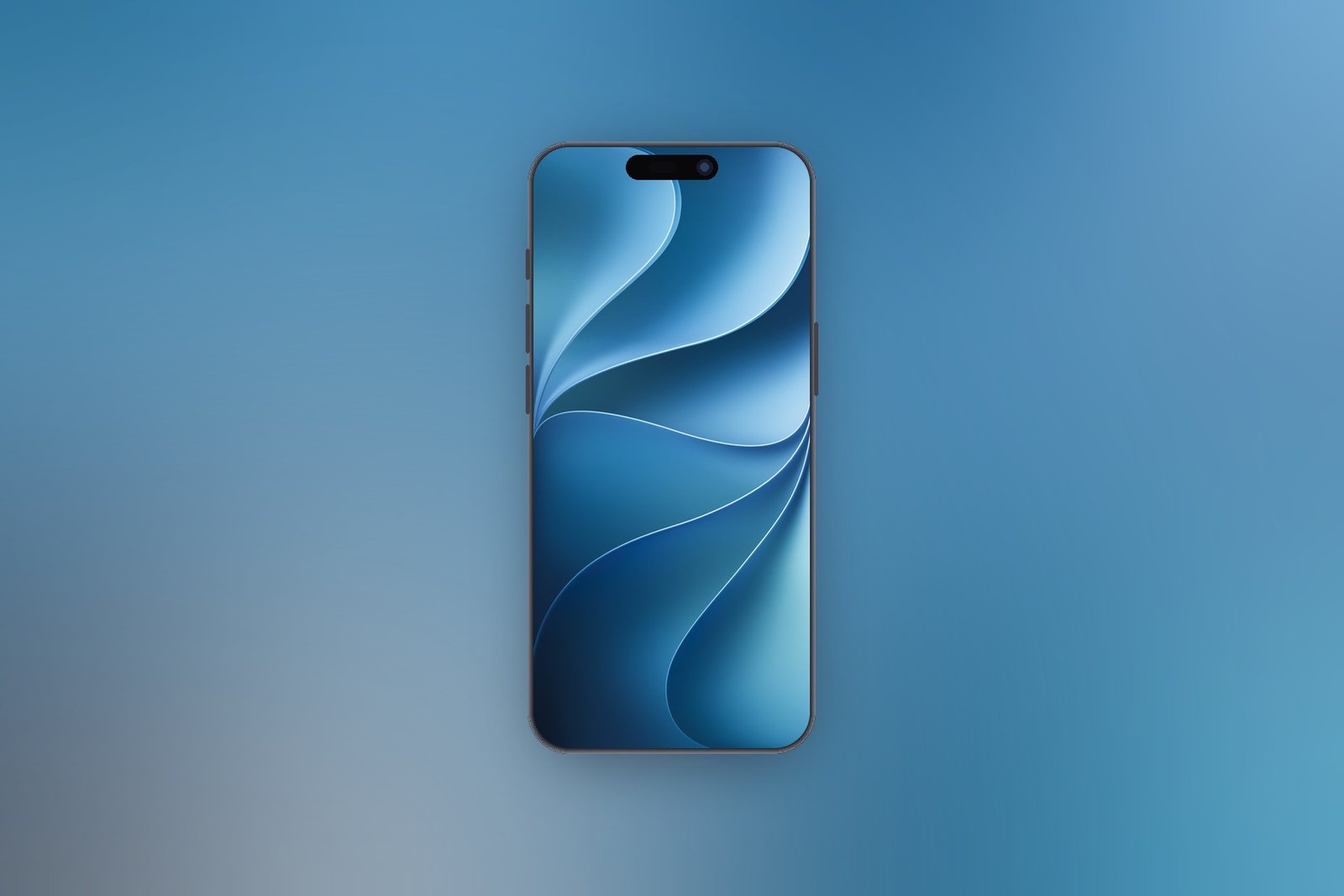
1320 x 2868 · JPEG · Download the Blue wallpaper
2. Teal
Jade falling into emerald, with the brightest highlight in the set running along the top curve. The most saturated green Apple has shipped as a stock wallpaper in years. Sits between the warm and cool halves of the icon grid, so nothing on a default Home Screen clashes with it.
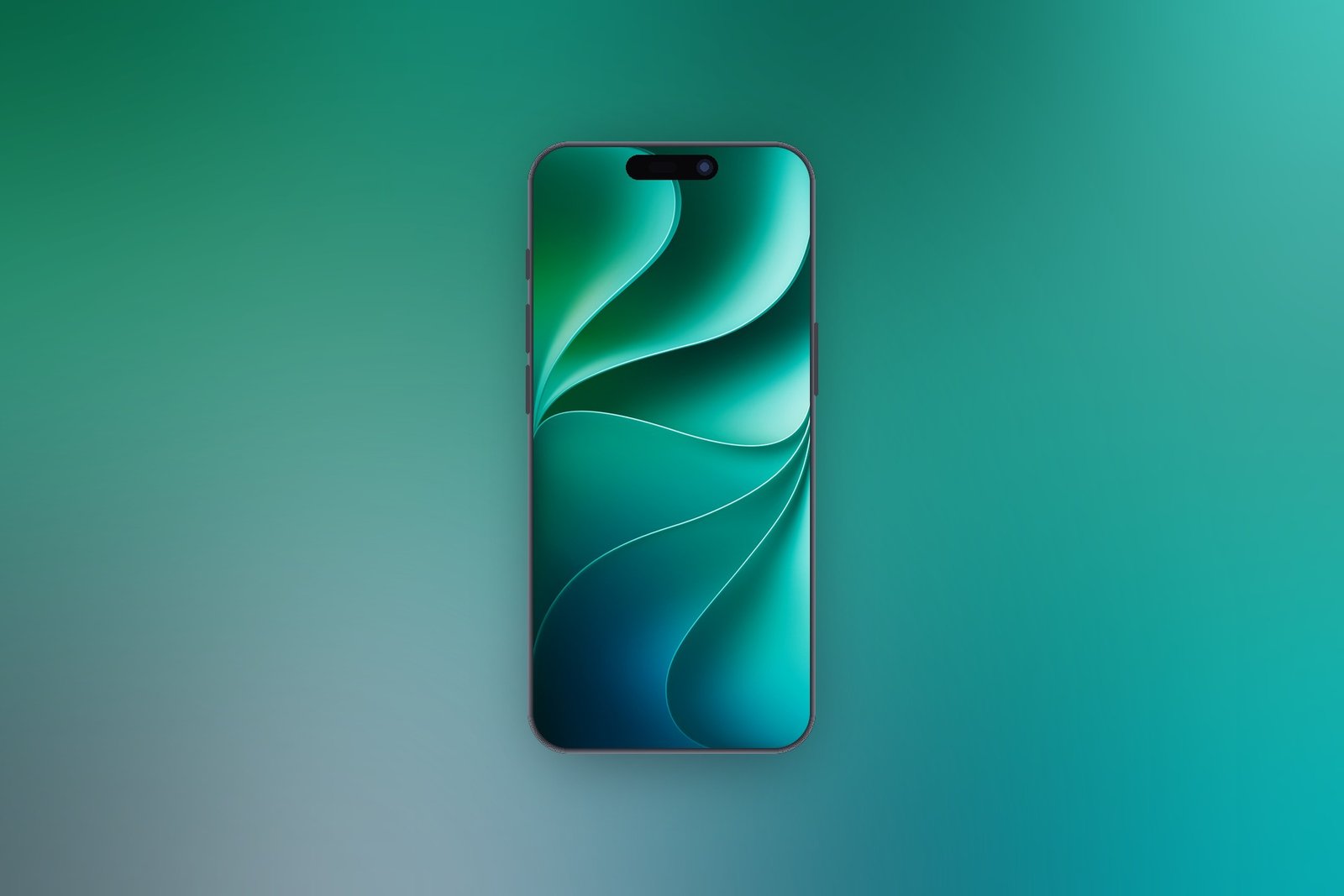
1206 x 2622 · JPEG · Download the Teal wallpaper
3. Purple
Magenta along the top edge collapsing into hard violet at the bottom. The loudest colourway here by a wide margin, and the one that photographs best. Best kept to the Lock Screen. Behind apps it competes with every red and orange icon you own.
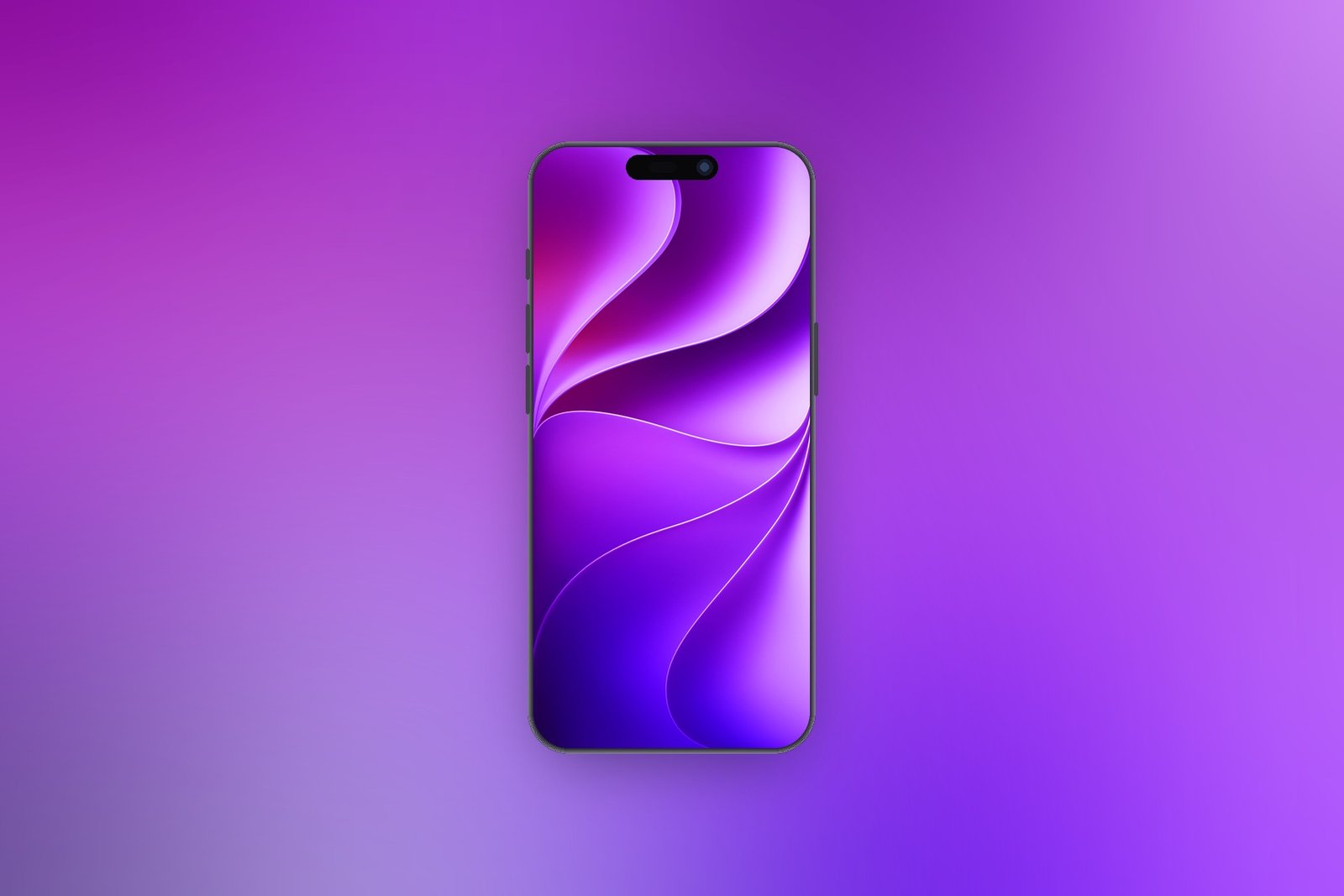
1206 x 2622 · JPEG · Download the Purple wallpaper
4. Gold
Champagne and warm sand across the upper fold, cooling to a soft grey at the bottom. The quietest of the warm options. The lightest file in the set, so white icon labels get thin against it. Worth pairing with a darker icon appearance if you keep a full grid of apps.
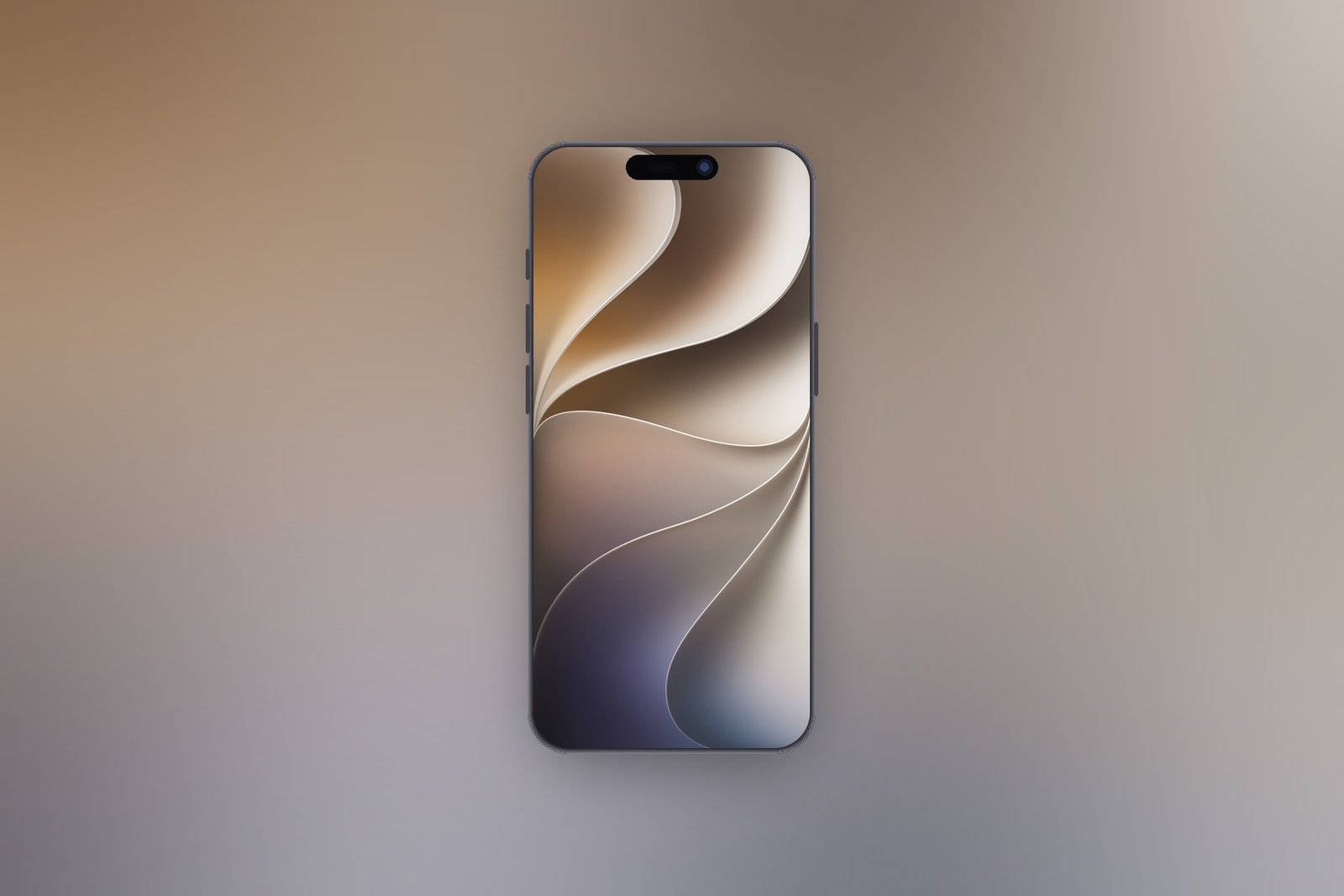
1320 x 2868 · JPEG · Download the Gold wallpaper
5. Brown
Terracotta and copper with a peach highlight through the crease. Warmer than Gold and noticeably deeper, closer to a leather tone than a metallic one. Flattering behind photo widgets, which rarely sit well on a cool background, and forgiving of white text throughout.
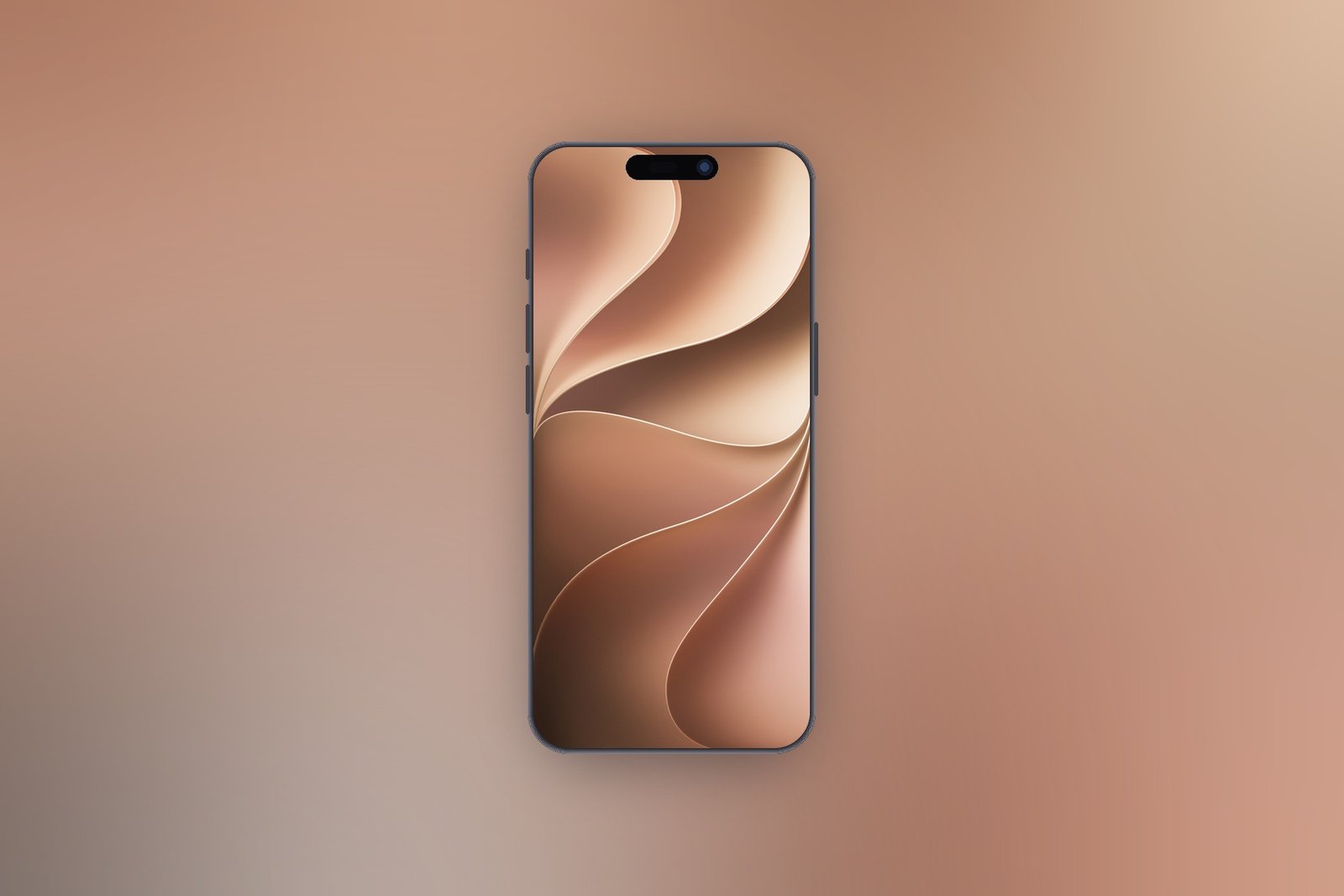
1320 x 2868 · JPEG · Download the Brown wallpaper
6. Slate
Mauve grey with a faint blush along the top edge. The most restrained design in the collection and the one that reads as neutral at a glance. The pick if you want the wallpaper to recede behind widgets rather than compete with them.
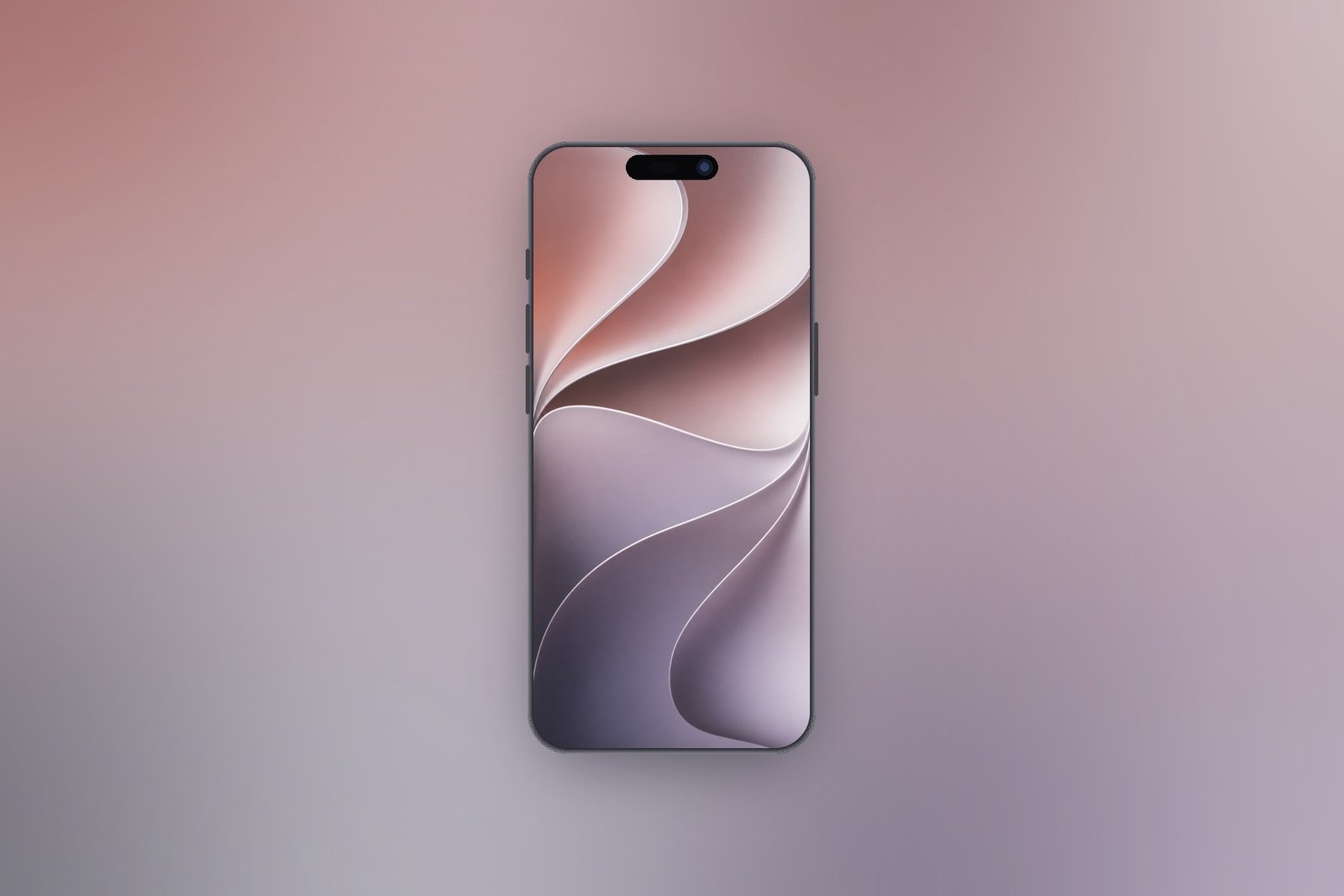
853 x 1844 · JPEG · Download the Slate wallpaper
7. Ink
Near black, with navy and charcoal folds lit only where the crease lines catch. The curves are still there, they just take a second to find. The dark option, and the one that draws least power on the OLED panel in every current iPhone.
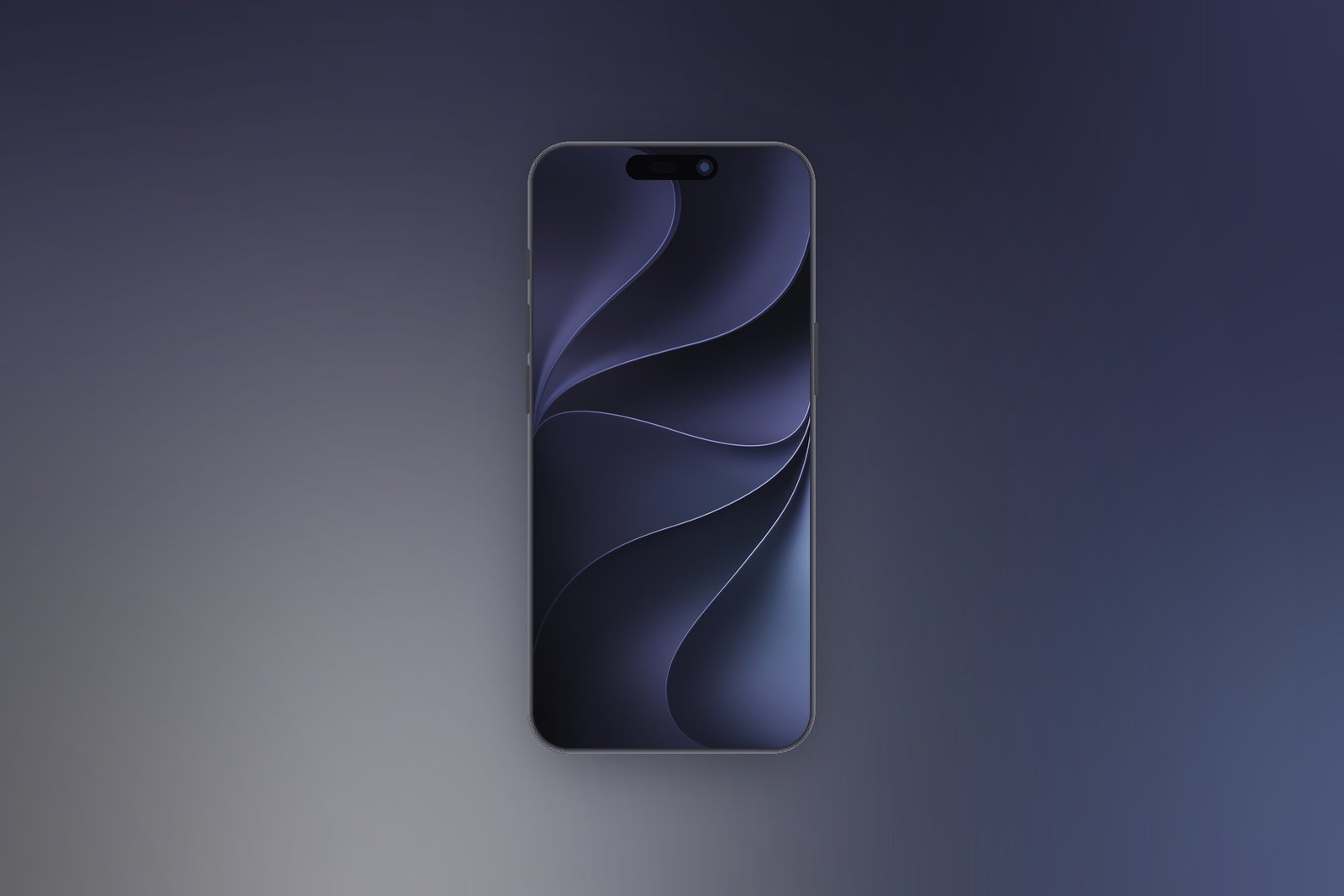
1320 x 2868 · JPEG · Download the Ink wallpaper
Which iOS 27 wallpaper colour suits your iPhone
The Lock Screen is the easy half, because almost anything survives behind a clock. The Home Screen is where a wallpaper is actually judged, and this set succeeds and fails in predictable places.
- If you keep a full grid of apps, take Blue, Brown or Teal. All three hold a mid tone through the middle of the screen, which is where icon labels sit.
- If you run mostly widgets, take Slate or Ink. Both stay quiet enough that a stack of widgets reads as the subject rather than as clutter.
- If you want the phone to look expensive, take Gold. It flatters a titanium frame in a way the saturated colours do not.
- If you want people to notice, take Purple, and put something calmer behind your apps.
- If battery is the deciding factor, take Ink. On an OLED panel near-black pixels draw measurably less than a bright wallpaper does.
The one honest warning concerns Gold and Slate. Both are light enough through the lower two thirds that white icon labels start to thin out, which is physics rather than a flaw in the files. If you want either, a dark or tinted icon appearance fixes it in one setting and costs nothing.
Worth noting about Slate specifically: it is the only file in this set below native resolution, at 853 by 1844, so on a Pro Max the system upscales it and it looks fractionally softer than the other six. On a standard iPhone you will not see the difference.
The same wallpaper is on your Mac and in your car
Celosia is the first wallpaper Apple has pushed across its systems at once rather than drawing a separate one for each. If a phone, a Mac and a car all look like they belong together this autumn, this is why.
- macOS 27 Golden Gate ships dynamic Celosia wallpapers that shift through the day, so the desktop warms and cools rather than sitting still.
- CarPlay carries 14 options across grey, purple, red, teal, blue, brown, dark blue and green, plus a hero version in light and dark.
- iPadOS 27 uses the same artwork drawn wider, which is why an iPhone file cropped onto an iPad never looks quite right.
- Light and dark pairs run through all of it, which is the mechanism behind a colour looking different on two phones sitting side by side.
The desktop versions are the most interesting of the lot, because they move. A Mac running the dynamic Celosia wallpaper shifts its palette across the day rather than holding one tone, which is a better fit for a screen you stare at for eight hours than for a phone you glance at. Our rundown of the MacBook Neo covers the panel it was drawn against.
The practical consequence for anyone downloading from this page is that the iPhone files here are fixed images. They will not shift with the time of day or follow your appearance setting the way the built-in versions do. That is a fair trade if you want one specific colour to stay exactly as you chose it, and a reason to use the built-in set if you would rather the phone handled it.
Frequently Asked Questions
Who designed the iOS 27 wallpapers?
Apple did. The design is called Celosia and it shipped with iOS 27 in September 2026. Versions of the same artwork also appear on macOS 27 and in CarPlay, which is the first time Apple has run a single wallpaper design across its systems.
Do I need iOS 27 to use these wallpapers?
No. They are ordinary JPEGs, so any iPhone that can set a photo as a wallpaper can use them, and that goes back many years. You only need iOS 27 for the versions that ship on the phone, which include light and dark variants that switch with the system appearance.
What resolution should an iPhone wallpaper be?
Match your panel where you can: 1320 by 2868 for the 17 Pro Max and 18 Pro Max, 1206 by 2622 for the 17 Pro and 18 Pro. Anything larger is scaled down with no loss worth worrying about. Anything smaller is scaled up and goes soft, which is the direction to avoid.
Why does the same colour look different on another iPhone?
Several of the Celosia colours ship as light and dark pairs that follow the system appearance, so one name can look warm on one phone and cool on another. The files here are fixed images, so they stay exactly as you see them.
Related Articles

Get the Fox Bulletin briefing
The stories that matter, in your inbox. No spam, unsubscribe anytime.
Newsletter signup will be available soon.
Related stories
How to Stop Autoplay on YouTube on Every Device
Autoplay is set per device, so switching it off on your phone leaves it running on the laptop. There is also a second setting, Playback in feeds, that most people miss entirely.
Forgot iPhone Passcode? Here Is How to Get Back In
If you changed the passcode in the last 72 hours, the old one still works and nothing is lost. After that the only way in erases the phone, which is exactly what the lock is for.
How to Reset Apple ID Password: 4 Ways That Work
A device you are already signed in on resets the password in under a minute. Every other route is slower, and account recovery can take days, so work down the list in order.