
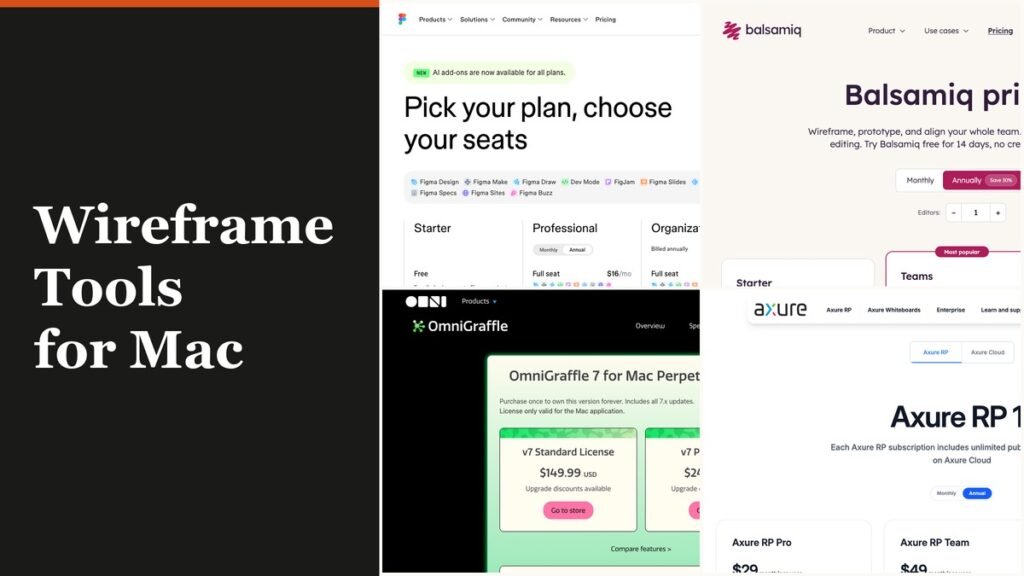
The strongest wireframe tools for Mac right now are Sketch for designers who want a native macOS app, Balsamiq for quick low-fidelity screens, and OmniGraffle for flows you buy once and keep. Figma, Axure RP and Justinmind cover teams that mix Macs and Windows PCs, while Penpot, Moqups, WireframeSketcher and Pencil Project fill the free, browser and pay-once gaps.
The detail that separates them on a Mac is how the software actually runs. Two of these ten are native Mac apps sold through the Mac App Store, six install as cross-platform desktop downloads, and two live entirely in a browser tab. That one fact decides offline work, Apple silicon support and whether a Windows colleague can open your file.
How a Wireframe App Runs on macOS
A wireframe app on a Mac runs in one of three ways: as a native app written only for macOS, as a cross-platform desktop build that also ships for Windows, or as a web app inside Safari or Chrome. Native apps work offline and follow Mac conventions. Browser tools skip installation entirely but need a connection.
- Native Mac apps: Sketch and OmniGraffle, both listed in the Mac App Store.
- Cross-platform desktop builds: Figma, Axure RP, Balsamiq for Desktop, Justinmind, WireframeSketcher and Pencil Project.
- Browser only: Penpot (which can also be self-hosted) and Moqups.
Billing tends to follow the same lines. The native apps are the ones most likely to offer a licence you own, the browser tools charge per seat or per editor, and the two open-source options charge nothing. If your wider toolkit also covers illustration and branding, the picks in our roundup of graphic design programs overlap with Sketch and Figma.
Wireframe Tools for Mac Side by Side: Price, Trial and Install Type
| # | Tool | Best for | Starting price | Free plan or trial | How it runs on a Mac |
|---|---|---|---|---|---|
| 1 | Sketch | Mac-only UI teams | $12/editor/mo, billed yearly | 30-day trial | Native app, Mac App Store |
| 2 | Balsamiq | Low-fidelity sketches | $16/editor/mo, billed annually | 14-day trial | Browser (Cloud); Desktop sold until Dec 31, 2026 |
| 3 | OmniGraffle | Flows and structure | $149.99 one-time | 14-day trial | Native app, Mac App Store |
| 4 | Figma | Mixed Mac and Windows teams | $16 Full seat/mo, annual | Free Starter plan | Browser or desktop app (macOS 13+) |
| 5 | Axure RP | Logic-heavy prototypes | $29/user/mo, annual | 30-day trial | Desktop app, separate ARM and Intel builds |
| 6 | Justinmind | Forms and data simulation | $19/editor/mo | Free plan, 1 project | Desktop app, universal binary |
| 7 | Penpot | Free team design | $0 | Free tier | Browser or self-hosted |
| 8 | Moqups | Template-led team wireframes | $9/mo, billed annually | Free plan, 2 projects | Browser only |
| 9 | WireframeSketcher | Hand-drawn style, pay once | $99 one-time | 14-day trial | Desktop app, Apple Silicon download |
| 10 | Pencil Project | Zero-cost offline mockups | Free | Open source | Desktop app, Universal .dmg |
Each Wireframe App, From Native to Browser
1. Sketch: The Native Mac Choice

Price: $12 per editor a month, billed yearly; $120 Mac-only licence | Runs as: native Mac app, macOS 15 Sequoia or newer | Trial: 30 days, no credit card
Sketch is written for macOS alone, and its design page leans on fast performance on Apple silicon. It also sits in the Mac App Store as a free download with subscriptions handled in-app, at version 2026.3.1 from September 15, 2026. The Standard plan covers real-time collaboration, unlimited documents, unlimited free viewers, version history, developer handoff and a free MCP server for AI clients.
The catch is the platform wall. There is no Windows app, so a developer on a PC inspects and comments through the web app instead. Sketch is a full UI design tool rather than a grey-box wireframer, which suits teams that move from wireframe to final screens in one file. The $120 Mac-only licence is yours to keep with a year of updates, but it drops online sharing and iPhone previews.
2. Balsamiq: Low-Fidelity Screens, Now Cloud-First
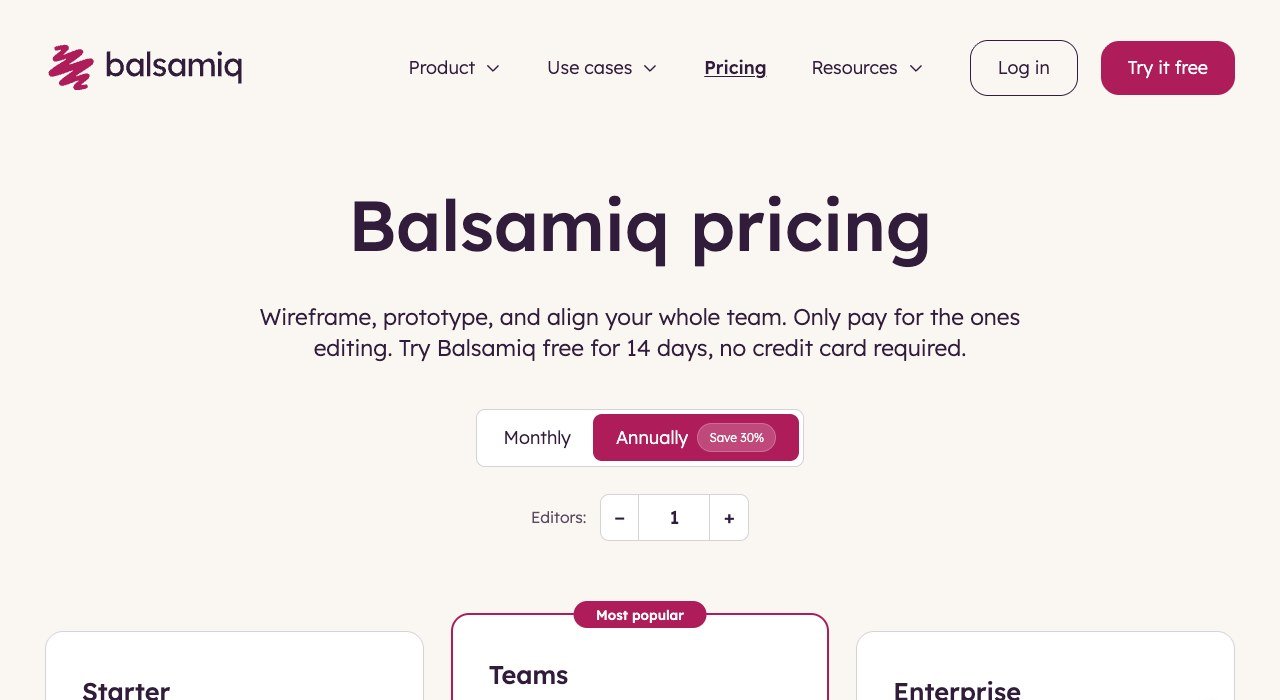
Price: $16 per editor a month billed annually ($192 a year), $23 monthly | Runs as: browser (Cloud); Desktop needs macOS 14 Sonoma | Trial: 14 days, no card
Balsamiq’s sketch-style controls keep reviewers talking about layout instead of colour, which is why product managers and founders reach for it. Starter allows up to 10 projects, unlimited reviewers and 500 AI credits per editor each month. Teams, at $24 per editor on annual billing, raises the ceiling to 100 projects, and only the people editing are billed.
The Mac story is shifting under it. Balsamiq for Desktop can be bought until December 31, 2026, email help ends on December 31, 2027, and version 4.8.6 from October 15, 2025 is the final release, with no AI features. Existing licences keep working, and Desktop owners get 20% off their first Cloud payment with the code CLOUD20 until the end of 2027. New buyers should treat Balsamiq as a browser tool.
3. OmniGraffle: Mac Diagrams You Own Outright
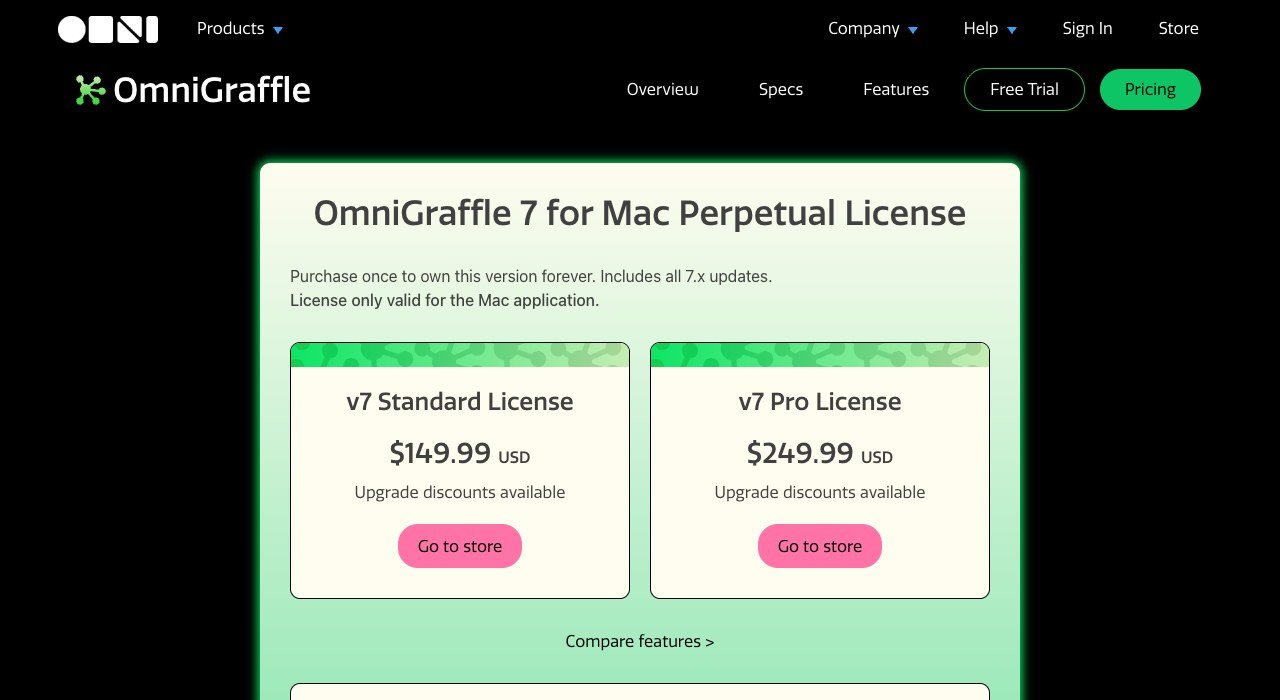
Price: $149.99 Standard or $249.99 Pro, perpetual Mac licence | Runs as: native Mac app, plus iPad and iPhone | Trial: 14 days
OmniGraffle from The Omni Group combines diagramming with rapid-prototyping tools, so site maps, user flows and structural wireframes share one canvas. Omni moved its apps to native Universal builds for M1 Macs in November 2020. Version 7.26.1 needs macOS 14, and the Mac, iPad and iPhone apps share stencils, projects and JavaScript automation.
The perpetual licence includes every 7.x update but covers only the Mac app; the iOS version costs $59.99 or $119.99 on its own. The $129.99 yearly subscription bundles Mac, iPhone and iPad with the latest Pro release. Pro is the tier with Artboard layers, Visio support, SVG export and interactive actions, and there is no Windows version at all.
4. Figma: The Cross-Platform Default
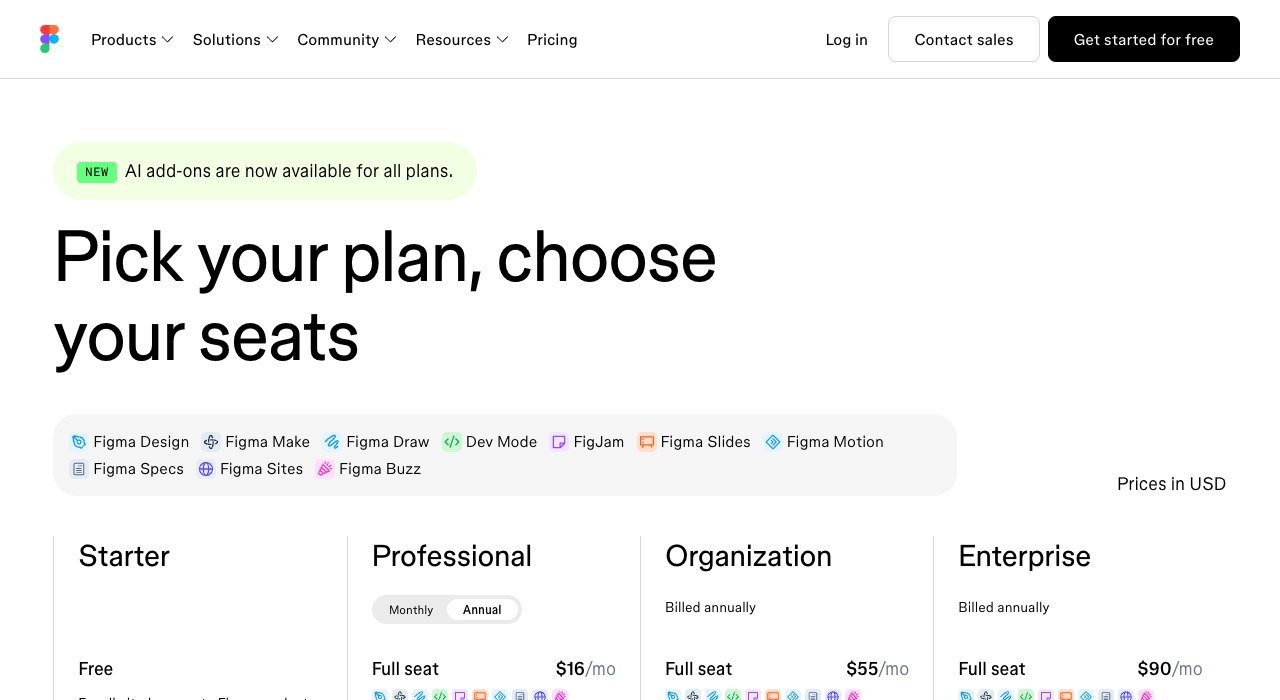
Price: free Starter; Professional Full seat $16 a month on annual billing, $20 monthly | Runs as: browser, or desktop app on macOS 13 Ventura or later | Free plan: yes
Figma runs in any browser, and its desktop app is optimized for both Intel and Apple silicon Macs. The same account opens on Windows, Windows Arm, iPhone, iPad and Android, which is why mixed teams default to it. Starter is free with unlimited drafts, UI kits and templates, and 150 AI credits a day up to 500 a month.
Paid plans sell three seat types: Full at $16, Dev at $12 and Collab at $3 a month on Professional annual billing. Anyone on a paid plan can let others view and comment without buying extra seats. One billing quirk matters for growing teams: a seat added mid-year on an annual Professional plan is charged monthly at the monthly price.
5. Axure RP: Logic, Conditions and Specs

Price: Pro $29, Team $49 per user a month, annual | Runs as: desktop app with separate Mac (ARM) and Mac (Intel) builds | Trial: 30 days, fully functional
Axure RP 11 is the pick when a wireframe has to behave: conditional logic, variables, working form fields, sortable repeater grids and adaptive views for phone, tablet and desktop. Build 11.0.0.4150, dated September 24, 2026, ships in ARM and Intel versions for Mac and lists faster Mac rendering. One subscription runs on any number of computers, PCs and Macs alike.
Axure no longer sells perpetual licences. Nonprofits and schools get 60% off, government agencies 25%, and qualified students and educators can use the Team edition free. Every plan includes unlimited publishing on Axure Cloud, but at $29 per user it is the costliest entry price in this list, and simple grey boxes rarely need its depth.
6. Justinmind: Universal Binary With a Free Plan

Price: Free; Standard $19, Professional $29, Enterprise $59 per editor a month | Runs as: desktop app for Mac and Windows | Free plan: 1 project, unlimited screens
Justinmind 10.3, released March 4, 2024, became a universal binary that runs natively on Apple silicon (M1, M2 and M3) and on Intel Macs, and the current release is 10.7. The free plan already includes UI design and wireframing, interactive input forms, vector tools and unlimited screens, capped at one project.
Standard adds unlimited projects, local projects and testing on mobile devices. Professional is where Justinmind gets distinctive, adding masters, smart templates, data simulation, user flows and HTML export. Enterprise at $59 brings SAML single sign-on plus Jira and Azure DevOps integration for teams tracking requirements.
7. Penpot: Open Source in a Browser Tab

Price: $0 Professional tier; Unlimited $7 per editor a month, capped at $175 | Runs as: browser, or self-hosted | Trial: 14 days on paid tiers
Penpot is open source and runs in Safari or Chrome, so the Apple silicon question never comes up. It markets itself directly as a free wireframing tool, with a lo-fi wireframing kit and a minimal template of more than 100 components. Files export to SVG, JPG, PNG and PDF, or save as .penpot files, which are zipped JSON.
The free tier allows up to 8 team members with unlimited viewers, 10GB of storage and 7 days of autosaved versions. Unlimited lifts that to 25GB and 30 days. With no offline Mac app, Penpot suits teams that are always connected or willing to run their own server.
8. Moqups: Browser Wireframes Built From Templates

Price: Free; Starter $9 a month billed annually, $12 monthly | Runs as: browser on Mac or Windows | Free plan: 2 projects, 400 objects each
Moqups works entirely in the browser on macOS or Windows, with drag-and-drop UI shapes, stencils, icon sets including Material Design, and current iOS and Android device frames. More than 100 templates cover wireframes, flows and charts, and reusable components keep repeated headers in sync.
Business costs $21 a month on annual billing, sold in packs of 3, 5 or 9 seats plus a bonus seat, and adds live collaboration, enforced single sign-on and Jira and Confluence integration. The free plan stops at 2 projects, 400 objects per project and 25MB of images, enough to test the tool on one real screen.
9. WireframeSketcher: Pay $99 Once
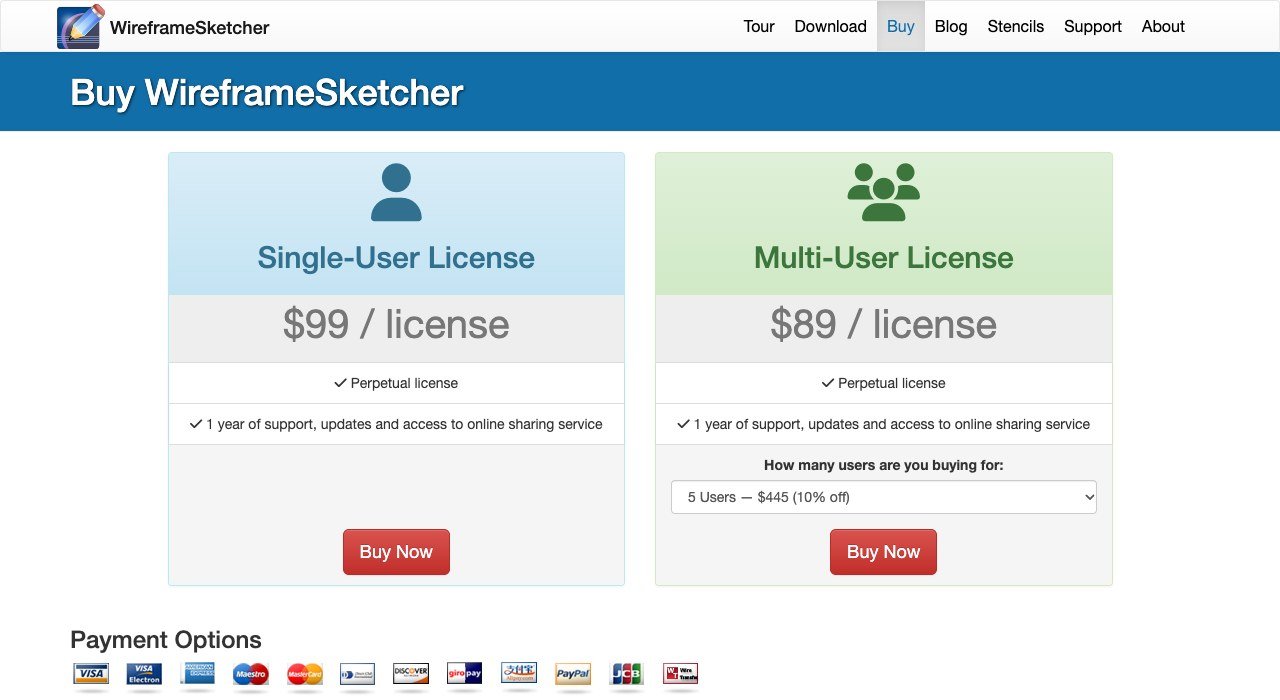
Price: $99 single-user perpetual licence | Runs as: desktop app with an Apple Silicon download (117 MB) and an Intel one (118 MB) | Trial: 14 days
WireframeSketcher draws everything in a hand-sketched style and runs standalone or as an Eclipse plug-in, which suits developers who already live in that IDE. Version 7.4.4 arrived on September 17, 2026, it supports macOS 10.14 Mojave or later, and Java 21 comes bundled. Licences attach to a person, not a machine.
It is not in the Mac App Store, so macOS asks for extra steps before the app opens the first time. The licence includes a year of updates; after that you keep the last version or renew maintenance at 30% of the original price, $29.70 a year on a single seat.
10. Pencil Project: Free, Open Source, Freshly Updated

Price: free and open source | Runs as: desktop app, Universal .dmg for Apple silicon and Intel | Size: about 173 MiB
Pencil Project is the no-cost desktop option, with builds for macOS, Windows and Linux plus bundled stencils and templates. Version 4.0.0 landed on October 23, 2026 and added built-in AI support, so an AI assistant can create and edit mockups on the canvas.
It ranks last because releases are rare: the previous one, 3.1.1, came out on January 1, 2023, more than three and a half years earlier. For a zero-budget offline mockup that is a fair trade, but teams that depend on regular fixes are better served higher up.
Apple Silicon, Intel Macs and macOS 27
Apple started moving the Mac from Intel chips to Apple silicon with certain models introduced in late 2020. macOS 27 Golden Gate, the current release, installs only on Apple silicon Macs, from the M1 MacBook Air of 2020 to the 14-inch MacBook Pro with M6. Apple’s macOS 27 compatibility list shows the full model list.
That makes Intel builds a lifeline for older Macs rather than a selling point. Axure ships a separate Intel download, WireframeSketcher does the same, and Pencil, Justinmind and OmniGraffle use Universal builds that run on either chip. Figma’s desktop app covers both, and the browser tools do not care which processor is inside. If an Intel machine is struggling under a heavy prototype, the fixes in our guide on how to speed up a slow Mac are worth a pass before you switch tools.
Mac App Store, Direct Download or Browser Tab
Only two of these apps come from the Mac App Store. Sketch is listed free with in-app subscriptions and needs macOS 15.0, and OmniGraffle 7 is a free download with an in-app purchase, updated October 14, 2026, needing macOS 14.0. App Store installs update through the store itself.
Everything else installs from the vendor’s site, each with its own floor:
- Figma desktop: macOS 13 Ventura or later.
- Balsamiq for Desktop: macOS 14 Sonoma, 4GB of memory, .dmg or .zip.
- WireframeSketcher: macOS 10.14 Mojave or later, the lowest floor here.
- Axure RP, Justinmind and Pencil Project: Mac downloads from each vendor, with Axure split into ARM and Intel builds.
- Penpot and Moqups: nothing to install beyond a current browser.
What Five Editors Pay for a Year
Per-editor pricing adds up quickly for a small product team. Here is a year for five people who all edit, using each tool’s entry paid tier:
| Tool and tier | Monthly rate | Five editors, 12 months |
|---|---|---|
| Penpot Unlimited | $7 per editor | $420 |
| Sketch Standard | $12 per editor, billed yearly | $720 |
| Figma Professional, Full seat | $16 per seat, annual | $960 |
| Balsamiq Cloud Starter | $192 per editor a year | $960 |
| Justinmind Standard | $19 per editor | $1,140 |
| Axure RP Pro | $29 per user, annual | $1,740 |
Viewers change the picture. Sketch includes unlimited free viewers, Balsamiq reviewers cost nothing, and Figma lets paid teams invite people to view and comment without extra seats. A team with two designers and three reviewers pays for two seats, not five, which cuts the Sketch bill to $288 a year.
How to Choose a Wireframe App for Your Mac
- Everyone on a Mac and wants a native app: Sketch, or OmniGraffle if your wireframes are mostly flows and site maps.
- Team split across Mac and Windows: Figma, or Axure RP when prototypes need conditions and variables.
- Low-fidelity only, non-designers involved: Balsamiq Cloud or Moqups.
- No budget: Penpot in the browser, Pencil Project offline, or the free plans from Figma, Justinmind and Moqups.
- Hate subscriptions: WireframeSketcher at $99, OmniGraffle at $149.99, or Sketch’s $120 Mac-only licence.
- Still on an Intel Mac: pick a tool with an Intel or Universal build, such as Axure RP, WireframeSketcher, Justinmind or Pencil Project.
Frequently Asked Questions
Is there a free wireframe tool for Mac?
Yes. Pencil Project is free and open source with a Universal Mac download, and Penpot’s Professional tier costs $0 in the browser for up to 8 team members. Figma, Justinmind and Moqups also offer free plans with project or credit limits.
Does Sketch run on Windows?
No. Sketch’s editor is a Mac-only app that needs macOS 15 Sequoia or newer. Colleagues on Windows can still browse, comment on and inspect documents in Sketch’s web app as free viewers.
Can I still buy Balsamiq for Desktop?
Until December 31, 2026. After that date Balsamiq stops selling it, email help ends on December 31, 2027, and existing licences keep working. Version 4.8.6 is the last Desktop release, and new features go to Balsamiq Cloud.
Which wireframe apps run natively on Apple silicon?
Justinmind has been a universal binary since version 10.3, OmniGraffle since 2020, and Pencil Project ships a Universal .dmg. Axure RP and WireframeSketcher offer dedicated Apple silicon downloads, and Figma’s desktop app is optimized for both chip types.
Related Articles

Get the Fox Bulletin briefing
The stories that matter, in your inbox. No spam, unsubscribe anytime.
Newsletter signup will be available soon.
Related stories

Wholesale Billing Software: 10 Picks for US Distributors
Wholesale billing software for US distributors: price lists, purchase orders, net terms and EDI across 10 tools, from Zoho Books at $40 a month for 5 users.

Whiteboard Software for PC: 10 Picks by How They Install
Whiteboard software for PC sorted by how it runs on Windows. Microsoft retired its standalone app on October 16, 2026; AFFiNE and draw.io install free.
Whiteboard Software for Mac: 10 Tools From Built-In to Web
Whiteboard software for Mac sorted by how it runs: built into macOS, a Mac download or a browser tab. Freeform is free and fits up to 100 collaborators.