

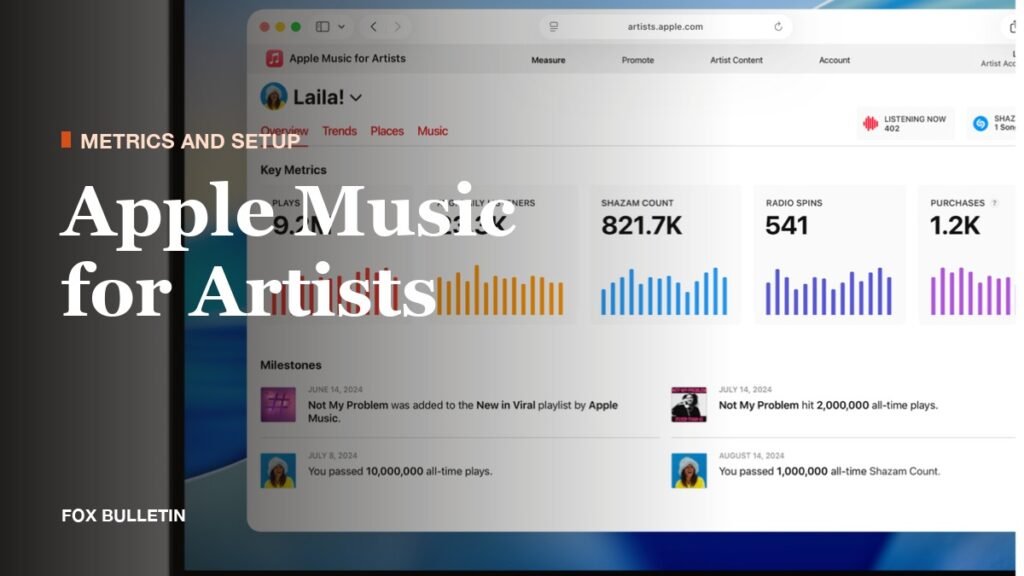
Apple Music for Artists is Apple’s artist dashboard: a web and iPhone tool that shows how your songs, albums and videos perform on Apple Music, iTunes and Shazam, and lets approved users manage the artist page fans see. It reports eight categories of data, from plays to radio spins to Milestones, and it supports three user roles. It is a place to read your numbers and shape your profile, not a place to upload music.
Everything below uses Apple’s own definitions as published for the current version of the product, including the redesigned, customizable artist pages that Apple labels as arriving with iOS 27. You will find the full metric chart first, then a walk through claiming a profile, each analytics tab, release insights, customization, roles, the iPhone app and the dividing line between this dashboard and the distributor that delivers your music.
Apple Music for Artists Metrics: All 8 Categories, What Each Counts and Where It Shows
| Metric | What Apple counts | Where it shows | Delay or limits |
|---|---|---|---|
| Plays | Playback initiated for more than 30 seconds, including plays on Apple Music radio stations | Overview, Trends, Places, iOS app | Under 30 seconds does not count; data is in UTC |
| Listening Now | Fans who initiate plays right now, with a 48-hour trend view | Overview, iOS app | Excludes offline plays; iOS refreshes every five seconds; gaps appear below a privacy threshold |
| Average Daily Listeners | Average daily unique listeners in the date range you select | Overview, Trends, Places, iOS app | Hover the trend line for daily unique listeners |
| Purchases | Songs and albums bought on the iTunes Store | Overview, Trends, iOS app | Trends splits Song Purchases from Album Purchases |
| Shazam Count | Songs recognized by the Shazam app | Overview, Trends, Places, iOS app | Processed on different systems and schedules from the Shazam app |
| Radio Spins | Plays on more than 40,000 tracked terrestrial and digital stations | Overview, Trends, Places, iOS app | Excludes Apple Music Radio |
| Video Views | A music video watched for more than 30 seconds | Overview, Trends | Counts music videos only |
| Milestones | All-time bests and insights for songs and albums | Overview, iOS app, Promote | No full list of thresholds is published |
Two rules apply to every row. All data is in UTC and refreshes daily, and a new release or update takes 48 hours to appear. The dashboard covers music where you are listed as the primary artist, across songs, albums, Apple Music editorial playlists and videos.
How Apple Music for Artists Works, Section by Section
Claiming the Profile: Primary Artist Role, Five Business Days
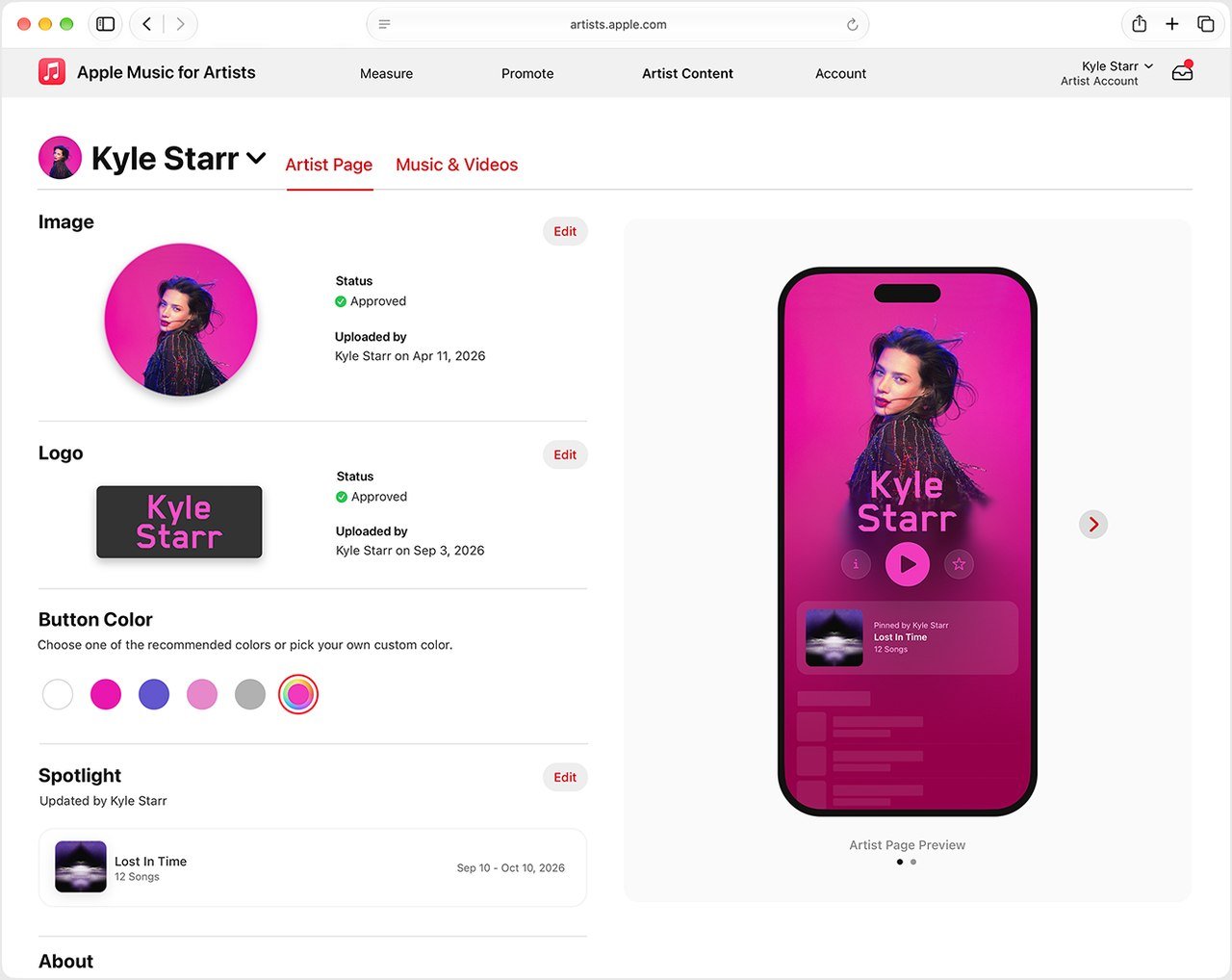 Image: Apple
Minimum live time: 5 business days · Status while reviewing: Pending · Unactioned request expiry: 30 days · Chase Apple after: 10 business days
You can claim a page from the iPhone app or the website, but your content must already be live on Apple Music for at least five business days. Sign in with an Apple Account, choose Request Artist Access, paste an Apple Music or iTunes Store link to your artist page or one of your albums, select an album, pick a role (Artist, Manager or Label Rep) and complete the application. You must hold the primary artist role on the album you select, so a featured artist cannot claim.
Apple verifies your identity or your relationship to the artist or band, and it suggests adding distributor connections, personal websites and other media accounts to speed the review. The application shows Pending while it is reviewed and updates arrive by email. If more than 10 business days pass with no status, contact Apple. The first artist or manager to gain access becomes Administrator, and label reps are added by that Admin; a request that no artist or manager admin actions within 30 days expires.
Trends: Seven Activity Types and Ten Filters
Trends is where you compare your numbers by listener action. The seven activity types are Plays, Listeners, Radio Spins, Shazam Count, Song Purchases, Album Purchases and Video Views. You can filter by Song, Album, Playlist, Gender, Age, Continent, Country or Region, City, Station and Video, which makes it the one tab with demographic splits.
When you filter by listeners, hovering the trend line shows daily unique listeners. For the full catalog, the Music section has a See All option that downloads the data as a CSV, and Apple advises setting the date range first. For a head start on reading the demographic breakdowns, compare one song against the whole catalog before drawing conclusions.
Places: City-Level Listener Data

The Places tab shows where listeners are by city, state, country or region. Set a date range, choose a data filter (Listeners, Plays, Radio Spins or Shazam Count), then click a country or region to see its top cities. The top-songs list updates as you pick places, so a single city view shows which tracks are carrying it.
Apple frames the use plainly: apply the filters to track new releases and to get an idea of where to perform next. A city that ranks high on Shazam Count but low on Plays tells a different story from one where both are high.
Radio Spins: 40,000 Stations in Over 200 Countries and Regions
Radio Spins covers more than 40,000 terrestrial and digital stations in over 200 countries and regions. It does not include Apple Music Radio, whose station plays are counted under Plays instead. That split matters when you add the two figures together, because they measure different kinds of airplay.
Trends shows which stations spin you most and which songs get the most plays, while Places shows where those spins happen. On the iPhone app, Top Radio Spins gives the quick version.
Shazam Data: Count, Charts and the Weekly Email
Shazam Count appears in the Overview, Trends shows the demographics of people who Shazam you, and Places lists the countries and regions that Shazam you most. A Shazam chart appears when you hold a top Shazam track in a country, region or city, showing your position and movement over the last seven days and updating every 24 hours.
The count can differ from the number inside the Shazam app because the data is processed on different systems and schedules. When a remix and an original share audio, the count goes to the best-matching version. The weekly Trending on Shazam email uses three levels: On Fire, On The Rise and Reacting.
New Release Insights: The First Week in One View
Populate delay: up to 8 hours · Map music before release: at least 10 days · No data before: June 2015
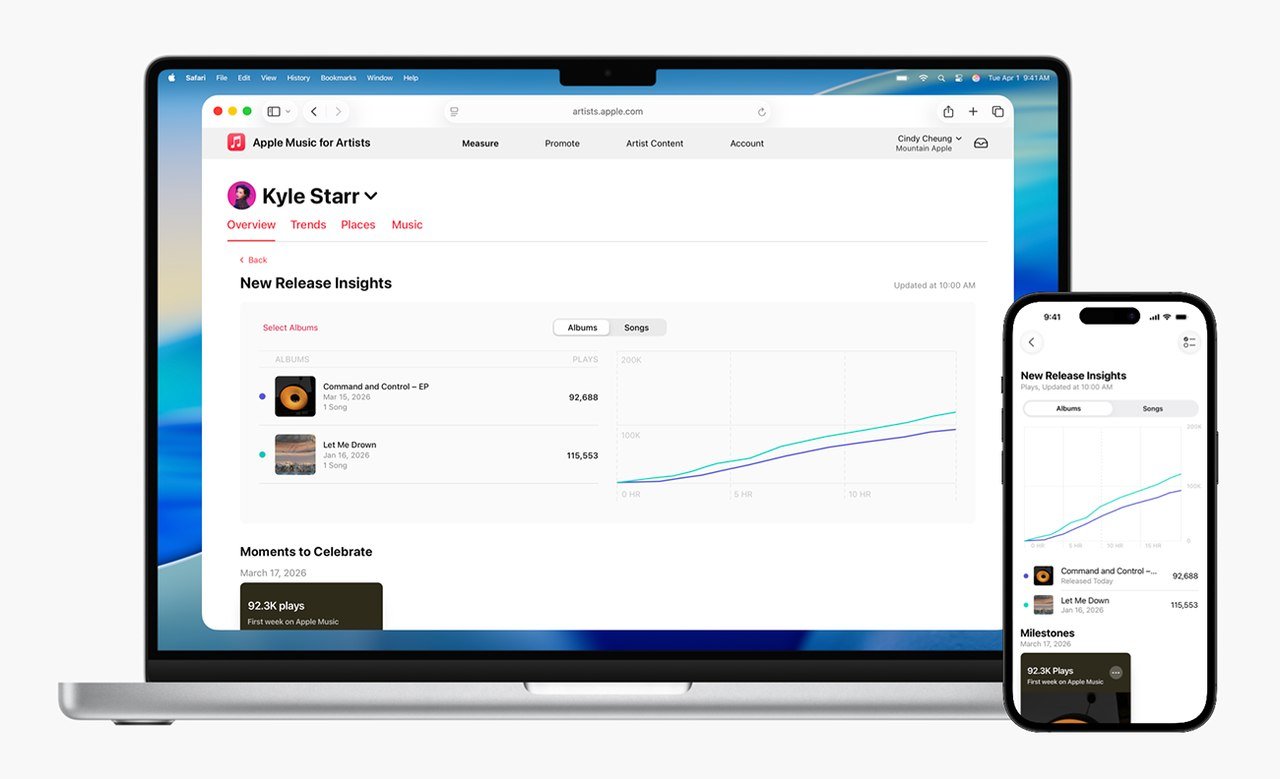
New Release Insights, available on the web and in the iPhone app, shows first-week plays for an album and its tracks, the top-played song, the top city and a comparison with previous releases through Select Albums and Select Songs. Data can take up to eight hours to populate, and it is subject to change once final play data is processed.
Plays outside the release week, such as instant-gratification tracks played before the album date, do not count. There is no data for releases before June 2015. To get the page working, ask your distributor or label to map the music to your artist page at least 10 days before release.
Milestones: Shareable All-Time Bests
Milestones are insights and all-time bests for songs and albums. Apple names three examples: Top Plays, Shazam Count and the moment you are added to an Apple Music editorial playlist. Apple surfaces Milestones in the dashboard without publishing a list of the thresholds that trigger them, so treat them as notifications, not a scoreboard you can plan toward.
Admins and Analysts can share them from Promote with templates called Cover Art, Artist Image and Blur, in portrait (1080 x 1920), landscape (1300 x 740) or square (1080 x 1080). The share cards support seven languages and can go to Instagram Stories, Facebook Stories, Snapchat, Twitter/X, Messages or email. On the iPhone, tap a milestone and pick the platform.
Artist Page Customization: Image, Logo, Button Color, Spotlight and Bio

Image minimum: 800 x 800 px · Image preferred: 2400 x 2400 px or more · Logo minimum: 2880 px wide or 960 px tall · Review: up to 5 business days
The artist image is a JPG or PNG at 72 dpi, with 2400 x 2400 pixels or greater preferred and 800 x 800 the minimum; Apple says not to upscale. It appears beside your content on Apple Music, the iTunes Store and Shazam, and Admins and Profile Editors can upload it in the iPhone app or on the web. Images are rejected for pixelation, borders, text or marketing copy, third-party logos, album cover art, QR codes, or use of the words Apple Music, MUSIC or iTunes.
The logo is a PNG with a transparent background, at least 2880 pixels wide or 960 tall, built on a 3000 x 1200 pixel template. It must be text matching your artist name, not solid black, and without social handles, URLs, borders or competitor references. The spotlight pins one album, music video, artist playlist or Apple Music Radio item for up to 18 months, and the button color accepts a custom hex value that updates on Apple Music within a few hours. Logo, button color and spotlight are set on the web under Artist Content, then Artist Page.
Biographies are sourced from Xperi, which Apple tells artists to contact, though a change is not guaranteed; the Q&A in Artist Page is an alternative that Apple editorial may publish. Band members, collaborators, influences and pronouns are for editors and are not displayed on Apple Music.
Team Roles: Admin, Analyst and Profile Editor
| Role | What it can do | Sections it sees |
|---|---|---|
| Admin | Analytics, Promote, artist page updates, managing access | Measure, Promote, Artist Content, Account |
| Analyst | View data and use Promote | Measure, Promote, Account |
| Profile Editor | Upload images, add and edit lyrics, edit artist details | Artist Content |
The first artist or manager to gain access becomes Admin, and multiple Admins are allowed. Invitations go to the email tied to the person’s Apple Account. Admins can also switch off the Allow users to request access setting if they want to control the team list directly.
The iPhone App: Quick Reads and On-Device Actions

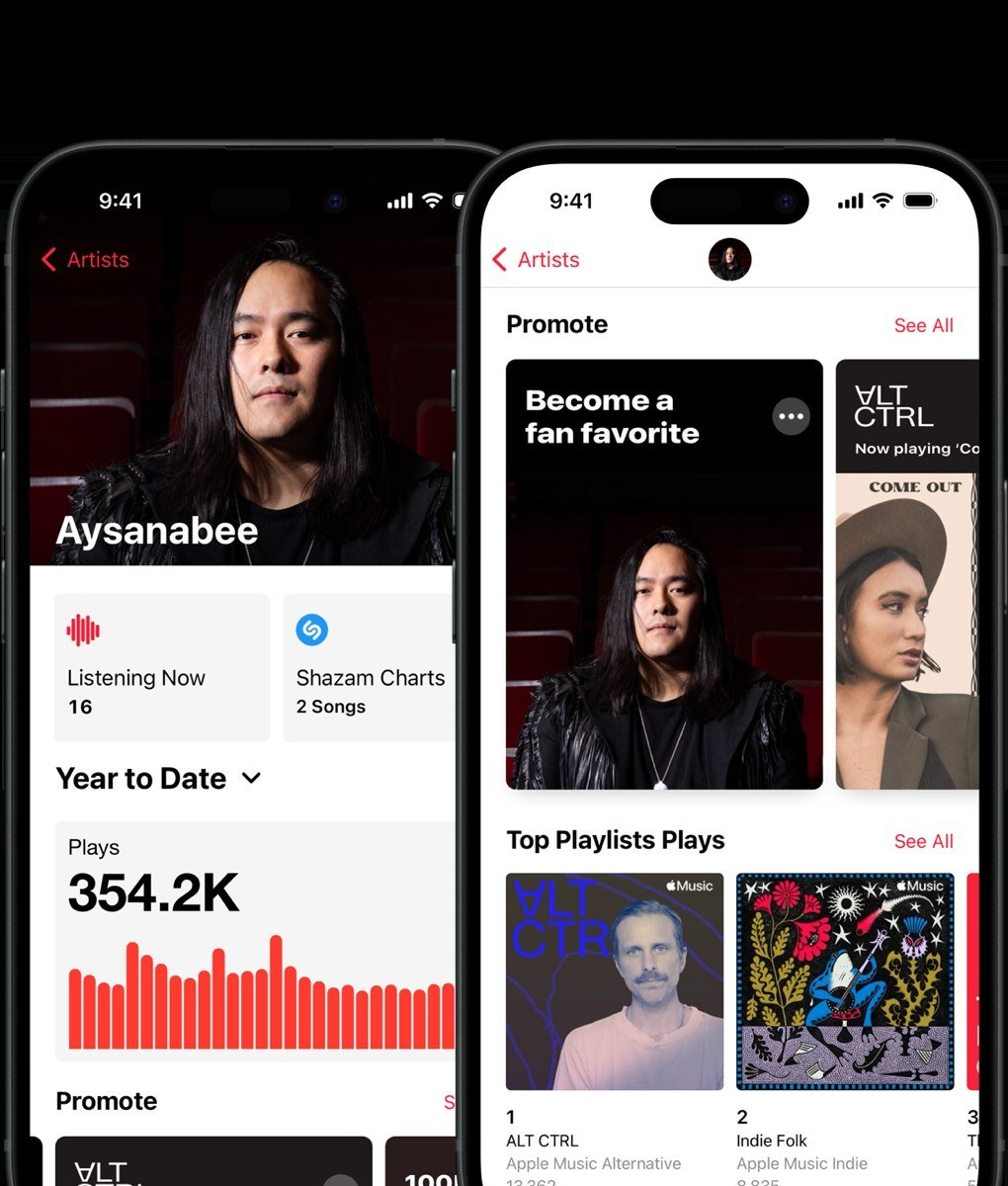
The app runs on iPhone only. It shows Promote, Listening Now, Top playlist plays, Top songs with plays, average daily listeners, Shazam Count, purchases and plays by country and city, plus Top Shazam Count, Top Radio Spins, Charting on Shazam and your most popular countries and regions. The default range is the last four weeks, and Listening Now refreshes every five seconds.
You can claim a page, add users and upload the artist image in the app. The logo, button color and spotlight are web actions. For the current system requirements, go by the App Store listing, since Apple’s support pages and the listing are updated separately.
Dashboard Versus Distributor: Who Does What
Music reaches Apple Music through labels and distributors, never through this dashboard. Apple talks to the distributor about metadata and asset problems, and the distributor handles streaming, financial and royalty information, so changes to release dates, titles and capitalization have to come from your distributor or label. Apple encourages independent artists and small labels to use one of the distributors in its partner directory, which lists 18.
| Feature or detail | Which of the 18 listed distributors offer it |
|---|---|
| Distributors listed | IDOL, Kontor, Golden Dynamic, Absolute, EWWAY, Metropolitan Groove Merchants, Rebeat Digital, Believe, recordJet, Foundation, Rock Mobile, FUGA, Stem, Symphonic, Taihe Music Group, TuneCore Japan, TuneCore, Xelon |
| Dolby Atmos, Credits, Analytics | All 18 |
| Lyrics | 17 (all except recordJet) |
| Album Motion Artwork | 17 (all except TuneCore) |
| Encoding House | IDOL, Golden Dynamic, EWWAY, Rock Mobile, FUGA, Symphonic |
Apple’s stated qualifications for a preferred distributor are an open or application-based platform, support for Spatial Audio, motion artwork, detailed credits and lyrics, a low rejection rate, analytics, and a view of Apple Music trend data. For a look at what a streaming royalty looks like on the money side, see how much Spotify pays per stream.
Concerts, Set Lists and Promote Assets for Fans

Concert dates come from Bandsintown, and from Ticketmaster where available, rather than being typed into the dashboard. They can appear in Apple Music, Shazam, Spotlight, Apple Maps and Photos. Set List playlists can be created in Apple Music for Artists and publish to Apple Music, Maps, Photos and Shazam.
Promote builds share assets for releases, pre-adds and Milestones, with links powered by Linkfire. The customization panel offers a template (Artist Image or Blur), a layout (Portrait, Landscape or Square) and a background color, and assets take a few minutes to render. Fans who favorite your page may get push notifications about new music, and an Add to Favorites asset sits under Promote. Pre-adds themselves are delivered through your label or distributor.
Paid Plays and Stream Manipulation: What Apple Says
Apple states that anyone claiming to sell you more Apple Music plays for a fee is not authorized, and that stream manipulation is prohibited. The 30-second play rule and the daily refresh are part of how the counts are kept honest, which is a good reason to read any sudden spike in Plays against the Listeners and Places views before celebrating.
If you also manage a profile elsewhere, Spotify for Artists covers the claim, pitch and verification steps on that platform.
Where Apple’s Definitions Stop: Demo Data, Delays and Moving Requirements
The figures on this page are the definitions Apple publishes in its Apple Music for Artists support articles and on the measure page. They describe what each metric counts, not what a given number should be, and the screenshots in this guide show Apple’s sample data, which should never be read as real results.
Several limits follow from those definitions. Listening Now has a minimum listener threshold for privacy, so gaps can appear when it is not met. Shazam Count will not always match the Shazam app. Financial and royalty questions go to your distributor because the dashboard shows album and song data, not earnings. Apple also notes that many pages show the label New with iOS 27, so layouts and some requirements are changing, which is why the iPhone app’s system requirements are best taken from the App Store listing.
How to Read Your Dashboard Before Acting on a Number
- Set the date range first, then compare it with an equal earlier range, remembering the 48-hour lag on new data.
- Check Plays against Average Daily Listeners, since one fan replaying a song raises plays without raising listeners.
- Use Places to find cities where Shazam Count and Radio Spins are rising before you plan a show or a promotion.
- Open New Release Insights in the release week and compare against Select Albums for earlier records back to June 2015.
- Keep the catalog data you want by downloading the CSV, with the date range set before you click See All.
If you are still choosing where to put music, the roundup of the best music streaming services sets the services side by side.
Frequently Asked Questions
How long does it take to get approved for Apple Music for Artists?
Your music must be live on Apple Music for at least five business days before you can claim. After you apply, the status shows Pending and updates arrive by email. If more than 10 business days pass with no status update, contact Apple.
Can a featured artist or a label claim the page?
No on both counts. Only the primary artist or an artist manager can claim, and you must hold the primary artist role on the album you select. Label reps are added by the Admin, and a label request that goes unactioned for 30 days expires.
Can I upload music through Apple Music for Artists?
No. Music is delivered to Apple Music by a distributor or label, and changes to titles or release dates also come from them. Apple lists 18 preferred distributors in its partner directory.
Why do my Shazam numbers differ from the Shazam app?
The Shazam Count in the dashboard is processed on different systems and schedules from the app. Where a remix and an original share audio, the count goes to the best-matching version, and dashboard data refreshes daily in UTC.
Related Articles

Get the Fox Bulletin briefing
The stories that matter, in your inbox. No spam, unsubscribe anytime.
Newsletter signup will be available soon.
Related stories

Conjuring Movies: All 10 Films With Dates and Grosses
Ten films make up the Conjuring series: four main-line entries, three Annabelle films, two Nun films and one standalone. This page lists each in release order with its director, runtime and worldwide gross, and covers the budgets, the Warrens and the film still to come.
Royalty Free Music Sources and What Each Licence Covers
Royalty free music means no per-use royalty is owed to the library, but each catalog still attaches licence terms. This page charts 12 legitimate libraries and services across free, subscription and business buckets, then covers Content ID, attribution and why consumer streaming is not a business licence.
Playlist Name Ideas: 14 Themes With Names to Borrow
Playlist name ideas are easiest to find by theme, so this page sorts them into 14 groups with the naming rule and example names for each. It also covers how Spotify, YouTube Music and Alexa+ name playlists and what separates a searchable title from a merely clever one.