

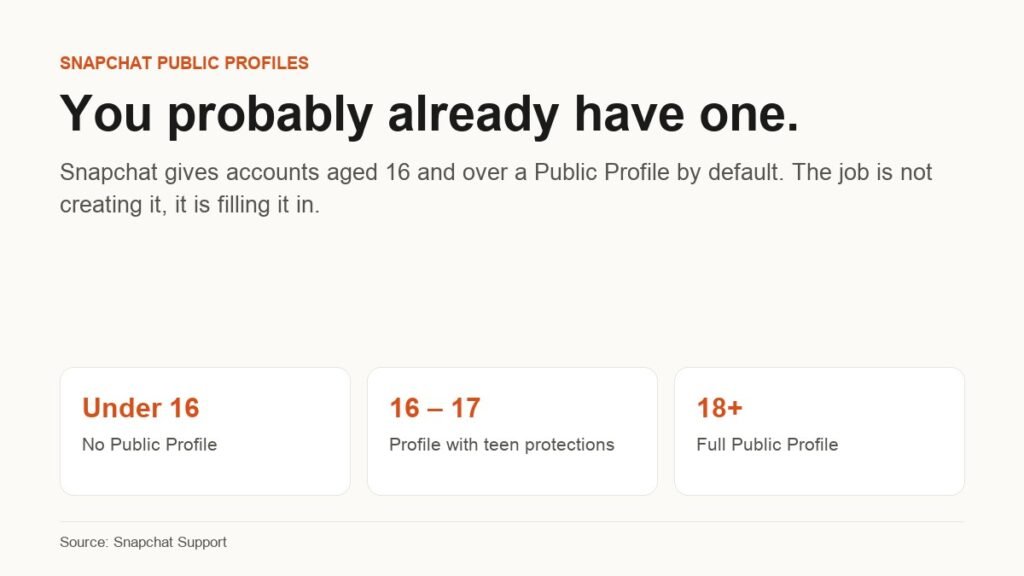
The instruction most people are looking for when they search this does not exist any more. There is no button that creates a Snapchat Public Profile, because Snapchat creates one for you. Any account aged 16 or over gets a Public Profile by default, and the company publishes a separate help page for people who discover one they never asked for.
What is left is a genuinely useful job: check whether yours exists, set it up so it is worth finding, and understand exactly what becomes visible to strangers when you start posting to it. Everything below is taken from Snapchat’s own support documentation, read on 17 September 2026.
Check Whether You Already Have One Before You Do Anything
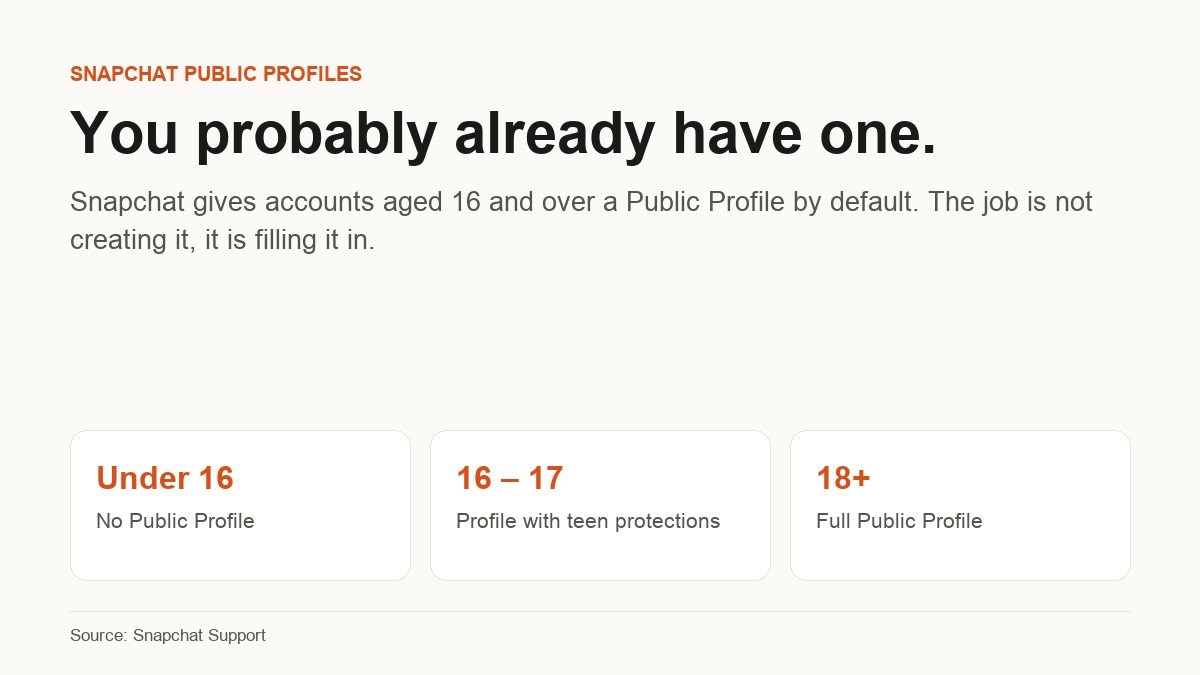
Snapchat’s Public Profile help page states it directly: Snapchatters aged 16 and over have a Public Profile by default, but can decide whether or not they use it. Snapchat even maintains a help article devoted to people who find one they never made, which tells you how routinely this catches people by surprise.
The distinction that matters is between having one and using one. An empty Public Profile is inert. The moment you add a photo and a bio and start posting publicly, it becomes a page that anyone on Snapchat can look at, as opposed to your personal profile, which only friends can see.
To check: open Snapchat, tap your Bitmoji in the top left, and look for My Public Profile. If it is there, you have one. If it is not, skip ahead to the eligibility section, because the reason will be one of two things.
Setting It Up, Step by Step
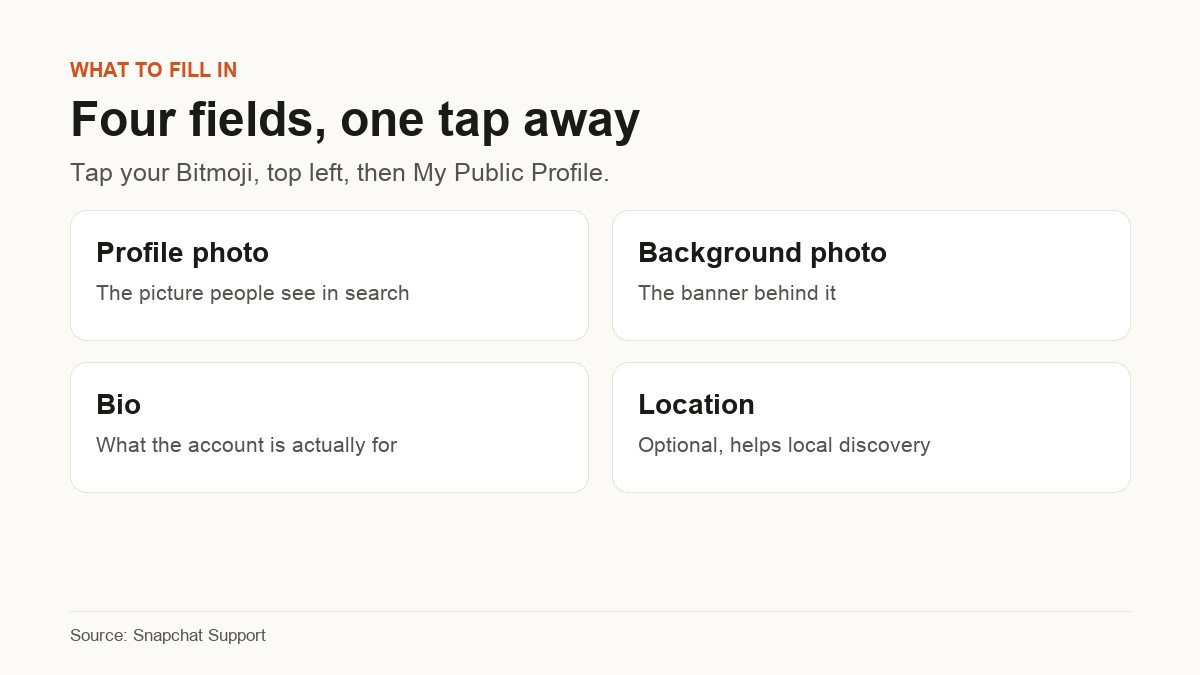
Snapchat names four fields to complete. None of them takes long, and the whole thing is reachable from a single tap.
- Tap your Bitmoji in the top left corner of the Snapchat screen.
- Select My Public Profile.
- Add a profile photo. This is the image that represents you anywhere the account appears to someone who is not a friend.
- Add a background photo, the banner that sits behind it. It is the largest space on the page, so it is the one place a message rather than a picture will actually be read.
- Write a bio. Assume the reader has no idea who you are, because on a public page that is the default.
- Add a location if anything you do is tied to one, and leave it blank if the account is personal.
There is no review queue, no application and no waiting period for a standard Public Profile. The changes are live as soon as you save them.
What Becomes Public the Moment You Use It
This is the part worth slowing down for, because the answer is narrower than people assume and Snapchat is specific about it.
First, the reassuring part. Snapchat states that creating a Public Profile does not change any existing contact or Story privacy settings. Turning the profile on does not quietly unlock your account, and your public Story is held separately from My Story so the two audiences never merge by accident.
Second, what the page can carry. Per Snapchat’s feature breakdown, a standard Public Profile supports a photo, bio, description, location, Stories and Lenses, lets other Snapchatters subscribe to you, shows your subscriber count, gives you insights on public Stories, Lenses and audience, keeps a public Story separate from My Story, and enables public Story replies and quoting.
Third, what it does not carry unless you have a Creator Account: a website link, a public email address, a category for the profile, a Chat button, Story notifications for subscribers, and the ability to assign roles to other people. Snapchat says explicitly that a standard Public Profile cannot select a category, which is the limitation people notice first.
Anything you post publicly is also bound by Snapchat’s Community Guidelines, and a history of breaking them can cost you the profile entirely. If you are moving an account towards something more business-shaped, it is worth treating the login with the same care as any other, which is a good argument for a password manager rather than a reused password.
The Eligibility Rules That Decide Whether You Get One
About Profiles on Snapchat and the main Public Profile article give two reasons an account has no Public Profile, and no others.
- Being under 16. The stated minimum is 16 years old, and Snapchat adds that laws in your country or region may set a different minimum age. In some places the threshold is therefore higher.
- Past Community Guidelines violations. Snapchat says you may not have a Public Profile if you have broken its guidelines previously.
There is also a destructive edge case that is easy to trigger by accident. Snapchat states that if your birthday indicated you were 16 or older when you saved public content, and you later change your birthday to under 16, your Public Profile and all of its content will be deleted. That is a warning rather than a removal method, and it is worth knowing before anyone edits their date of birth to fix an unrelated problem.
What Snapchat Changes for 16 and 17 Year Olds
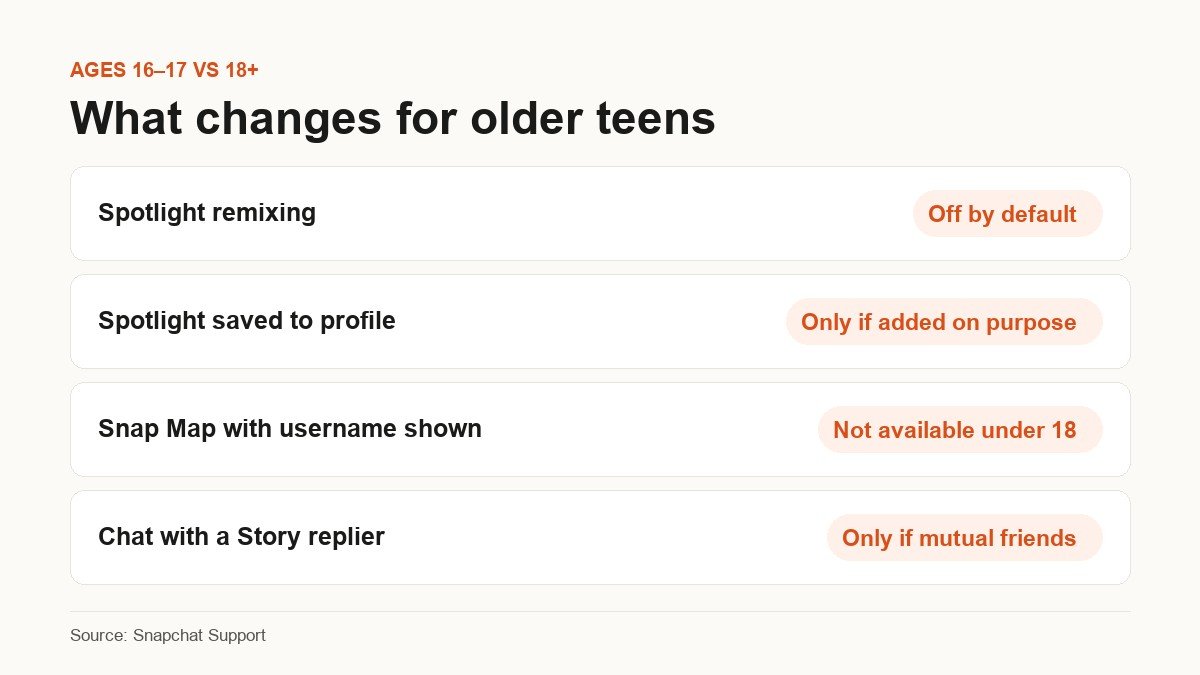
Older teens get a public content page with restrictions applied automatically. Snapchat sets out its teen posting rules and describes the whole arrangement as running with the highest privacy settings by default. The concrete differences against an adult account are these:
| Behaviour | Ages 16 to 17 | Ages 18 and over |
|---|---|---|
| Spotlight remixing | Off by default | Available |
| Spotlight Snaps on the Public Profile | Only if added deliberately | Saved by default |
| Posting to Snap Map with username or profile shown | Not available | Available |
| Chatting with someone who replies to a Story | Only if mutually accepted friends | Standard chat rules apply |
Inside those limits the feature set is broad. A 16 or 17 year old can add a profile photo, cover photo and bio to the public page, save Snaps to it, post videos to Spotlight with their username shown, post a public Story, view and quote Story replies and comments, and see analytics on their public Stories and Spotlights. Story replies can be switched off at any time.
Creator Features, Professional Accounts and Business Profiles
Three separate things, routinely treated online as one. Snapchat keeps them distinct:
- Professional Account. Described by Snapchat as a version of your Public Profile that some Snapchatters have access to, offering a choice of Creator or Business type. Restricted to ages 18 and over, and Snapchat notes it is a newer feature not yet available to everyone.
- Business Profile. Snapchat does not create these. Businesses build and run them themselves through Ads Manager, and the minimum age is 18. Snapchat’s own guidance is that if you have never used Ads Manager, your Public Profile is probably not a Business Profile.
- Snap Star. A separate status again. Snapchat lists account engagement, authenticity, content quality, and notability and cultural relevance among the factors, and says a Public Profile is only one part of what it takes.
For eligibility on Creator features, Snapchat’s guidance is that an account needs a Public Profile, must post actively to Stories and Spotlight, and must have grown an audience. There is no published subscriber number that flips the switch, which means the practical route is to fill the profile in and post consistently. Platform rules shift regularly, as anyone following the churn on Instagram will recognise.
Frequently Asked Questions
How do I make a public profile on Snapchat if the option is missing?
You cannot force one. The two reasons Snapchat gives for an account having no Public Profile are being under the minimum age, which is 16 unless local law sets it higher, and having violated Community Guidelines in the past. Neither has a workaround, and changing your stated birthday to a higher age is not one.
Will my friends be notified when I start using my Public Profile?
Snapchat does not describe any notification for filling in a Public Profile. What changes is that the page becomes worth looking at, and that public content you post afterwards has somewhere to live. Existing contact and Story privacy settings are untouched.
Can I turn my Public Profile off?
Snapchat frames it as something you have and can decide whether or not to use, rather than a switch with an off position. In practice, leaving it empty and not posting publicly is the version of off that the product offers. The only documented route to outright deletion is an age change to under 16, which also destroys the content on it.
Does a Public Profile show my location to strangers?
Only if you add one to the profile, and it is an optional free-text field rather than live location. Snap Map is a separate feature with separate settings, and posting to Snap Map with a username or profile attached is not available to anyone under 18.
Do subscribers see the same thing as friends?
No, and that is the point of the split. Friends see your personal profile and My Story. Subscribers see the Public Profile and the public Story, which Snapchat deliberately keeps separate from My Story so that the two audiences never overlap unless you post to both.
Related Articles

Get the Fox Bulletin briefing
The stories that matter, in your inbox. No spam, unsubscribe anytime.
Newsletter signup will be available soon.
Related stories
Linktree Alternatives: Picking One by What Your Page Has to Do
Six Linktree alternatives compared by the job the page has to do, from a nine-dollar-a-year site builder to a booking page that takes card payments. Every price read from the vendor’s own page.
What Does the Green Dot Mean on Snapchat?
Snapchat’s green dot is the Activity Indicator and it is switched on by default. What it actually reports, why it appears and vanishes on its own, and the four taps that turn it off.
Free Evernote Alternative: 5 Options, 3 Genuinely Free Forever
Obsidian, Joplin, Standard Notes, Notion and the built-in notes apps compared on what free actually covers, plus how to export your Evernote library without losing attachments.