

Xbox Cloud Gaming runs the game on a server in a data centre and sends you the video, which means the phone in your hand only has to decode a stream and send your button presses back. That is why a four-year-old handset can run a game built for a console, and why the thing that decides whether it feels good is your connection rather than your chipset.
It is also the cheapest way into a large library, because there is nothing to download and no console to buy. What changed this year is the shape of the plans. Cloud streaming used to be unlimited on the plans that included it, and the current plan pages list a monthly allowance in hours instead. Here is what each tier costs, what the allowance actually covers, and how to get a game running on a phone in about three minutes.
What each Game Pass plan costs and how many hours it carries
There are four plans and three of them include streaming. Microsoft lists the following on its US Game Pass plan page, with cloud playtime stated per month rather than as an unlimited benefit.
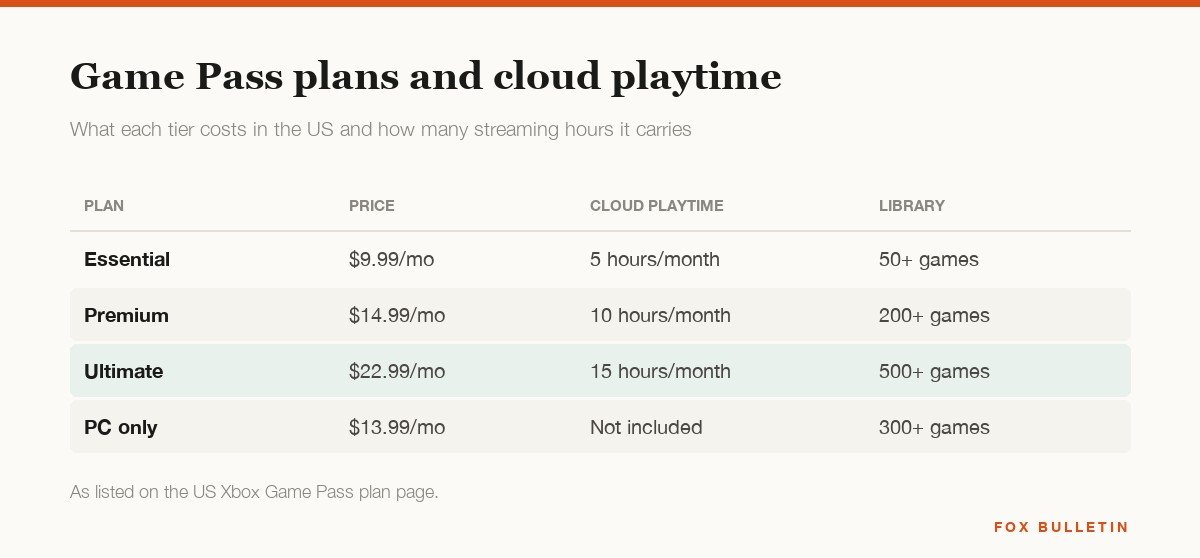
A few things are worth reading off that carefully. PC Game Pass at $13.99 does not include cloud streaming at all, so it is the wrong plan for anyone whose main screen is a phone. Essential at $9.99 includes five hours a month, which is a trial rather than a way to play, and the fifteen hours on Ultimate works out at roughly half an hour a day. Hours can be topped up from the Xbox Store if you run out, and that purchase does not require a subscription at all.
The allowance applies to streaming only. Games you download to a console, a PC or a handheld are not metered, so a household that mostly downloads and occasionally streams on the train is barely affected by it. A household with no console, streaming to a TV every evening, will clear fifteen hours in the first week.
Which devices can stream, and which need a browser
The split that matters is app versus browser. Consoles, Windows PCs, smart TVs, handhelds and Meta Quest headsets run a real Xbox app. Everything Apple makes, plus Android, Chromebooks and the Steam Deck, go through a browser at xbox.com/play, because that is how Microsoft worked around the app store rules on streaming catalogues.
| Device | How you play | Minimum version |
|---|---|---|
| iPhone and iPad | Browser at xbox.com/play | iOS or iPadOS 14.4 and later |
| Android phones and tablets | Browser, or the Xbox app | Android 12.0 and later |
| Windows PC | Xbox app or browser | Windows 10 version 20H2 and later |
| Mac | Browser | macOS 14.1.2 and later |
| Xbox consoles | Built into the library | Xbox One and later |
| Smart TVs | Xbox app on the TV | LG, Samsung and Amazon sets |
| Handhelds | Xbox app | ROG Xbox Ally, Logitech G Cloud, Razer Edge |
| Meta Quest | Xbox app in the headset | Quest 2, Pro, 3 and 3S |
Browser play is not a lesser experience. The stream, the save files, the achievements and the controller support are identical, and the only real difference is that you add the page to your home screen rather than installing something. Steam Deck support is still in beta and needs Microsoft Edge installed from desktop mode, which is more work than the rest of this list combined.
The connection matters more than the phone
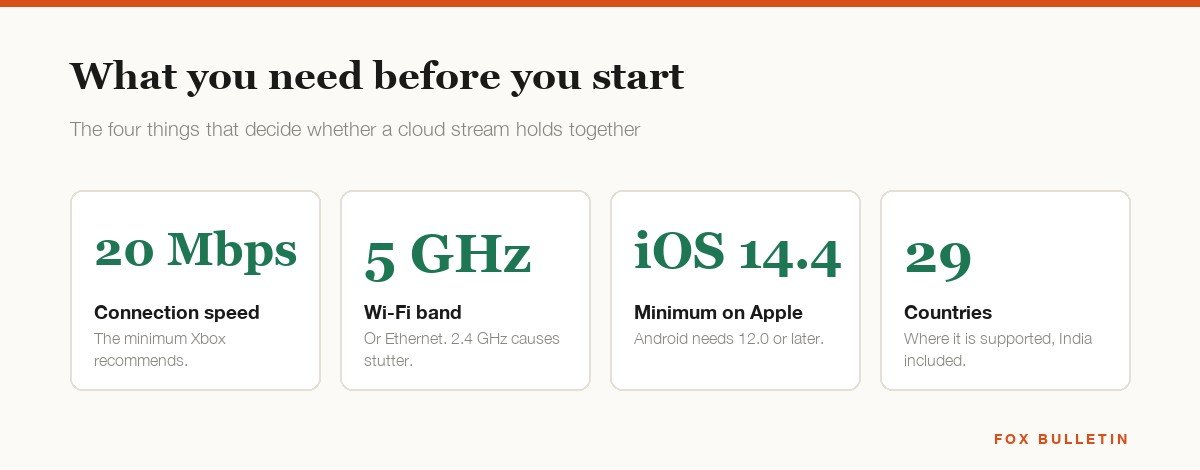
Xbox recommends at least 20 Mbps for a stable stream and a wired Ethernet connection where one is available. On a phone that means 5 GHz Wi-Fi or 5G, and the single most common cause of a stuttering stream in a house with fast broadband is a dual-band router quietly handing the phone the 2.4 GHz network instead.
Latency is the other half and it is not the same as bandwidth. A 200 Mbps line with a congested uplink will feel worse than a clean 30 Mbps one, because what you notice is the delay between pressing a button and seeing the result. Slower games absorb that comfortably. Anything built on precise timing, which is to say fighting games and competitive shooters, will feel a beat behind no matter how good the connection is, and that is a property of streaming games over a network rather than a fault in this service.
Streaming also runs the phone hard, because the screen is at full brightness, the radio is working constantly and the decoder never stops. An hour of cloud gaming will warm a phone as much as an hour of a native game, so the advice in our guide to a phone that keeps overheating applies here too.
Getting a game running on a phone
On an iPhone or an Android phone the whole process is a browser and a controller. It takes longer to read than to do.
- Open Safari on iOS or Chrome on Android and go to xbox.com/play, then sign in with the Microsoft account that holds your subscription.
- Open the browser menu and choose Add to Home Screen, which gives you an icon that opens straight into the library without the address bar.
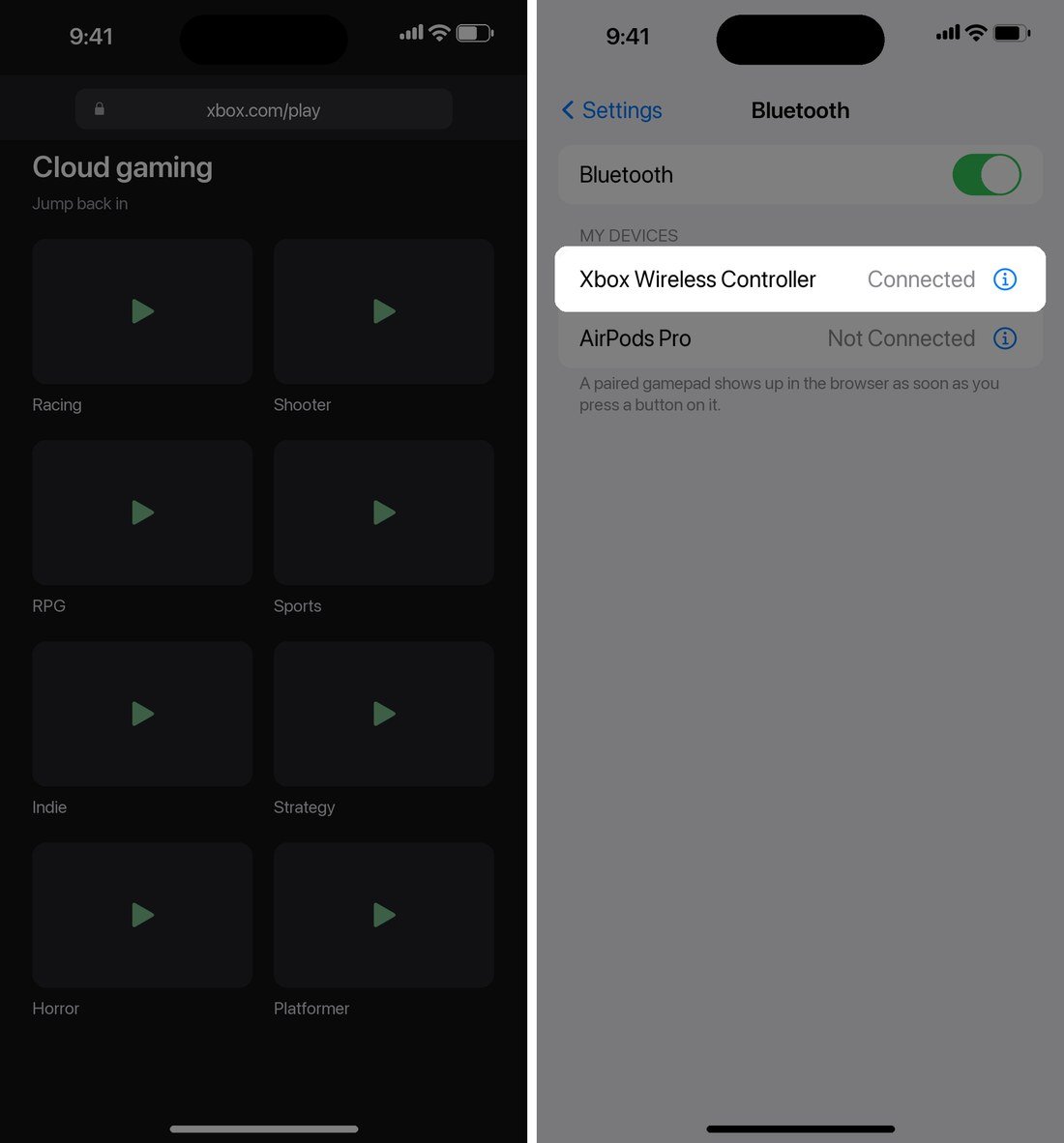
- Put your controller into pairing mode and connect it under Settings, then Bluetooth. Xbox, PlayStation DualSense, 8BitDo, GameSir and Backbone pads all work.
- Pick a game from the cloud library and wait for the queue, which is usually seconds rather than minutes outside peak evenings.
- If nothing responds, press a button on the pad while the game is on screen, since the browser only binds the controller once it sees input from it.
A clip-on controller that grips the phone is the difference between a novelty and something you actually use, because holding a separate pad while a phone balances on a table gets old quickly. Touch controls exist for a subset of the library and work well enough for slower games, though almost nothing competitive is playable with them.
What you can actually play
Two separate libraries sit behind the same page. The first is the Game Pass catalogue, where more than two thirds of the titles are enabled for streaming. The second is your own purchases: a long list of games you already own on Xbox can be streamed whether or not they are in Game Pass, with progress and saves shared across every device, which is the part people most often miss.
Ultimate adds EA Play and Ubisoft+ Classics on top, both of which bring their own cloud-playable titles. The practical test before subscribing is to open the cloud gaming library and check that the specific games you want are marked as streamable, because a title being in Game Pass does not guarantee it. If what you want is the big single-player releases on an iPhone without a subscription at all, our roundup of the best AAA games on iPhone covers the native ports instead.
Where cloud gaming is worth it and where it is not
It is worth it when you have a good connection, a controller and no console. It is a poor deal when any of those three are missing, and the hour allowance makes that sharper than it used to be.
- Good fit: trying a big game before committing to a 90 GB download, playing on a hotel TV, or getting a console library onto a tablet.
- Good fit: a second screen in a house where the console is already in use by someone else.
- Poor fit: competitive shooters and fighting games, where the input delay is structural rather than fixable.
- Poor fit: a metered or capped home connection, since an hour of streaming moves several gigabytes.
- Poor fit: anyone whose main use is daily evening play, where fifteen hours a month runs out around the middle of the second week.
If the answer is that you want to play on a phone every day, the maths usually favours native games and a cooler over a subscription and a stream. Our comparison of the best mobile coolers for gaming covers that side of it.
Frequently Asked Questions
Do you need a console for Xbox Cloud Gaming?
No. The game runs on Microsoft hardware in a data centre and streams to whatever screen you are using, so a phone, a tablet, a laptop or a smart TV is enough on its own. A console only matters if you also want to download games and play them offline.
Is there an Xbox Cloud Gaming app for iPhone?
There is no native iOS app for streaming the catalogue. You play through Safari or Chrome at xbox.com/play, and adding that page to your home screen gives you an icon that behaves much like an app. The Xbox app on iOS exists but handles chat, achievements and remote play rather than cloud streaming.
How much data does cloud gaming use?
Budget several gigabytes an hour at 1080p, and more on a plan streaming at higher quality. That is fine on home broadband and expensive on a capped mobile plan, so check your allowance before you make a habit of streaming on 5G.
Can you play Xbox Cloud Gaming without Game Pass?
Partly. Cloud playtime can be bought from the Xbox Store without a subscription, which lets you stream games you already own. What you do not get without a plan is the Game Pass catalogue itself.
Related Articles

Get the Fox Bulletin briefing
The stories that matter, in your inbox. No spam, unsubscribe anytime.
Newsletter signup will be available soon.
Related stories
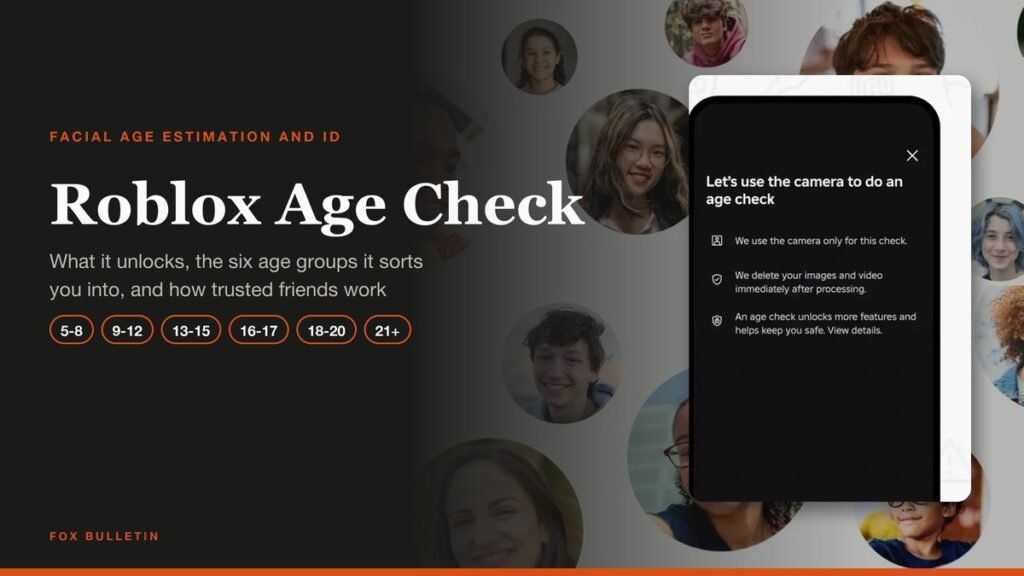
Roblox Age Check: How It Works and What It Unlocks
What a Roblox age check unlocks, the six age groups it sorts accounts into, the selfie and ID routes, what happens to the face scan, and how trusted friends change chat.
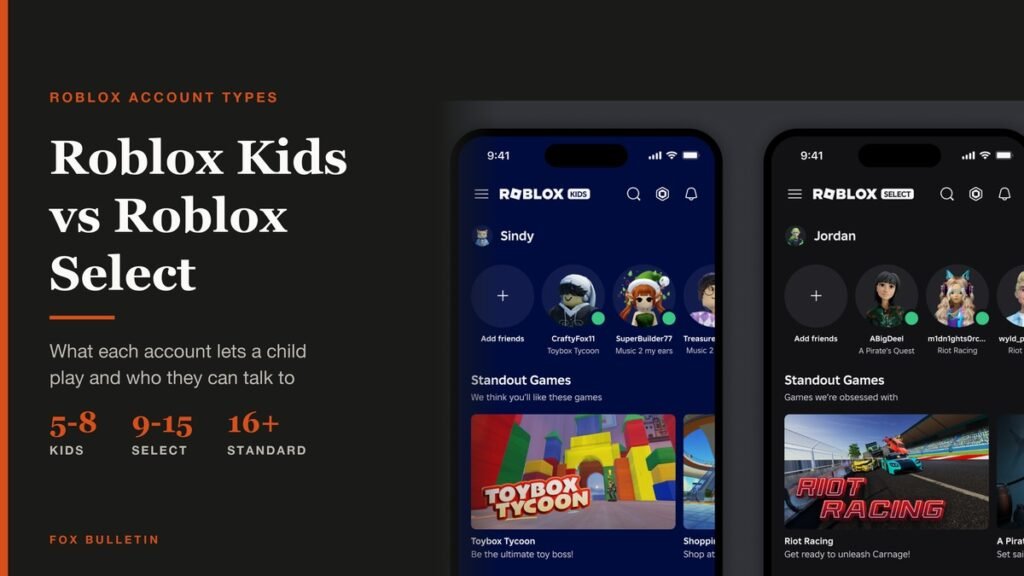
Roblox Kids vs Roblox Select: What Changes by Age
Roblox Kids covers ages 5 to 8 and Roblox Select ages 9 to 15. What each account type allows, from content ratings to chat defaults and parental controls.
Roll A Stickman Codes (October 2026)
The Roll A Stickman codes that pay instant rolls, potions and Trait Rerolls, and the group check you have to clear first.