

Sims 4 cheats are an official feature. Electronic Arts publishes the list on its own help pages, and the console that runs them is built into the game on PC, Mac, PlayStation and Xbox. Money, skills, careers, needs, build restrictions and death can all be changed with a line of text, and the only real cost is that enabling cheats on a console disables achievements and trophies for that save.
This guide lists every cheat EA documents, grouped by what it does, with the exact command to type. It starts with how to open the console on each platform, because several of the most useful cheats refuse to work until testingcheats is switched on first.
| Cheat | What it does | Needs testingcheats |
|---|---|---|
| kaching or rosebud | Adds 1,000 Simoleons | No |
| motherlode | Adds 50,000 Simoleons | No |
| money [number] | Sets household funds to that exact amount | Yes |
| FreeRealEstate on | Makes every lot free on the world map | No |
| bb.moveobjects on | Place objects anywhere, overlapping or off-grid | No |
| bb.enablefreebuild | Build on locked lots such as the hospital | No |
| bb.showhiddenobjects | Shows hidden catalogue items, including ended event items | No |
| bb.ignoregameplayunlocksentitlement | Unlocks career rewards in Build and Buy | No |
| stats.set_skill_level [skill] [level] | Sets a skill to the level you type | Yes |
| careers.promote [career] | Promotes the active Sim one rank | Yes |
| sims.fill_all_commodities | Fills every need for the active Sim | Yes |
| death.toggle false | Turns death off for the save | Yes |
| cas.fulleditmode | Reopens Create a Sim with every option | Yes |
| resetSim [first] [last] | Unsticks a frozen Sim | No |
How to Open the Cheat Console on PC, Mac, PlayStation and Xbox
On PC press Ctrl, Shift and C together while in the game; on Mac the same combination works with Command in place of Ctrl. A thin text bar appears at the top of the screen. Type the cheat, press Enter, and press the same keys again or Esc to close it.
On PlayStation and Xbox hold all four shoulder buttons at once, L1, L2, R1 and R2 or LB, LT, RB and RT, to open the same bar, and an on-screen keyboard appears for typing. EA’s official cheats page notes that a mouse and keyboard plugged into a console can use Ctrl, Shift and C instead.
Several cheats work by shift-clicking a Sim or an object after testingcheats is on. On PlayStation that gesture is holding Circle and pressing X; on Xbox it is holding B and pressing A. Type testingcheats true once per session to unlock those menus, and testingcheats false to close them again.
- PC: Ctrl + Shift + C
- Mac: Command + Shift + C
- PlayStation: L1 + L2 + R1 + R2; shift-click is Circle + X
- Xbox: LB + LT + RB + RT; shift-click is B + A
Sims 4 Money Cheats
The money cheats are the ones everyone knows, and none of them needs testingcheats. Type kaching or rosebud for 1,000 Simoleons, or motherlode for 50,000. They stack, so entering motherlode ten times gives half a million.
For an exact balance, turn on testingcheats and type money followed by a number; money 500000 sets the household to exactly that, and money 0 wipes it for a rags-to-riches start. FreeRealEstate on, entered from the world or neighbourhood screen, makes every lot free to move into, and FreeRealEstate off restores prices.
Bills can be switched off outright with household.autopay_bills true, which stops the utilities ever being cut off, and back on with the same command ending in false.
Skill, Career and Aspiration Cheats

Skills use one command: stats.set_skill_level, then the skill’s internal name, then the level. Most skills run from 1 to 10, so stats.set_skill_level Major_Logic 10 maxes Logic. A handful of minor skills stop at 5, and the command silently caps there. Testingcheats must be on first.
| Skill | Command name | Max level |
|---|---|---|
| Charisma | Major_Charisma | 10 |
| Cooking | Major_HomestyleCooking | 10 |
| Gourmet Cooking | Major_GourmetCooking | 10 |
| Fitness | Skill_Fitness | 10 |
| Gardening | Major_Gardening | 10 |
| Handiness | Major_Handiness | 10 |
| Logic | Major_Logic | 10 |
| Painting | Major_Painting | 10 |
| Guitar | Major_Guitar | 10 |
| Fishing | Major_Fishing | 10 |
| Mischief | Major_Mischief | 10 |
| Dancing | Minor_Dancing | 5 |
Careers have three commands. careers.promote followed by the career name moves the active Sim up one rank, careers.demote moves them down, and careers.remove_career makes them quit. The career name is the in-game one with no spaces, such as careers.promote Astronaut. Promoting repeatedly climbs to the top of the branch.
Aspirations have one shortcut: aspirations.complete_current_milestone finishes the milestone the Sim is on and awards its satisfaction points. To buy rewards without the grind, sims.give_satisfaction_points 5000 adds the number you type to the active Sim.
Needs, Moods and Death Cheats
sims.fill_all_commodities fills every need bar for the active Sim, and stats.fill_all_commodities_household does it for the whole household. sims.remove_all_buffs clears every moodlet and returns the Sim to a neutral mood, which is the quickest way out of a tense or sad spiral.
The shift-click menus do the same things interactively once testingcheats is on. Shift-click a Sim for Make Happy, or open Cheat Need and choose Disable Need Decay so needs never fall again. Shift-click the ground for Teleport Me Here, and shift-click an object for Make Dirty or Make Clean.
Death is a toggle. death.toggle false makes every Sim in the save immortal, including elders, and death.toggle true restores the Grim Reaper. A stuck or glitched Sim is fixed with resetSim followed by the first and last name, which needs no testingcheats.
- sims.fill_all_commodities: every need for the active Sim
- stats.fill_all_commodities_household: every need for everyone
- sims.remove_all_buffs: clear all moodlets
- death.toggle false: no one dies
- cas.fulleditmode: edit any Sim completely, including traits and age
Build and Buy Mode Cheats
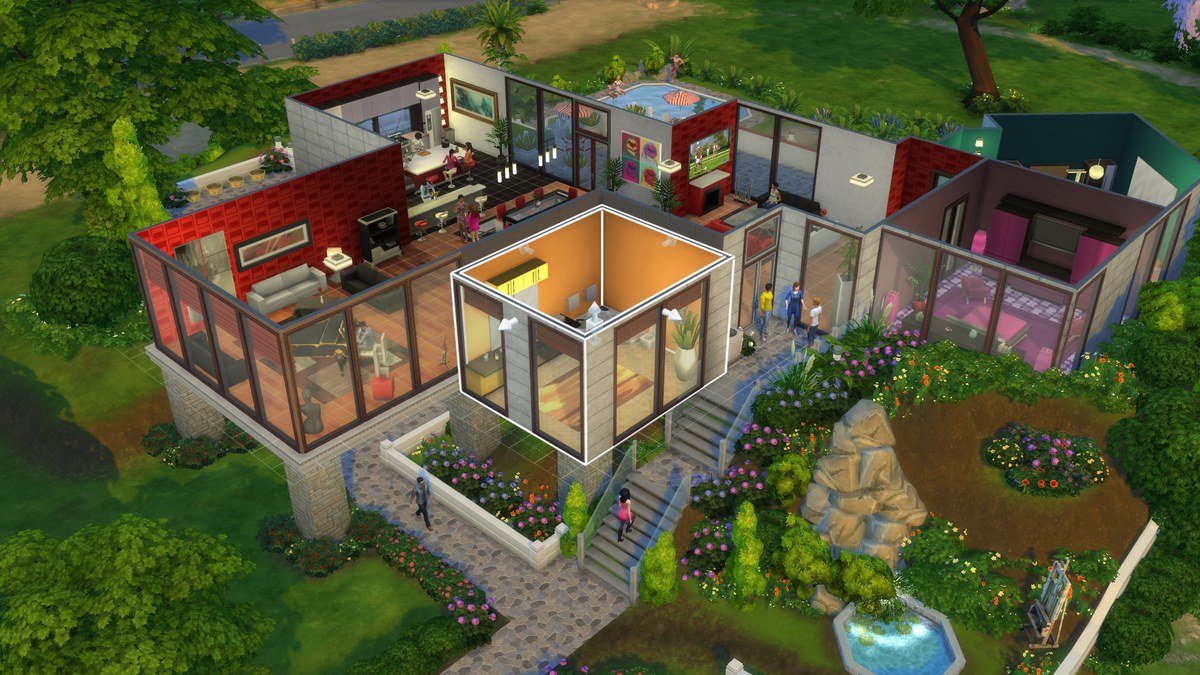
Build cheats work in Live Mode too, but you need to be in Build Mode to see their effect, and none of them needs testingcheats. bb.moveobjects on removes placement rules so objects can overlap, float or sit off the grid; hold Alt while dragging for free rotation and the 9 and 0 keys to raise or lower a placed object.
bb.enablefreebuild opens locked lots such as the hospital, police station and science lab for editing. bb.showhiddenobjects adds debug items to the catalogue, including plants, rocks and items from ended seasonal events, and bb.ignoregameplayunlocksentitlement unlocks every career reward object without reaching the rank that earns it.
On consoles, objects can be resized without a text command: hold L2 and R2 on PlayStation or LT and RT on Xbox and press up or down on the D-pad. On PC the same resize is the square bracket keys. Build cheats do not affect achievements or trophies, so console players can use them freely.
Career Names and Pack Cheats
The career commands take the career’s name as a single word. The base game careers are Astronaut, Athlete, Business, Criminal, Culinary, Entertainer, Painter, Secret Agent, Tech Guru and Writer, so careers.promote TechGuru and careers.promote SecretAgent are the forms the console accepts. Repeating the command climbs to the top of whichever branch the Sim has chosen.
Expansion and game packs add their own skills and careers, and EA documents those on each pack’s page rather than the base list. The pattern is the same: stats.set_skill_level with the pack’s skill name, careers.promote with the pack’s career name. The base game itself has been free to download since October 2022, and the Steam store page lists which packs are included in each bundle.
Cheats also work in a save that uses mods, but a mod that overrides the same system can block them. If a documented cheat does nothing, disable script mods, type testingcheats true again and retry before assuming the command has changed. Capitalisation does not matter, but spelling and the underscores in skill names do, and the console shows nothing when a command is simply ignored.
What Cheating Does to Achievements and Trophies
EA’s rule is specific. On PlayStation and Xbox, entering testingcheats true disables achievements and trophies for the current save only; other saves are unaffected, and build mode cheats never disable them. On PC there is no penalty at all, since Steam and EA app achievements keep working with cheats on.
If you want trophies on a console, keep a clean save and do your experimenting in a separate one. The same applies to money: motherlode on its own does not need testingcheats and so does not disable trophies, but the exact-amount money command does. For other long-running games with official cheat consoles, our Minecraft commands guide covers the equivalent commands in Minecraft, and The Sims 4 itself sits alongside the free PC games the launchers hand out each week.
Frequently Asked Questions
What is the Sims 4 cheat for money?
motherlode adds 50,000 Simoleons, and kaching or rosebud add 1,000. With testingcheats on, money followed by a number sets the household balance to that exact figure.
How do you enable cheats in Sims 4?
Open the console with Ctrl + Shift + C on PC, Command + Shift + C on Mac, or all four shoulder buttons on PlayStation and Xbox, then type testingcheats true and press Enter.
Do Sims 4 cheats disable achievements?
Only on consoles, and only after testingcheats true in that save. Build mode cheats and the basic money cheats do not disable them, and PC achievements are never affected.
How do you max a skill in Sims 4?
With testingcheats on, type stats.set_skill_level, the skill’s internal name and the level, for example stats.set_skill_level Major_Painting 10. Minor skills such as Dancing cap at 5.
Related Articles

Get the Fox Bulletin briefing
The stories that matter, in your inbox. No spam, unsubscribe anytime.
Newsletter signup will be available soon.
Related stories

Fortnite Festival: Modes, Music Pass and What Epic Cut
What Fortnite Festival is on 5 November 2026: Main Stage and Jam Stage, the removed Battle Stage, how songs are kept, and what the Music Pass costs.

LEGO Fortnite Modes: Odyssey, Brick Life and Islands
LEGO Fortnite is a hub of separate experiences. Here is what Odyssey, Brick Life and LEGO Islands do, how they differ, and which one to start with.
Fortnite Crew: What You Get and What You Keep If You Cancel
What Fortnite Crew includes at $11.99 a month on 5 November 2026, what Epic changes on 5 December 2026, and exactly what stays yours if you cancel.