

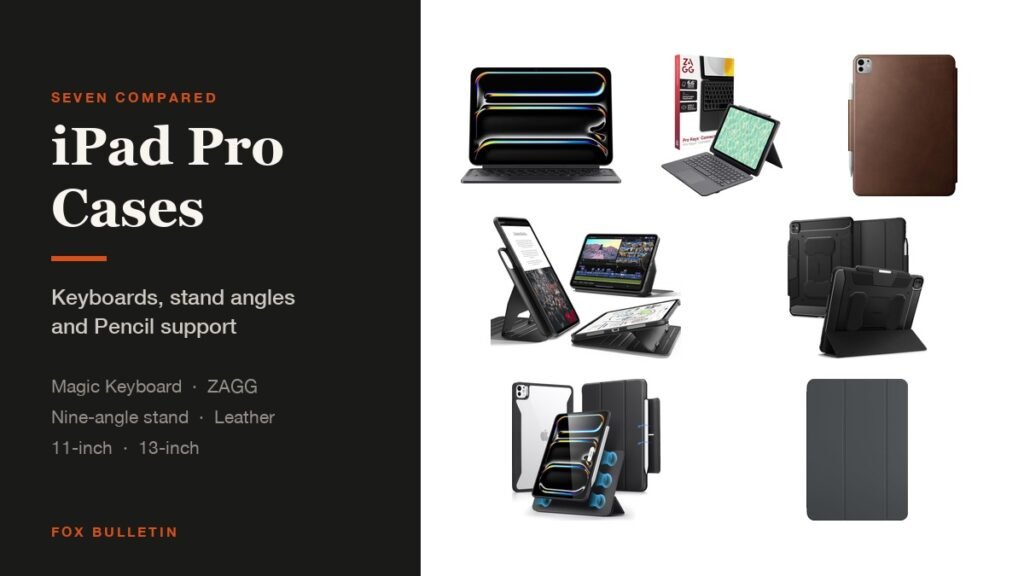
The best iPad Pro case comes down to one question: is the tablet a laptop or a canvas? If you type on it, Apple Magic Keyboard is still the benchmark and the ZAGG Pro Keys Connect is the cheaper route with no batteries to charge. If you draw on it, a detachable magnetic stand with flat writing angles beats any folio.
All seven here are cut for the M4 and M5 Pro, which share a shell at each size, and the 11-inch and 13-inch models take different cases. The table sets out which pick covers which:
iPad Pro Cases Compared: Keyboards, Angles and Pencil Support
Stand behaviour is what separates these once protection is taken for granted:
| # | Case | Fits | Type | Stand | Best for |
|---|---|---|---|---|---|
| 1 | Apple Smart Folio | 11-inch Pro M4, M5 | Thin folio | Folding cover | Keeping it thin |
| 2 | Apple Magic Keyboard | 11-inch Pro M4, M5 | Keyboard with glass trackpad | Two-cantilever hinge | Serious typing |
| 3 | ZAGG Pro Keys Connect | 13-inch Pro M4, M5 | USB-C keyboard, no battery | Kickstand | Typing with no pairing |
| 4 | ESR Rebound 360 | 11-inch Pro M4, M5 | Rotating magnetic folio | Six use modes | Switching orientation |
| 5 | ESR Magnetic Stand | 13-inch Pro M4, M5 | Detachable magnetic stand | Nine angles | Drawing and viewing |
| 6 | Spigen Rugged Armor Pro | 13-inch Pro M4, M5 | Rugged tri-fold | Tri-fold cover | Protection with a Pencil |
| 7 | NOMAD Modern Leather Folio | 11-inch Pro M4 | Full-grain leather | Folds to kickstand | A leather finish |
1. Apple Smart Folio: The Thinnest iPad Pro Case
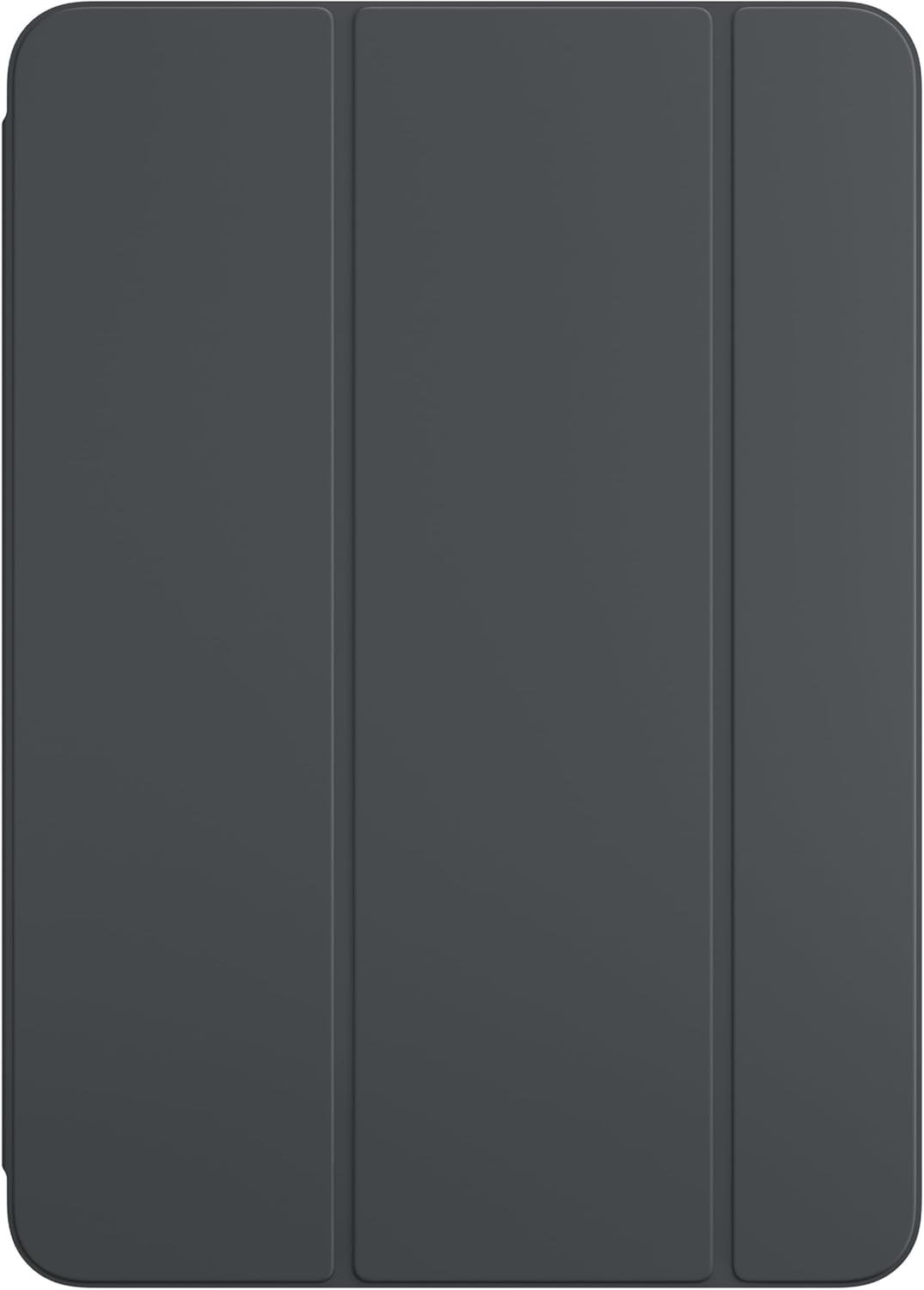
Apple keeps the Smart Folio for iPad Pro thin and light with front and back protection, and it wakes the tablet when opened and sleeps it when closed. This listing covers the 11-inch Pro with the M5 and M4 chips.
The M4 Pro was built to be the thinnest product Apple makes, and a thick case undoes . If that thinness is why you bought it, this is the only case that respects the decision. What you give up is any real impact protection: it guards against scratches and scuffs, not a drop onto a hard floor.
What it does well
- Adds almost nothing to the thickness
- Wakes and sleeps the screen
- Apple fit and finish
What to know before buying
- Minimal drop protection
- Costs more than third-party folios
2. Apple Magic Keyboard: The Best iPad Pro Case for Typing
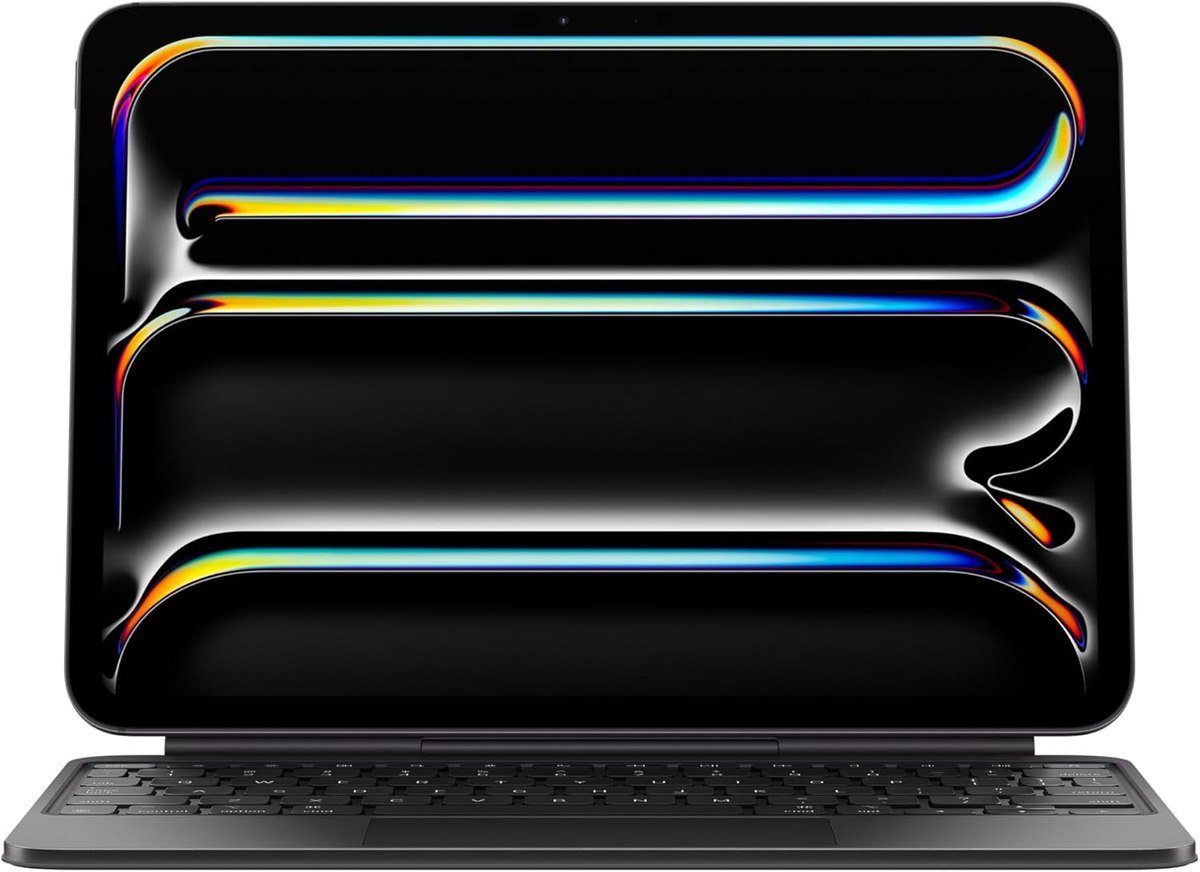
Apple builds this version around a glass trackpad with haptic feedback, backlit scissor-mechanism keys, a 10-key function row and USB-C pass-through charging, held on a two-cantilever hinge that adjusts the viewing angle. There is no pairing and nothing separate to charge.
Apple lists it for the iPad Pro 11-inch with M4 and M5. The haptic trackpad is the part that justifies the price over a cheaper keyboard case: cursor work in iPadOS is much closer to a laptop with it, and the function row removes most of the reaching up to the screen.
What it does well
- Glass trackpad with haptic feedback
- Backlit keys and a function row
- Pass-through charging, no pairing
What to know before buying
- The most expensive option by a wide margin
- Heavy enough to change what the tablet is
3. ZAGG Pro Keys Connect: Best iPad Pro Keyboard Case Without Batteries
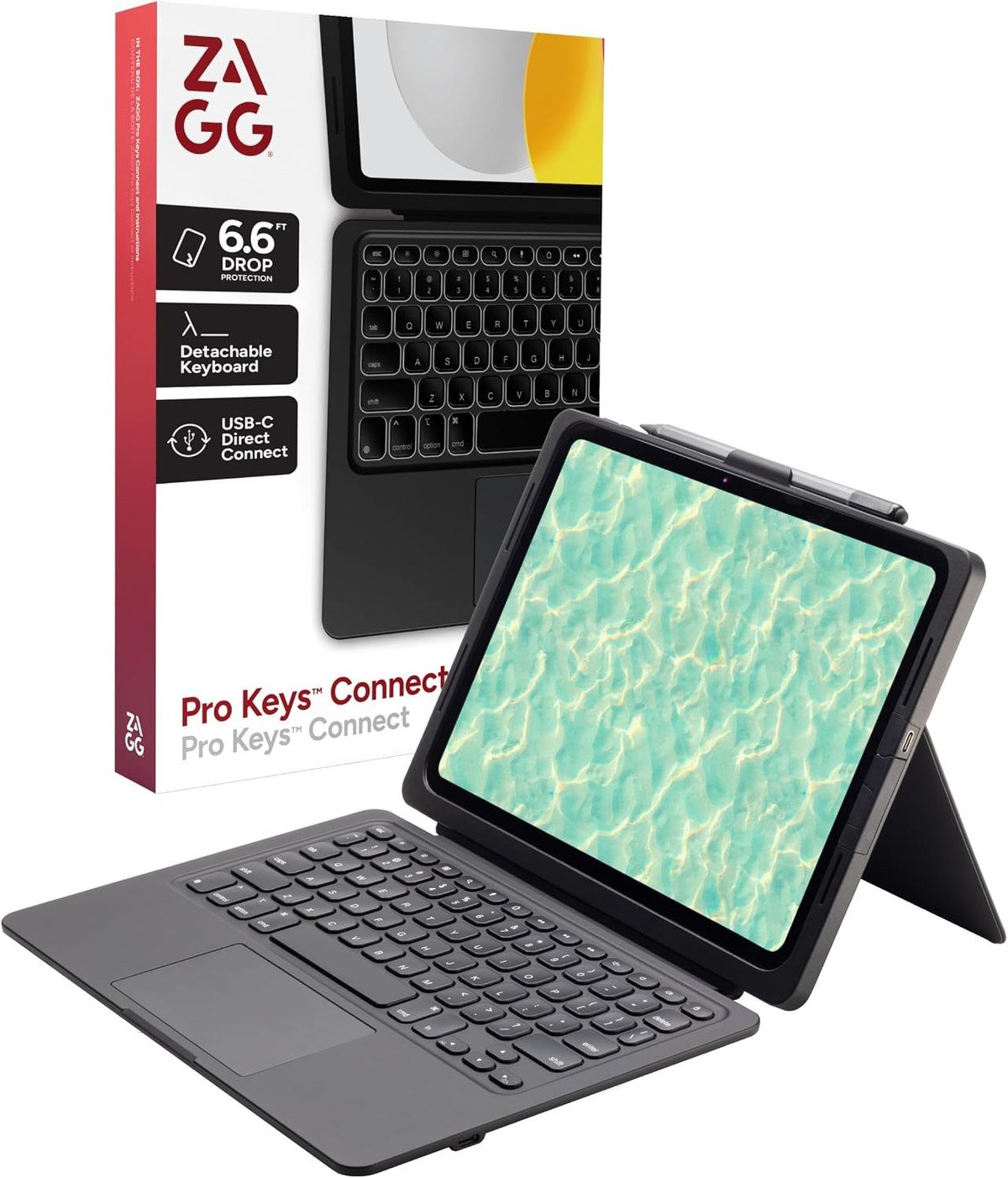
ZAGG takes a different route to the same job. The Pro Keys Connect uses a USB-C direct connection rather than Bluetooth, which removes both the pairing step and the keyboard battery, and pairs laptop-style keys with a built-in multi-touch trackpad.
This listing is for the 13-inch Pro with M5 and M4. A wired connection is the quiet advantage for anyone who has watched a Bluetooth keyboard drop out mid-sentence or die on a flight, and it means one less thing to remember to charge.
What it does well
- No pairing and no keyboard battery
- Trackpad included
- Cheaper than the Apple keyboard
What to know before buying
- Uses the tablet USB-C port
- Sold per size, so check the variant
4. ESR Rebound 360: Best iPad Pro Case for Switching Orientation
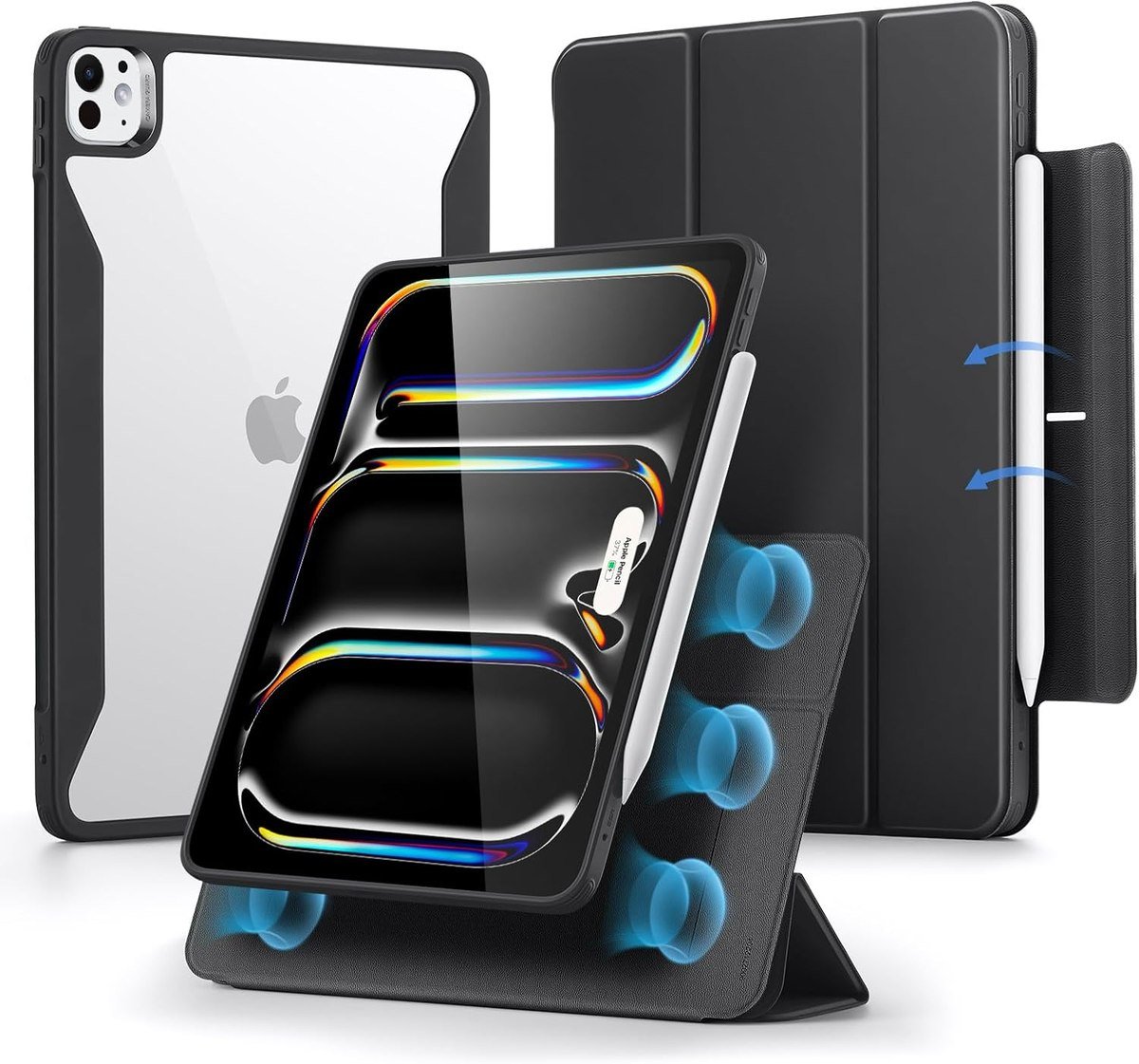
The Rebound 360 is built around a detachable magnetic cover that folds into a stand, with strong magnets holding it to the back case. ESR counts six use modes including adjustable portrait as well as landscape, which is rarer than it sounds: most folios only stand a tablet one way up.
Compatibility is exact, covering the 11-inch Pro with M5 in models A3357, A3358 and A3359 and with M4 in A2836, A2837 and A3006, and ESR says it fits nothing else. Portrait support matters for reading documents and for anyone using the Pro as a second display.
What it does well
- Stands in portrait as well as landscape
- Cover detaches entirely for drawing
- Exact model compatibility
What to know before buying
- More moving parts than a plain folio
- Magnets collect grit over time
5. ESR Magnetic Stand Case: Best iPad Pro Case for Drawing
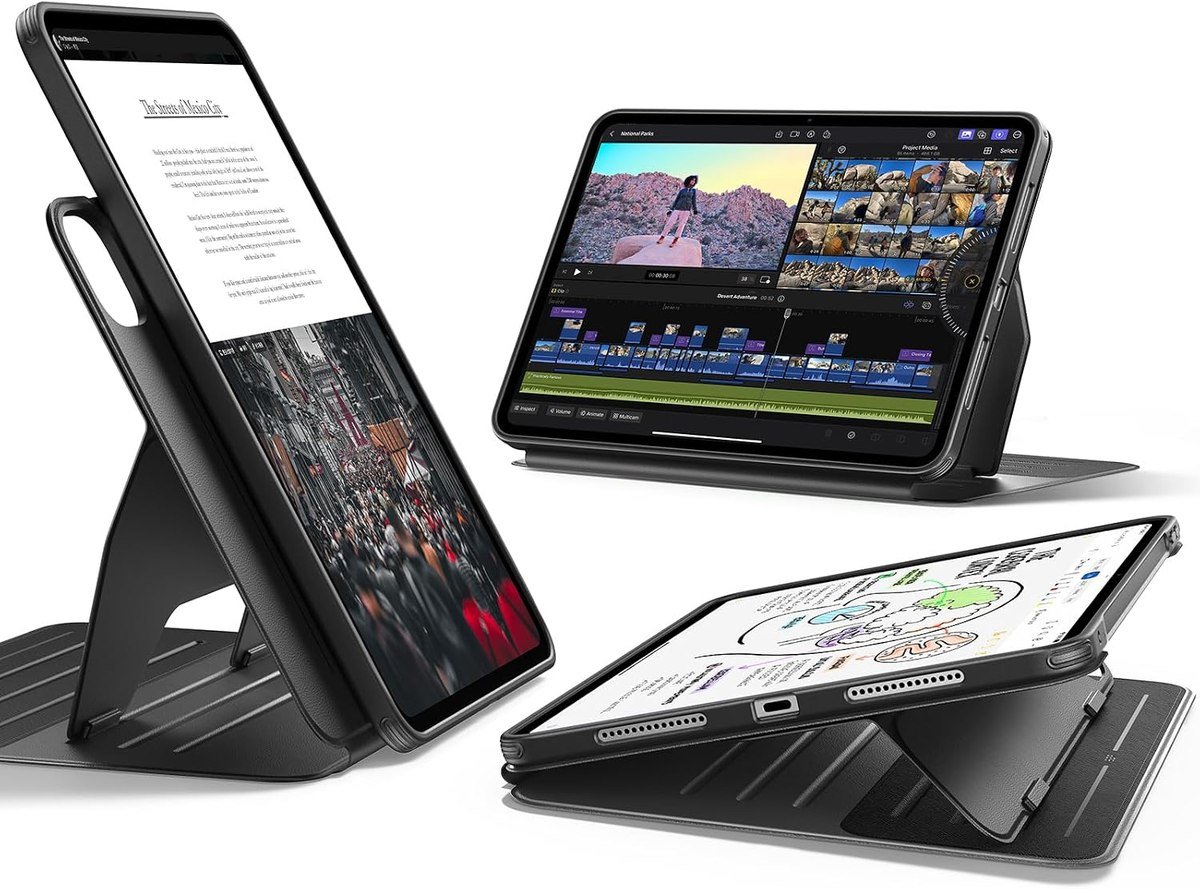
This is the most adjustable case here. ESR gives nine angles through dual support brackets locking into six magnetic grooves: six viewing angles from 30 to 75 degrees and three writing angles from 15 to 25 degrees. The wide brackets are what keep it stable on a lap rather than only on a desk.
It covers the 13-inch Pro with M5 in models A3360, A3361 and A3362 and with M4 in A2925, A2926 and A3007, and the cover detaches so the tablet can be held. The split between viewing and writing angles is the detail that matters: a stand that only offers upright positions is no use for drawing.
What it does well
- Nine angles, split for viewing and writing
- Stable enough for lap use
- Detaches for handheld work
What to know before buying
- Heavier than a plain folio
- 13-inch only in this listing
6. Spigen Rugged Armor Pro: Best Protective iPad Pro Case
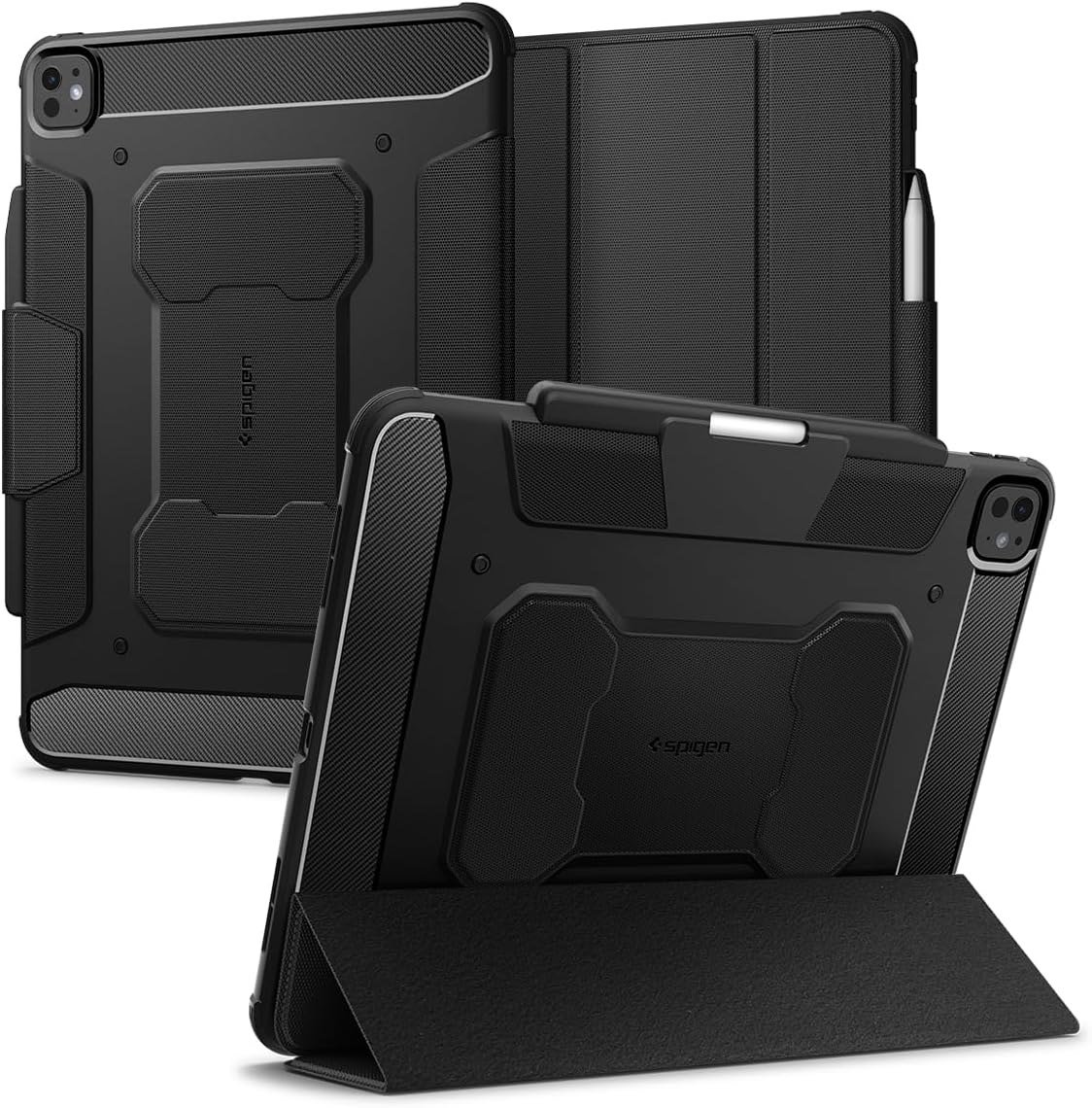
Spigen pairs a tri-fold cover with a rugged body in matte black with carbon fibre detailing, and says the textured surface improves grip and reduces fingerprints. A built-in holder keeps the Apple Pencil protected and within reach rather than relying on the tablet magnets alone.
It is the pick for a Pro that goes to sites, studios or lecture halls, where the risk is a knock rather than a catastrophic drop. The tri-fold still gives working angles, so you are not trading away the stand to get the protection.
What it does well
- Protective without being a brick
- Secure Pencil holder
- Matte texture resists fingerprints
What to know before buying
- Thicker than a folio
- Sold per size, so check the variant
7. NOMAD Modern Leather Folio: The Best-Looking iPad Pro Case
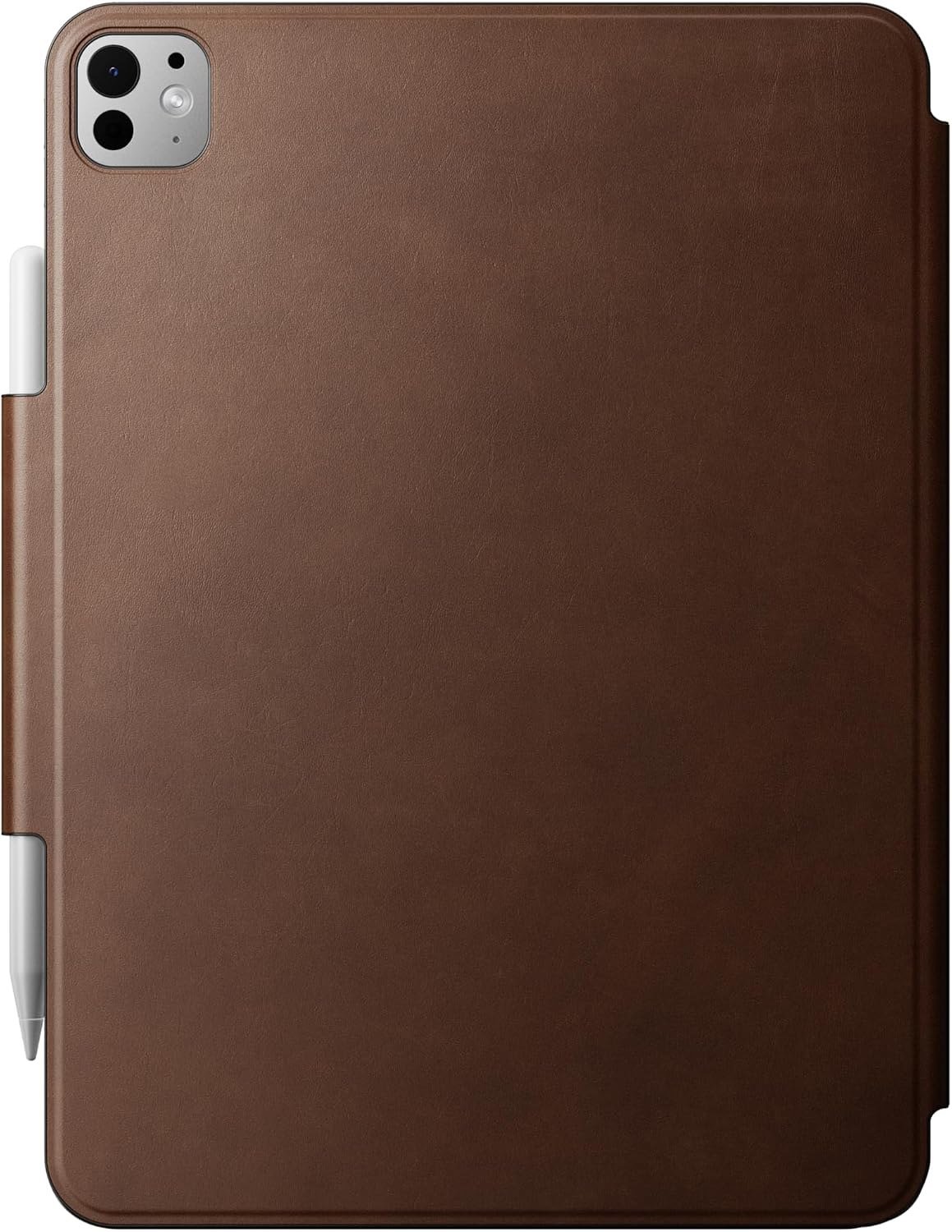
NOMAD makes this from sustainably sourced full-grain leather over a fibreglass frame, with a microfibre interior lining to keep the back from being scratched and a magnetic closure that drives wake and sleep. It folds into kickstand mode rather than lying flat.
NOMAD lists it for the 11-inch iPad Pro with M4 and for the Apple Pencil Pro and Apple Pencil with USB-C. Full-grain leather is the point: it marks and darkens with use, so the case looks better after a year than it did new, which is the opposite of how a plastic folio ages.
What it does well
- Full-grain leather that patinates
- Fibreglass frame keeps it rigid
- Supports both current Pencils
What to know before buying
- Leather and wet environments do not mix
- Listed for the M4 11-inch, so check your model
Getting the Size and Generation Right
The Pro is the model where buying the wrong case is easiest, because four different tablets look nearly identical. Five rules:
- The 11-inch and 13-inch Pro take different cases, and no brand makes one that stretches between them.
- The M4 and M5 Pro share a shell at each size, so cases list both chips together and a case bought for an M4 fits an M5.
- Pro cases do not fit an Air, even at the same screen size. The camera module and connector positions differ.
- Older Pro generations are a separate family again. An 11-inch Pro case from the 2018 to 2022 run will not fit an M4.
- Check the model number rather than the year, since Apple sells the two chips alongside each other.
The model numbers settle it. The 11-inch Pro with M5 is A3357, A3358 or A3359 and with M4 is A2836, A2837 or A3006; the 13-inch Pro with M5 is A3360, A3361 or A3362 and with M4 is A2925, A2926 or A3007. Find yours in Settings, then General, then About, and compare it with Apple list of iPad models. Our wider roundup of iPad cases across the range covers the Air, the base iPad and the mini, and the Air cases are a separate list for a reason.
Cases and the Apple Pencil Pro
On a Pro, the stylus is usually the reason the tablet was bought, so the case has to account for it:
- The M4 and M5 Pro work with the Apple Pencil Pro and the Apple Pencil with USB-C, which attach and charge differently from the first-generation Pencil.
- A case has to leave the magnetic strip on the edge clear, or the Pencil cannot attach and charge at all.
- A folded-back cover introduces wobble under the tip, which is why detachable covers suit drawing better than trifolds.
- Cases with a dedicated slot or holder are more secure in a bag, but check the slot does not block the charging strip.
- Flat angles matter more than steep ones for writing; ESR splits its range into viewing angles and writing angles for this reason.
Both current styluses, the Apple Pencil Pro and the Apple Pencil with USB-C, attach to the side of the tablet, which means any case that covers that edge has to be cut around it. That is the single detail to check on a listing before ordering, because a case that blocks the strip makes the Pencil useless.
Keeping a Case Usable
A Pro case protects an expensive tablet, and most of them fail from neglect rather than wear:
- Wipe full-grain leather with a barely damp cloth and let it patinate; solvents strip the finish permanently.
- Keep a keyboard case closed in a bag so nothing presses on the keys.
- Clear backs yellow with ultraviolet exposure, so treat them as a two-year part rather than a permanent one.
- Lift any case off every month or two and clear the grit that collects along the edges and around the camera.
- Check the magnetic strip and the Pencil regularly, because a stylus lost from a bag costs more than the case did.
Leather is the exception that improves. NOMAD full-grain hide develops its own markings, so the one case here that looks worse after a year of neglect is the clear-backed one, and the one that looks better is the one you simply use.
Which iPad Pro Case to Buy
Buy the Apple Smart Folio if thinness is why you chose the Pro, and the Apple Magic Keyboard if you type on it daily and want the glass haptic trackpad and pass-through charging. The ZAGG Pro Keys Connect is the better value on a 13-inch Pro, because the USB-C connection removes both pairing and another battery to charge.
For drawing, the ESR nine-angle stand is the one to take, since it is the only case here that distinguishes writing angles from viewing angles. The Rebound 360 suits anyone who works in portrait, Spigen is the choice when the tablet travels somewhere it might get knocked, and the NOMAD folio is for people who want the Pro to look like a notebook. Whichever you pick, a charger that keeps up matters more on a Pro than on any other iPad.
Frequently Asked Questions
Do iPad Pro M4 cases fit the M5?
Yes. The M4 and M5 iPad Pro share the same body at each size, and listings name both chips together. The 11-inch and 13-inch models still take different cases.
Do iPad Air cases fit the iPad Pro?
No. The 11-inch and 13-inch Air and Pro are close in size but differ around the camera module and the connectors, so case makers list them separately. Buying by screen size alone is the most common fitting mistake.
Which iPad Pro case is best for the Apple Pencil Pro?
One that leaves the magnetic strip on the edge clear and either detaches or folds flat for writing. The ESR magnetic stand splits its angles into viewing and writing ranges for exactly this, and the NOMAD folio lists support for both the Pencil Pro and the Pencil with USB-C.
Is the Magic Keyboard worth it over a cheaper keyboard case?
If you type for hours, yes, mainly for the glass haptic trackpad and the pass-through charging. If you type in bursts, a USB-C or detachable keyboard case gets most of the benefit for a fraction of the money.
Related Articles
- Best iPad Mini Cases: 7 Compared on Stands and Pencil
- Best Note Taking Apps for iPad: 7 Compared
- Best Keyboards for Mac: 7 Compared on Feel and Layout
- Best iPad Keyboards: 7 Cases and Standalone Picks
As an Amazon Associate, Fox Bulletin earns from qualifying purchases.

Get the Fox Bulletin briefing
The stories that matter, in your inbox. No spam, unsubscribe anytime.
Newsletter signup will be available soon.
Related stories

Best Wi-Fi Routers: 7 Picks From Flat to Flagship
Seven Wi-Fi routers compared on standard, bands, coverage and wired ports, with a plain explanation of which of those actually changes anything.

Best Gaming Chairs: 7 Picks and Their Limits
Seven gaming chairs compared on capacity, material and features, including the mesh and fabric options that do not trap heat.

Best Standing Desks: 6 Picks for Every Room
Six standing desks compared on size, capacity and presets, including two glass desks that look like furniture and a riser for the desk you already own.