

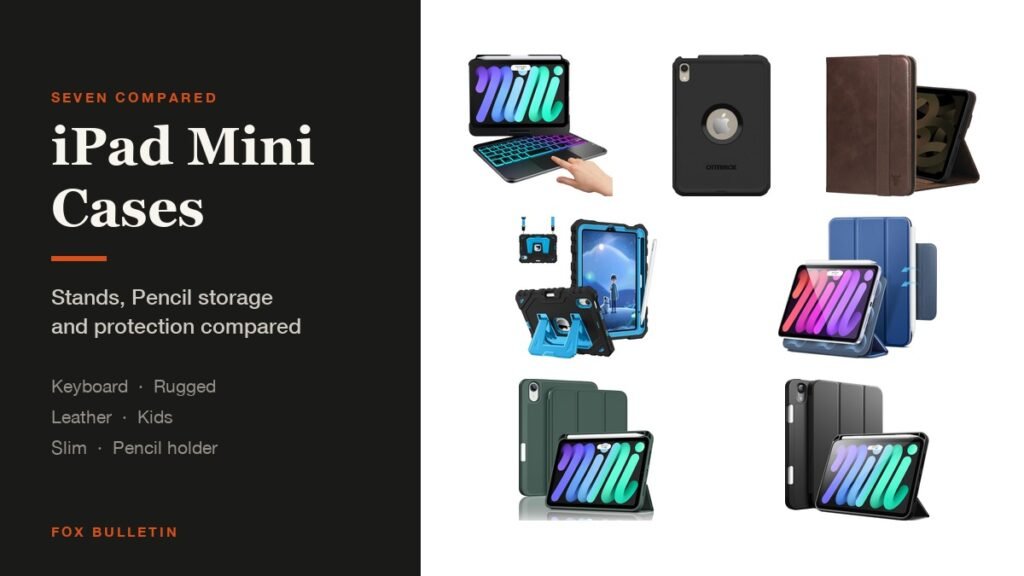
The best iPad mini case for most people is the ESR Rebound, which is slim, holds an Apple Pencil securely and props the tablet with its trifold cover. If the mini goes anywhere rough, the OtterBox Defender is the one that survives it, and the typecase keyboard case turns an 8.3-inch tablet into something you can actually type on.
All seven here fit both the iPad mini 7 with the A17 Pro chip and the iPad mini 6, which share a size and a button layout. The table compares them on the three things that matter on a tablet this small:
iPad Mini Cases Compared: Stands, Pencil Storage and Protection
Pencil storage and stand flexibility are what separate these, because every one of them protects adequately:
| # | Case | Type | Stand | Apple Pencil | Best for |
|---|---|---|---|---|---|
| 1 | ESR Rebound Series | Slim trifold | Trifold cover | Groove and clasp for Pencil Pro | Everyday carry |
| 2 | OtterBox Defender | Rugged, multi-layer | Cover folds into a stand | Not part of the design | Drops and dust |
| 3 | typecase Keyboard Case | Keyboard with trackpad | 360-degree swivel, 7 modes | No holder | Typing on a mini |
| 4 | ProCase Pencil Holder | Slim TPU trifold | Two standing positions | Holder, charges in place | Pencil storage |
| 5 | Fintie Kid-Friendly | Three-layer, shoulder strap | Kickstand, two modes | Holder, supports Pencil Pro | Children |
| 6 | TORRO Leather Folio | Genuine cowhide | Two horizontal angles | Not part of the design | A smarter look |
| 7 | JETech Trifold | PU front, TPU back | Trifold, several angles | Built-in holder | Spending less |
1. ESR Rebound Series: The Best iPad Mini Case for Most People
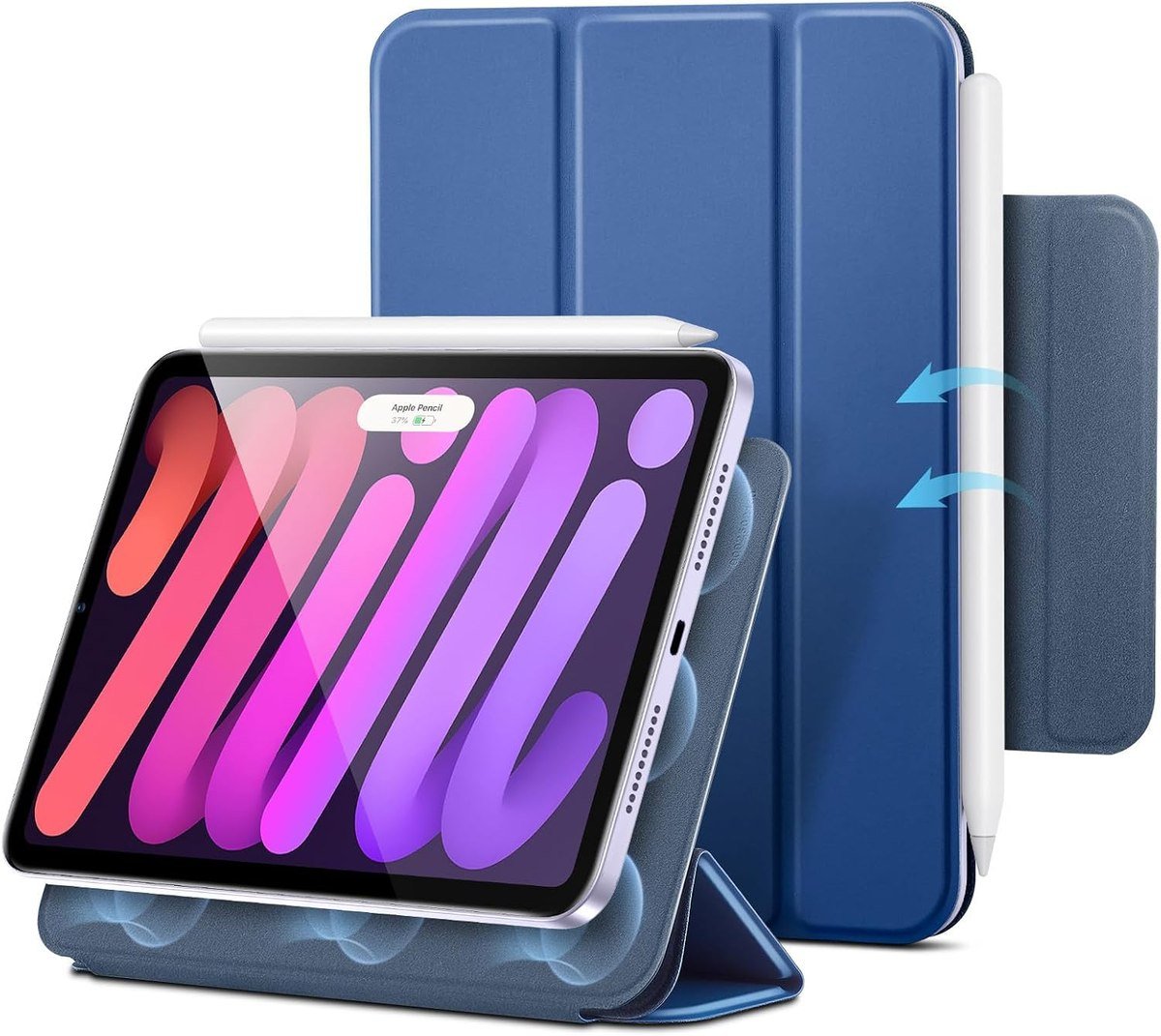
ESR keeps the Rebound light and lets the front trifold cover double as a stand for viewing, writing or drawing. The Pencil support is the part that stands out: a recessed side groove lets the Pencil Pro charge magnetically while a magnetic clasp holds it in place, so the stylus survives a bag rather than falling off inside it.
Compatibility is spelled out rather than implied, covering the mini 7 from 2024 in models A2993, A2995 and A2996 and the mini 6 from 2021 in A2567 and A2568, and ESR says it fits no other iPad. Strong magnets hold the case to the tablet, which is what stops a slim case working loose over months.
What it does well
- Pencil Pro charges while clipped in
- Trifold stand for writing or viewing
- Light enough not to spoil the mini
What to know before buying
- Slim shell, so limited drop protection
- Magnetic clasp collects pocket lint
2. OtterBox Defender Series: Best Rugged iPad Mini Case
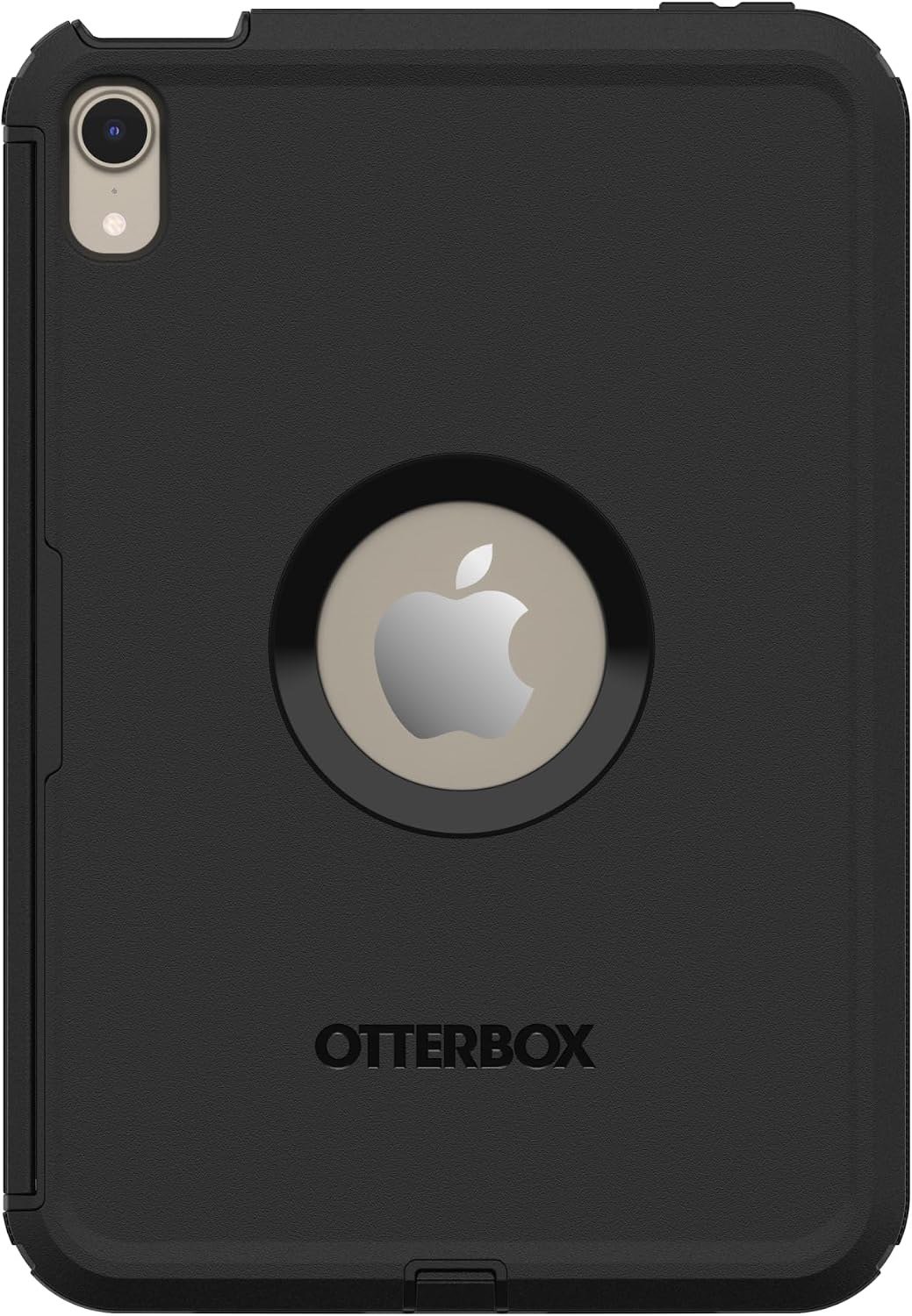
OtterBox cuts the Defender specifically for the iPad mini with the A17 Pro and the 6th generation, and builds it in layers for what the company calls active, high-impact environments. Port covers keep debris out, and the protective front cover folds into a stand for typing or streaming.
OtterBox says the case exceeds military drop standards, which is a test procedure rather than a certification anyone issues, so treat it as the maker claim it is. What is plain from the construction is the two-layer shell and the covered ports, which is the combination that keeps grit out of a tablet used outdoors.
What it does well
- Multi-layer impact protection
- Port covers block dust and debris
- Cover folds into a stand
What to know before buying
- Roughly doubles the thickness
- Fitting it the first time takes effort
3. typecase Keyboard Case: Best iPad Mini Keyboard Case
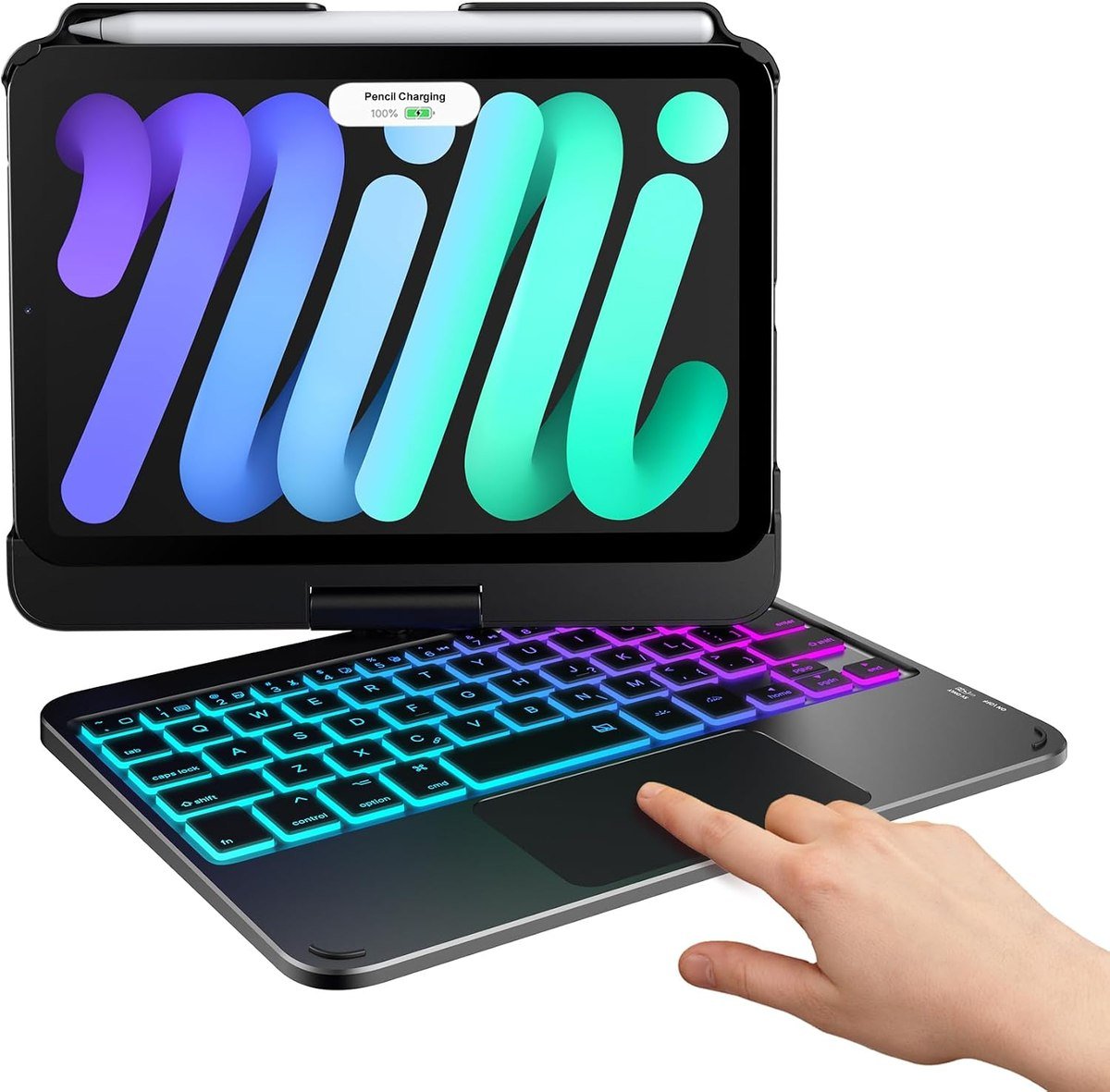
This is the case that changes what a mini is. A 360-degree swivel hinge, which typecase says is tested for 20,000 cycles, switches between seven modes covering typing, reading, watching, presenting, browsing, drawing and plain tablet use, so the keyboard never has to come off.
The keyboard has a multi-touch trackpad for scrolling, cursor control and app switching, plus 11 backlight colors at three brightness levels on a rechargeable battery. typecase lists it for the mini 7 and mini 6 across models A2996, A2993, A2995, A2567, A2568 and A2569.
What it does well
- Trackpad makes iPadOS far quicker
- Rotates to seven usable positions
- Backlit keys for dark rooms
What to know before buying
- Heavy relative to the tablet
- Keyboard battery is one more thing to charge
4. ProCase with Pencil Holder: Best iPad Mini Case for Carrying a Pencil
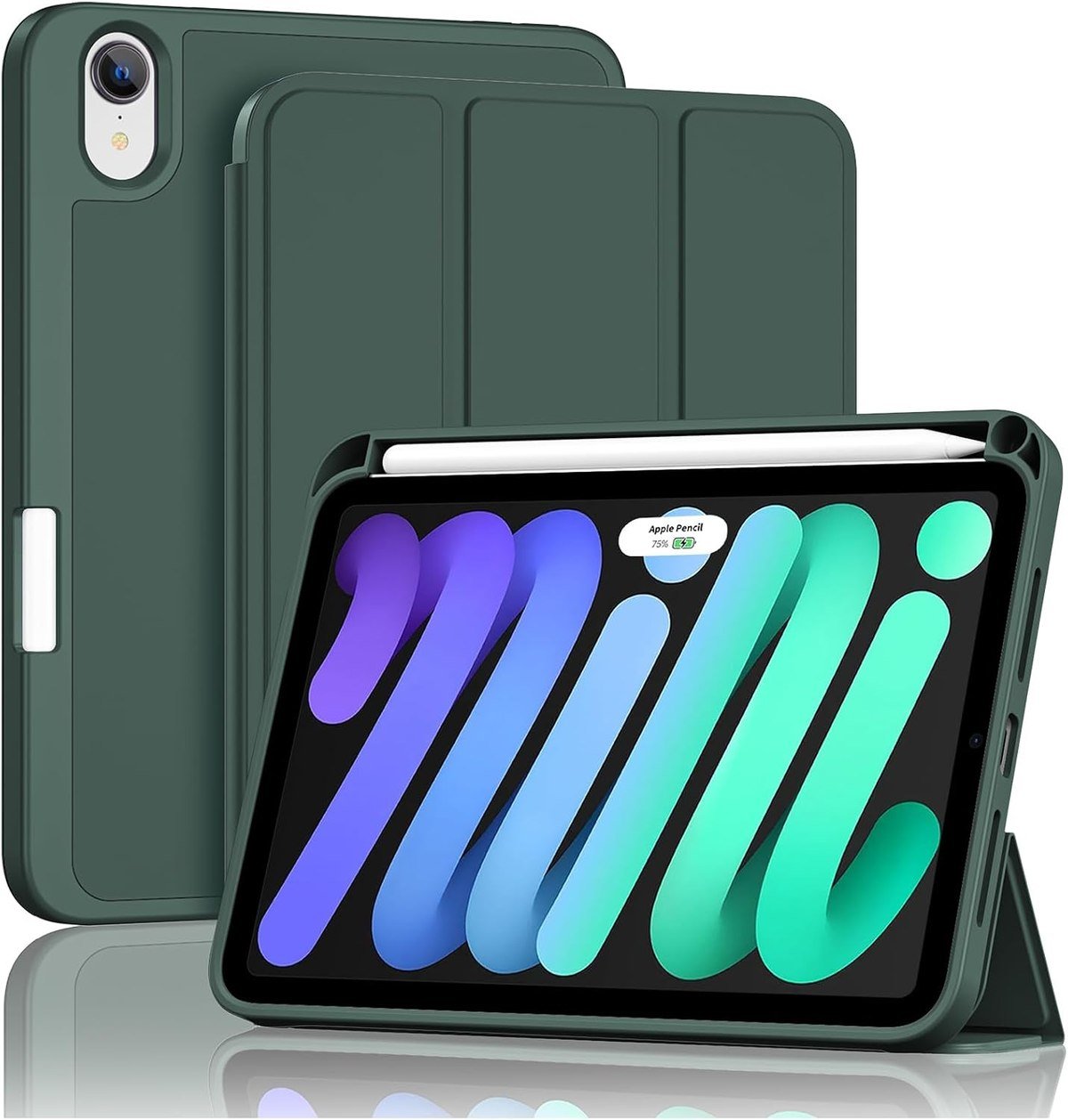
ProCase pairs a soft TPU back with a trifold front cover and a built-in Pencil holder that supports magnetic charging while the stylus sits in it. That combination is the practical answer to the mini problem: the tablet fits in a coat pocket and the Pencil does not.
The cover gives two standing positions for viewing and typing, magnets hold the closure and support auto sleep and wake, and the listing names the mini 7 models A2995, A2996 and A2993 alongside the mini 6 models A2567, A2568 and A2569.
What it does well
- Pencil charges inside the holder
- Flexible TPU back absorbs knocks
- Auto sleep and wake
What to know before buying
- Only two stand positions
- Holder adds width to one edge
5. Fintie Kid-Friendly Case: Best iPad Mini Case for Children
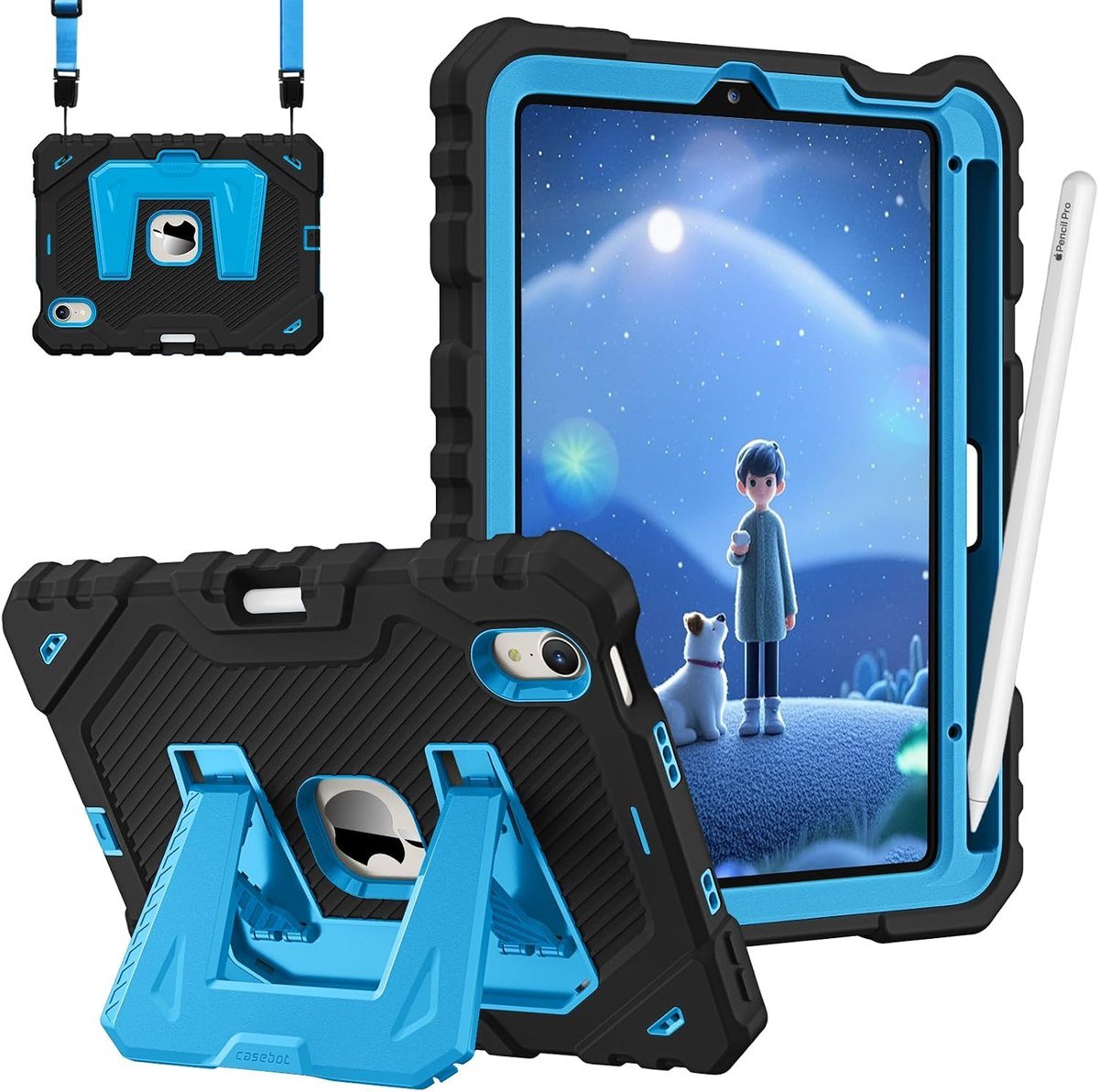
Fintie builds this one in three layers of flexible silicone and hard polycarbonate, with a chunky grip profile that small hands can hold and a kickstand offering vertical and horizontal positions. An adjustable, removable shoulder strap turns it into something a child can carry without dropping.
It also handles the stylus properly, supporting Apple Pencil Pro and Pencil 2nd generation magnetic charging with the case on, and adding a built-in holder with a push-out hole behind it. Fintie lists the mini 7 models A2993, A2995 and A2996 and the mini 6 models A2567, A2568 and A2569, and says it fits no others.
What it does well
- Three-layer shockproof build
- Shoulder strap and easy-grip edges
- Pencil still charges with the case on
What to know before buying
- Bulky for an adult carrying it daily
- Silicone picks up marks
6. TORRO Leather Folio: The Smartest-Looking iPad Mini Case
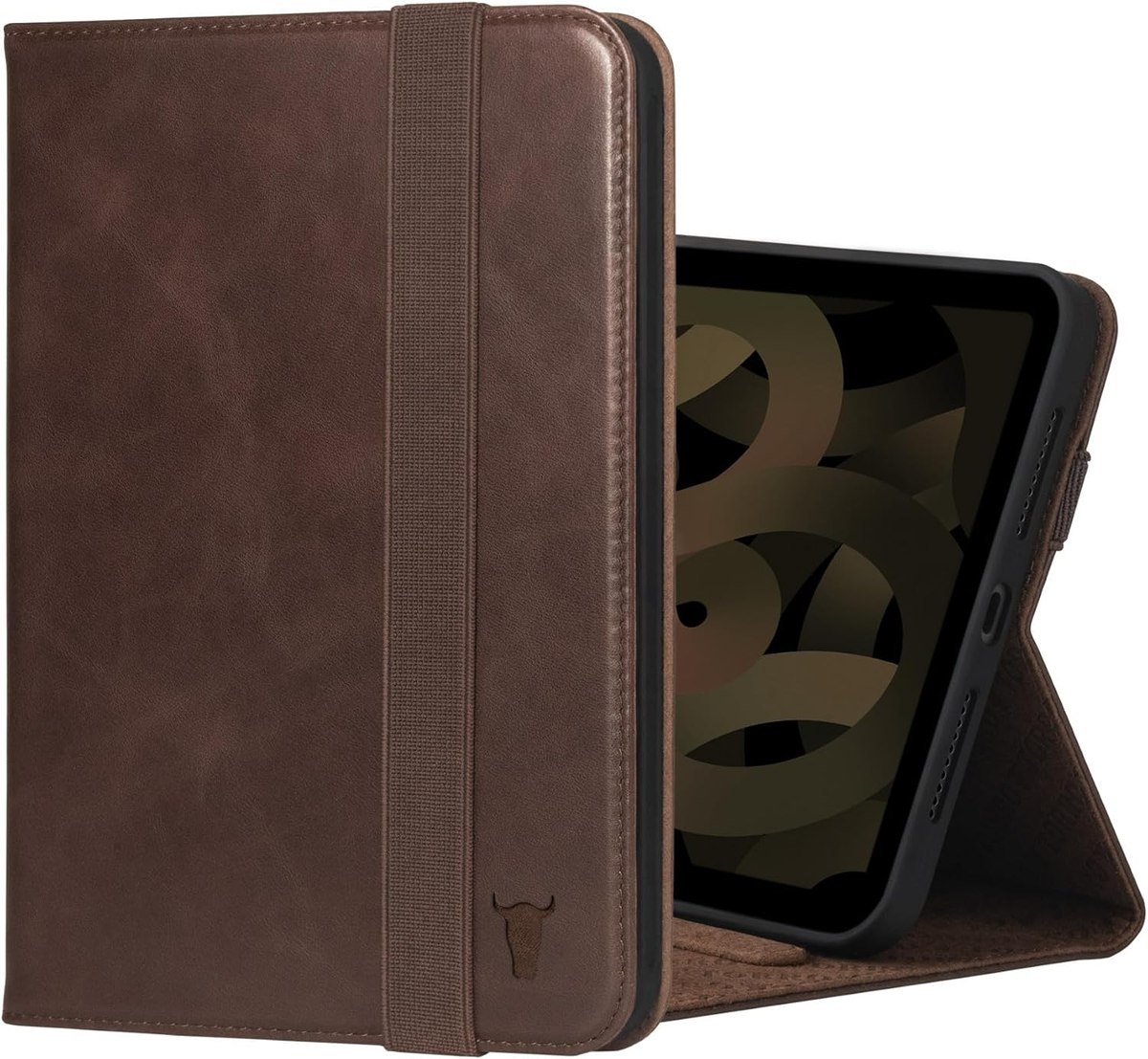
TORRO is a UK company making leather goods from premium cowhide, and uses top-grain leather it says is sourced from US tanneries and minimally treated to preserve the natural surface. Two support strips hold the tablet at two horizontal angles, and lifting or closing the cover wakes and sleeps the screen.
One caution before ordering: the listing is titled for the mini 7 and mini 6, while its compatibility line cites the mini 6 model numbers A2567, A2568 and A2569. Check your own model number against the listing rather than relying on the title, which is good practice for any iPad case and essential for this one.
What it does well
- Real top-grain leather rather than PU
- Auto wake and sleep
- Ages into a better-looking case
What to know before buying
- Compatibility line needs checking
- No Pencil holder
7. JETech Trifold: Best Budget iPad Mini Case
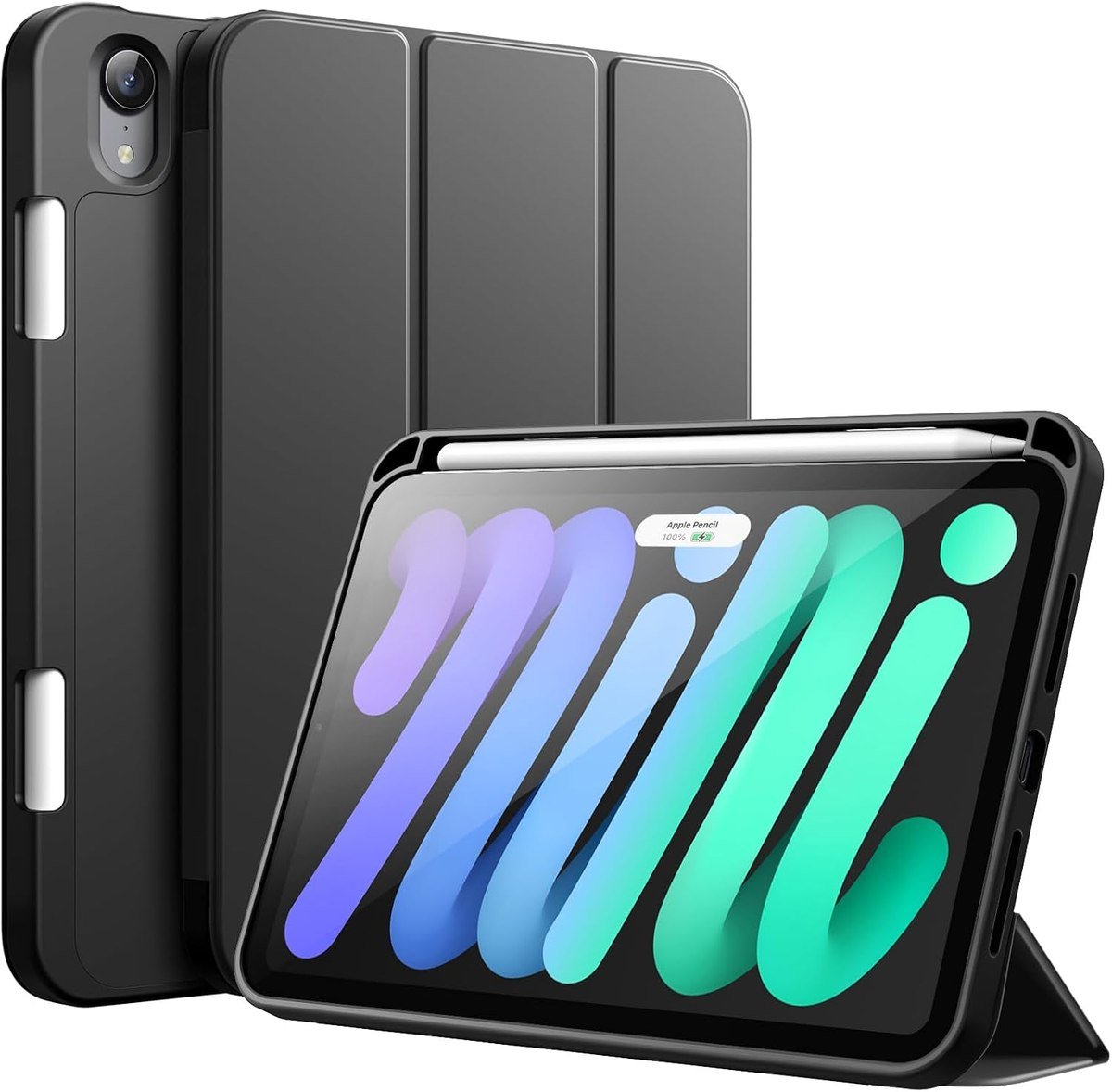
JETech covers the basics without charging for extras: a flexible TPU inner back that makes the case easy to fit and remove, a PU front and back surface, a slim profile for grip and a built-in Pencil holder that supports magnetic charging.
The trifold cover props the tablet at several angles, magnets drive auto sleep and wake, and the compatibility line covers the same six model numbers as the rest of this list. It is the case to buy when the mini is a second device and you would rather not think about it.
What it does well
- Cheapest way to get a Pencil holder
- Easy to fit and remove
- Auto sleep and wake included
What to know before buying
- PU surface wears before leather would
- No real impact protection
Why the Mini Needs a Different Case
Case advice written for a 13-inch iPad does not transfer. Five things change at 8.3 inches:
- The mini is held, not propped. It is the one iPad people use standing up on a train, so grip and weight matter more than the widest range of stand angles.
- A keyboard changes what it is for. At 8.3 inches a keyboard case is a genuinely different device rather than a laptop substitute, which is why the rotating designs sell here and not on the 13-inch models.
- Pencil storage is close to essential. There is no room in a mini-sized bag pocket for a loose stylus, and the magnetic strip alone will not survive a bag.
- Children end up with minis. It is the cheapest current iPad and the easiest for small hands, so the kid-proof category is larger here than for any other model.
- Two generations share one case. The mini 7 with the A17 Pro chip and the mini 6 take the same cases, which keeps prices down and choice wide.
That last point is the useful one financially. Because the mini 7 and mini 6 share a case, the market has four years of accumulated designs rather than one, and prices reflect it. Our wider roundup of iPad cases across the range covers the Air, Pro and base models, where generation changes break compatibility far more often.
Checking Fit Before You Order
The mini has been through two near-identical generations and several very different older ones, so fit is worth two minutes:
- Find the model number on the back of the tablet or in Settings, then General, then About. For the mini it will be A2993, A2995 or A2996 for the mini 7, or A2567, A2568 or A2569 for the mini 6.
- Do not assume an older mini fits. The mini 5 and earlier are a different size and shape entirely, and none of these cases will go near them.
- Check which Apple Pencil you own. The Pencil Pro and Pencil with USB-C attach differently, and a case cut for one may block the other.
- Look at where the cover folds. A trifold that only props the tablet in landscape is useless if you read in portrait.
- Weigh the case against the tablet. A rugged shell can double the thickness of a mini, which defeats the reason most people chose it.
Apple publishes a list that turns a model number into a model name, which settles it definitively. The mini 5 and earlier are a different shape with a home button, and nothing in this list will fit them. If the mini is mostly a reading and note-taking device, our comparison of note-taking apps for iPad covers what to run on it.
Keeping a Case Usable
None of these fail quickly, but they all fail in the same predictable ways:
- Wipe leather with a barely damp cloth and nothing else; solvents strip the finish from top-grain hide.
- Lift a rugged case off every couple of months and clear the dust that collects under the port covers.
- Keep a keyboard case shut in a bag, because an open keyboard collects crumbs and takes the weight of whatever is stacked on it.
- Clean the magnet strip if the cover stops waking the screen, since grit between the magnets and the frame is the usual cause.
- Do not leave a trifold folded back for weeks at a time, or the crease sets and the cover will not close flat again.
The mini spends more time in bags than larger iPads, which is where the damage happens. A case that closes flat and holds its Pencil is doing most of the protective work before any question of drop ratings comes up.
Which iPad Mini Case to Buy
Buy the ESR Rebound if you want one case and no compromises: it is slim, it charges and holds a Pencil Pro, and it stands up for reading or drawing. Choose the typecase keyboard case instead if the reason you own a mini is that it fits where a laptop does not, since the trackpad and the rotating hinge are what make iPadOS quick to drive on a small screen.
Take the OtterBox Defender if the tablet travels anywhere dusty or lives in a vehicle, and the Fintie kids case if a child is the main user, where the shoulder strap matters more than the millimetre of thickness. TORRO is the one to pick on looks, JETech on price, and ProCase if the only thing you want solved is where the Pencil lives. A mini used away from a desk will also want a small power bank more than a larger iPad does.
Frequently Asked Questions
Do iPad mini 6 cases fit the iPad mini 7?
Yes. The mini 7 with the A17 Pro chip and the mini 6 share the same 8.3-inch size and layout, so cases are sold for both. Check the model number anyway, because the mini 5 and earlier are a different shape and will not fit.
Which iPad mini case holds an Apple Pencil?
The ESR Rebound, ProCase, Fintie and JETech picks here all carry the stylus, and all of them allow magnetic charging while it is held. Check which Pencil you own first, since the Pencil Pro and the Pencil with USB-C attach differently.
Is a keyboard case worth it on an iPad mini?
For email, notes and messaging, yes, particularly one with a trackpad, which makes iPadOS much faster to drive. For long documents the 8.3-inch keyboard is cramped, so it works as a travel setup rather than a laptop replacement.
What is the best iPad mini case for kids?
A three-layer silicone and polycarbonate case with a kickstand and a shoulder strap, like the Fintie pick here. The strap matters as much as the shock absorption, because most damage happens while the tablet is being carried rather than used.
Related Articles
- Best MagSafe Charger: 7 Compared on Watts and Form
- Best Keyboards for Mac: 7 Compared on Feel and Layout
- Best Wireless Earbuds: 7 Compared on Calls, ANC and Battery
- Best iPad 9th Generation Cases: 7 for the 10.2-Inch
As an Amazon Associate, Fox Bulletin earns from qualifying purchases.

Get the Fox Bulletin briefing
The stories that matter, in your inbox. No spam, unsubscribe anytime.
Newsletter signup will be available soon.
Related stories

Free Cloud Storage: How Much You Really Get
Ten free cloud storage tiers compared on allowance, encryption and the limit each provider does not advertise, from 20 GB down to 5 GB.
Best Webcams: 7 Picks for Calls and Streaming
Seven webcams compared on resolution, field of view and microphones, from the office default to a dual-camera 4K body with an 11x hybrid zoom.

Free Screen Recorders: 10 Picks and Their Limits
Ten free screen recorders ranked, with the length cap, resolution ceiling and system audio support of each one stated plainly.