

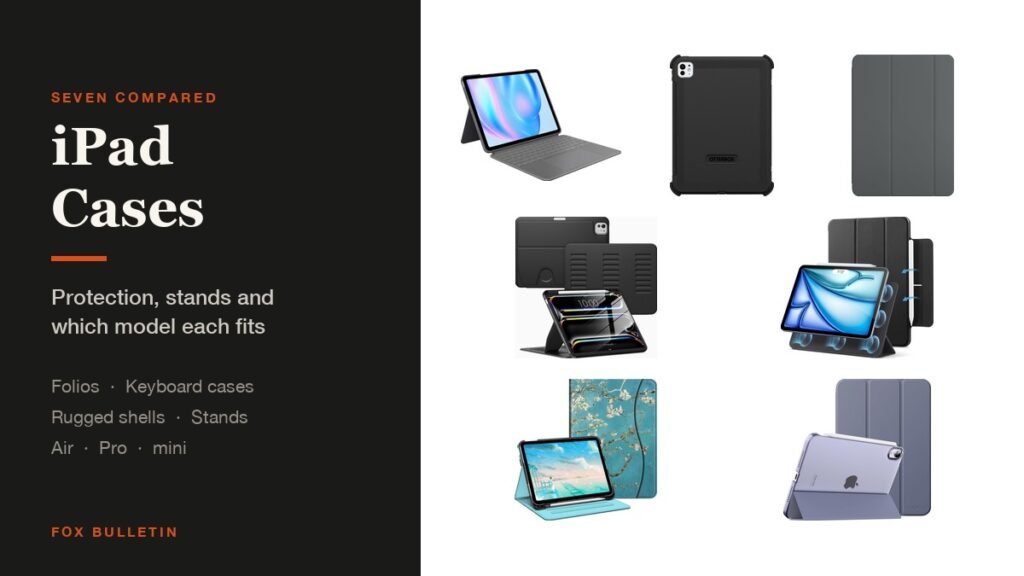
The best iPad cases depend on which iPad you have and what you do with it. Apple own Smart Folio is the right answer if you want the tablet to stay thin, a Logitech Combo Touch turns an iPad Air into something you can type on properly, and an OtterBox Defender is what survives a job site or a ten-year-old. A tag inside the bag is the cheaper insurance, and these AirTag holders seal one to luggage, a collar or a frame.
All seven here are cut for specific generations, so the compatibility column matters more than anything else in the table. Check your model number first, then pick by how you hold the tablet:
iPad Cases Compared: Fit, Protection and Stand Angles
Protection and stand flexibility pull in opposite directions, and the table shows where each pick lands:
| # | Case | Fits | Protection | Stand | Best for |
|---|---|---|---|---|---|
| 1 | Apple Smart Folio | iPad Air 13-inch (M2) | Front and back, thin | Sliding, several angles | Keeping it light |
| 2 | Logitech Combo Touch | iPad Air 13-inch (M2) | Full shell plus keyboard | Flexible kickstand | Typing properly |
| 3 | OtterBox Defender | iPad Pro 11-inch (M4, M5) | Multi-layer, port covers | Built-in stand | Drops and dust |
| 4 | VIKESI Magnetic Stand | iPad Pro 11-inch (M4, M5) | Shockproof back | Three magnetic brackets | Angle changes |
| 5 | ESR Magnetic Case | iPad Air 11-inch (M2 to M4) | Slim, detachable cover | Folds to stand | Pencil users |
| 6 | Fintie Folio | iPad 11th gen and 10th gen | Folio with card pocket | Multi-angle | Spending less |
| 7 | MoKo Smart Case | iPad mini 7 and mini 6 | PU leather, PC back | Two angles | The mini |
1. Apple Smart Folio: The Thinnest iPad Case
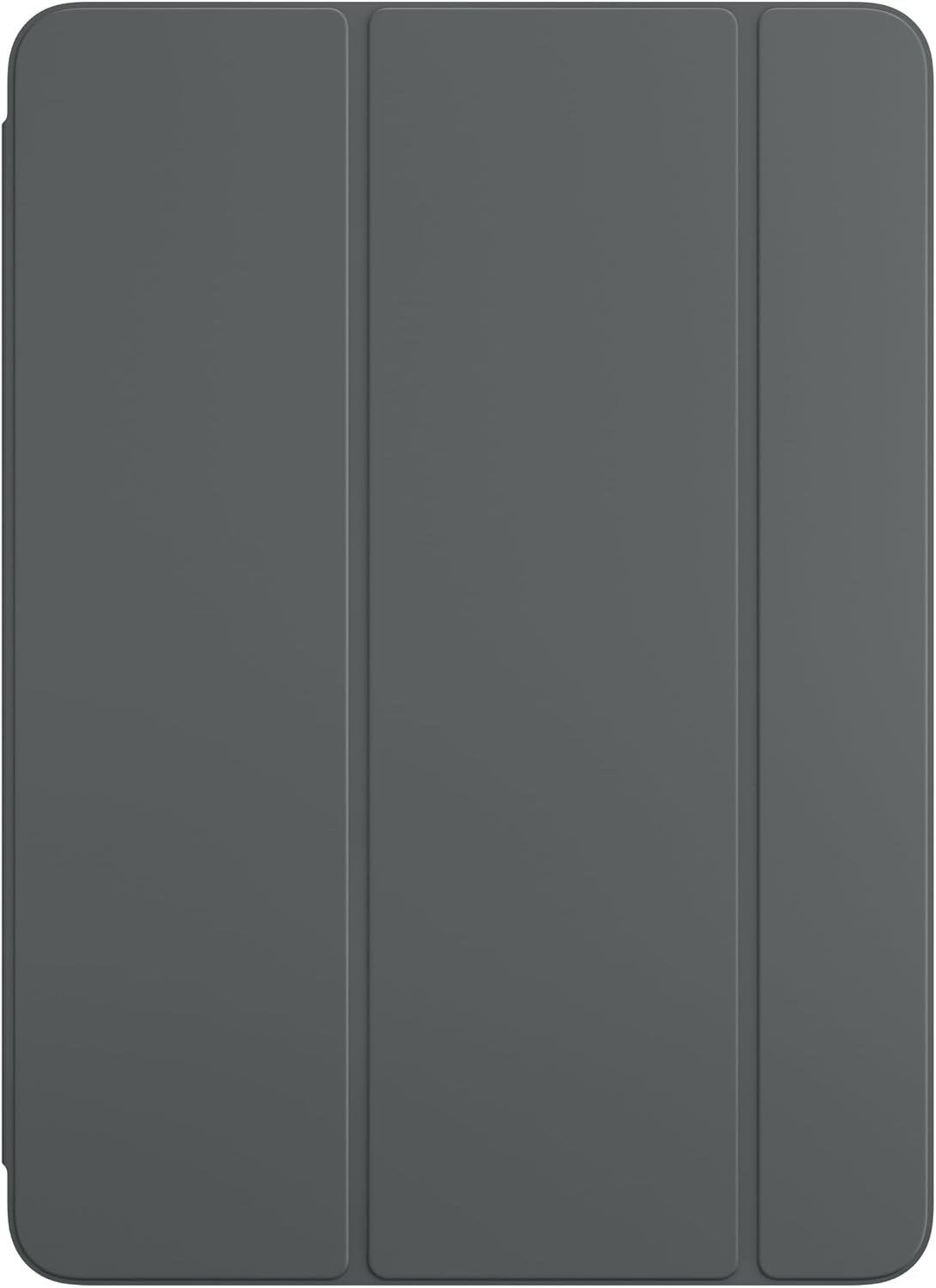
Apple describes the Smart Folio as thin and light with front and back protection, attaching magnetically and waking the iPad when opened and sleeping it when closed. The current version has a sliding design rather than fixed creases, which Apple says gives greater adjustability for reading, watching and video calls.
It is the case to buy if the reason you bought an iPad Air was that it weighs almost nothing. There is no shock absorption to speak of and no raised lip around the screen, so it is protection against scratches and scuffs rather than against a drop onto tile.
What it does well
- Adds almost no weight or thickness
- Wakes and sleeps the screen
- Sliding stand beats fixed creases
What to know before buying
- Minimal drop protection
- Costs more than third-party folios
2. Logitech Combo Touch: Best iPad Keyboard Case
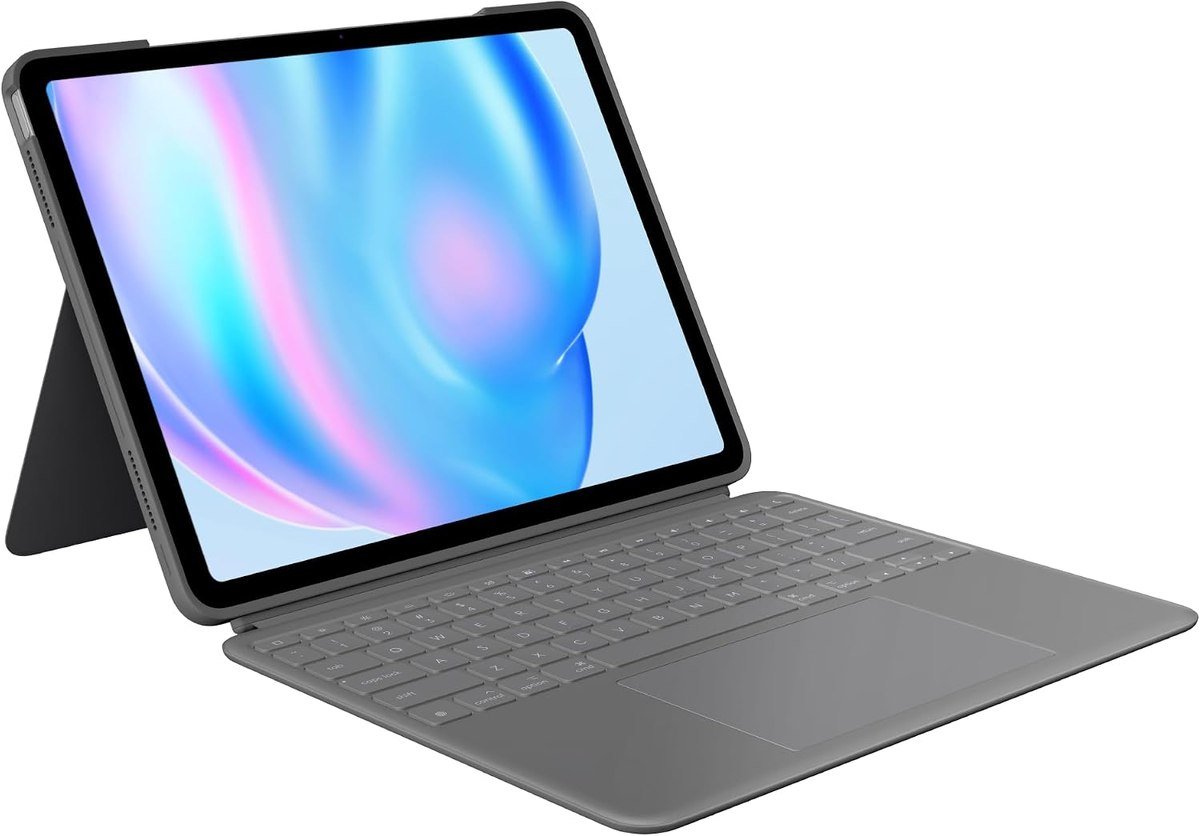
The Combo Touch is a full back shell with a detachable backlit keyboard and an ultra-flexible kickstand, which Logitech frames as multiple use modes: type, sketch, watch, read or take a call without removing the iPad from the case. The keyboard comes away magnetically when you want the tablet on its own.
That detachment is the feature worth paying for. A fixed keyboard case makes an iPad worse at being an iPad, while this one lets you pull the keyboard off for drawing or reading and snap it back for email. The version here is cut for the 13-inch iPad Air (M2) specifically.
What it does well
- Backlit keyboard with a trackpad experience
- Keyboard detaches magnetically
- Kickstand adjusts to any angle
What to know before buying
- Heavy compared with a folio
- Tied to one iPad generation
3. OtterBox Defender Series: Best Rugged iPad Case
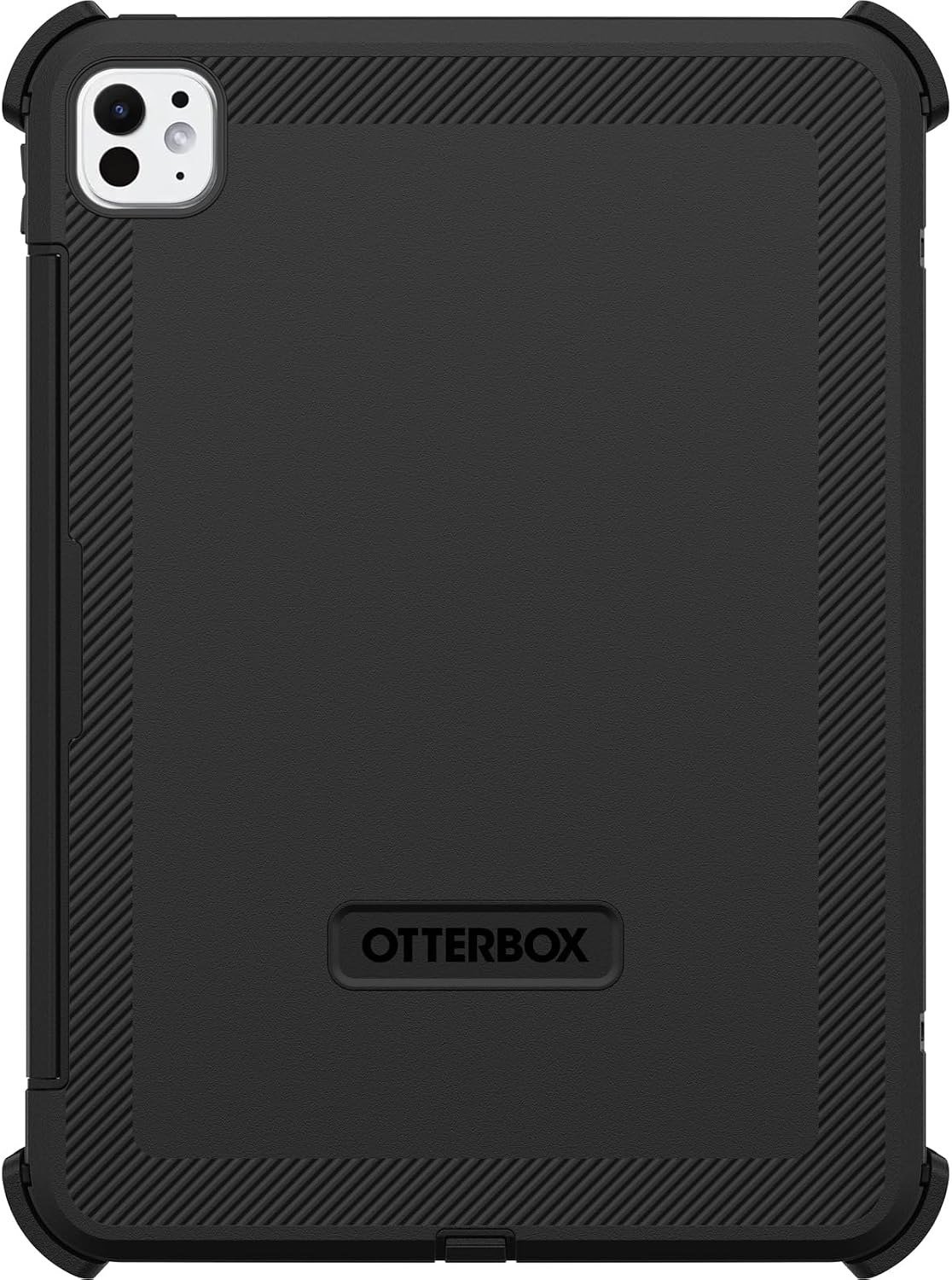
OtterBox builds the Defender around a solid inner shell and a resilient outer layer that absorb and dissipate impact, with port covers that block dust, dirt and debris. The company says the case exceeds military drop standards, offering what it describes as twice military-grade drop protection, and it is cut specifically for the 11-inch iPad Pro with the M4 and M5 chips.
Those military standard drop tests are a procedure rather than a certification body, so the claim is the maker own. What is verifiable from the design is the two-layer construction and the covered ports, which is the combination that keeps grit out of a tablet used outdoors or on a site.
What it does well
- Two-layer impact protection
- Port covers keep dust out
- Stand built into the cover
What to know before buying
- Adds real bulk and weight
- Fitting it the first time takes effort
4. VIKESI Magnetic Stand Case: Best iPad Case for Changing Angles
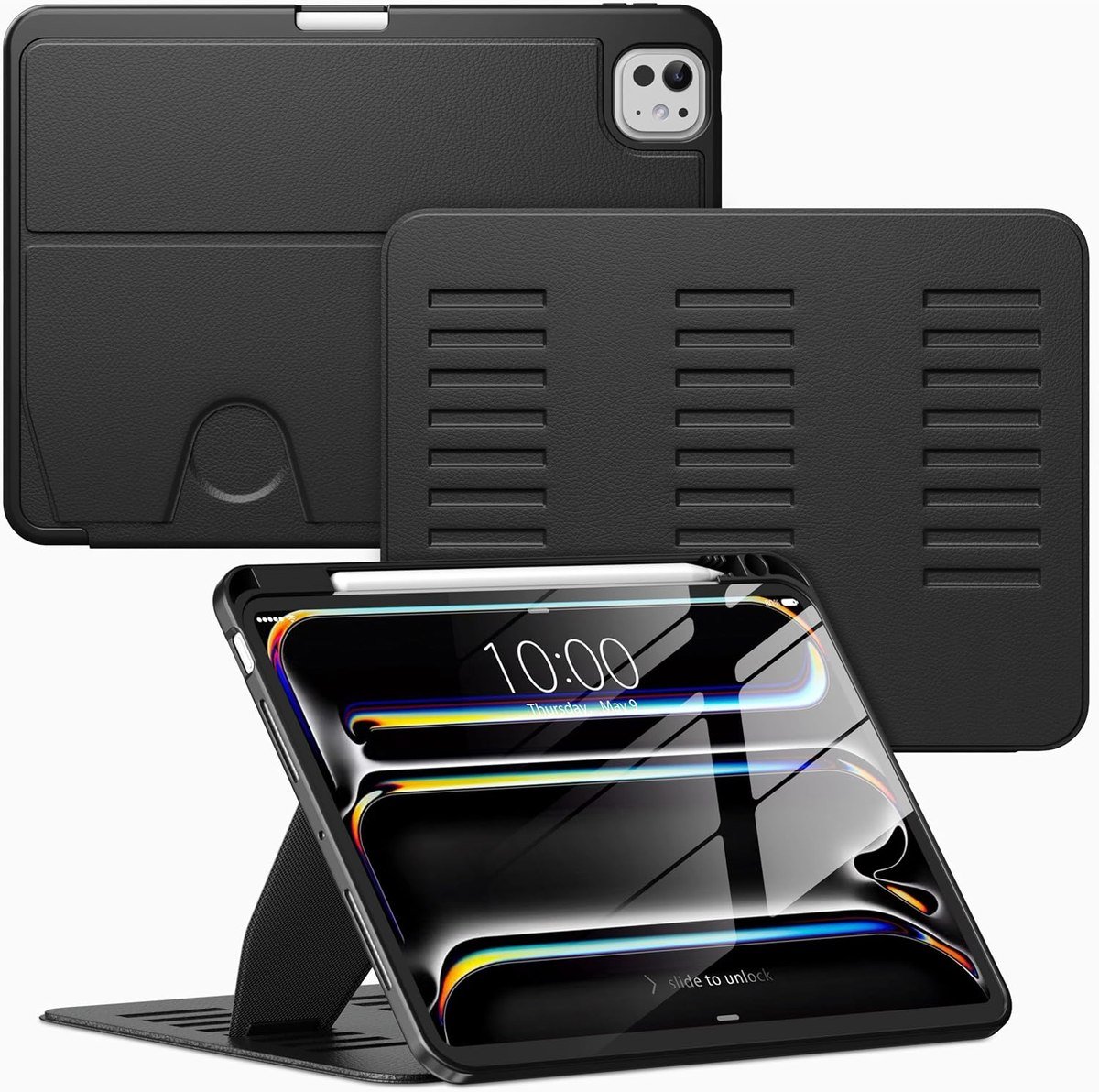
VIKESI replaced the usual one or two magnet stand with three brackets, which the company says better suits larger iPads and makes the stand more stable. In practice that means more usable angles than a folio crease gives you, and less of the slow collapse that single-magnet covers suffer on a lap.
Compatibility here is narrow and the listing spells it out: iPad Pro 11-inch with M5 or M4, models A3357, A3358, A3359, A2836, A2837 and A3006. It is not compatible with the older 11-inch Pro generations despite the identical screen size, which is exactly the trap the model number check exists to avoid.
What it does well
- Three brackets hold angles properly
- Shockproof back without much bulk
- Clear model list in the listing
What to know before buying
- Fits only the M4 and M5 Pro
- Magnetic stands collect dust at the hinge
5. ESR Magnetic Case: Best Slim iPad Case for Pencil Users
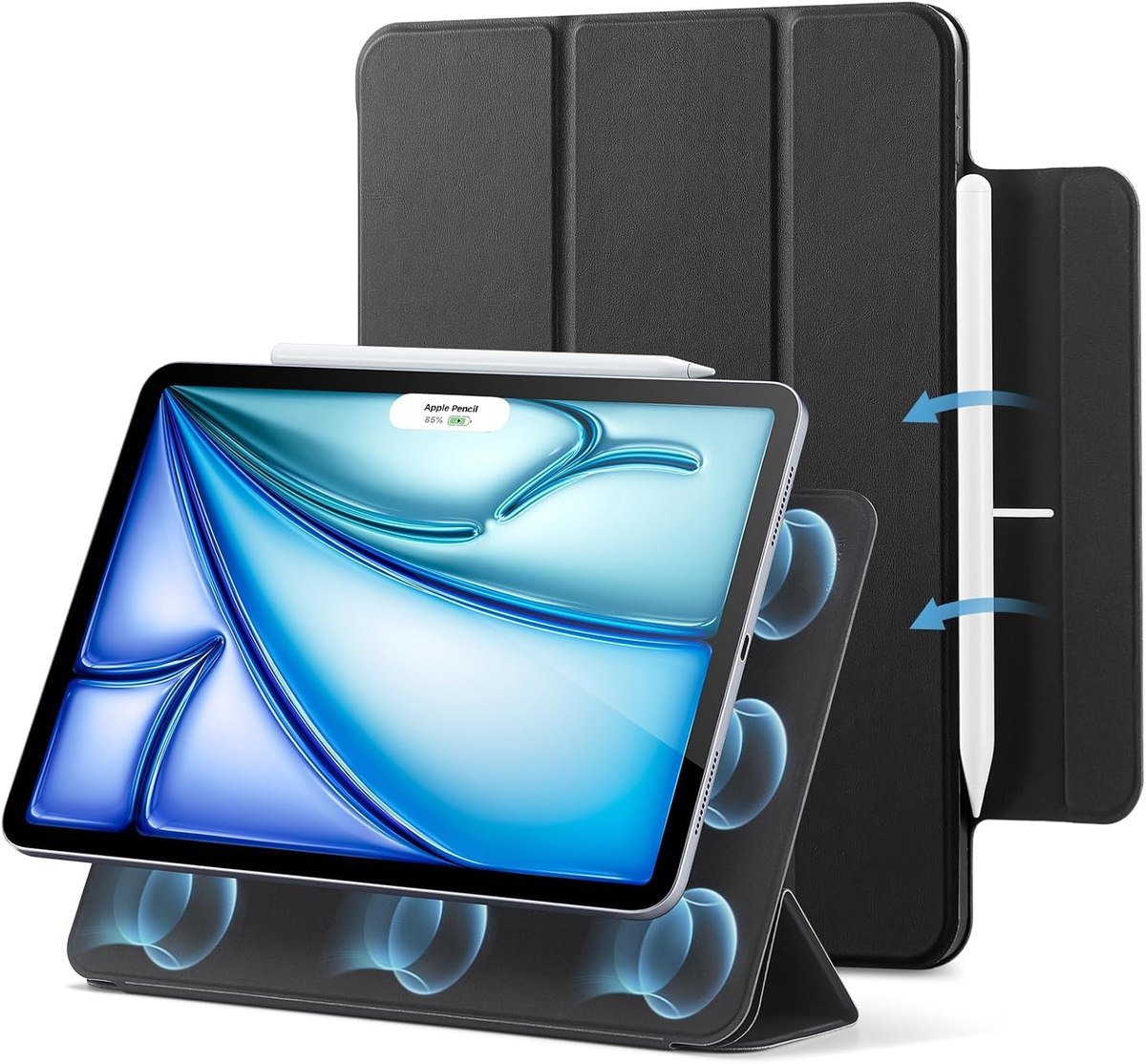
ESR uses strong magnets to lock the cover to the tablet, and the listing is explicit about fit: the 11-inch iPad Air with M4, M3 or M2, and the 10.9-inch Air 5th and 4th generation, with the model numbers listed. The cover detaches from the back shell, so you can take it off for drawing instead of folding it behind.
That detachable design is what suits Apple Pencil work. A folded cover behind the tablet adds a wobble that you notice the moment you press down with a stylus, and removing it leaves a thin back shell that still protects the corners.
What it does well
- Cover detaches rather than folding back
- Strong magnetic hold
- Explicit model compatibility
What to know before buying
- Thin shell means limited drop protection
- Two pieces are easier to misplace
6. Fintie Folio: Best Budget iPad Case

Fintie covers the base iPad, both the 11th generation A16 model and the 10th generation before it, with the model numbers set out in the listing. It is a traditional folio: multi-angle stand, a document pocket for cards or notes, and an elastic closure, in a long list of prints and plain colors.
This is the pragmatic choice for a school iPad or a second tablet that lives on a kitchen counter. It does not try to be thin or rugged, and the card pocket turns out to be more useful than it sounds for anyone who carries the tablet to meetings.
What it does well
- Covers two iPad generations
- Card pocket and elastic closure
- Many colors and prints
What to know before buying
- Bulkier than a magnetic folio
- Faux leather wears at the corners over time
7. MoKo Smart Case: Best iPad mini Case
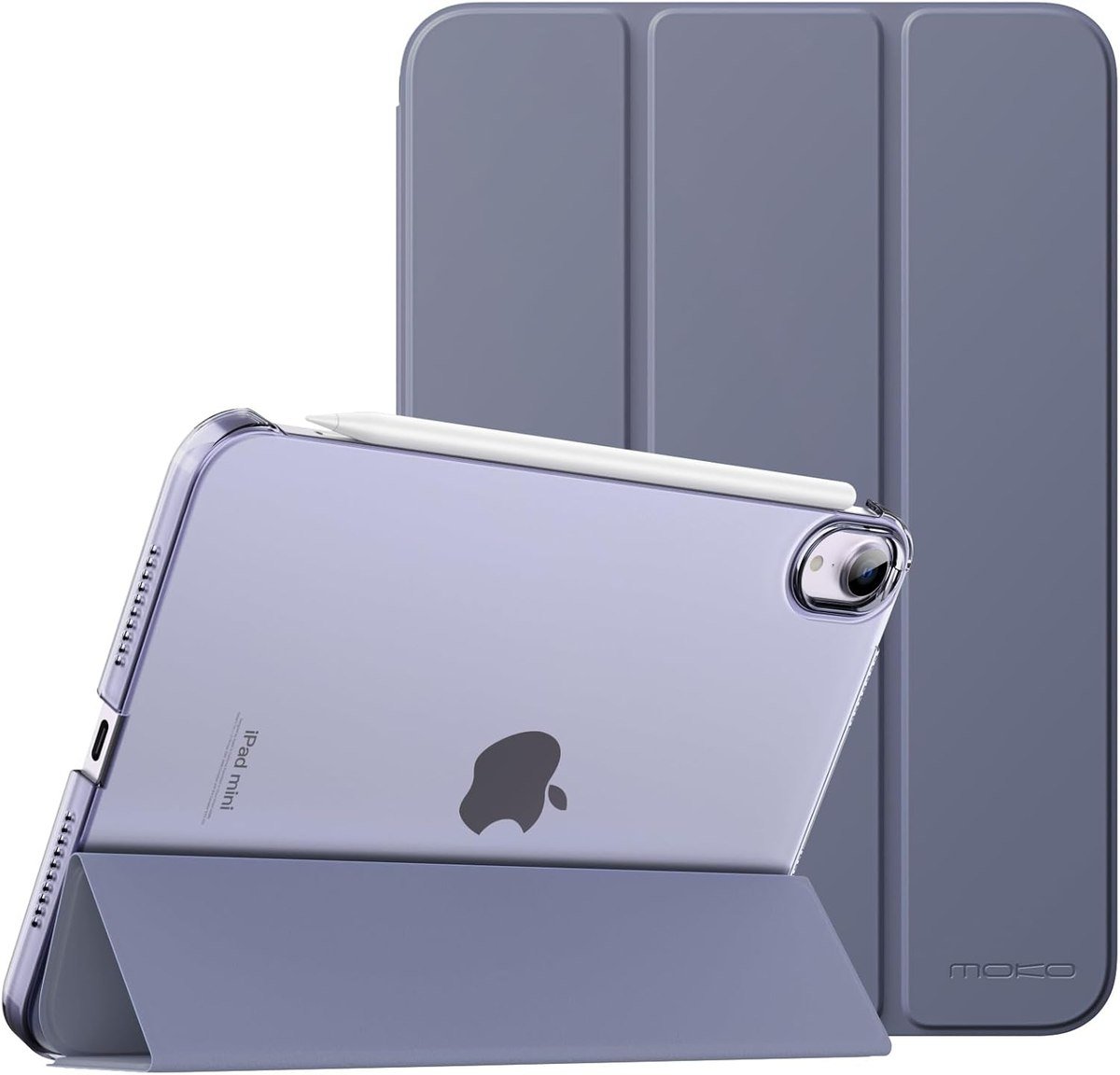
The mini needs a different kind of case from the larger iPads: something that keeps the tablet one-hand sized. MoKo makes this one specifically for the iPad mini 7 from 2024 and the mini 6 from 2021, with a PU leather exterior, a microfiber lining and a translucent polycarbonate back shell.
A strong magnetic connection creates the stand, with two angles for viewing or typing. Two is enough on a tablet this size, where the usual position is held in one hand rather than propped on a desk.
What it does well
- Cut for the mini rather than adapted
- Soft lining against the screen
- Two stable magnetic angles
What to know before buying
- Only two angles
- PU leather rather than the real thing
Matching a Case to Your iPad
More case returns come from buying for the wrong generation than from anything else. Five checks before you order:
- Find the model number before you shop. It is in Settings, then General, then About, and Apple keeps a list that turns it into a model name. Cases are cut for one generation, and an 11-inch case will not fit a 13-inch tablet.
- Check the camera cutout, not just the screen size. The iPad Air 11-inch M2, M3 and M4 share a case, but the Pro redesign moved parts around and broke compatibility with older shells.
- Decide whether the case has to hold a pencil. A magnetic strip on the edge is only useful if the cover does not block it, and a dedicated loop or slot is more secure for travel.
- Work out the angles you actually use. Reading needs a steep angle, typing needs a shallow one, and drawing needs it nearly flat; a two-angle folio will frustrate anyone who switches.
- Weigh the protection against the weight. A rugged case can add a noticeable amount to a tablet that was designed to be thin, and it is the main reason people stop using one.
The model number is the only reliable identifier. Apple keeps a list that turns a number like A2696 into a model name, and it is worth two minutes before spending anything, because screen size alone is not enough: the 11-inch Air and the 11-inch Pro take different cases, and so do Pro generations that look identical. If the tablet is a travel machine, our roundup of the best power banks covers keeping it charged away from a socket.
Keeping a Case Usable
Cases fail in predictable ways, and almost all of them are preventable:
- Wipe a PU leather or fabric folio with a barely damp cloth, never a solvent, which lifts the finish.
- Pop a rugged case off every month or two and clear the dust that gathers under the port covers.
- Check the magnets if the cover stops waking the screen. Grit between the magnet strip and the tablet is the usual cause rather than a fault.
- Keep a keyboard case closed when it is in a bag, since an open keyboard collects crumbs and the keys take the force of anything stacked on top.
- Do not store a folded folio with the cover bent back for weeks; the crease sets and the case stops closing flat.
One habit matters more than the rest: take the case off occasionally. Dust and grit collect between the shell and the aluminium, and on a tablet carried in a bag that is what eventually scratches the back that the case was bought to protect.
Which iPad Case to Buy
Buy the Apple Smart Folio if you own an iPad Air and chose it for the weight. It wakes and sleeps the screen, adds almost nothing to the thickness and now slides rather than folding into fixed creases. If you type on the tablet for more than a few minutes a day, the Logitech Combo Touch is the upgrade that changes what the iPad is for, and the detachable keyboard means you do not lose the tablet in the process.
Take the OtterBox Defender if the iPad goes anywhere dusty or anywhere near a child, and the VIKESI stand case if you keep changing angles and are tired of folios collapsing. The ESR case suits Apple Pencil work because the cover comes off entirely, Fintie is the sensible pick for a base iPad on a budget, and MoKo is the one cut properly for a mini. For the phone side of the same setup, our guides to iPhone 17 Pro cases and MagSafe chargers cover the accessories that travel with it.
Frequently Asked Questions
Do iPad cases fit more than one model?
Sometimes, but only within a generation family. An iPad Air 11-inch case usually covers the M2, M3 and M4 versions, and base iPad cases often cover the 10th and 11th generations, while Pro cases rarely carry over because the camera and port layout changes.
How do I find out which iPad I have?
Open Settings, tap General and then About, and read the model name and model number. Apple publishes a list that matches numbers such as A2696 to a specific iPad, which is the only reliable way to buy a case that fits.
Are rugged iPad cases worth the bulk?
For a tablet used by children, on a site or in a vehicle, yes, because port covers and two-layer construction address the two things that actually kill tablets: drops and grit. For a tablet that lives on a desk, the weight is a daily cost for a rare risk.
Which iPad case is best for using an Apple Pencil?
One where the cover detaches rather than folding behind the tablet, since a folded cover introduces a wobble as soon as you press down. Check that the case leaves the magnetic charging strip on the edge clear, or the pencil cannot attach and charge.
Related Articles
- Best Note Taking Apps for iPad: 7 Compared
- Best Keyboards for Mac: 7 Compared on Feel and Layout
- Best Docking Station: Ports, Displays and Power Compared
- Best iPad Mini Cases: 7 Compared on Stands and Pencil
- Best iPad 9th Generation Cases: 7 for the 10.2-Inch
As an Amazon Associate, Fox Bulletin earns from qualifying purchases.

Get the Fox Bulletin briefing
The stories that matter, in your inbox. No spam, unsubscribe anytime.
Newsletter signup will be available soon.
Related stories

Free Photo Editors: 10 Best Picks for Any Computer
Ten free photo editors ranked, from the suite that just stopped charging to the RAW developers that replace Lightroom for nothing.

Free Video Editors: 10 Best Picks for Windows and Mac
Ten free video editors ranked on what each gives away before payment, with the export cap, watermark terms and latest version of every one.

Windows Update Troubleshooter: Run It, Then Fix the Rest
Where the Windows Update troubleshooter lives on Windows 11 and Windows 10, how to run it, what it cannot fix, and the manual repairs in order: disk space, pause and resume, services and folders, DISM, sfc, stuck updates, restart loops and error codes.