

The quickest way to translate English to Hindi is a free app you probably already have, but the right one depends on what you are translating. A street sign needs a camera, a conversation needs voice in both directions, and a long paragraph needs a tool that keeps the meaning rather than swapping words one by one.
We put five free tools through the same jobs, from typed text to speech, and ran one everyday sentence through the two biggest services to show how differently they phrase Hindi. All five are free to use, and none needs a paid account for the features covered here.
What Separates the English to Hindi Translators
Hindi support varies more than the app listings suggest. Microsoft's own language list marks Hindi for text, speech and spoken output but not for image translation, which matters if you want to point a camera at a menu.
| # | Tool | Works on | Voice | Camera | Offline |
|---|---|---|---|---|---|
| 1 | Google Translate | Web, Android, iPhone | Yes | Yes | Yes |
| 2 | Microsoft Translator | Web (Bing), Android, iPhone | Yes | No | Yes |
| 3 | Apple Translate | iPhone, iPad | Yes | Yes | Yes |
| 4 | Bhashini | Android, iPhone | Yes | Not listed | Not listed |
| 5 | EasyHindiTyping | Web | Speech input | No | No |
The Best Apps and Websites to Translate English to Hindi
1. Google Translate: The Best All-Rounder
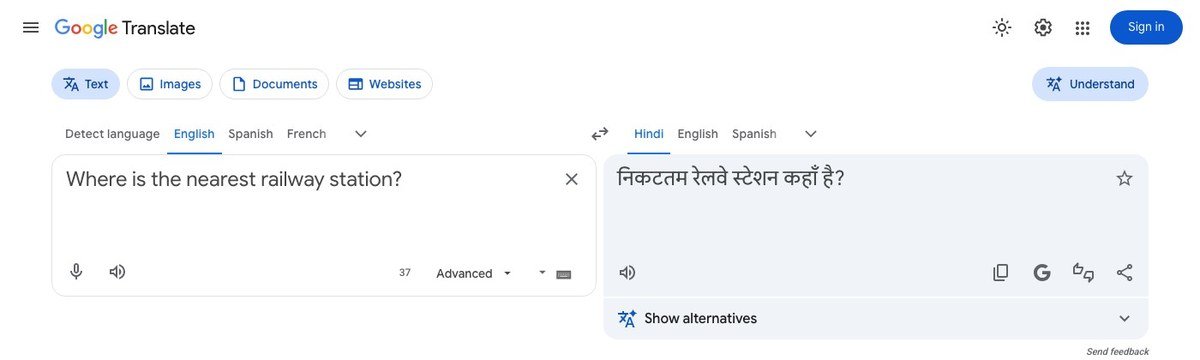
Google Translate covers every way you are likely to need Hindi. The website translates typed text, images, documents and whole websites, and the Android and iPhone apps add live conversation, camera translation and downloadable languages for use without a connection.
Typing “Where is the nearest railway station?” returned “निकटतम रेलवे स्टेशन कहाँ है?”, a correct but formal phrasing that reads like a printed sign. A Show alternatives option under the result offers other wordings, which helps when the first version sounds stiff.
- Best for: travel, documents and anything you need to photograph.
- Watch out for: formal vocabulary in casual messages.
2. Microsoft Translator: Best for Natural, Spoken Hindi
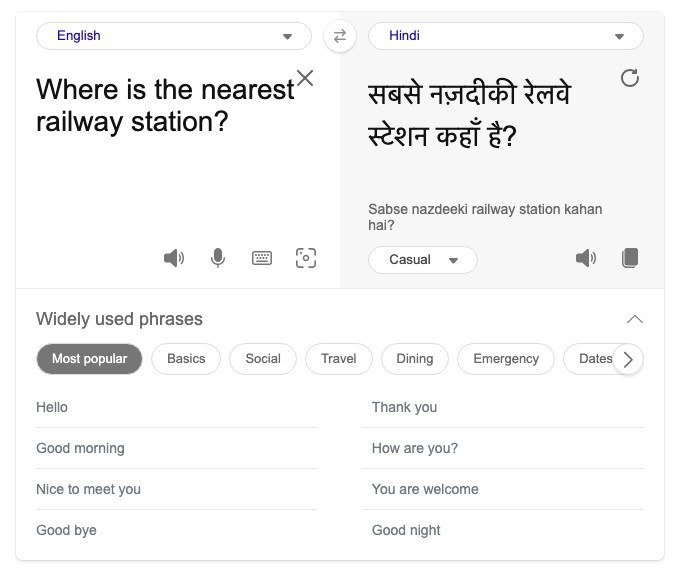
Microsoft Translator runs as an app on Android and iPhone and on the web through Bing Translator. The same sentence came back as “सबसे नज़दीकी रेलवे स्टेशन कहाँ है?”, closer to how people actually speak, with a romanised line underneath, “Sabse nazdeeki railway station kahan hai?”, for anyone who reads Hindi better in Latin letters.
A tone menu set to Casual lets you choose how formal the output sounds, and the app's conversation mode lets two people speak into their own phones. The one gap is the camera: Microsoft does not offer image translation for Hindi.
- Best for: conversations and messages to friends or family.
- Watch out for: no camera translation into Hindi.
3. Apple Translate: Best Built-In Option on iPhone
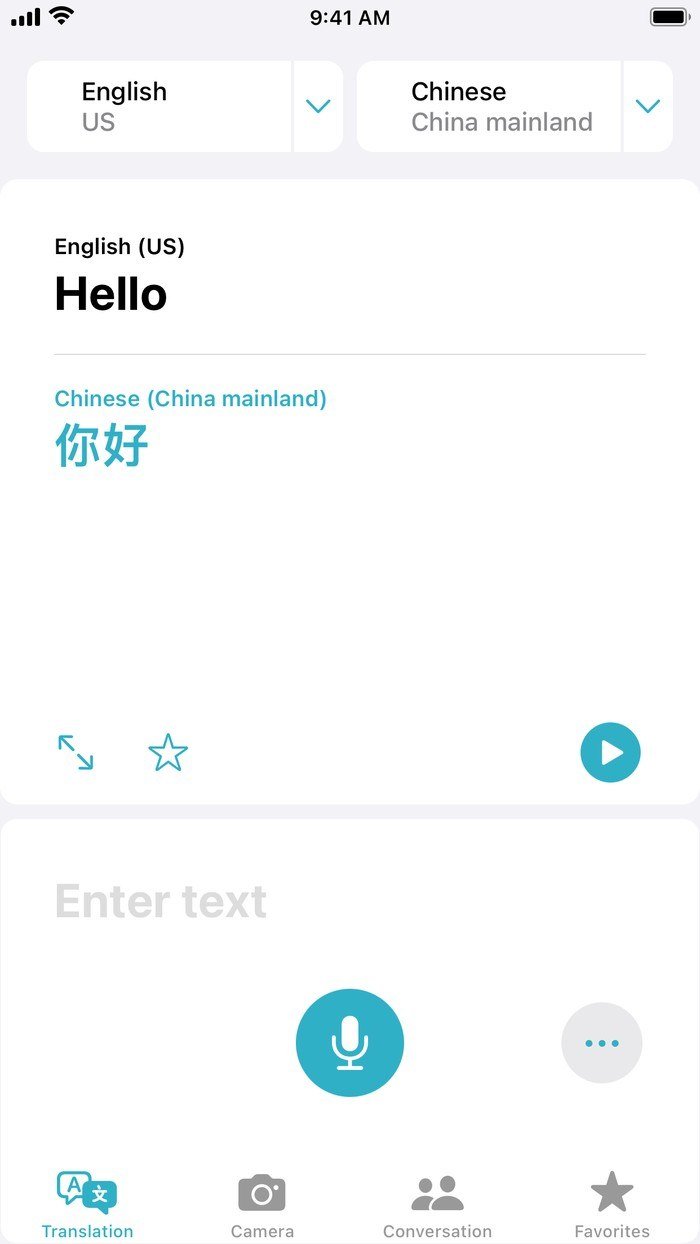
Apple's Translate app comes preinstalled on iPhone and iPad, and Apple's feature availability list includes Hindi both in the app and in system-wide translation, so you can select text in Safari or Notes and translate it in place. The app handles typed text, voice and a side-by-side conversation view.
It is the most private option of the five if you prefer Apple's ecosystem, but it only exists on Apple devices, with no Android app and no website.
- Best for: iPhone owners who want translation inside every app.
- Watch out for: nothing for Android or Windows users.
4. Bhashini: Best for Indian Languages Beyond Hindi
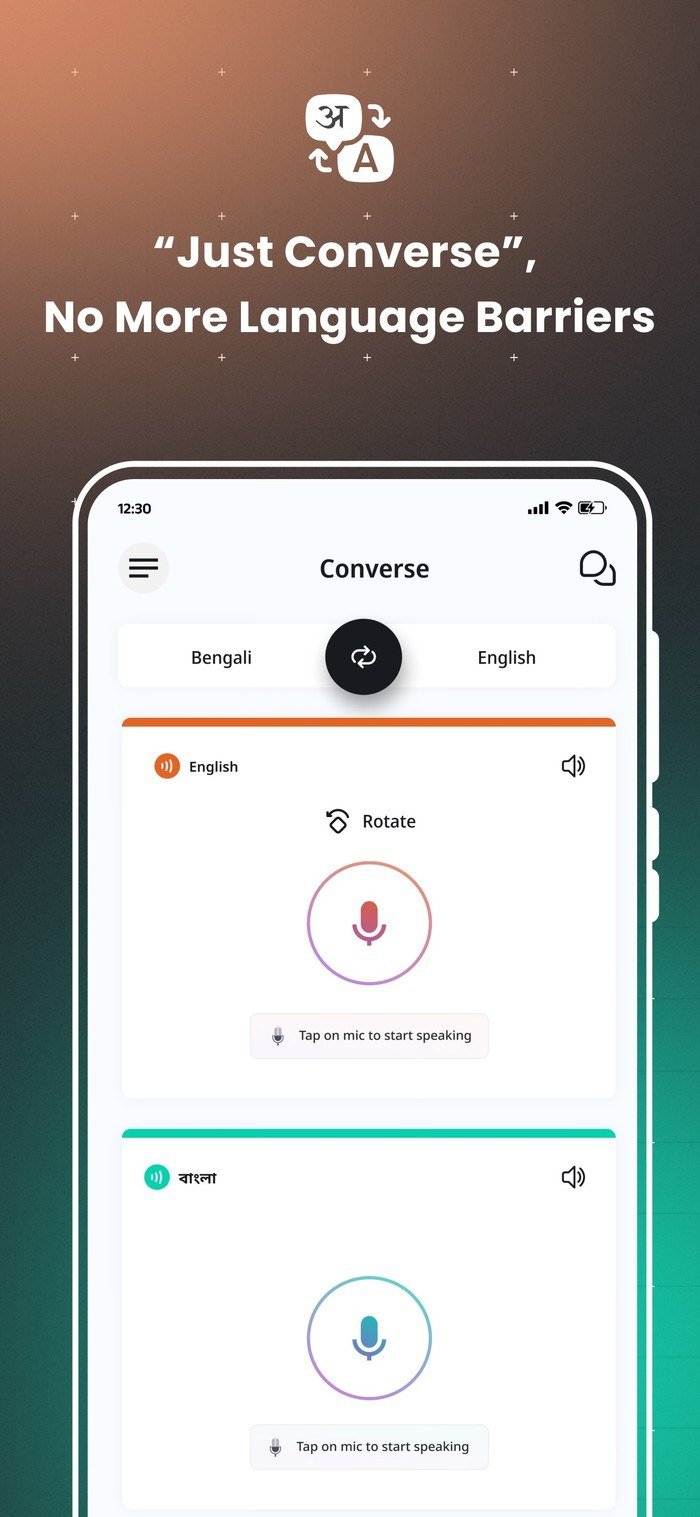
Bhashini is the Government of India's translation app, built under the National Language Translation Mission and published by the National e-Governance Division. It converts speech to text, translates between Indian languages, reads text aloud and has a Converse mode for two-way spoken translation.
Its strength is coverage: UNICEF's profile of Bhashini describes text translation across India's 22 scheduled languages, with a smaller set for voice. That makes it the tool to try when a conversation moves from Hindi to Marathi, Tamil or Bengali.
- Best for: switching between Indian languages, not just English and Hindi.
- Watch out for: fewer languages for voice than for text.
5. EasyHindiTyping: Best Website for Typing and Translating Hindi
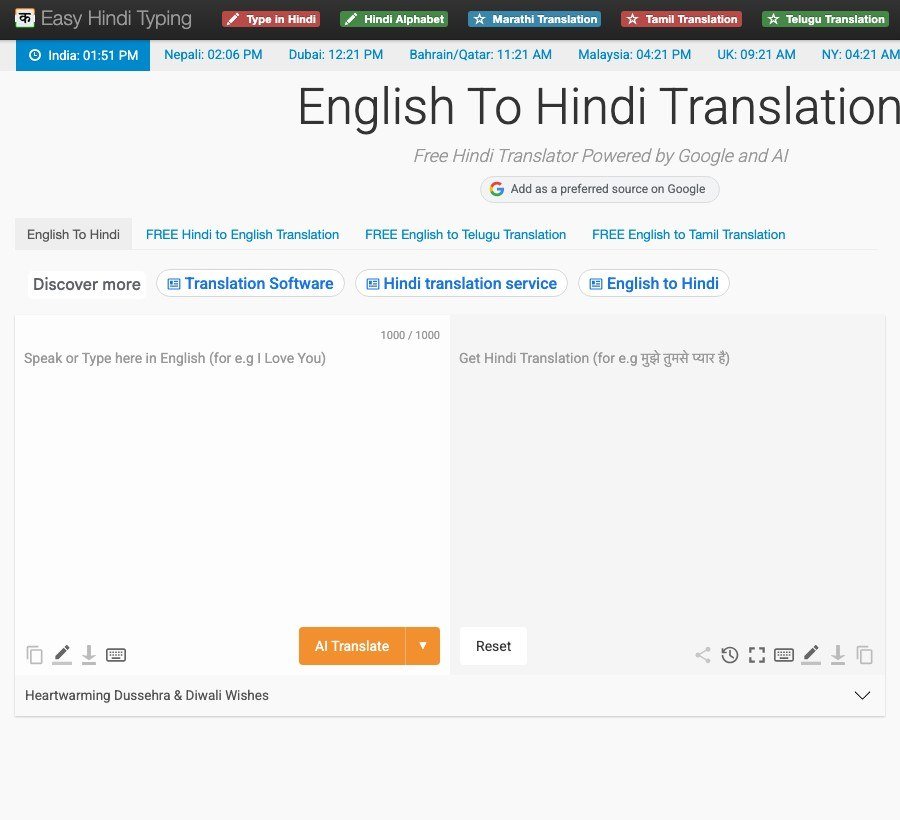
EasyHindiTyping is a free website that pairs an English to Hindi translator with a Hindi typing tool, so you can type phonetically in English letters and get Devanagari script back. Results can be copied, downloaded as a text file or edited before you paste them into an email, form or document.
Each request has a character limit shown under the input box, so split long documents into sections. For whole documents, Google Translate's document upload is the faster route.
- Best for: writing Hindi on a computer without a Hindi keyboard.
- Watch out for: a cap on how much text each request accepts.
Which Hindi Translator to Use for Each Job
Each of the five has a clear lane. Matching the tool to the task saves more time than hunting for a single perfect app.
- Reading a sign, menu or printed form: Google Translate's camera, since Microsoft does not translate Hindi from images.
- Texting friends or family in Hindi: Microsoft Translator with the tone set to Casual, then read the romanised line to check it sounds like you.
- Writing to an elder, a landlord or an office: Google Translate, whose formal wording and respectful forms suit polite messages.
- Translating inside Safari, Mail or Notes on iPhone: Apple's system-wide translation, so you never leave the app you are in.
- A conversation that moves between Indian languages: Bhashini's Converse mode.
- Typing a long Hindi reply on a laptop: EasyHindiTyping, then paste the result wherever you need it.
- Anything legal, medical or official: use these for a first draft only, and have a fluent speaker check the final text.
How to Translate English to Hindi in Google Translate
Google Translate is the tool most people start with, so here is the exact route on a computer and on a phone, including the offline download that saves you when there is no signal.
On a computer
- Go to translate.google.com in any browser.
- Choose English on the left and Hindi on the right.
- Type or paste your text. Check: the Hindi appears as you type.
- Click the speaker icon to hear it, or open Show alternatives for other wordings.
- For a file or a photo, switch to the Documents or Images tab at the top.
On a phone, for offline use
- Connect to Wi-Fi and open the Google Translate app.
- Tap the language name to open the language list.
- Tap Download next to Hindi. If there is no Download option, that language cannot be used offline.
- Wait for the download to finish. Check: downloaded languages are marked in the list.
How to Type in Hindi on Your iPhone
Translation is only half the job if you also want to reply in Hindi. An iPhone can add a Hindi keyboard in a few taps:
- Open Settings and tap General, then Keyboard.
- Tap Keyboards, then Add New Keyboard, and choose Hindi.
- Tap Hindi in your keyboard list to pick an alternative layout, such as one that turns English letters into Devanagari as you type.
- While typing, touch and hold the globe or emoji key and choose Hindi. Check: the keyboard now shows Hindi characters.
On a computer without a Hindi keyboard, EasyHindiTyping does the same job in the browser.
Tips for More Accurate Hindi Translations
Machine translation into Hindi stumbles in predictable places, and small changes to what you type fix most of them.
- Keep sentences short. One idea per sentence avoids tangled word order, since Hindi usually puts the verb at the end.
- Check gender. Hindi verbs change with the speaker, so “I will tell you” becomes बताऊँगा from a man and बताऊँगी from a woman. Most tools default to the masculine form.
- Pick the right “you”. आप (aap) is respectful and तुम (tum) is familiar. Formal output suits officials and elders; casual suits friends.
- Read it back. Translate the Hindi result back to English. If the meaning drifts, rephrase the original.
Hindi is one of the most spoken languages in the world, so every tool here treats it as a priority. For hands-free conversations while travelling, our guide to translation earbuds covers hardware that pairs with these apps.
Frequently Asked Questions
What is the most accurate way to translate English to Hindi?
For everyday text, Google Translate and Microsoft Translator are the most dependable free options. Run important text through both and compare, then ask a fluent speaker to check anything legal or medical.
Can I translate English to Hindi offline?
Yes. Google Translate lets you download Hindi for offline use. On iPhone, open Settings, tap Apps, then Translate, then Languages, and download Hindi for on-device translation. Do it on Wi-Fi before you travel.
Which app translates Hindi with the camera?
Google Translate is the strongest choice for camera translation into Hindi. Microsoft Translator does not offer image translation for Hindi.
Is there a government app for Hindi translation?
Yes. Bhashini, built under India's National Language Translation Mission, is free on Android and iPhone and covers Hindi alongside other Indian languages.
Related Articles

Get the Fox Bulletin briefing
The stories that matter, in your inbox. No spam, unsubscribe anytime.
Newsletter signup will be available soon.
Related stories

Morse Code: The Full Chart, Timing and How It Works
Every letter, digit, punctuation mark and procedural signal in international Morse code, with the timing rules that govern them and the places the code is still working.
Military Alphabet: All 26 Letters, Spelled and Pronounced
Alfa, Bravo, Charlie: the military alphabet is a set of 26 code words that keep letters apart over a noisy radio. Here is every letter, how to say it, and the history behind the list.
How to Turn Off Read Receipts on Instagram DMs
The global switch does not sweep up chats you have already set by hand. That one rule explains almost every case of Seen still appearing.