

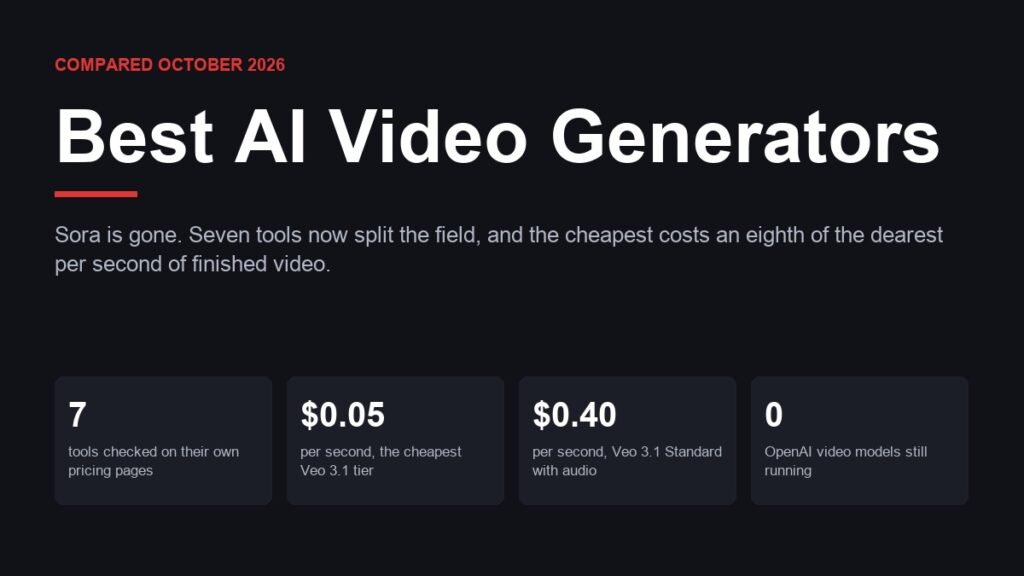
Any list of the best ai video generators written before this spring is now wrong in one important way: Sora is gone. OpenAI discontinued the Sora web and app experiences on April 26, 2026 and shut the Sora API down on September 24, with no successor product. That removes the name most people recognised and leaves the field to Google, Runway, Kling and a handful of others that have quietly overtaken it.
The second thing that has changed is that these tools stopped being rivals in any simple sense. Runway, Luma and Pika all now resell each other’s competitors inside their own interfaces, so the question is less which model is best and more which platform gives you the models you want at a price you can predict. All seven below were checked on their own pricing pages, and the figures are what those pages showed in October 2026.
| # | Tool | Flagship model | Native audio | Max resolution | Entry price |
|---|---|---|---|---|---|
| 1 | Google Veo | Veo 3.1 | Yes | 4K | $0.05/sec on the Lite tier |
| 2 | Runway | Gen-4.5 | Yes, plus music and voice | 4K upscale | $12/month billed annually |
| 3 | Kling AI | Kling 4.0 | Yes, optional | 4K | $0.084/sec at 720p |
| 4 | Luma | Ray3.2 | Via hosted models | 1080p, HDR and EXR | $30/month |
| 5 | Pika | Hosts Seedance and Wan | Yes | Model dependent | $10/month |
| 6 | MiniMax Hailuo | MiniMax H3 | Yes | Model dependent | Free tier available |
| 7 | Seedance | Seedance 2.5 | Yes | 4K on Seedance 2.0 | Sold through other platforms |
1. Google Veo 3.1: The One That Got the Audio Right
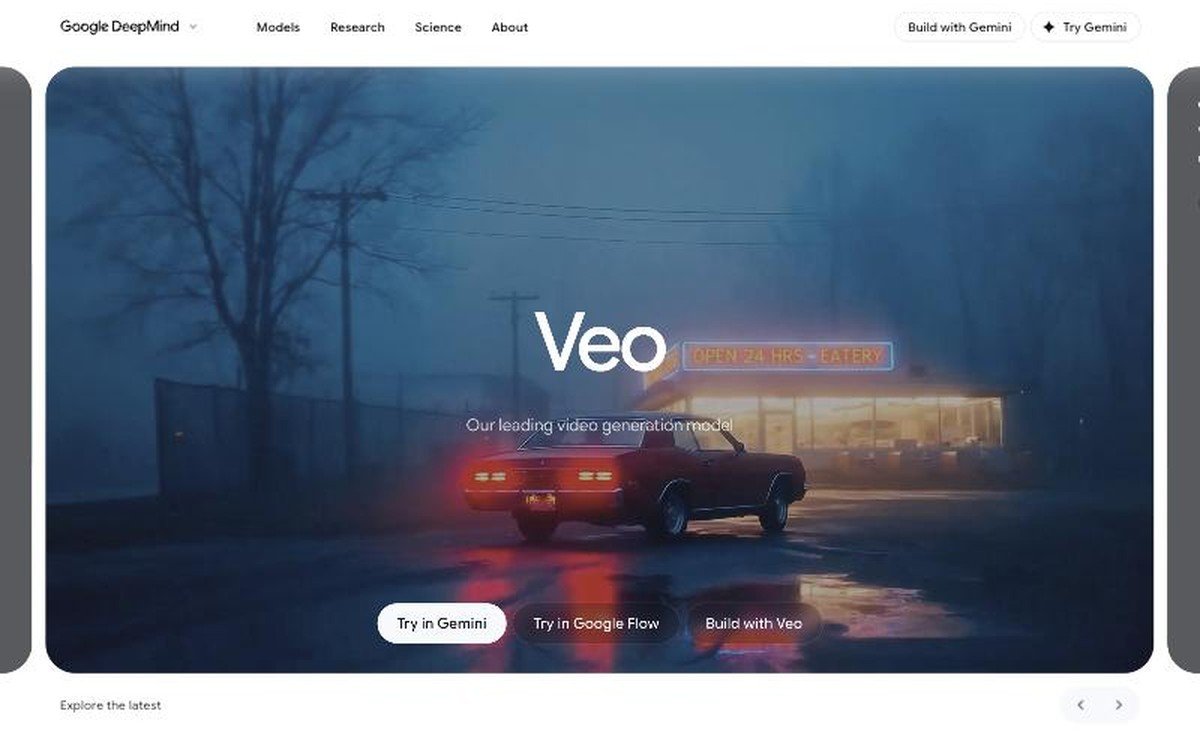
Veo 3.1 · native audio including dialogue · up to 4K · $0.40 per second at the Standard tier, $0.05 at Lite · available through Gemini, Google Flow and the API
Veo was the first model to treat sound as part of the generation rather than something you add afterwards, and that is still the clearest reason to pick it. Google describes Veo 3 as generating sound effects, ambient noise and dialogue natively, and the Veo model page frames the whole product around real-world physics and prompt adherence rather than around raw resolution.
The pricing is where it gets interesting, because there is no single Veo price. Google’s published API rates run from $0.40 per second for Veo 3.1 Standard with audio, at both 720p and 1080p, up to $0.60 per second for 4K. Veo 3.1 Fast drops to $0.10 per second at 720p and Veo 3.1 Lite to $0.05, though Lite does not support 4K output at all. An eight-second clip therefore costs anything from about forty cents to nearly five dollars depending purely on which variant you call.
2. Runway Gen-4.5: The Platform That Carries Everyone Else
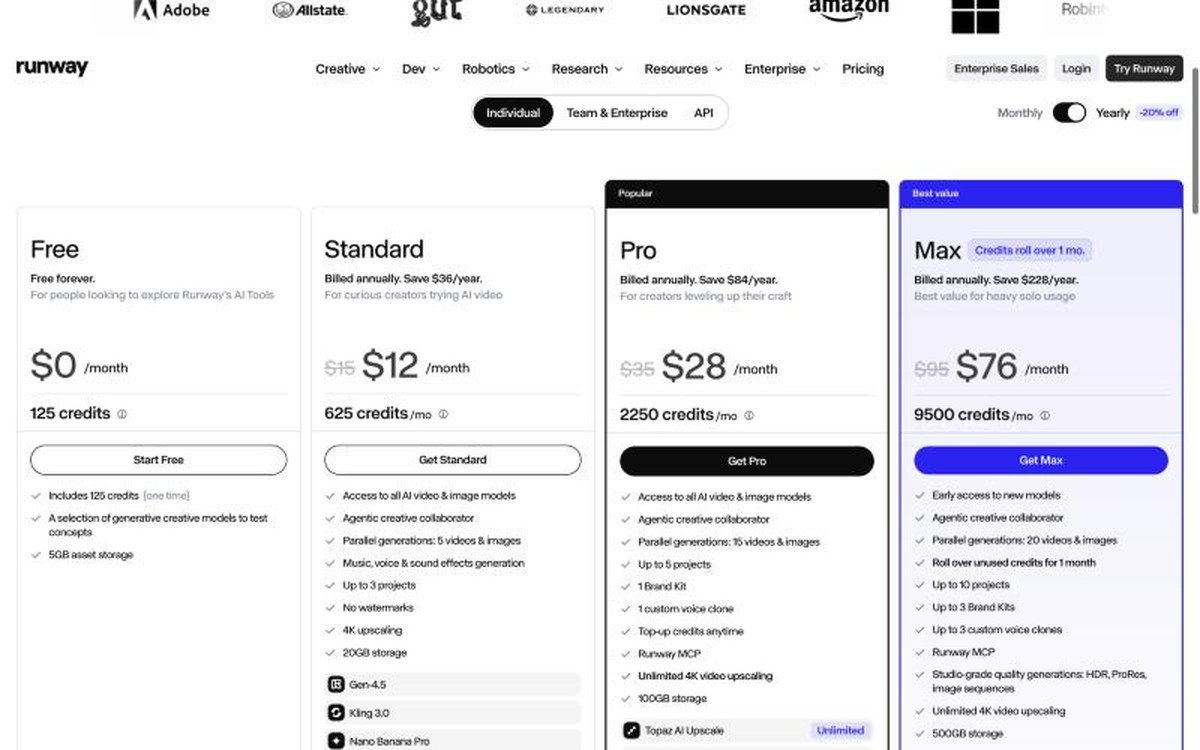
Gen-4.5 at 12 credits per second · Free, $12, $28 and $76 per month billed annually · no watermarks from the paid tiers · also runs Kling 3.0 and Seedance
Runway sells access to its own Gen-4.5 model and to several of the competitors on this page from the same subscription, which is the shape the whole category is moving toward. The plan list runs Free with a one-time 125 credits, Standard at $15 a month or $12 billed annually, Pro at $35 or $28, and Max at $95 or $76. Runway puts its user base at more than 60 million creators.
$28, and Max at $95 or $76. Runway puts its user base at more than 60 million creators.
Credits are the thing to watch rather than the headline price. Gen-4.5 costs 12 credits per second, so Standard’s 625 monthly credits buy roughly 52 seconds of finished video, and Pro’s 2,250 credits buy about 187 seconds. That is under four minutes a month for $28, which reframes Runway as a tool for deliberate shots rather than volume. Max adds credit rollover for one month and studio formats including HDR, ProRes and image sequences.
3. Kling AI: The Cheapest Route to 4K With Audio
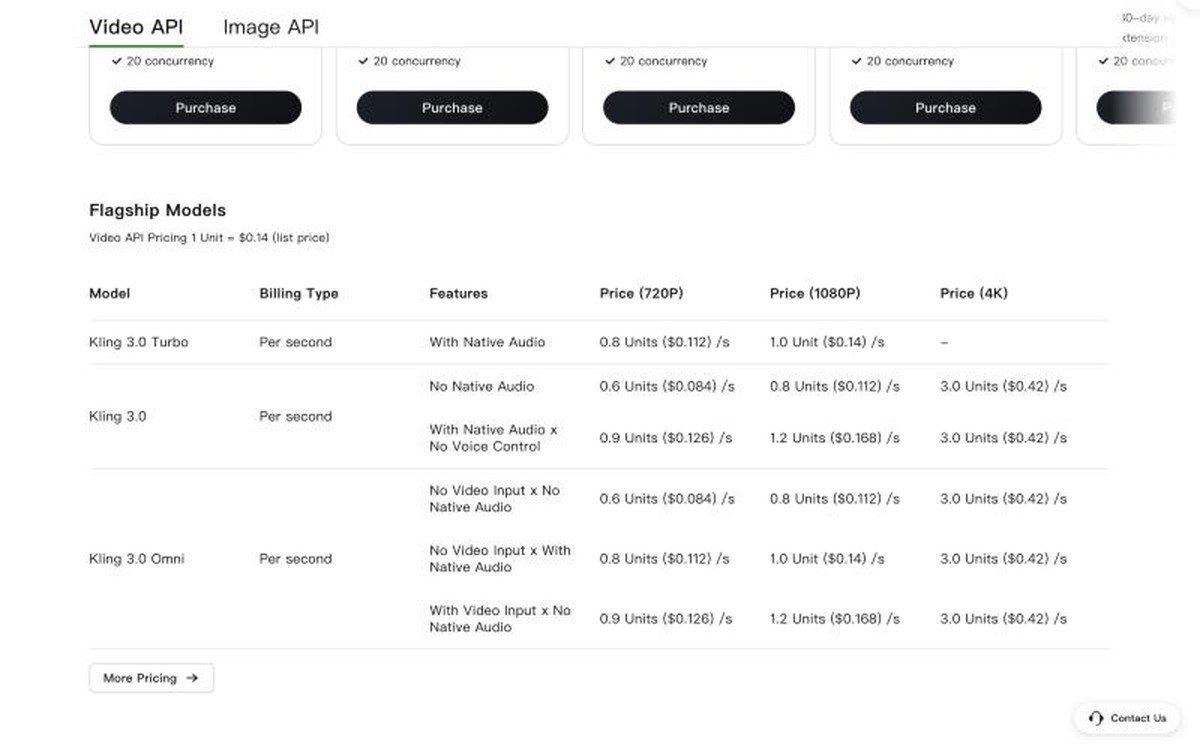
Kling 4.0 is the current flagship · Kling 3.0 from $0.084 per second at 720p · 4K at $0.42 per second · optional native audio · lip sync, video extension and avatars included
Kling is the value argument on this list and it is not close. The published API rate for Kling 3.0 is $0.084 per second at 720p without audio and $0.112 with it, against Veo 3.1 Standard at $0.40. Even Kling’s 4K tier, at $0.42 per second, costs less than Veo’s 4K output. Kling 3.0 Turbo adds native audio as standard but tops out at 1080p.
The feature list is unusually wide for the money, covering text-to-video, image-to-video, multi-image-to-video, multi-element editing, video extension, avatars, lip sync and both text-to-audio and video-to-audio. Kling 4.0 now leads the homepage, though the prepaid API packages carry a note saying they do not yet cover it. The work speaks for itself: Kling says a short film made with it, directed by Sebastian Strasser for The RealReal, took a Silver and a Bronze at the 2026 Cannes Lions.
4. Luma Ray3.2: The Only One Outputting HDR and EXR
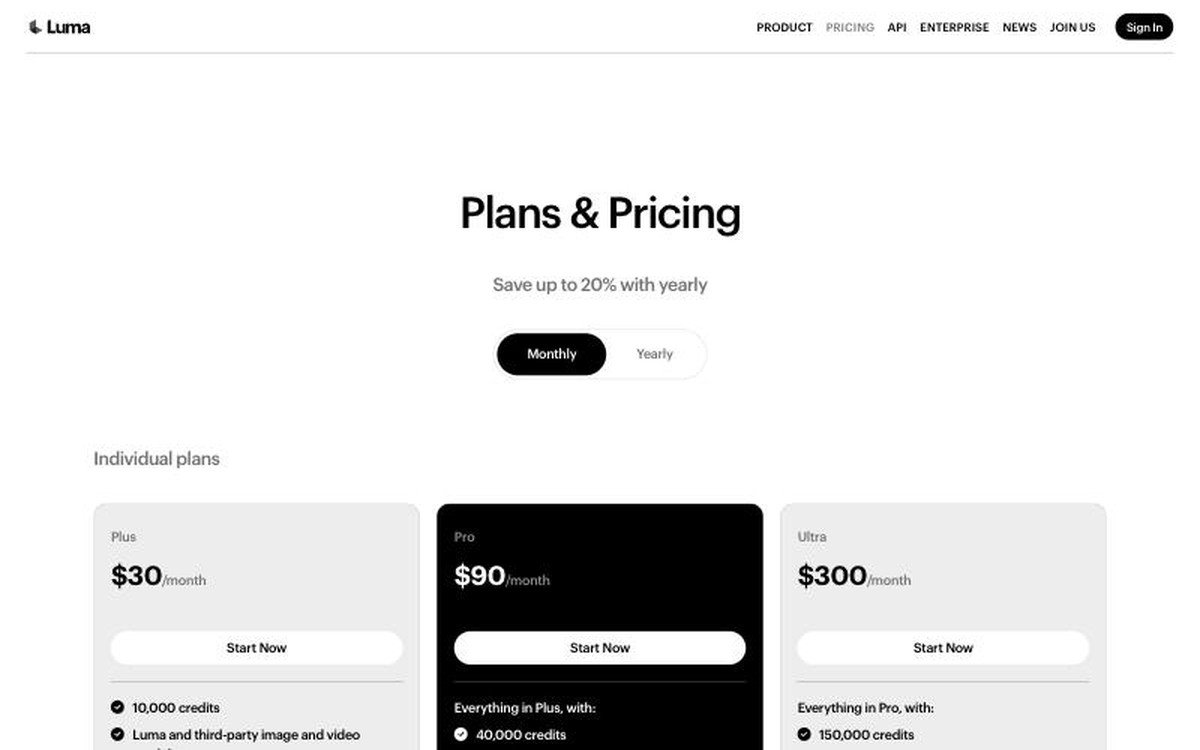
Ray3.2 and Ray3.14 · HDR at double credit cost, HDR plus EXR at triple · $30, $90 and $300 per month · commercial use from the entry plan · also hosts Veo 3.1, Kling and Seedance
Luma is the pick for anyone whose footage has to survive a grading suite. Ray3.2 can output SDR, HDR at double the credit cost, or HDR plus EXR at triple, and EXR is a compositing format rather than a delivery one. Nothing else in this roundup offers it, and it is the detail that makes Luma a visual effects tool rather than a social video tool.
The plans are Plus at $30 a month for 10,000 credits, Pro at $90 for 40,000 and Ultra at $300 for 150,000, with commercial use included from Plus upward. Ray3.2 costs 100 credits for five seconds at 720p and 400 at 1080p, while the older Ray3.14 is far cheaper at 20 credits per second at 720p. Luma also resells Veo 3.1, Kling 3.0, Kling Omni and three Seedance variants, so the subscription doubles as a way to compare models without buying four of them.
5. Pika: Read the Commercial Licence Line Before You Subscribe
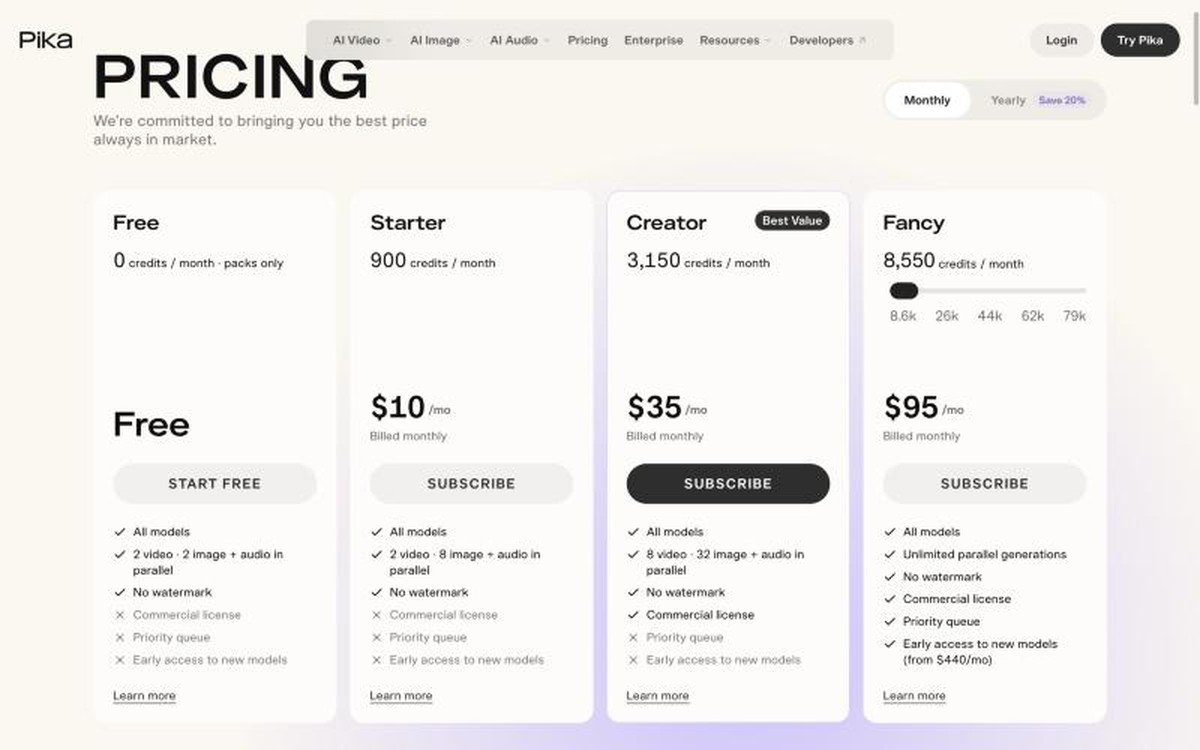
Free, $10, $35 and $95 per month · no watermark on any tier including free · commercial licence only from the $35 Creator plan · runs Seedance 2.5, Wan 3.0 and Nano Banana 2
Pika does something genuinely unusual and removes the watermark on every plan, including the free one. The catch sits two rows lower in the same table: the commercial licence is not included on Free or on the $10 Starter plan. You can publish unwatermarked video from a ten dollar subscription and still not be licensed to use it commercially, which is the kind of distinction that only surfaces when a client asks.
Credits buy access to a model library rather than to Pika’s own generator. A 720p five-second Seedance 2.5 clip costs 122 credits, Wan 3.0 costs 33, and Nano Banana 2 images cost eight apiece, so Starter’s 900 monthly credits stretch to about seven Seedance clips or 27 Wan ones. Top-up packs run at 60 credits per dollar and work only inside Pika Create on the web, not through the API, the MCP server or the iOS app.
6. MiniMax Hailuo H3: The Serious Open-Weight Option
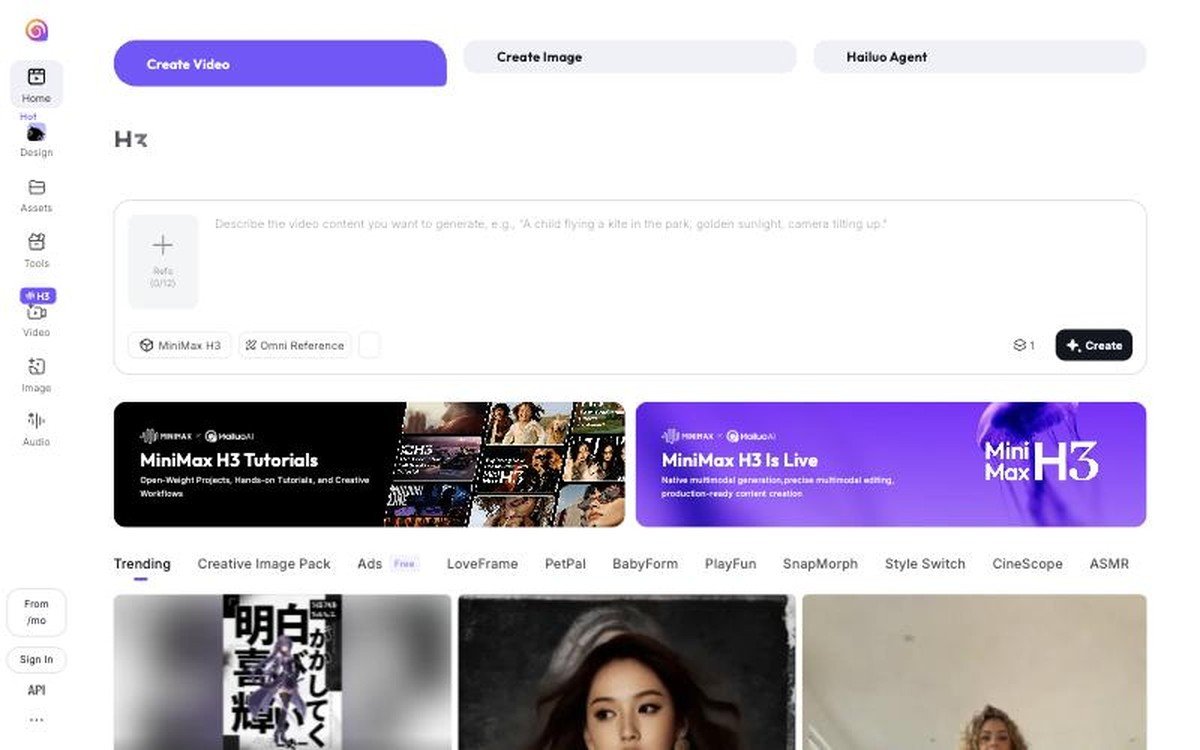
MiniMax H3 · open weights · Omni Reference accepts up to 12 reference inputs · free tier to try · also powers MiniMax Design and the Hailuo Agent
MiniMax publishes H3 as an open model, which puts it in a different category from everything else here. Its research write-up describes H3 as breaking the boundaries between tasks and modalities, and the same company has released its Music 3.0 model under open weights too. If your requirement is that the model can run somewhere you control, this is the shortlist.
The hosted version at Hailuo is a normal consumer product with a free tier, and the feature worth knowing is Omni Reference, which accepts up to twelve reference inputs for a single generation. That is a lot of control over character and style consistency, which is the weakness most people hit second, after resolution. MiniMax frames H3 around native multimodal generation and precise multimodal editing rather than one-shot clip production.
7. Seedance 2.5: The Model You Buy Through Somebody Else
ByteDance Seedance 2.5 and 2.0 · audio on every tier · 4K on Seedance 2.0 · no first-party consumer app, reached through Luma, Pika, Runway or InVideo
Seedance is the odd one out because there is no Seedance subscription to buy. ByteDance’s model reaches Western users through other people’s platforms, and it turns up in the pricing tables of four tools on this page. That makes it the clearest example of how this market now works.
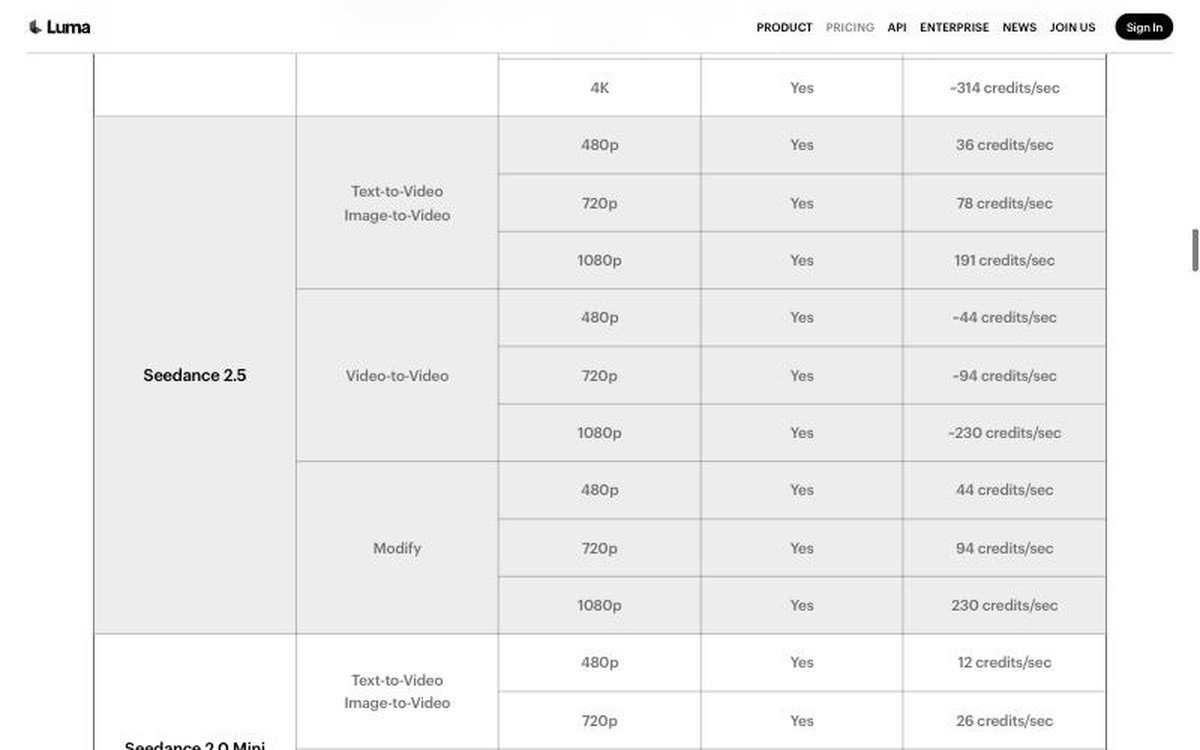
The rates differ by host, which is the practical reason to care. On Luma, Seedance 2.5 costs 36 credits per second at 480p, 78 at 720p and 191 at 1080p, all with audio, while Seedance 2.0 goes to 4K at 261 credits per second. On Pika the same 720p five-second clip is 122 credits. InVideo restricts Seedance 2.5 and 2.0 to its Pro and Ultra plans and blocks them on Basic entirely. Same model, four different bills.
Sora Is Gone, and What That Changed
OpenAI discontinued the Sora web and app experiences on April 26, 2026, and the API followed on September 24. There is no replacement product. Anyone who created work there can still export it from the sunset page, and OpenAI has said that after any final export window it will permanently delete data associated with Sora use. Purchased credits can be redirected to Codex.
The practical effect is that a lot of advice published in the last year points at a product that no longer exists, which is worth remembering when comparing roundups. The gap Sora left was filled quickly, mostly by Google on quality and by Kling on price.
- Clips you generated in Sora are not automatically preserved, so export before any final window closes.
- Workflows built on the Sora API need rewriting against another provider, not porting.
- Comparison articles that still rank Sora first were written before March 2026.
- No OpenAI video model has been announced to replace it.
The Platforms Now Resell Each Other
Runway, Luma, Pika and InVideo all sell access to models they did not build. Runway’s plans list Kling 3.0 and Seedance alongside its own Gen-4.5. Luma’s pricing table includes Veo 3.1, two Kling models and three Seedance variants. Pika runs Seedance and Wan. The practical result is that you rarely need more than one subscription to try several models.
It also means the same generation can cost very different amounts depending on where you run it, and that credit systems are not comparable between platforms. A credit on Luma, a credit on Runway and a credit on Pika are three different units. The only figure that transfers is cost per finished second, which is why this roundup leads with it. The same repackaging reshaped music first, as our streaming service comparison sets out.
How These Seven Were Checked
Every price, resolution and model name here was read from the vendor’s own pricing or model page in October 2026, not from a press release or a secondary comparison site. Where a vendor quotes credits rather than currency, the credit cost per second of finished video is given so the tools can be compared on the same basis.
Third-party roundups disagreed sharply on these numbers while this one was being written, including on whether Sora still existed, which is the reason for going to source. Prices quoted in local currency on a vendor’s site have been left out rather than converted, and promotional discounts have been ignored in favour of list prices, since promotions expire and list prices tend not to. We take the same approach to software elsewhere, including in our audiobook app roundup.
How to Choose From the Best AI Video Generators
Start from the deliverable rather than the model. If the clip needs dialogue and sound in one pass, Veo 3.1 is still the strongest and Kling 3.0 Turbo is the cheap alternative. If it needs to go into a grade or a composite, Luma is the only one here producing HDR and EXR. If it needs to be published by a business, check the commercial licence line, because Pika gates that behind its $35 plan.
Then work out your monthly volume, because the subscriptions are built for very different appetites. Runway Pro buys roughly three minutes of Gen-4.5 a month. Kling at $0.084 per second buys about twenty minutes for similar money. Heavy users should price the same clip on two platforms before committing, since the same Seedance generation costs different amounts on Luma, Pika and InVideo. A capable display helps more than people expect when judging output, and our monitor comparison covers that side.
- Dialogue and sound effects in one generation: Veo 3.1, or Kling 3.0 Turbo on a budget.
- Post-production and compositing: Luma, for HDR and EXR output.
- Trying several models on one bill: Runway, Luma or Pika.
- Running the model yourself: MiniMax H3, which ships open weights.
- Lowest cost per finished second: Kling, by a wide margin.
Frequently Asked Questions
Is Sora still available?
No. OpenAI discontinued the Sora web and app experiences on April 26, 2026 and shut down the Sora API on September 24, 2026, with no successor announced. Existing work can be exported from the sunset page, and OpenAI has said data associated with Sora will be permanently deleted after any final export window.
Which AI video generator is cheapest?
Kling, on published per-second rates. Kling 3.0 runs $0.084 per second at 720p without audio against $0.40 per second for Veo 3.1 Standard. Google’s Veo 3.1 Lite tier is cheaper still at $0.05 per second, but it caps out at 1080p and cannot produce 4K.
Can you use AI generated video commercially?
It depends on the plan, not the tool. Luma includes commercial use from its $30 Plus plan, while Pika withholds the commercial licence from both its free tier and its $10 Starter plan. Always read that specific line rather than assuming a paid subscription covers it.
Do any of these run without a subscription?
Several sell API access by the second instead, which suits occasional use better than a monthly plan. Google, Kling and the platforms reselling Seedance all publish per-second rates. MiniMax H3 goes further and ships as an open-weight model you can run yourself.
Related Articles

Get the Fox Bulletin briefing
The stories that matter, in your inbox. No spam, unsubscribe anytime.
Newsletter signup will be available soon.
Related stories
Best AI Image Generators: 5 Compared on Price and Rights
Five AI image generators compared on price, commercial rights and the free-tier catch two of them share: your generations are public unless you pay.
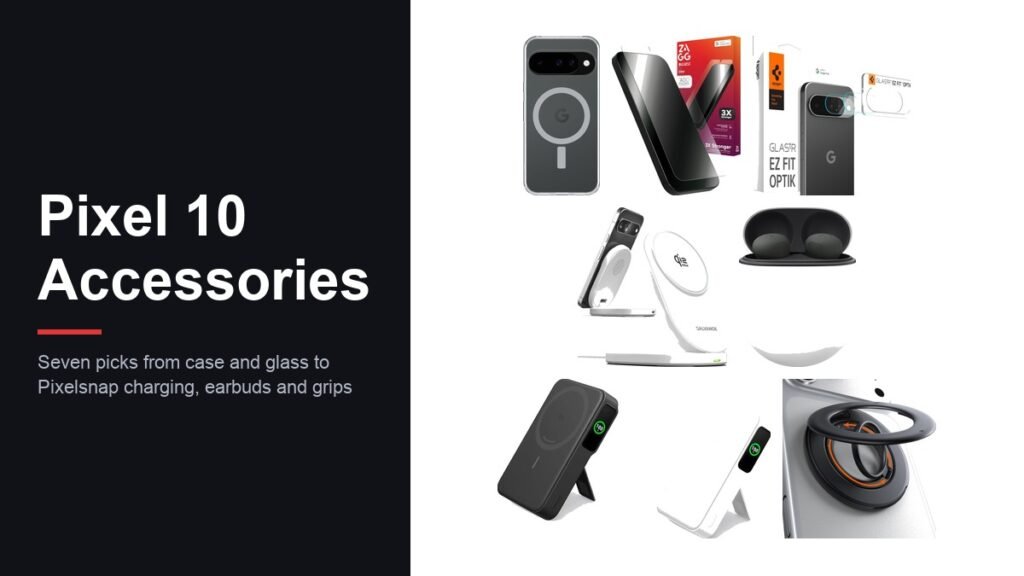
Best Pixel 10 Accessories: 7 Picks From Case to Power Bank
Seven Pixel 10 accessories covering a case, screen and camera glass, a Pixelsnap charging stand, Pixel Buds Pro 2, a magnetic power bank and a grip ring.
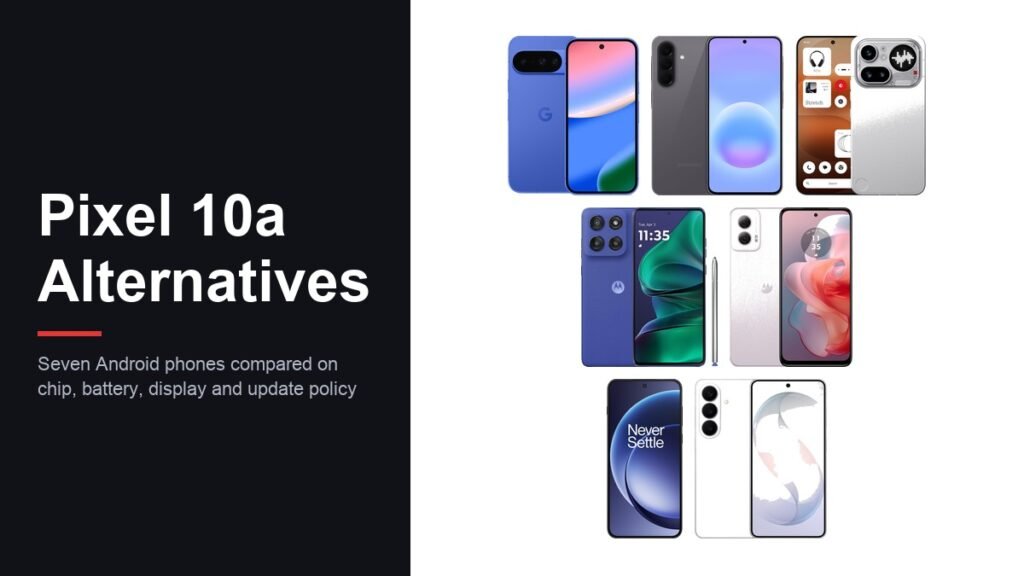
Best Pixel 10a Alternatives: 7 Android Phones Compared
Seven alternatives to the Google Pixel 10a compared on processor, battery, display and how long each maker supports the phone, from budget Motorola to the Galaxy S26.