

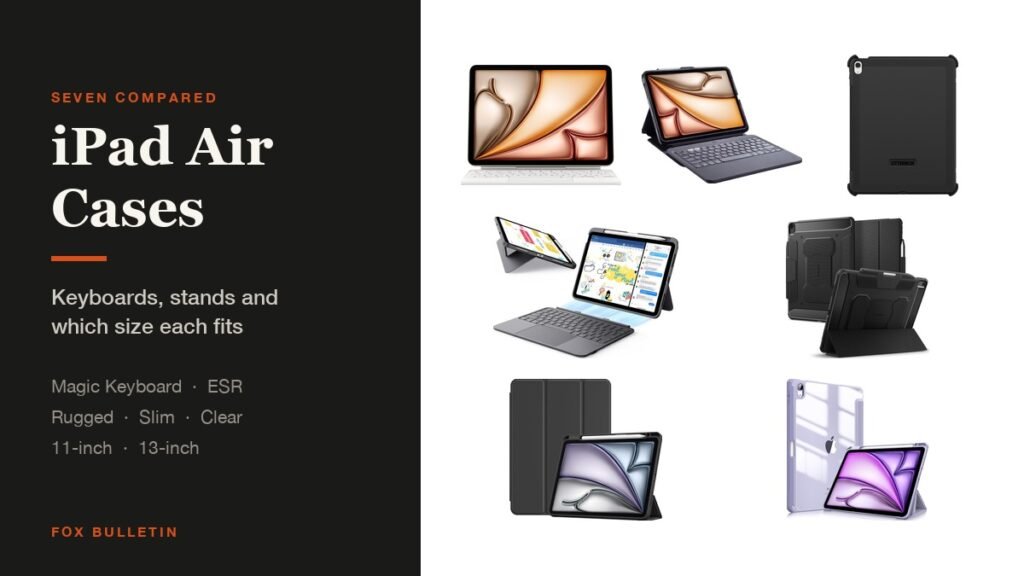
The best iPad Air case depends on whether you type on the tablet. If you do, Apple own Magic Keyboard is still the best keyboard for an 11-inch Air, and the ESR ultra-light case does most of the same job for far less. If you do not, a slim folio or a clear hardshell is all the Air needs.
The complication is size. The Air now comes in 11-inch and 13-inch versions and they take different cases, while the 11-inch shares its case with the older 10.9-inch Air 4 and Air 5. The table shows which pick covers which:
iPad Air Cases Compared: Size, Keyboard and Stand
Every one of these lists the exact models it fits, and the size split is the thing to get right first:
| # | Case | Fits | Type | Stand | Best for |
|---|---|---|---|---|---|
| 1 | Apple Magic Keyboard | 11-inch Air, Air 4 and 5 | Keyboard with trackpad | Two-cantilever hinge | The best typing |
| 2 | ESR Ultra-Light Keyboard | 11-inch Air, Air 4 and 5 | Detachable keyboard | 65 and 20 degrees | Typing for less |
| 3 | ZAGG Pro Keys 2 | 13-inch Air, other sizes sold | Rugged keyboard folio | Two angles | Keyboard plus a drop rating |
| 4 | OtterBox Defender | 13-inch Air M2, M3, M4 | Rugged shell | Four positions | Drops |
| 5 | Spigen Air 13 Case | 13-inch Air M2, M3, M4 | Protective with pencil slot | Built-in kickstand | Carrying a Pencil |
| 6 | ProCase Slim | 11-inch Air, Air 4 and 5 | Slim folio | Trifold cover | Everyday use |
| 7 | Fintie Clear Case | 11-inch Air, Air 4 and 5 | Clear hardshell folio | Folding cover | Showing the finish |
1. Apple Magic Keyboard: The Best iPad Air Case for Typing
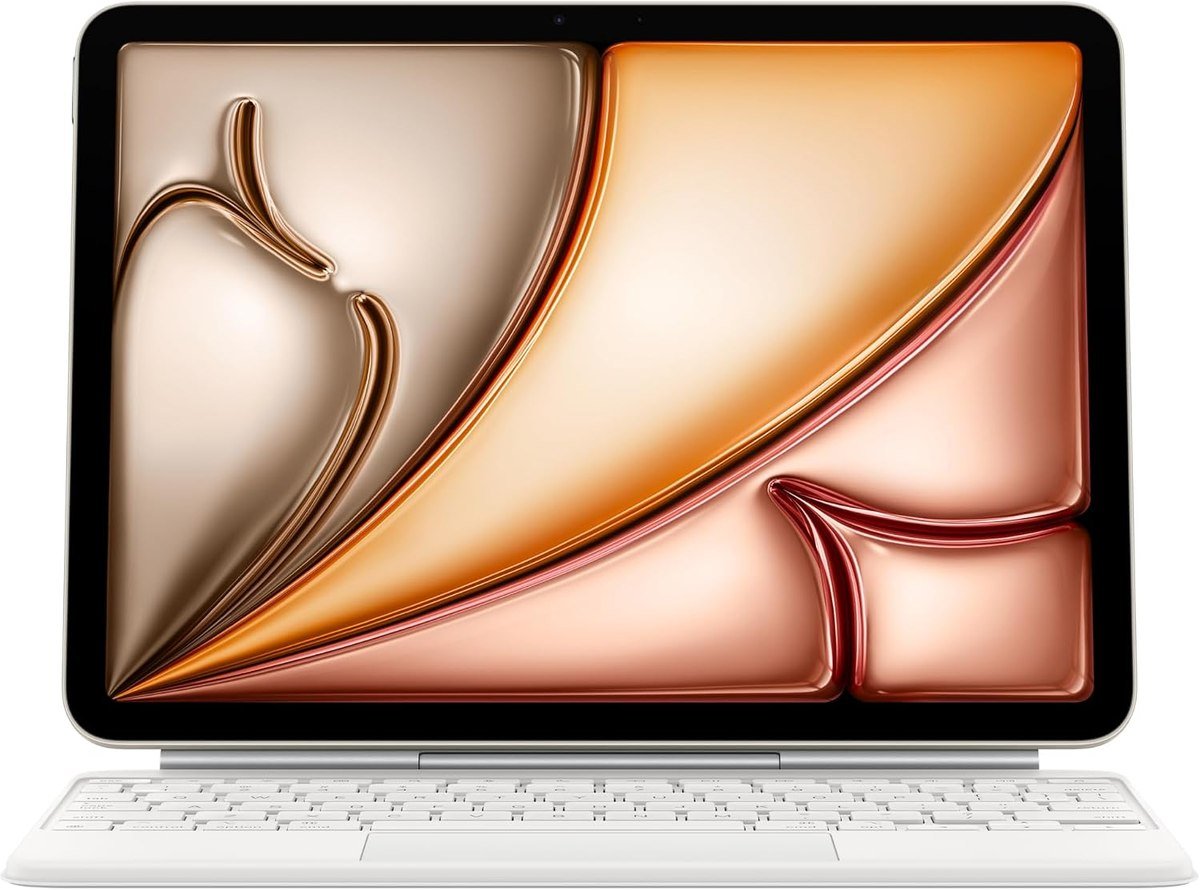
Apple describes the Magic Keyboard for iPad Air as thin and portable, with a full 14-key function row, a built-in trackpad, USB-C pass-through charging and a floating cantilever design, and notes that it needs no pairing and no charging of its own. It attaches magnetically and uses a two-cantilever hinge for adjustable viewing angles, with scissor-mechanism keycaps.
Compatibility is the part to read closely: Apple lists this one for the iPad Air 11-inch with M2, M3 and M4 and for the Air 4th and 5th generation. It folds to protect front and back, and the pass-through USB-C port means the tablet own connector stays free for everything else.
What it does well
- No pairing and no separate battery
- Trackpad plus a function row
- Pass-through charging keeps the port free
What to know before buying
- The most expensive case here by a distance
- Only for the 11-inch Air sizes
2. ESR Ultra-Light Keyboard Case: Best Value iPad Air Keyboard Case
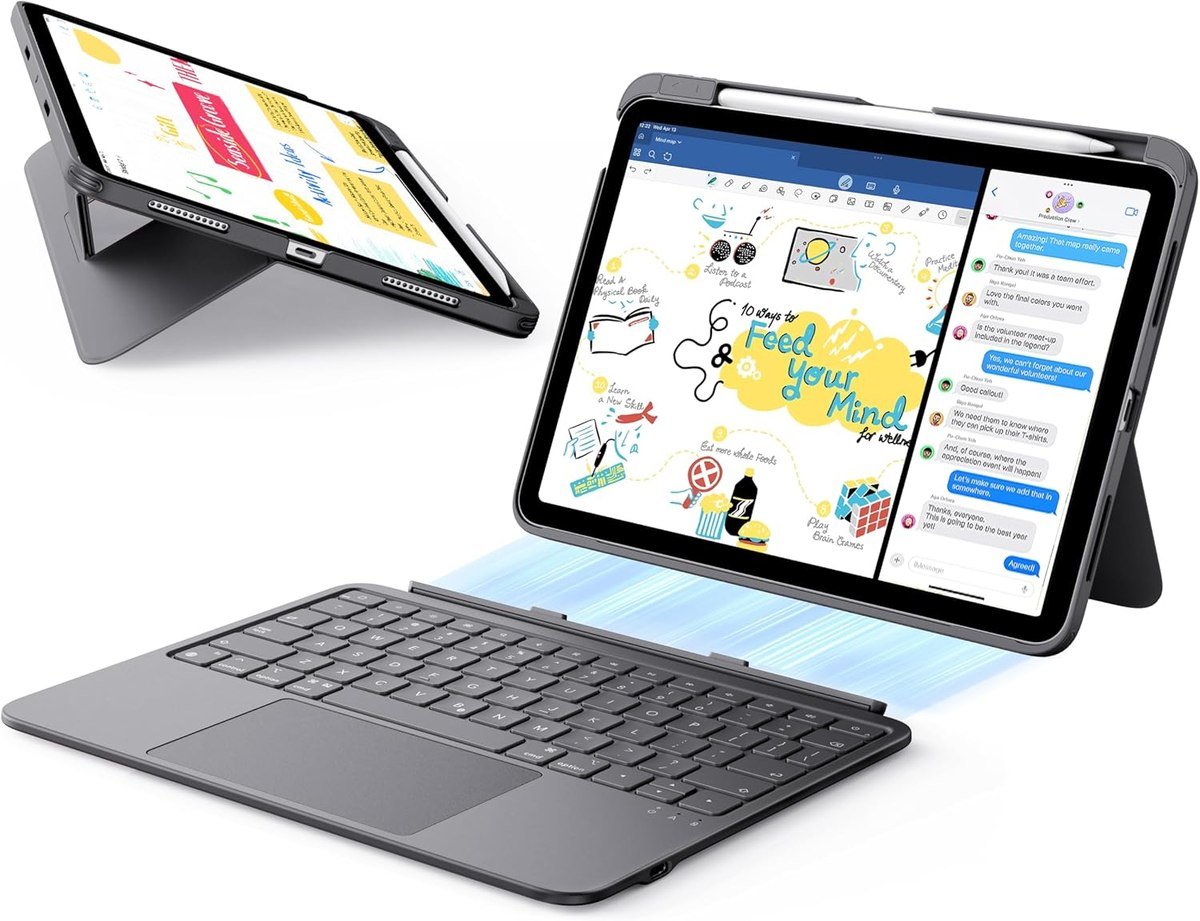
ESR gets most of the way to the Apple experience for a fraction of the money. The keyboard attaches and detaches magnetically, so the tablet comes free for reading or sketching, and the trackpad is 65 percent larger than the ones on ordinary keyboard cases, supporting gestures from a one-finger drag to a three-finger scroll.
A triangular support gives two fixed angles, 65 degrees for working or watching and 20 degrees for sketching and writing, and the whole thing is 6.9mm thick. ESR lists the Air 11-inch with M4, M3 and M2 plus the Air 5th and 4th generation, down to the model numbers. The one omission worth knowing about is backlighting, which this keyboard does not have.
What it does well
- Large, gesture-capable trackpad
- Keyboard detaches magnetically
- Thin and light for a keyboard case
What to know before buying
- No backlit keys
- Two fixed angles rather than a free hinge
3. ZAGG Pro Keys 2: Best Rugged iPad Air Keyboard Case
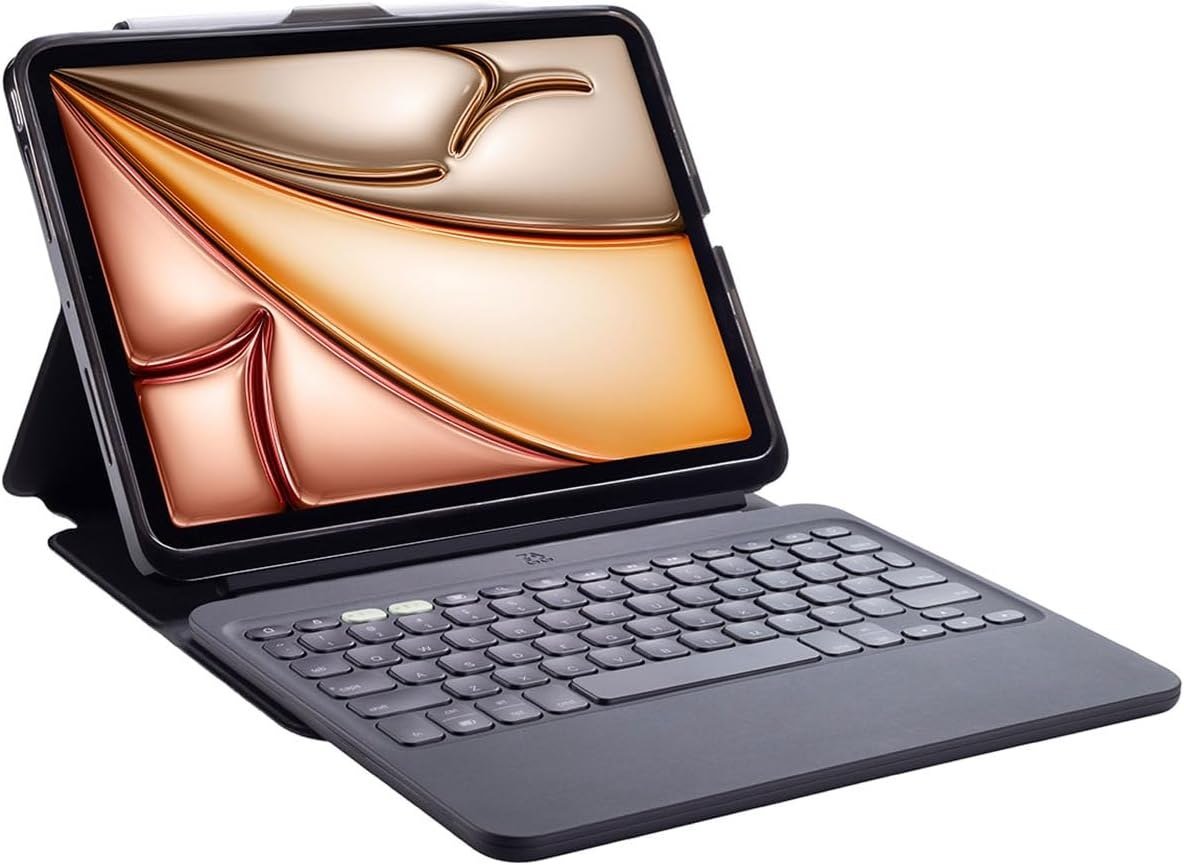
ZAGG combines a keyboard with actual impact protection. The polycarbonate case has rubberised edges and corner bumpers and carries a 6.6 foot, or 2 metre, drop rating, while the magnetic folio cover protects the screen and doubles as a stand with two viewing angles.
The keyboard uses laptop-style keys with seven-colour backlighting for low light. This listing is titled for the 13-inch Air with M4, M3 and M2, and ZAGG sells the same case for the 10.9-inch and 11-inch Airs, so pick the size variant that matches your tablet rather than assuming one fits all.
What it does well
- Drop protection and a keyboard together
- Seven-colour backlighting
- Folio cover works as a stand
What to know before buying
- Heavy and thick
- Sold per size, so check the variant
4. OtterBox Defender Series: Best Rugged iPad Air Case
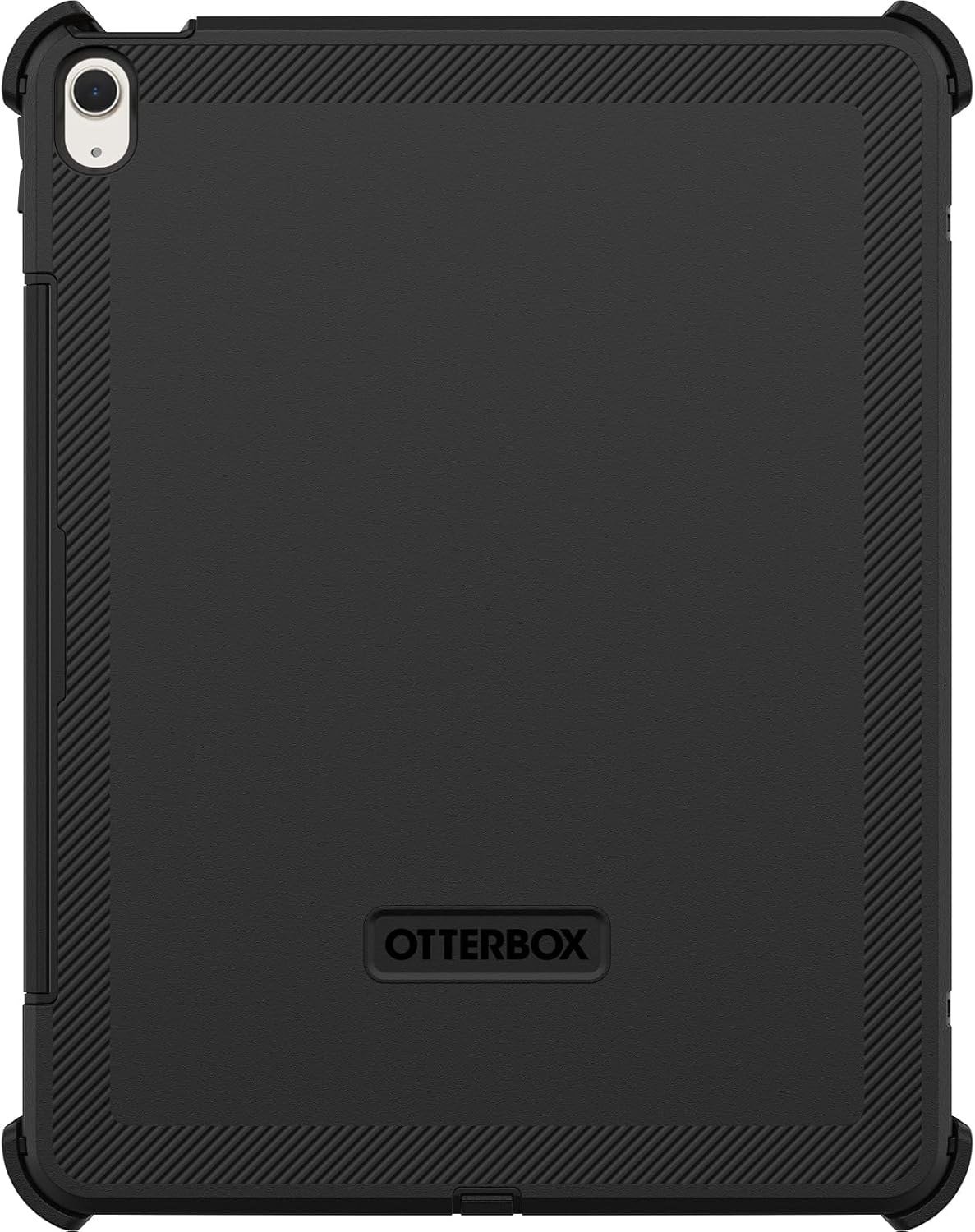
OtterBox rates this one as DROP+, which it defines as twice as many drops as the military standard MIL-STD-810G 516.6, and lists it for the 13-inch iPad Air with M2, M3 and M4. The cover gives a four-position stand covering typing, media, portrait and streaming.
It is a large case for a large tablet: OtterBox publishes dimensions of 11.80 by 9.31 by 1.05 inches, which is roughly 300 by 236 by 27mm. That is the trade for the protection, and it is the reason this makes sense for a tablet that travels to sites, workshops or classrooms rather than one that lives on a desk.
What it does well
- Published drop testing rather than a vague claim
- Four genuinely distinct stand positions
- Built for rough environments
What to know before buying
- Thick and heavy
- 13-inch Air only in this listing
5. Spigen Air 13 Case: Best iPad Air Case for Carrying a Pencil
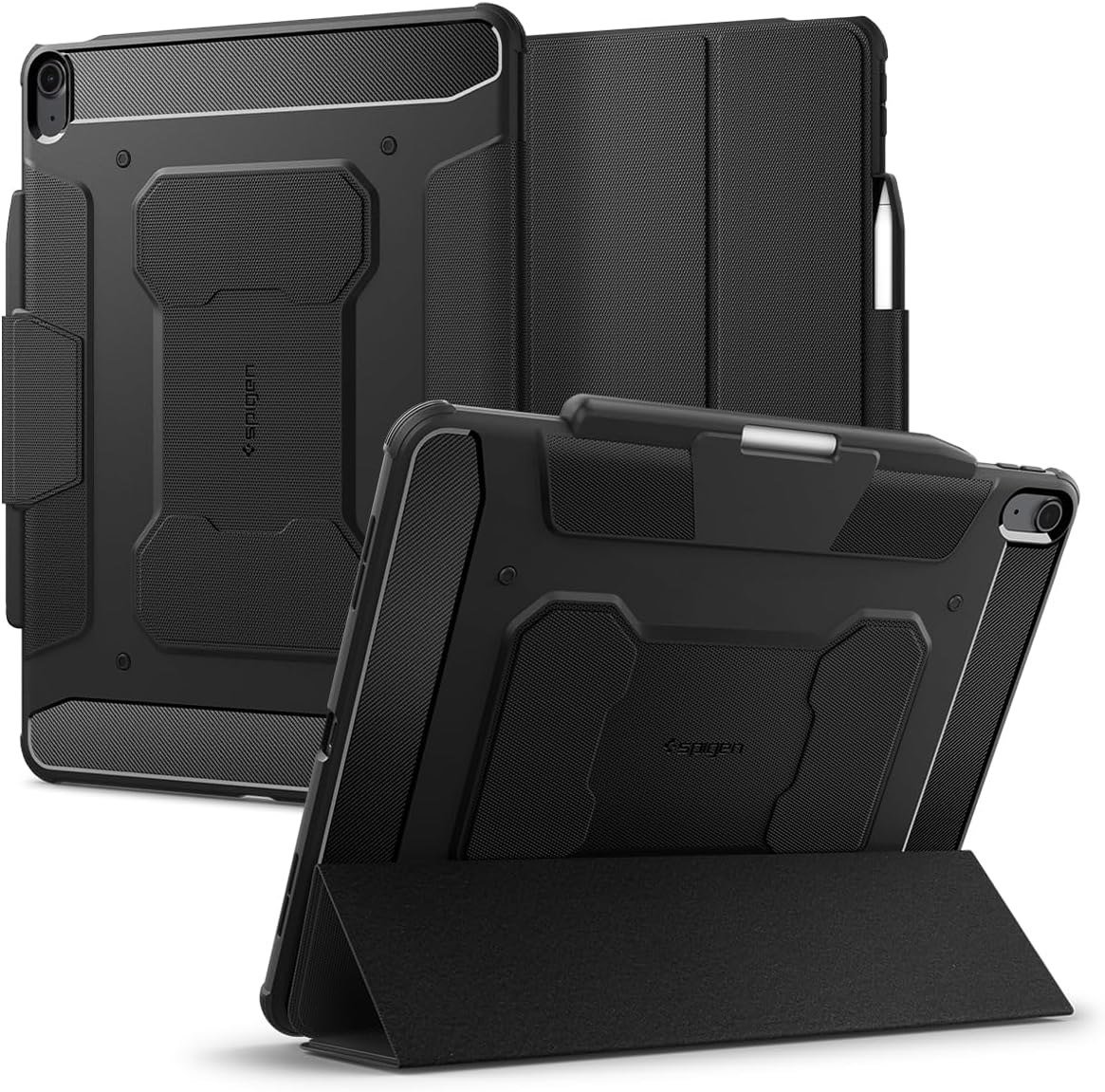
Spigen builds this around the stylus. A dedicated slot holds the Apple Pencil with a cutout for easy access and a magnetic strap that keeps it secure in a bag, which is a more reliable arrangement than relying on the tablet own magnets.
The finish is matte black with carbon fibre detailing, and Spigen says the textured surface adds grip to help prevent drops. A built-in kickstand props the tablet without a folio cover, which keeps the overall package lighter than a full folio while still giving a working angle.
What it does well
- Pencil slot with a magnetic strap
- Matte texture adds real grip
- Kickstand without folio bulk
What to know before buying
- No screen cover in this configuration
- Sold per size, so check the variant
6. ProCase Slim: The Best Everyday iPad Air Case
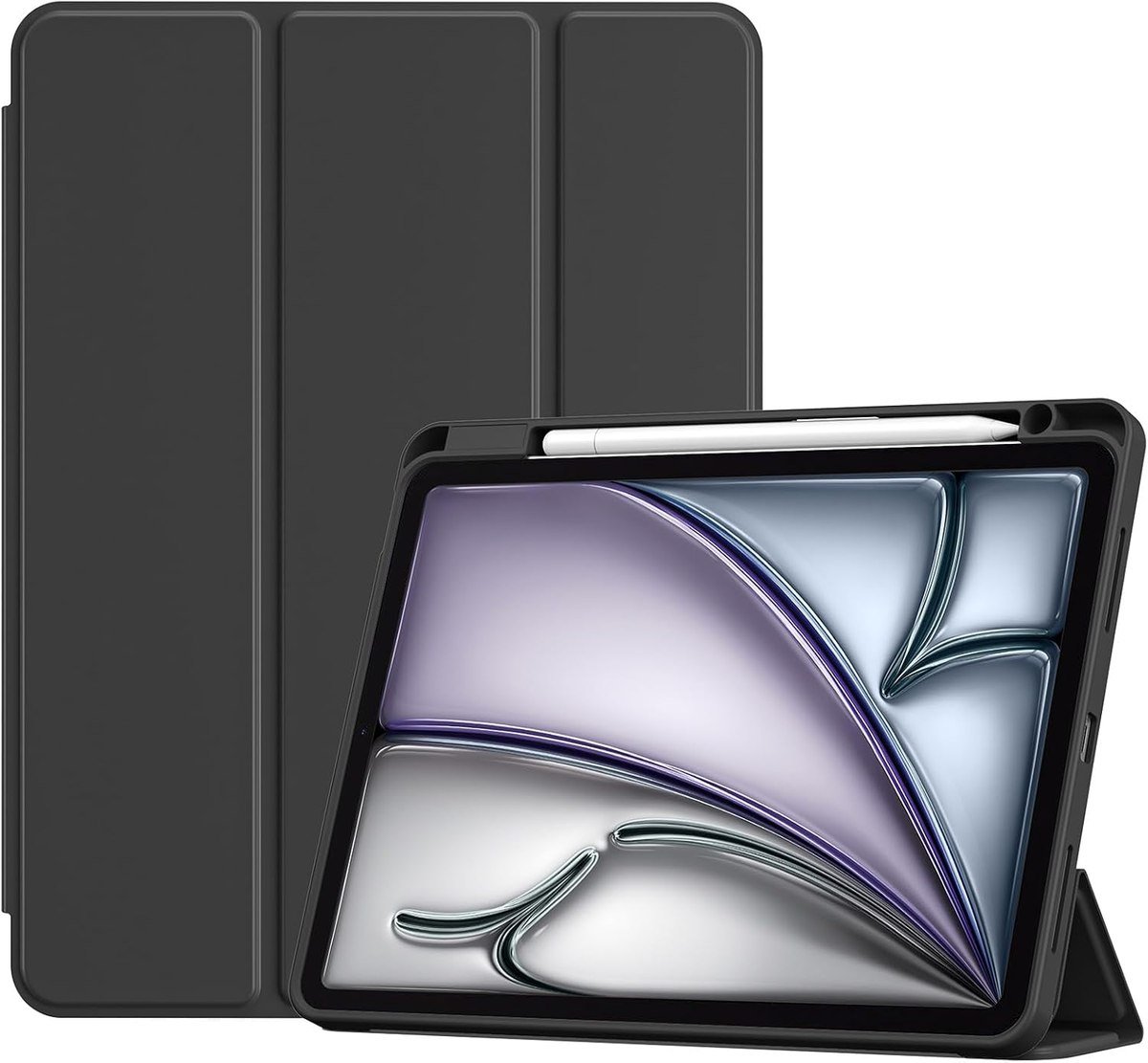
ProCase covers the 11-inch Air with M4, M3 and M2 and the Air 5th and 4th generation, listing the model numbers for each, including the M4 models A3460 and A3463 and the M3 models A3266, A3267 and A3270. A flexible TPU back takes shocks and scratches while keeping the profile slim and travel-friendly.
This is the default purchase for an Air that is used for reading, browsing and video. It protects the corners, props the tablet with its cover and adds very little to the weight, which is the whole reason to buy an Air rather than a Pro.
What it does well
- Covers four generations of 11-inch Air
- Slim enough not to spoil the tablet
- Flexible TPU back
What to know before buying
- Light protection against a serious drop
- Fixed trifold angles
7. Fintie Clear Case: Best iPad Air Case for Showing the Finish
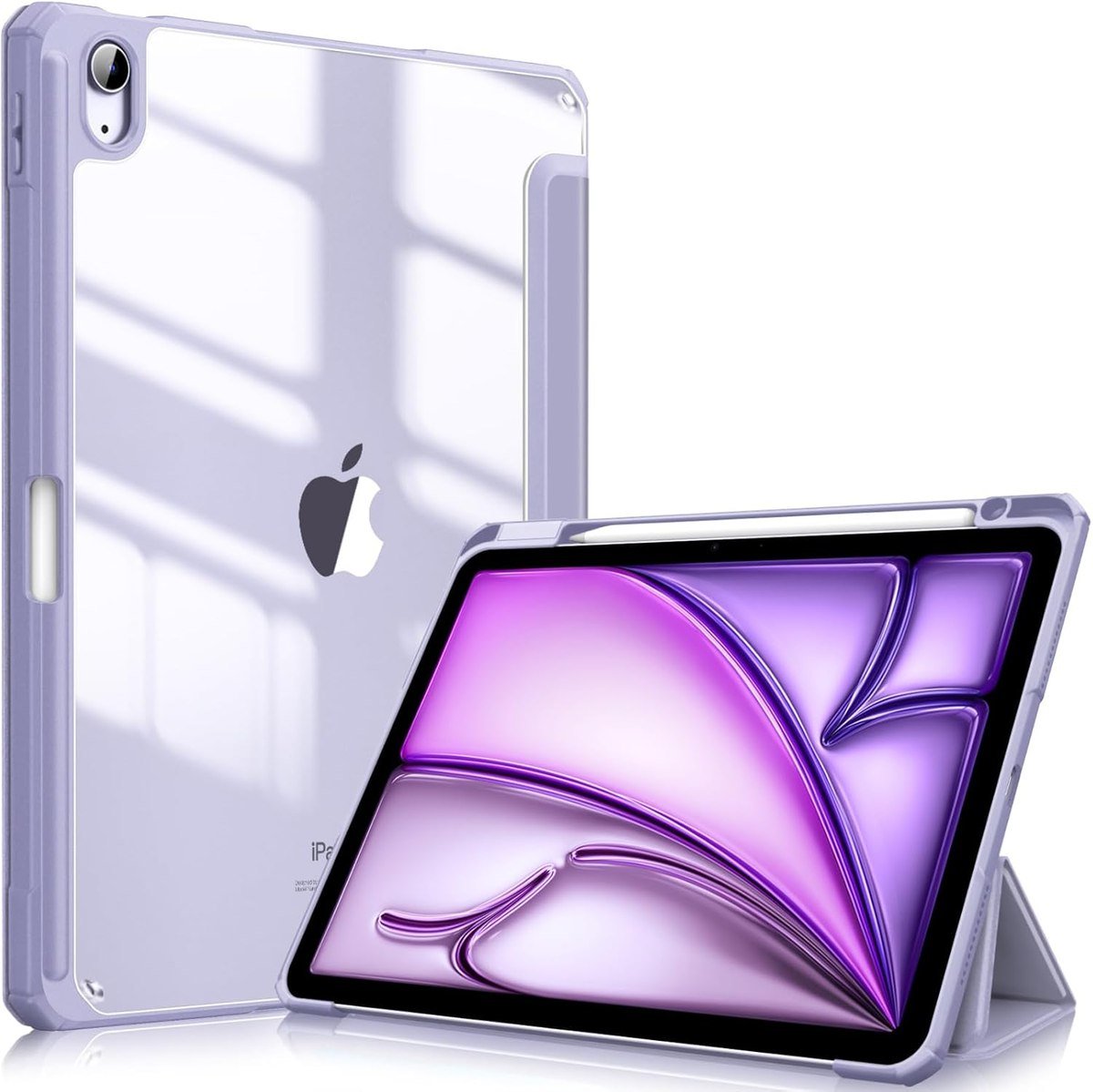
Fintie pairs a hardshell back with a flexible TPU bumper so the tablet colour stays visible, and lines the front cover with soft microfibre to keep the screen from being scratched by the case itself. It lists the Air 11-inch with M4, M3 and M2 and the Air 5th and 4th generation, with model numbers for each.
Clear cases have one well-known weakness, which is that the plastic yellows with age and ultraviolet exposure. That is a reason to treat them as a two-year case rather than a permanent one, and to avoid cleaning them with anything stronger than water.
What it does well
- Keeps the tablet finish visible
- Microfibre lining protects the screen
- Covers four generations
What to know before buying
- Clear plastic yellows over time
- Hardshell backs crack rather than flex
Getting the Size Right Before You Order
Returns on Air cases are nearly always a size problem rather than a quality one. Five rules:
- The 11-inch Air and the 10.9-inch Air 4 and Air 5 take the same cases. Most listings name all of them together, which is why an older Air case usually still fits.
- The 13-inch Air is a separate purchase. Nothing cut for the 11-inch will stretch to it, and the two sizes are sold as different products even by the same brand.
- Chip generation rarely matters. The M2, M3 and M4 Airs share a shell at each size, so a case bought for an M2 fits an M4.
- The Air is not the Pro. They look alike at 11 and 13 inches but differ around the camera and the connectors, and Pro cases do not fit an Air.
- Check the model number rather than the marketing name, because Apple has used 10.9-inch and 11-inch for what is effectively the same body.
Settle it with the model number from Settings, then General, then About, and Apple list of iPad models. The 11-inch Air with M4 is A3459, A3460 or A3463, the M3 is A3266, A3267 or A3270 and the M2 is A2902, A2903 or A2904, while the Air 5 and Air 4 are the 10.9-inch models that share the same cases. Our wider roundup of iPad cases across the range covers the Pro, the base iPad and the mini.
Whether a Keyboard Case Is Worth It
The Air is the model most often bought as a laptop substitute, so this is the decision that matters most:
- Weight is the real cost. A keyboard case roughly doubles what you carry, which is fine on a desk and noticeable in a bag all day.
- A trackpad matters more than key feel. iPadOS is much faster to drive with a cursor, and it is the single biggest difference between a keyboard case and a Bluetooth keyboard.
- Detachable beats fixed. Being able to pull the tablet off for reading or drawing is what keeps an iPad an iPad.
- Backlighting is worth checking before buying, because some of the thinnest keyboards leave it out entirely.
- Pass-through charging keeps the tablet port free, which is the quiet advantage of the Apple design over cheaper Bluetooth keyboards.
The honest answer is that a keyboard case suits anyone writing more than a few sentences a day and nobody else. If the Air is for reading, drawing and video, the money is better spent on a slim case and charging accessories. If it is a work machine, the trackpad is what makes the difference, and only the keyboard cases here have one.
Keeping the Case Usable
These fail in predictable, preventable ways:
- Keep a keyboard case closed in a bag so nothing presses on the keys and crumbs stay out.
- Wipe a clear case with a damp cloth rather than a solvent, since alcohol clouds the plastic permanently.
- Lift a rugged case off every month or two and clear the dust around the ports and the camera.
- Check the Pencil strap or slot occasionally; a stretched magnetic strap is how most styluses get lost.
- Do not store a folio with its cover folded back for weeks, because the crease sets and the cover stops closing flat.
Clear cases are the exception worth planning for. Yellowing is a property of the plastic rather than a defect, so if you want the finish on show indefinitely, a case you expect to replace is a more honest purchase than one you expect to last.
Which iPad Air Case to Buy
Buy the Apple Magic Keyboard if you type on the Air daily and own an 11-inch model: no pairing, no charging, a proper trackpad and pass-through power. Buy the ESR keyboard case instead if that price is hard to justify, because the detachable design and the oversized trackpad cover the same ground, with no backlighting as the main compromise.
For a 13-inch Air that travels, the ZAGG Pro Keys 2 adds a drop rating to a keyboard and the OtterBox Defender is the choice when protection matters more than typing. Spigen suits anyone whose Pencil keeps going missing, ProCase is the sensible everyday 11-inch folio, and the Fintie clear case is for people who paid for the colour and want to see it. If the tablet is mainly for handwriting, our comparison of note-taking apps for iPad covers what to run on it.
Frequently Asked Questions
Do iPad Air 5 cases fit the 11-inch iPad Air?
Yes. The 10.9-inch Air 4 and Air 5 and the 11-inch Air with M2, M3 and M4 share a case size, and most listings name all of them. The 13-inch Air is a different case entirely.
Does the Apple Magic Keyboard work with the 13-inch iPad Air?
The listing covered here is for the iPad Air 11-inch with M2, M3 and M4 and the Air 4th and 5th generation. Apple sells a separate version for the 13-inch Air, so check the size on the listing before ordering.
Do iPad Pro cases fit the iPad Air?
No. The 11-inch and 13-inch Pro and Air look similar but differ around the camera module and the connectors, and case makers list them separately. Buying by screen size alone is the most common way people end up with a case that does not fit.
Is a keyboard case or a Bluetooth keyboard better for an iPad Air?
A keyboard case if you want one object to carry and a trackpad, since cursor support makes iPadOS much quicker. A separate Bluetooth keyboard if you mostly type at a desk, because it keeps the tablet light for everything else.
Related Articles
- Best iPad Mini Cases: 7 Compared on Stands and Pencil
- Best Keyboards for Mac: 7 Compared on Feel and Layout
- Best Power Bank: 7 Picks for Phones, iPhones and Laptops
- Best iPad Pro Cases: 7 Compared for 11 and 13-Inch
As an Amazon Associate, Fox Bulletin earns from qualifying purchases.

Get the Fox Bulletin briefing
The stories that matter, in your inbox. No spam, unsubscribe anytime.
Newsletter signup will be available soon.
Related stories
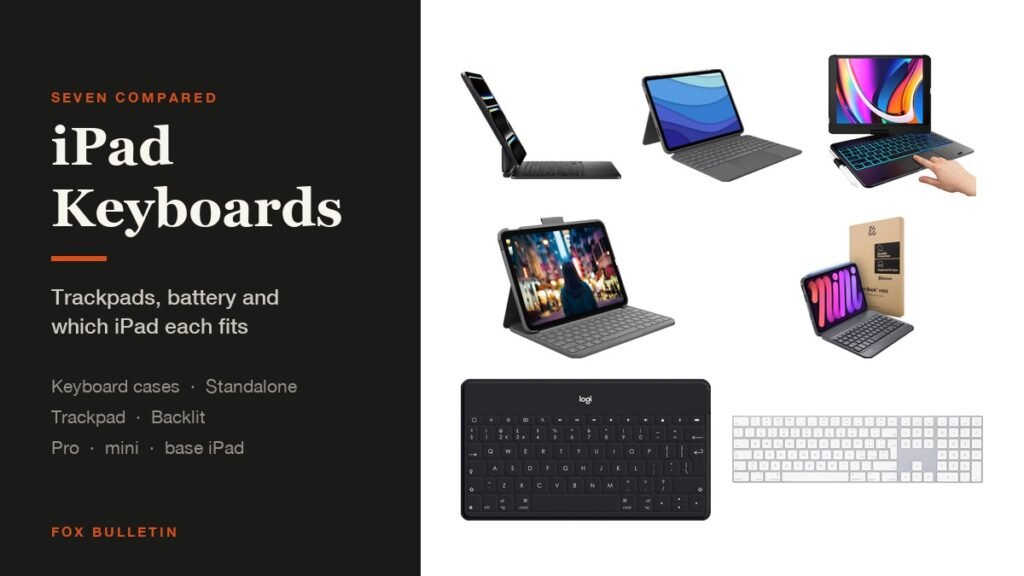
Best iPad Keyboards: 7 Cases and Standalone Picks
Seven iPad keyboards compared on trackpads, battery life and which tablet each fits, covering keyboard cases for the Pro, mini and base iPad as well as two standalone Bluetooth keyboards.
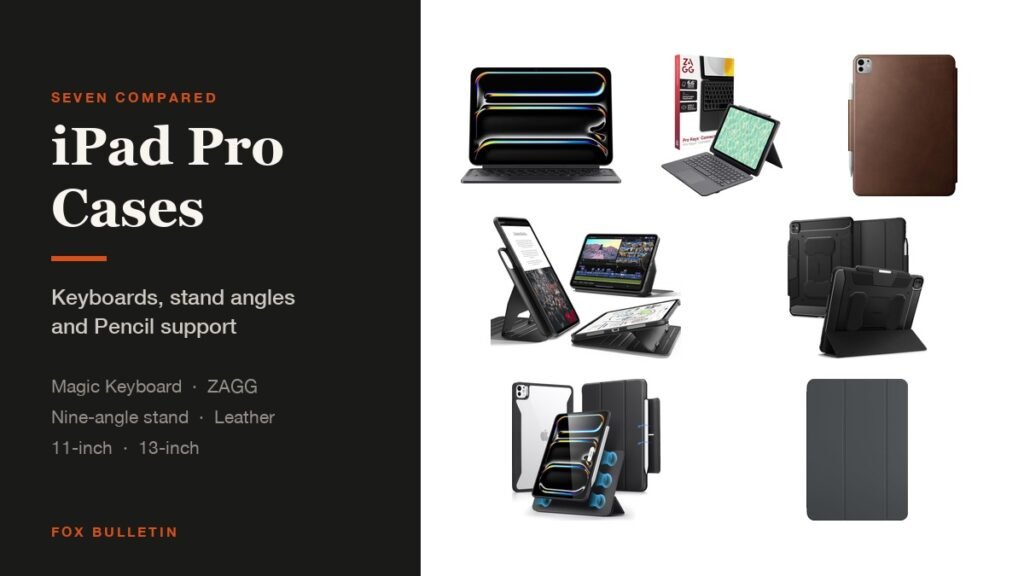
Best iPad Pro Cases: 7 Compared for 11 and 13-Inch
Seven cases for the M4 and M5 iPad Pro compared on keyboards, stand angles and Pencil support, from Apple Smart Folio and Magic Keyboard to a nine-angle magnetic stand and leather.
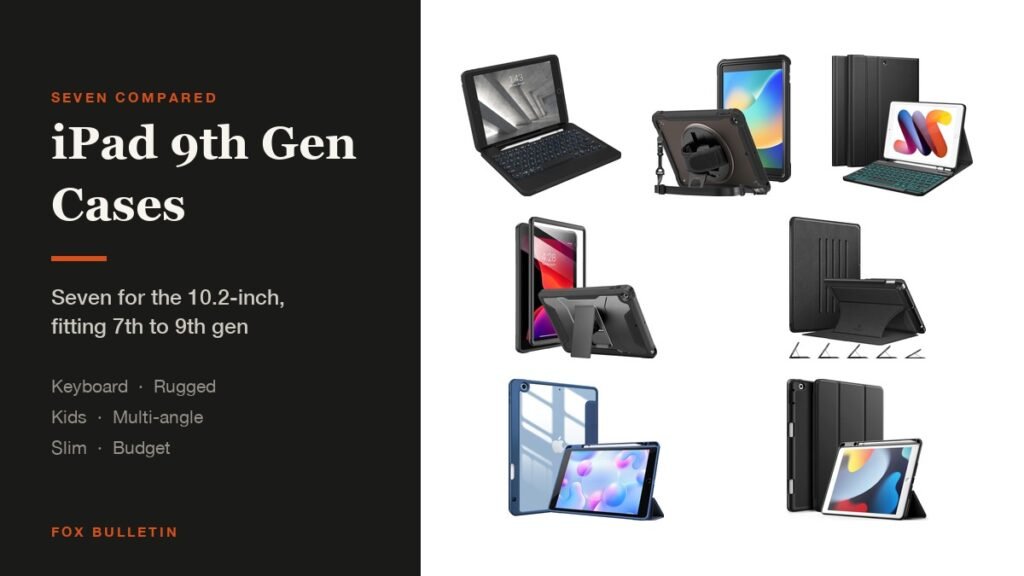
Best iPad 9th Generation Cases: 7 for the 10.2-Inch
Seven cases for the 10.2-inch iPad compared on stands, keyboards and Pencil storage, each fitting the 7th, 8th and 9th generations, from a rugged ZAGG keyboard to a kids case.