
Adobe charges US$22.99 a month for Illustrator on the annual plan billed monthly. Nobody rents software for one month, so the number that matters is $275.88 a year, forever, for a single application. Keep it for five years and you have spent close to $1,380 without ever owning anything you can open offline in a decade.
That arithmetic, rather than any missing feature, is what sends people looking for a replacement. The good news is that the vector category has shifted hard in the last two years: the strongest Illustrator substitute is now free, two more are free and open source, and two others can still be bought outright. This guide sorts seven tools by how you pay for them rather than by a ranking, because the payment model is the decision most people are actually making. Every figure below was read off the vendor’s own pricing page.
What Illustrator Costs Before You Compare Anything
Adobe’s plan comparison page lists Illustrator on its own at US$22.99 a month, annual plan billed monthly, bundled with the Adobe Express Premium plan, 100GB of cloud storage and 25 generative credits a month. The full Creative Cloud Pro bundle, which adds Photoshop, InDesign, Acrobat Pro and around twenty other apps, is listed at US$69.99 a month regularly.
Two things follow from that. If you only need vector drawing, you are paying $276 a year for one app out of a suite. And if you need vector plus photo plus layout, Adobe wants roughly $840 a year, which is the comparison that makes the free options below look startling rather than merely cheap.
Seven Illustrator Alternatives at a Glance
| # | Tool | Price | How you pay | Platforms | Strongest at |
|---|---|---|---|---|---|
| 1 | Affinity | Free | Free for individuals | Mac, Windows, iPad | A full Illustrator replacement |
| 2 | Inkscape | Free | Open source, GPL | Windows, macOS, Linux, FreeBSD | SVG work and Linux |
| 3 | Penpot | Free | Open source, self-hostable | Browser | Design that ships as code |
| 4 | Sketch | $12 per editor a month, or $120 once | Subscription or one-time licence | Mac, web, iPhone, iPad | Mac designers who want to own it |
| 5 | CorelDRAW | $269 a year, or $549 once | Subscription or perpetual | Windows, Mac, web | Print, signage and production |
| 6 | Figma | Free tier; $16 per full seat a month | Subscription | Browser, desktop | Interface design and teams |
| 7 | Linearity Curve | Free tier; from $8 a month | Subscription | Mac, iPad, iPhone | Drawing with an Apple Pencil |
| Adobe Illustrator | $22.99 a month | Subscription only | Windows, Mac, iPad, web | The tool being replaced |
Three of the seven cost nothing at all. Two can be bought once and kept. Only two are subscription-only, and both of those have usable free tiers, which means you can leave Adobe without signing up to anything.
Vector Tools That Are Free Forever
1. Affinity
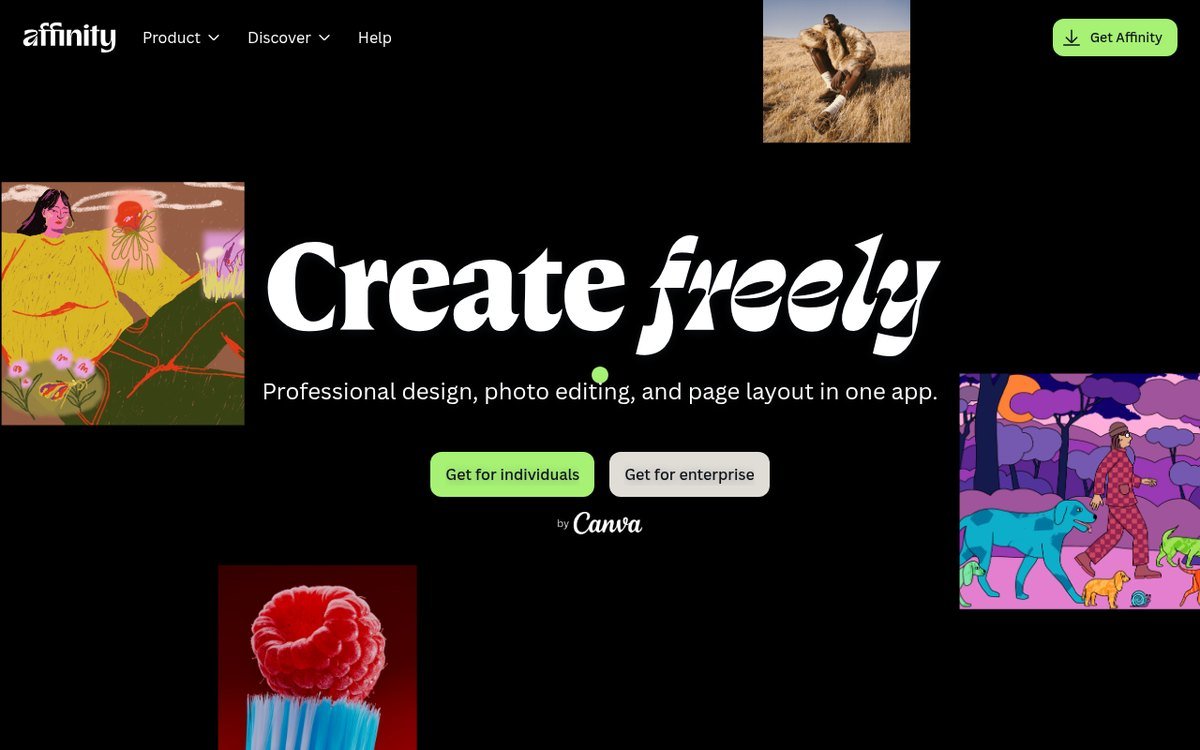
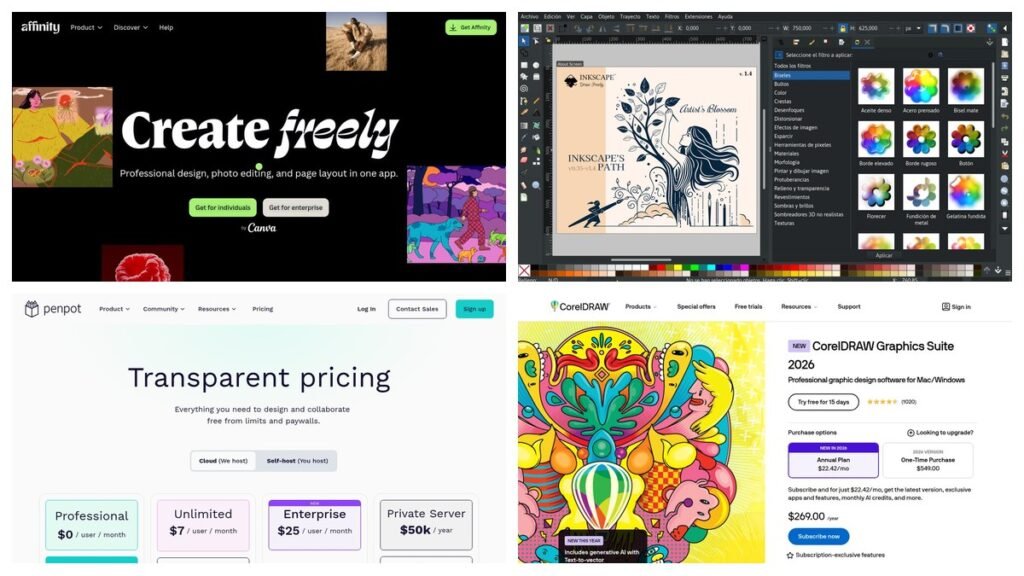
Affinity is the reason this category looks different from how it looked in 2024. Canva acquired Serif, the British studio behind the Affinity apps, and then merged Designer, Photo and Publisher into a single application that the product site now describes as free for individuals, with the word “seriously” appended in case anyone assumed a catch.
The technical argument for it is stronger than the price. Vector drawing, pixel editing and page layout live in one document, and you move between them without exporting or round-tripping a file. Illustrator cannot do that alone; you would run Photoshop and InDesign beside it. For the specific work people use Illustrator for, Affinity covers pen and node editing, boolean operations, real CMYK and spot colour, and print-ready PDF export, on Mac, Windows and iPad.
- Strengths: no cost, no watermark, no export limit and no trial countdown. Three disciplines in one app. Handles print colour properly. Opens PSD and PDF files.
- Limits: generative AI features require a paid Canva plan. The plugin and tutorial ecosystem is a fraction of Illustrator’s, and agencies still ask for native .ai files.
2. Inkscape
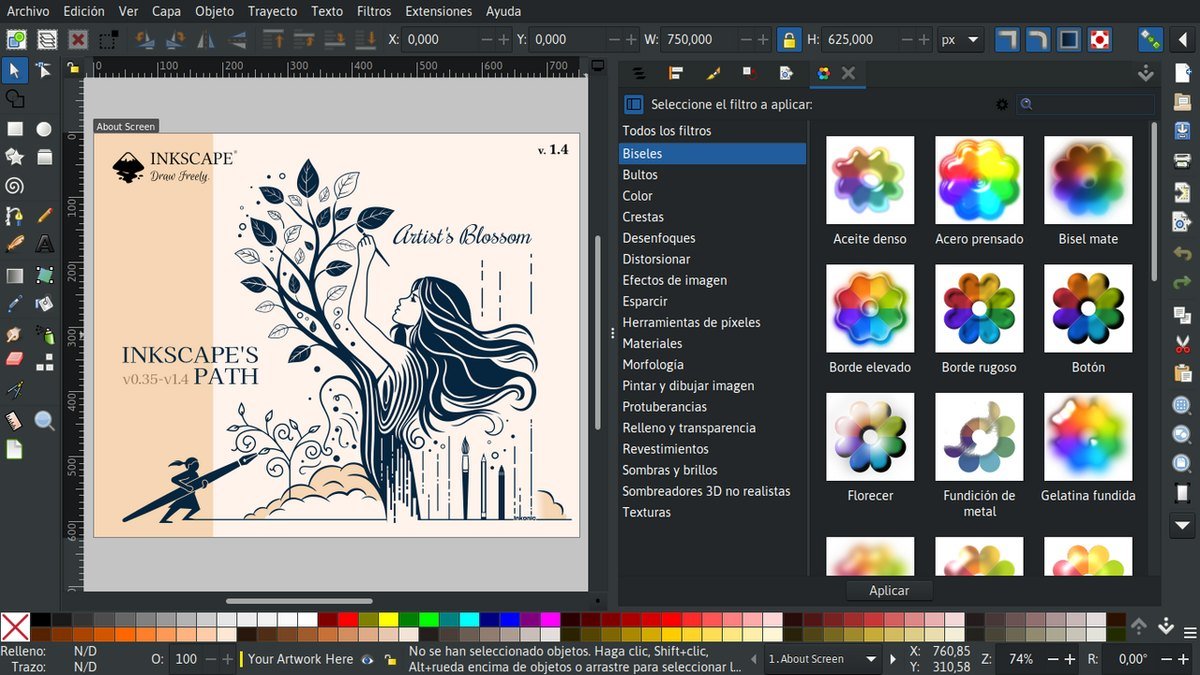
Inkscape has been the open-source answer for two decades and remains the only serious vector editor that runs natively on Linux. It is published under the GNU General Public License 2.0 or later, and the current stable release is 1.4.4, dated 6 May 2026. Builds exist for Windows, macOS, Linux and FreeBSD.
Its defining trait is that SVG is not an export format but the native one. If your output is destined for a website, an icon set or anything that will be read by a browser or a plotter, Inkscape hands you a clean file rather than Illustrator’s SVG interpretation of its own format. It also imports AI, EPS, PDF, PostScript and PNG, which makes it a practical way to open a back catalogue of Adobe files.
- Strengths: genuinely free with no account, no telemetry and no tier above it. Native SVG. Node editing and path operations that compete directly with Illustrator’s. Runs on Linux.
- Limits: the interface shows its age and its heritage, CMYK support is weaker than Affinity’s or CorelDRAW’s, and performance on very large documents lags the commercial tools.
3. Penpot
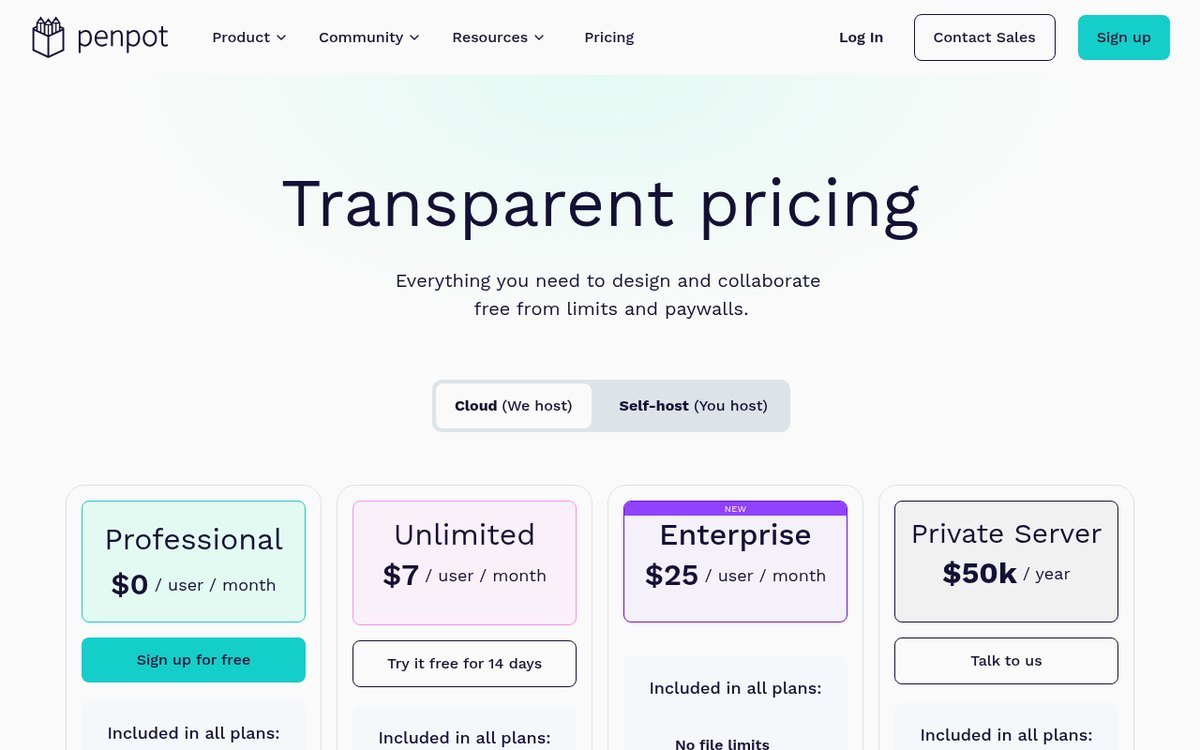
Penpot is the newest name here and the one most Illustrator refugees have not tried. It is open source, it runs in a browser, and it can be self-hosted on your own server, which is a combination nothing else on this list offers. Its pricing page lists the Professional plan at $0 per user per month with no file limits, unlimited design files, up to eight team members with unlimited viewers, 10GB of storage and seven days of version history.
Paid tiers exist for organisations that need more: Unlimited at $7 per user a month, Enterprise at $25 per user a month, and a private server deployment at $50,000 a year. For an individual leaving Illustrator, the free plan is the whole product.
- Strengths: open source and self-hostable, so your files are never hostage to a vendor. Built on open web standards, which makes handoff to developers unusually clean. Genuinely free for small teams.
- Limits: it is a design and prototyping tool rather than an illustration tool, so it is a poor fit for print work or complex artwork. No offline desktop app on the cloud plan.
Vector Tools You Can Buy Once and Keep
4. Sketch
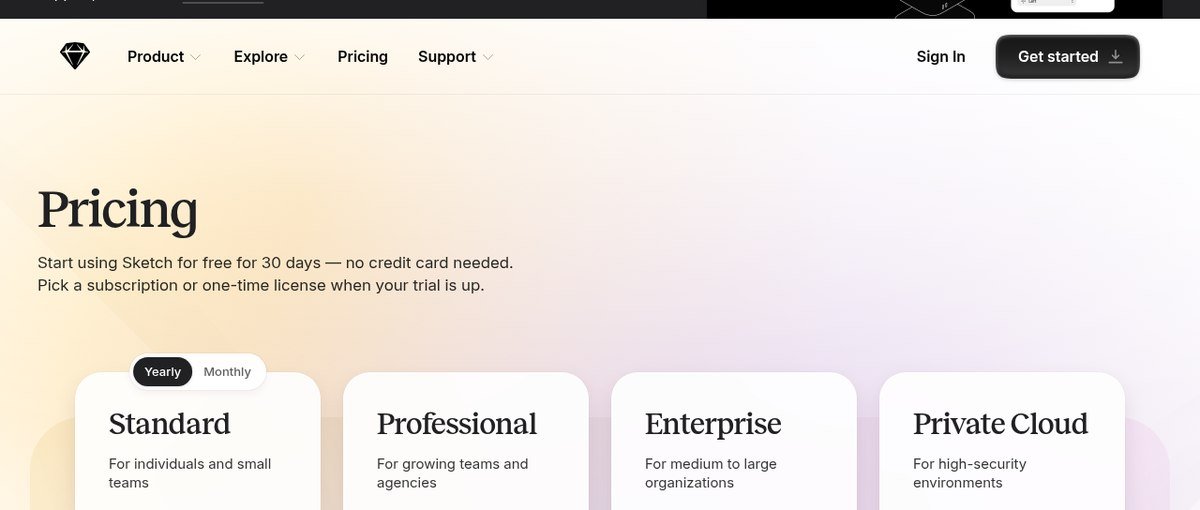
Sketch is the reason a generation of Mac designers never learned Illustrator, and it is one of the few tools left that will still sell you a licence outright. Its pricing page lists Standard at $12 monthly per editor billed yearly, Professional at $24 and Enterprise at $44, alongside a one-time Mac licence at $120 for people who refuse to rent.
Read the trial terms carefully, because Sketch has no permanently free tier. You get 30 days without a credit card, then you pick a subscription or the one-time licence. The native app is Mac only, though a browser app and iPhone and iPad apps extend viewing and light editing elsewhere.
- Strengths: a one-time licence that keeps working. A fast, focused native Mac app. Symbols and shared libraries that were copied by everything that came after it.
- Limits: the editor is Mac only, which rules it out for mixed teams. It is built for screen design, so print and illustration work is a stretch. The perpetual licence stops receiving new versions after its term.
5. CorelDRAW
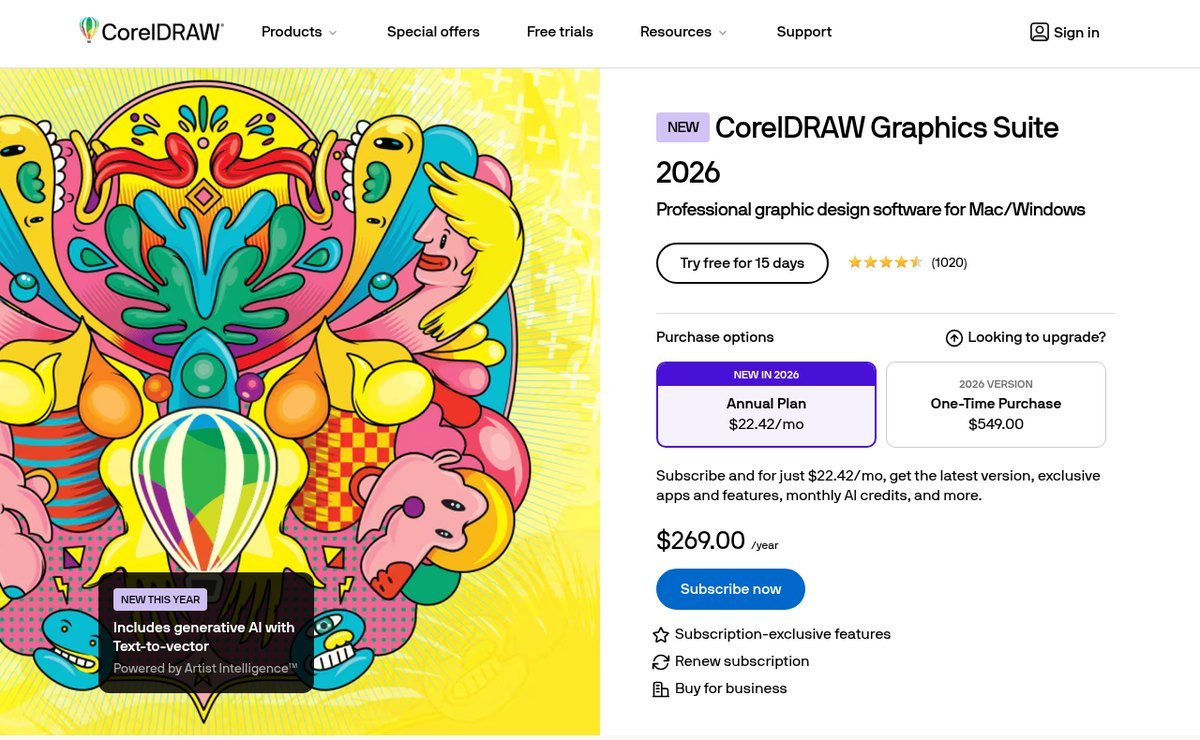
CorelDRAW is the alternative that print shops, sign makers and apparel decorators actually use, and it has quietly outlasted most of its rivals by holding on to the perpetual licence. The current release is CorelDRAW Graphics Suite 2026, sold either as an annual plan at $22.42 a month, which the site totals as $269.00 a year, or as a one-time purchase at $549.00. There is a 15-day free trial and it runs on Windows and Mac plus a web version.
What justifies the price over a free tool is production tooling that the free options do not attempt: colour management aimed at commercial print, multi-page documents, direct support for cutting plotters and large-format output, and the file compatibility that sign and print suppliers expect to receive. The 2026 release also adds generative AI with text-to-vector.
- Strengths: a genuine perpetual licence. The strongest print, signage and production workflow outside Adobe. Bundles photo editing and layout in the same suite.
- Limits: $549 is a serious outlay and the perpetual version stops at that release. The interface is dense, and outside print circles the file format is less widely accepted.
Subscription Tools That Earn the Monthly Fee
6. Figma
Figma is not an Illustrator replacement and should not be sold as one, but it is the correct answer for a large share of the people searching for one, because what they are doing is interface design rather than illustration. Its vector tools are capable enough for icons, logos and UI artwork, and everything else about it is built around several people editing the same file at once.
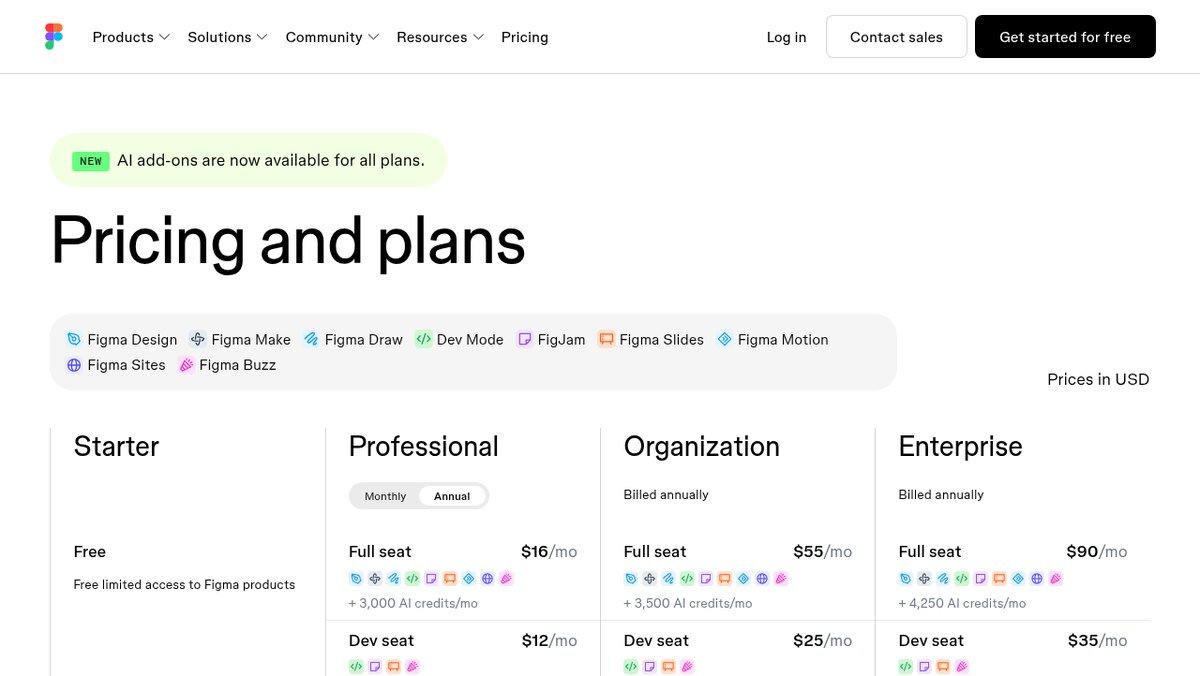
Pricing is per seat and the seat type matters more than the plan name. Professional runs $16 a month for a full seat, $12 for a dev seat and $3 for a collaborator seat. Organization is $55, $25 and $5 respectively, and Enterprise is $90, $35 and $5. The free Starter plan gives limited access to Figma’s products, which for a solo designer is often enough.
- Strengths: real-time collaboration nothing else here matches. Runs in a browser on any operating system. Components and shared libraries. A free tier that solo users can live on.
- Limits: no CMYK and no print output, so it cannot do the job Illustrator does for print. Seat pricing adds up fast across a team, and your files live on someone else’s server.
7. Linearity Curve
Linearity Curve, previously called Vectornator, is the option to look at if the reason you want out of Illustrator is that you would rather draw with an Apple Pencil than a mouse. It is built for Mac, iPad and iPhone, and the iPad version is a first-class app rather than a companion to a desktop one.
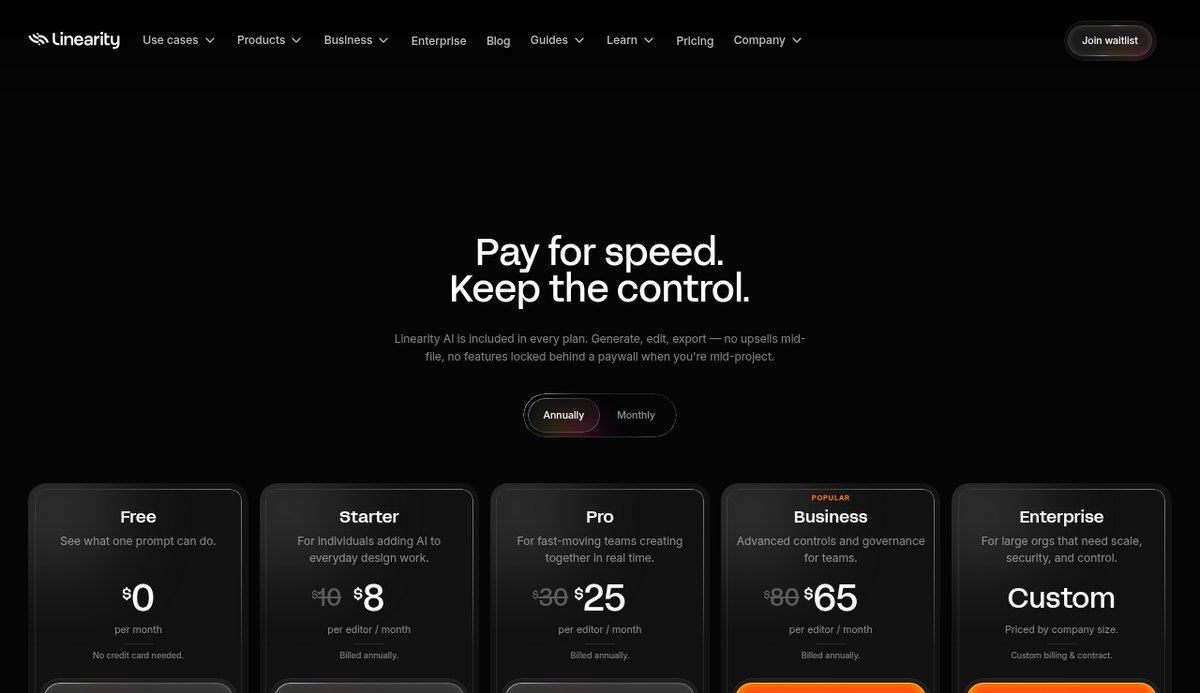
The free plan includes 250 lifetime credits, one basic brand kit and 5GB of cloud storage. Paid tiers run Starter at $8 a month billed yearly or $10 monthly, Pro at $25 or $30, and Business at $65 or $80, with Enterprise quoted on request. Linearity Move, the animation companion, is covered by the same plans.
- Strengths: the best Apple Pencil vector experience available. Fast and genuinely designed for touch rather than ported to it. Auto-trace and animation included.
- Limits: Apple platforms only, so no Windows or Linux. The free tier is credit-limited rather than unlimited, and it is aimed at illustration rather than production print.
Picking the Right Illustrator Alternative for Your Work
The tools above are not interchangeable, and the mistake people make is choosing on price alone and then discovering the thing they do every day is the thing their new app cannot do. Match the job instead.
- You want everything Illustrator did, for nothing: Affinity. It is the only free option that handles vector, photo, layout and print colour in one place.
- You work on Linux or live in SVG: Inkscape, with no close second.
- You design screens and hand off to developers: Figma if the team is already there, Penpot if you want the same workflow without the seat fees or the hosting.
- You send files to printers and sign makers: CorelDRAW, and budget for the perpetual licence rather than the subscription if you plan to keep it more than two years.
- You draw by hand on an iPad: Linearity Curve.
- You are on a Mac and object to renting software on principle: Sketch’s $120 one-time licence.
Whichever you pick, check your machine before you commit. Vector work with large documents is memory-hungry, and the difference between a smooth session and a stuttering one is usually RAM rather than the processor, which our explainer on RAM versus storage covers in more detail.
What You Actually Give Up by Leaving Illustrator
Every honest comparison has to include the switching costs, and there are four that catch people out.
- The .ai format does not travel cleanly. Most of these tools open AI files, but they do so by reading the PDF data Illustrator saves alongside its own. Editable text, live effects and layer structure often do not survive.
- Clients and printers still ask for native files. If your work goes to agencies or commercial printers, being unable to supply a native .ai file is a business problem rather than a software one.
- Plugins do not come with you. Illustrator’s third-party ecosystem is decades deep, and no alternative here replaces it.
- Muscle memory is a real cost. Budget a week of reduced output for any switch, and more if you have used Illustrator for years.
For a freelancer, none of that outweighs $276 a year, particularly when the same freelancer is already assembling a toolkit out of separate pieces: a site built on one of the best website builders, invoicing through one of the best payment processors for small business, and now a vector editor that costs nothing. For a studio with an archive of live .ai files and a client list that expects them, the honest answer is that Illustrator stays and one of these sits beside it.
Frequently Asked Questions
What is the best free Adobe Illustrator alternative?
Affinity, for most people. It is free for individuals, it covers vector drawing, photo editing and page layout in one app, and it handles CMYK and print-ready PDF export, which is where free tools usually fall down. If you need Linux or work primarily in SVG, Inkscape is the better answer.
Is there a version of Illustrator you can buy once instead of renting?
Not from Adobe. Illustrator is subscription only at US$22.99 a month. Among the alternatives, CorelDRAW sells a perpetual licence at $549.00 and Sketch sells a one-time Mac licence at $120, and both keep working after you stop paying, though neither receives new versions beyond its term.
Can these tools open .ai files?
Most can open them, but expect losses. Affinity, Inkscape and CorelDRAW all import AI files by reading the PDF-compatible data Illustrator embeds, which usually preserves artwork and usually does not preserve editable text, live effects or layer structure. Re-saving a file as PDF from Illustrator before you migrate gives you the best result.
Is Canva a good replacement for Illustrator?
Not for vector work. Canva is a template and layout tool, and its drawing tools are not comparable to a pen and node editor. The relevant point is that Canva owns Affinity, so the company behind Canva now offers a genuine Illustrator alternative for free, and that is the product to use rather than Canva itself.
Related Articles

Get the Fox Bulletin briefing
The stories that matter, in your inbox. No spam, unsubscribe anytime.
Newsletter signup will be available soon.
Related stories
iPhone 18 Pro Max Cases: 8 MagSafe and Rugged Picks, Plus Apple’s Own
Eight iPhone 18 Pro Max cases you can buy now, from Spigen and OtterBox to PITAKA and CASETiFY, plus Apple’s own three and why your 17 Pro Max case probably still fits.
Foldable iPhone: The iPhone Duo’s Price, Specs and Release Date
Apple's foldable iPhone is the iPhone Duo, $1,999, on sale 23 October 2026. Full specs, the 3D-printed titanium hinge, and how it measures up against the Galaxy Z Fold8.
MacBook Neo vs MacBook Air: Which Mac Should You Actually Buy?
MacBook Neo costs $699 and MacBook Air $1,299, and both 13-inch models weigh the same. The comparison comes down to memory. Which to buy, worked through by workload.