

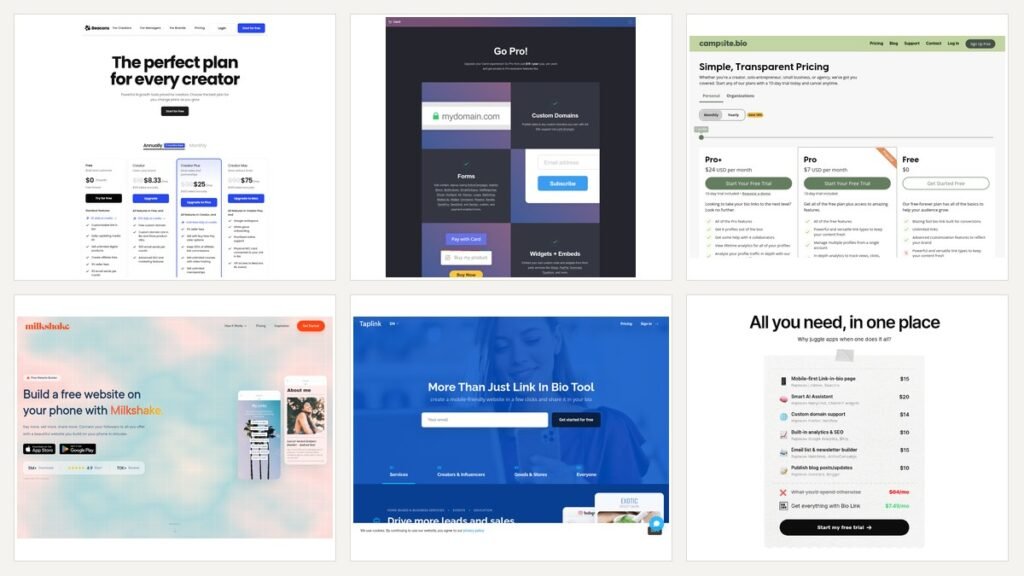
A link-in-bio page is doing one of about five jobs. It is a menu of links, or a shop, or a booking desk, or a shared asset that three people at a company edit, or a small website that happens to fit on one screen. Most people pick a tool on price, discover four weeks later that it cannot do the job, and end up rebuilding.
So this comparison starts with the job. Six tools are covered, with 17 September 2026 pricing in US dollars as posted. Two widely recommended alternatives have also quietly disappeared, which is covered near the end because you will still see both suggested elsewhere.
Start With What the Page Has to Do
Read down this list, stop at the line that describes your situation, and go straight to that tool.
- A tidy list of links, nothing more, no budget. Taplink Basic or Campsite Free. Both are free and neither expires.
- A page with no other company’s logo on it, as cheaply as possible. Carrd Pro Lite, nine dollars a year.
- Selling digital products from day one. Beacons, whose free tier already allows it.
- Taking bookings and card payments from the page. Taplink BUSINESS.
- Several accounts managed by more than one person. Campsite.bio, on a Pro or Organizations plan.
- Something that looks like a real website rather than a list. Carrd, on Pro Standard.
- Built in twenty minutes on a phone. Milkshake.
The rest of this article explains the reasoning, and more usefully, where each tool stops being the right answer.
The Six Tools, and Where Each One Stops
1. Carrd
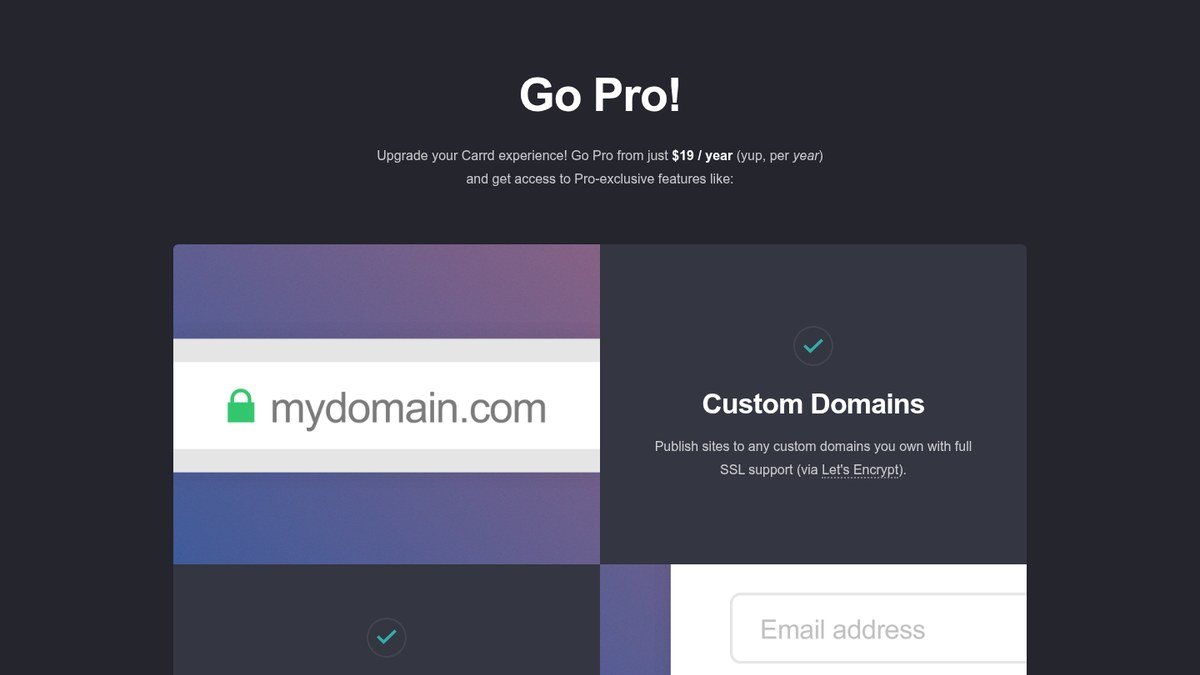
Carrd is a one-page site builder rather than a link list, and that difference cuts both ways. The free account carries three sites on a carrd.co address with Carrd branding. Pro Lite costs nine dollars a year and takes the branding off. Pro Standard is nineteen dollars a year, covers ten sites, and brings custom domains with SSL through Let’s Encrypt, forms wired to twenty-odd email services, third-party embeds, analytics and meta tags. Pro Plus is forty-nine dollars a year for twenty-five sites plus redirects, password protection and downloadable site files.
Where it stops: there is no store, no checkout of its own and no subscriber management. Carrd expects you to embed Stripe, PayPal or Gumroad and handle selling somewhere else. It also expects you to lay the page out yourself, which is fifteen minutes of work rather than three. If you want the structure of a proper site builder at a fraction of the price, that trade is worth making. If you want a page live before your coffee goes cold, it is not.
2. Beacons
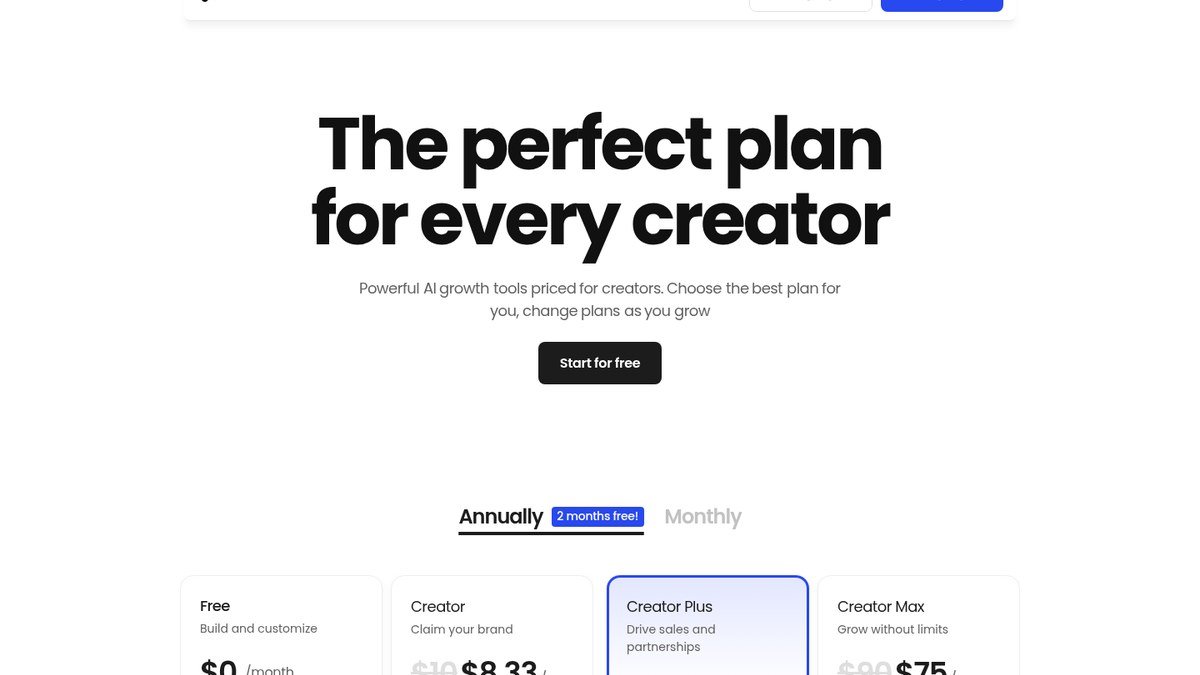
Beacons treats the bio link as a shopfront. On the free plan you get a customisable page, unlimited digital product sales at a nine percent seller fee, affiliate links, a media kit that refreshes itself and fifty email sends a month. Creator, at 8.33 dollars a month on the annual term or 100 dollars a year, adds a free custom domain, custom domain URLs for store products and 500 email sends. Creator Plus at 25 a month, or 300 a year, takes the seller fee to zero, lets you keep every cent of affiliate commission, and adds unlimited courses with video hosting and unlimited memberships. Creator Max is 75 a month.
Where it stops: the fee structure is the whole decision. Nine percent is generous for a free plan and expensive for a real business. The crossover is roughly 3,300 dollars of annual sales, above which the Creator Plus subscription costs less than the fees it removes. Below that number you are paying 300 dollars a year for tidiness.
3. Campsite.bio
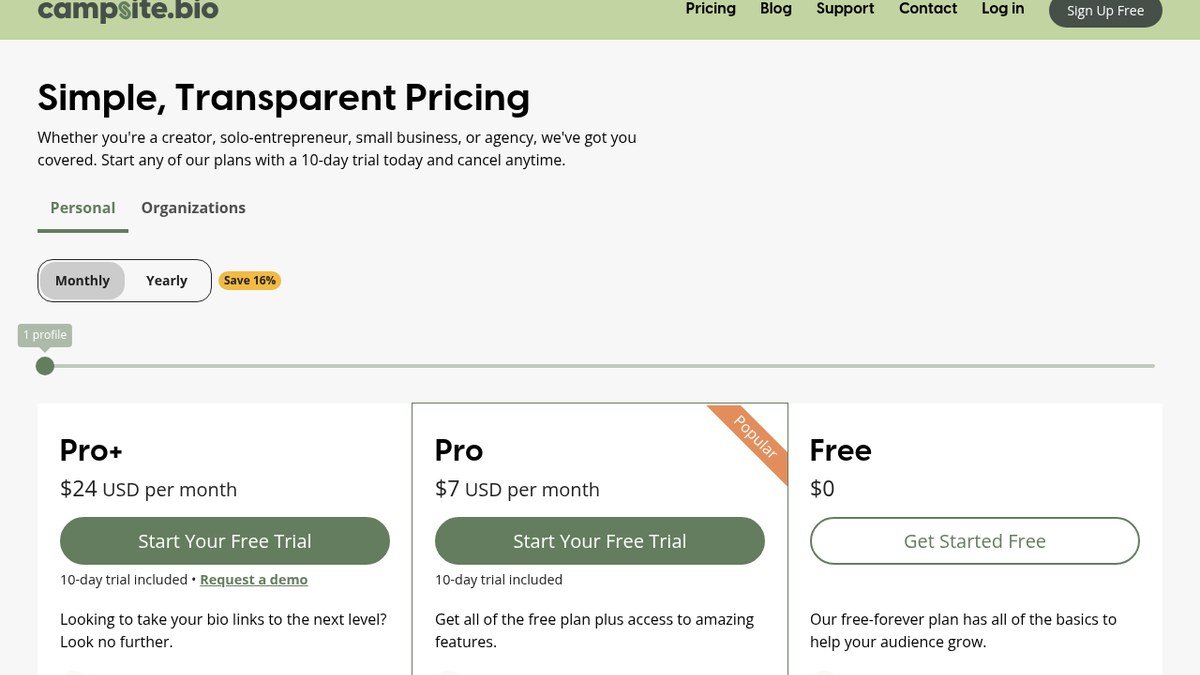
Campsite.bio is the only tool here that splits its pricing into Personal and Organizations, and that split is the reason to choose it. Personal Free covers unlimited links and customisation. Pro at seven dollars a month adds several profiles under one login, analytics broken down by views, clicks, referrer and geography, opt-in forms, tracking pixels and a custom domain. Pro Plus at twenty-four a month brings six profiles, four collaborators, lifetime analytics and CSV export. The Organizations tiers, fourteen and twenty-nine dollars a month, replace loose collaborators with member management and access control. Paid plans come with a ten-day trial.
Where it stops: there is no selling. Campsite routes traffic and measures it, and expects the money to happen on the other end of the link. For an agency or a marketing team that is exactly right. For a solo seller it is a missing half.
4. Taplink
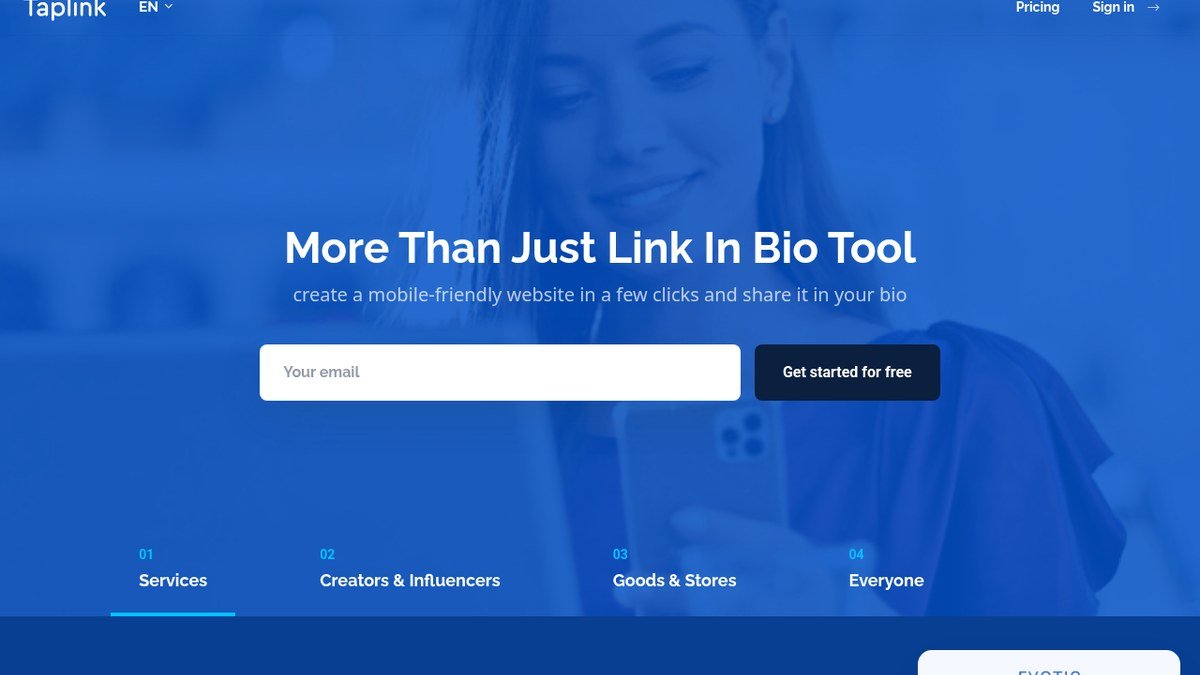
Taplink is built for businesses that take appointments: salons, clinics, tutors, coaches, small shops. Basic is described as permanently free and covers unlimited links, custom design, messenger and social blocks, maps, page view statistics and a QR code. PRO at four dollars a month on the twelve-month term, forty-eight a year, adds professional templates, images and video, price lists, custom HTML, pixel support, scheduled blocks and click analytics. BUSINESS at eight dollars a month, ninety-six a year, is where the commercial features live: application forms, payment acceptance, a CRM, automated emails, a countdown timer, a custom domain with an SSL certificate, and removal of Taplink branding.
Where it stops: design. Taplink pages are competent and rarely beautiful, and the interface carries the slight awkwardness of a product translated into English rather than written in it. Set against that, ninety-six dollars a year for a page that takes card payments, captures leads and sits on your own domain is the best value on this list for a service business.
5. Bio.link
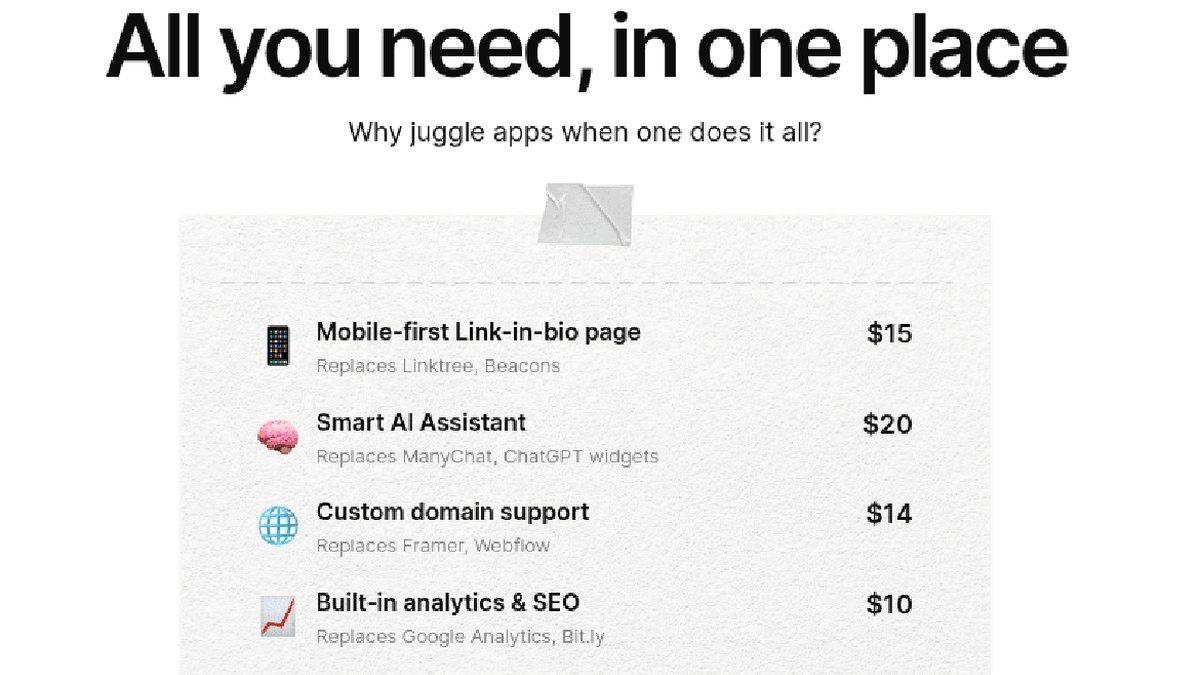
Bio.link has removed the tier problem by having one tier. The marketing page shows a single plan at 7.49 dollars a month behind a free trial, and everything sits inside it: unlimited sites and visitors, a custom domain, full white-label with no Bio.link branding anywhere, built-in analytics and SEO, an email list and newsletter builder, publishable posts, and an AI chat assistant on the page. The company puts its user count above 1.5 million.
Where it stops: the free option. Read the page carefully and what is offered is a trial, not a free forever plan. That is fine if you were always going to pay, and a problem if the whole reason you are reading this is that you did not want to. Ninety dollars a year for a fully white-labelled page with a newsletter attached is still comfortably under Linktree Pro.
6. Milkshake
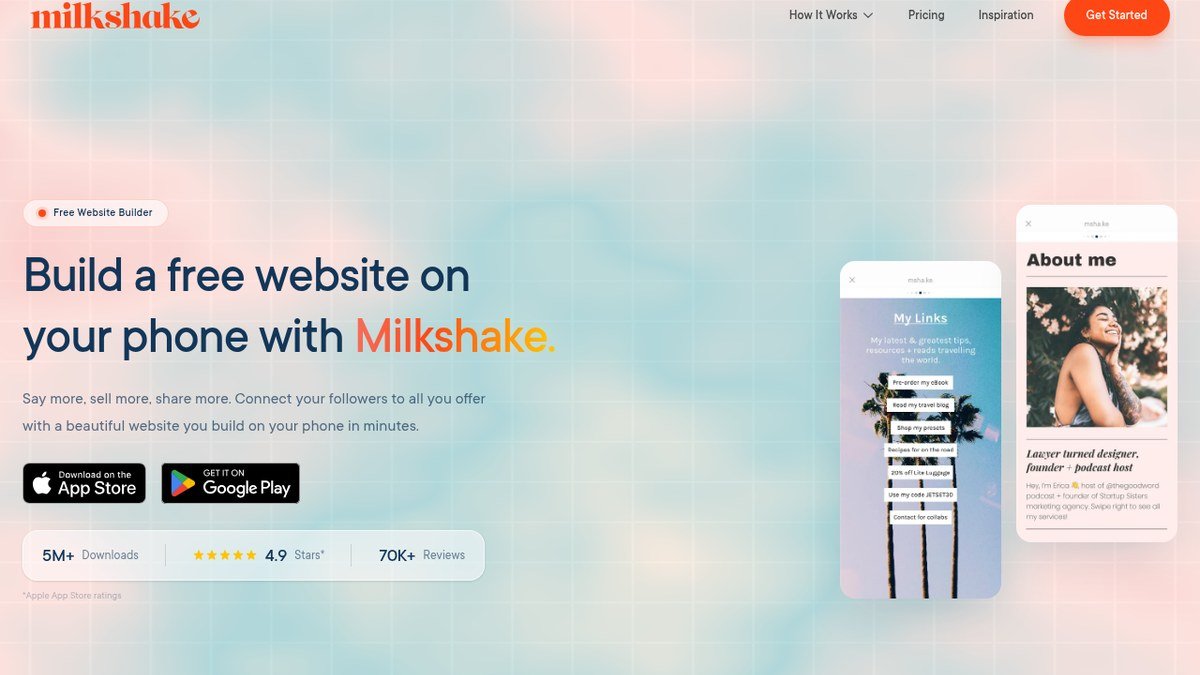
Milkshake is free and lives entirely in a phone app. You build the page with your thumbs, in portrait, in the same posture as the people who will read it. It is published by Codelbee, listed under Productivity on the App Store with a 4.9 rating from more than 14,700 ratings, and holds 4.6 from over 29,000 ratings on Google Play against more than a million downloads.
Where it stops: almost everywhere a business needs it to continue. There is no analytics suite, no checkout, and nothing published about custom domains. Milkshake is the fastest route from nothing to a page that looks designed, and it is not a platform to build a business on. Treat it as a good answer to a small question.
What Linktree Itself Costs, for Reference
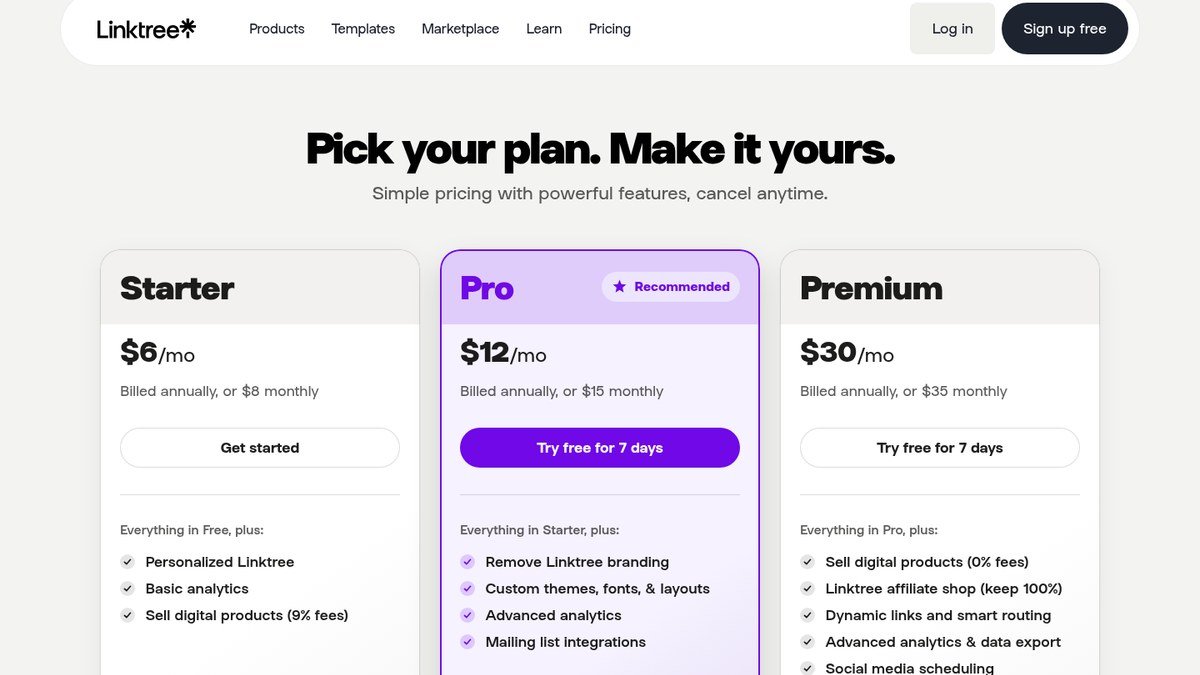
It is worth having the numbers you are comparing against. Linktree’s pricing page lists a free plan and three paid ones.
| Linktree plan | Annual rate | Monthly rate | What it adds |
|---|---|---|---|
| Free | $0 | $0 | The basic page, with Linktree branding |
| Starter | $6/mo | $8/mo | Personalised page, basic analytics, digital product sales at 9% fees |
| Pro | $12/mo | $15/mo | Removes Linktree branding, custom themes and layouts, advanced analytics |
| Premium | $30/mo | $35/mo | 0% seller fees, affiliate shop, dynamic links, social scheduling |
The line that sends people looking for alternatives is the third one. Removing the branding is a Pro feature, and Pro billed annually is 144 dollars a year. Carrd does the same job for nine, Taplink for ninety-six with payments attached, and Bio.link for about ninety with a newsletter included.
Bento and Linkpop Are Not Options Any More
Two names that still come up constantly in this category are no longer products you can sign up for.
- Bento was the design-led favourite. Request bento.me now and the server answers with a 301 redirect to linktr.ee. Linktree acquired it, so the most frequently recommended alternative to Linktree is Linktree.
- Linkpop was Shopify’s free bio-link tool with native checkout. linkpop.com answers with a 301 to shopify.com and there is no product page left.
The practical takeaway is not that these two failed, it is that the category keeps consolidating, and the only part of your setup that survives a consolidation is a domain you own pointing at whichever tool is current.
Checks to Run Before You Commit
Twenty minutes of checking now saves a rebuild later. Work through these against whichever tool you have shortlisted.
- Confirm which plan removes the vendor branding, and read the annual rate rather than the headline. Several of these tools advertise the discounted annual rate as though it were the monthly price.
- Confirm which plan carries a custom domain, and whether SSL is included or extra.
- If you will sell anything, find the seller fee and multiply it by a realistic year of sales before comparing subscription costs.
- Check whether analytics can be exported. Several tools show you numbers you cannot take with you.
- Check the trial terms. Carrd offers seven days without a card, Campsite ten days, Bio.link a trial at signup. Use them in parallel rather than one after another.
- Export or screenshot your existing link list before you cancel anything.
Then move in the right order: build the new page, point the domain, wait for the certificate, update every bio you control, leave the old page live for a fortnight with one link at the top pointing at the new one, and only then close the old account.
Frequently Asked Questions
Is any Linktree alternative genuinely free forever?
Taplink describes its Basic plan as permanently free, Campsite.bio and Beacons both run free tiers with no stated end date, and Milkshake is a free app. Carrd has a free account limited to three sites with its own branding. Bio.link is the exception, leading with a paid plan and a trial.
Which one should a small service business pick?
Taplink BUSINESS, at ninety-six dollars a year. It is the only tool here that puts a booking form, card payments, a lead CRM and a custom domain on the same page at that price. A salon or a tutor gets more out of that than out of anything on the creator side of this list.
Can I move my Linktree page across automatically?
No. None of these tools import a Linktree page, so the links get copied by hand. That is a mild annoyance and a useful audit, because most bio pages accumulate two or three links that stopped resolving months ago. Open every one as you paste it.
Does a bio link page help my search rankings?
Not directly. A page made almost entirely of outbound links has little for a search engine to rank, so it will rarely bring you search traffic of its own. What it can do is send social traffic to pages that already rank, which is the sensible way to use it.
What happens to my page if the tool shuts down?
If the page sits on the vendor’s subdomain, it disappears along with the vendor and every printed QR code and every bio pointing at it breaks. If it sits on a domain you own, you point that domain at a new tool and nothing external changes. Bento and Linkpop are the argument for the second approach, and the same reasoning applies to anything you build on rented ground, including the tools in our design software roundup.
Related Articles

Get the Fox Bulletin briefing
The stories that matter, in your inbox. No spam, unsubscribe anytime.
Newsletter signup will be available soon.
Related stories

Airbus A380: Size, Range and Who Still Flies It
The largest passenger aircraft ever flown measures 72.72 m long and 79.75 m across the wings. Its specifications, the two decks, why production ended at 251 aircraft, and which airlines still fly it.
Apple Creator Studio: Price and the New AI Tools
Generate Fill in Pixelmator Pro, an AI assistant in Logic Pro and MotionVFX in Final Cut. A free update for subscribers.
Apple Home Collection: Every Accessory and Price
Cameras, a smart lock and two thermostats, built by LG and Schneider Electric and sold by Apple.