

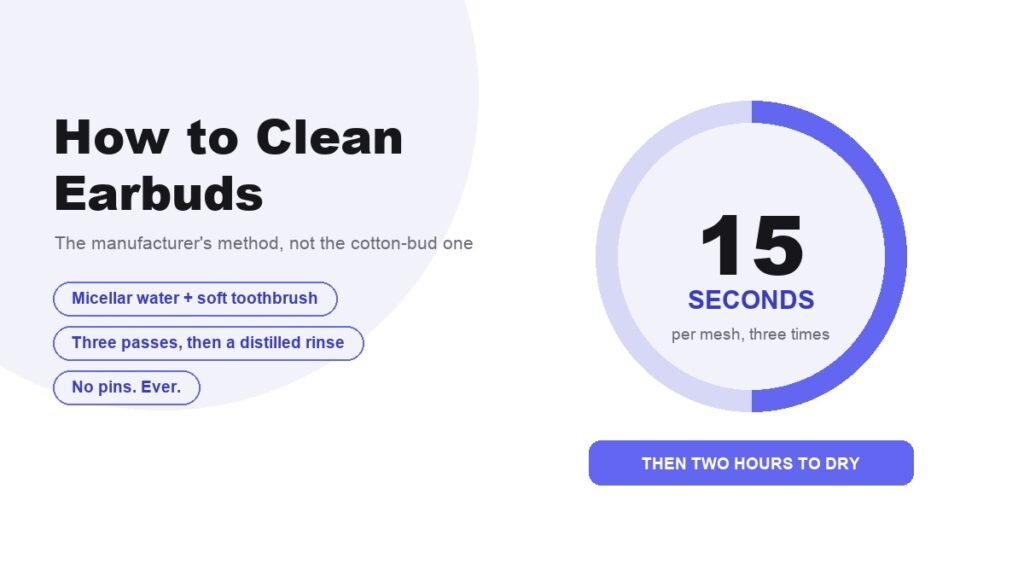
Knowing how to clean earbuds properly is mostly a matter of knowing what the manufacturer actually says, and for the most common pair on the market that turns out to be surprisingly exact. Apple specifies micellar water with a named ingredient, a child’s toothbrush, fifteen seconds of circular brushing and a two hour dry. The same routine applies to translation earbuds, where a blocked microphone mesh degrades pickup accuracy rather than sound.
Nothing here is folk advice. It comes from Apple’s support pages for AirPods, AirPods Pro and AirPods Max, and the same principles carry over to any set of in-ear buds you own. The parts that differ by model are flagged as they come up.
What to Clean Earbuds With
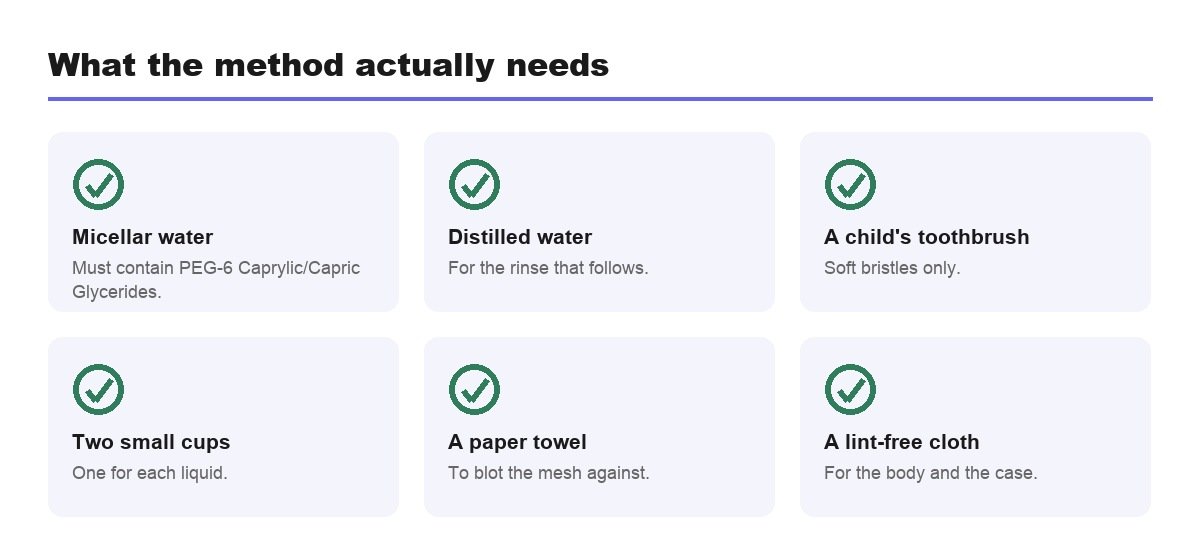
Apple lists a Belkin cleaning kit or five items you can gather yourself. The list is short and the specification on the first one is unusually tight.
- Micellar water containing PEG-6 Caprylic/Capric Glycerides, such as Bioderma or Neutrogena.
- Distilled water for the rinse.
- A soft-bristled children’s toothbrush.
- Two small cups and a paper towel.
- A soft, dry, lint-free cloth for the body and the case.
Micellar water is the unexpected entry, and Apple goes as far as naming the ingredient to look for, PEG-6 Caprylic/Capric Glycerides, with Bioderma and Neutrogena given as examples. It dissolves wax and skin oil and rinses away clean, which is exactly what a speaker mesh needs and exactly what soap does not do.
The Fifteen Second Method for the Mesh
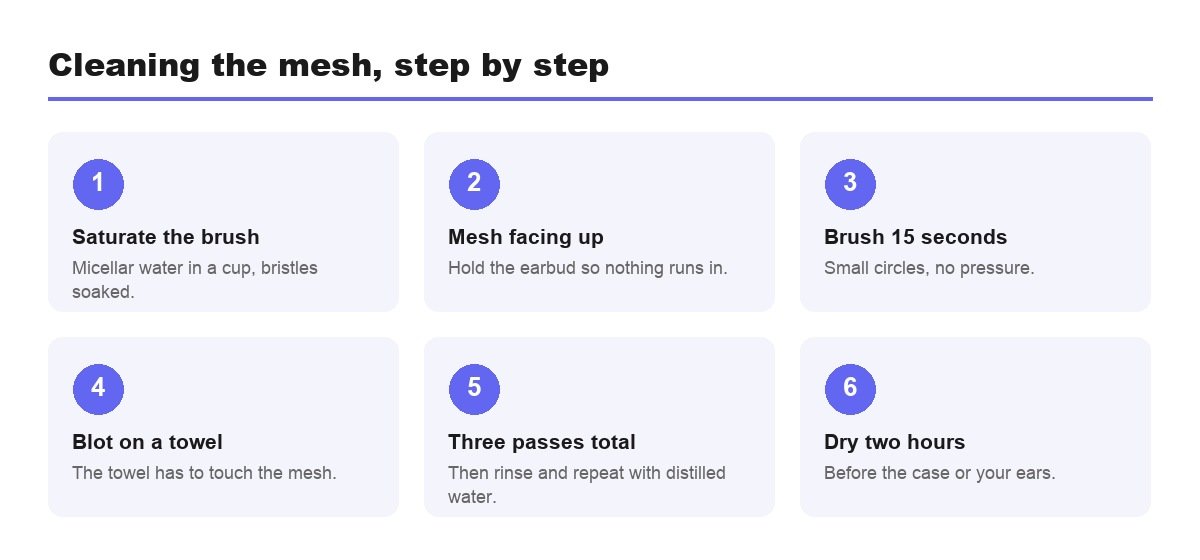
A muffled earbud is almost always a blocked mesh rather than a failing driver. This is the sequence that clears it, and the repetitions are part of the instruction rather than a suggestion.
- Pour a little micellar water into a cup.
- Saturate the toothbrush bristles in it.
- Hold the earbud with the mesh facing upwards.
- Brush in circles for about 15 seconds.
- Turn it over and blot on a paper towel, with the towel touching the mesh.
- Do the whole thing three times for each mesh you are cleaning.
- Rinse the brush in distilled water and repeat all of it, to carry the micellar water off.
- Leave them two hours to dry before the case or your ears.
Clean only the meshes. Apple circles them in its diagrams and says plainly to avoid every other area, because the sensors and the body are not built to be scrubbed. If a single earbud has gone quiet, one pass through this usually brings it level with the other.
Three passes sounds like overkill for fifteen seconds of brushing, and it is not. The first pass loosens what has dried on the surface, the second reaches what the first exposed, and the third catches the rest. The distilled water rinse afterwards is what stops the micellar water itself drying into the mesh and becoming the next blockage, which is why skipping it undoes the work.
Ear Tips Come Off Before Anything Else
On any in-ear design with a removable tip, the tip is removed first. Apple’s AirPods Pro instructions say to pull firmly at the base where the tip joins the earbud, rolling the rubber edge inside out or using a cloth for grip.
- Tips trap wax on both surfaces and are far easier to clean detached.
- AirPods Pro 3 adds the bottom microphone to the areas you may clean.
- Hardened silicone is finished, and replacement tips cost a fraction of the earbuds.
- A poor seal ruins noise cancelling long before it affects sound quality.
One instruction on the Pro 3 is worth repeating because it sounds wrong. Apple describes an optional deeper clean where you seal the ear tip hole with a finger and immerse the earbud in a bowl of water for ten seconds while shaking it gently. That is sanctioned for that model. It is not a licence to rinse any earbud under a tap, and Apple says elsewhere not to run AirPods under water at all.
What Ruins Earbuds
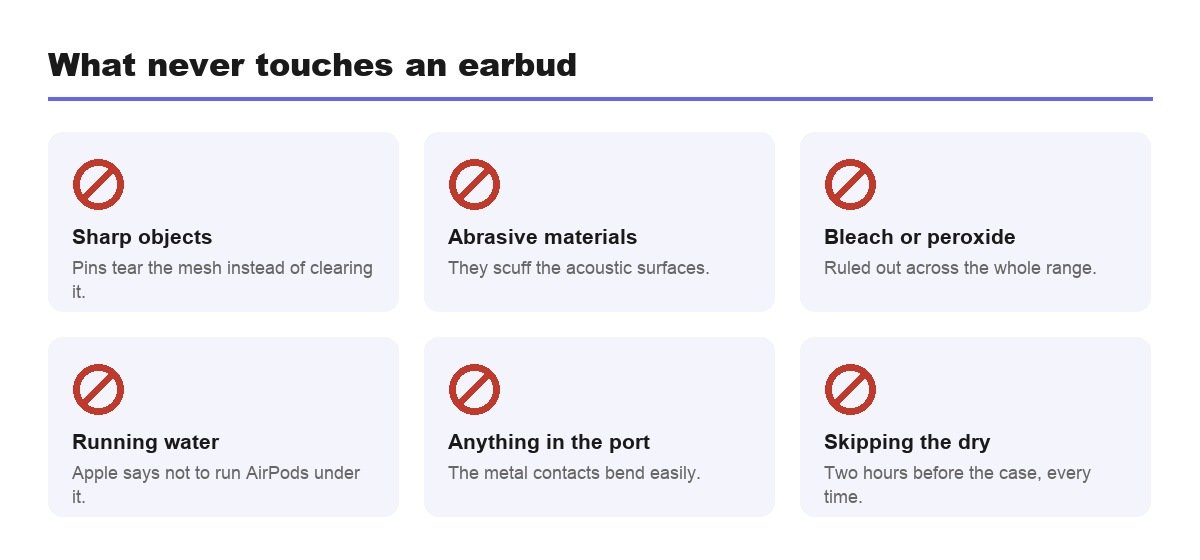
- Sharp objects. Pins and paperclips tear the mesh instead of clearing it, and the damage cannot be undone.
- Abrasive materials, which scuff the body and the acoustic surfaces.
- Bleach and hydrogen peroxide, ruled out by Apple across its whole range.
- Running water, outside the single model-specific exception above.
- Putting anything in the charging port, where the metal contacts bend easily.
There is also a list of things that stain rather than block. Apple names soaps, shampoos, conditioners, lotions, perfumes, solvents, detergent, acids and acidic foods, insect repellent, sunscreen, oil and hair dye, and says to wipe the earbuds with a cloth slightly dampened with fresh water when they meet any of them. Sunscreen is the one that catches people out every summer.
Over-Ear Headphones Need a Different Mixture
Fabric changes the rules entirely. Apple’s AirPods Max page gives a recipe rather than a product: 1 teaspoon, or 5 ml, of liquid laundry detergent in 1 cup, or 250 ml, of water.
- Take the cushions off the ear cups before you start.
- Hold the headphones upside down for the headband, so nothing runs into the joint.
- Rub gently for one minute with a wrung-out lint-free cloth, cushions and headband alike.
- Wipe with a fresh-water cloth, dry thoroughly, then lay them flat for at least a day.
- Disinfectant wipes are allowed on exterior surfaces only, never the knit mesh canopy or the cushions.
A day of drying sounds excessive until you consider that foam holds water in the middle long after the surface feels dry, and that reattaching damp cushions traps it against the driver. The detergent ratio matters for the same reason: too strong a mix leaves a residue in the fabric that attracts dirt faster than before you started. If yours are beyond reviving, our comparison of noise cancelling headphones covers what replaces them.
Cleaning the Case Without Killing It
The charging case gets handled more than the earbuds and cleaned far less. It is also the part that decides whether your earbuds charge, so it is worth two minutes.
- Tip the case upside down and let loose debris fall out before you touch anything.
- Clear the charging port with a clean, dry, soft-bristled brush, working from the outside in.
- Wipe the shell with a soft, dry, lint-free cloth, dampening it slightly only if needed.
- Leave the lid open to dry before the earbuds go back in.
Apple is explicit that nothing should be inserted into the charging ports, because the metal contacts inside are easy to bend and not user-serviceable. That rules out the cocktail stick and the folded paperclip, which are the two things everyone reaches for. A brush moves the lint without touching the contacts at all.
A Routine That Prevents Most of It
- Dry wipe weekly, which stops buildup becoming a blockage.
- Clean the mesh on symptoms, not on a calendar.
- Brush the case port monthly with a dry, soft-bristled brush.
- Deal with sunscreen and hair product immediately.
- Store them in the case rather than a pocket, which is where most of the lint comes from.
If the case has stopped charging reliably, suspect lint before the battery. Pocket debris packs into the port, the earbud sits fractionally off the contacts, and the case reports a charge it is not delivering. A dry brush clears it. Picking at the contacts with metal does not, and a worn case is cheap to replace, as our roundup of AirPods cases shows.
Frequently Asked Questions
Does cleaning earbuds actually make them louder?
It restores the volume they had. Wax and skin oil dry on the speaker mesh and muffle the driver behind it, so one earbud drifts quieter over months without anything failing. Clearing the mesh brings it back level. It will not make a pair louder than they were new.
How do you clean earwax out of earbuds?
Brush the mesh in circles for about 15 seconds with a soft-bristled children’s toothbrush saturated in micellar water, blot it on a paper towel, and repeat for three passes in total. Rinse the same way with distilled water and let them dry for two hours.
Can you clean earbuds with alcohol?
Not as Apple’s method for AirPods and AirPods Pro, which uses micellar water and distilled water. Alcohol wipes at 70 percent isopropyl or 75 percent ethyl are permitted on AirPods Max exterior surfaces, but never on the mesh canopy or the ear cushions.
Why is one earbud quieter than the other?
Almost always a blocked speaker mesh rather than a fault. Wax dries on the mesh and muffles the driver behind it, and the cleaning method above usually restores the balance. If both are clean and one is still quiet, check the audio balance setting before assuming hardware.
How often should you clean earbuds?
Wipe the bodies weekly with a dry cloth and clean the meshes when you notice the sound change rather than on a schedule. Anything staining, sunscreen and hair product especially, should be wiped off the same day with a cloth dampened with fresh water.
Related Articles

Get the Fox Bulletin briefing
The stories that matter, in your inbox. No spam, unsubscribe anytime.
Newsletter signup will be available soon.
Related stories

Military Alphabet: All 26 Letters, Spelled and Pronounced
Alfa, Bravo, Charlie: the military alphabet is a set of 26 code words that keep letters apart over a noisy radio. Here is every letter, how to say it, and the history behind the list.
How to Turn Off Read Receipts on Instagram DMs
The global switch does not sweep up chats you have already set by hand. That one rule explains almost every case of Seen still appearing.
How to Clear Instagram Cache on Android and iPhone
Android has a real cache button and iPhone does not. The important part is telling it apart from the button next to it, which signs you out of everything.