

Fortnite 2fa is the rare security setting that pays you to switch it on. Epic hands over the Boogie Down emote for doing it, adds three more items if you own Save the World, and quietly makes several features work that will not function without it.
It takes about two minutes and it does not live where most players look for it. Everything below comes from Epic’s own account documentation, including what to do when the reward fails to show up.
Why Fortnite 2FA Is Not Optional in Practice
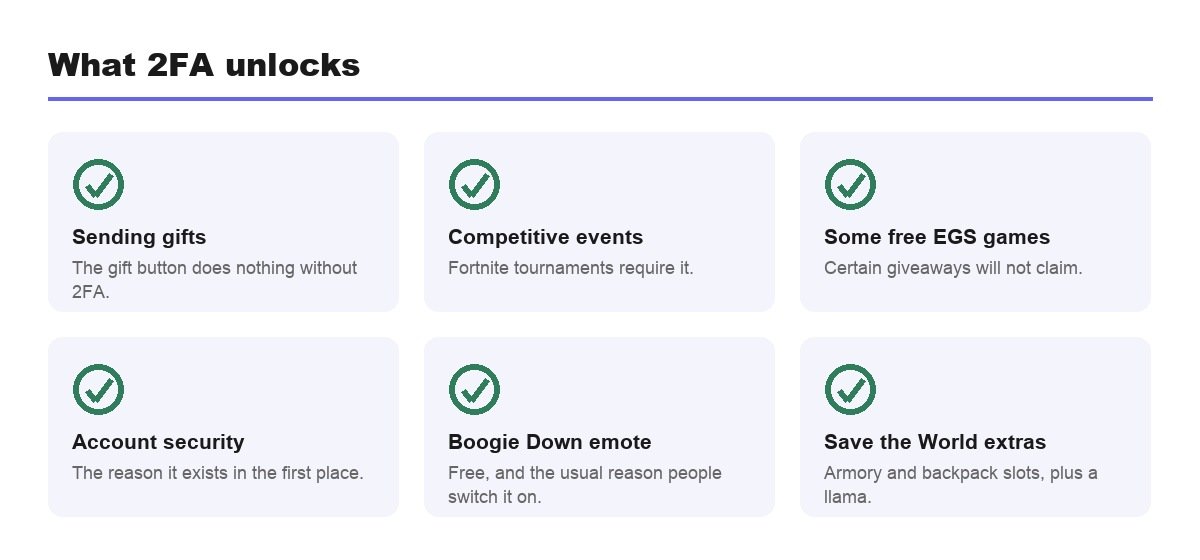
Epic gives four reasons for turning it on, and three of them are features rather than security advice.
- Sending gifts in Fortnite. The gifting button does nothing without it.
- Claiming some free games on the Epic Games Store.
- Entering Fortnite competitive events, which will not accept an unprotected account.
- Keeping the account itself, which is the reason that matters most.
Gifting is the one that bites. A player buys a skin for a friend, reaches the send screen, and the button does nothing. There is no appeal process and no delay once the setting is active, so the fix is the same two minutes it would have taken beforehand.
The Rewards, Including the Ones Nobody Mentions
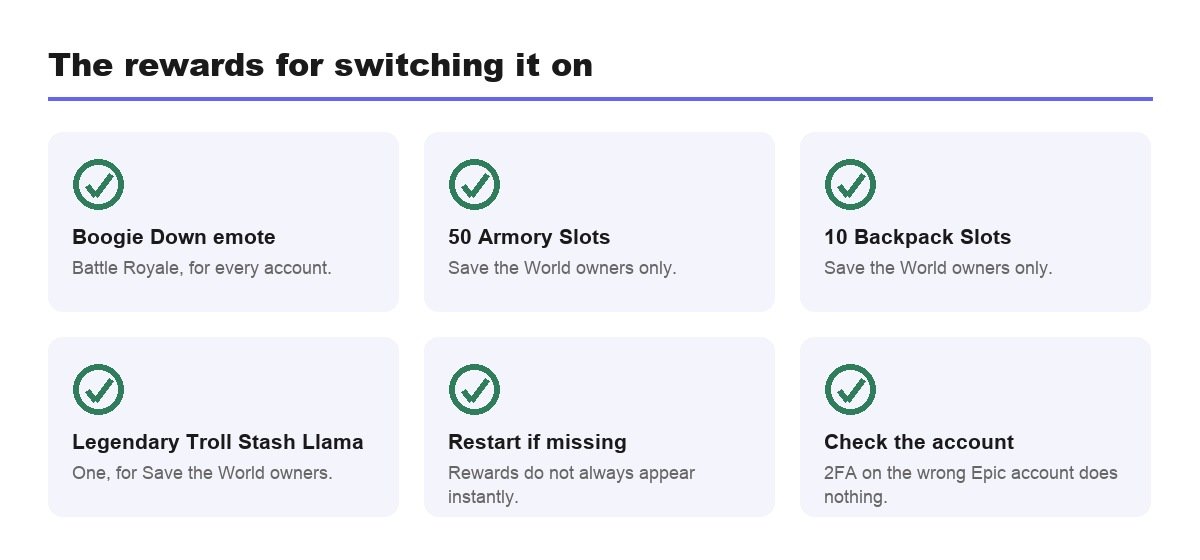
Epic publishes the full list, and it runs to four items rather than the single emote that gets all the attention.
- The Boogie Down emote in Fortnite Battle Royale.
- 50 Armory Slots if you own Save the World.
- 10 Backpack Slots in Save the World.
- 1 Legendary Troll Stash Llama in Save the World.
The emote has been the standing reward for years, which is why so many accounts already have 2FA without their owners remembering enabling it. If you have owned the account since before the current chapter, check the setting before assuming it is off.
Battle Royale players get the emote and nothing else, which is why the rest of the list is so little known. Save the World owners do considerably better: 50 Armory Slots is a serious amount of storage in a mode built around hoarding schematics, and the Legendary llama is a meaningful one-off.
How to Turn On Fortnite 2FA
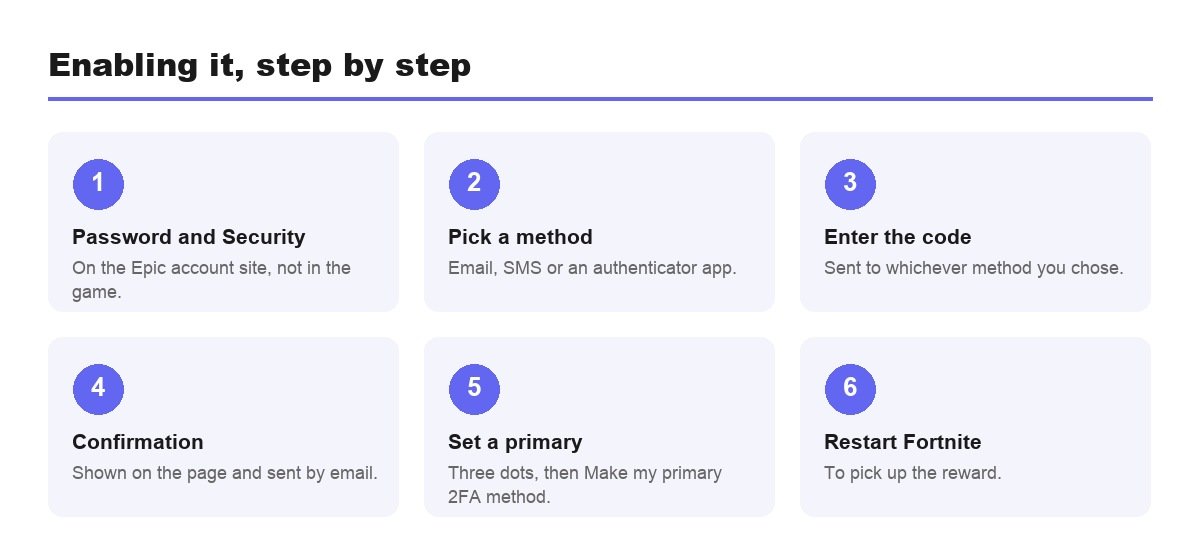
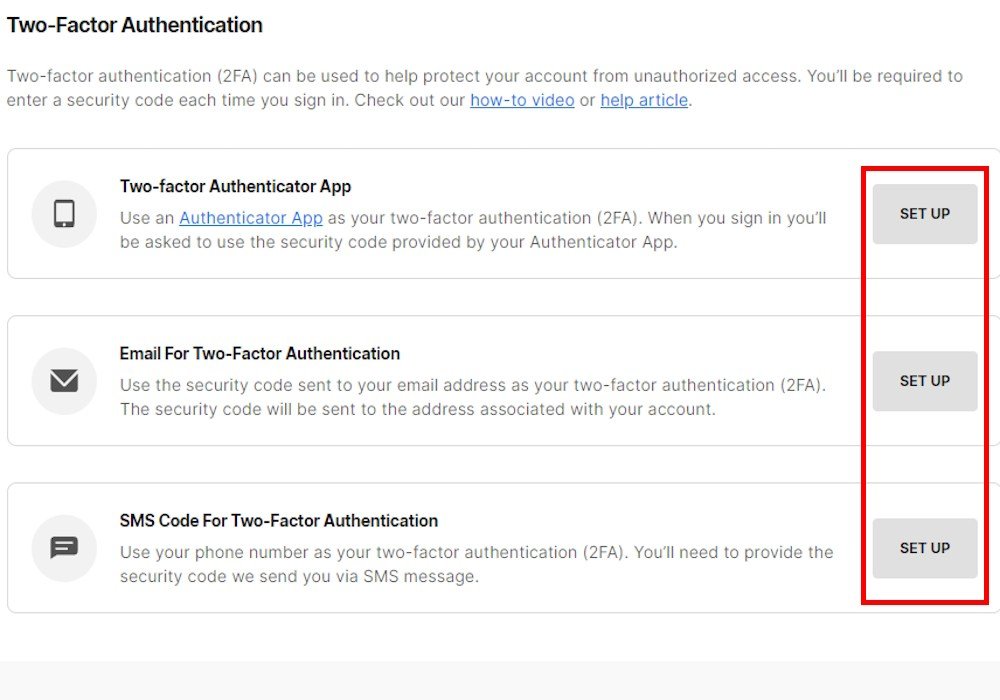
The setting is on the Epic Games account website, not in the game. That single fact accounts for most of the confusion, because players search the Fortnite settings menu and conclude the option has moved.
- Open the Password and Security section of your Epic Games account.
- Find Two-Factor Authentication and click Set up next to your preferred method.
- Enter the code sent by email, SMS or your authenticator app.
- Wait for the confirmation, which appears on the account page and in an email.
- Set a primary method if you enabled more than one, using the three dots menu and Make my primary 2FA method.
Epic emails a confirmation each time a method goes live. Keep those emails. If one ever lands that you did not trigger, it means somebody else has your password and is part way through the door, and that message is the earliest warning you will get.
Email, SMS or an Authenticator App
- Authenticator app: strongest option, generates codes offline, unaffected by signal.
- Email: simplest to recover if you lose a device.
- SMS: convenient, but not available in every country and dependent on coverage.
- Two methods together: the practical answer, with one set as primary.
Epic maintains separate help articles on countries where SMS 2FA is unavailable and on codes failing to arrive, which tells you how often that route causes trouble. An authenticator app avoids both problems because nothing has to travel over a network to reach you. Pair it with email so a lost phone is an inconvenience rather than a lockout.
When the Emote Does Not Arrive
This is the most common follow-up question, and it is usually one of four things rather than a fault in the reward system.
- Restart Fortnite first. Epic says rewards may not appear immediately.
- Check which account you secured. 2FA on a second Epic account does nothing for the one you play on.
- Confirm the console link, because rewards follow the Epic account the console profile is connected to.
- Consider a Cabined Account, the child account type with a reduced feature set.
The duplicate-account problem is by far the most frequent. Anyone who first signed in through a console years ago may own an Epic account they have never opened in a browser, and securing that one produces exactly this symptom. Compare the display name on the account page with the one in your lobby before troubleshooting anything else.
Console Players Have One Extra Step
- Identify the Epic account your console profile created or linked to.
- Make sure it has an email address that you control.
- Enable 2FA in a browser, since the console interface does not expose the setting.
- Verify the console account is linked to that Epic account.
- Restart Fortnite and check the locker.
- Give it a few minutes if nothing appears, since entitlements do not always land instantly.
That link is the same connection that carries progress and purchases between devices, so it is worth confirming even if you never intend to play anywhere else. An unlinked console account works fine for years, right until a reward fails to appear or a purchase lands on a profile you did not expect.
Cabined Accounts Are a Different Category
Where a child set up an account without a parent involved, Epic may have created a Cabined Account. These run with a reduced feature set until a parent verifies them, and that changes what 2FA unlocks.
A missing reward on a Cabined Account is expected rather than broken, and the same applies to gifting and competitive play. The limitation is the account type, not the security setting, so no amount of reconfiguring 2FA will change it.
Households in that position generally want the supervision side configured as well. Our guide to setting up parental controls covers the six-digit PIN, the spending limits and the playtime windows, all of which are separate from 2FA and live in a different menu entirely.
Securing the Rest of the Account While You Are There
Two-factor authentication is one layer. The account is only as strong as the things around it, and the other steps take about as long.
- Use a password that exists nowhere else, because reused passwords are how most gaming accounts are lost.
- Keep the account email secure too, since whoever controls it can reset everything else.
- Review linked accounts and unlink any console or platform you no longer use.
- Never enter your login on a site that promises free V-Bucks, which is the single most common way Fortnite accounts are stolen.
That last one deserves its own warning. There is no legitimate site that generates V-Bucks, and every page claiming to do so exists to harvest credentials. The ones that ask for a 2FA code as well are the more sophisticated version of the same scam, which is why an unexpected login prompt should always be treated as hostile rather than as a glitch.
What It Will Not Fix
- Purchases you made yourself still follow the ordinary refund rules.
- Gifts already sent cannot be recovered, and gifted items are non-refundable.
- A shared account is not protected if the second factor is shared too.
- Phishing pages can ask for the code as well as the password, so treat unexpected login prompts with suspicion.
If money has already gone somewhere you regret, 2FA is the wrong tool. Our explanation of how to refund items in Fortnite covers the 24 hour cancellation window and the three Return Tickets, which is the system that actually governs.
Frequently Asked Questions
Does 2FA slow down logging in?
Only on new devices. Epic does not ask for a code every time you launch the game on hardware it already recognises, so day to day play is unchanged. The prompt appears when you sign in somewhere new, which is exactly the situation it exists to catch.
What is the reward for Fortnite 2FA?
The Boogie Down emote in Battle Royale. Save the World owners also receive 50 Armory Slots, 10 Backpack Slots and one Legendary Troll Stash Llama.
Where do you enable Fortnite 2FA?
In the Password and Security section of your Epic Games account on the web, not inside the game. The change applies to Fortnite automatically once confirmed.
Is 2FA required to gift in Fortnite?
Yes. Epic lists sending gifts as one of the features that requires two-factor authentication, alongside competitive events and claiming certain free Epic Games Store games.
Can I use more than one 2FA method?
Yes, and it is worth doing. Set one as primary using the three dots menu and Make my primary 2FA method. Holding both an authenticator app and email means a lost phone does not lock you out of the account.
Related Articles

Get the Fox Bulletin briefing
The stories that matter, in your inbox. No spam, unsubscribe anytime.
Newsletter signup will be available soon.
Related stories
Sell Ores Codes (November 2026)
Every Sell Ores code that still redeems, what each one pays in Growth Gems, coatings and time skips, and where the code box hides in Settings.

Komorebi Prison Codes (November 2026)
Every Komorebi Prison code that still redeems, how many rerolls each one pays, and where the code tab hides inside the prison menu.
Roll Anime to Fight Codes (November 2026)
Every Roll Anime to Fight code that still redeems, what each one pays in gold and rerolls, and the wave requirement that silently blocks two of them.