

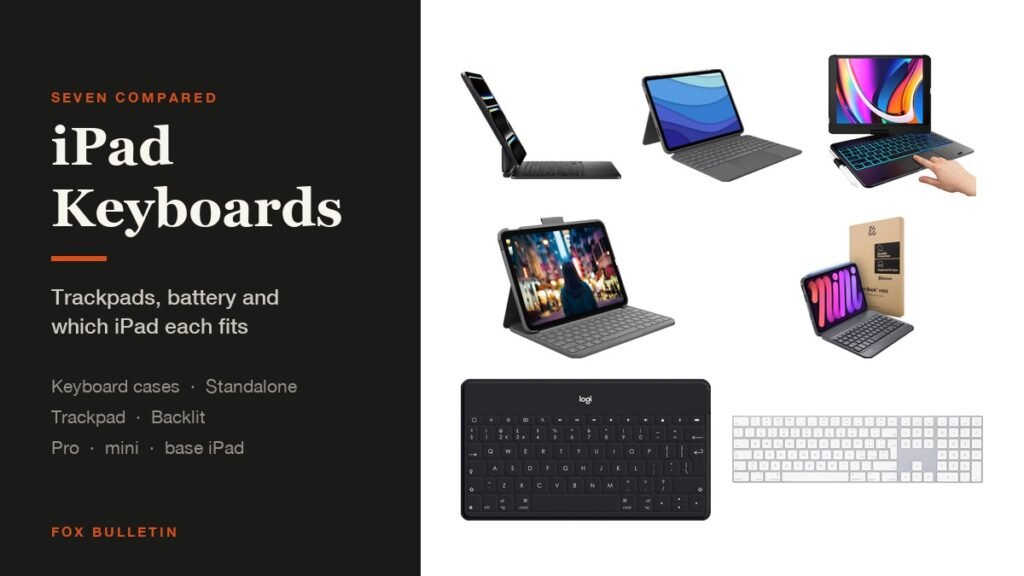
The best iPad keyboard for most people is Apple own Magic Keyboard if you have a current iPad Pro and type on it daily, because it needs no pairing or charging and has a glass trackpad. If you type less often, a standalone Bluetooth keyboard such as the Logitech Keys-to-Go keeps the tablet light and comes out only when you need it.
That is the real decision here, and it comes before any model question: a keyboard case that lives on the iPad, or a separate keyboard that lives in a bag. The table covers both kinds:
iPad Keyboards Compared: Type, Trackpad and Battery
Trackpad and power source matter more than key feel, because they decide how the keyboard fits into a day:
| # | Keyboard | Kind | Fits | Trackpad | Power | Best for |
|---|---|---|---|---|---|---|
| 1 | Apple Magic Keyboard | Case | 11-inch Pro M4, M5 | Glass, haptic | No battery of its own | The best typing |
| 2 | Logitech Combo Touch | Case | 11-inch Pro, 1st to 4th gen | Yes | Rechargeable | An older Pro |
| 3 | Logitech Slim Folio | Case | iPad 10th gen and A16 | No | Up to 3 years, coin cells | The base iPad |
| 4 | Logitech Keys-to-Go | Standalone | Any iPad over Bluetooth | No | Up to 3 months | Travelling light |
| 5 | Apple Magic Keyboard, numeric | Standalone | Any iPad over Bluetooth | No | About a month | Desk work |
| 6 | ZAGG Slim Book mini | Case | iPad mini 7 and 6 | No | Rechargeable | The mini |
| 7 | typecase Touch | Case | iPad 9th, 8th, 7th gen | Yes | Rechargeable | Spending least |
1. Apple Magic Keyboard: The Best iPad Keyboard for Daily Typing
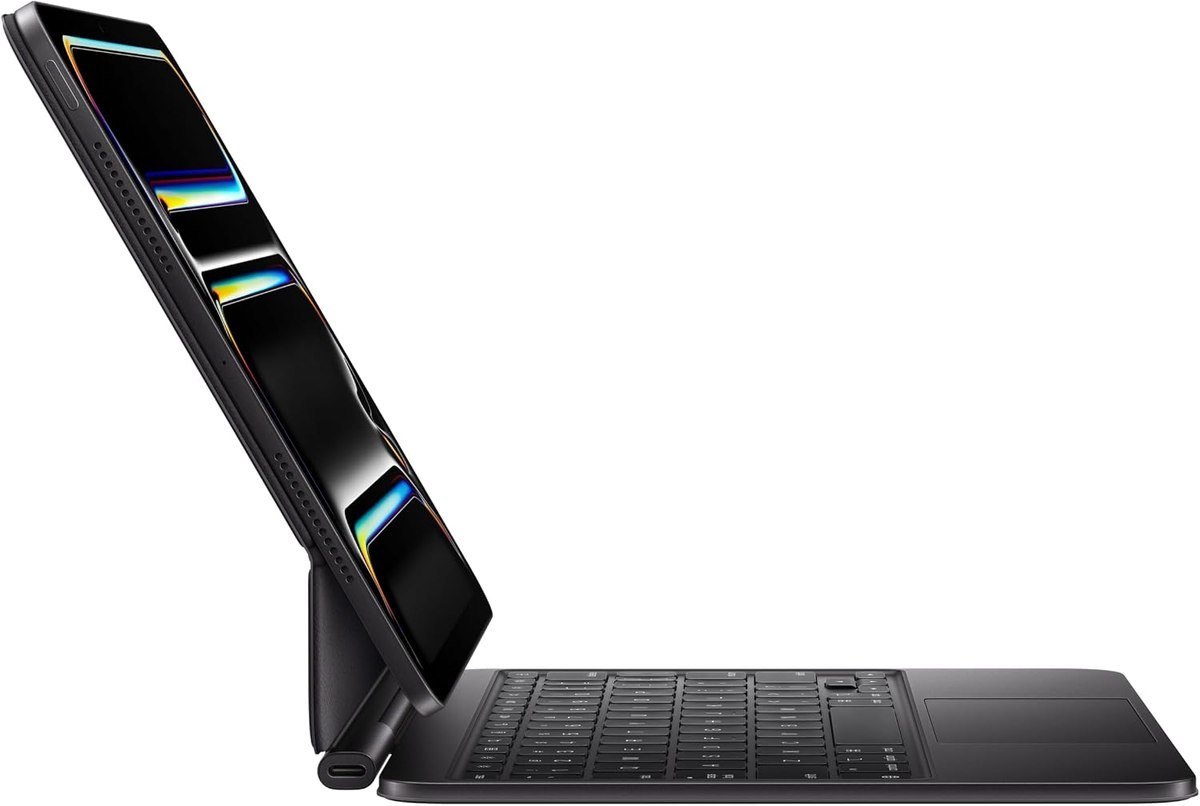
Apple builds this one around a glass trackpad with haptic feedback, backlit scissor-mechanism keys and a 10-key function row, on a two-cantilever hinge that adjusts the viewing angle. It takes power from the tablet, so there is no pairing and nothing separate to charge, and a USB-C port on the hinge passes charge through to the iPad.
Apple lists this version for the iPad Pro 11-inch with M4 and M5. The haptic trackpad is what separates it from everything below: cursor work in iPadOS feels close to a laptop with it, and the function row removes most of the reaching up to the screen. The price is the obvious objection, and it is a fair one.
What it does well
- Glass trackpad with haptic feedback
- No pairing and nothing to charge
- Pass-through USB-C charging
What to know before buying
- Costs more than some iPads
- Only for the current 11-inch Pro
2. Logitech Combo Touch: Best iPad Keyboard for an Older Pro
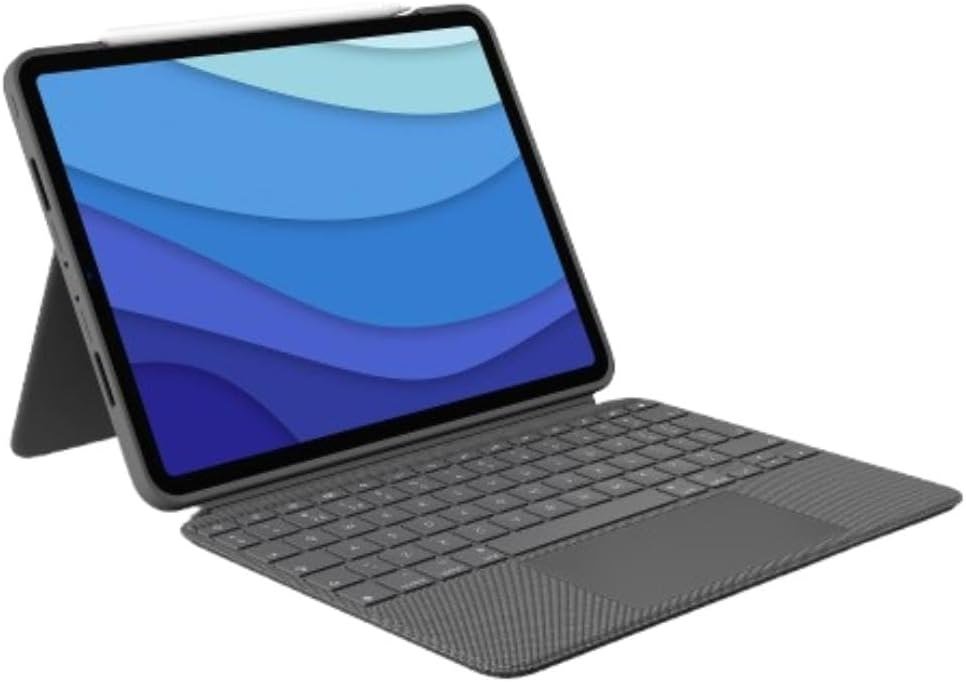
Logitech sells the Combo Touch in versions for most iPads, and this one covers the 11-inch iPad Pro from the 1st through the 4th generation, listing a dozen model numbers from A1980 to A2460. Four use modes let you type, sketch, view and read without taking the tablet out of the case.
The keyboard detaches and the kickstand adjusts across 50 degrees, with viewing angles from 10 to 60 degrees. For a Pro that is a few years old, this is a far better purchase than a current-generation Apple keyboard that will not fit it, and it keeps an older tablet useful for written work.
What it does well
- Fits four generations of 11-inch Pro
- Keyboard detaches, kickstand adjusts widely
- Trackpad included
What to know before buying
- Not for the M4 or M5 Pro
- Heavier than a folio
3. Logitech Slim Folio: Best iPad Keyboard for the Base Model
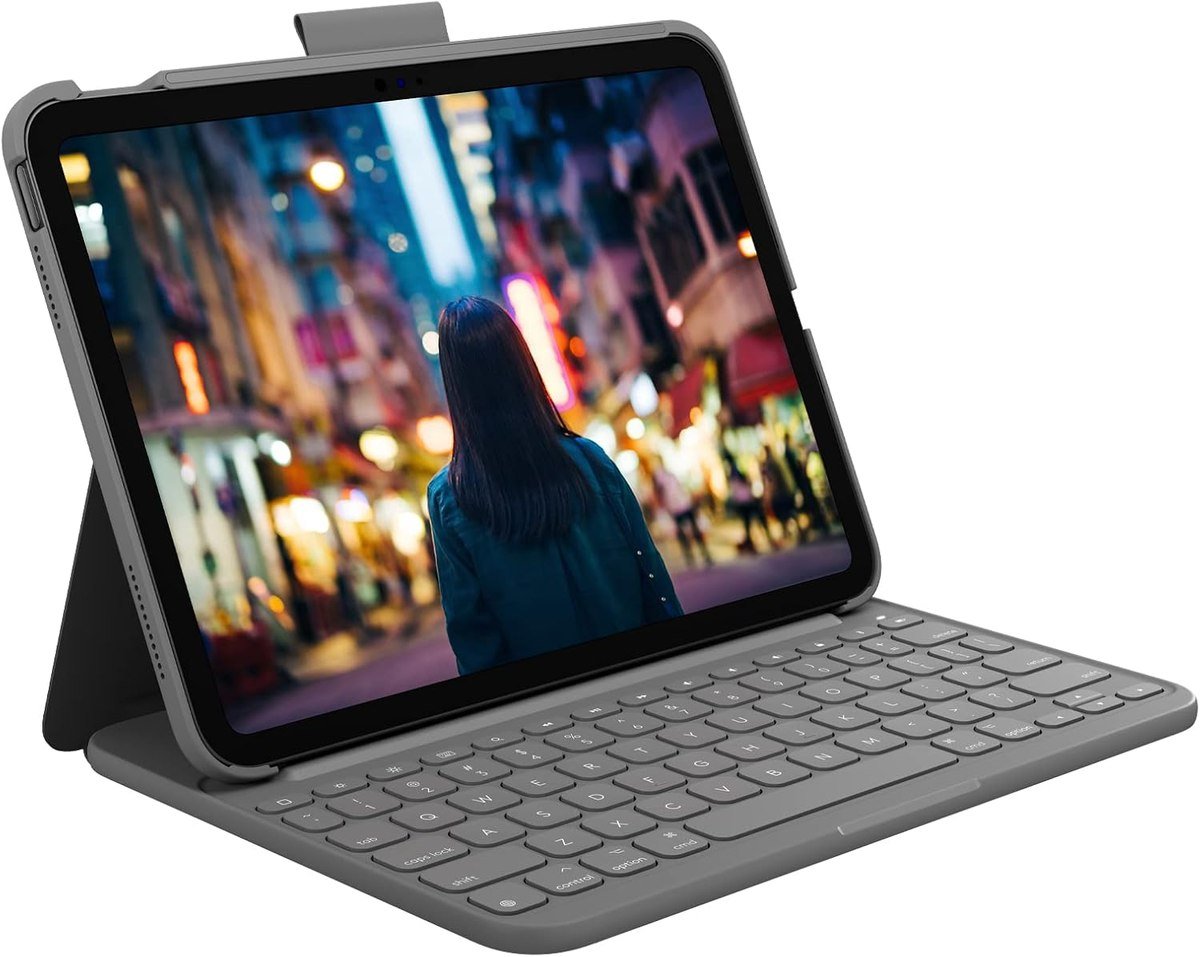
The Slim Folio puts a full-size keyboard with iPadOS shortcut keys on the cheapest current iPad, covering the 10th generation and the A16 model across models A2696, A2757, A2777, A3162, A3354, A3355 and A3356. The outer technical fabric gives form-fit protection against bumps and scratches.
Its party trick is power. Two replaceable coin cells and smart power management give up to three years of battery life over Bluetooth Low Energy, so this is the one keyboard here you will never think about charging. There is no trackpad, which is the trade for the price and the battery.
What it does well
- Up to three years on coin cells
- Full-size keys with iPadOS shortcuts
- Protects the tablet as a folio
What to know before buying
- No trackpad
- Coin cells rather than rechargeable
4. Logitech Keys-to-Go: Best Standalone iPad Keyboard for Travel
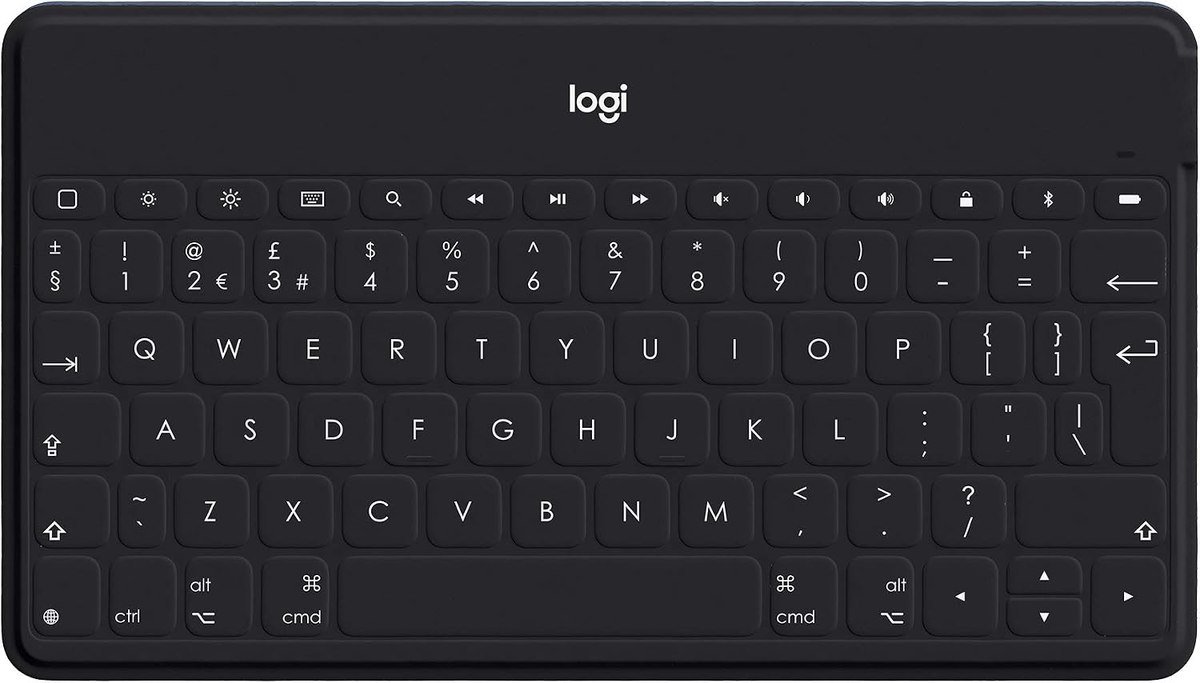
This is the opposite approach: leave the iPad in a slim case and carry a keyboard that fits in a coat pocket. Logitech wraps it in a wipeable fabric skin that resists spills, dirt and drops, with well-spaced full-size keys and iOS shortcuts, and it pairs over Bluetooth with any iPad as well as an iPhone or Apple TV.
Logitech rates the rechargeable battery at up to three months between charges based on two hours of use a day. The catch is that it does not hold the tablet up, so you need a case with a stand, which is exactly how most people use it: a slim folio on the iPad and this in the bag for the days it is needed.
What it does well
- Fits in a coat pocket
- Spill-resistant fabric skin
- Works with any iPad, and with an iPhone
What to know before buying
- No trackpad and no stand
- Needs a case that props the tablet
5. Apple Magic Keyboard with Numeric Keypad: Best iPad Keyboard for a Desk
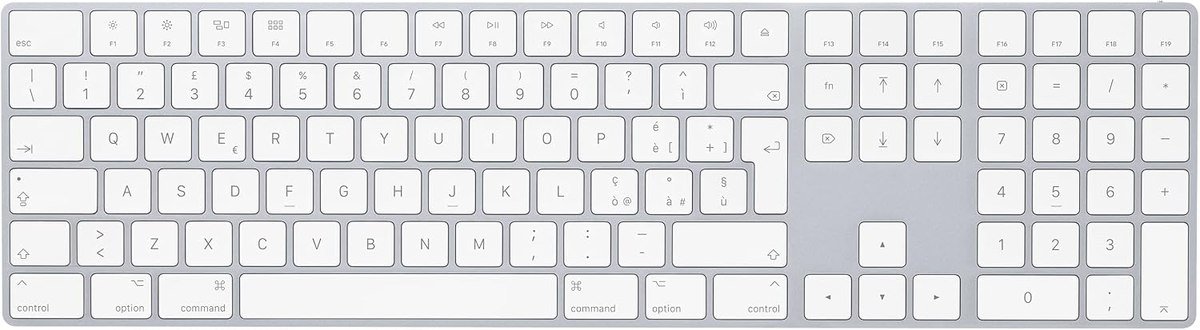
Apple desktop keyboard pairs with an iPad over Bluetooth just as it does with a Mac, and the extended layout adds document navigation controls, full-size arrow keys and a numeric keypad, which Apple points out suits spreadsheets and finance work.
The internal battery is rechargeable and Apple quotes about a month or more between charges, with a Lightning to USB cable in the box for pairing and charging. Apple lists iPadOS 13.4 or later as the requirement on the iPad side. If the tablet docks at a desk for part of the week, this is a far better keyboard than anything that has to fold into a case.
What it does well
- Full desktop layout with a numeric keypad
- Shared between a Mac, iPad and iPhone
- About a month per charge
What to know before buying
- Not portable in any real sense
- No trackpad, so add a mouse
6. ZAGG Slim Book mini: Best iPad Keyboard for the mini
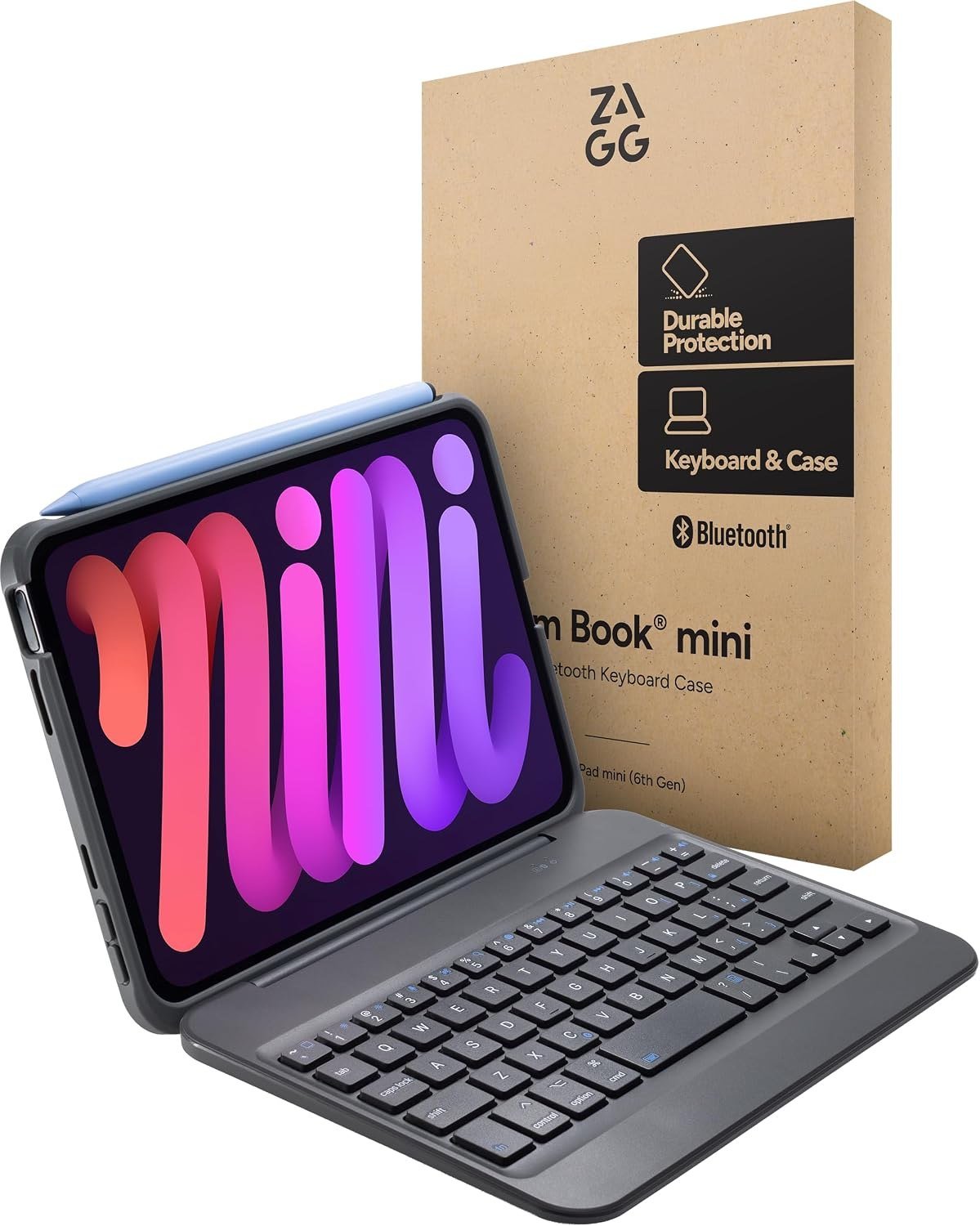
The mini is the hardest iPad to type on and the one most improved by a keyboard. ZAGG uses a magnetic hinge that holds the tablet at multiple angles for laptop-style use, and the Bluetooth keyboard detaches so the protective case can be used on its own or the keyboard placed at a distance.
It is cut for the iPad mini with the A17 Pro chip and the mini 6, which share a size. On a tablet this small the detachable design matters more than on any other iPad, because the mini spends most of its life being held rather than propped.
What it does well
- Built for the 8.3-inch mini rather than adapted
- Keyboard detaches and works at a distance
- Magnetic hinge holds several angles
What to know before buying
- Cramped for long documents
- No trackpad
7. typecase Touch: Best Cheap iPad Keyboard With a Trackpad
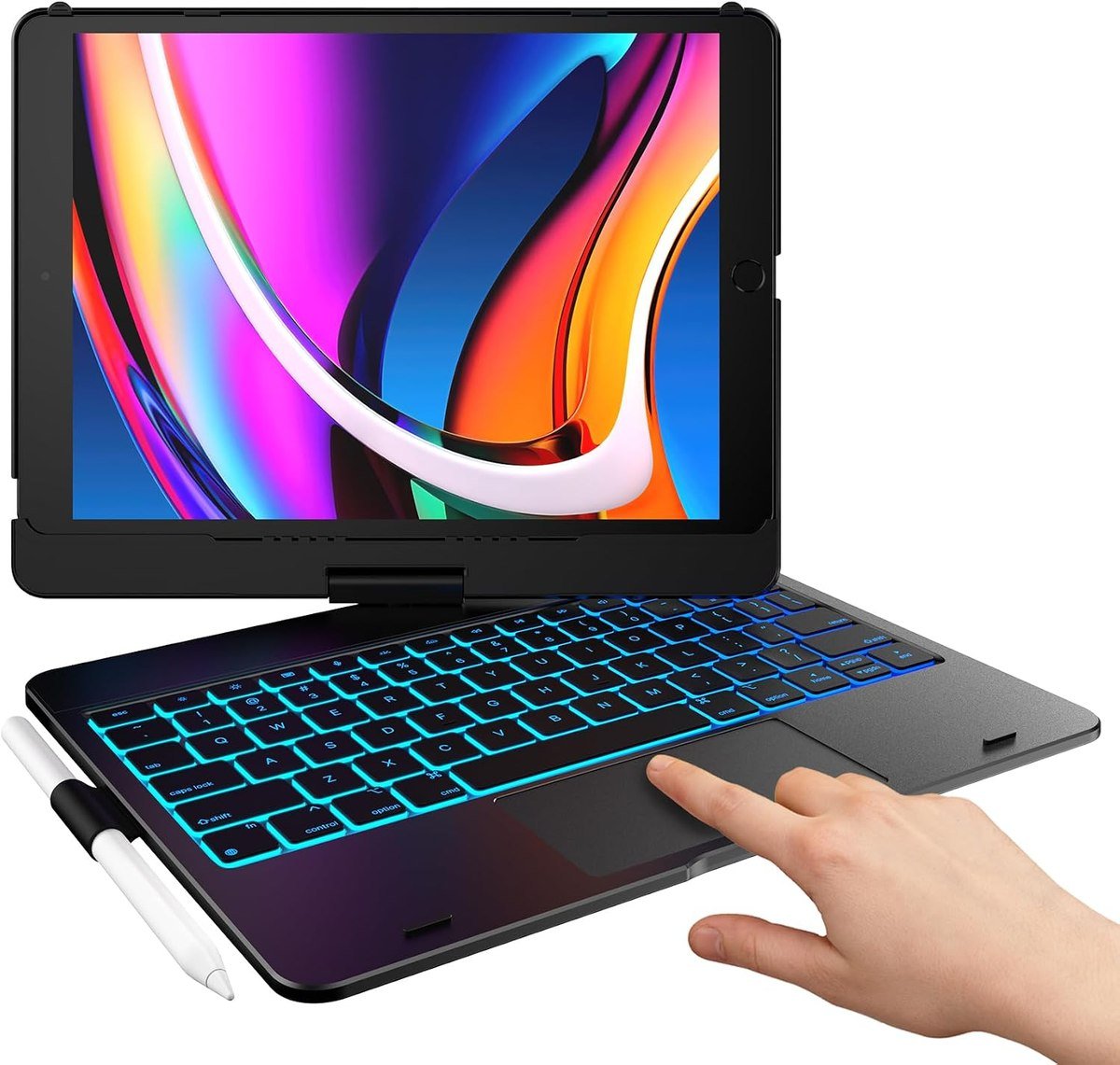
typecase covers the 10.2-inch iPad in its 9th, 8th and 7th generations, and it is the cheapest way here to get a trackpad. The precision trackpad supports multi-gesture control for editing, browsing and presentations, and the laser-etched keys sit under an adjustable 10-colour RGB backlight with a full row of iPadOS shortcuts.
A patented 360-degree hinge, which typecase says is stress-tested to 20,000 cycles, gives seven use modes from typing through to using the iPad in plain tablet form. On an older 10.2-inch iPad this is the single upgrade that makes the tablet useful for written work again.
What it does well
- Trackpad at the lowest price here
- 360-degree hinge with seven modes
- Adjustable RGB backlight
What to know before buying
- Only for the 10.2-inch iPad
- Heavier than the tablet deserves
Keyboard Case or Standalone Keyboard
Everything else follows from this choice, so it is worth making deliberately:
| Kind | What you get and give up |
|---|---|
| Keyboard case | One object to carry, the tablet is always propped, and the good ones add a trackpad. It roughly doubles the weight and the keyboard goes everywhere the iPad goes, wanted or not. |
| Standalone keyboard | The tablet stays bare and light, the keyboard comes out only when needed, and one keyboard can serve a phone and a computer as well. You need somewhere to prop the iPad, and there is no trackpad. |
The split usually falls along how predictable your typing is. People who write every day want the keyboard attached and accept the weight; people who write occasionally resent carrying it and are better served by a pocketable Bluetooth keyboard plus a slim case from our roundup of iPad cases across the range.
How the Keyboard Draws Power
Three arrangements exist here, and they behave very differently in daily use. Apple case keyboard takes power and data from the connector on the back of the tablet, so there is nothing to pair and nothing to charge separately. Bluetooth keyboards with rechargeable batteries, such as the Keys-to-Go and the ZAGG, need charging every few weeks or months. The Slim Folio uses replaceable coin cells and runs for years.
If you have ever had a keyboard die mid-sentence, the first and third options are worth paying attention to. Apple setup guidance for the Magic Keyboard is simply to attach the iPad, with iPadOS 14.5 or later, and nothing else. A keyboard that cannot run out is a different experience from one that can.
Getting the Fit Right
Keyboard cases are cut for specific tablets, and the fit list is where to start rather than the review:
- Apple Magic Keyboard here is for the 11-inch iPad Pro with M4 and M5 only.
- Logitech Combo Touch here fits the 11-inch iPad Pro from the 1st to the 4th generation, which is the pre-M4 run.
- Logitech Slim Folio covers the iPad 10th generation and the A16 model, across seven model numbers.
- ZAGG Slim Book mini is cut for the iPad mini with the A17 Pro chip and the mini 6.
- typecase Touch covers the 10.2-inch iPad in its 9th, 8th and 7th generations.
Find your model number in Settings, then General, then About, and buy against that rather than against the screen size. The same applies across the range, and our guides to iPad Pro cases and keyboards for Mac cover the neighbouring decisions. A standalone Bluetooth keyboard sidesteps all of this, which is part of its appeal.
Which iPad Keyboard to Buy
Buy the Apple Magic Keyboard if you own a current 11-inch Pro and type on it most days: the haptic trackpad, the pass-through charging and the absence of any pairing step are worth the money for heavy use. Buy the Logitech Combo Touch if your Pro predates the M4, since it covers four generations Apple current keyboard will not fit, and the Slim Folio if you have a base iPad and want a keyboard you never charge.
Take the Keys-to-Go if the iPad is mostly for reading and you type occasionally, and Apple numeric keyboard if the tablet spends part of the week docked at a desk. The ZAGG Slim Book mini is the one sensible keyboard for an iPad mini, and the typecase Touch is the cheapest route to a trackpad for anyone still using a 10.2-inch iPad.
Frequently Asked Questions
Do you need a special keyboard for an iPad?
No. Any Bluetooth keyboard pairs with an iPad, including Apple desktop Magic Keyboard. A dedicated iPad keyboard case adds a stand, protection and often a trackpad, which is what you are paying for rather than compatibility.
Which iPad keyboards have a trackpad?
Apple Magic Keyboard, the Logitech Combo Touch and the typecase Touch here all include one. Cursor support makes iPadOS noticeably faster to drive, and it is the main reason to choose a keyboard case over a standalone keyboard.
How long do iPad keyboard batteries last?
It depends on the type. Apple case keyboard draws power from the iPad and never needs charging. Rechargeable Bluetooth models run from weeks to about three months, and the Logitech Slim Folio uses coin cells rated for up to three years.
Can one keyboard work with an iPad and a Mac?
Yes, if it is a standalone Bluetooth keyboard. Apple Magic Keyboard with Numeric Keypad pairs with a Mac, iPad or iPhone, and the Keys-to-Go works across iOS devices. Keyboard cases are tied to the tablet they are cut for.
Related Articles
- Best iPad Air Cases: 7 Compared for 11 and 13-Inch
- Best iPad Mini Cases: 7 Compared on Stands and Pencil
- Best iPad 9th Generation Cases: 7 for the 10.2-Inch
As an Amazon Associate, Fox Bulletin earns from qualifying purchases.

Get the Fox Bulletin briefing
The stories that matter, in your inbox. No spam, unsubscribe anytime.
Newsletter signup will be available soon.
Related stories
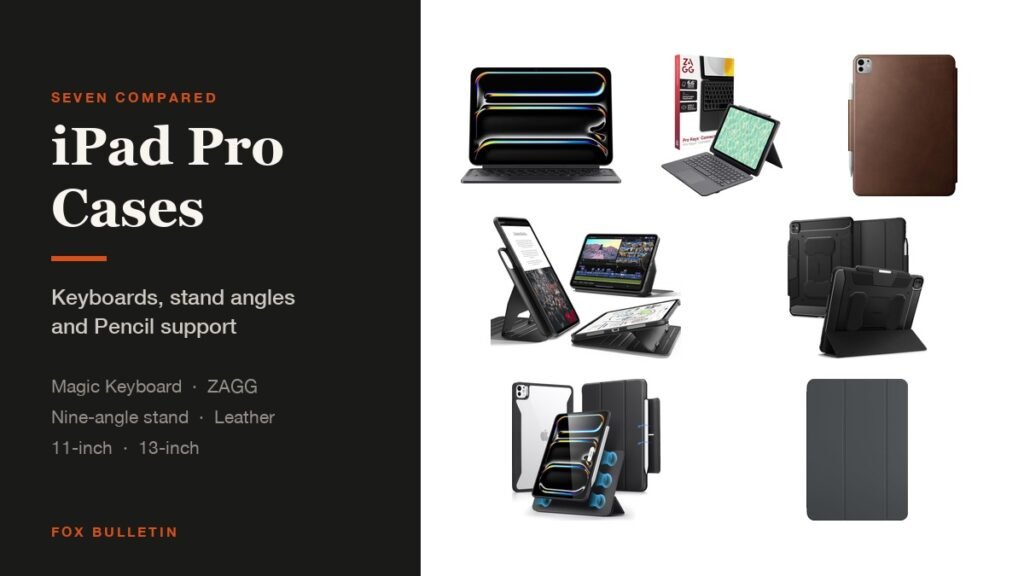
Best iPad Pro Cases: 7 Compared for 11 and 13-Inch
Seven cases for the M4 and M5 iPad Pro compared on keyboards, stand angles and Pencil support, from Apple Smart Folio and Magic Keyboard to a nine-angle magnetic stand and leather.
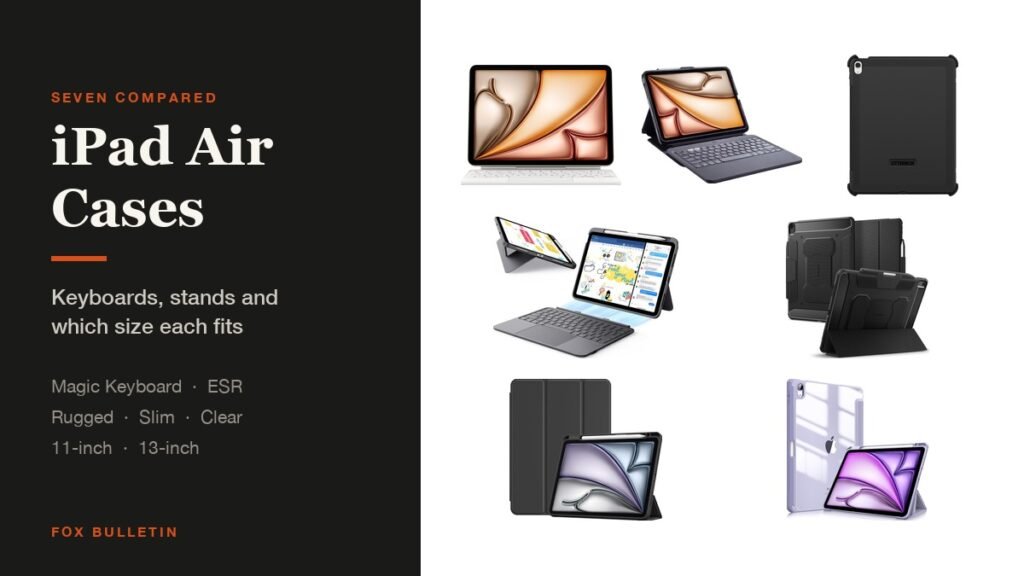
Best iPad Air Cases: 7 Compared for 11 and 13-Inch
Seven cases for the iPad Air compared on keyboards, stands and Pencil storage, covering the 11-inch and 13-inch models with M2, M3 and M4 chips as well as the Air 4 and 5.
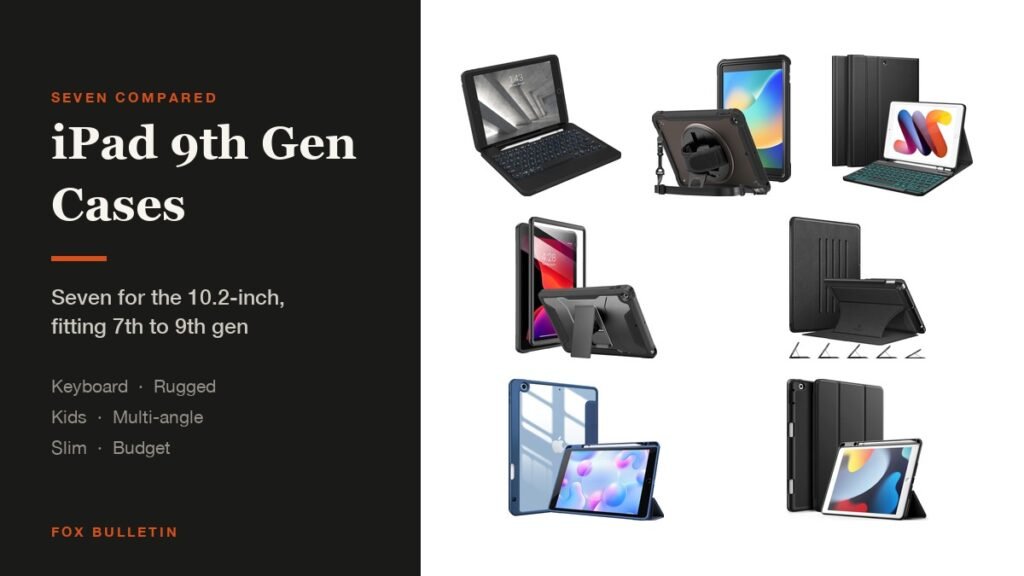
Best iPad 9th Generation Cases: 7 for the 10.2-Inch
Seven cases for the 10.2-inch iPad compared on stands, keyboards and Pencil storage, each fitting the 7th, 8th and 9th generations, from a rugged ZAGG keyboard to a kids case.