

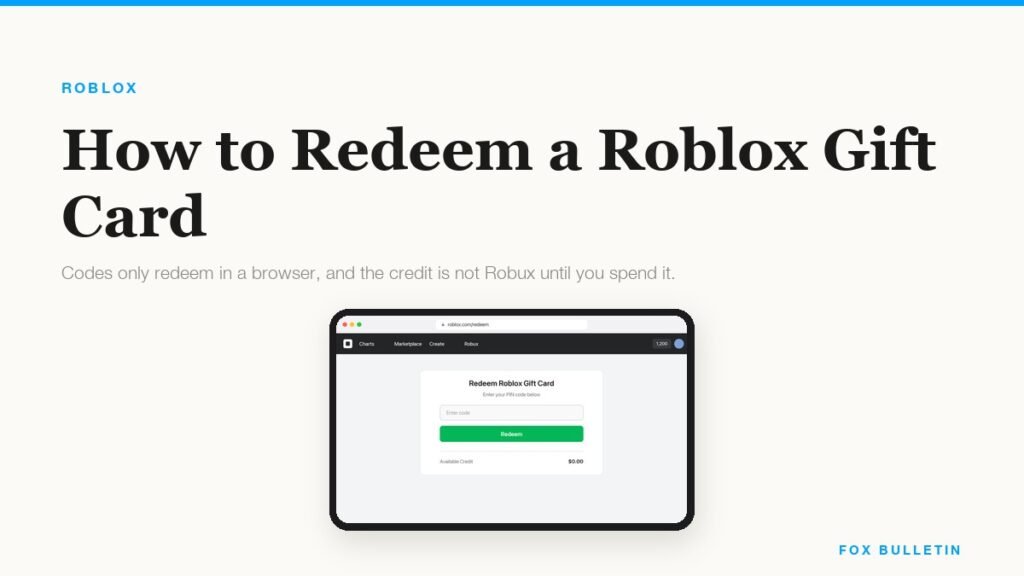
A Roblox gift card is redeemed in a web browser and nowhere else. That single fact explains most of the frustration around them, because the obvious place to try is the Roblox app, and the app has no redeem screen at all on iPhone, on Android or on consoles. The only exception Roblox makes is the Samsung Galaxy version of the app, which does have one.
The second thing worth knowing before you start is what you are actually getting. Most gift cards add Roblox Credit to your account, which is a balance in your local currency rather than Robux. You then spend that credit on a Robux package or on Premium. A few cards, including the ones sold through the Roblox Store on Amazon, are denominated in Robux directly and skip that step.
Redeem the card in a browser
Use any browser on any device, including the one on the phone the game is installed on. You need to be signed in to the account the credit is going to, which sounds obvious and is the single most common mistake when a parent redeems a card on their own machine.
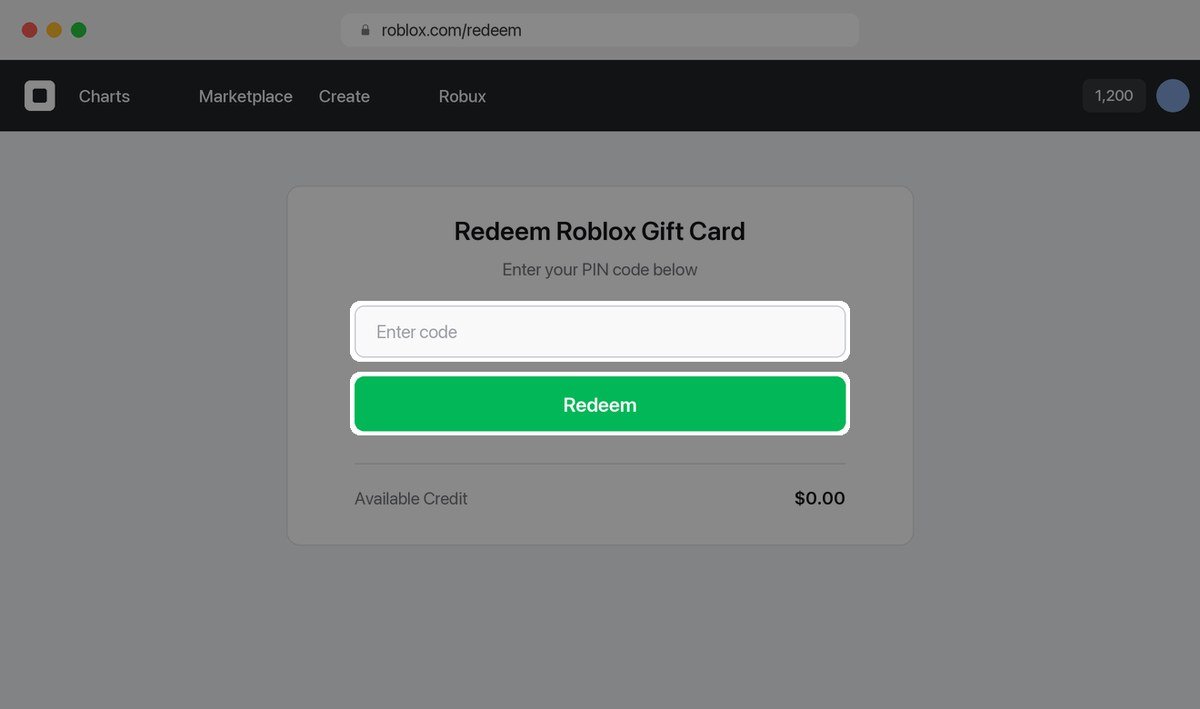
- Go to roblox.com/redeem in a web browser.
- Log in to the Roblox account you want the credit added to.
- Scratch off the panel on the back of the card and type the PIN into the box.
- Click Redeem.
- Check the confirmation message and the Available Credit figure underneath it.
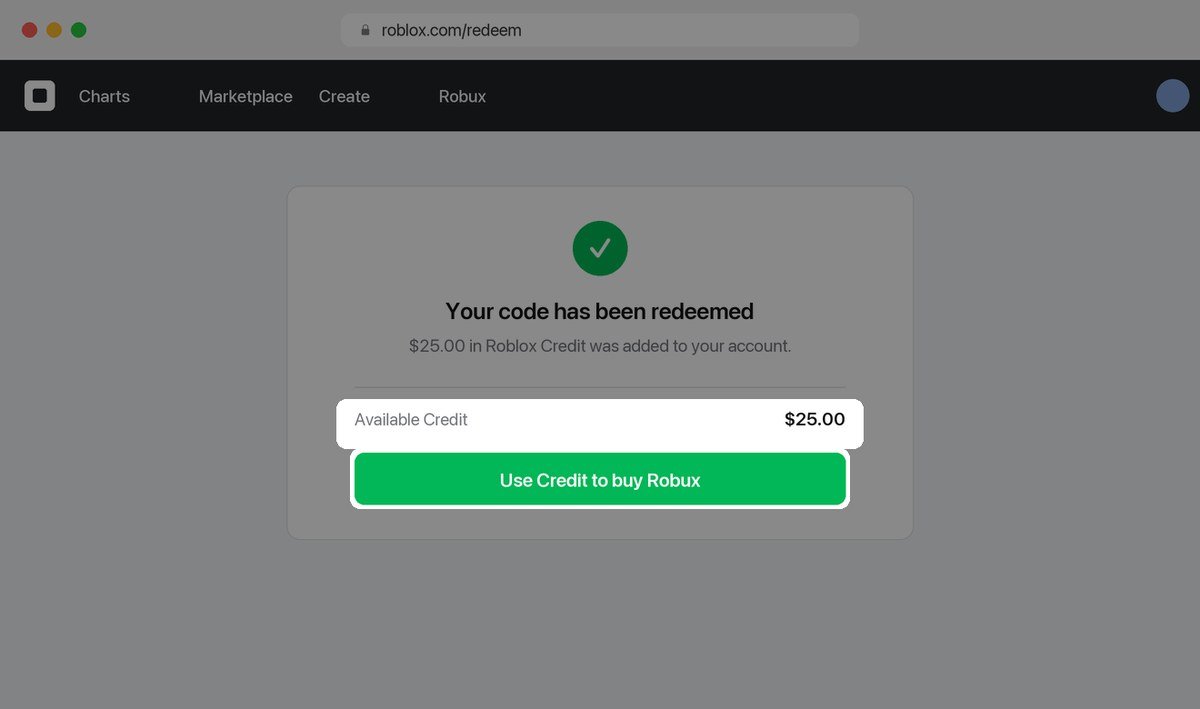
Codes go in one at a time. Roblox confirms in its gift card instructions that you can redeem as many cards as you like, but each has to be entered separately at the same page. There is no bulk field and no limit on how many a single account can take.
If the balance does not appear straight away, check the Billing settings page rather than redeeming again. Roblox’s note on finding your gift card credit points to two places that show it: the redeem page itself, under the button, and the balance line in Billing settings. A second attempt with the same code will simply fail as already used.
Turn Roblox Credit into Robux
Credit sitting in your account does nothing on its own. No in-game purchase accepts it, because in-game purchases are priced in Robux. Converting is a normal checkout where the credit is the payment method instead of a card.
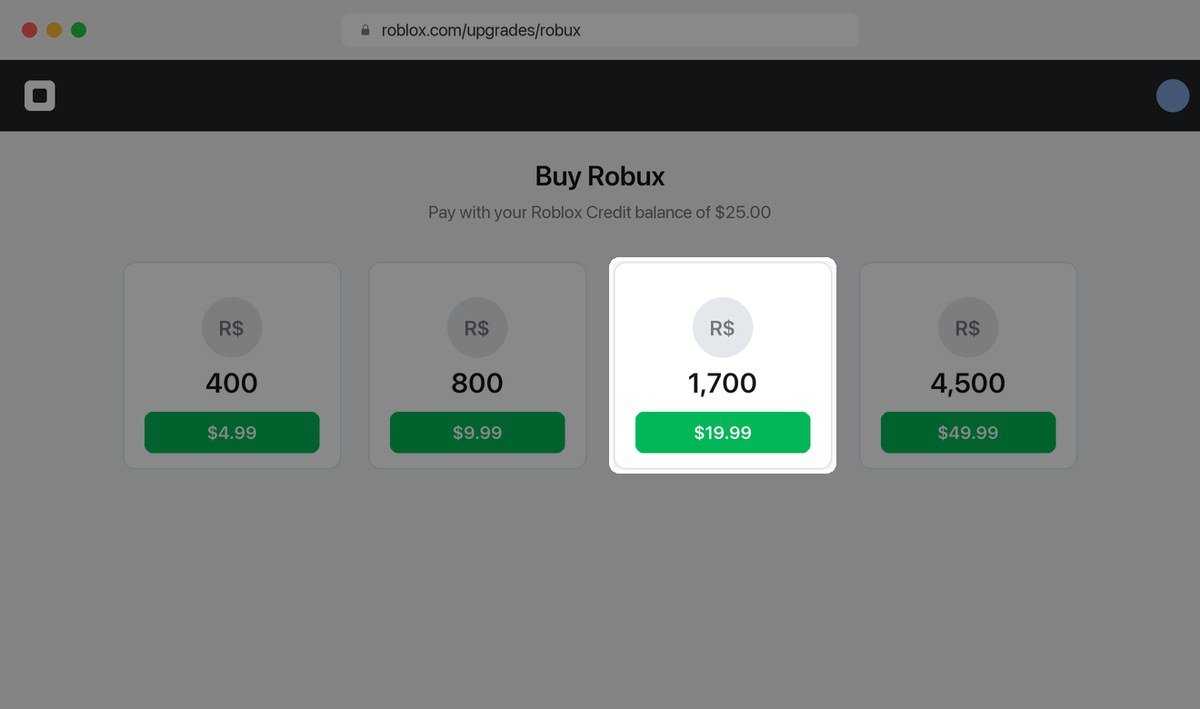
- On the redeem page, click Use Credit to buy Robux, or go to the Buy Robux page directly.
- Pick the Robux package you want.
- Choose your credit balance as the payment method at checkout.
- Confirm, and the Robux land in the account immediately.
Credit can also go towards Premium, which is the subscription that includes a monthly Robux allowance and the ability to trade. If the card was a gift for somebody who plays constantly, Premium usually stretches further than the same amount spent on a one-off Robux package, because the allowance keeps arriving.
- Credit does not expire, so there is no rush to convert it the day it is redeemed.
- Credit cannot be sent to another account, which is why the card has to be redeemed on the account that will spend it.
- Credit cannot be cashed out, and Roblox does not refund gift cards.
- Amazon and Party Pack cards are Robux only, so there is no credit step and no choice about what to spend them on.
The free virtual item nobody mentions
Every Roblox gift card comes with a free virtual item alongside the credit, and it is granted automatically the moment the code is redeemed. The items rotate monthly, so the one attached to a card bought in October is different from the one in November. Nothing extra has to be entered to claim it.
- Redeem the gift card as normal at roblox.com/redeem.
- Go to the Roblox gift cards page to see this month’s item.
- Click the item name to open it in your inventory.
- If the page says you own it, it has been added to the account.
There is one limit worth knowing in advance: Roblox grants one unique virtual item per month, so redeeming three cards in October gives you three lots of credit and a single item. If you are buying several cards as presents, spreading the redemptions across months is the only way everyone gets the collectible as well as the balance.
If the item never appears, check the other accounts in the household before raising it with support. The item follows whichever account redeemed the code, and a card redeemed on a parent’s logged-in browser puts both the credit and the item in the wrong place.
Why the app will not take your code
Roblox is explicit that redemption is not available in the standard mobile app or on consoles, and that a browser is required. The one carve-out is Samsung Galaxy devices, where the app includes a Redeem tile because Samsung distributes Roblox through its own store.
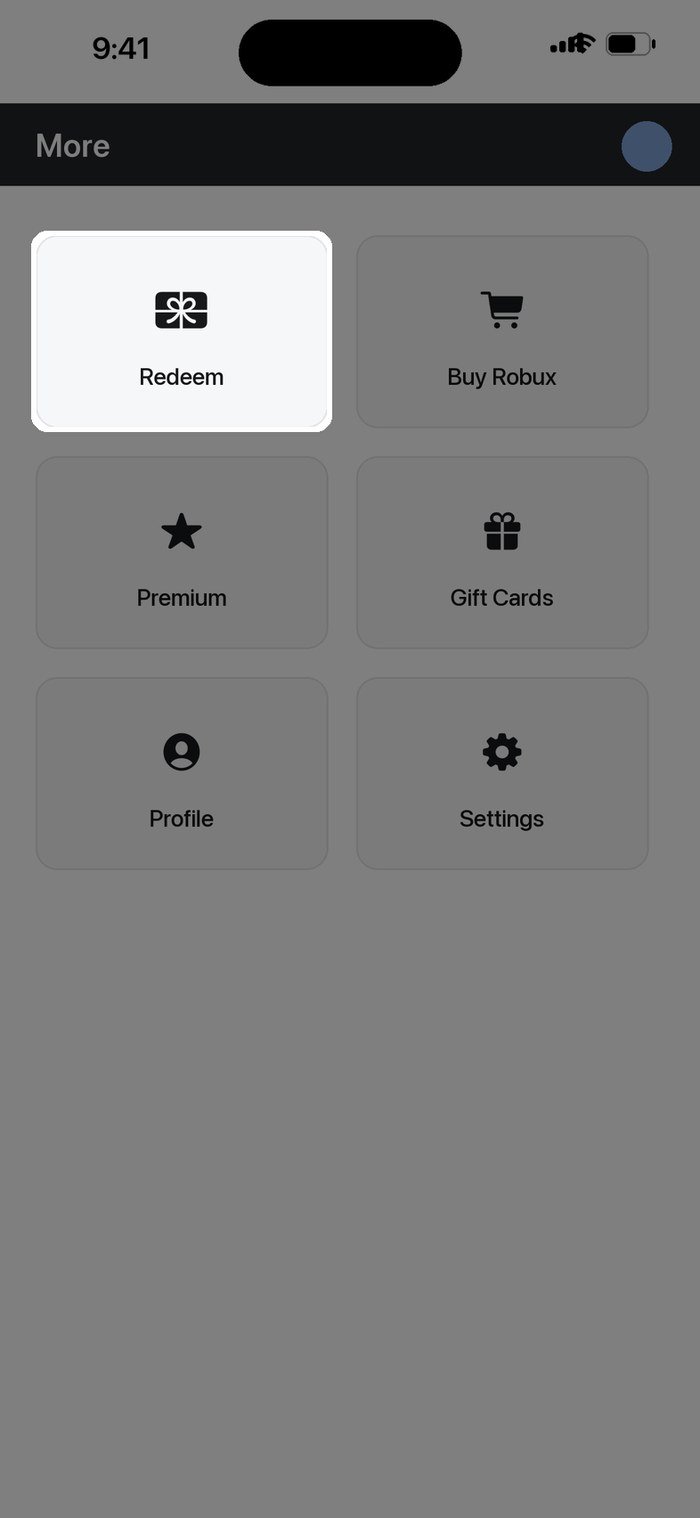
- Open the Roblox app on your Samsung device.
- Go to the More page.
- Tap the Redeem tile.
- Enter the code and confirm.
On every other platform, open a browser instead. Safari on an iPhone works perfectly well, so there is no need to find a computer. The confusion usually comes from assuming the app must be able to do it because the app is where the Robux get spent.
Fixing a code that will not redeem
Almost every rejected code is a misread character rather than a dead card. Roblox publishes the exact list of lookalikes worth trying, and working through it fixes the large majority of failures.
| Character on the card | Try instead | Note |
|---|---|---|
| Looks like a 0 | Try the letter O | Zero is narrower on most cards |
| Looks like a 1 | Try a capital I | A lowercase l is never used |
| Looks like a 2 | Try the letter Z | Rare, but it happens on worn cards |
| Looks like a 5 | Try the letter S | The most common of the lot |
| Looks like a 6 | Try G, then Q | Scratch damage makes these identical |
| Looks like an 8 | Try the letter B | Check the left edge of the glyph |
Beyond character confusion, a few other things cause a rejection. Work through them in order before contacting anyone.
- You are not signed in, or you are signed in to a second account you forgot about.
- The panel is not fully scratched, hiding a character at the end.
- The card was never activated at the till, which happens with self-checkout and needs the receipt to resolve.
- It is a toy code, not a gift card, which is redeemed on a different page and gives a virtual item rather than credit.
- It was bought online from roblox.com, in which case the PIN comes from the partner CashStar and their support handles it.
Cards from other countries do work. Roblox states that all codes can be redeemed worldwide and that the value converts to your account currency automatically, which is covered in the gift card terms. What does not work is expecting a refund: Roblox does not refund gift cards at all, so a card bought for the wrong person stays bought.
What to do with the Robux once you have them
Robux spend on avatar items, game passes, private servers and in-game currency, and the rate varies wildly between games. If the card was a present and the recipient has not decided yet, there is no harm in leaving the balance as credit until they do.
- Avatar items keep their value in the sense that they stay on the account permanently.
- Game passes are per game, so they are worth buying only in something already played regularly.
- Private servers are a subscription rather than a purchase, and they lapse if the balance runs out.
- Free codes exist for most popular games and cost nothing, which is worth checking before spending; our Blox Fruits codes list is one of several we keep current.
Gift cards are also the usual way a Roblox player funds a battle pass or a premium currency purchase in a game they already play daily, which is worth checking against the alternatives first. Our comparison of the cheapest way to buy in-game currency in a rival title shows how much the per-unit price moves between a top-up page and a retail card.
If the account belongs to a child, it is worth pairing the gift card with the parental controls before the Robux arrive rather than after. Spending limits and purchase approval both sit in the account settings, and they are far easier to set while the balance is still zero.
Frequently Asked Questions
Where do I redeem a Roblox gift card?
At roblox.com/redeem in a web browser, signed in to the account that should receive the credit. The standard mobile app and consoles have no redeem screen; only the Samsung Galaxy version of the app does.
Is Roblox Credit the same as Robux?
No. Credit is a balance in your local currency that you then spend on a Robux package or on Premium. Robux is the in-game currency itself. Cards bought through the Roblox Store on Amazon are the exception and give Robux directly.
Can I redeem a Roblox gift card from another country?
Yes. Roblox says all codes work worldwide and the value converts to your account currency when you redeem. The amount you end up with depends on that conversion, so a card bought abroad is not always worth what the face value suggests at home.
My Roblox gift card code is not working. What now?
Work through the lookalike characters first, since zero against O and five against S account for most failures. Then confirm you are signed in to the right account and that the whole panel is scratched off. If it still fails, Roblox support needs the PIN, the serial number, a photo of both sides of the card and the receipt.
Related Articles

Get the Fox Bulletin briefing
The stories that matter, in your inbox. No spam, unsubscribe anytime.
Newsletter signup will be available soon.
Related stories
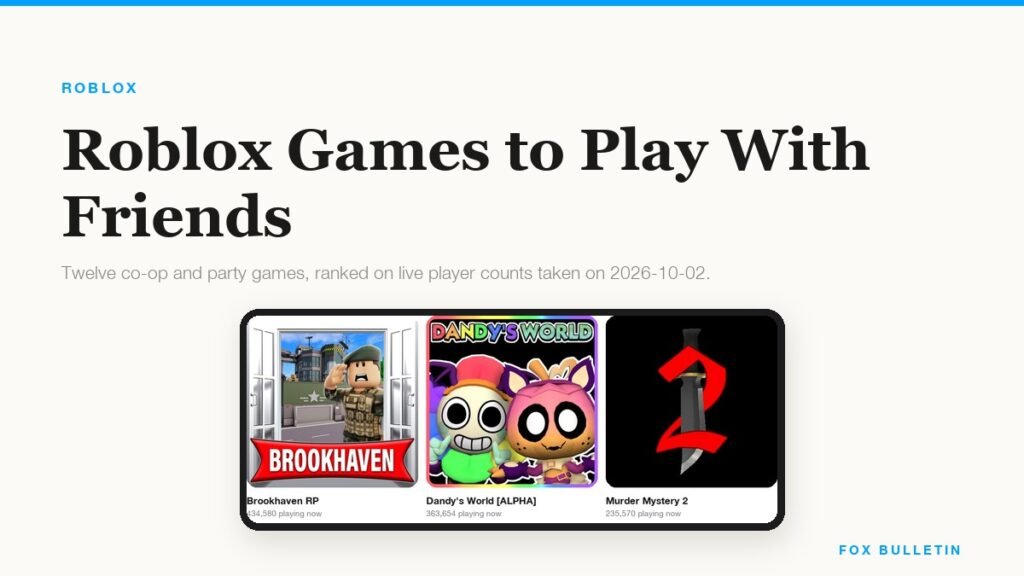
Best Roblox Games to Play With Friends: 12 Ranked by Players
Twelve co-op and party games ranked on live player counts rather than opinion, with the group size each one is actually built for, from a pair to a full server of thirty.
Attack on Titan Revolution Codes (October 2026)
The two working Attack on Titan Revolution codes, what spins are worth, and why the dev keeps the rest in Discord.
Peroxide Codes (October 2026)
Every working Peroxide code for Product Essence and character slots, when each one expires, and how to redeem them.