

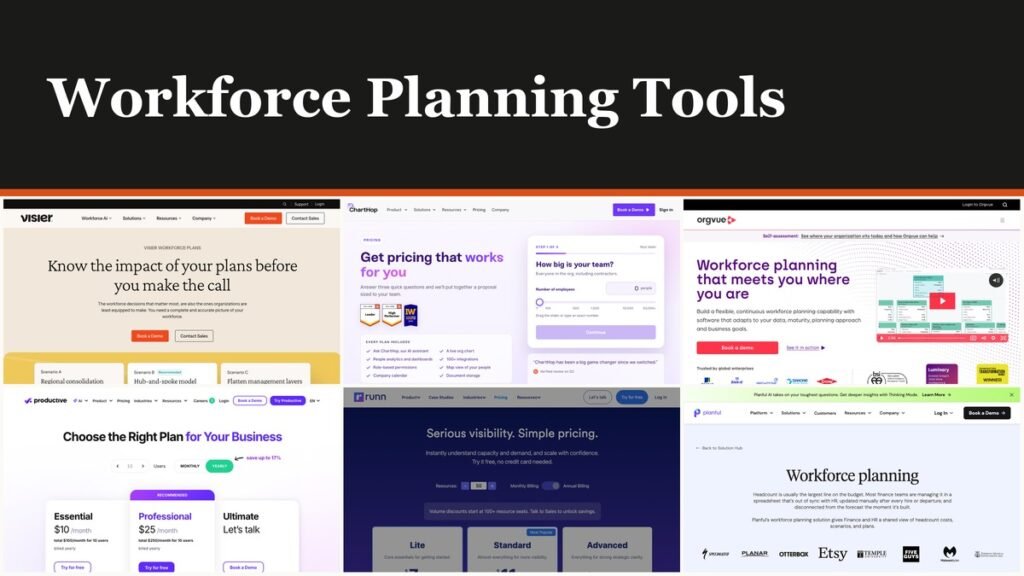
Workforce planning tools turn a hiring budget into a model that finance and HR can both edit: positions, costs, scenarios and the gap between plan and actuals. Workday Adaptive Planning and Pigment lead for a company-wide headcount plan, Anaplan suits the largest position-level budgets, and Runn is the pick when the real question is whether a delivery team has room for next quarter’s projects.
The ten tools here fall into three camps, and only two publish a price. Runn starts at $7 per resource seat per month and Productive at $10 per user per month billed yearly; the other eight quote after a demo.
What Workforce Planning Tools Model, and Who Owns Each Kind
A workforce planning tool forecasts how many people a business needs, in which roles and at what cost, then tests scenarios before anyone is hired. The deciding difference is who owns the model: finance platforms plan cost by position, people-data platforms plan from the org chart and HR records, and capacity tools plan hours against projects.
- Finance planning platforms with a workforce module: Workday Adaptive Planning, Anaplan, Pigment, Planful and Vena. Headcount sits inside the budget, so a hire changes the P&L forecast.
- People-data and org design platforms: ChartHop, Visier and Orgvue. The plan starts from the live org chart, the job architecture or years of HR history.
- Project capacity tools: Runn and Productive. They schedule named people and placeholders against projects and bill per seat.
The US Office of Personnel Management’s Workforce Planning Guide sets out a five-element model meant to run continually. It opens with Set Strategic Direction, then Conduct Workforce Analysis, where demand is forecast and supply analysed. Software automates the second element; the first still happens in a leadership meeting.
Workforce Planning Tools Side by Side: Price, Trial and Planning Unit
| # | Tool | Best for | Starting price | Free plan / trial | Plans at the level of |
|---|---|---|---|---|---|
| 1 | Workday Adaptive Planning | Joint HR and finance budgets | Quote only | Trial by request form | Position and cost |
| 2 | Pigment | Finance-led headcount plans | Quote only | 14-day free trial | Headcount and org chart |
| 3 | Anaplan | Global enterprises | Quote only | Demo only | Filled, open and planned positions |
| 4 | Planful | FP&A-owned headcount cost | Quote only | Demo only | Department, function or position |
| 5 | Vena | Excel-based finance teams | Quote only | Demo only | Employee and position |
| 6 | ChartHop | People ops at growing companies | Quote only | Demo only | Live org chart |
| 7 | Visier | HR analytics teams | Quote only | Demo only | Headcount, cost and skills |
| 8 | Orgvue | Org redesign and transformation | Quote only | Demo only | Activities and roles |
| 9 | Runn | Project capacity | $7 per resource seat per month | 30-day trial | Resource seat |
| 10 | Productive | Agency resourcing | $10 per user per month, billed yearly | 14-day free trial | User seat |
Ten Tools Ranked for HR, Finance and Delivery Teams
1. Workday Adaptive Planning: One Model for HR and Finance
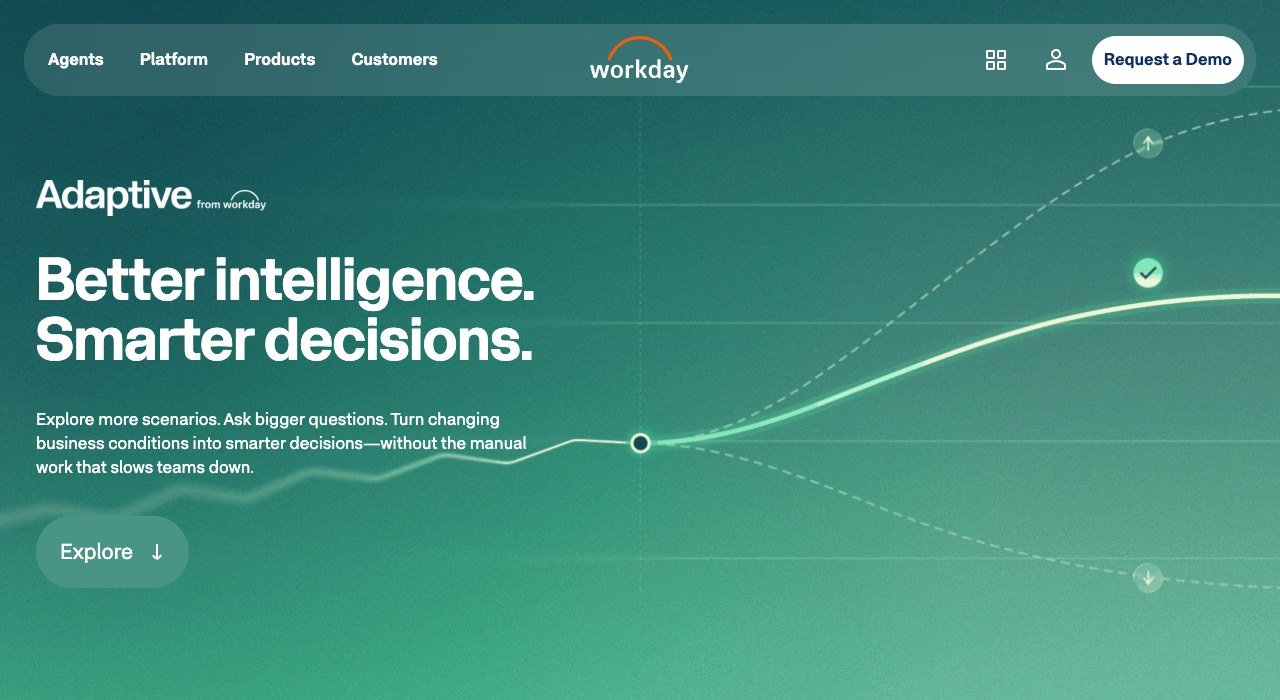
Price: Quote only | Trial: Free trial by request form | Plans by: position, cost and scenario | Best for: mid-size and large companies that plan budgets and headcount together
Workday sells the product as Adaptive from Workday, a single platform for financial, workforce and operational planning that more than 7,000 teams use. The workforce module groups its features under Organizational Design and Modeling, Work Intelligence, Decision Intelligence for HR and Strategic Workforce Planning, so an org redesign and its salary bill live in the same model.
It ranks first because headcount and the budget cannot drift apart when the finance plan is the workforce plan. The catch is the route in. The Free Trial button opens a sales form rather than a self-serve account, and the trial’s length and limits are not published.
2. Pigment: Enterprise Planning You Can Try for 14 Days
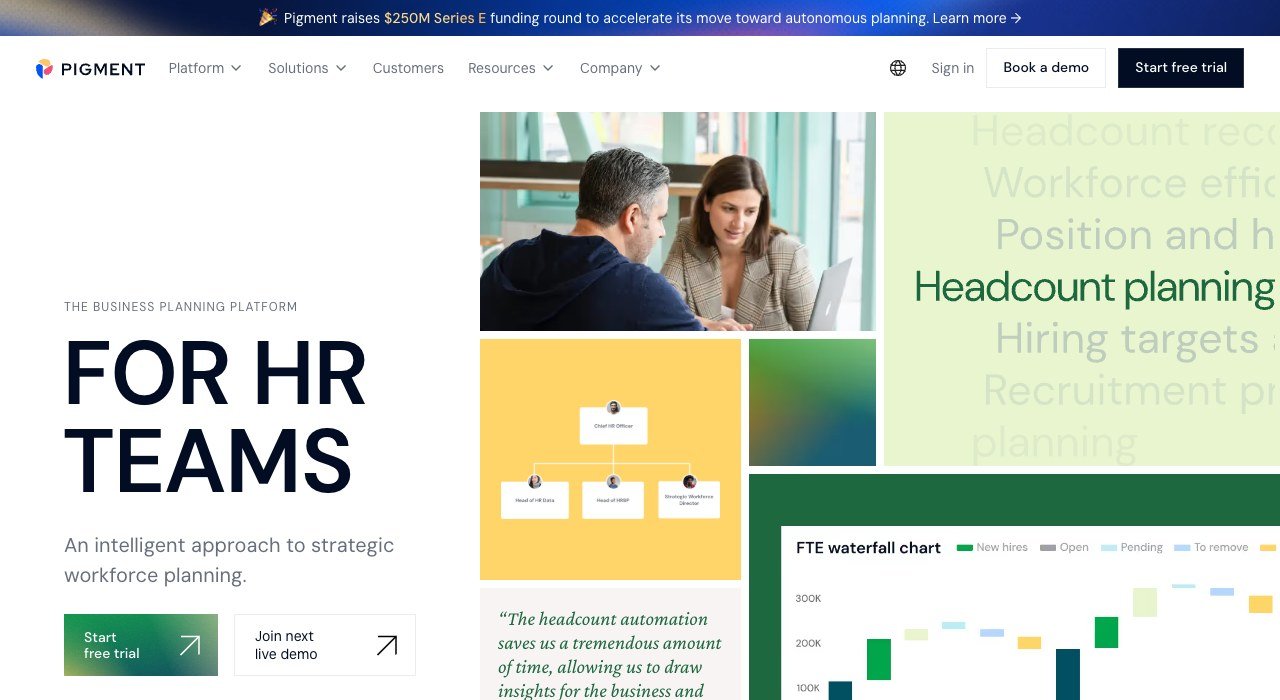
Price: Quote only | Trial: 14-day free trial | Plans by: headcount, org chart and scenario | Best for: finance-led companies that want HR working in the same plan
Pigment is a business planning platform shared by finance, HR, sales and supply chain teams. Its HR side covers workforce, headcount, retention, succession, talent acquisition and compensation planning, and Figma, Carta, Klarna and Deputy appear among its customers. The company raised a $250M Series E.
The 14-day trial is the most hands-on start in the finance camp. An HR user describes the use case, Pigment’s AI agent builds a model and a board, and the team loads real data or a sample dataset. Access rights confine each budget owner to their own department’s people, and the platform holds ISO 27001, SOC 1 and SOC 2 Type 2 certification.
3. Anaplan: Position-Level Budgets With Org Chart Alerts

Price: Quote only | Trial: Demo only | Plans by: filled, open and planned positions | Best for: large enterprises tying HR to finance, supply chain and sales plans
Anaplan’s Operational Workforce Planning application budgets at the position level, so every filled, open and planned role carries its own cost. Interactive org charts raise alerts when span of control or organizational depth breaks a rule, and scenario modelling prices a hiring freeze, a location change or a reduction in workforce before anyone commits.
One Fortune 500 bank customer eliminated 30% of redundant job requisitions outside its contact centers and cut personnel costs by 2.6% as a share of net operating income. HR is one Anaplan domain among several, next to finance, supply chain, sales and retail. That breadth suits a company wanting every plan connected and makes the rollout heavier than a single-purpose tool.
4. Planful: Headcount Cost Owned by Finance

Price: Quote only | Trial: Demo only | Plans by: department, function or position | Best for: FP&A teams that own the headcount line
Planful splits the job cleanly: finance sets the cost assumptions, HR manages headcount changes, and actuals arrive from HRIS and payroll without manual updates. A hire, promotion or exit updates the financial impact in the same model, and scenarios test hiring timing, pay levels and role mix without a rebuild.
More than 1,500 customers run Planful, and its compensation models handle salaries, bonuses, commissions and equity. One FP&A manager cut a 25-hour rebuild of compensation and staffing models down to a couple of hours.
5. Vena: Workforce Planning Inside Excel
Price: Quote only, two packages | Trial: Demo only | Plans by: employee, department and position | Best for: finance teams that live in spreadsheets
Vena runs on an Excel interface backed by a cloud database, and its workforce module ships with pre-built logic for FICA, FUTA, SUTA and 401(k), plus Canadian and UK benefits. Employee data loads from ADP, Ceridian, Workday, Peoplesoft, Paylocity, Paycomm and Bamboo, and ERP data from NetSuite and Sage Intacct.
Pricing comes in two packages, Professional and Complete, with no figures shown. Complete adds Vena Insights, Premium Support, a Sandbox Environment and Expert Managed Services. Licences split into Power User, Contributor and View Only seats, and not-for-profits and Microsoft Dynamics 365 Business Central users may qualify for a discount.
6. ChartHop: Headcount Plans Built on the Live Org Chart
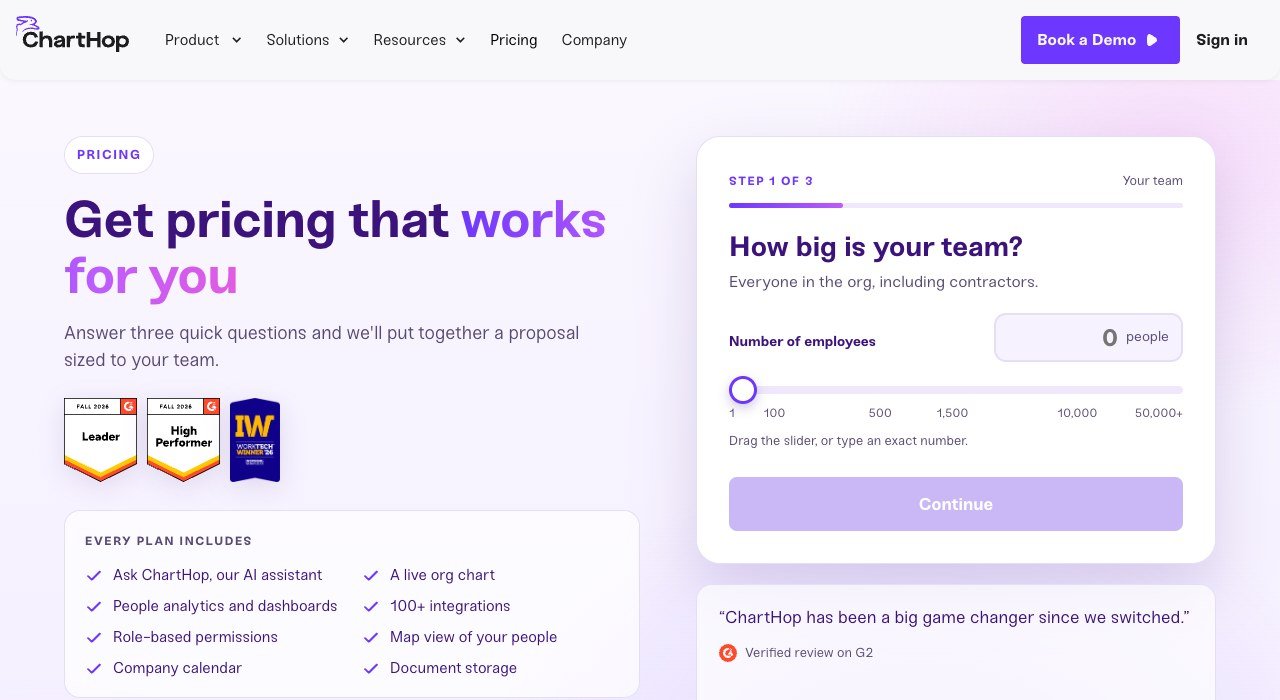
Price: Quote only, sized to your team | Trial: Demo only | Plans by: org chart boxes and requisitions | Best for: growing companies where people ops runs the plan
ChartHop builds each scenario on the live organization: drag a box, open a req or model a reorg, and the budget moves with it. Approved requisitions push to Ashby, Greenhouse, Jobvite or Lever, which keeps unapproved roles away from recruiters and hands the interview stage to tools such as free video interview software.
A Time Travel view shows the structure on the day a plan was signed off. The pricing page is a three-question configurator with a team-size slider from 1 to 50,000+ employees, and it ends in a proposal rather than a number. ChartHop does not process payroll, so it syncs with ADP, Gusto and similar providers, and it has completed a SOC 2 Type 2 examination by Schellman & Company.
7. Visier: Plans Grounded in People Analytics

Price: Quote only | Trial: Demo only | Plans by: headcount, cost, skills and succession | Best for: enterprises with years of HR data
Visier Workforce Plans sits on Visier’s analytics platform, which carries more than 2,000 pre-built people metrics and benchmarks built on 250M+ HR and 2B+ compensation data points. Planners track headcount and cost as of a moment in time and see where talent supply gaps are forming before they turn into vacancies.
The product frames planning as four maturity stages, Aware, Agile, Established and Ready, which suits an HR team building the habit from scratch. The habit is rare: BCG’s March 2026 Creating People Advantage study found only 15% of organizations plan their workforce more than three years out, and just 9% have a mature supply-and-demand model.
8. Orgvue: Plan the Work Before the Headcount

Price: Quote only | Trial: Demo only | Plans by: activities, roles and positions | Best for: transformation and org design programmes
Orgvue starts from work rather than headcount. Activity Analysis shows the tasks people actually do and what they cost, and those findings feed Work Redesign. Its Henshaw AI tools cluster messy job titles into role families, and one healthcare organization grouped 8,000 positions into 83 clusters in six days instead of six months.
Data arrives from Workday, SAP SuccessFactors, Oracle, Visier, Anaplan, Lightcast and plain Excel, so Orgvue usually sits beside an HCM system rather than replacing it. It is demo-only and aimed at large, multi-country employers; one global technology customer reported 50% faster modelling across 120 countries.
9. Runn: Capacity Planning From $7 a Resource Seat

Price: $7 per resource seat per month (Lite) | Trial: 30-day Standard trial, no credit card | Plans by: resource seat | Best for: agencies, consultancies and IT teams
Runn is resource management and capacity planning software for teams planning people across technical projects. Lite is listed at $7 per resource seat per month and Standard at $11, with Advanced priced on request. Annual billing is offered on every plan and costs less than paying monthly.
Billing counts resources in the planner, not logins, and plans start at 20 resource seats, so the smallest Lite account is 20 x $7 = $140 a month at the listed rate. Standard adds timesheets, the API and a 30-day audit log, while Advanced adds SAML SSO and unlimited saved scenarios against three per user on the lower plans. Runn is SOC 2 certified.
10. Productive: Resource Planning in an Agency Operations Suite

Price: $10 per user per month billed yearly, $12 monthly | Trial: 14-day free trial | Plans by: user seat and project | Best for: agencies that also want budgets, time tracking and invoicing
Productive bundles resource planning with budgeting, project management, time tracking and reporting, all inside the Essential plan. Professional costs $25 per user billed yearly or $29 monthly and adds skills, rate cards and HRIS integrations. Ultimate is priced on request and adds revenue forecasting, the Scenario Builder and multiple subsidiaries.
Every plan needs at least three seats, clients join free, and contractors cost the same as employees. Placeholders let a manager staff a project for a hire who has not started yet. More than 2,000 companies use Productive, and non-profits and charities get 50% off.
How Workforce Planning Tools Charge: Quotes, Seats and Resources
Eight of the ten vendors publish no price at all. Workday, Anaplan, Pigment, Planful, Vena, ChartHop, Visier and Orgvue send buyers to a demo or a proposal, because the bill depends on modules, user types and implementation work.
The two published prices measure different things. Runn charges per resource seat, meaning every person scheduled in the planner whether or not they log in. Productive charges per user, and anyone who tracks time counts. Here is what a 30-person consultancy scheduling all 30 staff would pay:
- Runn Lite: 30 x $7 = $210 a month
- Runn Standard: 30 x $11 = $330 a month, adding timesheets and the API
- Productive Essential: 30 x $10 = $300 a month billed yearly, or 30 x $12 = $360 billed monthly
- Productive Professional: 30 x $25 = $750 a month billed yearly
At that size Runn Lite is cheapest for pure scheduling. Productive Essential costs $90 more a month on yearly billing but also covers budgeting, time tracking and project work. Volume discounts arrive later: Runn above 100 resource seats, Productive from 50 users on Professional and Ultimate.
Headcount Planning and Workforce Planning Are Different Jobs
Pigment draws a clear line between the two. Headcount planning forecasts how many people, in which roles and at what cost, usually for the next budget cycle. Workforce planning adds skills, retention, succession, talent acquisition and compensation over a longer horizon.
Anaplan cuts the field three ways instead: strategic workforce planning, operational workforce planning and headcount expense planning. Its Operational Workforce Planning app is squarely the middle one, while Orgvue and Visier start at the strategic end with work, skills and maturity.
The split decides who runs the purchase. A CFO replacing a headcount spreadsheet needs Planful or Vena, while a CHRO preparing roles for AI-driven change fits Workday’s Strategic Workforce Planning module or Orgvue’s Work Redesign.
Security Certifications and Access Controls Worth Checking
Workforce plans hold salaries, exits and reorganizations before anyone announces them, so access control matters as much as modelling. Four vendors state named certifications:
- Pigment: ISO 27001, SOC 1 and SOC 2 Type 2; budget owners see only their own department.
- ChartHop: SOC 2 Type 2 examination by Schellman & Company; access can be limited by department, location or area.
- Runn: SOC 2 certified, GDPR aligned and encrypted by default; SAML SSO on Advanced.
- Productive: SOC 2 Type II and GDPR; enforced SSO or 2FA on Ultimate.
Visier applies permissions at the moment an answer is computed, so a manager sees her own team’s pay and only aggregate pay for everyone else, whether she asks in Visier or through a connected AI agent. For Workday, Anaplan, Planful, Vena and Orgvue, ask for the audit report during procurement.
How to Choose a Workforce Planning Tool
- Name the owner. If FP&A owns headcount cost, start with Workday Adaptive Planning, Planful or Vena. If people ops owns it, start with ChartHop.
- Pick the planning unit. Positions and cost point to Anaplan or Pigment, activities and skills to Orgvue or Visier, project hours to Runn or Productive.
- Test before a sales call. Pigment and Productive give 14 days and Runn gives 30; Workday’s trial starts with a form.
- Respect the spreadsheet. Vena keeps the Excel interface, and Planful’s Spotlight sends figures into Excel. Both pair naturally with the ledger in accounting software for small businesses.
- List the feeds. ChartHop pushes reqs to four applicant tracking systems; Vena loads from seven named HRIS and payroll systems.
Frequently Asked Questions
How are workforce planning tools different from scheduling software?
Planning tools forecast roles and costs for the next budget cycle or several years out. Scheduling software assigns shifts for this week. Runn and Productive sit closest to scheduling, but they plan project capacity weeks or months ahead rather than staffing a rota.
Are there free workforce planning tools?
None of these ten offers a free-forever plan. Runn’s Standard trial runs 30 days and Pigment’s and Productive’s run 14 days. Productive also gives free accounts to teachers and students.
Do workforce planning tools replace an HRIS?
Usually not. ChartHop does not run payroll and instead syncs with ADP and Gusto, and Orgvue imports from Workday, SAP SuccessFactors and Oracle before exporting approved changes back.
Related Articles

Get the Fox Bulletin briefing
The stories that matter, in your inbox. No spam, unsubscribe anytime.
Newsletter signup will be available soon.
Related stories

Wholesale Billing Software: 10 Picks for US Distributors
Wholesale billing software for US distributors: price lists, purchase orders, net terms and EDI across 10 tools, from Zoho Books at $40 a month for 5 users.

Whiteboard Software for PC: 10 Picks by How They Install
Whiteboard software for PC sorted by how it runs on Windows. Microsoft retired its standalone app on October 16, 2026; AFFiNE and draw.io install free.
Whiteboard Software for Mac: 10 Tools From Built-In to Web
Whiteboard software for Mac sorted by how it runs: built into macOS, a Mac download or a browser tab. Freeform is free and fits up to 100 collaborators.