
Dropbox invented consumer file sync and still charges like it. Its entry paid plan is $9.99 a month for 2 TB, which is $119.88 a year, forever, for storage that costs the industry a fraction of that to provide. The alternatives fall into three camps: pay once instead of monthly, pay for encryption Dropbox does not offer at the consumer tier, or use the storage you are already paying for inside Google, Apple or Microsoft.
This compares Dropbox against the three alternatives worth switching to, using each company’s own published figures. Where a vendor does not publish a price, that is stated rather than estimated.
What Dropbox Actually Charges
Worth knowing precisely, because the alternatives only make sense against a real baseline. These are the tiers on Dropbox’s own plans page.
| Dropbox plan | Price | Storage | Version history |
|---|---|---|---|
| Basic | Free | 2 GB | 30 days |
| Plus | $9.99 / month | 2,000 GB, 1 person | 30 days |
| Standard | $15 / user / month | From 3,000 GB for the team | 180 days |
| Advanced | $24 / user / month | From 15,000 GB, minimum 3 people | 1 year |
| Enterprise | Not published | Custom | Custom |
Two details are easy to miss. End-to-end encryption appears only on the Advanced tier at $24 per user per month, not on Plus or Standard. And file transfer size is capped by plan: 50 GB on Plus, 100 GB on Standard and Advanced.
The Break-Even Maths on Paying Once
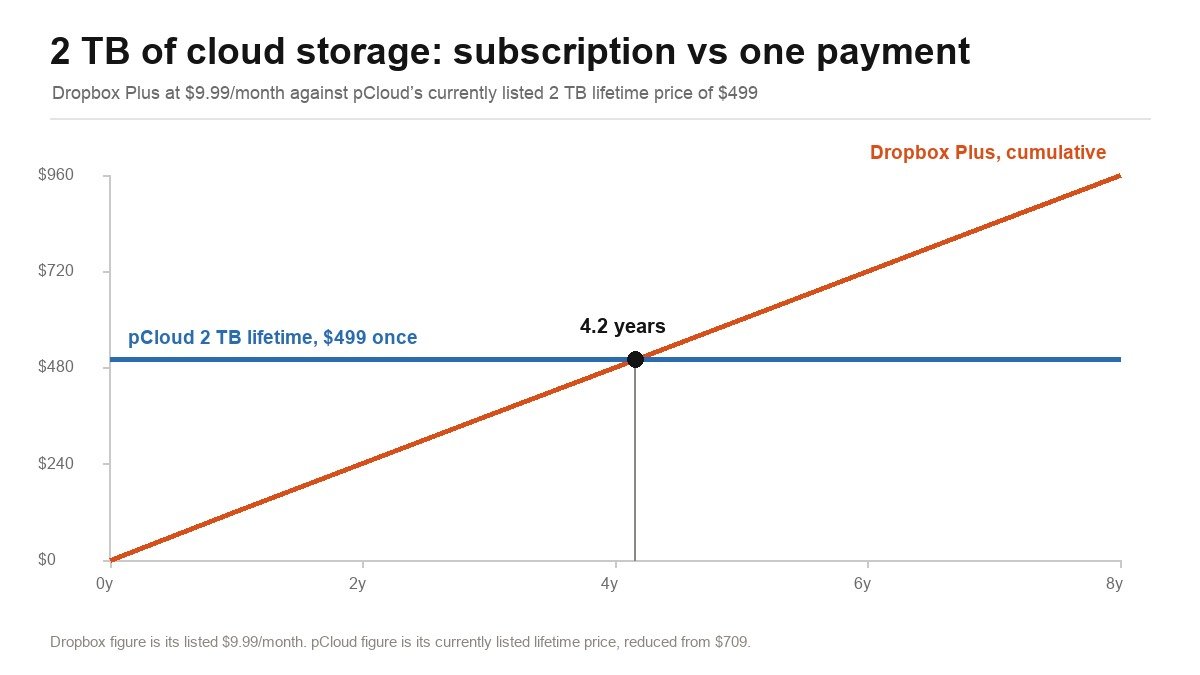
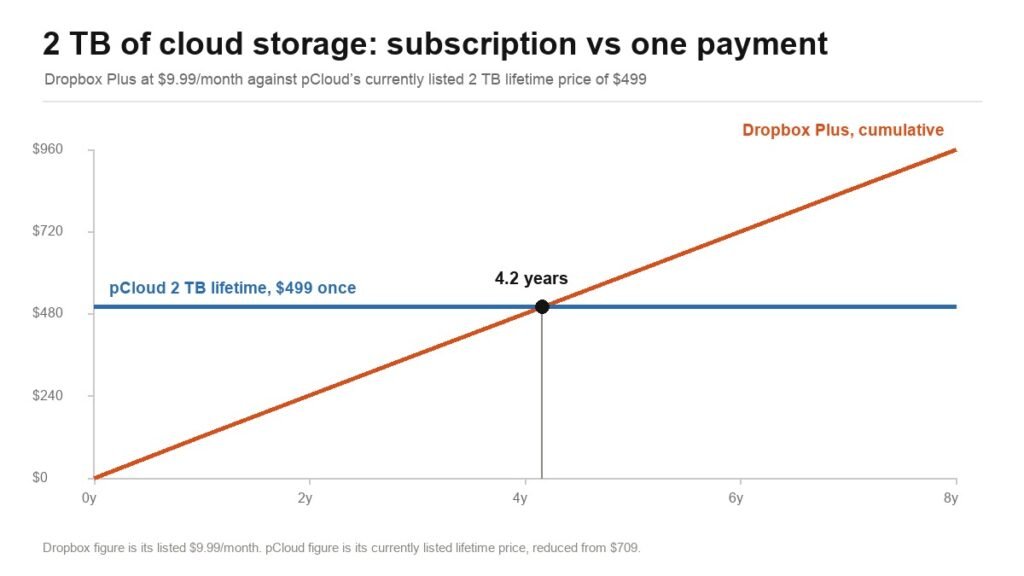
pCloud sells the same 2 TB as a single payment. At its currently listed lifetime price of $499 against Dropbox Plus at $9.99 a month, the crossover is about four years and two months. Keep the storage longer than that and the one-off payment wins; switch providers sooner and it does not.
That is the entire argument for lifetime storage, and it rests on a judgement you cannot verify: whether the company will still exist in five years. It is a real risk and worth weighing rather than dismissing.
1. pCloud: Pay Once, Then Never Again
pCloud is the main reason the lifetime storage category exists. Its currently listed lifetime prices are $219 for Premium 500 GB, $499 for Premium Plus 2 TB and $1,499 for Ultra 10 TB, each reduced from a higher list price of $279, $709 and $2,799 respectively. Monthly and annual billing are also available if you would rather not commit.
The company is Swiss, and it leans on that: files are covered by Swiss privacy law and stored in certified data centres, with TLS/SSL in transit and 256-bit AES at rest. Standard features include 30-day file recovery, version history, unrestricted transfer speeds, offline access and a built-in media player. Note that pCloud’s zero-knowledge client-side encryption, pCloud Crypto, is a separate paid add-on rather than part of the base plan. The money-back guarantee is 14 days.
What it does well
- One payment removes the subscription entirely.
- Swiss jurisdiction and 256-bit AES at rest.
- Cheaper than Dropbox beyond roughly four years.
- Built-in media player and unrestricted transfer speed.
What to know
- Lifetime only pays off if the company outlives the break-even.
- Zero-knowledge encryption is a paid add-on, not standard.
- 14-day money-back window is shorter than Proton’s 30.
2. Proton Drive: Encryption Dropbox Does Not Offer at This Price
Proton Drive’s argument is not price, it is that nobody including Proton can read your files. It applies end-to-end and zero-access encryption by default on every tier including the free one, and states plainly that not even Proton can view or edit your data. On Dropbox, end-to-end encryption arrives only on the $24-per-user Advanced plan.
The tiers are built around storage and bundling rather than seats. Proton Free gives 5 GB with the document and spreadsheet editors included. Drive Plus moves to 200 GB and adds ten years of file version recovery, which is a far longer window than Dropbox offers at any tier. Proton Unlimited is 500 GB and folds in Proton VPN, Mail, Calendar and Pass. Duo is 2 TB for up to two users, Family is 3 TB for up to six, and the business plan is sized at 1 TB per user. Proton publishes these plans openly and offers a 30-day money-back guarantee. The company is based in Geneva.
What it does well
- End-to-end encryption on every tier, including free.
- Ten years of file version recovery on Drive Plus.
- Higher tiers bundle VPN, Mail, Calendar and a password manager.
- Swiss company with a 30-day money-back guarantee.
What to know
- Less storage per dollar than pCloud or Dropbox.
- Sync and desktop clients are younger and less polished than Dropbox’s.
- The bundle is only good value if you want the other Proton products.
3. Sync.com: Zero-Knowledge by Default, Outside the United States
Sync.com occupies the same ground as Proton but from Canada rather than Switzerland, and it has been doing zero-knowledge consumer storage for longer. Its plans are built around 1 TB, 2 TB and 10 TB tiers for individuals and teams, with pricing published openly on its site.
The practical distinction from Dropbox is who holds the keys. Under zero-knowledge encryption the provider stores only ciphertext and cannot produce your files to anyone, which is a different proposition from encryption at rest where the provider holds the key. The trade is the one every zero-knowledge service makes: if you lose your password, the provider genuinely cannot recover your data, and features that require the server to read your files, such as full-text search inside documents, are limited or absent.
What it does well
- Zero-knowledge encryption as standard rather than an add-on.
- Canadian jurisdiction, outside US cloud subpoena reach.
- 1 TB, 2 TB and 10 TB tiers with published pricing.
- Long track record in privacy-focused storage.
What to know
- Lose the password and nobody can recover your files.
- Server-side features like in-document search are limited.
- Smaller ecosystem and fewer third-party integrations than Dropbox.
The Storage You Are Probably Already Paying For
Before buying anything, check what you already have. If you pay for Google Workspace, an iPhone with iCloud+, or a Microsoft 365 subscription, you are already buying cloud storage, and adding Dropbox on top means paying twice for the same gigabytes.
Google One, iCloud+ and OneDrive all sync files across devices, all have desktop clients, and all are cheaper at the margin because the storage is bundled with something else you wanted. What they do less well than Dropbox is selective sync behaviour, LAN-speed transfers and sharing with people outside your platform. None of them offers end-to-end encryption for general file storage in the way Proton and Sync do.
The honest summary is that for most households, the best Dropbox alternative is the storage tier of a subscription they already hold. The tools below only make sense once that is exhausted or once encryption becomes the requirement.
How to Actually Choose
Work out your real storage need first. Most people asking for 2 TB are using under 200 GB. Check your actual usage before buying capacity you will never fill, because it changes which tier and which provider wins.
Decide whether you need encryption or privacy. These are different. Encryption at rest, which Dropbox and pCloud provide as standard, protects against a stolen disk. Zero-knowledge encryption, which Proton and Sync provide, means the provider cannot read your files at all. The second costs you server-side features.
Check the version history window. This is the specification that matters after a ransomware incident or an accidental overwrite, and it varies enormously: 30 days on Dropbox Plus, 180 days on Standard, a year on Advanced, and ten years on Proton Drive Plus.
Count the seats. Dropbox Standard and Advanced are billed per user with a three-person minimum on Advanced. pCloud and Proton price by plan and storage instead, which is usually cheaper for one or two people and more expensive for a real team.
Moving Your Files Without Losing Anything
Switching cloud storage is where people lose data, and almost always in the same three ways.
- Download everything locally first. Do not sync directly between two cloud services through desktop clients running at once. Pull a full local copy, verify the folder size matches what the old provider reports, then upload to the new one.
- Check your shared links before you cancel. Every link you have sent to a client or colleague dies when the account closes. Dropbox links are the most widely embedded in other people’s documents, so audit what you have shared and reissue the important ones.
- Keep the old subscription running for one billing cycle. Overlap by a month. The cost is trivial next to discovering a missing folder after the account is gone.
- Test a restore, not just an upload. Upload a folder, delete the local copy, and pull it back down. That is the only thing that proves the migration worked.
If you are moving to a zero-knowledge provider, do this before you turn encryption on, and record the recovery phrase somewhere that is not the drive you just encrypted.
Which Dropbox Alternative to Pick
If you already pay for Google Workspace, Microsoft 365 or iCloud+, use that first. It is the cheapest correct answer and it requires buying nothing.
If you want off the subscription treadmill and expect to keep the storage for more than about four years, pCloud’s 2 TB lifetime plan at $499 is the one that mathematically beats Dropbox, with the caveat that you are betting on the company lasting. If what you actually want is for nobody to be able to read your files, Proton Drive gives you end-to-end encryption on every tier including free, and Sync.com does the same from Canada with more storage per dollar.
Stay on Dropbox if you share files constantly with people outside your organisation, because its sharing and sync remain the most reliable in the category, and that is what you are paying the premium for. If your reason for leaving is document workflow rather than storage, our guide to PDF editors covers the editing and signing tools Dropbox bundles into Plus, and the password manager comparison covers the other place zero-knowledge encryption matters.
Frequently Asked Questions
How much does Dropbox cost per year?
Dropbox Plus is $9.99 a month, which is $119.88 a year for 2 TB and one user. Standard is $15 per user per month and Advanced is $24 per user per month with a three-user minimum. Basic is free with 2 GB.
Is a lifetime cloud storage plan worth it?
It depends on how long you keep it. pCloud’s 2 TB lifetime plan at its currently listed $499 costs the same as about four years and two months of Dropbox Plus. Beyond that you are ahead, provided the company is still operating.
Does Dropbox encrypt my files end to end?
Only on the Advanced plan at $24 per user per month. Plus and Standard use encryption at rest and in transit, which protects the data on disk but leaves Dropbox holding the keys. Proton Drive and Sync.com apply zero-knowledge encryption on every tier.
What is the cheapest alternative to Dropbox?
For most people it is storage they already own through Google One, iCloud+ or Microsoft 365. Among dedicated services, Proton Drive has a free 5 GB tier and pCloud is cheapest over a long enough period because it charges once rather than monthly.
Related Articles

Get the Fox Bulletin briefing
The stories that matter, in your inbox. No spam, unsubscribe anytime.
Newsletter signup will be available soon.
Related stories
Free Evernote Alternative: 5 Options, 3 Genuinely Free Forever
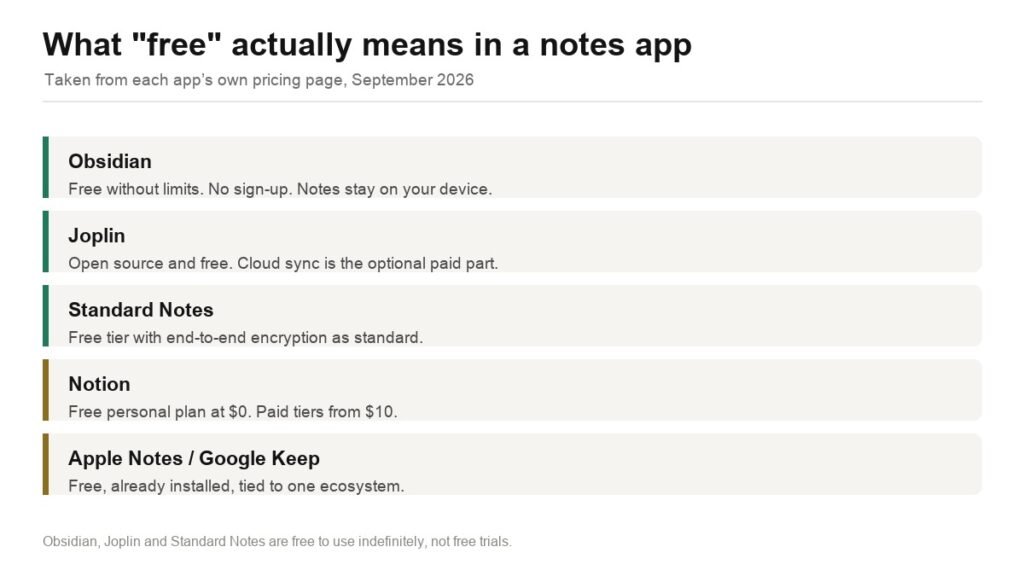
Obsidian, Joplin, Standard Notes, Notion and the built-in notes apps compared on what free actually covers, plus how to export your Evernote library without losing attachments.
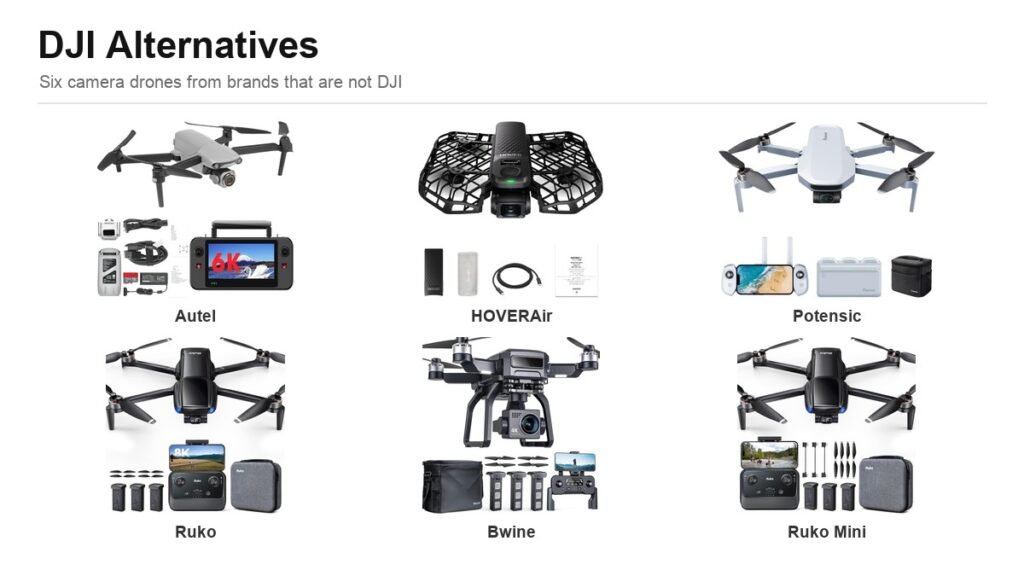
DJI Alternative: 6 Camera Drones Worth Buying Instead
Six credible DJI alternatives from Autel to HOVERAir, compared on sensor size, gimbal type and range, plus the FAA weight rule that decides whether you register the drone at all.
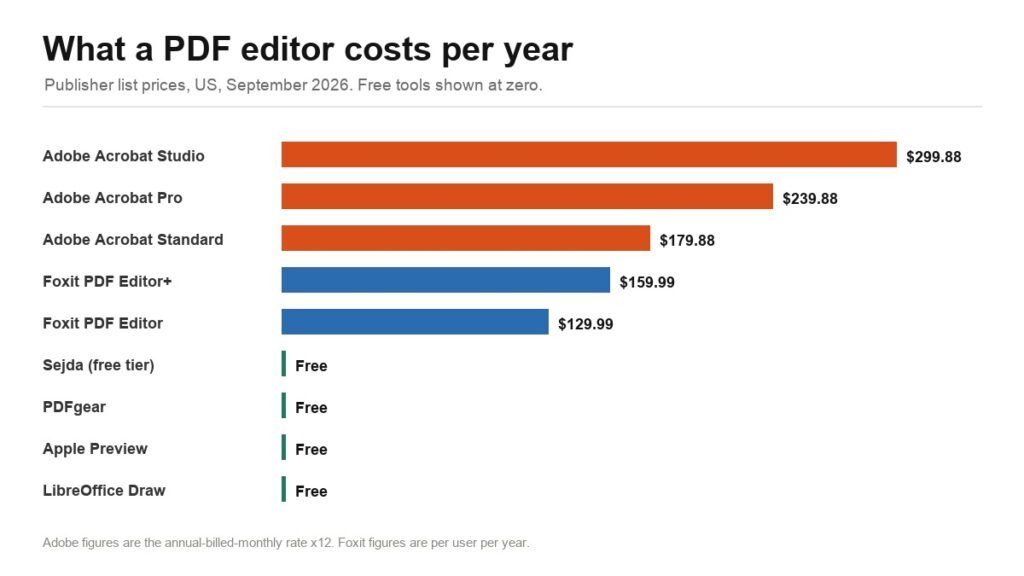
Best PDF Editor: 6 Compared, Including Three That Are Free
Adobe Acrobat, Foxit and four free PDF editors compared on real 2026 list prices, plus where free genuinely stops: redaction, OCR and compliance formats.