
A keyboard built for Windows works on a Mac, and it is wrong in a dozen small ways. Command and Option sit in the wrong order, the Windows key wears the wrong logo, screen brightness and Mission Control are missing, and the Delete key deletes backwards when you wanted forwards. None of it stops you working. All of it grates, every day.
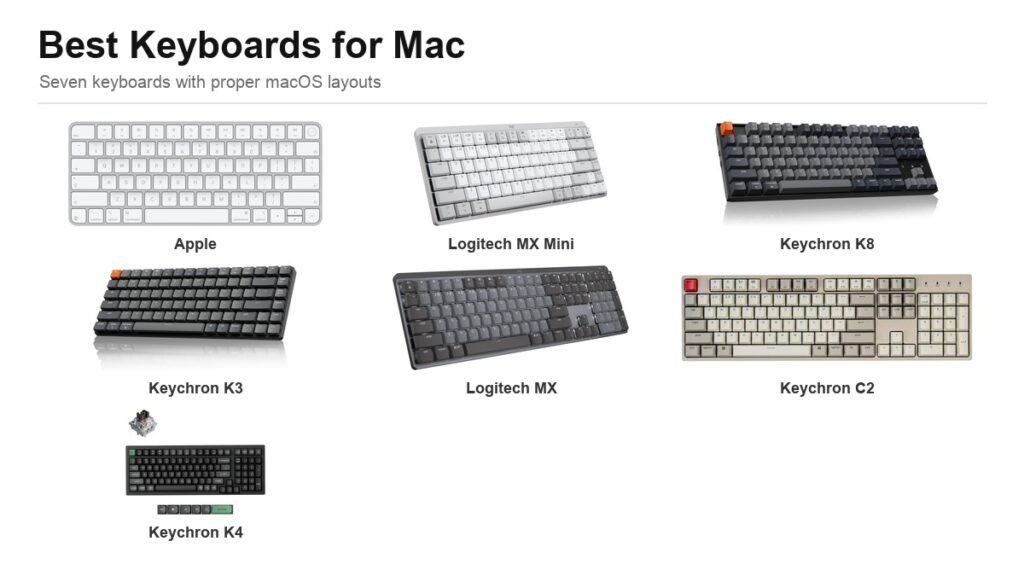
The seven keyboards below all ship with a proper macOS layout, either as the default or through a switch and a set of swappable keycaps. They are grouped by what they physically are, because the choice between a flat Apple-style board and a mechanical one matters far more than the brand on the box.
Fox Bulletin is an Amazon Associate. We earn from qualifying purchases made through links on this page, at no extra cost to you. Prices and availability change often, so check the listing before you buy.
The Seven Side by Side
Layout sizes are the standard shorthand: full-size includes a number pad, TKL drops it, 75% and 96% compress the same keys into a smaller footprint by removing the gaps.
| Keyboard | Type | Layout | Connection |
|---|---|---|---|
| Apple Magic Keyboard (Touch ID) | Scissor, flat | Compact | Bluetooth + USB-C |
| Logitech MX Mechanical Mini for Mac | Low-profile mechanical | 75% | Bluetooth, 3 devices |
| Logitech MX Mechanical | Low-profile mechanical | Full-size | Bluetooth, 3 devices |
| Keychron K8 | Mechanical | TKL (87 key) | Bluetooth 5.1 + USB-C |
| Keychron K3 Version 2 | Low-profile mechanical | 75% | Bluetooth 5.1 + USB-C |
| Keychron C2 | Mechanical | Full-size (104 key) | USB-C wired only |
| Keychron K4 Ultra | Mechanical, hot-swap | 96% | 2.4GHz + Bluetooth + USB-C |
1. Apple Magic Keyboard with Touch ID: The Only One With a Fingerprint Sensor
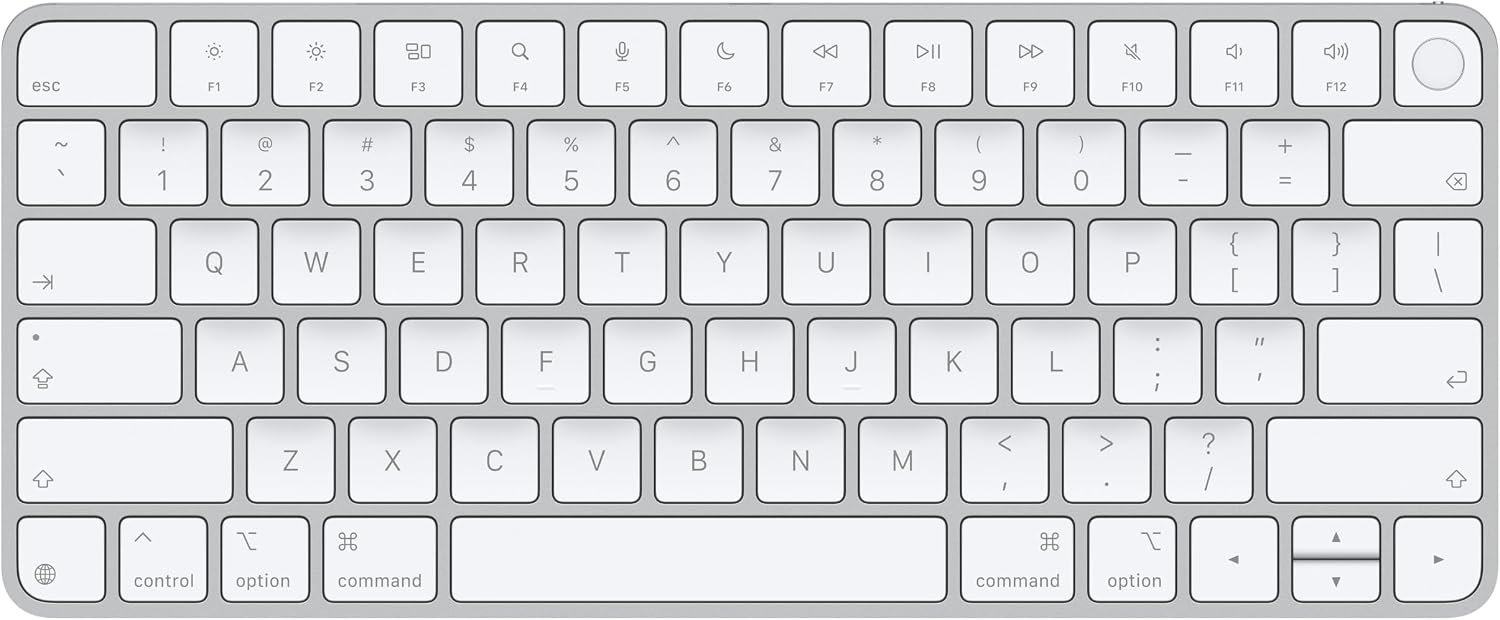
Every other keyboard on this list can be made to type correctly on a Mac. Only this one can unlock it. Touch ID is built into the top-right key, and it authenticates logins, App Store purchases, Apple Pay and every password prompt macOS throws at you. If you have used Touch ID on a MacBook and then plugged into an external display with the lid shut, you already know exactly what you are missing.
The typing feel is scissor-switch and flat, which is divisive. There is very little travel and almost no sound. People coming from a MacBook find it immediately familiar; people coming from a mechanical board find it shallow. Apple rates the internal battery at about a month between charges, and the current version charges over USB-C with a woven cable in the box rather than the old Lightning connector. It pairs automatically the first time you plug it into a Mac.
What it does well
- Touch ID works with an external display and a closed MacBook lid.
- About a month of battery between charges.
- USB-C on the current model, with a woven cable included.
- Pairs automatically, with zero configuration.
What to know before buying
- Touch ID only works on Macs with Apple silicon.
- Flat scissor keys with minimal travel are a matter of taste.
- No backlight at all.
2. Logitech MX Mechanical Mini for Mac: Built for macOS, Not Adapted to It
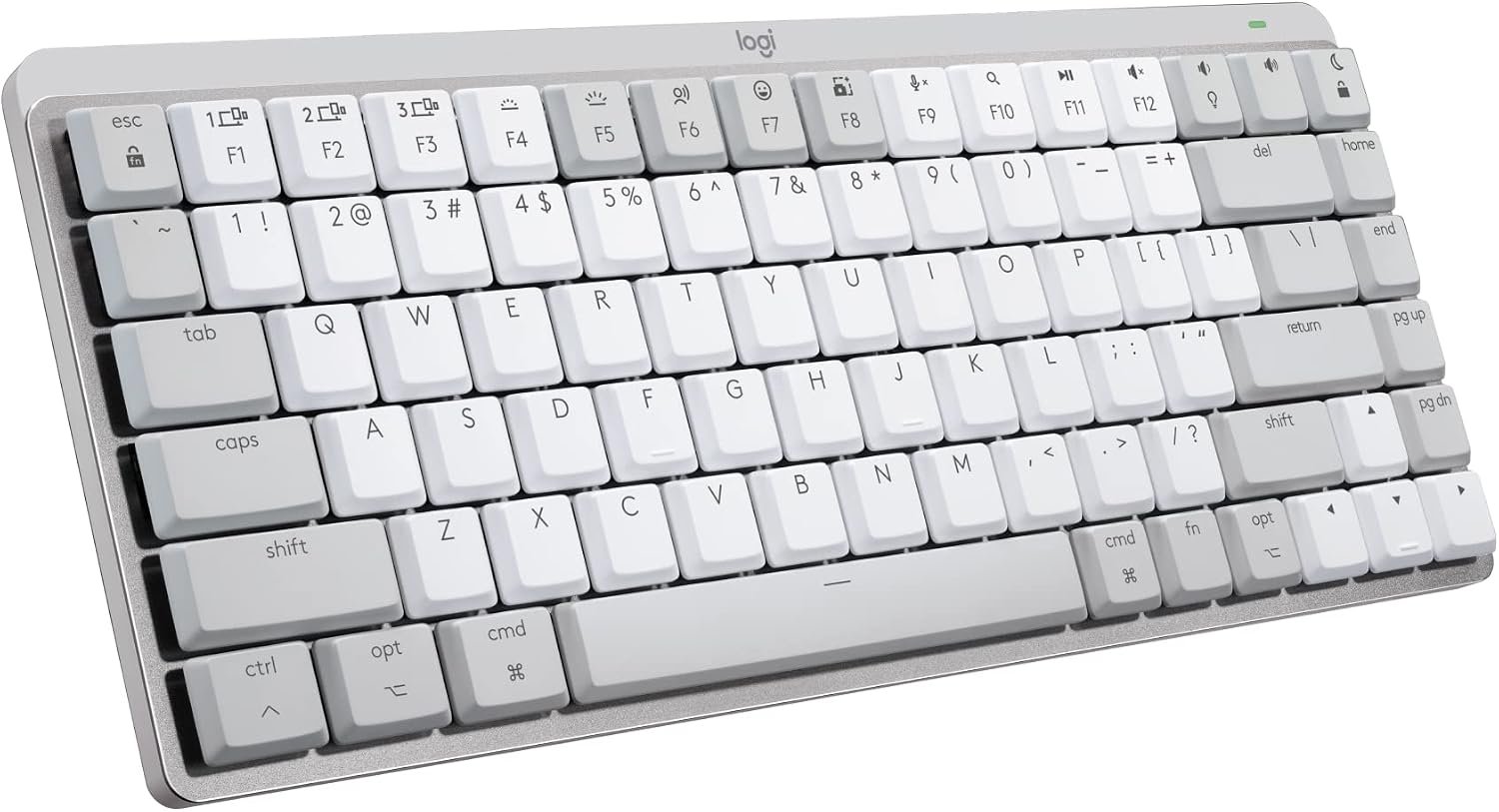
Most keyboards handle Mac support by including alternative keycaps and asking you to prise the existing ones off. Logitech made a separate product instead. The MX Mechanical Mini for Mac ships with the macOS layout printed on the keys from the factory, in Apple-adjacent grey, with no swapping required.
The switches are Logitech’s Tactile Quiet, which is the useful compromise for an office or a shared room: you feel a definite bump at the actuation point but the sound is closer to a membrane board than a clicky mechanical one. They are low-profile, so the overall height is much closer to an Apple keyboard than to a traditional mechanical. It connects to three devices over Bluetooth and switches between them with a keypress.
What it does well
- macOS layout printed from the factory, no keycap swapping.
- Tactile Quiet switches give feedback without the noise.
- Low-profile height, close to an Apple keyboard.
- Pairs with three devices and switches instantly.
What to know before buying
- Bluetooth only on the Mac version, with no wired data mode.
- Costs more than most Keychron boards.
3. Logitech MX Mechanical: The Full-Size Version With Proximity Backlighting
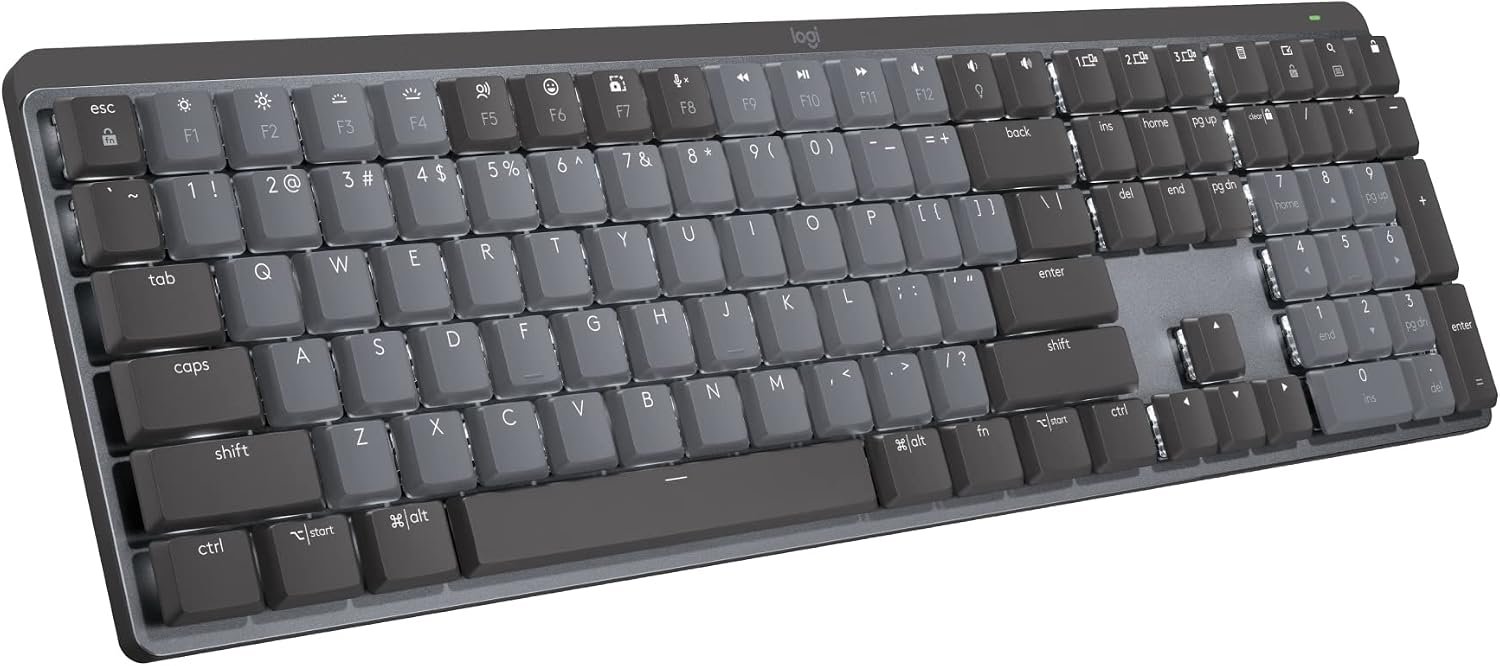
The same switches and the same three-device pairing as the Mini, in a full-size body with a number pad. If you work in spreadsheets or accounting software, that block of keys is not a luxury.
The feature that justifies the price is the backlight. It lights the moment your hands approach the keyboard, using a proximity sensor rather than a keypress, and it adjusts its own brightness to the light in the room. On a wireless keyboard, backlighting is the single biggest drain on battery, so having it switch itself off whenever you step away is the difference between charging monthly and charging weekly.
What it does well
- Full-size layout with a proper number pad.
- Backlight activates on hand proximity and self-adjusts.
- Same Tactile Quiet switches as the Mini.
- Three-device Bluetooth switching.
What to know before buying
- Sold in a general layout rather than a dedicated Mac version.
- Full-size means a long reach to the mouse.
4. Keychron K8: The Default Mechanical Recommendation
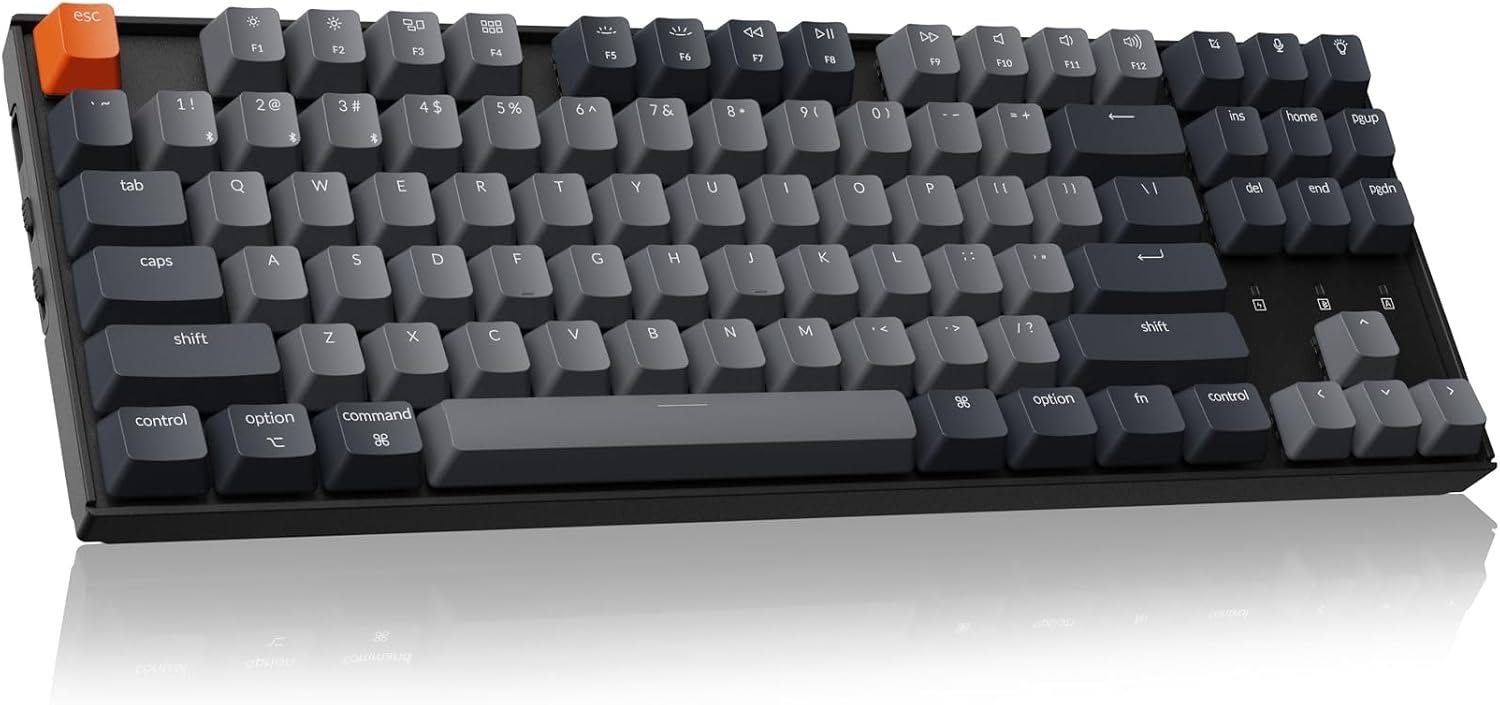
Keychron built its reputation on this shape. The K8 is a tenkeyless 87-key board, meaning you keep the arrow keys and the navigation cluster but lose the number pad, which is the layout most people should use if they also use a mouse.
It is explicitly dual-platform. All the macOS multimedia and function keys are present, a switch on the side flips between Mac and Windows modes, and extra keycaps for both systems are in the box. Connection is Bluetooth 5.1 to three devices or USB-C wired, and there is a white backlight. It is a normal-profile mechanical board, so it is considerably taller than the Logitech and Apple options and you will probably want a wrist rest.
What it does well
- TKL layout keeps arrows and navigation without the number pad.
- Hardware switch between macOS and Windows modes.
- Keycaps for both systems included.
- Bluetooth to three devices or USB-C wired.
What to know before buying
- Normal-profile height is tall enough to want a wrist rest.
- Louder than any low-profile board here.
5. Keychron K3 Version 2: Mechanical Feel at Nearly Apple Thickness
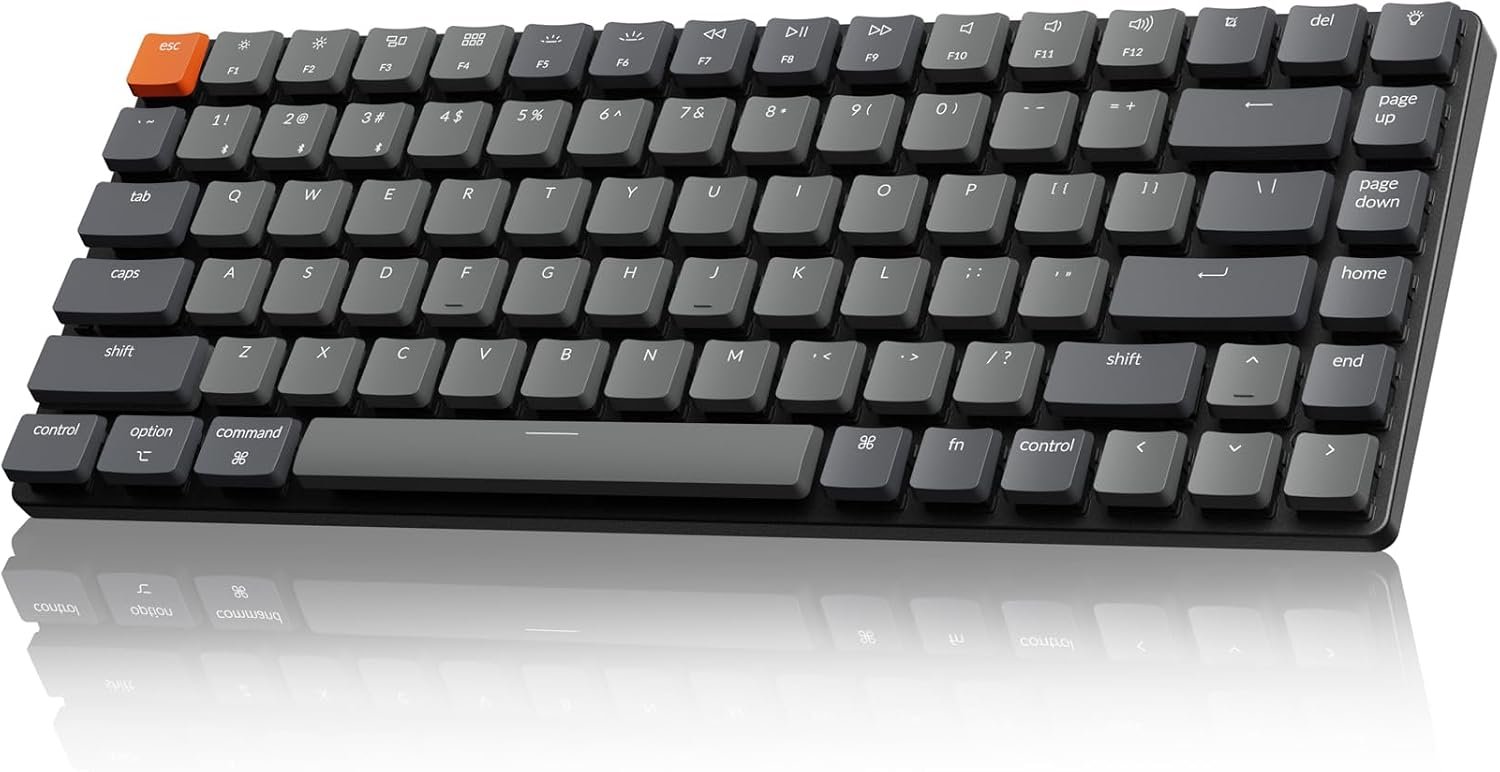
This is the keyboard for someone who wants mechanical switches but cannot live with the height of one. The K3 uses low-profile switches in a 75% layout, which compresses a TKL into a smaller footprint by removing the gaps between key clusters rather than removing keys.
The result is a board only slightly thicker than a Magic Keyboard that still has real switches under the caps. It runs QMK firmware, so every key can be remapped in software rather than through a vendor app, and it carries the same Mac-first layout and three-device Bluetooth 5.1 as the rest of the range, with keycaps for both operating systems in the box.
What it does well
- Ultra-slim for a mechanical keyboard.
- 75% layout keeps arrows and function row in a small footprint.
- QMK firmware allows full key remapping.
- Three-device Bluetooth plus wired USB-C.
What to know before buying
- Low-profile switches have less travel than standard ones.
- The compressed layout takes a few days to adjust to.
6. Keychron C2: Wired, Full-Size and the Cheapest Way In
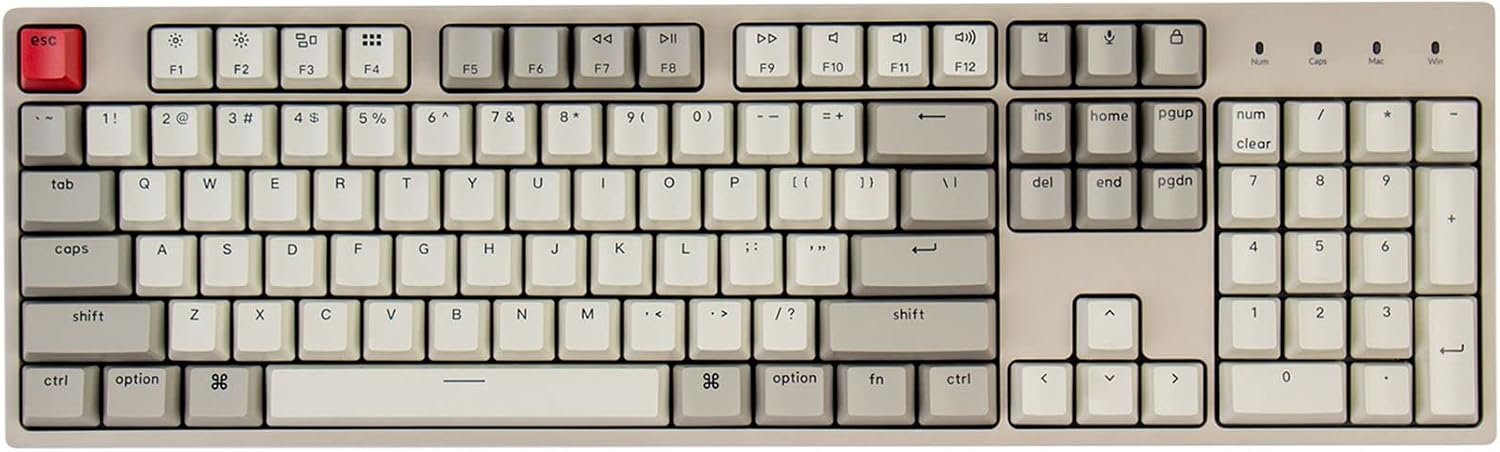
Strip out the battery, the Bluetooth radio and the backlight and a mechanical keyboard gets a lot cheaper. The C2 is a 104-key full-size board with a braided USB-C cable and nothing else, and it is the least expensive route to a properly Mac-laid-out mechanical keyboard here.
Wired has real advantages beyond price. There is no battery to charge, no pairing to lose, no latency question and no firmware handshake after sleep. The layout is optimised for Mac with the full set of multimedia and function keys, and Windows keycaps are included. Note the Num Lock key works under Windows only, which is a macOS limitation rather than a fault of the keyboard.
What it does well
- Cheapest mechanical option with a genuine Mac layout.
- Wired USB-C means no charging and no pairing.
- Full 104-key layout with number pad.
- Braided cable rather than moulded rubber.
What to know before buying
- No backlight on this version.
- No wireless at all.
- Num Lock functions under Windows only.
7. Keychron K4 Ultra: Hot-Swappable Switches and an 8000Hz Polling Rate
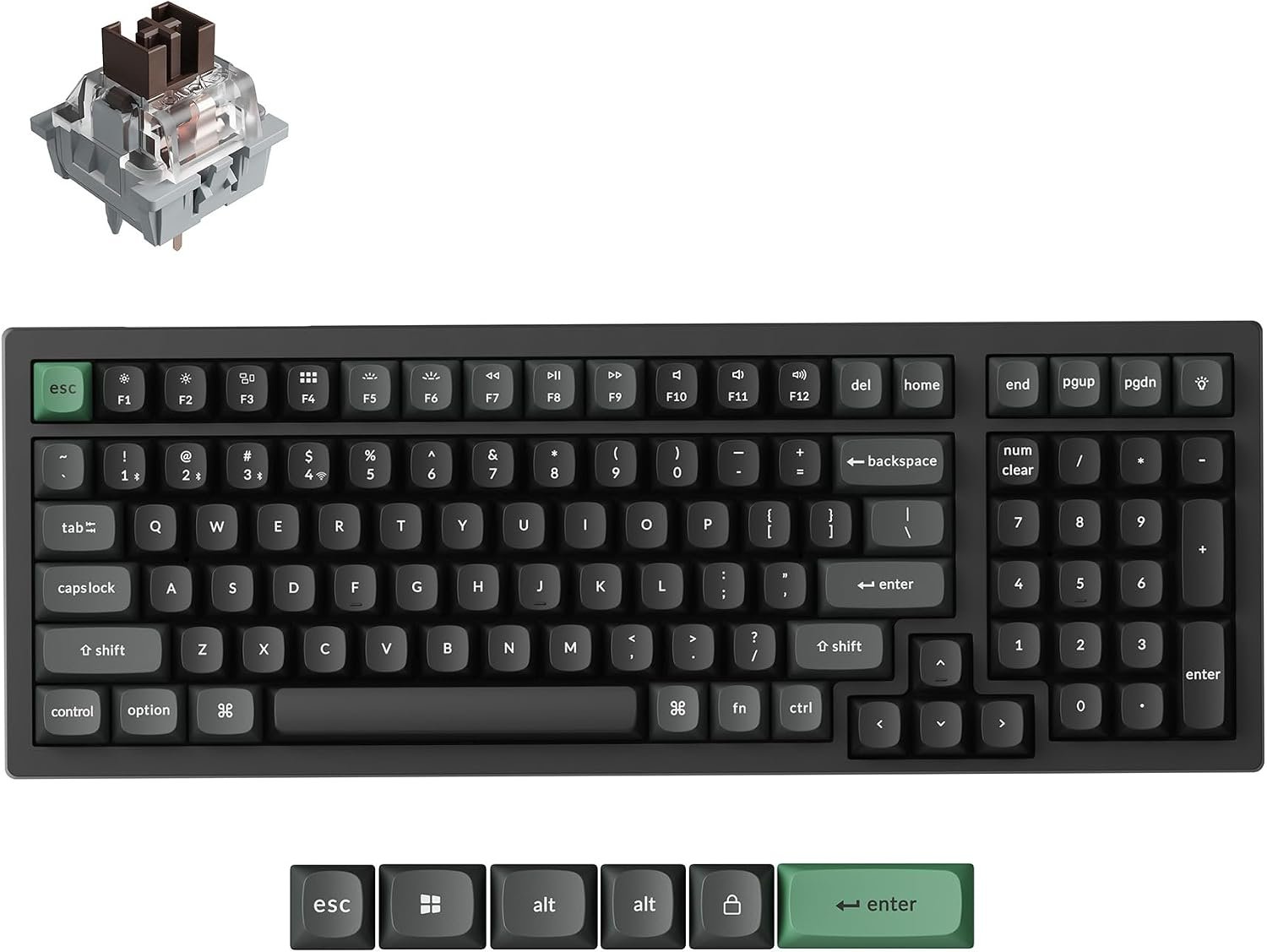
The 96% layout is the interesting part for a desk that is short on space. It keeps the number pad but removes the gaps around it, so you get a full-size key count in a footprint close to a TKL board.
Two specifications separate it from the rest of the range. It is hot-swappable, so switches pull out and drop in without soldering, which means you can change the typing feel later without buying another keyboard. And it polls at 8000Hz over both 2.4GHz wireless and USB-C, eight times the usual 1000Hz. For typing that is irrelevant; for gaming on a Mac it is the one board here designed for it. Switches come pre-lubed from the factory.
What it does well
- Hot-swappable switches, changeable without soldering.
- 96% layout keeps the number pad in a smaller footprint.
- 8000Hz polling over both wireless and wired.
- Tri-mode: 2.4GHz, Bluetooth and USB-C.
What to know before buying
- The 8000Hz rate makes no difference to typing.
- More keyboard than most office users need.
What Actually Changes When a Keyboard Is Built for Mac
Modifier order. On a Windows board the bottom row runs Ctrl, Windows, Alt. On a Mac board it runs Control, Option, Command. Plug in a Windows keyboard and every Command shortcut lands one key to the left of where your thumb expects. Apple documents how to change the behaviour of the modifier keys in System Settings, but the labels on the keycaps will then be wrong forever.
The function row. macOS puts brightness, Mission Control, Spotlight, dictation, Do Not Disturb and media controls on F1 through F12, and Apple’s list of Mac keyboard shortcuts assumes they are there. A Windows keyboard has a different set printed on those keys, and some of them simply will not map.
Delete versus Backspace. Mac keyboards label the key above Return as Delete and it deletes backwards. Forward delete requires Fn plus Delete. Windows boards give you a separate Delete key in the navigation cluster.
Keycap swapping is the usual compromise. Keychron includes both sets in the box and a switch on the side that reorders the modifiers in firmware. That works well, but it is ten minutes with a keycap puller. Apple and the Logitech Mac edition avoid the job entirely by printing the right legends at the factory.
Which One to Buy
For most people the Keychron K8 is the answer. It is a proper mechanical keyboard with a real Mac layout, a hardware switch for Windows when you need it, three-device Bluetooth and a sane TKL footprint, and it costs a fraction of the Apple and Logitech options.
Buy the Apple Magic Keyboard instead if you use an external display with a closed MacBook, because Touch ID on the desk is genuinely worth the money and nothing else on this list offers it. Buy the Logitech MX Mechanical Mini for Mac if you want mechanical switches but hate the height and noise of them, and the MX Mechanical full-size if you need a number pad and want the proximity backlight. Take the K3 if you want the slimmest possible mechanical board, the C2 if you want the cheapest and are happy wired, and the K4 Ultra if you intend to change switches later or game on the Mac.
Whichever you pick, check the connection type against your Mac. Recent Macs have limited USB-A ports, and a wired keyboard shipped with a USB-A plug may need an adapter. If you are still choosing the Mac itself, our comparison of the MacBook Neo and the MacBook Air covers which machine suits which desk, and the MacBook Neo review goes deeper on the cheaper of the two.
Frequently Asked Questions
Do I need a Mac-specific keyboard, or will any keyboard work?
Any USB or Bluetooth keyboard will type on a Mac. What you lose is the correct modifier order, the macOS function row and correct key labels. You can remap Command and Option in System Settings under Keyboard, but the printing on the keycaps will then be wrong.
Does Touch ID work on a third-party keyboard?
No. Touch ID on an external keyboard is only available on Apple’s own Magic Keyboard with Touch ID, and only with Macs running Apple silicon. No third-party manufacturer can licence it.
What does a 75% or 96% keyboard layout mean?
They describe how much of a full-size keyboard is kept. Full-size has everything including the number pad. TKL removes the number pad. 75% keeps the function row and arrows but removes the gaps between clusters. 96% keeps the number pad and removes the gaps, giving a full key count in a smaller body.
Are mechanical keyboards too loud for an office?
It depends on the switch. Clicky switches are genuinely disruptive. Tactile Quiet switches, used in both Logitech boards here, give you a bump you can feel without much sound. Low-profile switches are also quieter than normal-profile ones because there is less travel and a smaller space under the key.
Related Articles

Get the Fox Bulletin briefing
The stories that matter, in your inbox. No spam, unsubscribe anytime.
Newsletter signup will be available soon.
Related stories
Free Evernote Alternative: 5 Options, 3 Genuinely Free Forever
Obsidian, Joplin, Standard Notes, Notion and the built-in notes apps compared on what free actually covers, plus how to export your Evernote library without losing attachments.
Dropbox Alternatives: 3 Worth Switching To, and the Break-Even Maths
pCloud, Proton Drive and Sync.com compared against Dropbox on published prices, encryption model and version history, plus exactly when a lifetime plan beats a subscription.
DJI Alternative: 6 Camera Drones Worth Buying Instead
Six credible DJI alternatives from Autel to HOVERAir, compared on sensor size, gimbal type and range, plus the FAA weight rule that decides whether you register the drone at all.