

Fifteen paid iPhone and iPad apps are free in the US App Store today, October 7, 2026, worth $74.85 between them at their normal prices. The largest single saving is Yosemite GyPSy Guide Tour at $19.99. All prices, ratings, compatibility details and in-app purchases are current as of October 2026. Apple publishes no price history of its own, so the regular price shown is the last paid price recorded for that app before it dropped to zero.
Tap Get while an app is at zero and it is yours permanently, even after the price goes back up. The list is ordered by how much you save. Each entry says what the app does, who it suits, which devices it runs on and whether it carries in-app purchases, because free to download and free to use are not always the same thing.
Best iPhone and iPad Apps Gone Free Today
| App | Category | Price | Rating |
|---|---|---|---|
| Yosemite GyPSy Guide Tour | Travel | $19.99 Free | 4.8 from 151 |
| aeroLogbook | Lifestyle | $14.99 Free | 4.7 from 35 |
| Military Retirement | Finance | $5.99 Free | 4.9 from 13,770 |
| Omnistat: System Monitor | Utilities | $5.99 Free | 4.9 from 64 |
| Acrostic Crossword Puzzles | Games | $5.99 Free | 4.8 from 1,547 |
| ToonCamera | Photo & Video | $4.99 Free | 4.8 from 8,608 |
| Inflation Calculator | Utilities | $3.99 Free | 4.9 from 3,564 |
| Math Racing 2 Pro | Education | $2.99 Free | 4.5 from 340 |
| iKana – Hiragana and Katakana | Education | $2.99 Free | 4.8 from 324 |
| EveryCord: Screen Recorder | Utilities | $1.99 Free | 4.2 from 2,331 |
| TinType – Wet Plate Camera | Photo & Video | $0.99 Free | 4.8 from 3,519 |
| 30 Second Life: Redux | Games | $0.99 Free | 4.9 from 127 |
| Ce Ma: Three Kingdoms TD | Games | $0.99 Free | 4.5 from 23 |
| Alpine Crawler World Race Tour | Games | $0.99 Free | 5.0 from 15 |
| Level – Spirit level | Utilities | $0.99 Free | 4.4 from 41 |
1. Yosemite GyPSy Guide Tour
Price: Free, was $19.99 · Works on: iPhone and iPad · Needs: iOS 15.0 or later · Size: 197 MB · In-app purchases: Yes · Deal status: Live, checked October 7, 2026
What it does. More than 200 audio points play automatically as you reach them along the Yosemite scenic drive, covering viewpoints, side trips, stories and driving directions. It runs on the GPS signal alone, with no data, network or Wi-Fi needed while touring.
Who should get it. Anyone driving Yosemite in the next year. Download it before you go: the National Park Service says cell service in the park is limited and carrier dependent, present in Yosemite Valley but not at Tuolumne Meadows, and this tour is built to work without any.
2. aeroLogbook
Price: Free, was $14.99 · Works on: iPhone and iPad · Needs: iOS 26.1 or later · Size: 26 MB · In-app purchases: Yes · Deal status: Live, checked October 7, 2026
What it does. A digital replacement for a paper aircraft logbook, built around shared aircraft ownership. It logs flights, squawks and engine parameters, tracks required and optional service items by both flight hours and calendar dates, and exports to spreadsheets with date filtering.
Who should get it. Aircraft owners, particularly anyone in a co-ownership group who needs every owner looking at the same maintenance record. Too specialised to be useful otherwise.
3. Military Retirement
Price: Free, was $5.99 · Works on: iPhone and iPad · Needs: iOS 16.0 or later · Size: 18 MB · In-app purchases: None · Deal status: Live, checked October 7, 2026
What it does. Estimates military retirement pay from rank, years and months of service and retirement date, covering Final Pay, High-3, BRS and CSB/REDUX for Active Duty and Reserve or Guard. It also models Survivor Benefit Plan choices and compares scenarios side by side.
Who should get it. Serving personnel weighing a retirement date or a plan election. It needs no login and keeps your figures on the device, which matters for this kind of data.
4. Omnistat: System Monitor
Price: Free, was $5.99 · Works on: iPhone and iPad · Needs: iOS 17.0 or later · Size: 10 MB · In-app purchases: Yes · Deal status: Live, checked October 7, 2026
What it does. Charts storage, battery, memory, CPU and data use by day, week, month or year, with alerts for low storage, a data plan nearing its cap, overheating and unusual traffic. It also runs network and storage speed tests and reports real battery drain in percent per hour.
Who should get it. Anyone who wants to know why a phone is filling up or draining, rather than guessing. Overkill if you only ever check the battery percentage.
5. Acrostic Crossword Puzzles
Price: Free, was $5.99 · Works on: iPhone and iPad · Needs: iOS 15.0 or later · Size: 25 MB · In-app purchases: Yes · Deal status: Live, checked October 7, 2026
What it does. The developer describes it as: Acrostic puzzles are crosswords with a twist: find the hidden quote. This combination of crossword and cryptogram provides an entertaining brain workout. Each letter in the quote is linked to a letter in one of the clue answers.
6. ToonCamera
Price: Free, was $4.99 · Works on: iPhone and iPad · Needs: iOS 13.0 or later · Size: 40 MB · In-app purchases: Yes · Deal status: Live, checked October 7, 2026
What it does. Applies cartoon, pencil, stipple and ink effects to the camera feed in real time, so you frame the shot with the effect already visible. It records video as well as stills and converts footage already in your albums.
Who should get it. People who want the effect baked in at capture rather than added later. The real-time preview is the part that separates it from a filter applied afterwards.
7. Inflation Calculator
Price: Free, was $3.99 · Works on: iPhone and iPad · Needs: iOS 16.0 or later · Size: 3 MB · In-app purchases: Yes · Deal status: Live, checked October 7, 2026
What it does. The developer describes it as: New: Time Machine And Ask – Time Machine: pick any year and see what everyday things cost, with charts of prices over time. – Ask: ask anything about money and the past, answered with real inflation data. – Share any result or chart with a friend.
8. Math Racing 2 Pro
Price: Free, was $2.99 · Works on: iPhone and iPad · Needs: iOS 13.0 or later · Size: 397 MB · In-app purchases: None · Deal status: Live, checked October 7, 2026
What it does. A 3D racing game where solving an arithmetic problem gives you a speed boost, covering addition through percentages, rounding and place value, with 13 cars and 5 tracks. The Pro edition carries no advertising.
Who should get it. Parents of primary and early secondary age children. The no-ads point is the whole reason to take the Pro version while it is free.
9. iKana – Hiragana and Katakana
Price: Free, was $2.99 · Works on: iPhone and iPad · Needs: iOS 18.6 or later · Size: 48 MB · In-app purchases: Yes · Deal status: Live, checked October 7, 2026
What it does. Teaches the two Japanese kana syllabaries through flash cards with stroke order animations, a writing practice area and a timed recognition quiz. Every character is voiced by a native speaker, and romaji can be switched off once you stop needing it.
Who should get it. Anyone starting Japanese. Kana is the first wall every learner hits, and this is a focused tool for getting over it rather than a general language course.
10. EveryCord: Screen Recorder
Price: Free, was $1.99 · Works on: iPhone and iPad · Needs: iOS 15 or later · Size: 5 MB · In-app purchases: None · Deal status: Live, checked October 7, 2026
What it does. Records the screen with system sound and microphone, adds a movable picture-in-picture FaceCam, generates subtitles automatically, and streams live to YouTube or Twitch over RTMP.
Who should get it. Anyone making tutorials or streaming gameplay from an iPhone. iOS already records the screen, so the streaming, FaceCam and automatic subtitles are what you are here for.
11. TinType – Wet Plate Camera

Price: Free, was $0.99 · Works on: iPhone and iPad · Needs: iOS 26.0 or later · Size: 62 MB · In-app purchases: Yes · Deal status: Live, checked October 7, 2026
What it does. Recreates the wet plate collodion process of the 1850s: you choose the plate before you shoot and what comes out is finished, with no editing afterwards. Plate edges, water marks and grain are taken from real plates.
Who should get it. Portrait photographers who like a constraint. It reads depth from the camera and sets the focal plane on the eyes, the way a collodion photographer would have.
12. 30 Second Life: Redux
Price: Free, was $0.99 · Works on: iPhone and iPad · Needs: iOS 16.0 or later · Size: 17 MB · In-app purchases: Yes · Deal status: Live, checked October 7, 2026
What it does. You live an entire life from birth to death in thirty seconds, choosing at each moment, then start again as somebody else. More than 200 life stages and over 90 unlockable combinations, and this Redux release adds more than 200 new female sprites over the original.
Who should get it. Anyone who wants a game that fits in a lift ride. At 4.9 from 127 ratings it is among the best reviewed on this page, behind only Alpine Crawler at 5.0 from a much smaller number of ratings.
13. Ce Ma: Three Kingdoms TD
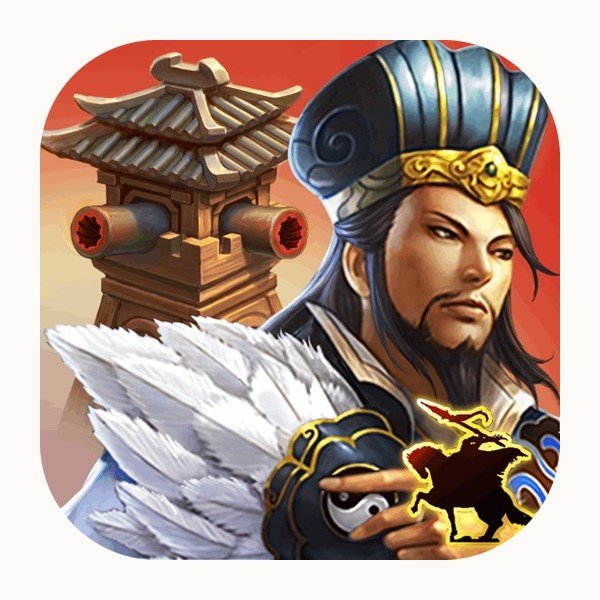
Price: Free, was $0.99 · Works on: iPhone and iPad · Needs: iOS 15.0 or later · Size: 256 MB · In-app purchases: Yes · Deal status: Live, checked October 7, 2026
What it does. A tower defence campaign set in the Three Kingdoms period that combines towers you place with heroes you move and control directly, plus tactical card builds. Seven story chapters built on battles such as Red Cliffs and Yiling, more than 30 heroes, and it plays offline.
Who should get it. Tower defence players who find pure tower placement too passive. The co-op and one-versus-one modes are there too if you want them.
14. Alpine Crawler World Race Tour
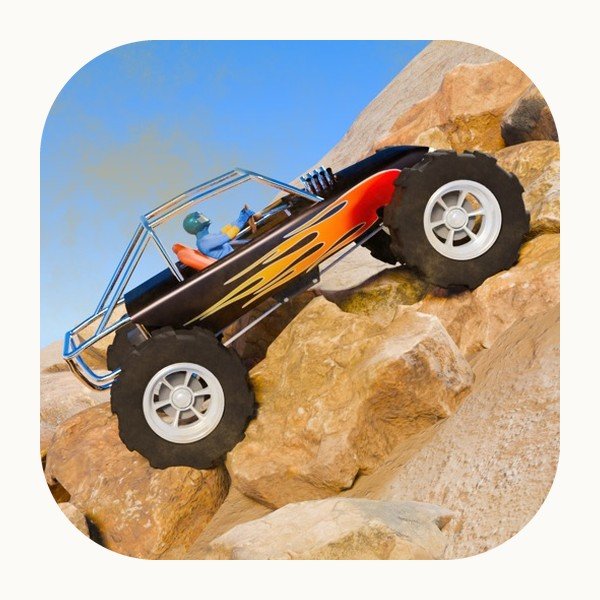
Price: Free, was $0.99 · Works on: iPhone and iPad · Needs: iOS 12.0 or later · Size: 110 MB · In-app purchases: None · Deal status: Live, checked October 7, 2026
What it does. Off-road driving across 13 vehicles, 6 locations and 60 levels, in free ride, time trial and challenge modes, with changing weather and day-night cycles.
Who should get it. Players who want careful, technical driving rather than speed. The challenge is getting up the obstacle without rolling the truck.
15. Level – Spirit level
Price: Free, was $0.99 · Works on: iPhone and iPad · Needs: iOS 12.0 or later · Size: 1 MB · In-app purchases: None · Deal status: Live, checked October 7, 2026
What it does. The developer describes it as: iBubbleLevel expands your iPhone with a precise level.
Deals That Have Expired
These were free on an earlier list and now cost money again. They are kept here so a bookmarked page never leaves you guessing.
| App | Regular price | Price now | Deal ended |
|---|---|---|---|
| AirDisk Pro: Photo Transfer | $1.99 | $1.99 | 2026-10-12 |
This matters more than it sounds. Most promotions run between one and seven days, no warning is given before one closes, and an app that has reverted looks identical in search results to one that is still free. If you downloaded an app while it was at zero, none of this affects you: it stays in your purchase history at the price you paid, which was nothing.
How to Keep a Free App for Good
An App Store download attaches to your Apple Account rather than to the device or to the price on the day. Download a $19.99 app during a free run and it sits in your purchase history at $0 permanently.
- Open the App Store and tap your photo in the top right corner.
- Tap Apps, then Purchase History, to see everything the account has taken.
- Tap the cloud icon beside anything you want back on the current device.
Apple documents the process for iPhone, iPad, Mac and Apple Watch. Two limits are worth knowing. Anything you have hidden will not appear until you unhide it, and an app the developer withdraws entirely stays in your history but may stop installing on newer versions of iOS. Install what you actually want rather than leaving it on a list.
If you are not certain you can get into your Apple Account, that is worth settling before a deal window closes rather than during one. Our walkthrough on how to reset an Apple ID password covers the four routes that still work.
Reading the In-App Purchases Line
Four of the twelve apps above carry no in-app purchases at all: Military Retirement, Math Racing 2 Pro, EveryCord and Alpine Crawler. The other eight do, which is normal and not a reason to skip them, but it is the difference between an app that is complete at zero and one where zero is the entry price.
- A one-time unlock is usually fine. You get a working app and can pay once if you want the rest.
- A subscription is the one to watch. An app that moved from a single purchase to a monthly fee reads Free on the listing without any price having been cut.
- A consumable currency in a game means the free download is the start of a storefront, not the whole game.
Apple explains how these purchases work, and which of them can be restored on a new device. If something turns out to be a mistake, refunds go through the process in Apple’s guide to requesting a refund.
Storage is the other practical limit. Math Racing 2 Pro is close to 400MB and Ce Ma is 256MB, so a full phone will stop you before the price does. Our explainer on RAM versus storage covers which number actually matters.
Frequently Asked Questions
How long do these apps stay free?
There is no fixed window, because the developer sets it and Apple does not publish it. Most promotions run between one and seven days, and weekends are the most common slot. Some changes are permanent, where a developer simply stops charging. Since nothing announces the end of a window, treat anything on this page as something that could revert tomorrow.
Do I keep the app if the price goes back up?
Yes, provided you actually downloaded it while it was free. The app stays in your purchase history tied to your Apple Account, so you can reinstall it on any device signed in to that account without paying. You do not need to keep it installed. What you cannot do is claim it later having only seen it listed.
Will these apps work on my iPad as well as my iPhone?
All twelve on today’s list run on both, which is shown as the compatibility line in each entry. A universal purchase covers iPhone and iPad together, so taking the app free on one gets you the other at no extra cost. Check the iOS version requirement too: aeroLogbook needs iOS 26.1 and TinType needs iOS 26, which rules out older hardware.
Is there a free app of the day on the App Store?
No. Apple runs no free app of the day feature, and the Today tab is editorial rather than price-driven, so it will not tell you which apps are on sale. There is no notification, no feed and no section of the store for price changes either. Finding free iPhone apps today means watching prices yourself or using a page that runs the check daily, which is what this one does.
Where can I find iPhone app deals that are not free?
Plenty of paid apps discount without going to zero, and those apps on sale never appear on a page like this one, which only lists drops to free. If you want app deals today across the whole price range, the practical method is the same: keep a short list of the paid apps you would actually buy and check them, because Apple shows the current price and nothing about what it was yesterday.
Why does an app show as free when it used to cost money?
Either the developer cut the price temporarily, which is what this page tracks, or the app switched to charging through in-app purchases or a subscription instead of up front. The second is more common than most people expect. The in-app purchases line on each entry above tells you which you are looking at.
Related Articles

Get the Fox Bulletin briefing
The stories that matter, in your inbox. No spam, unsubscribe anytime.
Newsletter signup will be available soon.
Related stories
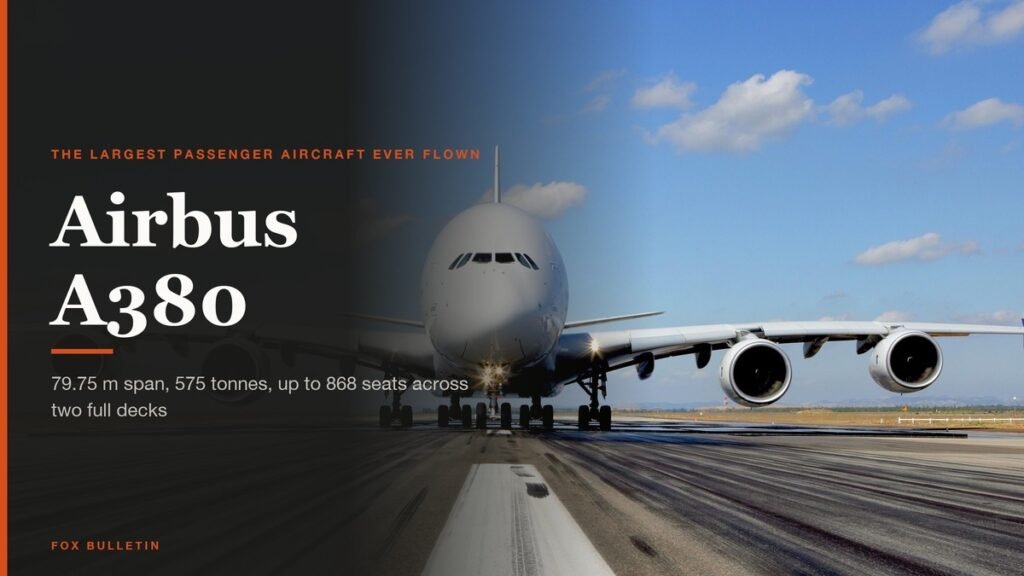
Airbus A380: Size, Range and Who Still Flies It
The largest passenger aircraft ever flown measures 72.72 m long and 79.75 m across the wings. Its specifications, the two decks, why production ended at 251 aircraft, and which airlines still fly it.
Apple Creator Studio: Price and the New AI Tools
Generate Fill in Pixelmator Pro, an AI assistant in Logic Pro and MotionVFX in Final Cut. A free update for subscribers.

Apple Home Collection: Every Accessory and Price
Cameras, a smart lock and two thermostats, built by LG and Schneider Electric and sold by Apple.