


Remote online notarization lets you get a document notarized by video call in under 20 minutes, without finding a notary, driving anywhere, or taking time off work. It has become the default for mortgage paperwork, powers of attorney, affidavits, and business filings.
The surprising thing about this market is how little the prices differ, with almost every major platform charging around $25 per notarization. Below we rank the six best online notary services in 2026, and explain why the price tag is rarely the deciding factor.
| Rank | Service | Price | Best For |
|---|---|---|---|
| 1 | Notaron | $25 per notarization | Best for Fast Online Notarization |
| 2 | Proof | $25 per notarization | Best overall |
| 3 | BlueNotary | $25, or $37 per month | Best for repeat users |
| 4 | OneNotary | Free tier, or $49 per month | Best free entry point |
| 5 | NotaryLive | From $15 | Cheapest single session |
| 6 | DocuSign Notary | From $25 | Best for DocuSign users |
| 7 | NotaryCam | Volume pricing | Best for high-volume business |
The 7 Best Online Notary Services in 2026
1. Notaron: Best Overall for Fast Online Notarization
Starting Price: $25 | Availability: 24/7 | Best For: Fast, straightforward online notarization
Notaron is an online notarization platform designed to make getting documents notarized as quick and simple as possible. Customers can upload their document, verify their identity, connect with a commissioned online notary, sign electronically, and receive their completed notarized document entirely online.
Notaron offers 24/7 availability with no appointment required. Standard sessions start at $25 and include one signer and one notarization. Additional notarizations are $5 each and additional signers are $10.
One of Notaron’s biggest advantages is speed. Many customers can complete the entire process in under 10 minutes, making it a strong option for people who need a document notarized quickly without visiting a physical notary or scheduling an appointment.
Pros
- 24/7 online notary availability
- No appointment required
- Sessions starting at $25
- Many notarizations completed in under 10 minutes
- Transparent pricing
- Entire process completed online
Best for: Customers looking for a fast, simple and affordable way to notarize documents online.
Website: Notaron.com
2. Proof: The Best Overall
Price: $25 per notarization | Best For: Most individuals and businesses
Proof, formerly known as Notarize, is the most established platform in remote online notarization and charges $25 per notarization. It offers 24/7 availability, so you are not limited to business hours when a deadline is closing.
Its identity verification and audit trail are built to the standard mortgage lenders and title companies expect, which matters when a document will be scrutinised later. For most people this is the default choice, and its scale means a notary is almost always available immediately.
3. BlueNotary: The Best for Repeat Users
Price: $25, or $37 per month | Best For: Anyone notarizing more than once
BlueNotary charges the standard $25 for a single notarization but adds a subscription option at $37 a month including two sessions, which works out cheaper for anyone with recurring needs. Additional stamps cost $8 and extra signers $5.
That transparent add-on pricing is genuinely useful, since documents with multiple signers or multiple stamps are where costs quietly escalate elsewhere. For small businesses notarizing a few documents monthly, the subscription is the better value.
4. OneNotary: The Best Free Entry Point
Price: Free tier, or $49 per month | Best For: Testing the process, and teams
OneNotary offers a pay-as-you-go plan with no monthly fee, charging only per notarization, which makes it the lowest-commitment way to try remote notarization. Its Business Professional tier runs $49 a month for teams wanting the full feature set.
It also powers notarization behind other platforms, which speaks to the reliability of its underlying network. For occasional users unwilling to commit to a subscription, starting here costs nothing upfront.
5. NotaryLive: The Cheapest Single Session
Price: From $15 | Best For: One-off documents on a budget
NotaryLive is the most affordable option available, with sessions starting from around $15, below the roughly $25 the rest of the market charges. For a single straightforward document, that is the lowest price you will find.
The trade-off is a smaller feature set and network than Proof or OneNotary, which matters more for complex or business-critical documents. For a one-time affidavit or permission letter, the savings are real and the risk is low.
6. DocuSign Notary: The Best for Existing DocuSign Users
Price: From $25 | Best For: Teams already using DocuSign
DocuSign Notary starts at $25 and slots notarization directly into a workflow millions of businesses already use for electronic signatures. If your documents already move through DocuSign, this avoids introducing a second vendor.
Worth knowing: DocuSign partnered with OneNotary to deliver this, so sessions route through OneNotary’s notary network rather than a platform DocuSign built itself. The convenience is real, but you are paying for integration rather than a different service.
7. NotaryCam: The Best for High-Volume Business
Price: Volume pricing | Best For: Companies notarizing regularly
NotaryCam serves both individuals and businesses and offers volume discounts for organisations notarizing ten or more documents a month. Most sessions complete in under 20 minutes.
It has a long track record in real estate and title work, where reliability matters more than shaving a few dollars off each session. For businesses with steady notarization volume, negotiated pricing beats paying list price repeatedly.
Why Every Service Costs About the Same
The most useful thing to understand about this market is that price is barely a differentiator. Consumer remote notarization generally runs $15 to $39 per session, and the great majority of platforms land on $25.
That clustering means you should choose on availability, identity verification standards, integration with tools you already use, and how add-ons are priced. Watch for extras rather than the headline rate, since additional signers, extra stamps, and rush service, which typically adds $10 to $20, are where a $25 session becomes a $50 one.
Online Versus In-Person Notarization
Traditional in-person notary fees are capped by state law, often at just a few dollars per signature, which makes them cheaper on paper than any online service. The catch is everything around that fee.
Finding a notary public, travelling to them, and fitting it into business hours costs time that a $25 video session eliminates entirely. For most people the online premium buys convenience rather than a better notarization, and the legal effect is the same where remote notarization is permitted.
The State Rules You Need to Check First
Remote online notarization is now widely permitted across the United States, but the rules are set state by state rather than federally. Whether a specific document can be notarized remotely depends on your state and sometimes on the document type.
Certain instruments, particularly some wills and specific real estate documents, may still require an in-person notary in certain states. Before paying for a session, confirm that your state permits remote notarization for your document type, and check what the receiving party will accept, since a lender or court may have its own requirements.
How Online Notarization Actually Works
The process is straightforward. You upload your document, verify your identity using a government-issued ID and usually knowledge-based authentication questions, then join a live video call with a commissioned notary who witnesses your signature.
The notary applies a digital seal and an electronic signature, and the platform records the session and stores an audit trail. That recording is a genuine advantage over paper notarization, since it provides evidence the signing occurred as described. Most sessions finish in well under 20 minutes.
What You Need Before You Start a Session
Sessions fail most often for avoidable reasons, so preparing takes less time than rebooking. You need a valid, unexpired government-issued photo ID, a device with a working camera and microphone, and a stable internet connection good enough to hold video.
Critically, do not sign the document beforehand. The notary must witness the signature during the session, and a pre-signed document will usually be rejected. Have the document ready as a clear PDF, know exactly how many signers and stamps you need so you are not surprised by add-on charges, and make sure every signer is present with their own ID if the document requires more than one.
How We Ranked the Best Online Notary Services
This ranking weighs price and pricing transparency, availability and wait times, identity verification standards, integration options, and suitability for individuals versus businesses. Because base prices are so similar, features and reliability drove the order more than cost.
Prices are 2026 figures and change with promotions and volume agreements, so confirm current rates before booking. This is general information rather than legal advice, and requirements vary by state and document.
How to Choose the Right Service
Start with frequency. For a single document, NotaryLive is cheapest and Proof is the safest default; for recurring needs, BlueNotary’s subscription or OneNotary’s business tier costs less over a year.
Then consider the document’s importance. Mortgage, title, and business filings justify using an established platform with strong verification, while a simple permission letter does not. If you are notarizing documents as part of setting up a company, our guides to the best LLC formation services and best online will makers cover the surrounding paperwork.
Frequently Asked Questions
How much does online notarization cost?
Most platforms charge around $25 per notarization, with the market ranging from about $15 to $39. Rush service typically adds $10 to $20, and extra signers or stamps cost a few dollars each.
What is the cheapest online notary service?
NotaryLive starts from around $15, below the roughly $25 most competitors charge. OneNotary also offers a pay-as-you-go plan with no monthly fee.
Is online notarization legally valid?
Yes, where permitted. Remote online notarization is widely allowed across the US, but rules are set state by state, and some documents may still require an in-person notary. Confirm your state’s rules first.
How long does an online notarization take?
Most sessions complete in under 20 minutes, including identity verification and the video call. Platforms with 24/7 availability, such as Proof, can usually connect you immediately.
Is online notarization cheaper than in person?
Not on the fee itself, since state-capped in-person notary fees are often just a few dollars. Online services charge more but eliminate travel and business-hours constraints, which is what most people are actually paying for.
Related Articles

Get the Fox Bulletin briefing
The stories that matter, in your inbox. No spam, unsubscribe anytime.
Newsletter signup will be available soon.
Related stories
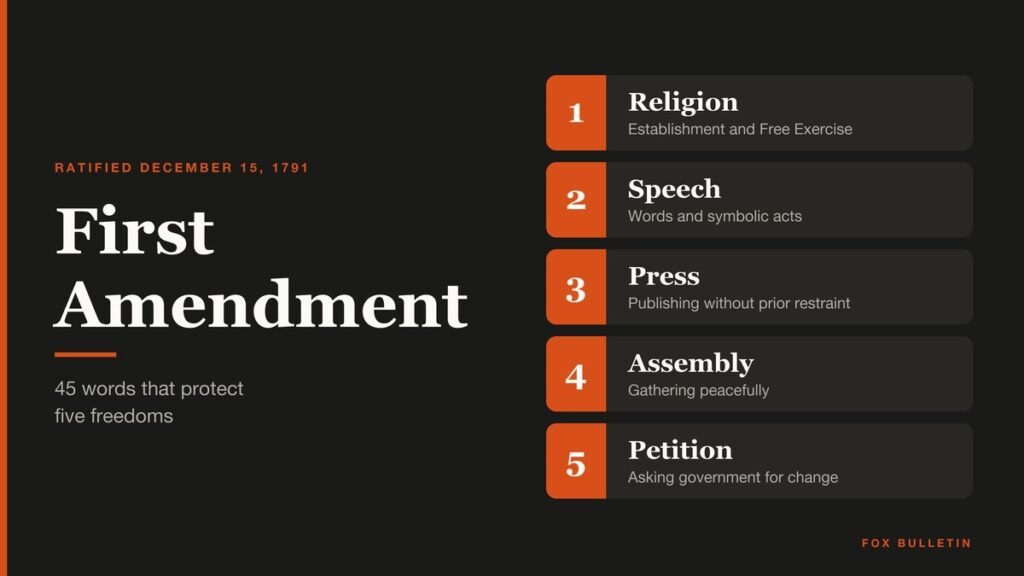
First Amendment: The 5 Freedoms and the Cases Behind Them
The 45 words of the First Amendment cover five freedoms. Here is the exact text, how it was ratified, and the landmark Supreme Court cases behind each freedom.

Lemon Law: How a Car Qualifies and What You Get Back
A lemon law makes the manufacturer buy back or replace a new car it cannot fix. Here are the real tests in nine states, the refund formulas, and the steps to file a claim.

Statute of Limitations: What It Means and How Long You Have
A statute of limitations is the legal deadline to sue or bring charges. Here are the real time limits in four big states, the crimes with no limit, and how old debts work.